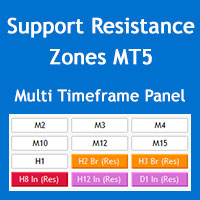
Multi Timeframe Support and Resistance Zones MT5
60 USD
Скачано демо:
146
Опубликован:
28 мая 2022
Текущая версия:
4.2
Не нашли подходящего робота?
Закажите собственного
на бирже фрилансеров
Перейти на биржу
Закажите собственного
на бирже фрилансеров
Как купить торгового робота или индикатор
Запусти робота на
виртуальном хостинге
виртуальном хостинге
Протестируй индикатор/робота перед покупкой
Хочешь зарабатывать в Маркете?
Как подать продукт, чтобы его покупали

Вы упускаете торговые возможности:
- Бесплатные приложения для трейдинга
- 8 000+ сигналов для копирования
- Экономические новости для анализа финансовых рынков
Регистрация
Вход
Вы принимаете политику сайта и условия использования
Если у вас нет учетной записи, зарегистрируйтесь
hi bro. I can not drag the window indicator. how to drag made window bigger. and how to hire the
hi bro. I can not drag the window indicator. how to drag made window bigger. and how to hire the text of indicator on the chat. thanks
hi bro. I can not drag the window indicator. how to drag made window bigger. and how to hire the text of indicator on the chat. thanks
Hi Beoneone, you can minimize the panel but you can't drag it or change its font size, unfortunately MQL programming doesn't have the enough flexibility for this.
The panel should look like the image below, perhaps you have increased the size of the fonts through the Windows OS settings.
You can hide the info text through "Show parameters info on chart" parameter in the "S/R Zones Drawing Settings" section of the indicator settings.
Regards
Hi Beoneone, you can minimize the panel but you can't drag it or change its font size, unfortunately MQL programming doesn't have the enough flexibility for this.
The panel should look like the image below, perhaps you have increased the size of the fonts through the Windows OS settings.
You can hide the info text through "Show parameters info on chart" parameter in the "S/R Zones Drawing Settings" section of the indicator settings.
Regards
thanks for your support.