Multi Timeframe Support and Resistance Zones MT5
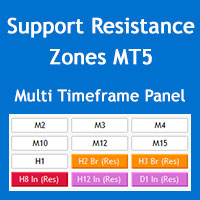
60 USD
Démo téléchargée:
146
Publié:
28 mai 2022
Version actuelle:
4.2
Vous ne trouvez aucun robot qui vous convient ?
Commandez le vôtre
dans la section Freelance
Aller à la section Freelance
Commandez le vôtre
dans la section Freelance
Comment acheter un robot de trading ou un indicateur
Exécutez votre EA sur
hébergement virtuel
hébergement virtuel
Test un indicateur/robot de trading avant d'acheter
Vous voulez gagner de l'argent sur Market ?
Comment présenter un produit pour qu'il se vende bien

Vous manquez des opportunités de trading :
- Applications de trading gratuites
- Plus de 8 000 signaux à copier
- Actualités économiques pour explorer les marchés financiers
Inscription
Se connecter
Vous acceptez la politique du site Web et les conditions d'utilisation
Si vous n'avez pas de compte, veuillez vous inscrire
hi bro. I can not drag the window indicator. how to drag made window bigger. and how to hire the
hi bro. I can not drag the window indicator. how to drag made window bigger. and how to hire the text of indicator on the chat. thanks
hi bro. I can not drag the window indicator. how to drag made window bigger. and how to hire the text of indicator on the chat. thanks
Hi Beoneone, you can minimize the panel but you can't drag it or change its font size, unfortunately MQL programming doesn't have the enough flexibility for this.
The panel should look like the image below, perhaps you have increased the size of the fonts through the Windows OS settings.
You can hide the info text through "Show parameters info on chart" parameter in the "S/R Zones Drawing Settings" section of the indicator settings.
Regards
Hi Beoneone, you can minimize the panel but you can't drag it or change its font size, unfortunately MQL programming doesn't have the enough flexibility for this.
The panel should look like the image below, perhaps you have increased the size of the fonts through the Windows OS settings.
You can hide the info text through "Show parameters info on chart" parameter in the "S/R Zones Drawing Settings" section of the indicator settings.
Regards
thanks for your support.