Ballast Spread Log

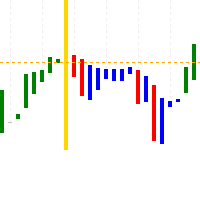
Free. What does trading really cost at your broker, hour by hour? Ballast Spread Log measures the spread tick by tick, keeps a log for every weekday hour and shows on the chart when trading is cheap and when it is expensive. It never trades.

  • 24 bars, one per hour (server time): the average spread from Monday to Friday or only for today's weekday. Green = normal, orange = above 1.5x typical, red = above 3x typical.
  • Time weighted: a spread that lasts 30 seconds counts 30 times more than one that lasts 1 second. Simple tick averages hide this.
  • Now, typical, limit: the typical spread is the median of the last 24 hours; above 3x typical (your setting) the spread counts as wide.
  • Cost per lot in your account currency, now and at the typical spread.
  • Most expensive and cheapest hours, the largest spread of today and how many minutes it was wide.
  • Alert and push notification when the spread turns wide (optional).
  • Log file MQL5\Files\SpreadLog_<symbol>.csv for Excel: average, maximum, wide seconds and logged seconds per weekday hour. The log continues after a restart.
  • First estimate at once: until an hour is logged, a dim bar shows the M1 history of the last 20 days. M1 bars store the lowest spread of each minute, so this estimate is too low: in our tests the real average was 9% higher on EURUSD and 7% higher on Gold.

Tested

  • Three runs on real ticks (EURUSD August to October 2026 and October alone, Gold 2 November 2025 to 19 February 2026): 47 million ticks, 418 wide spells. An independent second-by-second tracker compared the average, maximum and wide time of every weekday hour, the typical spread and the start and end of every wide spell: 0 differences.
  • The log file saved and loaded again: 0 differences. 8 symbol/timeframe/deposit combinations without errors.

Notes

  • It only logs while the terminal runs. Pauses longer than 60 seconds without a tick count as 60 seconds (market closed).
  • Attach it to one chart per symbol. Two charts of the same symbol write the same file.
  • Spreads differ between brokers and account types: the log shows yours, not the market's.
  • In the Strategy Tester choose "Every tick based on real ticks".

Inputs

  • Wide when spread > this x typical spread — 3 (0 = off)
  • Bars: only today's weekday — false = Monday to Friday
  • MT5: first estimate from this many days of M1 bars — 20 (0 = off)
  • Alert / push notification when the spread turns wide — false
  • Font size, panel distance from the left and top — 9, 6, 20

Works well with

Yazarın diğer ürünleri
Free lot size calculator (position size calculator) with stop-loss and take-profit levels from the average daily range (ADR): the lot is rounded down, so the stop risks no more than your chosen % of balance (before slippage and commission). Ballast Risk Panel opens trades in one click with the lot from your risk % and an automatic stop. It sizes that stop its own way (ATR or fixed points), so its lot differs from the one shown here. For prop-firm accounts, Ballast Prop Guard fits the stops of al
FREE
Would your trading have passed a prop-firm challenge? Checks your closed trades against the daily loss, max loss, profit target and minimum trading days, and shows every day that broke a rule. Drop Ballast Prop Rules Checker on any chart, enter the rules of your firm, and in a second it replays your account history day by day the way a prop firm judges it: Verdict: PASSED, FAILED (which rule, on which day and hour), or still running. Daily loss limit: how many days broke it and how many came wit
FREE
Shows where your account loses money: trades without a stop-loss, worst symbols, weekdays, hours and holding times. New in 1.10: the report ends with What would have helped — for each problem it found (trades without a stop, a few oversized losses, one very bad day) it names the fix and the Ballast tool that does it: Ballast Risk Panel (lot from risk, a stop on every trade, daily loss lock) or Ballast Prop Guard (prop-firm rules). Drop Ballast Loss Finder on any chart. In a second it reads your
FREE
Would your trading have passed a prop-firm challenge? Checks your closed trades against the daily loss, max loss, profit target and minimum trading days, and shows every day that broke a rule. Drop Ballast Prop Rules Checker on any chart, enter the rules of your firm, and in a second it replays your account history day by day the way a prop firm judges it: Verdict: PASSED, FAILED (which rule, on which day and hour), or still running. Daily loss limit: how many days broke it and how many came wit
FREE
Direct translation of blackcat's L3 Banker Fund Flow Trend Oscillator. Get push notifications on your phone app when a signal bar has formed. Historical signals are shown with buy/sell arrow right on the main chart. Indicator uses two data calculations to check for a cross below 25% level (a signal to go long) and above 75% level (a signal to short). For any further questions  feel free to contact me directly. Including requests for product improvements.
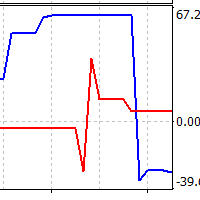
Two lines are being drawn in a separate window. And both are representing an angle of a trendline. One trendline is measured going across two price highs, but the other is measured across two lows. You get to choose the period from which the first price high and first price low is being determined. The second high and low comes from identical time period preceding the first one. Feel free to experiment with the period count until you get the confirmation you are looking for.
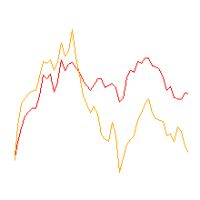
Line1: simple calculation of change in closing price for the chosen input period - named Velocity. Line2: simple calculation of change in velocity for the chosen input period - named Acceleration. Feel free to play with the input periods to find a profitable combination. For faster results it is best to do it in MT Optimizer. Can assist in either manual or automatic trading.
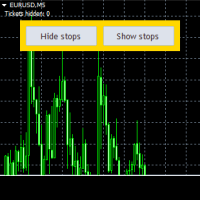
This is an Expert that gives you a control panel with two buttons - 'Hide Stops' and 'Show Stops'. With a click of a button you can hide your stoploss and takeprofit levels from your broker and restore them if necessary. When levels are hidden Expert tracks orders in the background and closes them as soon as the price exceeds hidden levels. It is not opening new orders just working with existing ones, only stoploss and takeprofit levels are not visible to the market. Choose zero as magic number
Keeps your prop-firm challenge inside its rules: fits every stop to the loss you have left, closes and locks before the daily or total limit, locks a reached profit target. Launch price until 3 December 2026: 35 USD (then 49 USD). A prop-firm challenge is usually lost to one rule: the maximum daily loss or the maximum total loss. Ballast Prop Guard watches the whole account — manual trades and every EA — and makes those limits very hard to break. What it does Fitted stops — every open trade gets
One-click trading that sizes every lot from your risk %, adds a stop-loss to any trade without one, and locks trading after your daily loss limit. Most accounts are not lost by a bad strategy. They are lost by one trade without a stop, one oversized lot, or one bad day that turns into revenge trading. Ballast Risk Panel stops all three. 1. Buy / Sell with the right lot size Press BUY or SELL. Ballast Risk Panel calculates the lot so that the stop-loss loses exactly your chosen % of balance (defa
Manages your open trades for you: break-even, partial profit, ATR trailing stop and time exit — measured in R, never loosening a stop. Opening a trade is the easy part. Ballast Exit Manager handles the rest, the same way every time, for manual trades and trades from other EAs. Everything is measured in R = the trade's initial risk (the distance from entry to the first stop-loss). A trade at +1R has made as much as it risked. Break-even — at +1R (default) the stop moves to the entry price plus a
Closes all your trades together when their combined profit or loss reaches your target — in money or % of balance — with an optional trailing profit lock. Many trades open at once — from you, from several EAs, or a grid/basket strategy. Ballast Equity Target watches their combined result and closes them all together: Profit target in money and/or % of balance (the first one reached wins). Loss limit in money and/or % of balance. Trailing profit lock — once the basket is up X%, it may give back a
Hidden stop-loss and take-profit: your levels stay in the EA, not at the broker. Drag the lines to move them; a wider emergency stop stays as insurance. Ballast Stealth Stops keeps your stop-loss and take-profit inside the EA. When price reaches a level, the trade is closed at market. The broker sees only a much wider emergency stop (or nothing, if you choose). Takes over existing broker stops/targets, or sets hidden levels (fixed points or ATR multiple, target as a multiple of the stop). Drag t
One-cancels-other for MT4: when one pending order fills, the others are deleted at once. One-click straddle with stop, target, expiry and a risk-based lot. MetaTrader 4 has no built-in OCO. Place a buy stop above and a sell stop below before the news, one of them fills, and the other one is still waiting to open a second trade against you. Ballast OCO Orders deletes it for you. What it does OCO for any pending orders — buy/sell stop, buy/sell limit. Placed by hand, from the one-click button, or
One line at the price where all your open trades on the symbol together are at zero — swaps and commission included — plus lines for your basket profit target and loss limit. Three buys at different prices, one sell, a few EAs on the same chart: where is the price at which all of it together is back at zero? MT4 does not show it. Ballast Break Even draws that price as one line and keeps it up to date on every tick. What it shows Break-even line — the Bid price at which all open trades on the sym
Asia, London and New York session boxes, with statistics from the symbol's own history: average ranges, how often London breaks the Asian range, when the day's high and low form. Session boxes show where each session traded. Ballast Session Ranges also tells you what usually happens next on the symbol you are looking at, measured on its own history. On the chart Boxes for the Asian, London and New York sessions, with the range of each session in points. Session hours are inputs (server time), in
Shows what your open trades really add up to: net long/short per currency, index and metal exposure, and the money lost if every stop is hit. Buy EURUSD, buy EURJPY, buy USDJPY — three different trades? Not really: you are long EUR twice and short JPY twice. Ballast Exposure Meter adds up every open trade on the account and shows the real picture. Net exposure per currency — long or short, the amount in that currency and its value in your account currency, largest first. Indices, metals, stocks,
Your account on your phone: push notifications for equity drops, low margin, trades without a stop, AutoTrading switched off, lost connection, every trade and a daily summary. Running EAs on a VPS, or leaving a manual trade open while you are away? Ballast Account Alerts watches the whole account and tells your phone (MetaTrader mobile app push), the terminal (alert) or your e-mail. Alarms Equity down X% since the start of the day (default 5%), or below a fixed amount. Margin level below X% (def
Averaging grid with a worst case you know before you start: a real broker stop on every trade, lots sized so all levels filled plus the stop = your chosen % of balance. Launch price until 3 December 2026: 35 USD (then 49 USD). Averaging grids win often and lose rarely, but when they lose, many accounts are gone. The cause is almost always the same: no stop, and lots that grow until the margin runs out. Ballast Grid Manager keeps the useful part of a grid and removes the unlimited part. How it wo
Copies trades between MT4 terminals on one PC or VPS — opens, partial closes, closes, stop-loss and take-profit — and to or from the MT5 version. Launch price until 3 December 2026: 41 USD (then 59 USD). Run TradeCopier as MASTER on the account you trade, and as SLAVE on every account that should follow. All terminals must run on the same computer or VPS. Copies new trades, partial closes , full closes, stop-loss and take-profit changes . MT4 and MT5 together: the MT4 and MT5 versions use the sa
Your trading in R: every closed trade divided by the money its stop risked. See which setups really pay, what a trade is worth on average and how your weeks went, without keeping a spreadsheet. Attach Ballast Trade Journal to any chart. It reads the account history, rebuilds every trade (partial closes and additions included) and refreshes by itself each time a trade closes. It never opens, changes or closes a trade. R for every trade : the result (with swap and commission) divided by the money
Stop losing trades to the spread. At rollover and around news the spread can jump to ten or twenty times its usual size for a minute: pending orders fill at bad prices and stop-losses get hit although the price never went there. Ballast Spread Guard steps aside while the spread is wide and puts everything back when it is normal again. Attach it to one chart. It watches the spread of that symbol (or a list of symbols) and acts on all their orders, manual or from any EA. It never opens a trade. Kn
Free. What does trading really cost at your broker, hour by hour? Ballast Spread Log measures the spread tick by tick, keeps a log for every weekday hour and shows on the chart when trading is cheap and when it is expensive. It never trades. 24 bars, one per hour (server time): the average spread from Monday to Friday or only for today's weekday. Green = normal, orange = above 1.5x typical, red = above 3x typical. Time weighted : a spread that lasts 30 seconds counts 30 times more than one that
FREE
L3 Banker Fund Flow Trend Oscillator v5 is a simple translation of blackcat's work from pine script (language used by TradingView platform) to mql5. It generates buy and sell signals when two calculated buffers cross over each other in the oversold and overbought oscillator territory. Current version does not offer any changable inputs, but could be easily added in the modified version if requested.
Keeps your prop-firm challenge inside its rules: fits every stop to the loss you have left, closes and locks before the daily or total limit, locks a reached profit target. Launch price until 3 December 2026: 35 USD (then 49 USD). A prop-firm challenge is usually lost to one rule: the maximum daily loss or the maximum total loss. Ballast Prop Guard watches the whole account — manual trades and every EA — and makes those limits very hard to break. What it does Fitted stops — every open position g
One-click trading that sizes every lot from your risk %, adds a stop-loss to any trade without one, and locks trading after your daily loss limit. Most accounts are not lost by a bad strategy. They are lost by one trade without a stop, one oversized lot, or one bad day that turns into revenge trading. Ballast Risk Panel stops all three. 1. Buy / Sell with the right lot size Press BUY or SELL. Ballast Risk Panel calculates the lot so that the stop-loss loses exactly your chosen % of balance (defa
Manages your open trades for you: break-even, partial profit, ATR trailing stop and time exit — measured in R, never loosening a stop. Opening a trade is the easy part. Ballast Exit Manager handles the rest, the same way every time, for manual trades and trades from other EAs. Everything is measured in R = the trade's initial risk (the distance from entry to the first stop-loss). A trade at +1R has made as much as it risked. Break-even — at +1R (default) the stop moves to the entry price plus a
Closes positions and blocks trading around important news, using MT5's built-in economic calendar. Protects manual trades and other EAs. Big news (interest rates, jobs reports, inflation) can move price more in one minute than in the whole day before it, with wide spreads and slippage. Many prop firms forbid holding trades through it. Ballast News Shield handles it for you. Reads the built-in MT5 economic calendar — no DLL, no web requests, no settings to allow URLs. A set number of minutes befo
Filtrele:
Değerlendirme yok
Değerlendirmeye yanıt