CF Assistant
- Göstergeler
- Sürüm: 1.26
- Etkinleştirmeler: 5

CashFlow Assistant is a reversal-trading suite for MetaTrader 5. It marks swing tops and bottoms, draws daily support/resistance zones from the average daily range, plans the stop and three targets for every signal, and shows the signal state of all timeframes in one panel.
1) PEAK REVERSAL SIGNALS
The indicator tracks price swings. A swing top (Sell) or bottom (Buy) is confirmed when price retraces from the extreme by a threshold: ATR multiplier × average bar range.
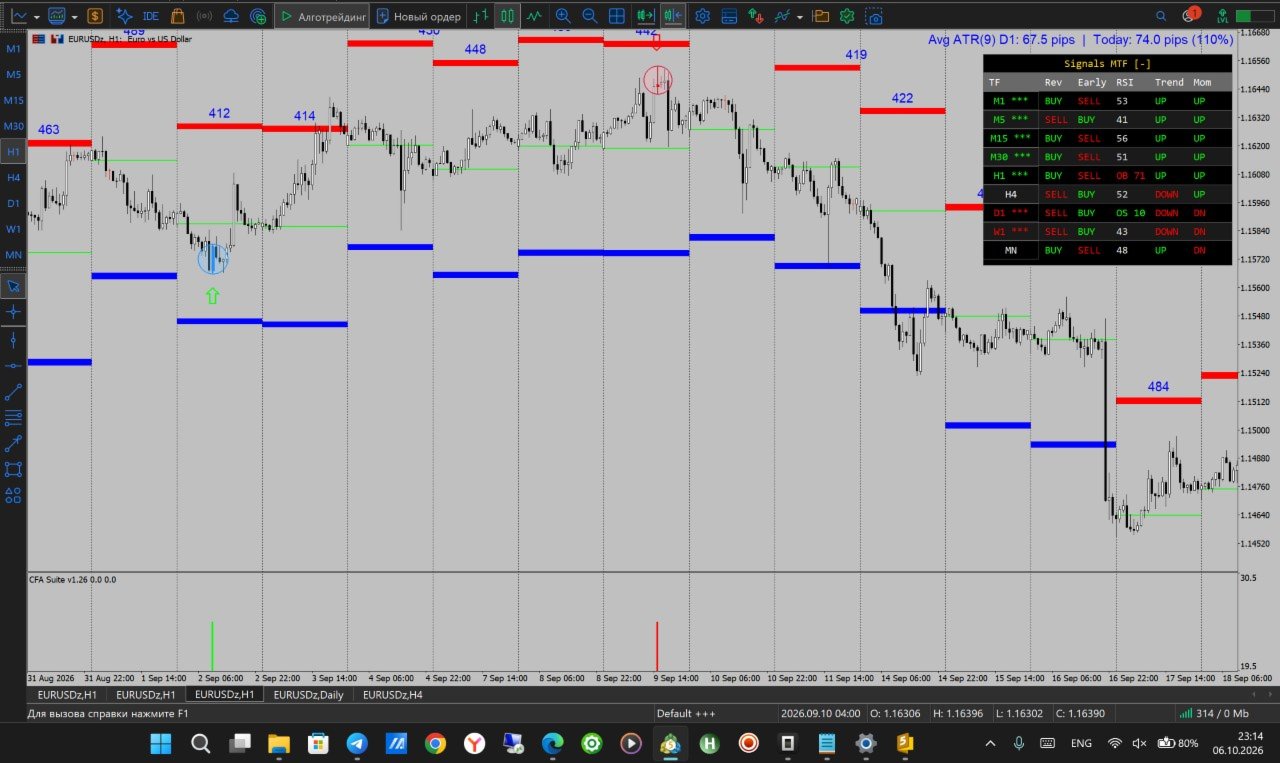
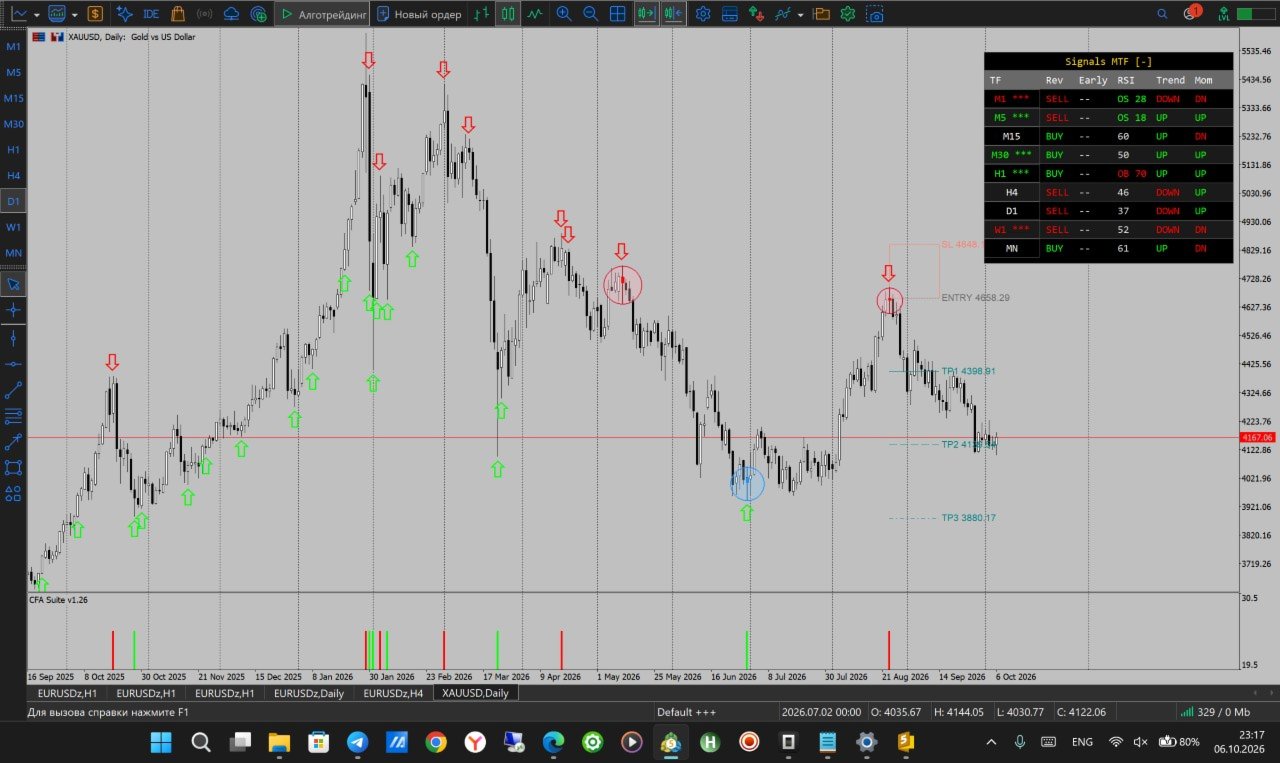
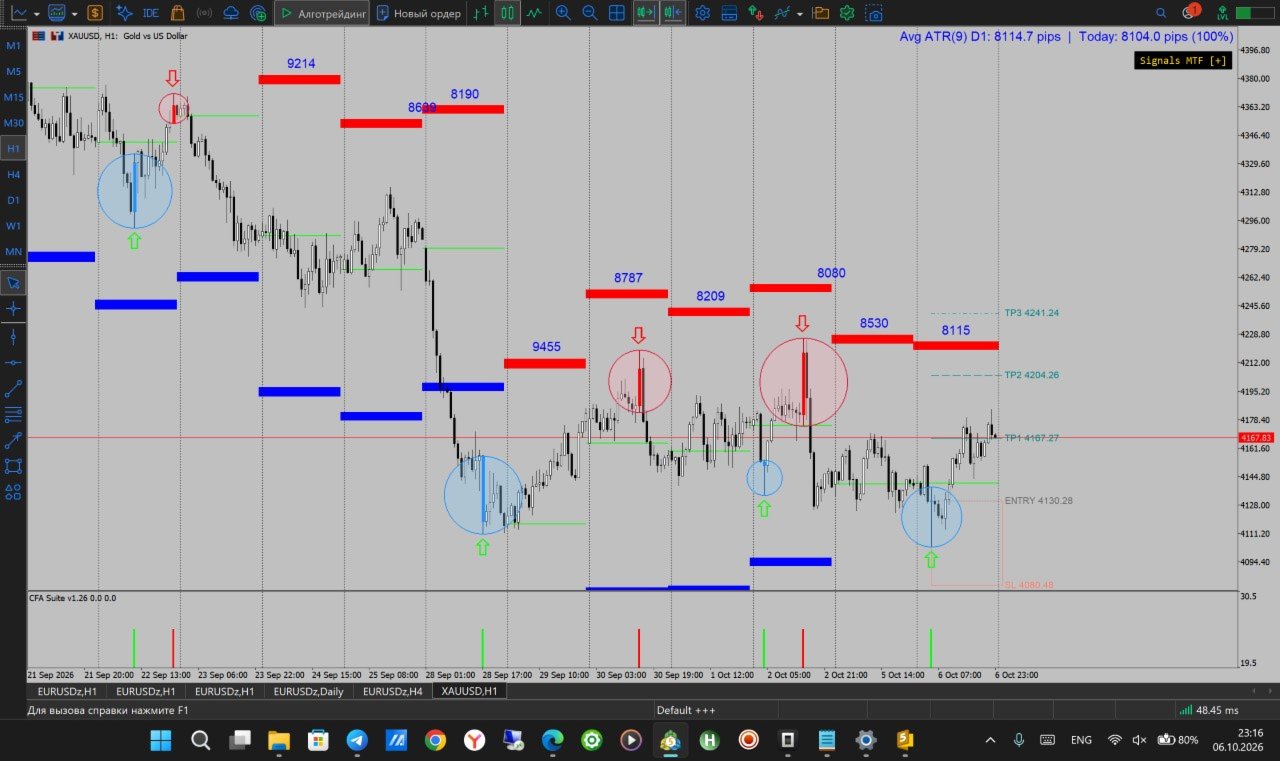
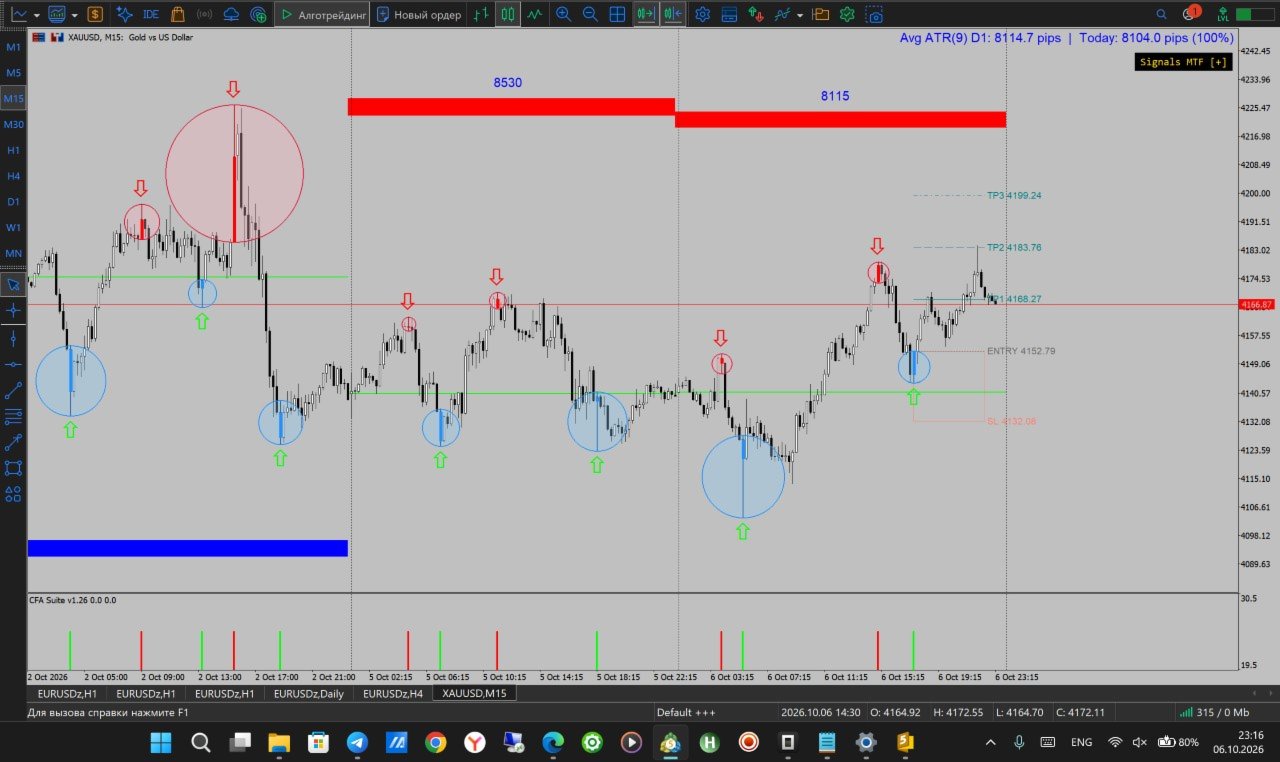
• Confirmed signal: an arrow on the extreme bar, a bar in the sub-window (red = Sell, green = Buy), and a circle around the signal candle.
• Important: a confirmed signal appears only AFTER price has moved away from the extreme by the full threshold. It marks the swing point with a delay. Once drawn, a confirmed arrow never moves and never disappears.
• Early warning (optional): a preliminary marker that appears when the move reaches a chosen percentage of the threshold (50% by default). It comes sooner, but it can change or disappear until the swing is confirmed, so treat it as a heads-up, not a final signal.
• On charts below M15 the threshold is taken from the M15 range, so low timeframes do not produce a flood of tiny reversals (adjustable).
• Optional RSI filter: Buy only from oversold, Sell only from overbought; signals that fail the filter are shown in pale colors.
• Threshold mode: adaptive (ATR) or fixed (points).
2) STOP AND TAKE-PROFIT LEVELS
For every confirmed signal the indicator plans the trade:
• Stop distance — three modes: from ATR, from the signal bar range, or beyond the nearest swing extreme.
• TP1 / TP2 / TP3 — measured either from the median of recent swing-to-swing moves (adapts to the timeframe and the symbol) or as 1R / 2R / 3R of the stop.
• Entry, stop and targets are drawn on the chart; the risk zone fill is optional.
3) ATR SUPPORT / RESISTANCE ZONES
• Zones are built from the average range of the previous days (default: D1, 9 periods; ADR, ATR-SMA or ATR-Wilder).
• Resistance = Open + range, Support = Open − range. Zones are fixed at the day open and do not drift during the day.
• Draws up to 99 days of history, the day-open line, and the range value label. Visible on M1–H4 by default (adjustable).
• Zone thickness, colors, borders, fill and layer order are configurable.
4) MULTI-TIMEFRAME SIGNAL DASHBOARD
A compact panel for M1, M5, M15, M30, H1, H4, D1, W1 and MN:
• Rev — direction of the last confirmed reversal on that timeframe
• Early — early warning direction
• RSI — overbought / oversold state
• Trend — close above or below the moving average (period 50 by default)
• Mom — momentum over the last N bars
• Stars next to the timeframe (3 to 5) show how many of the five readings agree on the same direction
Click a timeframe to switch the chart. The panel collapses to a single button and can shift the chart so it never covers the candles.
5) INSTRUMENT PROFILES
When attached to gold, silver, EURUSD or GBPUSD, the indicator can automatically load a threshold and early-warning level suited to that instrument. On any other symbol, your own settings are used. The auto-profile can be switched off.
6) ALERTS
Popup, sound and email on confirmed signals; optional alert on early warnings. History is not "announced" when the indicator is attached.
FOR EXPERT ADVISOR DEVELOPERS
Buffers can be read with iCustom / CopyBuffer. Set the first input "EA mode" to true to get a lightweight copy without panels, objects and alerts.
0 — Sell signal (value > 0 on the signal bar)
1 — Sell strength (1 = confirmed, 0 = early / filtered)
2 — Buy signal (value > 0 on the signal bar)
3 — Buy strength (1 = confirmed, 0 = early / filtered)
4 — Signal-candle mark (+1 Buy, −1 Sell)
7 — Stop price
8 / 9 / 10 — TP1 / TP2 / TP3
11..19 — Trend direction on M1, M5, M15, M30, H1, H4, D1, W1, MN
An input lets you choose which signals go to the buffers: confirmed only, early only, or both.
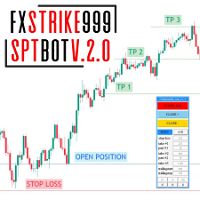
USE WITH THE FXSTRIKE999_OA BOT 4.49 (FULLY AUTOMATED TRADING)
CashFlow Assistant is compatible with the FxStrike999_OA bot 4.49 Expert Advisor. The indicator passes its signals and levels to the robot through its buffers, so the same signals you see on the chart can be traded fully automatically, without manual entries.
• The robot reads the indicator through iCustom, so no extra configuration of the signals is needed.
• The robot, like the indicator, can be downloaded and tested in the developer's store (MQL5 Market, developer's profile).
• Test the combination on a demo account before using it on a live account.
RECOMMENDATIONS
• Works on any symbol. Best suited to liquid instruments with clear swings (forex majors, gold, indices).
• Reversal signals work against the current move, so in a strong trend they can appear early and fail. Combine them with the zones, the dashboard and your own risk management.
• Raise the ATR multiplier for fewer, larger swings; lower it for more frequent signals.
• If the chart slows down on a very long history, reduce "History bars" or the number of painted signal candles.
• Test on a demo account first.
RISK WARNING
Trading financial markets involves a high risk of capital loss. The indicator is a technical analysis tool, not trading advice, and does not guarantee profit. Past results do not predict future performance.