Course Robot EA
- Uzmanlar
-
Vladimir Milovanov
 MQL5 developer focused on Expert Advisors, indicators and trading automation.
I pay particular attention to clear specifications, reliable implementation and thorough testing in MetaTrader 5.
Автор бесплатного курса по созданию первого торгового робота на MQL5 для новичков: - Sürüm: 2.10
Learn how a real Expert Advisor makes decisions
Course Robot EA is a free educational trading robot for MetaTrader 5. It turns a simple trading idea into a complete workflow that you can inspect, test and tune.
- wait for a new closed bar;
- detect a price crossover with a Simple Moving Average;
- confirm the direction with the SMA slope;
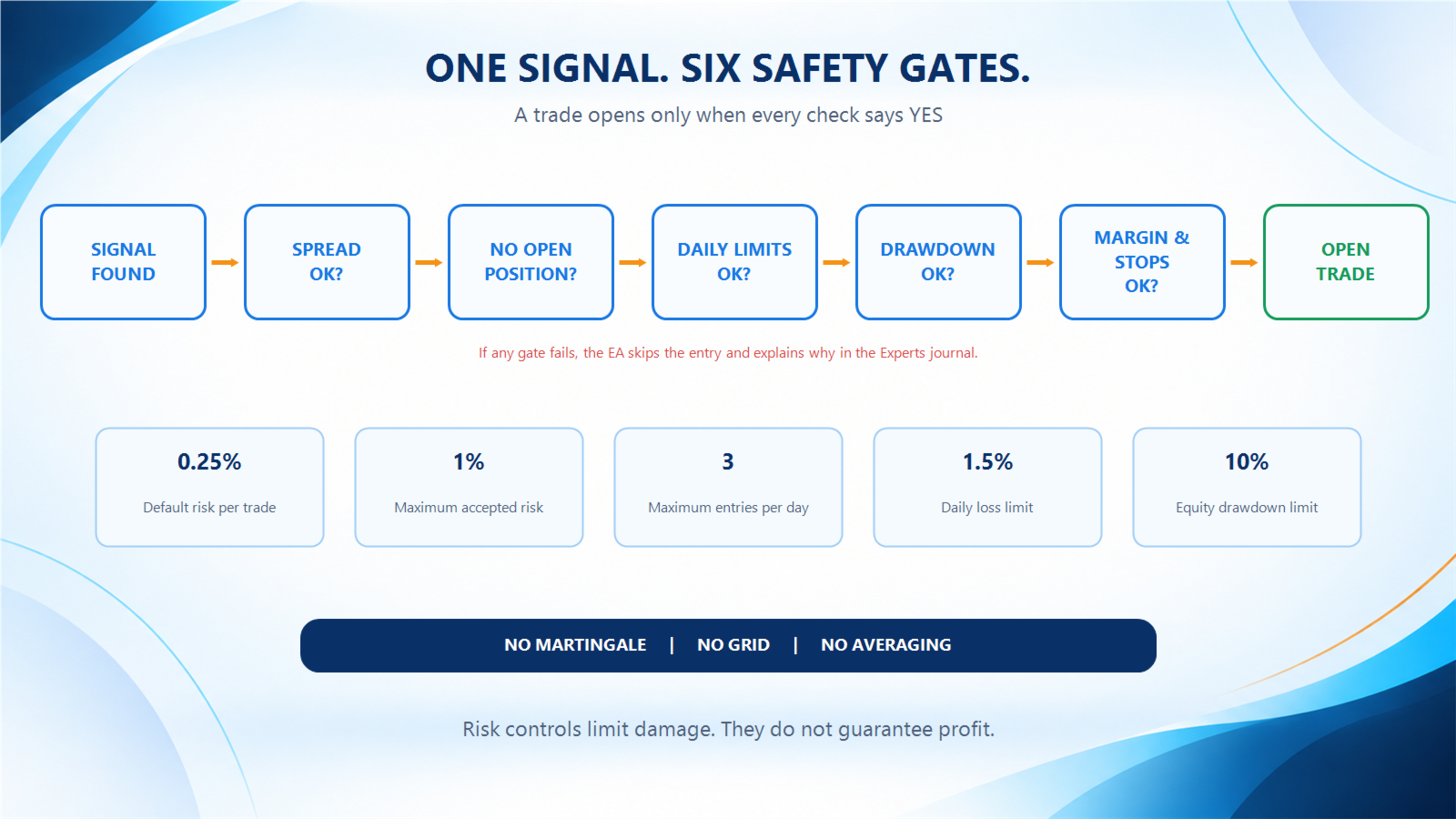
- check risk and trading conditions;
- calculate the position size;
- send one protected market order.
Think of it as a driving-school car. The strategy stays deliberately simple, while the safety checks show what must happen before an algorithm touches the market.
Trading logic
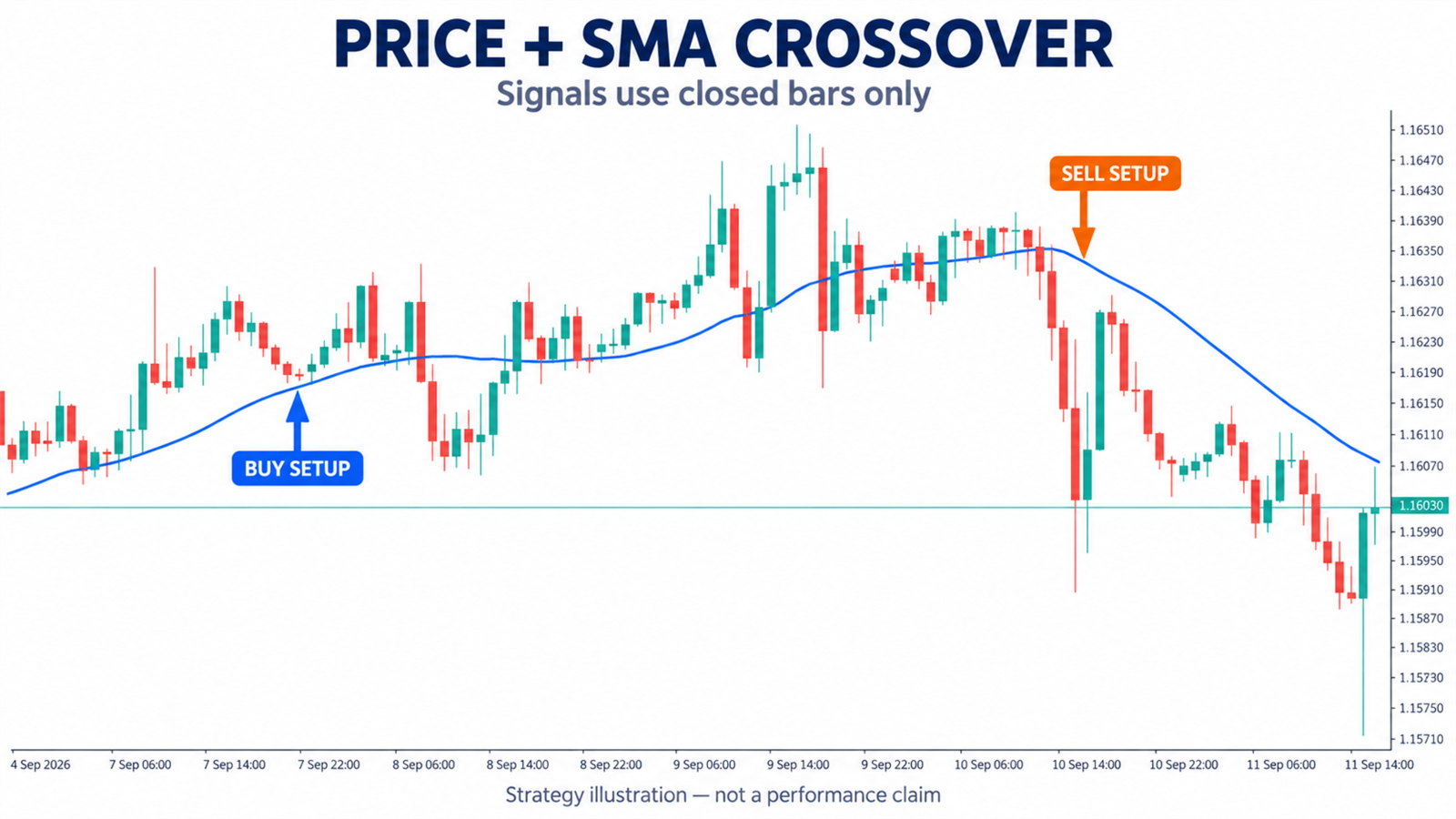
The EA compares the two latest closed bars with the SMA.
- A BUY setup appears when price crosses the SMA upward.
- A SELL setup appears when price crosses the SMA downward.
- The optional slope filter confirms that the SMA points in the same direction.
- The EA evaluates the setup once per new bar and does not chase every tick.
Built-in protection
- risk-based position sizing;
- Stop Loss and Take Profit on every entry;
- maximum spread filter;
- one open position per chart symbol;
- daily entry limit;
- daily closed-loss limit;
- pause after a series of losing exits;
- equity drawdown protection;
- broker stop-distance, tick-size, volume and free-margin checks;
- clear diagnostic messages in the Experts journal.
The default risk is 0.25% per trade. The EA rejects values above 1%. If the broker's minimum lot would exceed the selected risk, the EA skips the entry instead of rounding the volume upward.
Recommended educational setup
- symbol: EURUSD, including broker suffixes;
- timeframe: H1;
- starting balance: USD 10,000 demo account;
- leverage: 1:100;
- testing mode: Every tick based on real ticks.
The EA remains functional on other symbols and timeframes. EURUSD H1 is the course baseline, not a software restriction.
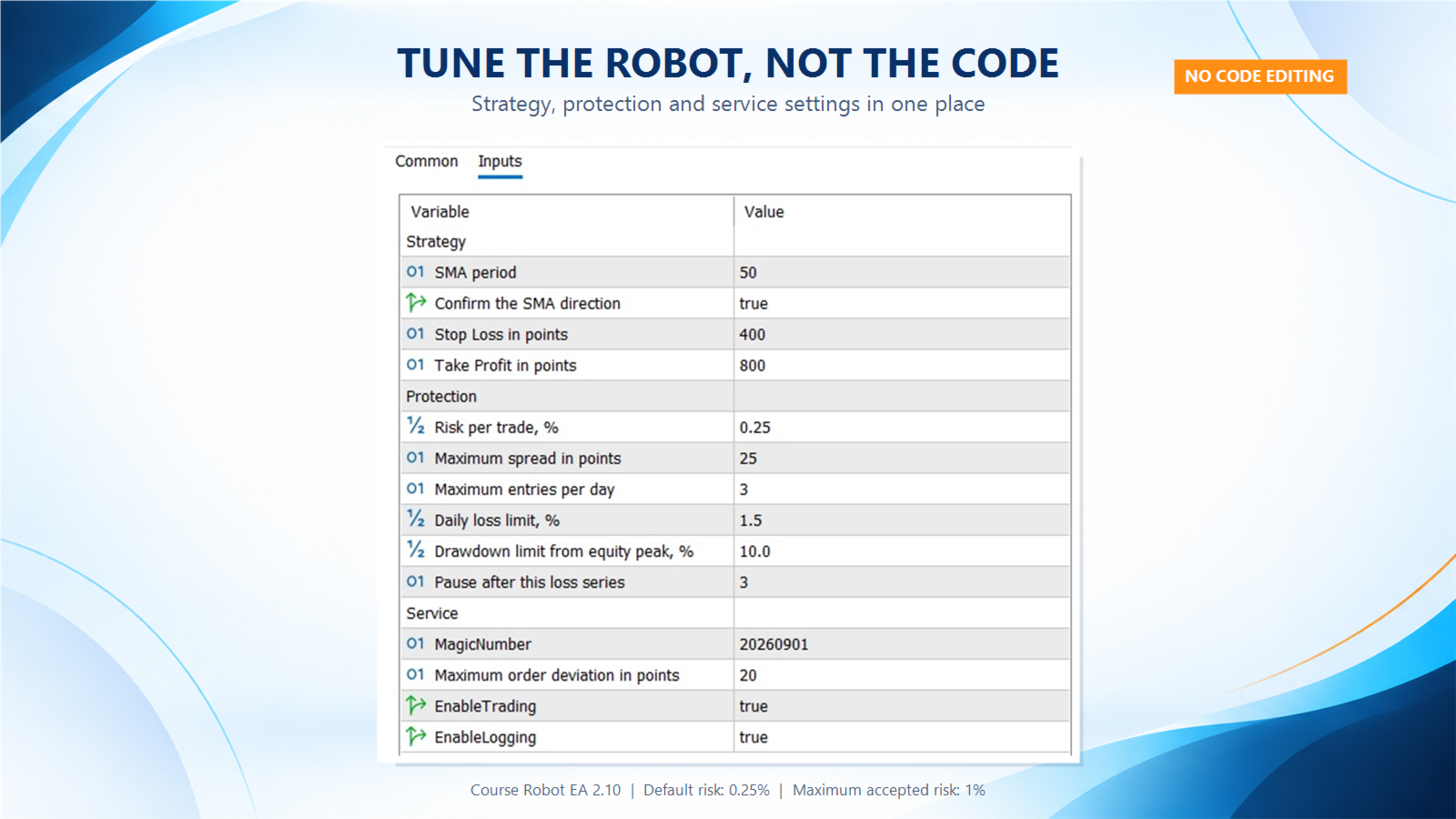
Main inputs
Strategy
- MaPeriod — SMA period;
- UseSlopeFilter — confirms the SMA direction;
- StopLossPoints — Stop Loss distance in broker points;
- TakeProfitPoints — Take Profit distance in broker points.
Protection
- RiskPercent — balance risk per trade;
- MaxSpreadPoints — maximum allowed spread;
- MaxTradesPerDay — maximum number of entries per server day;
- DailyLossLimitPercent — blocks new entries after the daily closed-loss limit;
- MaxDrawdownPercent — blocks new entries after the equity drawdown limit;
- MaxConsecutiveLosses — pauses entries after a losing series.
Service
- MagicNumber — identifies the EA's trades;
- MaxDeviationPoints — maximum order-price deviation;
- EnableTrading — enables or pauses new entries;
- EnableLogging — shows diagnostic messages.
Before you start
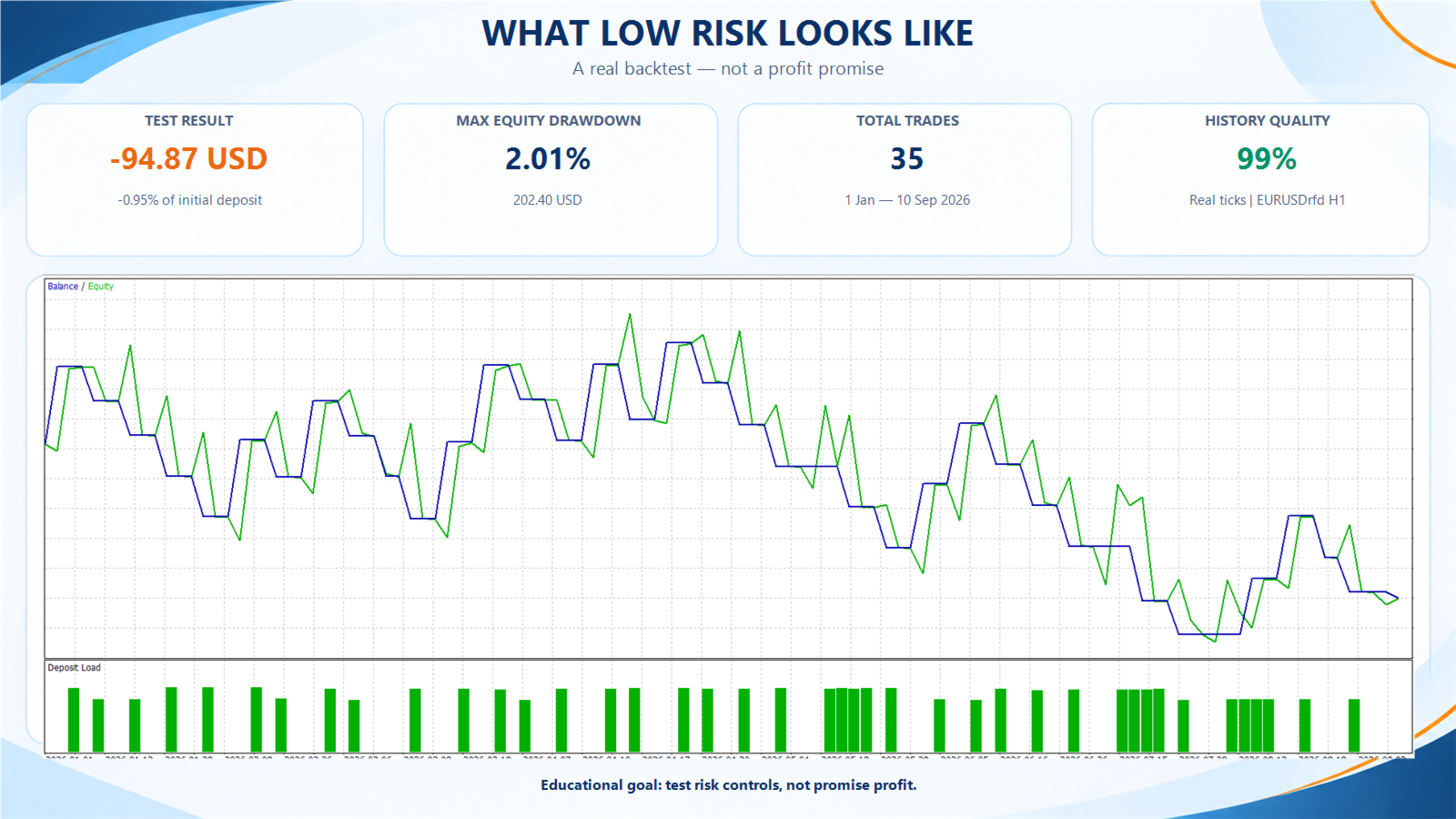
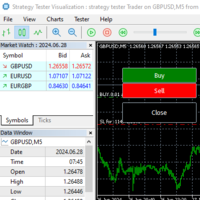
Run the EA in the Strategy Tester and then on a demo account. Broker specifications differ: a point is not always a pip, symbol names may include suffixes, and minimum volumes can change the practical risk.
Course Robot EA is an educational product, not an investment recommendation. It does not promise profit or capital preservation. Historical and demo results do not predict future performance.