Snipersmc

SNIPERSMC MT5 INDICATOR Complete User Guide


1. What SniperSmc Is

SniperSmc is a MetaTrader 5 chart indicator designed to identify
potential Buy and Sell opportunities using Smart Money Concepts, market
structure, price gaps, liquidity behavior, volume information and
higher-timeframe direction.

It does not automatically open trades.

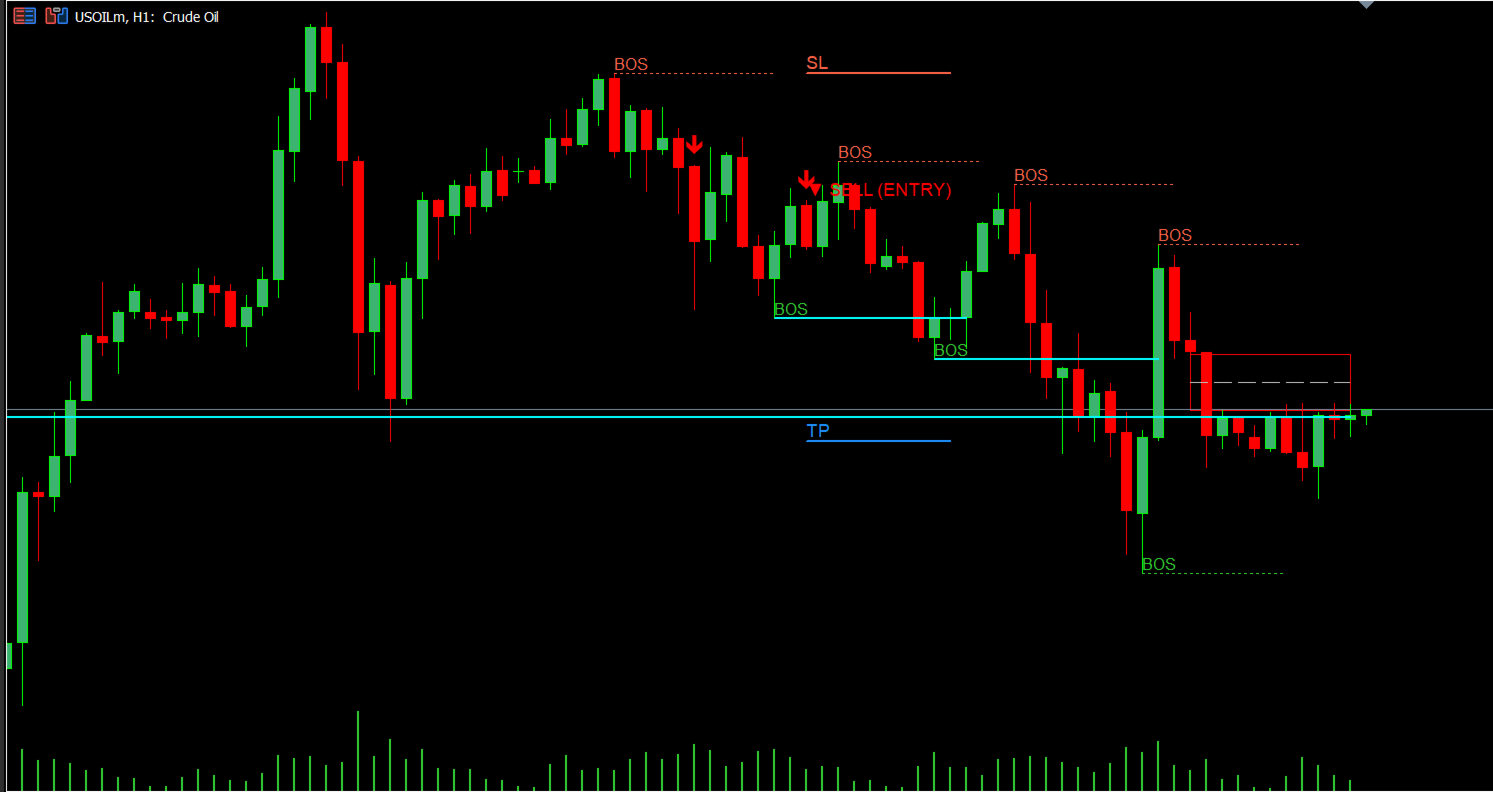
When a valid setup is found, the indicator can show a Buy arrow, a Sell
arrow, the suggested entry price, the type of order that should be used,
important market areas, market structure, Fair Value Gaps, Fibonacci
areas, Fibonacci extension targets, optional Order Blocks, optional
support and resistance, optional volume-profile information, EMA lines,
alerts and notifications.

2. How SniperSmc Works

SniperSmc looks at several pieces of market information before
displaying a signal.

It considers: - Higher-timeframe market direction. - Market structure. -
Major swing points. - Minor swing points. - Breaks of structure. -
Changes in market structure. - Fair Value Gaps. - Inverse Fair Value
Gaps. - Liquidity sweeps. - Fibonacci areas. - Volume information. - CVD
information. - ATR-based market movement. - Spread. - Trading session. -
Minimum signal score.

The indicator combines these factors into a score. A signal is displayed
only when the setup reaches the minimum score you selected.

3. Minimum Signal Score

Setting: Minimum Score to Fire Signal

Default: 14 Maximum: 25

A lower value allows more setups to qualify. A higher value requires
stronger confirmation.

4. Higher-Timeframe Direction

Macro Direction default: 4 Hour (H4) Structure default: 15 Minute (M15)

The indicator therefore uses H4 for overall direction and M15 for market
structure. These timeframes can be changed.

5. Higher-Timeframe EMA Period

Default: 20

This applies to the selected H4 and M15 timeframes.

6. Major Swing Length

Default: 5

This controls how the indicator identifies major swing highs and swing
lows.

7. Minor Swing Length

Default: 2

Minor swings are used for shorter-term structure changes.

8. Important Swing Setting Rule

The Minor Swing Length must always be smaller than the Major Swing
Length.

9. Showing Only the Latest Signal

Default: ON

When enabled, the chart is kept clean by showing only the latest active
signal.

10. Maximum Active Zones

Default: 1

This controls the maximum number of active Fair Value Gap and Order
Block areas displayed.

11. Filling the Zones

Default: OFF

When OFF, zones are displayed as clean outlines. When ON, the rectangles
are filled.

12. Fair Value Gaps

Default: ON

SniperSmc can display Fair Value Gaps on the chart. Bullish and bearish
gaps are displayed separately. The indicator also tracks whether these
areas have been filled or mitigated.

13. Bullish Fair Value Gap Color

Default: Lime

14. Bearish Fair Value Gap Color

Default: Red

15. Order Blocks

Default: OFF

SniperSmc can display Order Blocks. If enabled, bullish and bearish
Order Block areas can be shown and monitored for mitigation.

16. Bullish Order Block Color

Default: Deep Sky Blue

17. Bearish Order Block Color

Default: Magenta

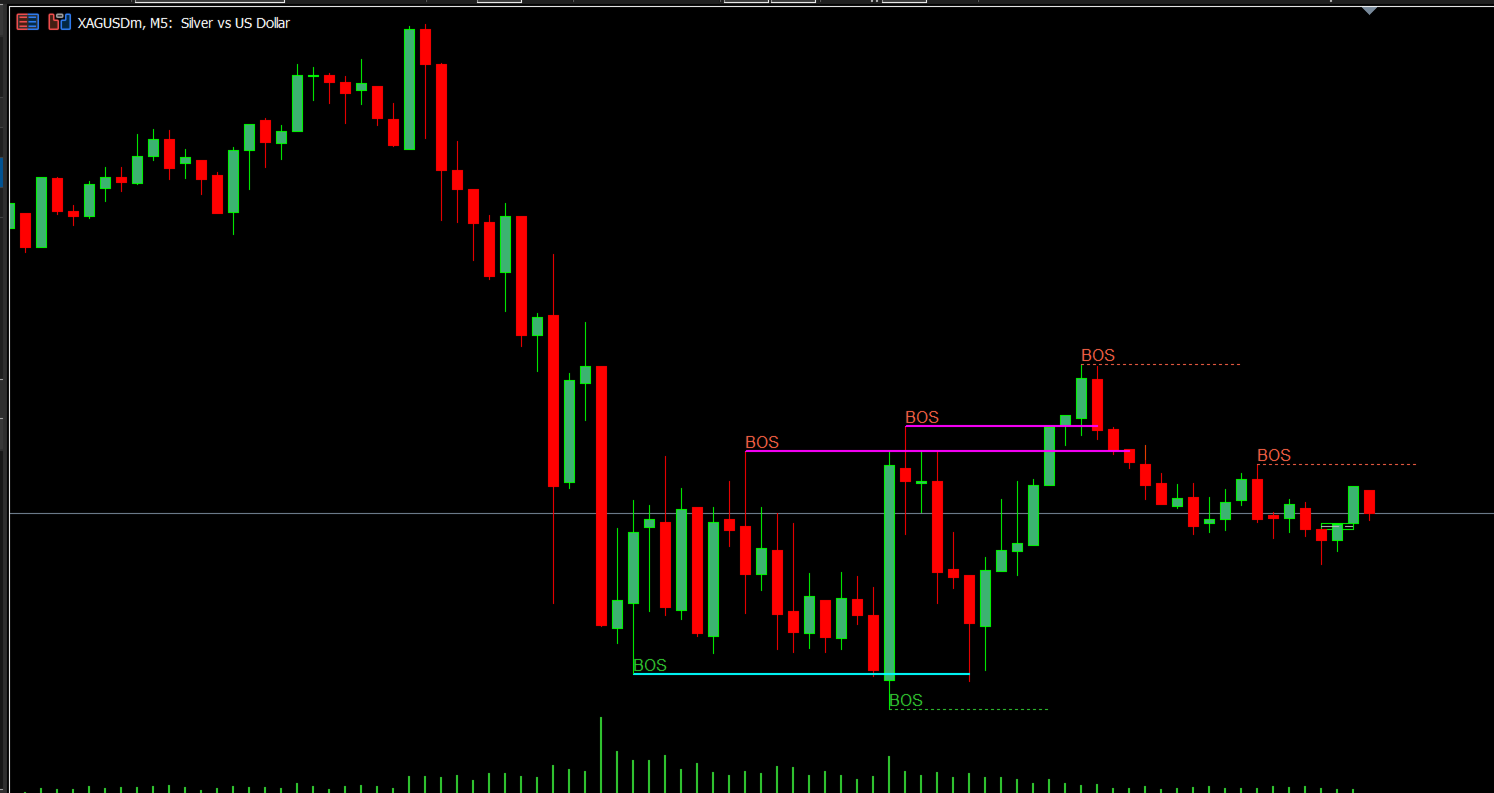
18. BOS and CHoCH Display

Default: ON

The indicator can display BOS (Break of Structure) and CHoCH (Change of
Character) markings.

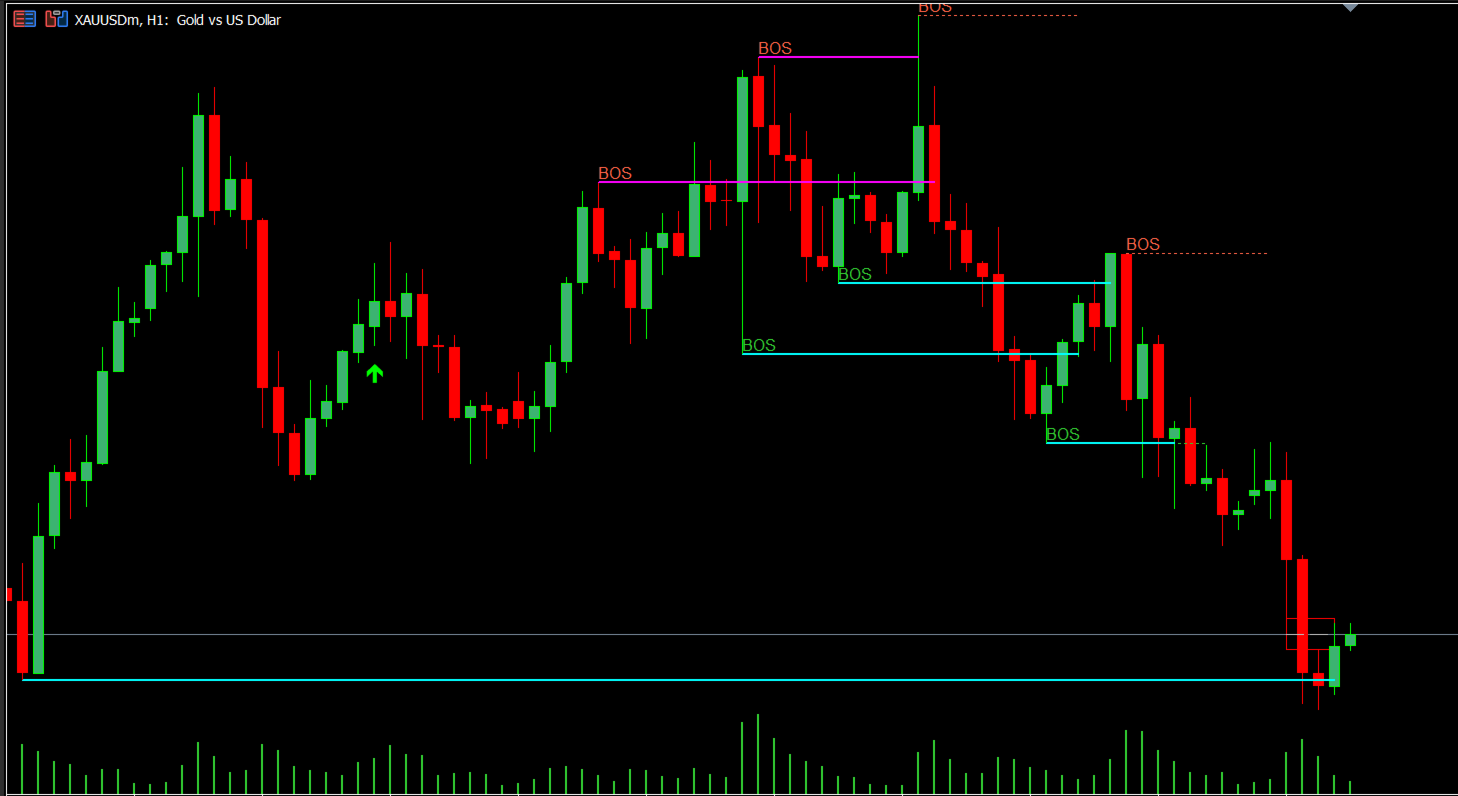
19. Understanding BOS

BOS means Break of Structure. It indicates that price has broken an
important previous swing level.

20. Understanding CHoCH

CHoCH means Change of Character. It is used when the identified swing
relationship suggests a change in the previous market structure.

21. Fibonacci Golden Zone

Default: ON

The indicator can display a Fibonacci retracement area known as the
Golden Zone.

22. Fibonacci Extension Targets

Default: ON

The indicator can display Fibonacci extension levels including 1.272 and
1.618.

23. Support and Resistance

Default: OFF

SniperSmc can display support and resistance lines.

24. Volume Profile POC

Default: OFF

The indicator can display the Point of Control, or POC, from its
volume-profile calculation.

25. Volume Profile Sections

Default: 50

The indicator uses 50 sections for its volume-profile calculation.

26. CVD Confirmation

Default: ON

SniperSmc can use live tick-based CVD information as part of its signal
confirmation.

27. CVD Confirmation Threshold

Default: 100

This is the minimum CVD difference used for confirmation.

28. Spread Protection

Default: 20 points

The indicator checks the current spread before allowing a setup to be
displayed. If the spread is above the maximum value selected, the setup
is not displayed.

29. Trading Session

Default Start: 07:00 Default End: 18:00

The times are based on broker time.

30. Changing the Trading Session

You can change the Session Start Hour and Session End Hour.

31. Session Setting Rule

The start time must be earlier than the end time.

32. Historical Chart Information

The indicator processes historical candles so that previous market
structures, zones and signals can be displayed.

Default historical processing limit: 500 bars.

33. Removing Old Chart Markings

Default: 50 bars

Objects older than the selected number of bars can be cleaned from the
chart.

34. Buy Signals

When the indicator identifies a valid Buy setup that reaches the
required conditions, it places a Buy arrow on the chart and calculates
the appropriate entry price.

35. Sell Signals

When the indicator identifies a valid Sell setup that reaches the
required conditions, it places a Sell arrow on the chart and calculates
the appropriate entry price.

36. Entry Price

SniperSmc calculates an entry price based on the detected setup. The
entry can be associated with the appropriate order type for that setup.

37. Order Type

The indicator is designed to identify the appropriate native order class
for the detected setup, including immediate market entry and
pending-order classes when applicable.

38. Buy Limit

A Buy Limit is used when the intended Buy entry is below the current
market price.

39. Sell Limit

A Sell Limit is used when the intended Sell entry is above the current
market price.

40. Buy Stop

A Buy Stop is used when the intended Buy entry is above the current
market price.

41. Sell Stop

A Sell Stop is used when the intended Sell entry is below the current
market price.

42. No Automatic Change of Order Type

If a pending setup is invalid at the calculated price, it is not simply
converted into another order type. The setup is not displayed.

43. Current Market Price

For the current signal area, the indicator attempts to use the live Bid
and Ask prices. For historical candles, it uses candle price together
with recorded spread to create a consistent reference.

44. EMA Lines

The indicator can display three EMA lines: - EMA 200 - EMA 50 - EMA 21

45. EMA 200

Default: 200

46. EMA 50

Default: 50

47. EMA 21

Default: 21

48. Turning EMA Lines Off

Setting: Show EMA Lines Default: ON

49. Alerts

Default: ON

The indicator can display an on-screen alert when a signal is generated.

50. Mobile Push Notifications

Default: ON

SniperSmc can send push notifications through MetaTrader 5 when the
required notification settings are configured.

51. Email Notifications

Default: OFF

The indicator can also send email notifications when MetaTrader email
settings are configured.

52. Recommended Basic Setup

The file’s default configuration provides: - Minimum score: 14 - Macro
timeframe: H4 - Structure timeframe: M15 - Major swing length: 5 - Minor
swing length: 2 - Latest signal only: ON - Maximum active zones: 1 -
Fair Value Gaps: ON - Order Blocks: OFF - BOS/CHoCH: ON - Fibonacci
Golden Zone: ON - Fibonacci extensions: ON - Support/resistance: OFF -
POC: OFF - CVD: ON - CVD threshold: 100 - Maximum spread: 20 points -
Session: 07:00–18:00 broker time - Historical processing: 500 bars -
Alerts: ON - Push notifications: ON - Email: OFF - EMA lines: ON - EMA
200: 200 - EMA 50: 50 - EMA 21: 21

53. How to Read a Buy Signal

When you see a Buy arrow: 1. Look at the candle where the signal
appeared. 2. Look at the displayed entry price. 3. Check which order
type is indicated. 4. Look at the nearby market structure. 5. Check the
Fair Value Gap or other visible areas. 6. Check the higher-timeframe
direction. 7. Check the spread. 8. Make sure the entry is still relevant
before placing a trade.

54. How to Read a Sell Signal

When you see a Sell arrow: 1. Look at the signal candle. 2. Check the
displayed entry price. 3. Check the indicated order type. 4. Examine the
nearby structure. 5. Look for relevant Fair Value Gaps or other
displayed areas. 6. Check the higher-timeframe direction. 7. Check the
current spread. 8. Confirm that the setup is still relevant before
entering.

55. Why a Signal May Not Appear

A setup may fail to produce a signal because the score is below the
minimum, the spread is too high, it is outside the selected trading
session, required market structure is not present, the order price fails
the entry check, the pending-order relationship is invalid, there is not
enough historical information, or the market has not produced the
required setup.

56. Why an Old Zone Disappears

Fair Value Gaps and Order Blocks are monitored after they appear. When
price reaches the relevant area and the zone is considered mitigated,
the indicator removes that active zone from the chart.

57. What the Indicator Shows on the Chart

Depending on your settings, the chart can contain: - Buy arrows - Sell
arrows - Entry information - Fair Value Gaps - Fair Value Gap midpoint
information - Order Blocks - BOS markings - CHoCH markings - Fibonacci
retracement - Fibonacci extension levels - Support/resistance -
Volume-profile POC - EMA 200 - EMA 50 - EMA 21

58. Keeping the Chart Clean

For a cleaner chart, useful settings include: - Only Latest Signal =
ON - Maximum Active Zones = 1 - Fill Zones = OFF - Order Blocks = OFF -
Support/Resistance = OFF - POC = OFF

59. If You Want More Market Information

You can turn on: - Order Blocks - Support/Resistance - POC - More active
zones

This gives you more information but can make the chart more crowded.

60. Understanding the Indicator’s Main Process

In simple terms: 1. It looks at the available market candles. 2. It
identifies important highs and lows. 3. It studies market structure. 4.
It looks for Fair Value Gaps and other important price areas. 5. It
checks liquidity activity. 6. It considers higher-timeframe direction.
7. It considers volume and CVD information when enabled. 8. It checks
the trading session. 9. It checks the spread. 10. It calculates the
setup score. 11. If the setup reaches the required score, it determines
the appropriate entry. 12. It checks whether that entry is valid. 13. If
the entry is valid, the Buy or Sell signal is displayed.

61. What SniperSmc Does Not Do

SniperSmc is an indicator. It does not automatically open a market trade
simply because an arrow appears.

62. Important Point About Signals

A signal is a market setup, not a guarantee. A Buy signal means the
indicator found conditions that met its selected requirements. A Sell
signal means the indicator found conditions that met its selected
requirements.

63. Beginner Glossary

Buy — A trade expecting price to rise. Sell — A trade expecting price to
fall. Buy Limit — A Buy entry below the current market price. Sell Limit
— A Sell entry above the current market price. Buy Stop — A Buy entry
above the current market price. Sell Stop — A Sell entry below the
current market price. BOS — Break of Structure. CHoCH — Change of
Character. MSS — A shorter-term market-structure shift. FVG — Fair Value
Gap. IFVG — Inverse Fair Value Gap. OB — Order Block. CVD — Cumulative
Volume Delta. EMA — Exponential Moving Average. ATR — Average True
Range. POC — Point of Control. Spread — The difference between Bid and
Ask. Broker Time — The time used by your MetaTrader broker.

64. Simple Beginner Workflow

Before trading, check the correct symbol, timeframe, current spread, H4
direction, M15 structure, visible FVG, BOS/CHoCH, displayed entry, and
order type.

When a signal appears, do not immediately assume the trade must be
taken. First check whether the displayed entry is still relevant and
whether the market has already moved away from the setup.

When using pending orders, make sure the pending order is placed at the
exact entry price indicated by the indicator. Do not manually change a
Buy Limit into a Buy Stop or a Sell Limit into a Sell Stop simply
because the market moved.

65. Final Beginner Checklist

☐ Correct trading symbol is open. ☐ Indicator is running normally. ☐
Signal is recent. ☐ Buy or Sell direction is clear. ☐ Displayed entry
price is visible. ☐ Indicated order type is understood. ☐ Spread is
acceptable. ☐ H4 direction has been checked. ☐ M15 structure has been
checked. ☐ Nearby FVG/structure areas have been checked. ☐ Trading
session is active. ☐ You understand whether the entry is immediate or
pending. ☐ You have decided where your Stop Loss and Take Profit should
be. ☐ You understand that the indicator does not guarantee a winning
trade.

66. In Simple Words

SniperSmc is designed to help you find structured Buy and Sell
opportunities.

It combines higher-timeframe direction, market structure, Smart Money
Concept information, price gaps, liquidity information, volume/CVD
information and other confirmations.

When enough conditions come together, it displays a signal and the
corresponding entry information.

The most important things for a beginner to understand are:

Direction → Structure → Confirmation → Score → Entry → Order Type
Önerilen ürünler
MarketMagnet
Kelly Adediran Raymond
Are you ready to take your trading journey to new heights? Look no further than MarketMagnet, this groundbreaking indicator designed to propel your trading success with excitement and accuracy. Powered by the convergence of Momentum and CCI (Commodity Channel Index), MarketMagnet equips traders with the ultimate tool to determine direction and entry prices for a wide range of recommended currency pairs and instruments. It is designed for traders seeking to scalp for a few pips on lower timeframe
Manyal trading system, CovEchoTrend Robot, focuses on reliability and flexibility. By employing statistical analysis methods to study the relationships between the base indicator and market patterns, the system enables a deeper understanding of market processes. Intelligent pattern analysis: The application of statistical data processing helps identify key trend reversal points more accurately, signaling significant market shifts. Informed decision-making is based on the intersection of indicato
Gold Trader Pro is an advanced analytical tool specifically engineered for professional trading on XAUUSD (Gold). It provides an immediate comprehensive overview of market structure across 7 different timeframes, allowing traders to identify flow direction and signal strength through a modern, draggable, and interactive interface. Key Features Multi-Timeframe Analysis: Real-time monitoring of M1, M5, M15, M30, H1, H4, and D1. Two Operational Modes: MODE_SCALPING: Optimized for fast-paced analys
FREE
CyberTradeTHxAI Gold Sniper MT5 Professional Gold Trading Signal Indicator for MetaTrader 5 CyberTradeTHxAI Gold Sniper MT5 is a professional-grade Gold (XAUUSD) trading indicator developed to identify high-probability Buy and Sell opportunities using trend analysis, pullback confirmation, and intelligent market structure detection. Designed for both beginner and advanced traders, the indicator automatically calculates optimal Entry Zones, Stop Loss, and multiple Take Profit levels while provid
Kısa ve öz Bu gösterge, iki uzmanı – RSI ve MACD'yi – tek bir sistemde birleştirir . İki ayrı grafiğe bakıp tahmin yürütmek yerine, kararı sizin için verir: Her iki gösterge de aynı fikirde olduğunda bir ok çizer (al veya sat). En önemlisi: Oklar yeniden çizilmez . Bir kere belirdi mi, olduğu yerde kalır. Backtest yapabilir ve canlı işlemlerinize güvenebilirsiniz. "Combo" ne anlama geliyor? Normalde bir trader, RSI'ye (hareketin gücü) ve MACD'ye (trend yönü) ayrı ayrı bakar. Burada ikisi takım h
HAWK 4.0 — GOLD SIGNAL INDICATOR The most precise signal indicator  for XAUUSD (Gold) trading. Built on ATR Bands + Pivot detection. Signals appear only at real reversal points. No repaint. No delay. No noise. WHAT YOU GET → Clear BUY / SELL arrows → Auto TP1 / TP2 / TP3 levels → Auto SL level → Built-in time filter (UTC) → Real-time success statistics → Full alert system DESIGNED FOR Symbol:    XAUUSD (Gold) Timeframe: M3 / M5 Ses
==================================================================== SMC Pro v6.1 APEX AI — XAUUSD Gold Empire MetaTrader 5 Göstergesi · Smart Money Concepts · Öngörücü Zekâ Motoru ==================================================================== SMC Pro v6.1 APEX AI, MetaTrader 5 üzerinde yalnızca XAUUSD (altın) için geliştirilmiş profesyonel bir Smart Money Concepts gösterge sistemidir. Tam SMC çerçevesini — Order Blocks, Liquidity sweeps (likidite süpürmeleri), Fair Value Gaps, Break of
PatternScope — Multi-Pattern Recognition for MT5 PatternScope is a multi-pattern recognition indicator for MetaTrader 5. It scans price action for classic chart patterns, confirms breakouts, and draws clear   Entry, Stop Loss and Take Profit   levels. A compact dashboard shows the latest pattern, bias and Risk:Reward. Patterns:   Double Top/Bottom, Triple Top/Bottom, Head and Shoulders (and inverted), Bullish & Bearish Flag, Pennant, Rising & Falling Wedge, Triangle, Rectangle, Cup and Handle —
AutoPivot FXAIEA — see the day's support and resistance at a glance In intraday trading, the hardest part is not spotting a pattern. It is answering the most basic question of all:   where will price meet resistance today, where will it find support, and which level actually matters. AutoPivot FXAIEA turns that into something you can simply read off the chart. Every trading day it draws the central pivot P with up to four resistance levels R1–R4 and four support levels S1–S4. Which level price i
# binary oprion killer Indicator - Binary Options Best Companion ## **Overview** The ** binary oprion killer Indicator Indicator** is a precision-crafted, non-repainting tool designed exclusively for binary options traders who demand accuracy and reliability. This indicator combines the powerful ADX momentum oscillator with a moving average filter to deliver crystal-clear entry signals at the perfect moment. ## **Why Binary Options Traders Love It** **Perfect Entry Timing:** Signals app
SURMAchannelPRO, dinamik fiyat kanalları ve net trend takip sinyalleri üreten premium çok amaçlı bir göstergedir. Çekirdek olarak yumuşatılmış bir Hull Hareketli Ortalama (HMA) kullanır ve etrafında dinamik destek ve direnç görevi gören birden fazla kanal çizgisi (iç, ara, dış) oluşturur. Gösterge, kanal kırılımı/yeniden girişinde görsel Alım/Satım okları sağlar ve kullanıcı tanımlı kanal genişliği yüzdesine dayalı olarak otomatik yatay Take Profit (TP) ve Stop Loss (SL) çizgileri çizer. Temel b
Volume Arrow Signal Product Description Volume Arrow Signal is a smart trading indicator designed to help traders identify potential buy and sell opportunities using price action, volume behavior, and directional arrow signals. The indicator places clear arrows directly on the chart, making it easy to spot possible market reversals, trend continuations, and entry opportunities without spending hours analyzing charts manually. Whether you are trading Gold (XAUUSD) , Forex pairs, Indices, or Crypt
Enigmera MT5
Ivan Stefanov
3.67 (3)
Enigmera, MetaTrader 5 için elle kullanılan bir gösterge ve işlem sistemidir. Fraktal döngüleri kullanarak destek ve direnç seviyelerini hesaplar, birikim aşamasını işaretler ve mevcut hareketin yönünü ve hedefini çizer. Analiz hem trend hem de düzeltme dönemlerinde geçerlidir. Gösterge, grafik üzerindeki düğmelerle elle kullanılır. MetaTrader Strateji Test Edicisi'nde görsel modda çalıştırılabilir; böylece satın alma kararından önce geçmiş veriler üzerindeki davranışı incelenebilir. Düğmelerle
Delta Msnr Flex
Dely Ange Alex Dely
DELTA MSNR FLEX Akıllı MSNR Yapı Analizi ve Anahtar Seviyelerin Tespiti — MetaTrader 5 DELTA MSNR FLEX, fiyat yapısını analiz etmek ve önemli MSNR seviyelerini doğrudan MetaTrader 5 grafiği üzerinde belirlemek için geliştirilmiş profesyonel bir göstergedir. Temel amacı basittir: Piyasadaki önemli fiyat tepkilerini net şekilde tanımlanabilir seviyelere dönüştürerek trader’ın daha düzenli bir piyasa analizi ve karar süreci oluşturmasına yardımcı olmak. --- OTOMATİK & MANUEL TESPİT DELTA
QuantXMarketScanner is a multi assets indicator for MT5 - Mathematical model based on 7 custom moving averages indicators  - Adaptable on Currencies, Stocks and Crypto - Automatic setup, self optimized About QuantXsystem Products: –         Simple installation & integration into MT5   –         Unlimited License after purchase (for one user) –         Automatic pattern recognition to identify the best timing and price levels. –         Trading indicators are displayed directly and automaticall
Introduction Stop trading lagging zero-line crosses and start trading pure momentum. The MACD 1-2-3 Momentum Breakout PRO is an advanced algorithm designed exclusively for MetaTrader 5. It tracks the internal "breathing cycle" of the market to identify high-probability momentum shifts using a strict, multi-step algorithmic cycle. Now updated to Version 1.03 , this indicator features a complete multi-channel alert system and introduces Dynamic Visual Breakout Levels —giving you absolute clarity o
Honest Signals
Kaustubh Pradeep Deshmukh
Model Filtered Signals marks buy and sell signals on the chart, but only the ones a trained model accepts. Every candidate signal is scored by the model, and the arrow is shown only when its confidence is high enough. The confidence figure is printed beside each arrow, so you can see how strongly the model rated it. Please note The model filters signals; it does not guarantee that a trade will be profitable, and accepted signals can still fail. Use the arrows together with your own analysis and
Limitless MT5
Dmitriy Kashevich
Limitless MT5 is a universal indicator suitable for every beginner and experienced trader. works on all currency pairs, cryptocurrencies, raw stocks Limitless MT5 - already configured and does not require additional configuration And now the main thing Why Limitless MT5? 1 complete lack of redrawing 2 two years of testing by the best specialists in trading 3 the accuracy of correct signals exceeds 80% 4 performed well in trading during news releases Trading rules 1 buy signal - the ap
RBreaker
Zhong Long Wu
RBreaker Gold Indicators is a short-term intraday trading strategy for gold futures that combines trend following and intraday reversal approaches. It not only captures profits during trending markets but also enables timely profit-taking and counter-trend trading during market reversals. This strategy has been ranked among the top ten most profitable trading strategies by the American magazine   Futures Truth   for 15 consecutive years. It boasts a long lifecycle and remains widely used and st
CONGESTION BREAKOUT PRO This indicator scans the breakout of congestion zones . This indicator unlike any other congestion indicator you will find in the market right now,  it uses an advanced algorithm not peculiar to most traditional congestion indicators available today . The advanced algorithm used to define the congestions  is greatly responsible for the high rate real congestion zones and low rate fake congestion zones spotted by this product. UNDERSTANDING CONGESTION Congestion are ar
Trend Breakout Arrows Indicator The Trend Breakout Arrows Indicator is a momentum-based signal tool designed to identify potential bullish and bearish breakout opportunities. It displays clear arrow signals directly on the price chart, helping traders quickly recognize possible trend changes and continuation setups. Up Arrow (Buy Signal) A magenta up arrow appears below a candle when bullish momentum begins to strengthen. This signal indicates that buying pressure may be overtaking selling press
TradeAQ
Guo Sheng Zhao
LuoMo Volume & Price Structure 8.98 A multi-function chart indicator for   MetaTrader 4 and MetaTrader 5 , designed to display key volume, volatility, sentiment, and price-structure information directly on the main chart. Main Features Volume and price-based Support & Resistance Volume spike and exhaustion signals ATR volatility expansion alerts Volume Profile with HVN and LVN Bullish and bearish sentiment distribution Developing or fixed POC VAH and VAL levels Supply and Demand zones Volume-wei
RSI Cortex Ai
Michael Prescott Burney
MetaTrader 5 için RSI Cortex Yapay Zekası RSI Cortex AI, MetaTrader 5 için, yatırımcıların işlem dinamiklerini değerlendirmelerine yardımcı olmak amacıyla çok faktörlü bir sınıflandırma sistemi kullanan teknik analiz göstergesidir. Bu gösterge, basit bir RSI değeri veya önceden tanımlanmış aşırı alım/aşırı satım seviyelerinin ötesine geçerek, grafiğe yapılandırılmış bilgiler sağlar. Bu gösterge, momentum ölçümü, yön sınıflandırması, güven değerlendirmesi, uyarlanabilir trend görselleştirmesi ve
Premium seviye, %80'den fazla doğru tahmin doğruluğuna sahip benzersiz bir göstergedir! Bu gösterge en iyi Ticaret Uzmanları tarafından iki aydan uzun süredir test edilmiştir! Yazarın göstergesini başka hiçbir yerde bulamazsınız! Ekran görüntülerinden bu aracın doğruluğunu kendiniz görebilirsiniz! 1, sona erme süresi 1 mum olan ikili opsiyon ticareti için harikadır. 2 tüm döviz çiftleri, hisse senetleri, emtialar, kripto para birimleri üzerinde çalışır Talimatlar: Kırmızı ok göründüğü an
WanaScalper
Isaac Wanasolo
1 (1)
A scalping indicator based on mathematical patterns, which on average gives signals with relatively small SL, and also occasionally helps to catch big moves in the markets (more information in the video) This indicator has three main types of notifications: The first type warns of a possible/upcoming signal on the next bar The second type indicates the presence of a ready signal to enter the market/open a position The third type is for SL and TP levels - you will be notified every time price re

PipFinite Exit EDGE MT5
Karlo Wilson Vendiola
4.88 (32)
Did You Have A Profitable Trade But Suddenly Reversed? In a solid strategy, exiting a trade is equally important as entering. Exit EDGE helps maximize your current trade profit and avoid turning winning trades to losers. Never Miss An Exit Signal Again Monitor all pairs and timeframes in just 1 chart www.mql5.com/en/blogs/post/726558 How To Trade You can close your open trades as soon as you receive a signal Close your Buy orders if you receive an Exit Buy Signal. Close your Sell orders if
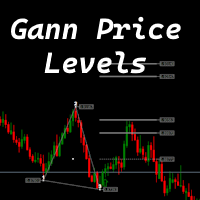
The indicator is designed to work on any trading platform. The program is based on proprietary algorithms and W.D.Ganna's mathematics, allowing you to calculate target levels of price movement based on three points with the highest degree of certainty. It is a great tool for stock trading. The indicator has three buttons: NEW - call up a triangle for calculation. DEL - delete the selected triangle. DELS - completely remove all constructions. The probability of achieving the goals is more than 80
Tma Poc Gold
Ignacio Agustin Mene Franco
POC + TMA SCALPER GOLD - Expert Advisor Professional DESCRIPTION: Automated trading system designed specifically for XAU/USD, combining Point of Control (POC) with Triangular Moving Average (TMA) to identify high-volume and trending zones. It uses advanced risk management with dynamic trailing stops and an intelligent grid system. TECHNICA
Oracle Super Elliott Wave Elliott Wave chart helper for MetaTrader 5. The indicator reads swing pivots on three independent degrees (micro, intermediate, major) and tries to classify the latest structure as an impulse 1-2-3-4-5, a leading or ending diagonal, a zigzag or flat A-B-C, or a horizontal triangle A-B-C-D-E. Labels, channels, Fibonacci levels and optional entry arrows are drawn on the chart. A small panel can show the current count and the oscillator verdict. This is an analytical tool.
MACD Sniper Pro
Noppawat Tumjai
MACD Sniper Pro is an advanced automated trading system designed for traders seeking high-precision entries and robust risk management. By combining the classic momentum of MACD Crossover with a strict ADX Volatility Filter and Dynamic ATR Management , this EA completely eliminates emotional trading and filters out dangerous flat/sideways markets. Unlike standard MACD indicators that suffer during consolidation, MACD Sniper Pro verifies trend strength before entering and protects your capital us
Bu ürünün alıcıları ayrıca şunları da satın alıyor
ARICoins
Temirlan Kdyrkhan
ARICoin is a powerful trading companion designed to generate high-probability entry signals with dynamic TP/SL/DP levels based on volatility. Built-in performance tracking shows win/loss stats, PP1/PP2 hits, and success rates all updated live. Key Features: Buy/Sell signals with adaptive volatility bands Real-time TP/SL/DP levels based on ATR Built-in MA Filter with optional ATR/StdDev volatility Performance stats panel (Success, Profit/Loss, PP1/PP2) Alerts via popup, sound, push, or email Cust
Meravith Scanner
Ivan Stefanov
5 (3)
MERAVITH SCANNER, MetaTrader 5 için profesyonel bir finansal piyasa göstergesidir ve birden fazla analiz aracını tek bir entegre sistemde birleştirir. Tüm hesaplamaları, özel hacim ağırlıklı ortalama fiyat (VWAP) metodolojisini kullanarak otomatik olarak gerçekleştirir ve subjektif yorumları tamamen ortadan kaldırır. Bu gösterge, tüm varlık sınıflarında (Forex, Hisseler, Endeksler, Emtialar, Kripto Paralar) ve M1’den Aylık’a kadar tüm zaman dilimlerinde çalışır. Temel prensip, fiyatın hacmi taki
MasterTrend
Temirlan Kdyrkhan
MasterTrend Indicator for MT5 A powerful trend-following and signal-evaluation tool MasterTrend   is a custom MT5 indicator that combines Moving Averages and ATR-based risk/reward logic to generate clear buy/sell signals. It visualizes dynamic SL/TP levels, evaluates past trade outcomes, and displays win/loss statistics in a clean on-chart panel. Key features include: Buy/Sell signals based on MA crossovers ATR-based SL/TP1/TP2/TP3 levels with visual lines and labels Signal outcome tracking wit
AriX
Temirlan Kdyrkhan
1 (4)
AriX Indicator for MT5 A powerful trend-following and signal-evaluation tool AriX is a custom MT5 indicator that combines Moving Averages and ATR-based risk/reward logic to generate clear buy/sell signals. It visualizes dynamic SL/TP levels, evaluates past trade outcomes, and displays win/loss statistics in a clean on-chart panel. Key features include: Buy/Sell signals based on MA crossovers ATR-based SL/TP1/TP2/TP3 levels with visual lines and labels Signal outcome tracking with real-time stat
ScalpPoint
Temirlan Kdyrkhan
ScalpPoint is a powerful trading companion designed to generate high-probability entry signals with dynamic TP/SL/DP levels based on volatility. Built-in performance tracking shows win/loss stats, PP1/PP2 hits, and success rates — all updated live. Key Features: Buy/Sell signals with adaptive volatility bands Real-time TP/SL/DP levels based on ATR Built-in MA Filter with optional ATR/StdDev volatility Performance stats panel (Success, Profit/Loss, PP1/PP2) Alerts via popup, sound, push, or emai
PrimeScalping
Temirlan Kdyrkhan
PrimeScalping is a powerful trading companion designed to generate high-probability entry signals with dynamic TP/SL/DP levels based on volatility. Built-in performance tracking shows win/loss stats, PP1/PP2 hits, and success rates — all updated live. Key Features: Buy/Sell signals with adaptive volatility bands Real-time TP/SL/DP levels based on ATR Built-in MA Filter with optional ATR/StdDev volatility Performance stats panel (Success, Profit/Loss, PP1/PP2) Alerts via popup, sound, push, or e
The Expert Advisor and the video are attached in the Discussion tab . The robot applies only one order and strictly follows the signals to evaluate the indicator efficiency. Pan PrizMA CD Phase is an option based on the Pan PrizMA indicator. Details (in Russian). Averaging by a quadric-quartic polynomial increases the smoothness of lines, adds momentum and rhythm. Extrapolation by the sinusoid function near a constant allows adjusting the delay or lead of signals. The value of the phase - wave s
Классификатор силы тренда. Показания на истории не меняет. Изменяется классификация только незакрытого бара. По идее подобен полной системе ASCTrend, сигнальный модуль которой, точнее его аппроксимация в несколько "урезанном" виде, есть в свободном доступе, а также в терминале как сигнальный индикатор SilverTrend . Точной копией системы ASCTrend не является. Работает на всех инструментах и всех временных диапазонах. Индикатор использует несколько некоррелируемых между собой алгоритмов для класси
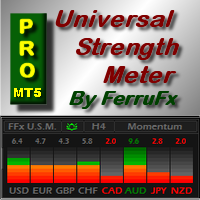
FFx Universal Strength Meter PRO is more than a basic strength meter. Instead of limiting the calculation to price, it can be based on any of the 19 integrated strength modes + 9 timeframes. With the FFx USM, you are able to define any period for any combination of timeframes. For example, you can set the dashboard for the last 10 candles for M15-H1-H4… Full flexibility! Very easy to interpret... It gives a great idea about which currency is weak and which is strong, so you can find the best pai
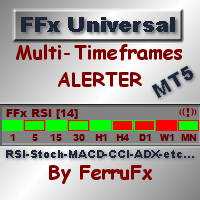
The FFx Universal MTF alerter shows on a single chart all the timeframes (M1 to Monthly) with their own status for the chosen indicator. 9 indicators mode (MACD-RSI-Stochastic-MA-ADX-Ichimoku-Candles-CCI-PSAR). Each can be applied multiple times on the same chart with different settings. Very easy to interpret. Confirm your BUY entries when most of the timeframes are showing green color. And confirm your SELL entries when most of the timeframes are showing red color. 2 Alert Options : input to s
The FFx Watcher PRO is a dashboard displaying on a single chart the current direction of up to 15 standard indicators and up to 21 timeframes. It has 2 different modes: Watcher mode: Multi Indicators User is able to select up to 15 indicators to be displayed User is able to select up to 21 timeframes to be displayed Watcher mode: Multi Pairs User is able to select any number of pairs/symbols User is able to select up to 21 timeframes to be displayed This mode uses one of the standard indicators
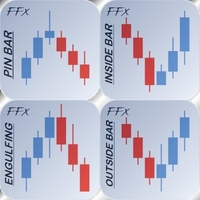
FFx Patterns Alerter gives trade suggestions with Entry, Target 1, Target 2 and StopLoss .... for any of the selected patterns (PinBar, Engulfing, InsideBar, OutsideBar) Below are the different options available: Multiple instances can be applied on the same chart to monitor different patterns Entry suggestion - pips to be added over the break for the entry 3 different options to calculate the SL - by pips, by ATR multiplier or at the pattern High/Low 3 different options to calculate the 2 TPs -
MetaTrader 4 version available here : https://www.mql5.com/en/market/product/24881 FFx Basket Scanner is a global tool scanning all pairs and all timeframes over up to five indicators among the 16 available. You will clearly see which currencies to avoid trading and which ones to focus on. Once a currency goes into an extreme zone (e.g. 20/80%), you can trade the whole basket with great confidence. Another way to use it is to look at two currencies (weak vs strong) to find the best single pairs
MetaTrader 4 version available here: https://www.mql5.com/en/market/product/25793 FFx Pivot SR Suite PRO is a complete suite for support and resistance levels. Support and Resistance are the most used levels in all kinds of trading. Can be used to find reversal trend, to set targets and stop, etc. The indicator is fully flexible directly from the chart 4 periods to choose for the calculation: 4Hours, Daily, Weekly and Monthly 4 formulas to choose for the calculation: Classic, Camarilla, Fibonac
ClassicSBA
Umri Azkia Zulkarnaen
this indicator very simple and easy if you understand and agree with setup and rule basic teknical sba you can cek in link : please cek my youtube channel for detail chanel : an for detail info  contact me  basicly setup buy (long) for this indicator is Magenta- blue and green candle or magenta - green  and green candlestik and for setup sell (short) is Black - yellow - and red candle or black - red  and red candlestik
Recommended TimeFrame >= H1. 100% Non Repainted at any moment.  Use it carefully, only with Trend Direction. Trading Usage: 2 Variants: as Range System or as BreakOut System (Both Only With Trend Direction)::: (Always use StopLoss for minimise Risk); [1] as Range System: (Recommended) in UP TREND:  - BUY in Blue Line , then if price goes down by 50 points (on H1) open Second BUY.   Close in any Profit you wish: TrailingStop(45 points) or Close when Price touches upper Gold Line. in DOWN TREND
Spike Detector
Tete Adate Adjete
this indicator is a Spike detector indicator, it is specially designed to trade Boom 1000, Boom 500, Crash 1000 and Crash 500 We recommend using it on Deriv Boom and Crash indices only Its setting is intuitive, familiar, easy to use it has notification functions; audible notifications and push notifications. this tool is simple to use, easy to handle This update is based on different strategies for spikes
Trend and Signals MT5  indicator scans  30 trading Instruments (Forex, Metals and Indices).     It uses special algorithm on the  current market   based on   Pure Price Action   and display the overall trend and signal on the dashboard. When signals are produced the indicator sends alert and notification. Strategy for Signals This indicator uses the daily timeframe to determine the direction of the trend. The hourly timeframe is used to identify possible entries. Main trend and is determined by
This indicator is based on a mathematical formula and an ANN combined, designed to make a model(using previous prices) of the most recent market condition (any chart*) in order to use the model as a forecasting tool. *This indicator can operate on any chart/timeframe, but it's suggested you use multiple timeframes for each trade because this method relies solely on the time factor, you can not use this indicator to predict price volatility, but if it's fit correctly it will show you when the nex
This indicator is based on the crossing of two Moving Average with the RSI It is intended for scalpers Specially designed for Boom and Crash syhtetic indices from Binary.com/Deriv.com It is easy to use and intuitive. We recommend its use on M1 and is equipped with three types of notification Email alert Sound notification Push notification these parameters can be activated and deactivated.
IVISTscalp5
Vadym Zhukovskyi
5 (6)
[iVISTscalp5]: Zaman Üzerinden Piyasa Davranışını Araştırma Laboratuvarı TLV Framework | Liquidity Activation Points ⸻ Genel Açıklama iVISTscalp5, VISTmany projesi kapsamında geliştirilen çok katmanlı bir zamanlama ve fiyat yapısı göstergesidir. Sistem, Liquidity Activation Points (timings) aracılığıyla: hareket zamanı yön hareket aralığını tahmin eder. iVISTscalp5 göstergesi, varsayılan parametrelerle herhangi bir finansal enstrümanda kullanılabilir. ⸻ Pratik Değer iVISTsca
Use with JUMP 25. However it can can with the volatility indices as well because it is a modified version. It is advisable to use create a healthy account management. Measure your risk and happy trading. Other experts to be loaded soon. These are modified in order to optimise profits. Ideal candidates are high risk, high returns individuals who hold trades at a maximum of 1 - 2 hours
This indicator is a scalping indicator intended solely for the Boom and Crash indices of the Deriv Limited market It supports Boom 500, Boom 1000, Crash 500 and Crash 1000 Not repaint and no bug The settings are intuitive and easy to use The product activation number is 20 The Time Frame used depends on the user If you are an aggressive scalper then just use M1 For long trades use M15 If you are conservative use M5 Please contact me for more details of its use
Aliens dougkang de moviles
Cesar Juan Flores Navarro
Tomamos 5 medios móviles las unimos en una la cual suavizamos y volvemos a suavizar, resultando un mega suavizador de medios móviles suavizadas. Indicador de mql5 funciona en cualquier broker y para todos los tiempos, siendo el mas optimo el de 5, 15 a mas. Funciona mejor en grupo consigo misma osea poner uno de 14 y otro de 50 y 400,, así se observa mejor su desempeño.
AIS MT5 INDICATOR 5 ALL INCLLUSIVE SET GUIDE CHAPTER 1  IMPORTANT INFORMATION <1> THIS INDICATOR IS ONE OF THE SERIES OF NEW AIS INDICATORS AIS MT5 INDICATOR 1 =ADVANCED CLASSIC= AIS MT5 INDICATOR 2 =MULTIFRAMES= AIS MT5 INDICATOR 3 =LINES= AIS MT5 INDICATOR 4 =MARKET PROFILES= AIS MT5 INDICATOR 5 =ALL INCLUSIVE SET CHAPTER 2 GENERAL FEATURES OF THE SERIES <1> AIS MT5 INDICATOR 1 =ADVANCED CLASSIC= < DEVELOPMENT PAUSED >     DISPLAYS MAIN TIME POINTS AND PRICE LEVELS OF THE CHART      SUCH
Recuroid
Andriy Sydoruk
The Recuroid indicator shows very good entry points. Just look at the screenshots, then download the free version and look in the strategy tester and see for yourself. The system is based on two key algorithms. The first algorithm (managed) creates a system of balanced transition from the buy zone to the sell zone and vice versa, draws arrows and lines, and forms entries. The second algorithm (managing) corrects the initial data for the first algorithm (managed) by measuring virtual windows, t
Mean Renko Bars are used for alternate price charting. Unlike the usual time framed chart – where every candle represents a fixed time interval – the goal of Renko chart is to display price movement in increments, called bricks.  Best with the momentum strategies. Can make some Algo with this candel ---- ---- ---- ---- ---- ---- ---- ---- ---- ---- Support: primecapitalvn@ gmail. com
Live broadcast of the indicator on YouTube. Please click on the link below for more credibility. There are also videos of the indicator that you can watch. Note that the broadcast is late, do not rely on it. Only a review of the indicator is only a review of the indicator’s accuracy, which does not lose almost and the profit rate reaches 95%. I will work with great accuracy on the CRASH coin 1000 INDICES
MMM Gold Sniper MT5
Gilang Wardhana Purnama Putra
Indicator is based on   Market Maker Strategy.   NO REPAINT. MM's are traders and their objective is to make money.  This includes strategies to trade against retails traders.  The major difference between them and other traders is that they have the ability, through access to massive volumes, to move price at their will.  So to make money, they aim to buy at a lower price and then sell at a higher price. They achieve this by:  1. Inducing traders to take positions. This is achieved by using a
The indicator is a gold mine that works with the MACDI strategy with alert supported by AI it working on gold 5m time frame with 92% win the stratige take 15 pip tp and 15 stop 1:1 follow us on telegram : t.me/tuq98 youtube : youtube.com/ssfx1 green color its buy with alert red color its sell with alert this indicator is one from top 10 in greece and one from top 5 in iraq
Yazarın diğer ürünleri
Sentinel Trade
Emmanuel Chinedu Ifechukwu
Sentinel Trade Engine Kullanıcı Kılavuzu Sentinel Trade Engine'e hoş geldiniz! Bu kılavuz, işlem hesabınızı ana sinyal sistemimize bağlamak ve Sentinel Trade Engine'i kurmak için gereken adımları ayrıntılı şekilde açıklayacaktır. Kurulum için teknik bilgi veya programlama deneyimi gerekmez. Aşağıdaki basit adımları uygulamanız yeterlidir; Sentinel Engine geri kalan işlemleri kendisi gerçekleştirecektir. --- 1. Sentinel Sistemi Nasıl Çalışır? Sentinel sistemi, doğrudan MetaTrader 5 (MT5) p
Sniper Grade Bot
Emmanuel Chinedu Ifechukwu
SNIPER GRADE BOT — COMPLETE USER GUIDE Version shown in the file: 7.25 Platform: MetaTrader 5 1. WHAT SNIPER GRADE BOT DOES Sniper Grade Bot watches the market and looks for trading opportunities in different market situations. The available trading modes are: - Trending - Ranging - Correction - Scalp - Synthetic It can use: - Market Buy - Market Sell - Buy Limit - Sell Limit - Buy Stop - Sell Stop It also has protections for spread, daily loss, maximum trades, account equity, economic news
Filtrele:
Değerlendirme yok
Değerlendirmeye yanıt