Smart Risk Manager EA
- Uzmanlar
- Sürüm: 1.13
- Etkinleştirmeler: 5

[Smart Risk Manager EA] — One-Click Trading Panel & Risk Manager
[Your EA Name] is a powerful trading utility for MetaTrader 5, designed for traders who value their time and execution precision. Forget about calculating lot sizes manually in external calculators! This panel instantly computes the ideal position volume based on your predefined risk and lets you execute orders directly from the chart in a single click.
An additional built-in partial close module helps you flexibly lock in profits for the current symbol, protecting your account equity in volatile market conditions.
✨ Key Features:
-
Automated Lot Calculation: The panel instantly calculates the optimal lot size based on your account balance and the distance to your Stop Loss.
-
Flexible Risk Management: Define your risk exactly how you want — either in fixed monetary amounts ($) or as a percentage (%) of your current account balance.
-
One-Click Trading (Market & Pending Orders): Visually select your price levels directly on the chart. Fully supports both instant execution (Market) and pending orders (Limit/Stop).
-
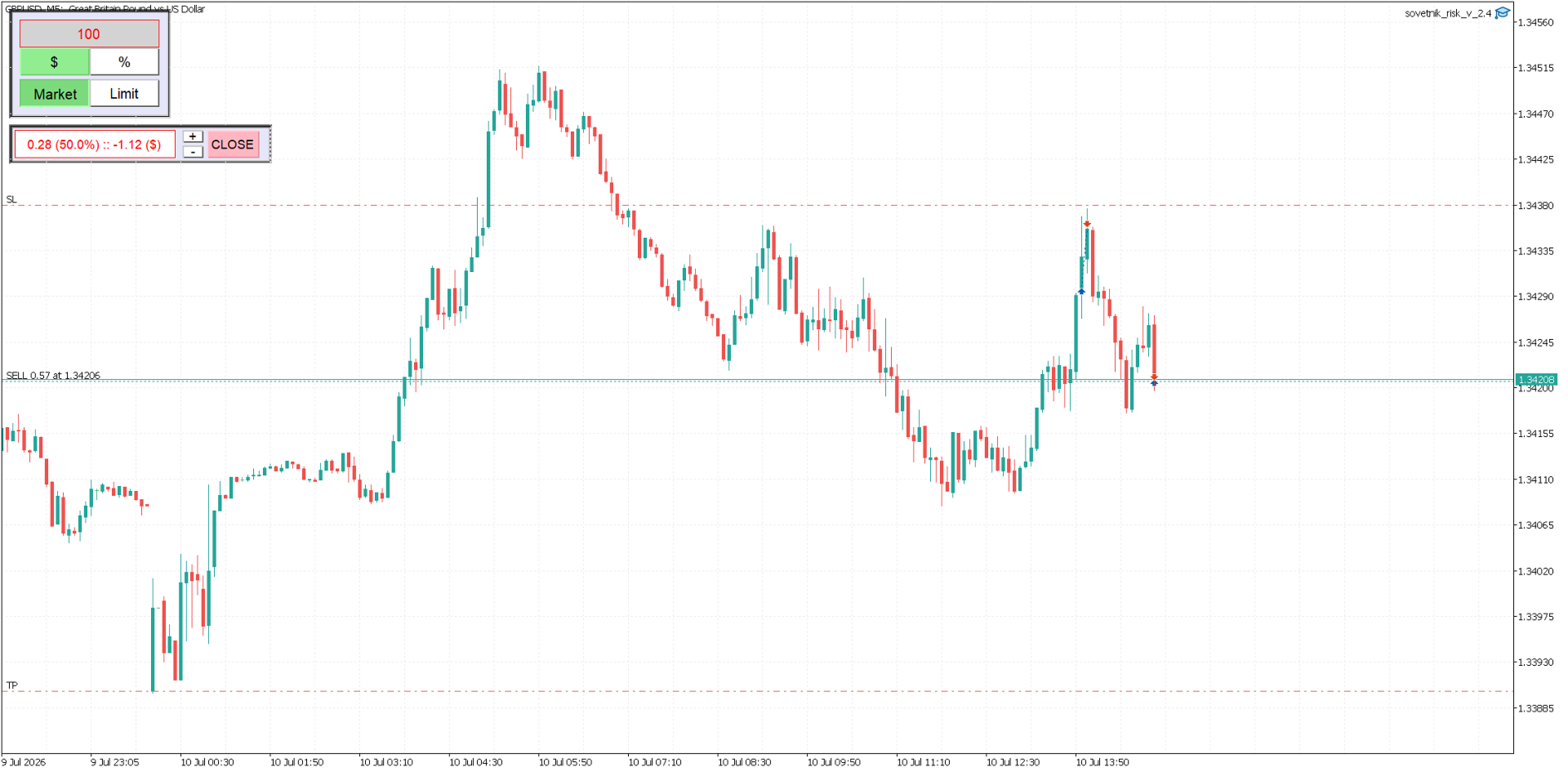
Interactive Visual Preview: When entering layout mode, the utility displays future order lines, helping you visualize the exact trade setup before sending it to the broker.
-
Smart Partial Close Panel: A separate, compact interface automatically detects any open position on the current symbol, calculates the precise profit share, and allows you to close 10%, 50%, or any custom percentage of the volume with a single click.
-
Universal Broker Compatibility: The built-in algorithm automatically detects the required order execution type ( Filling Mode ), completely preventing order rejection errors.
🚀 How It Works:
-
Input your desired risk value (e.g., 10.0 and select % or $ ).
-
Click the Market or Limit button to activate placement.
-
Click directly on the chart to sequentially place your Stop Loss, (Entry Price for pending orders), and Take Profit levels.
-
The EA automatically calculates the correct lot size and instantly routes the execution order to your broker!
-
Once a position is active, use the + and - buttons on the secondary panel to choose your desired closing percentage, and hit CLOSE to partially lock in profits.
Video