Helix MACD
- Göstergeler
- Sürüm: 1.0
- Etkinleştirmeler: 5

Helix MACD - Momentum Indicator for US Indices and Gold
Helix MACD is a refined MACD-based indicator for the MetaTrader 5 platform. It is built on the standard MACD crossover logic with three additional filters intended to reduce the number of low-quality signals that a raw MACD produces in ranging or counter-trend conditions.
The indicator is tuned for the H1 timeframe on Nasdaq-100, S&P 500, Dow Jones, and Gold.
What this product is
This is a technical indicator, not an Expert Advisor. It processes price data and notifies the user when its entry conditions are met. It does not place orders and does not manage account balances.
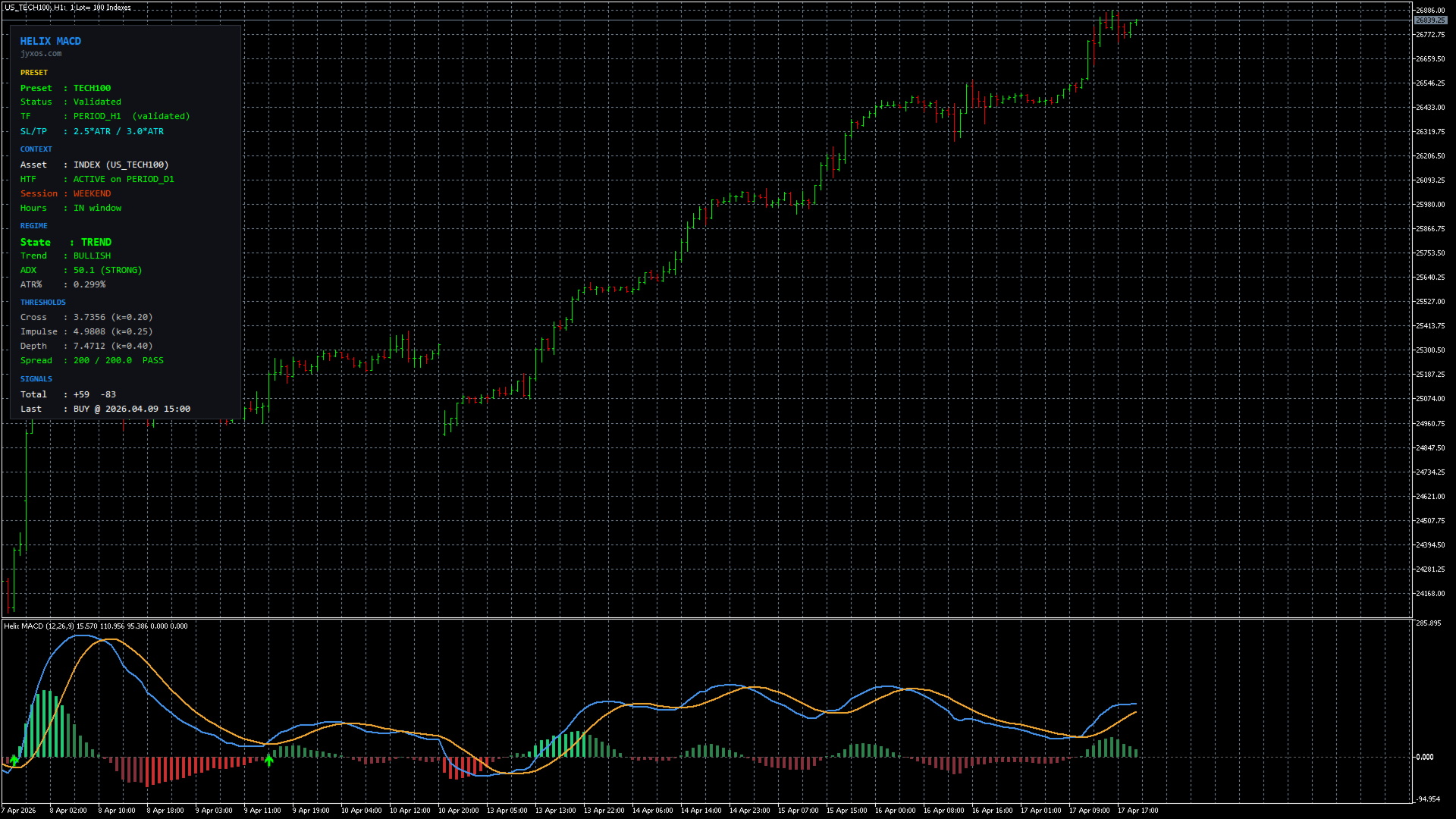
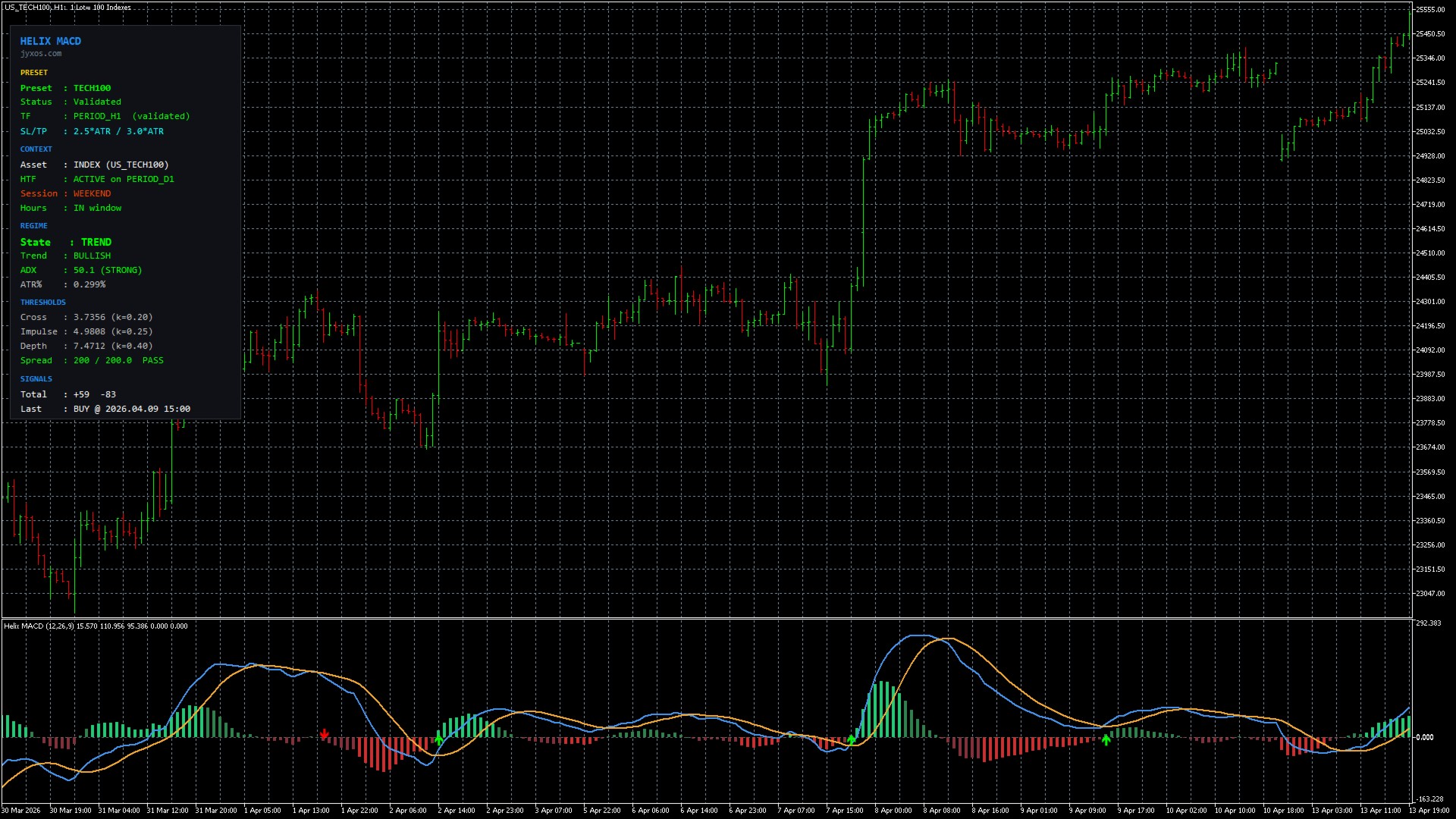
- Signals: visual BUY and SELL arrows drawn on the price chart, confirmed only on a closed bar. The indicator does not repaint.
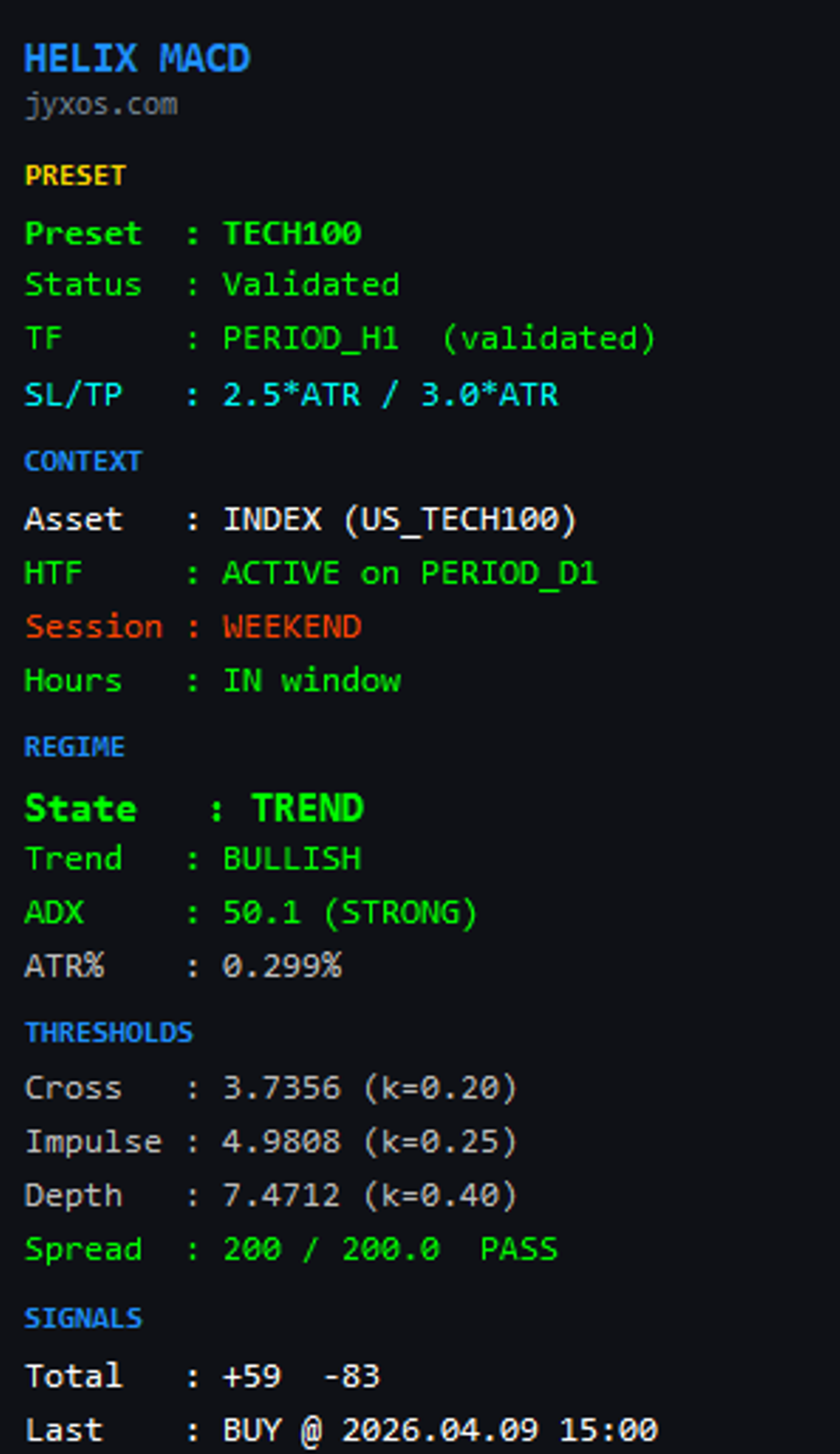
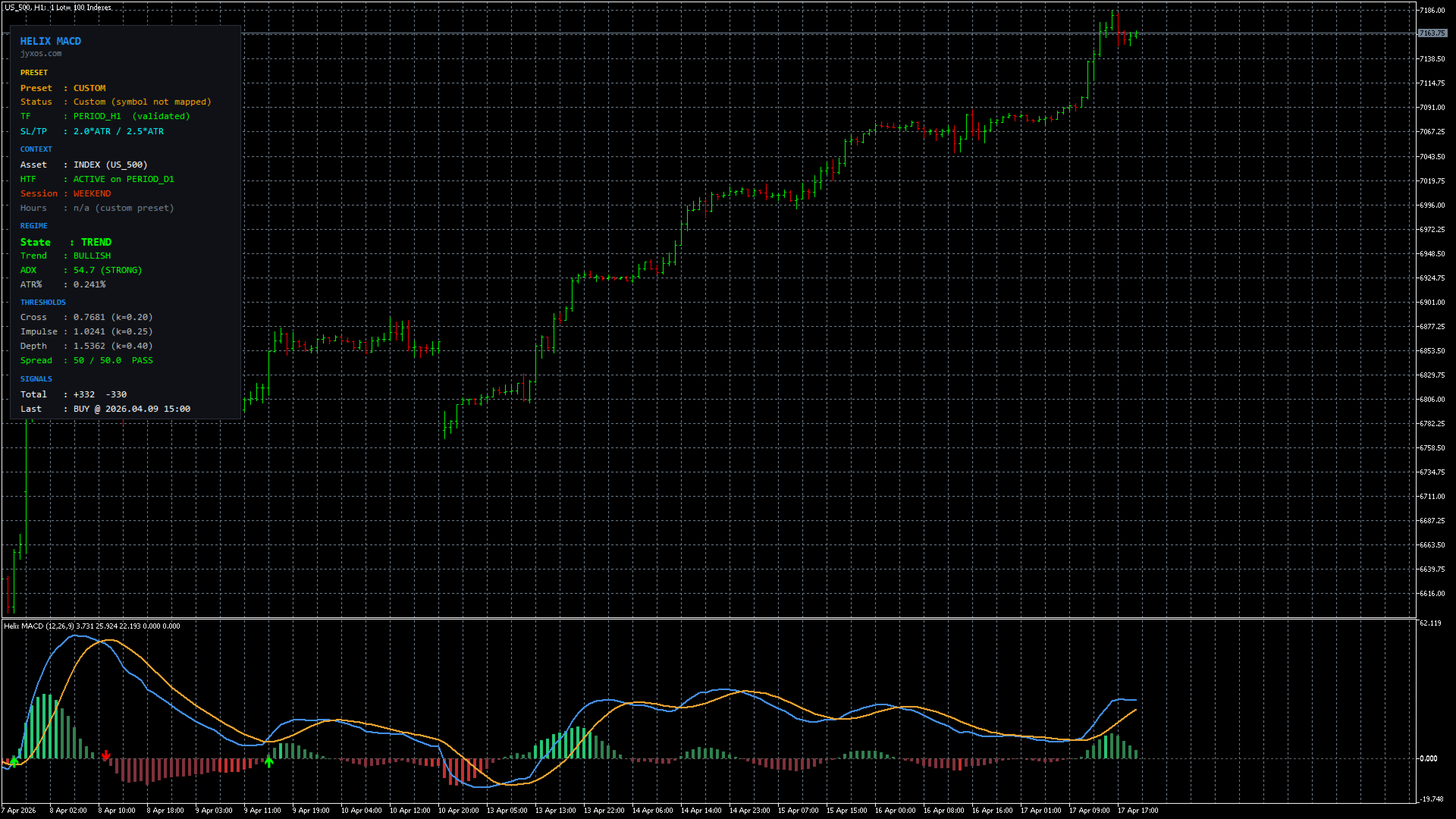
- Information panel: a floating panel on the chart displaying the active preset, market regime, higher timeframe trend state, session state, and last signal.
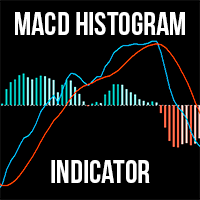
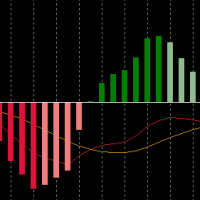
- Refined MACD display: MACD line, signal line and histogram plotted in a separate sub-window below the price.
- Alerts: platform popup, sound, push notifications to the MetaTrader 5 mobile application, and email. Each alert is configurable independently.
The indicator identifies setups based on a specific rule set. The trader makes every trading decision.
How the three filters work
A standard MACD emits a signal on every zero-line crossover regardless of context. This often produces false signals during ranging markets and during moves against the higher timeframe trend. Helix requires each candidate crossover to pass three checks before an arrow is drawn.
1. Higher timeframe trend alignment. Signals are only generated when they agree with the daily (D1) trend direction. A BUY signal requires price above the D1 EMA200 (or a shorter fallback moving average when broker history is limited). A SELL signal requires price below. Counter-trend crossovers on the H1 are filtered out.
2. Market regime classification. The indicator uses the ADX and an adaptive ATR window to classify the market as TREND, RANGE, VOLATILE, or NORMAL. In VOLATILE conditions the required crossover depth is automatically increased. In RANGE conditions the confirmation logic is more strict.
3. Institutional session window. Signals only fire during periods of higher liquidity.
- Indices: between 13:30 and 20:00 UTC (regular New York Stock Exchange session)
- Gold: between 08:00 and 21:00 UTC (London and New York overlap)
Outside these windows the indicator stays idle. The system also includes a spread filter, a one-bar confirmation delay, and a cooldown period after opposite signals to avoid back-to-back losing signals.
Scope of the indicator
The indicator is designed for four symbols only: Nasdaq-100, S&P 500, Dow Jones, and Gold, on the H1 timeframe. Forex pairs and cryptocurrency symbols were evaluated during development but were not included in the final release because they did not meet the author's validation threshold for this specific rule set. The indicator can be applied to other symbols in Custom mode, but the presets and the session filter were not calibrated for them.
Validated symbols and presets
The indicator reads the symbol of the chart it is applied to and loads the corresponding preset automatically:
- Nasdaq-100 (symbol names containing NAS100, NDX, USTEC, TECH100): Stop Loss 2.5 times the ATR, Take Profit 3.0 times the ATR.
- S&P 500 (symbol names containing SPX, US500, ES, SP500): Stop Loss 2.0 times the ATR, Take Profit 2.5 times the ATR.
- Dow Jones (symbol names containing DJ30, US30): Stop Loss 2.0 times the ATR, Take Profit 2.5 times the ATR.
- Gold (symbol names containing XAUUSD, GOLD): Stop Loss 3.0 times the ATR, Take Profit 5.0 times the ATR.
If the indicator is applied to any other symbol, it falls back to Custom mode. Signals will still be generated, but the trader is responsible for setting appropriate Stop Loss and Take Profit multipliers and for managing the session filter. The information panel clearly indicates when the indicator is in Custom mode.
Getting started
- Setup: attach Helix MACD to an H1 chart of one of the four validated symbols.
- Configuration: leave the inputs at their default values. Auto-detection handles the preset selection.
- Verify the panel: check that the timeframe and higher timeframe rows are shown in green. If the higher timeframe row shows WARMUP, wait approximately 30 to 60 seconds for the daily history to load.
- Monitor for signals: signals are infrequent, approximately 20 to 30 per year per symbol.
- Act on alerts: when an alert is triggered, the message contains the signal direction, the entry price, the calculated Stop Loss and Take Profit levels based on the current ATR, and the preset name.
What to expect in the first weeks
The indicator is designed for patient traders. Some calibration of expectations is useful:
- Signal count in the first month: approximately one to three signals per symbol, sometimes zero. Signals cluster around volatility events rather than the calendar.
- Losing sequences: based on the historical win rate range of 42 to 56 percent in backtesting, sequences of three or four consecutive losses are statistically expected at some point.
- First losing trade: is likely to occur within the first three signals. This is not a product defect. The statistical behavior of the indicator emerges over many trades, not over a small sample.
- Realistic evaluation period: three to six months per symbol.
If the trader expects multiple signals per day or a win rate significantly above 60 percent, this indicator is not suitable.
Input parameters
- InpPreset: AUTO (default), TECH100, INDEX, GOLD, or CUSTOM. Forces a specific preset.
- InpSymbolOverride: keyword override for symbols with non-standard names (for example, with broker suffixes).
- InpCustomSLMult / InpCustomTPMult: ATR multipliers for Stop Loss and Take Profit in Custom preset mode. Defaults 2.0 and 2.5.
- InpMode: BALANCED (standard) or CONSERVATIVE (approximately 30 percent fewer signals, stricter filters).
- InpHTFMode: higher timeframe filter, default D1. Disabling this input is not recommended in live use because the trend filter is part of the indicator's design.
- InpHonorAssetHours: when true (default), signals only fire inside the defined session windows. Disabling this removes the session filter.
- InpSessionMode: AUTO, ALL, or CUSTOM. Secondary broker session filter.
- InpAlertPopup, InpAlertSound, InpAlertPush, InpAlertEmail: four independent alert channels.
- Display parameters: information panel visibility, panel corner position, arrow visibility on the chart.
Safe to change: alert preferences, panel position, arrow visibility.
Change only with a specific reason: InpMode, InpSymbolOverride, InpCustomSLMult, InpCustomTPMult.
Do not change for normal operation: InpHTFMode, InpHonorAssetHours. These two parameters control the filters that the indicator was designed around.
Backtest methodology
The Stop Loss and Take Profit multipliers for each symbol preset were selected through the following procedure on broker-native H1 data from March 2021 through April 2026 (approximately 30,000 bars per symbol):
- Grid search across 30 combinations of Stop Loss and Take Profit multipliers per symbol.
- Top candidates by in-sample Sharpe ratio were subjected to walk-forward out-of-sample evaluation.
- A 50/50 train-test split was used: multipliers were calibrated on the first half of the data and evaluated on the second half, which the calibration procedure did not see.
- Only configurations with a positive out-of-sample Sharpe ratio and a walk-forward verdict of stable or improved out-of-sample performance were retained.
The backtest was conducted on broker-native data (the same data source a user will see on their charts) and with the same session filter and higher timeframe logic that the indicator applies on a live chart.
Historical backtest results
The following figures are historical backtest results on the validated symbols and are not representative of future performance. Actual live performance will differ.
- Signal frequency in backtest: approximately 20 to 30 per symbol per year.
- Win rate in backtest: 42 to 56 percent, depending on symbol and period.
- Profit factor in backtest: 1.3 to 1.7 across the four symbols in the out-of-sample period.
- Maximum closed-trade drawdown observed in backtest: approximately 11.6 percent on Gold at 1 percent risk per trade. Indices showed between 2 and 6 percent depending on the period.
- Reward to risk: the Take Profit multiplier is greater than the Stop Loss multiplier for three of the four presets, with Nasdaq-100 as the exception by design.
Backtest performance is not a guarantee of future results. Live trading involves slippage, variable spreads during news events, execution delays, and other conditions that may not be fully captured in backtesting.
Limitations
- Low frequency: the indicator is not designed for scalping or high-frequency trading.
- No guarantee of any win rate or return: a statistical edge manifests over many trades, not over a small sample.
- Broker dependency: results depend on the quality of the broker's historical data, spread behavior during news events, and session definitions.
- Limited scope: four symbols, H1 timeframe. Other applications are in Custom mode without validated parameters.
- No repainting: signals are confirmed only after the bar closes. Signals cannot be acted upon during the formation of the current bar.
- Proprietary code: the product is distributed as a compiled file. The full rule set is documented in this description. The source code is not shared.
Technical requirements
- MetaTrader 5 platform, Build 3500 or higher recommended.
- Any broker that offers at least one of the four validated symbols.
- Approximately 300 H1 bars of chart history for internal calibration.
- Daily timeframe history for the higher timeframe filter, which the indicator loads automatically on initialization.
Support
Technical questions, broker compatibility issues, and general clarifications can be submitted through the Comments tab of this product page. When reporting an issue please include:
- Broker name.
- Exact symbol name as it appears in the Market Watch window.
- A screenshot of the information panel showing its complete state.
- The lines from the MetaTrader 5 Experts log that begin with the indicator identifier.
Response time target: within 48 hours.
Disclaimer
Trading financial markets carries significant risk of loss, which can equal or exceed the initial investment. Trading should not be undertaken with funds that cannot be afforded to be lost.
Helix MACD is a decision-support tool. It is not investment advice, not financial advice, not a solicitation to trade, and not a trading signal service. All trading decisions made based on signals from this indicator are the sole responsibility of the trader.
The author and seller of this indicator are not liable for any losses, damages, lost profits, or missed opportunities arising from the use of this product, directly or indirectly. Historical backtest performance does not constitute any promise, guarantee, or warranty of future performance.
The indicator is sold as-is. The author does not guarantee compatibility with every broker or every MetaTrader 5 terminal configuration. Best-effort support is provided through the Comments tab.
By purchasing this product the buyer represents having read and accepted these terms, being legally permitted to trade financial instruments in the applicable jurisdiction, and using own capital at own risk.
Version
1.0, first public release. Updates for bug fixes, broker compatibility improvements, and code optimization are delivered free of charge through the MetaQuotes Market automatic update system. Major new features, such as additional symbols or timeframes, may be released as a separate product.