M1 Propfirm Master
- Uzmanlar
- Sürüm: 1.0
- Etkinleştirmeler: 10

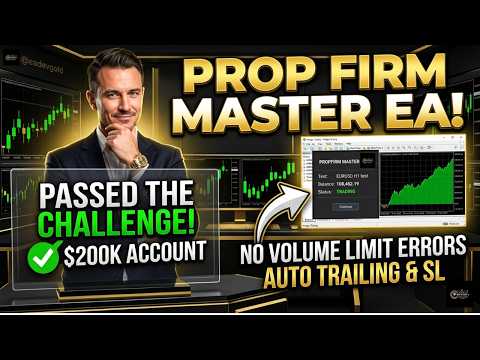
Propfirm Master is a fully automated Expert Advisor built specifically for traders who participate in prop firm challenges on MetaTrader 5. It uses a high/low breakout strategy — placing a BuyStop and a SellStop on every new bar — and manages each trade automatically from entry to exit. A built-in risk engine monitors your daily profit and loss limits in real time, closes all trades the moment a limit is hit, and locks trading for the rest of the day — so you never violate your challenge rules by accident.
Every input was designed with prop firm rules in mind: configurable daily profit targets, loss limits, session time filters, spread protection, and an automated trailing stop. A modern real-time dashboard shows live balance, daily P&L, floating P&L, challenge thresholds, and session status at a glance.
HOW IT WORKS
At the open of each bar the EA identifies the highest high and lowest low of the last N bars, then places a BuyStop above the high and a SellStop below the low. Lot size is calculated automatically from your account balance and chosen risk percentage. When one order fills, the other is cancelled. The open position is then managed through break-even logic, a trailing stop, and the daily P&L guard — which closes everything and suspends trading for the day if either your profit target or your loss limit is reached.
KEY FEATURES
Prop Firm Protection Engine — Monitors combined realised and floating P&L on every tick. Automatically closes all positions, cancels all pending orders, and suspends trading for the day the moment a daily profit target or loss limit is reached. Resets automatically each new day. High / Low Breakout Strategy — Calculates the period high and low from the last N bars on every new candle, then places a BuyStop above the high and a SellStop below the low. Take-profit is set automatically using your chosen risk-to-reward ratio. Risk-Based Position Sizing — Computes lot size from your current balance and risk percentage on every trade. Includes a hard lot cap and full broker volume-limit compliance to prevent oversizing errors on any broker. Trailing Stop — Activates once price moves a configurable number of points in profit, then follows price at a set step — locking in gains while giving trades room to run. Session Time Filter — Restricts new entries to a defined hourly window (server time). No new orders are placed outside your chosen trading hours. Open positions continue to be managed normally. Spread Protection — Skips new entries when the broker spread exceeds your configured maximum. Prevents poor fills during high-spread news events or illiquid sessions. Adaptive Lookback for D1 — On the Daily timeframe the lookback is automatically reduced to 2 bars to keep breakout levels relevant. All other timeframes use the user-configured value. Real-Time Dashboard — On-chart panel displays live balance, daily P&L (colour-coded green/red), floating P&L, target and max-loss thresholds, and current session status (ACTIVE / LOCKED). Magic Number Isolation — All orders are tagged with a unique magic number so the EA can run alongside other EAs or manual trades on the same account without any interference.
RECOMMENDED SETUP
Symbol: XAUUSD or Any major forex pair Timeframe: M1 (recommended) or Higher such M5 Account type: ECN or STP with tight spreads Minimum balance: $1000 (recommended $5000+) VPS: strongly recommended for 24/5 uptime
INPUT PARAMETERS
--- PROPFIRM CHALLENGE SETTINGS ---
InpUseLimits — Enable or disable the daily protection system. When true, the EA monitors daily P&L and halts trading automatically when a limit is reached. Default: true. InpTargetProfitPct — Daily profit target as a percentage of starting balance. When total daily P&L (realised + floating) reaches this level, all trades close and the EA pauses for the day. Default: 8.0. InpMaxDailyLossPct — Maximum daily drawdown as a percentage of starting balance. Matches the loss limit enforced by most prop firms. The EA halts immediately when this level is breached. Default: 4.0.
--- STRATEGY SETTINGS ---
InpBarsN — Number of completed bars to look back when calculating the breakout high and low. Automatically reduced to 2 on the D1 timeframe. Default: 5. InpRiskPercent — Percentage of current account balance to risk on each trade. Used to calculate lot size automatically on every entry. Default: 1.0. InpRewardRatio — Risk-to-reward multiplier for take-profit. A value of 2.0 means the TP is twice the size of the stop-loss distance. Default: 2.0. InpMaxSpread — Maximum allowed spread in points. New entries are skipped if the broker spread is wider than this value. Default: 30. InpMaxLotLimit — Hard ceiling on lot size regardless of balance or risk percentage. Prevents unexpectedly large orders during extreme volatility. Default: 10.0. InpMagic — Magic number for order identification. Change this value when running multiple EA instances on the same account. Default: 8888.
--- TRAILING STOP SETTINGS ---
InpTrailingStart — Minimum profit in points a position must reach before the trailing stop activates. Default: 550. InpTrailingStep — Distance in points the trailing stop follows behind the current price once active. Default: 300.
--- TIME SETTINGS ---
InpStart — Server time hour at which the EA begins looking for new entries (0–23). Default: 8. InpEnd — Server time hour after which no new entries are placed (0–23). Open positions continue to be managed normally. Default: 20.
Every input was designed with prop firm rules in mind: configurable daily profit targets, loss limits, session time filters, spread protection, and an automated trailing stop. A modern real-time dashboard shows live balance, daily P&L, floating P&L, challenge thresholds, and session status at a glance.
HOW IT WORKS
At the open of each bar the EA identifies the highest high and lowest low of the last N bars, then places a BuyStop above the high and a SellStop below the low. Lot size is calculated automatically from your account balance and chosen risk percentage. When one order fills, the other is cancelled. The open position is then managed through break-even logic, a trailing stop, and the daily P&L guard — which closes everything and suspends trading for the day if either your profit target or your loss limit is reached.
KEY FEATURES
RECOMMENDED SETUP
INPUT PARAMETERS
--- PROPFIRM CHALLENGE SETTINGS ---
--- STRATEGY SETTINGS ---
--- TRAILING STOP SETTINGS ---
--- TIME SETTINGS ---
Note:
- Always test on a demo account first to familiarize yourself with the EA's behavior before running it on a challenge or funded account.
- Set InpTargetProfitPct and InpMaxDailyLossPct to match your specific prop firm's rules exactly.
- The EA uses server time for session filtering. Confirm your broker's server timezone before going live.
- Manual Guide inside our Telegram Group.
- Contact: https://t.me/eadevgold
- Join our community: https://t.me/m1goldscalper