Trend Line Super Order Demo
FREE
Yayınlandı:
19 Ağustos 2015
Mevcut sürüm:
2.1
Uygun bir robot bulamadınız mı?
Freelance üzerinden kendi
robotunuzu sipariş edin
Freelance'e git
Freelance üzerinden kendi
robotunuzu sipariş edin
Bir alım-satım robotu veya gösterge nasıl satın alınır?
Uzman Danışmanınızı
sanal sunucuda çalıştırın
sanal sunucuda çalıştırın
Satın almadan önce göstergeyi/alım-satım robotunu test edin
Mağazada kazanç sağlamak ister misiniz?
Satış için bir ürün nasıl sunulur?

Alım-satım fırsatlarını kaçırıyorsunuz:
- Ücretsiz alım-satım uygulamaları
- İşlem kopyalama için 8.000'den fazla sinyal
- Finansal piyasaları keşfetmek için ekonomik haberler
Kayıt
Giriş yap
Web sitesi politikasını ve kullanım şartlarını kabul edersiniz
Hesabınız yoksa, lütfen kaydolun
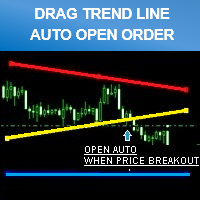
Don't forget to click "ORDER CONFIRM" after you drag trend line set breakout already.
""PROMOTION PRICE!!!! 39$"" FROM 79$
( 26/8/2015 - 31/8/2015 ) ONE WEEK ONLY!
FULL VERSION
https://www.mql5.com/en/market/product/11202Update Version 1.20 - 2016.08.11
You can back test by enabling "Visual Mode" checkbox in Strategy Tester.
- Improved performance and screen display.
- Added "Line Width" input parameter.
Hi,
does the full version allow to place multi orders including both sell and buy orders simultaneously.
any additional functions included at the full version?
b.rgds,
Rit
Hi,
does the full version allow to place multi orders including both sell and buy orders simultaneously.
any additional functions included at the full version?
b.rgds,
Rit
You can place multi orders by open multiple chart.
Example : If you want to place buy and sell positions on EURUSD at the same time.
* You just open EURUSD 2 charts separate.
That's the best way to open multiple positions and it easy to control because your chart will look very clean when monitor it.
You can place multi orders by open multiple chart.
Example : If you want to place buy and sell positions on EURUSD at the same time.
* You just open EURUSD 2 charts separate.
That's the best way to open multiple positions and it easy to control because your chart will look very clean when monitor it.