Trend Line Super Order Demo
FREE
Publié:
19 août 2015
Version actuelle:
2.1
Vous ne trouvez aucun robot qui vous convient ?
Commandez le vôtre
dans la section Freelance
Aller à la section Freelance
Commandez le vôtre
dans la section Freelance
Comment acheter un robot de trading ou un indicateur
Exécutez votre EA sur
hébergement virtuel
hébergement virtuel
Test un indicateur/robot de trading avant d'acheter
Vous voulez gagner de l'argent sur Market ?
Comment présenter un produit pour qu'il se vende bien

Vous manquez des opportunités de trading :
- Applications de trading gratuites
- Plus de 8 000 signaux à copier
- Actualités économiques pour explorer les marchés financiers
Inscription
Se connecter
Vous acceptez la politique du site Web et les conditions d'utilisation
Si vous n'avez pas de compte, veuillez vous inscrire
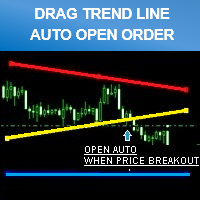
Don't forget to click "ORDER CONFIRM" after you drag trend line set breakout already.
""PROMOTION PRICE!!!! 39$"" FROM 79$
( 26/8/2015 - 31/8/2015 ) ONE WEEK ONLY!
FULL VERSION
https://www.mql5.com/en/market/product/11202Update Version 1.20 - 2016.08.11
You can back test by enabling "Visual Mode" checkbox in Strategy Tester.
- Improved performance and screen display.
- Added "Line Width" input parameter.
Hi,
does the full version allow to place multi orders including both sell and buy orders simultaneously.
any additional functions included at the full version?
b.rgds,
Rit
Hi,
does the full version allow to place multi orders including both sell and buy orders simultaneously.
any additional functions included at the full version?
b.rgds,
Rit
You can place multi orders by open multiple chart.
Example : If you want to place buy and sell positions on EURUSD at the same time.
* You just open EURUSD 2 charts separate.
That's the best way to open multiple positions and it easy to control because your chart will look very clean when monitor it.
You can place multi orders by open multiple chart.
Example : If you want to place buy and sell positions on EURUSD at the same time.
* You just open EURUSD 2 charts separate.
That's the best way to open multiple positions and it easy to control because your chart will look very clean when monitor it.