Trend Line Super Order Demo
FREE
Published:
19 August 2015
Current version:
2.1
Didn't find a suitable robot?
Order your own one
on Freelance
Go to Freelance
Order your own one
on Freelance
How to buy а trading robot or an indicator
Run your EA on
virtual hosting
virtual hosting
Test аn indicator/trading robot before buying
Want to earn in the Market?
How to present a product for a sell-through

You are missing trading opportunities:
- Free trading apps
- Over 8,000 signals for copying
- Economic news for exploring financial markets
Registration
Log in
You agree to website policy and terms of use
If you do not have an account, please register
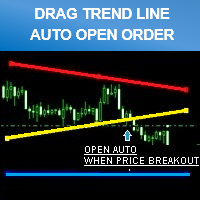
Don't forget to click "ORDER CONFIRM" after you drag trend line set breakout already.
""PROMOTION PRICE!!!! 39$"" FROM 79$
( 26/8/2015 - 31/8/2015 ) ONE WEEK ONLY!
FULL VERSION
https://www.mql5.com/en/market/product/11202Update Version 1.20 - 2016.08.11
You can back test by enabling "Visual Mode" checkbox in Strategy Tester.
- Improved performance and screen display.
- Added "Line Width" input parameter.
Hi,
does the full version allow to place multi orders including both sell and buy orders simultaneously.
any additional functions included at the full version?
b.rgds,
Rit
Hi,
does the full version allow to place multi orders including both sell and buy orders simultaneously.
any additional functions included at the full version?
b.rgds,
Rit
You can place multi orders by open multiple chart.
Example : If you want to place buy and sell positions on EURUSD at the same time.
* You just open EURUSD 2 charts separate.
That's the best way to open multiple positions and it easy to control because your chart will look very clean when monitor it.
You can place multi orders by open multiple chart.
Example : If you want to place buy and sell positions on EURUSD at the same time.
* You just open EURUSD 2 charts separate.
That's the best way to open multiple positions and it easy to control because your chart will look very clean when monitor it.