Koala Supply Demand
FREE
Yayınlandı:
22 Aralık 2023
Mevcut sürüm:
1.7
Uygun bir robot bulamadınız mı?
Freelance üzerinden kendi
robotunuzu sipariş edin
Freelance'e git
Freelance üzerinden kendi
robotunuzu sipariş edin
Bir alım-satım robotu veya gösterge nasıl satın alınır?
Uzman Danışmanınızı
sanal sunucuda çalıştırın
sanal sunucuda çalıştırın
Satın almadan önce göstergeyi/alım-satım robotunu test edin
Mağazada kazanç sağlamak ister misiniz?
Satış için bir ürün nasıl sunulur?

Alım-satım fırsatlarını kaçırıyorsunuz:
- Ücretsiz alım-satım uygulamaları
- İşlem kopyalama için 8.000'den fazla sinyal
- Finansal piyasaları keşfetmek için ekonomik haberler
Kayıt
Giriş yap
Web sitesi politikasını ve kullanım şartlarını kabul edersiniz
Hesabınız yoksa, lütfen kaydolun
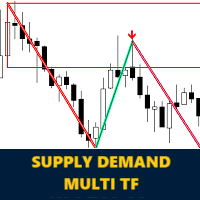
This image show , how you can find out sell signal when market retrace unbroken supply zone.
Welcome to very new version
This time we have multi time frame ability

📈 Our XAU/USD prediction was spot-on! 🌟 Let's dive into the magic of supply and demand along with market structure breakouts. In the image, I've highlighted a robust supply level at 2060. 📉 Witness the bearish price action marked by a sell arrow within the supply zone. Following that, observe the Market Structure Breakout (MSB), indicated by the circle – the second confirmation for our sell signal. 🔄 In this scenario, the optimal Stop Loss was set above the supply region, while the ideal Take Profit target was positioned at the unbroken Demand's top side. 🚀💰Supply Demand Indicator :
https://www.mql5.com/en/market/product/110390
Market Structure Break Out Indicator :
https://www.mql5.com/en/market/product/109958
It is very annoying that anywhere i click on the chart the zoneline is changing . you should mention that in the description...i tought that the zones are moving automaticly.
Thank you for your comment.
Please note that this is not a problem but a back testing capability. This feature allows you to review the historical chart and understand the conditions in previous zones. You can easily disable the back testing ability by clicking on the BT button. In the latest version, we have significantly improved performance for a faster experience.
Мерхаба! Bu çok kullanışlı bir gösterge. Ok göründüğünde bir uyarı eklemek mümkün mü? Teşekkürler.
Welcome to very new version
This time we have multi time frame ability
There is no EA available as a product, but some customers have ordered the EA directly from me through the MQL5 Jobs section.
You can open a new job using the link below, and I will create it specially for you:
https://www.mql5.com/en/job/new?prefered=ashkan.nikrou
привет. функция уведомления при новом сигнале уже есть?
Hi, dear trader
Alert feature for all time frames will add in next update 1.7
New update will come soon (in next days)
🚀 Koala Supply Demand upgraded to Version 1.7! 🐨
🔔 Alerts have been added
✨ This update is free and includes new improvements
📈 More powerful features are coming soon in the next upgrade
Thank you for your support! 🙏