 MetaTrader 5
 Uzmanlar
 Göstergeler
 Kütüphaneler
 Yardımcı programlar
 Widgetlar
 Kurallar
YouTube'dan Mağaza ile ilgili öğretici videoları izleyin
Bir alım-satım robotu veya gösterge nasıl satın alınır?
Uzman Danışmanınızı
sanal sunucuda çalıştırın
sanal sunucuda çalıştırın
Satın almadan önce göstergeyi/alım-satım robotunu test edin
Mağazada kazanç sağlamak ister misiniz?
Satış için bir ürün nasıl sunulur?
MetaTrader 5 için Uzman Danışmanlar ve Göstergeler - 136
 Forex alım-satımını daha karlı hale getirmek için alım-satım robotları ve göstergeler kullanın. Alım-satım robotları, işlem açma ve kapatma sürecini otomatikleştirmenize olanak tanırken, göstergeler piyasa davranışını daha doğru bir şekilde tahmin etmenize yardımcı olur.
Bu sayfa, MetaTrader 5 uygulamalarının kataloğunu içermektedir.
Forex alım-satımını daha karlı hale getirmek için alım-satım robotları ve göstergeler kullanın. Alım-satım robotları, işlem açma ve kapatma sürecini otomatikleştirmenize olanak tanırken, göstergeler piyasa davranışını daha doğru bir şekilde tahmin etmenize yardımcı olur.
Bu sayfa, MetaTrader 5 uygulamalarının kataloğunu içermektedir. 
This PORTFOLIO of 5 strategies has been developed, tested and traded live on EURUSD H1 TF. Multiple EAs traded together will lead to a bigger profits and smoother equity curve. 5 not correlated EAs logics for EURUSD H1 merged to a single strategy. Very SIMPLE STRATEGIES with only FEW PARAMETERS. Every trade has his own logic for STOP LOSS. To catch the profits every strategy uses different approach - some has TAKE PROFIT, some uses TIME BASED EXITS or PROFIT TRAILING. EA has been backtested on

Trend Forex Trade Robot - looks for a trade line, draws it, follows it for a certain amount of time, if prices break through the line, opens a short position, calculates the take profit itself and sets a stop loss according to a given algorithm. Our team, which has professional traders with more than 10 years of experience in trading, has been monitoring currency pairs, cryptocurrencies charts for many years, collecting data, analyzing, and calculating the optimal algorithm. And so we made a rob

This expert is based on patterns
The main patterns of this specialist are candlestick patterns
Detects trends with candlestick patterns
It has a profit limit and a loss limit, so it has a low risk
The best time frame to use this expert is M30 time frame
The best currency pairs to use with this expert is the EURUSD, GBPUSD, AUDUSD, USDCAD currency pairs
Attributes: Can be used in the EURUSD, GBPUSD, AUDUSD, USDCAD currency pairs Can be used in M30, H1, H4 time frames Has profit limit and loss

This EA has been developed, tested and traded live on NASDAQ M15 TF. Everything is ready for immediate use on real account. Very SIMPLE STRATEGY with only FEW PARAMETERS. Strategy is based on EXPANSION ON THE DAILY CHART . It enters if volatility raise after some time of consolidation . It uses STOP pending orders with ATR STOP LOSS. To catch the profits is a TRAILING PROFIT function in the strategy. EA has been backtested on more than 10-year long tick data with 99% quality of mo

Apart from psychology, another thing that makes traders successful is risk management. This utility helps the trader in risk management, order management, and monitoring the profits that are made within a certain period. The utility works on the forex market. inputs: The following are inputs that are required before an order is executed · Sl- this is the stop loss in pips. · Tip: this is the take profit in pips. · Risk%: the percentage of the equity that the user wants to ri

Osmosis Pro is an advanced data driven automated trading robot which uses dynamic price differential algorithm and market volume to trade the retracements on Gold (XAUUSD) . The price differential algorithm identifies various possible prices of execution, simultaneously pends and modifies orders until it gets the best possible price of execution. This makes the EA to use a flexible and dynamic execution conditions which depends on price action unlike other regular trading robots that use fix e

Osmosis is an advanced data driven automated trading robot which uses dynamic price differential algorithm and market volume to trade retracement on Gold (XAUUSD) . The price differential algorithm identifies various possible prices of execution, simultaneously pends and modifies orders until it gets the best possible price of execution. This makes the EA to use a flexible and dynamic execution conditions which depends on price action unlike other regular trading robots that use fix entry condi
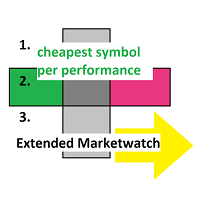
Extended MarketWatch calculates multiple numbers as a characterization of their symbols in addition to the default ones. They are often simple mathematics or just read for comparison. These are the percentual spread, also in comparison to the known daily change and with leverage, the leverage of each symbol and an example of the real profit.
BID, ASK, SPREAD, DCH: The prices, absolute spread and the last daily change of the price are repeated for overview. PRSPRED: This enables to view the spr

This EA has been developed, tested and traded live on EURUSD M30 TF. Everything is ready for immediate use on real account. Very SIMPLE STRATEGY with only FEW PARAMETERS. Strategy is based on KELTNER CHANNEL BREAKOUT. It enters if volatility raise after some time of consolidation. It uses STOP pending orders with ATR STOP LOSS. To catch more profits there is a TRAILING PROFIT function in the strategy. EA has been backtested on more than 18-year long tick data with 99% quality of modeling and ve

KJ Grid is a trading expert advisor (EA) designed for grid trading, where positions are opened in a grid pattern. This means the first trade in the cycle is opened, and more trades are opened at price gap intervals if price moves in that direction. These positions will be closed according to the closing option chosen, generally in profit. The number of positions, their lot sizes, and the distance in points between positions are chosen in the EA settings. With good settings, KJ Grid can earn cons

It is recommended to run the Secure Set bot on highly volatile pairs or during periods of high volatility. Secure Set is trend trading. The bot has a very developed internal architecture. Works with pending orders. The mechanics of the Secure Set forex bot are determined by the basic Trailing Stop orders that it uses to enter and exit its positions. Once you understand how they work, Secure Set will be an open book for you. Able to work with trailing stop for pending orders. With trailing s

Get all benefits of a grid strategy and none of its disadvantage | Built by a grid trader >> for grid traders.
This is MT5 version, click here for Blue Sonic Donchian MT4 (settings and logics are same in both versions) Real monitoring signal --> Sonic Gold | Sonic Fx Intro BlueSonic Donchian EA ('Sonic') is a next-gen multi-currency multi-timeframe EA base on Donchian indicator. Other than normal one-off entry, users would have option to activate grid series to maximize return fr

Executor Trader Panel (Sta) - Standard Version is a multi-functional trading tool designed for traders. The trading panel integrates over 30 individual functions and more than 10 combined functions, providing traders with a highly flexible operational approach.
Adapted for DPI: 96, 192.
Main Features of the Executor: Instant Connection Status: Immediately know if the connection with the broker is lost. Time Synchronization: Instantly know the current local time and the time of the trad

Please read the guide carefully before you start using EA, so you can know all the features and my suggestions to use it at its best. Trader's Guide, FAQs and Set Files here (Updated on February26) You can also find updated Set Files and my advices on Telegram channel or PM . LL Gold Scalper EA is a structured grid-based Expert Advisor developed for XAUUSD (H1) , combining trend filtering, progressive position management, and controlled basket closure logic. The system is designed for t

This EA has been developed, tested and traded live on GBPUSD M30 TF. Everything is ready for immediate use on real account. Very SIMPLE STRATEGY with only FEW PARAMETERS. Strategy is based on OPEN DAILY BREAKOUT . It enters if volatility raise after some time of consolidation . It uses STOP pending orders with ATR STOP LOSS and TAKE PROFIT. To catch more profits there is also TRAILING PROFIT function provided. EA has been backtested on more than 18-year long tick data with 99% qu

Introducing PropMaster EA - Your Ultimate Forex EA for Prop Firm Challenges
Are you ready to conquer prop firm challenges like FTMO and My Forex Fund? Look no further than PropMaster EA, the expert advisor tailored to your success in the world of trading. While no system can guarantee success, PropMaster EA is your edge in the market, helping you reach your trading aspirations.
Key Features of PropMaster EA:
- Advanced Risk Management: Limit your risk to just 0.5% or 1% per trade, ensuring yo

Gold Hacker EA is built with our years of experience in trading and programming skills, based on the fact that trend is always your friend with consideration of the variety of market conditions , by combining the trend indicators with our mathematical strategy to always follow the trend and recover from the sideways trend. Unlike traditional methods that solely rely on Stop Loss orders to limit losses, Gold Hacker EA uses an efficient mechanism to manage losing positions. We support risk manage
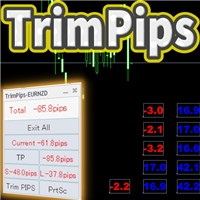
TrimPips solves the following problems at once. I want to know the total of current positions and total pips of current currency at a glance. I want to know the total pips display for plus positions, minus positions, short positions, and long positions at a glance. I want to close the position all at once. I want to close my current currency position all at once. I want to close short and long positions all at once. I want to close both positive and negative positions at once. I want to set TP/

Mr Martin is trend trading. The expert system goes through the entire history for most currency pairs with simple settings. The bot has a very developed internal architecture. Works with pending orders. Able to work with trailing stop for pending orders. With trailing stop for real orders. For deferred and real ones, you can set stop loss and take profit separately. The bot can also work with virtual top loss and take profit.
The advisor can be run on any hourly period, any currency pair and

GAMMA is a fully featured trade manager and account monitoring assistant that offers a variety of trade and account monitoring and mechanization functionalities vital to a trader’s toolkit. This assistant takes on all the mechanical parts of trading, freeing up more time for you focus on other activities that promote your personal and financial well-being. The trading functions GAMMA helps you to automate include:
equity monitoring and preservation
stop loss and take profit placement breakeven

This EA is built to be resilient. It is based on pure and working price action algorithms with a high win-rate and proven money management systems.
A key highlight of the Star Scooper is that it can be switched on or off at any time without affecting its functionality, and despite its complexity, has been made very easy to operate. The Expert can be applied across all currency pairs and indices.
Description of the inputs Timeframe - Set to the one currently on the chart attached but as a plus

This EA has been developed, tested and traded live on GBPJPY H1 TF. Everything is ready for immediate use on real account. Very SIMPLE STRATEGY with only FEW PARAMETERS. Strategy is based on CLOSE WEEKLY BREAKOUT . It enters if volatility raise after some time of consolidation . It uses STOP pending orders with ATR STOP LOSS and TAKE PROFIT. EA has been backtested on more than 18-year long tick data with 99% quality of modeling and verified on 30-year long M1 data. Everything is alre
Strategy Master is a 5-in-1 EA, offering a choice of 5 distinct strategies within a single expert advisor. You can activate one to five strategies simultaneously and customize your trading by enabling or disabling filters to validate entries. These five strategies encompass a range of approaches, including three technical strategies (Moving Average, Bollinger Bands, and Ichimoku), a renowned price action strategy (Breakout), and a time-based strategy (SendOrder at Time). The link for MT4 version

This EA has been developed, tested and traded live on GOLD (XAUUSD) H4 TF. Everything is ready for immediate use on real account. Very SIMPLE STRATEGY with only FEW PARAMETERS. Strategy is based on TRIPLE EMA BREAKOUT . It enters if volatility raise after some time of consolidation . It uses STOP pending orders with ATR STOP LOSS and TAKE PROFIT. EA has been backtested on more than 15-year long tick data with 99% quality of modeling and verified on 30-year long M1 FUTURES data. Every

Fully automated, which does not use grid strategies, martingale, averaging positions, waiting out a loss, etc.
The idea is not complicated, when flat, 2 limit orders are set when using USE_LIMIT_ORDERS = true, otherwise it trades
by market. When an order is triggered, the position is closed by TAKE_PROFIT, SIGNAL_TRAILING_TAKE_PROFIT in an unsuccessful situation
by STOP_LOSS_VIRTUAL.
Or the orders are deleted.
After closing a position, the expert looks at how the position closed, with a pr

Seed2 features: ・Use the optimization tool to select the optimal currency pair and check the currency pair and entry mode. ・This is an automated trading robot that targets trend-following pushes. ・A day trading robot that uses compound interest to increase assets, executing 2 to 10 trades per week. ・It retrieves the asset balance at the time of the order and automatically calculates the order lot size based on the allowed loss ratio. ・Profit and stop loss are set at a difference of 50 pips from
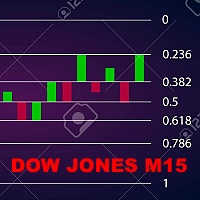
This EA has been developed, tested and traded live on DOW JONES (US30) M15 TF. Everything is ready for immediate use on real account. Very SIMPLE STRATEGY with only FEW PARAMETERS. Strategy is based on FIBO BREAKOUT . It enters if volatility raise after some time of consolidation . It uses STOP pending orders with FIXED STOP LOSS and TAKE PROFIT. To catch more profits there is a TRAILING PROFIT function in the strategy. EA has been backtested on more than 10-year long tick data

The Trades To Telegram is a powerful and customizable trading assistant designed to bridge the gap between the MetaTrader 5 platform and the popular messaging app, Telegram. This bot serves as a crucial tool for traders, providing them with timely and accurate trading signals, alerts, and updates directly to their Telegram accounts.
Key Features: Real-Time Signals: The bot monitors the MetaTrader 5 platform continuously, detecting trading signals, such as Opening/Closing of buy/sell orders , a

This program is a GUI for issuing orders that can be done more quickly. Faster TP SL setting This program is not an automated trading platform. Trading is risky, please manage your risk. We do not accept any responsibility. It should be tried with Demo before using it with Real. Normally, the setting sets the risk to 1:1 to shift manually or to enter the risk to x:1, where x can be entered and everything can move freely. Thank you to all customers who have purchased our products. We would like t

-Strategy description: Breakthrough system based on Bolling channel
-System elements :1, based on the closing price calculation of the Bolling channel; 2, based on the closing price calculation of the approach filter; 3, adaptive exit average
-Admission conditions :1, meet the filter conditions, and the price of the broken Bollinger channel on the track, open multiple single ;2, meet the filter conditions, and the price of the broken Bollinger channel under the track, open short orders
-Exit

Introducing SMART ROBO 2 - Your Ultimate EUR/USD Trading Partner! Discover the Future of Forex Trading with SMART ROBO Key Features: Tailored for the EUR/USD pair Precision trading using RSI, Moving Averages, and Volume indicators Auto-selection of the optimal Moving Average Period Strategically timed order placements to capitalize on market activity Designed to thrive even with low account balance Intelligent error detection with preventive actions Expertly optimized for current-year trading

The "Dagangduit EA Auto_SLTP" is an Expert Advisor (EA) developed by the Dagangduit Core Team for MetaTrader 5. This EA is designed to provide automated management of Stop Loss (SL) and Take Profit (TP) levels for your trades, as well as other advanced features to enhance your trading experience. Key Features: Automated SL and TP Management : The EA automatically manages the Stop Loss (SL) and Take Profit (TP) levels of your open positions, allowing you to protect your profits and limit potentia
This EA has been developed, tested and traded live on USDJPY H1 TF. Everything is ready for immediate use on real account. Very SIMPLE LONG/SHORT STRATEGY with only FEW PARAMETERS. Strategy is based on the breakout of the PIVOTS on the daily chart. It enters if volatility raise after some time of consolidation . It uses STOP pending orders with ATR STOP LOSS. To catch more profits there is a TRAILING PROFIT function in the strategy. EA has been backtested on more than 20-year lon

Welcome to Propsense, the best solution for new and veteran traders with a simple FREE strategy! NEW to MT5! This indicator is a unique and affordable trading tool built on the teachings of a former bank trader. With this tool, you will be able to see inefficient points with ease. Additionally, traders will have a clean Heads Up Display which will show your running and closed P/L in pips AND currency units. As a highly requested option, a candle timer has been added which will allow you to j

Maximize Your Trading Potential with TurboRSI Pro Introducing TurboRSI Pro, your ultimate partner for navigating the financial markets. What is TurboRSI? TurboRSI is an expert advisor designed for traders looking for substantial profits. With its robust algorithms and a focus on harnessing the power of the Relative Strength Index (RSI), TurboRSI is your key to dominating the art of trading. How TurboRSI Pro Works Upon attachment to any chart, it usess the RSI indicator to identify optimal entry

This utility tool helps us to open trades and set orders very simply by just double-clicking on the chart. The volume of the positions and orders can be a constant lot size or determined based on a risk of equity. Take profit limit of the positions can be determined based on a Risk to Reward Ratio or simply by just a double-click.
For Positions: 1- At first, you need to double-click on the SL price. (For a buy position, you need to click on a price below the live price, and for a sell positio

It is recommended to run the Black Ultra bot on highly volatile pairs or during periods of high volatility. Black Ultra is trend trading. The bot has a very developed internal architecture. Works with pending orders. The mechanics of the Black Ultra forex bot are determined by the basic Trailing Stop orders that it uses to enter and exit its positions. Once you understand how they work, Black Ultra will be an open book for you. Able to work with trailing stop for pending orders. With trailing s

Flex Android is trend trading. The expert system goes through the whole history for most currency pairs with simple settings. The bot has a very developed internal architecture. Works with pending orders. Can work with trailing stop for pending orders. With trailing stop for real orders. For pending and real ones, you can set separately stop loss and take profit. The bot can also work with virtual top loss and take profit.
The Expert Advisor can be launched on any hourly period, any currency

This EA is a simple automated trading system for the Meta Trader 5 platform. It uses parabolic SAR to automatically adjust lot size based on market trends. By this, the EA does not take a large amount of risk, but instead steadily accumulates profits.
Main Features The EA does not use the martingale method for lot size adjustment. If a position is taken before the forex market closes, the position will be carried over to the weekend. This EA is designed to hold multiple positions at the same t

The trading strategy is based on over 10 years of successful experience in trading based on the strength of a candle and percentage of the body in relation to the entire Candle (Strong Candle) and/or (depending on the configured parameters) on a moving average long-period triple trend (JMA) combined with the current chart's time moving average with constant bands and AWESOME oscillator or even Bollinger Bands, all of which can be combined as desired to allow a safer market entry. Combined with
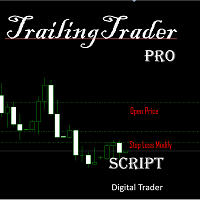
TrailingTrader MT5 – Trailing Stop-Loss and Take-Profit Script Upon activation of the TrailingTrader script , open positions of specified trading instruments in the quote window will automatically implement an intelligent trailing stop strategy. This helps traders lock in profits and manage risks without the need for manual monitoring and adjustments. Core Configuration Parameters Symbol : Specify the trading instruments for which trailing stops should be applied. Use English commas (,) to sepa

Otto is an expert advisor (EA) that utilizes proprietary indicators and trend lines while implementing a robust risk management strategy. It focuses on generating consistent and secure profits over the long term. By employing a fractional lot approach across various currency pairs, it effectively diversifies risk and increases trading opportunities for generating profits. Additionally, Otto can be applied to trading gold to potentially yield substantial returns. The EA executes daily transactio

Passband Filter Pro
Passband Filter Pro is a trend and cycle oscillator for MetaTrader 5. It is built on the Ehlers Super Passband Filter, a band pass filter that removes long term trend drift and short term noise so that only the dominant market cycle remains. The result is a clean oscillator with a color cloud that shows overbought and oversold conditions, cycle turns, and momentum on forex, gold, indices, stocks and crypto.
Most traders enter too early or too late. Simple moving averages la
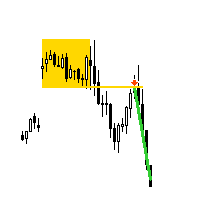
Dax index M5 Strategy
"AV Dax Breakout EA MT5" is an Expert Advisor for MetaTrader 5, which follows a DAX M5 opening strategy . Typically, no more than one trade is opened per day on the german index.
After trend determination with the "AV SuperTrend MT5" indicator and other conditions, a breakout trade is automatically opened as a pending order in the direction of the trend. If the conditions are not suitable, a retest trade can then be carried out and possibly later a retracement trade back

It is recommended to run the Black Ultras bot on highly volatile pairs or during periods of high volatility. Black Ultras is a trend trade. The bot has a very developed internal architecture. Works with pending orders. The mechanics of the Black Ultras forex bot are determined by the basic Trailing Stop orders that it uses to enter and exit its positions. Once you understand how they work, Black Ultras will be an open book for you. Able to work with trailing stop for pending orders. With traili
Unleash the power of precision and innovation in your trading with the KT BreakGrid Pro EA. Seamlessly blending the strategic prowess of breakout and grid trading, this expert advisor is your ultimate solution to navigating the complex Forex landscape with unmatched confidence and efficiency.
Recommendations
Symbol: EURUSD TimeFrame: M5 Account Type: Hedge Leverage: 1:500 Set Files: Not required. Default inputs provides best results.
Features Breakout-Infused Grid Strategy: Experience the bes
This EA will automatically close all open order when profit or loss is reached according to users setting. You need to select close by percentage or close by amount. If close by percentage or close by amount is set to true the EA will exit. When the setting is set to true, the value of profit and loss can not be 0. Please set to true the option for Close Order with Same Symbol or Close All Order.

As the name suggests, the scalper opens trade only when precise conditions are met in the market based on strict entry criteria. When the required market conditions are met the EA opens multiple trades compensating for the time not traded. This EA is meant for long term functioning hence it does not trade very frequently. The entry points are calculated using price action, trend analysis and candlestick analysis without relying on any lagging indicators. Every trade has fixed stop loss . Take

The Expert Advisor Core Reincarnation works with ticks on both netting and hedging account types. The internal algorithm uses a tick (not a bar) as a unit for analysis. The product works with 5-digit quotes. Requotes are critical. A broker with the minimum execution delay is required. The Expert Advisor does not use history stored in the database. It downloads history data online creating its own database stored in the internal memory. After the restart, the database is deleted and should b

The initial price is 92.25 USD, the future price is 250 USD
Universal advisor with the use of economic and fundamental news " Smart News Trade ". Trading tactics are based on tracking the dynamics of the market and accelerating the price movement. Not guessing, not forecasting, only calculations with clear guidelines for the direction of positions. The work is carried out with pending orders, a stop loss is used to protect funds. A VPS server is required for smooth operation. Ease of use: Ther

The SuperTrend AI indicator is a novel take on bridging the gap between the K-means clustering machine learning method & technical indicators. In this case, we apply K-Means clustering to the famous SuperTrend indicator. USAGE Users can interpret the SuperTrend AI trailing stop similarly to the regular SuperTrend indicator. Using higher minimum/maximum factors will return longer-term signals. (image 1) The displayed performance metrics displayed on each signal allow for a deeper interpretat

Tanıtım: "Order On Time" Uzman Danışmanı (EA) Genel Bakış:
"Order On Time" EA, emir yerleştirmelerinde kesin zamanlama isteyen yatırımcılar için özel olarak tasarlanmış bir araçtır. Belirli piyasa olaylarından yararlanmayı hedefliyor veya sadece rutin bir işlem stratejiniz varsa, bu EA tam size göre. Özellikler: Olağanüstü Karlar ve Marjinal Düşüş: Çok marjinal bir düşüş korurken olağanüstü karlar vaat eden bir işlem sonucu yaşayın. Optimize Edilmiş Varsayılan Ayarlar: Kod, Ağustos 2023'e k

Safety Control: Your Ultimate Balance Management Solution for Prop Firm Challenges Overview Tired of manually monitoring your trading activities in prop trading challenges? Meet Safety Control, an advanced Expert Advisor for MetaTrader 5 that will change the way you trade forever. This proprietary software aims to help you manage your balance effortlessly during prop firm challenges. Features Automated Drawdown Control : Safety Control continuously monitors your account's balance and equity in r

Take control of your operations efficiently at trading, mannaging by an smart way the risk of your positions. Whit this tools, you can:
Estimate the potencial profits or losses from your operations, either in money or pips. You also can visualize profits or losses by substracting the spread cost previusly configured in the tool’s input parameters. Calculate the lot size or margin required for your orders. Estimate the risk/reward ratios of your positions. Study the negative impact of the spread
Introducing the True Range MACD Indicator – Your Ultimate Trading Companion! Tired of missing out on profitable trading opportunities? Wish you could predict buy and sell signals ahead of time? Look no further! The True Range MACD Indicator is here to revolutionize your trading game and take your success to new heights. Unleash the Power of True Range Convergence and Divergence Unlike the conventional MACD you find in MT5, the True Range MACD goes above and beyond by analyzing true rang

[ What is: VWAP (Volume-Weighted Average Price ]
//-----------------------------------------------------------------------\\
A. it is a trading indicator that calculates the average price at which a particular security (stock, commodity, etc.) has been traded throughout a given trading session, weighted by the volume of each trade. It provides insight into the average price level and helps traders understand whether they are buying or selling at a better price compared to the overall marke
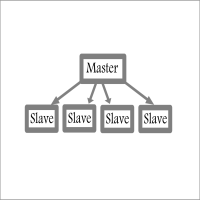
Fast / Reliable / Multi Functions / Simple To use local MT5 to MT5 | MT5 to MT4 platform copier , it will copy all your Master account orders into any Slave accounts very fast , no delay, Also it supports any kind of orders/ExpertAdvisors such as Buy / Sell / BuyStop / SellStop / BuyLimit / SellLimit / Smart Partial Closing / opened in Hedge mode / opened in Martingale mode / Modifying Pending orders / Modifying StopLoss-TakeProfit .using it is simple , Just drop the EA on Master account which y

Chart Notes = MULTI LINE TEXT INPUT ON CHART FOR MT5 is finally here! # sticky notes This indicator is a powerful text editor for placing notes on chart, similarly like the feature on Tradingview.
There are 2 types of messages: anchored (on screen ) and free (on chart).
1. Anchored = stays on the same place on screen (x point, y point) -this text can be EDITED on click (first line is for dragging the message around- this line is edited via right clicking- >properties) -move the messages by dra

Best Definition is trend trading. The expert system goes through the whole history for most currency pairs with simple settings. The bot has a very developed internal architecture. Works with pending orders. Can work with trailing stop for pending orders. With trailing stop for real orders. For pending and real ones, you can set separately stop loss and take profit. The bot can also work with virtual top loss and take profit.
The Expert Advisor can be launched on any hourly period, any cur

IMPORTANT: After purchasing the EA, please send us a private message with a screenshot of your purchase confirmation. Go to the Purchases tab and take a screenshot. After confirm, we'll send our Telegram group link and for support, latest SET files and help with Expert Settings for this EA.
Download Monthly GBPUSD SET File from COMMENTS (CONFIRMED Users Get SET Files for Tested Pairs From Our PRIVATE Telegram Group) - NEW SET FILES - We Provide SET Files Every 30-Days. Private Group A

Hi, I'm Alpha One from YouTube. I have been working with Forex and Binary Options for years and have finally developed a robot that you can simply activate and then leave unattended. This robot operates using multiple strategies, so if one strategy falters, others will continue to generate profits. This robot is not one that will take many trades. Can be 2-3 days without trade, But not to worry it do so only to take the best trades. This robot does not employ any grid or martingale techniques.

Based on the trading model/strategy/system of gold double-position hedging and arbitrage launched by Goodtrade Brokers, problems encountered in daily operations: 1. Account B immediately places an order immediately following account A. 2: After account A places an order, account B will automatically copy the stop loss and take profit. 3: Account A closes the position of Account B and closes the position at the same time. 4: When account B closes the position, account A also closes the position.

Missing entry opportunities,profitable exits or the chance to make profitable set ups on the chart can be very frustrating for a trader.This tool will help you by giving you alerts if your criteria or conditions have been fully met.It will send you alerts based on conditions you have set and send them through email and mql5 notifications (laptop and mobile devices). 1.Creating Alerts In order to create an alert you must first give the alert its name and how frequent it send you those alerts if c

Neural Bar Impulse is an indicator based on a neural network created and specially trained to predict the potential impulse of each next market bar. By bar impulse we mean the tendency of the market price to update the maximum or minimum of the bar relative to its opening price.
We chose this particular feature of market bars because, based on our own research, we discovered an interesting feature of bar impulses to be harbingers of a change in price trend movements.
The neural network we cre

It has never been so easy to manage the risk of your account until now, this tool will allow you to have full control of your capital and manage your entries in the synthetic index derivative markets, in an easy, practical and safe way.
The available input and configuration parameters are as follows : RISK MANAGEMENT 1. Value of your account: Here as its name says you will place the value corresponding to the size of your account, for example if your account is 150 dollars the corresponding

It has never been so easy to manage the risk of your account until now, this tool will allow you to have full control of your capital and manage your entries in the synthetic index derivative markets, in an easy, practical and safe way. The available input and configuration parameters are as follows : RISK MANAGEMENT 1. Value of your account: Here as its name says you will place the value corresponding to the size of your account, for example if your account is 150 dollars the corresponding val

Hello, let me explain a bit about this EA.
Because I traded hedging and lost the trending chart. So I wrote it so that Grid can calculate from the indicator. can be flexible when the chart is trending And I also added with 3 order closing systems that are suitable for different situations.
You can optimize to get the best value.
Thank you for your interest in my EA.

Hello, let me briefly explain how an EA works. This EA will open the first order when - RSI > 70 will open a sell order. - RS < 30 will open a buy order. (Can be adjusted) Open the second set of commands when calculating from Drawdown Lot calculation can be adjusted from (Lot_ Buffer DD). The formula is Drawdown X Balance / Lot_ Buffer DD. Second order onwards It uses a Dynamic Grid for issuing lots based on indicators that are sensitive to the fluctuations of the chart. Therefore, you should c
"Order Block", in the context of smart money concept in trading and insvesting, refers to a specific price level or zone on a chart where significant institutional or "smart money" orders have been placed. These orders are typically large in size and come from well-informed and experienced traders, hedge funds, financial institutions, or other market participants who are considered to have a deep understanding of the market dynamics.
Order blocks are believed to be important areas of interest

Grid Hedging (Modular) Introducing Grid Hedging (Modular), the ultimate trading tool designed to revolutionize your trading experience! This expert advisor (EA) is a powerful and versatile system that opens up a whole new world of possibilities for traders of all levels. Whether you're a seasoned pro or just starting in the trading world, this EA is tailored to adapt to your unique trading style.
So, what can this EA do? Grid Hedging (Modular) allows you to trade with a completely modular gri
MetaTrader Mağazası - yatırımcılar için alım-satım robotları ve teknik göstergeler doğrudan işlem terminalinde mevcuttur.
MQL5.community ödeme sistemi, MetaTrader Hizmetlerindeki işlemler için MQL5.com sitesinin tüm kayıtlı kullanıcıları tarafından kullanılabilir. WebMoney, PayPal veya banka kartı kullanarak para yatırabilir ve çekebilirsiniz.

Alım-satım fırsatlarını kaçırıyorsunuz:
- Ücretsiz alım-satım uygulamaları
- İşlem kopyalama için 8.000'den fazla sinyal
- Finansal piyasaları keşfetmek için ekonomik haberler
Kayıt
Giriş yap
Web sitesi politikasını ve kullanım şartlarını kabul edersiniz
Hesabınız yoksa, lütfen kaydolun