MagicCloserMT4
- Утилиты
- Версия: 1.10
- Активации: 5

[Product name]
Magic Closer Panel MT4
[Short description]
Close orders in one click, filtered by Magic Number and Symbol. Close Buy / Close Sell / Close All for one EA, your manual trades, or everything. MetaTrader 4 version.
[Description]
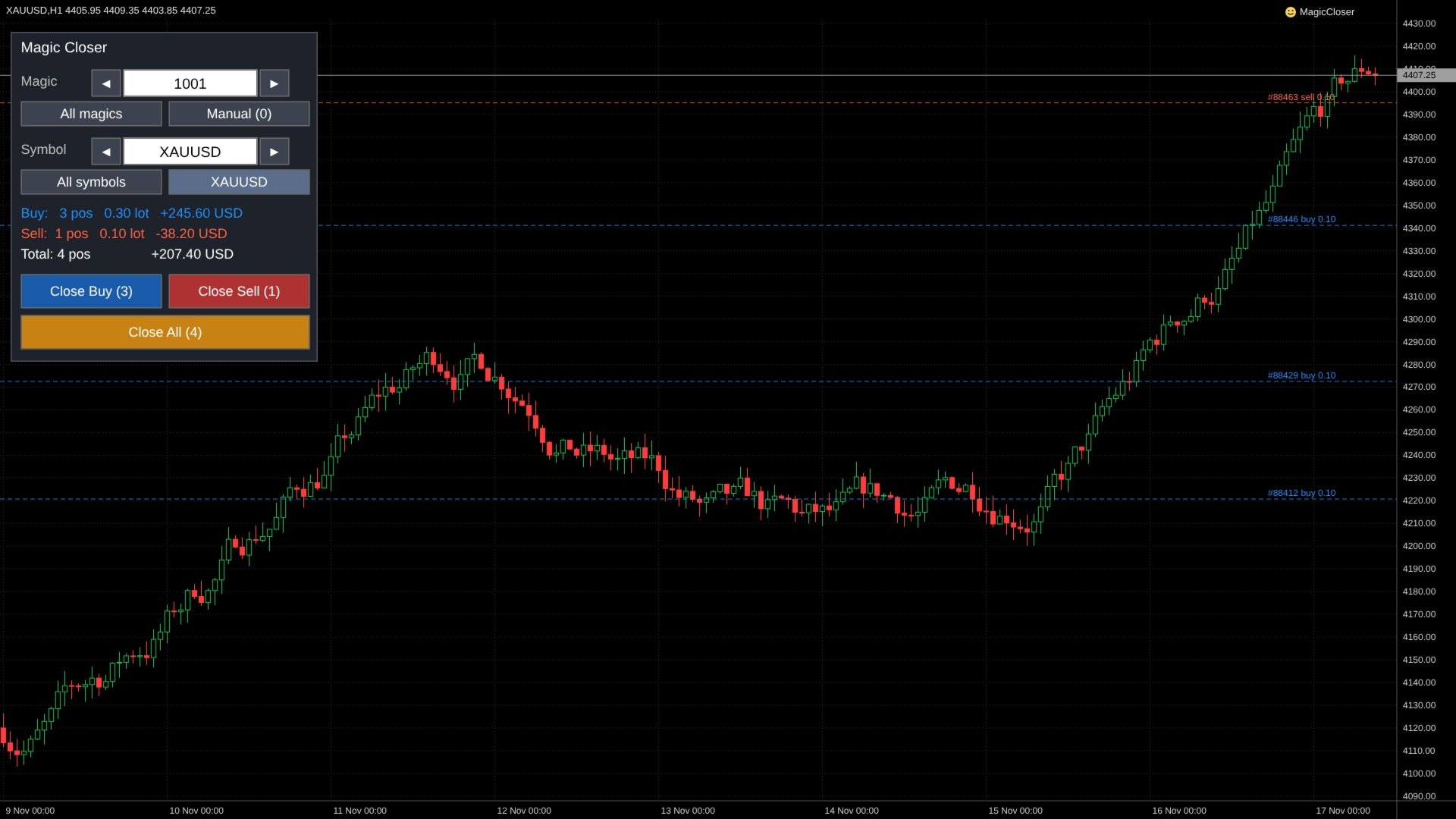
Magic Closer is a compact on-chart panel that closes positions in one click — but only the positions you actually mean.
Running several Expert Advisors on the same account? Mixing EA trades with manual trades? A normal "close all" button closes everything. Magic Closer lets you choose exactly which positions to close by combining two filters: Magic Number and Symbol.
MAIN FEATURES
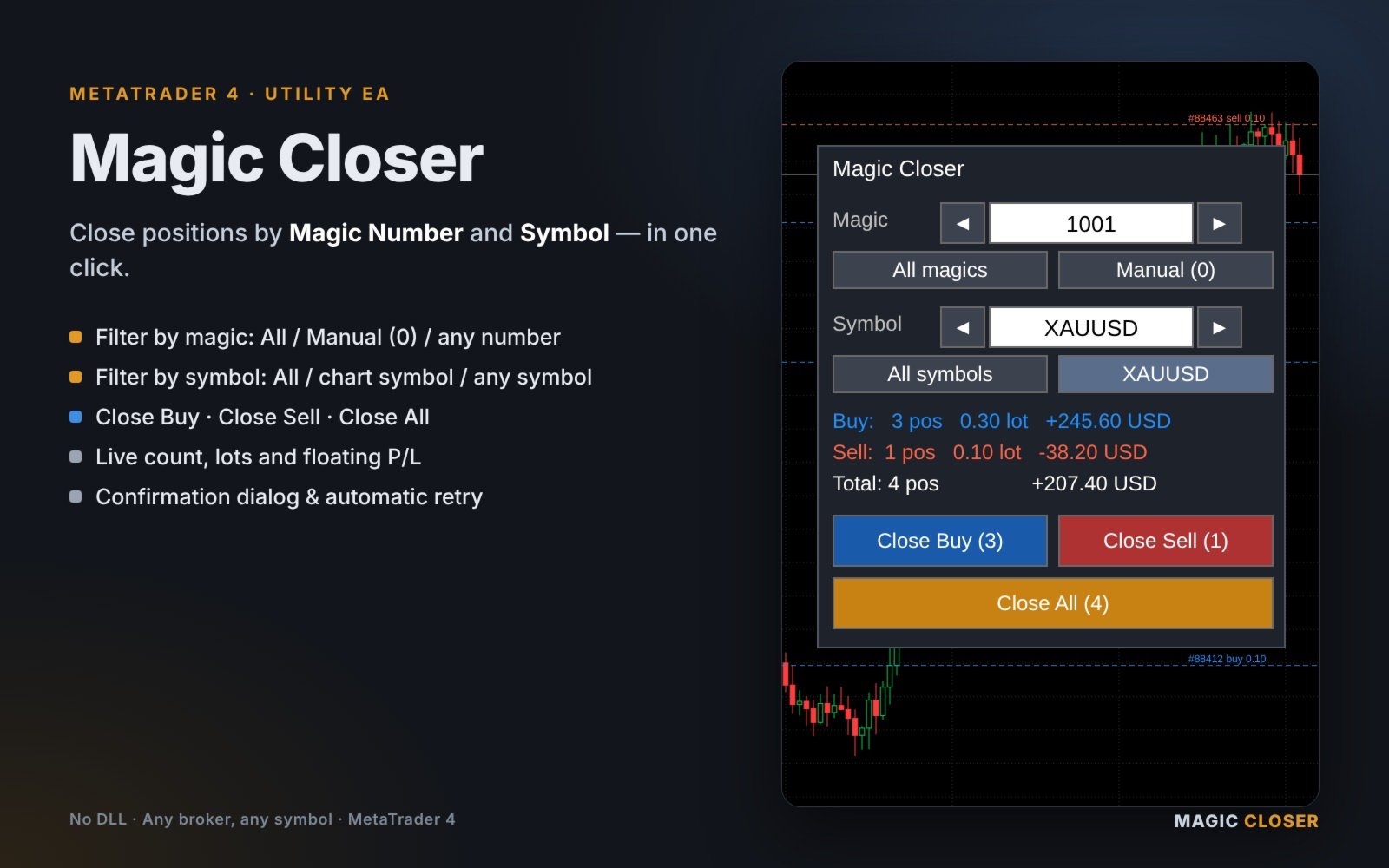
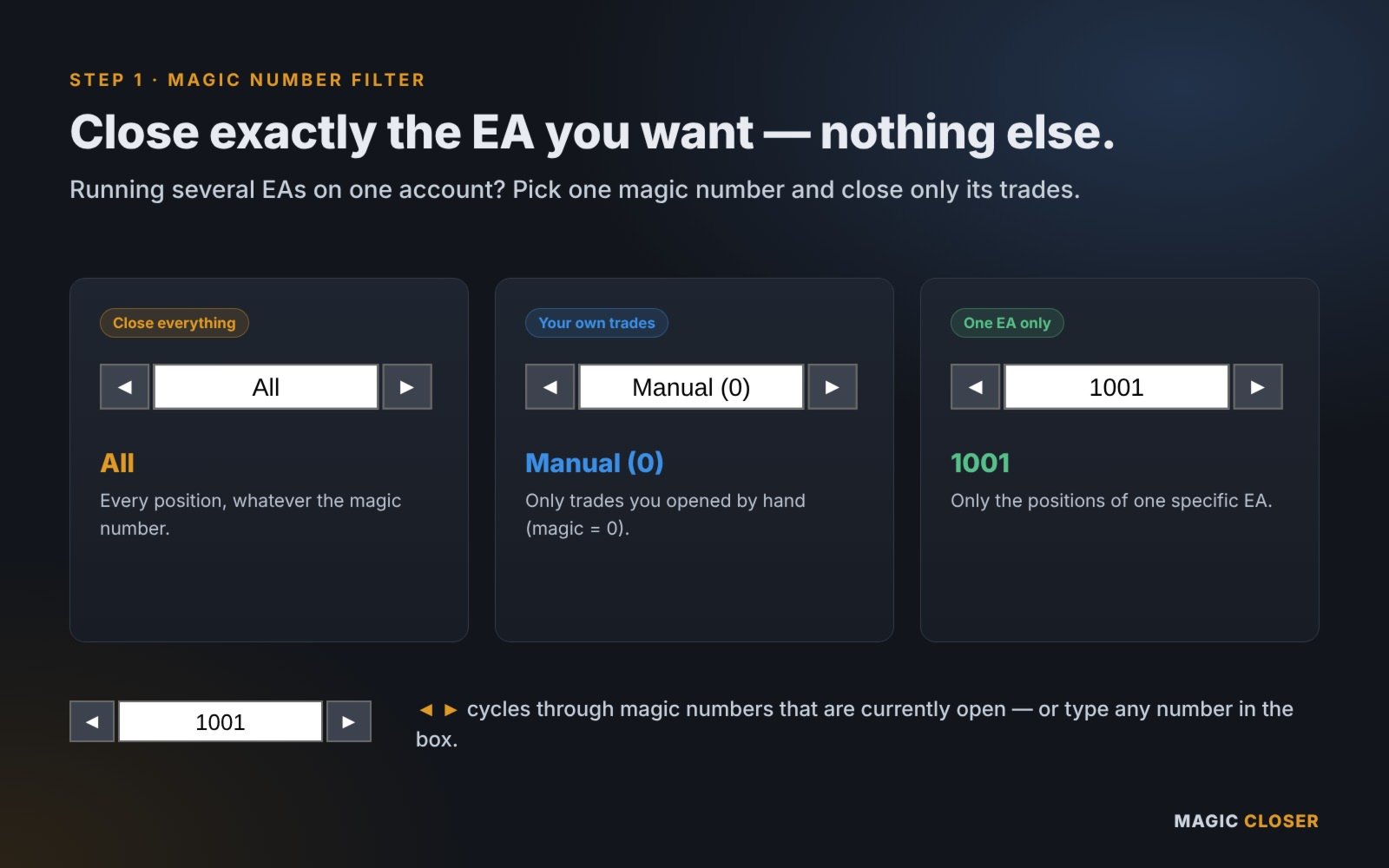
Magic Number filter
- All: every position, whatever the magic number
- Manual (0): only trades you opened by hand
- Any number: only the positions of one specific EA
- ◄ / ► cycles through the magic numbers that are currently open, or type any number directly in the box
Symbol filter
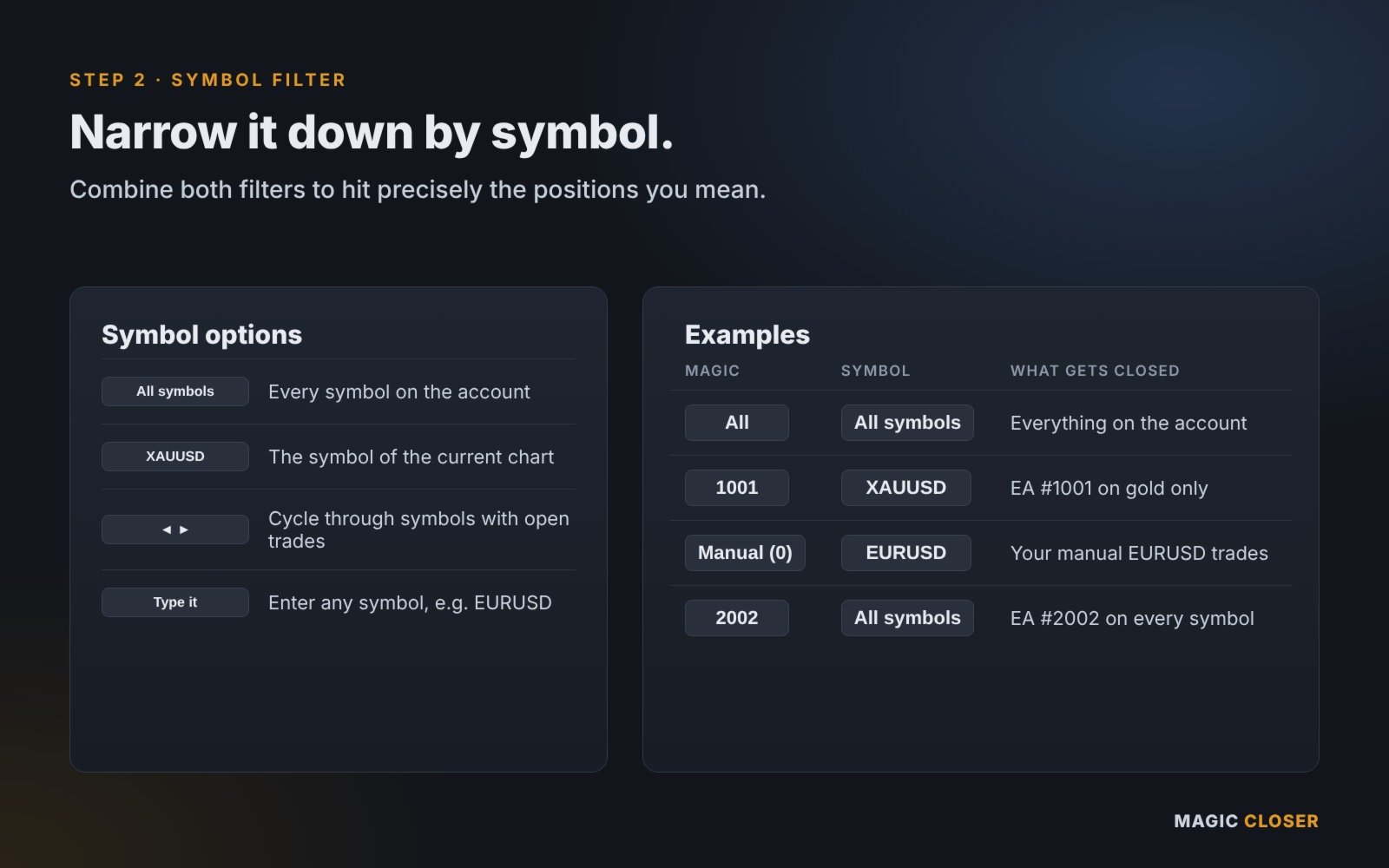
- All symbols: every symbol on the account
- Chart symbol: one click to select the symbol of the current chart
- ◄ / ► cycles through all symbols with open positions
- Type any symbol name directly (e.g. EURUSD, XAUUSD)
Three close buttons
- Close Buy: closes only the BUY positions that match the filter
- Close Sell: closes only the SELL positions that match the filter
- Close All: closes all matching positions (optionally also deletes matching pending orders)
Live information
- Number of positions, total lots and floating P/L (incl. swap) for Buy, Sell and Total, updated in real time
- The number of target positions is shown on each button, so you always know what will be closed
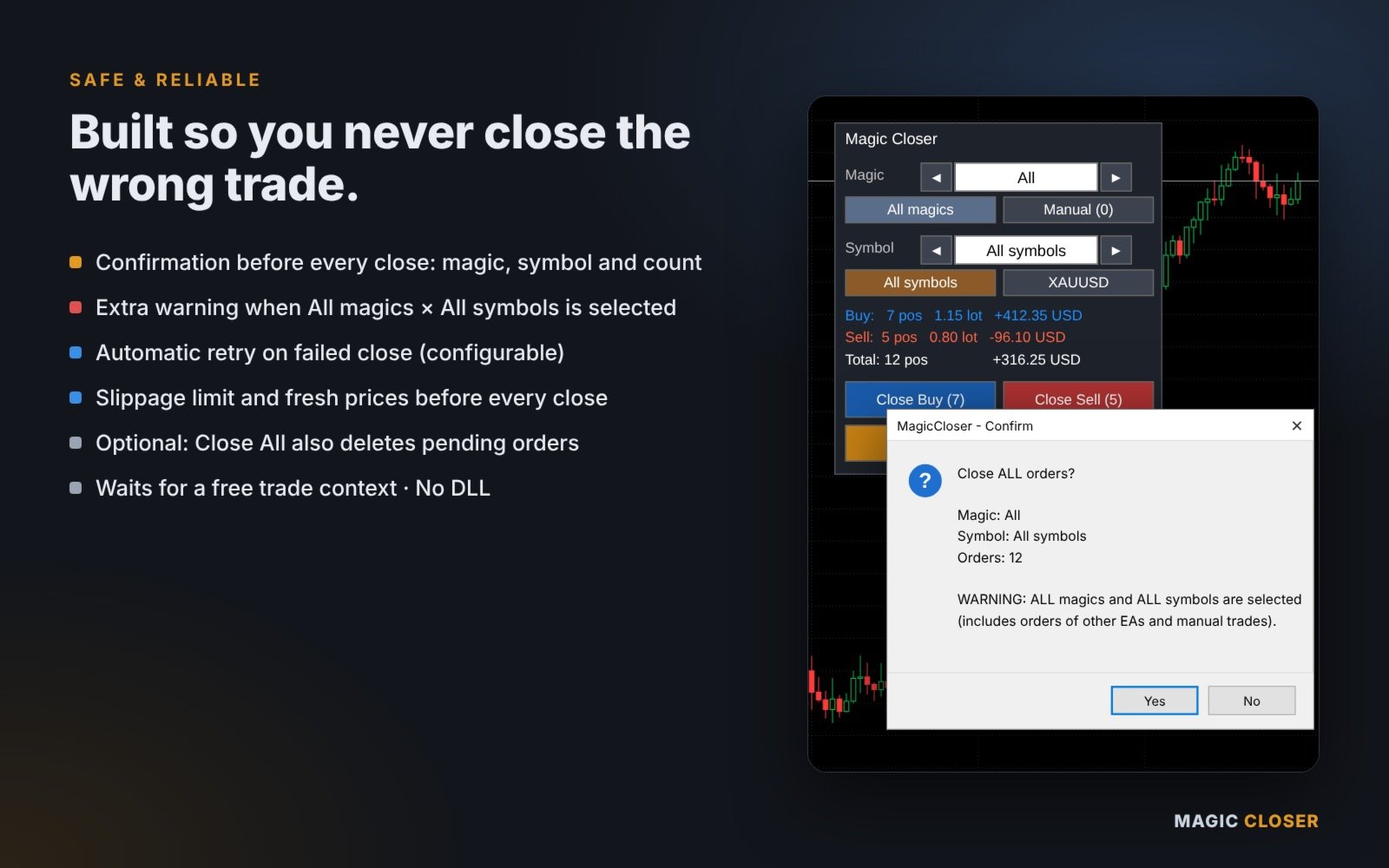
Safety and reliability
- Confirmation dialog before every close, showing the magic number, symbol and number of positions
- Extra warning when "All magics × All symbols" is selected
- Automatic retry when a close request fails (number of retries is configurable)
- Maximum slippage setting; fresh prices (RefreshRates) are taken before every close
- Waits for a free trade context before sending each request
- Clear result in the Experts log: number of positions closed and failed
EXAMPLES
- Magic 1001 × XAUUSD → closes only EA #1001's gold positions
- Manual (0) × EURUSD → closes only your manual EURUSD trades
- Magic 2002 × All symbols → closes EA #2002 on every symbol
- All × All symbols → closes everything on the account
HOW TO USE
1. Attach Magic Closer to any chart (one chart is enough to manage the whole account).
2. Enable "AutoTrading" in the terminal and "Allow live trading" in the EA properties (Common tab).
3. Choose the Magic Number and the Symbol on the panel.
4. Check the counts and P/L, then press Close Buy, Close Sell or Close All.
5. Confirm in the dialog. The result is written to the Experts log.
INPUT PARAMETERS
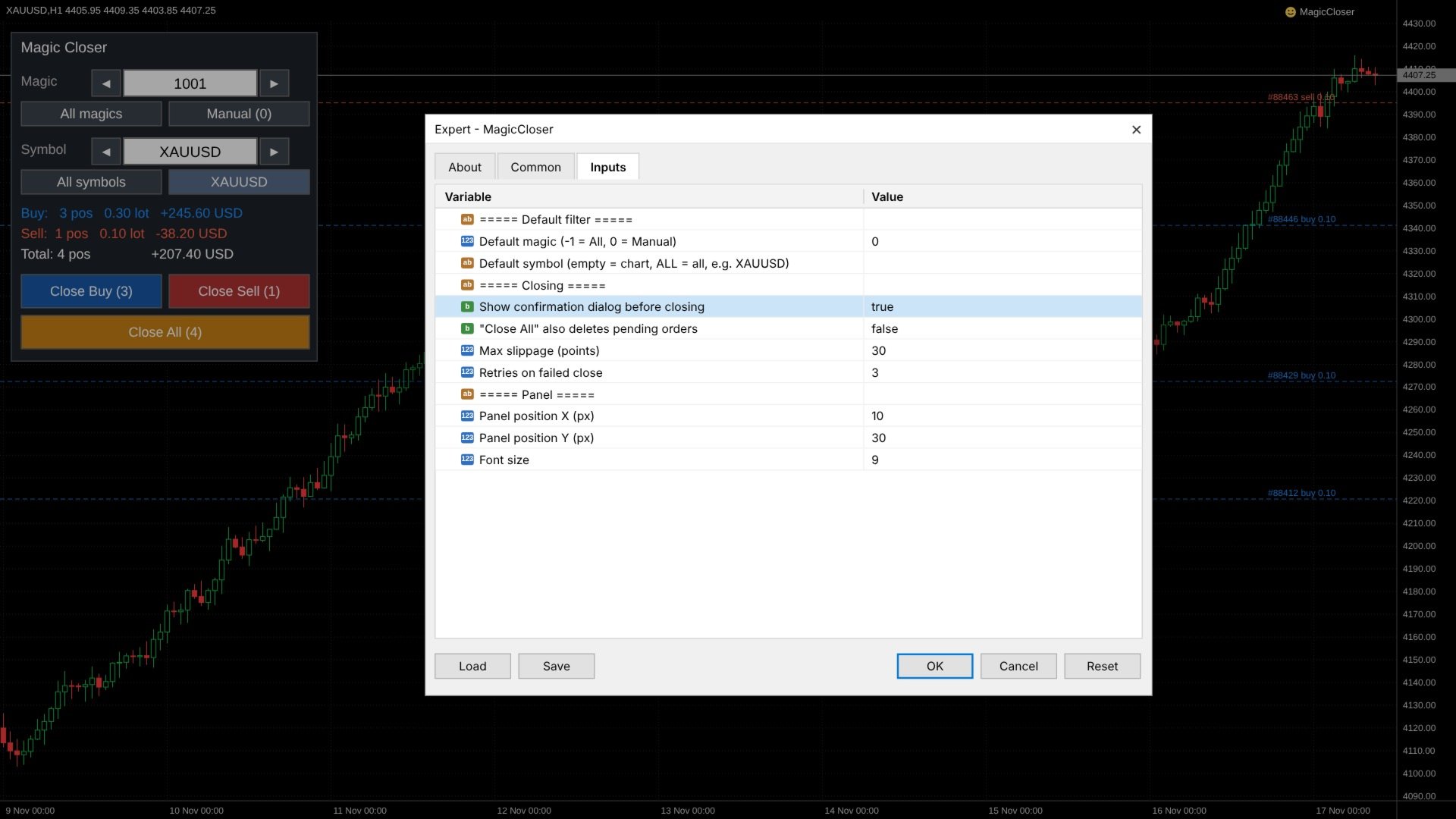
(The lines "===== ... =====" are only section headers.)
Default filter
- Default magic (-1 = All, 0 = Manual): magic number selected when the panel starts
- Default symbol: empty = chart symbol, ALL = all symbols, or a symbol name such as XAUUSD
Closing
- Show confirmation dialog before closing (default: true)
- "Close All" also deletes pending orders (default: false)
- Max slippage (points) (default: 30)
- Retries on failed close (default: 3)
Panel
- Panel position X / Y (px)
- Font size
NOTES
- Magic Closer does not open trades. It only closes positions (and, if enabled, deletes pending orders) when you press a button.
- Works with any MT4 broker and any symbol (Forex, Gold, Indices, Crypto, CFDs).
- Accounts with FIFO rules (e.g. some US brokers) may reject closing orders out of FIFO order; in that case the error code is written to the log.
- Orders opened manually have magic number 0. Orders opened by an EA use that EA's magic number (see the EA's settings).
- The panel does not use DLLs and does not connect to the internet.
- Orders can only be closed while the market is open. If the market is closed, the result is shown in the log.
- In the Strategy Tester the confirmation dialog is skipped automatically.
If you have any questions or feature requests, please send me a private message on MQL5.
A MetaTrader 5 version is also available.