Backtest Verdict MT5

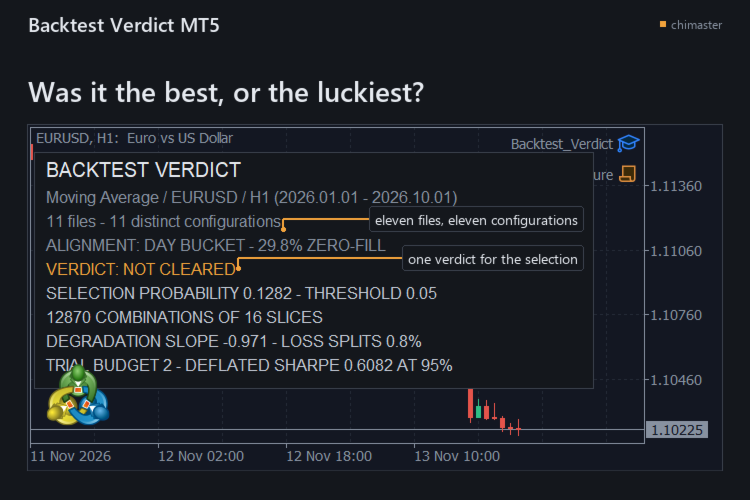
Tells you how likely it is that the best result in your backtest folder was the luckiest, for the trader who kept the winner of a parameter sweep. It re-runs your choice across every split of the closed trades and answers the overfitting question with one selection probability and one verdict.

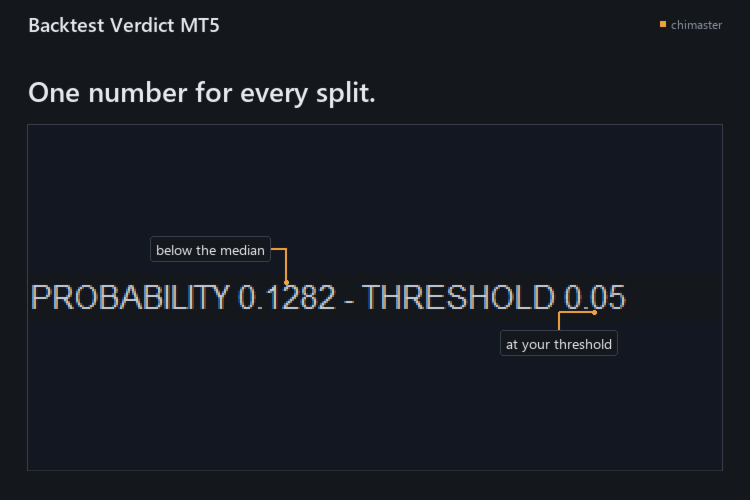
  • See whether the winner held up: the timeline is cut into S slices and every half-and-half split picks the best configuration on one side and ranks it on the other, and the share of splits where it fell below the median is your selection probability.
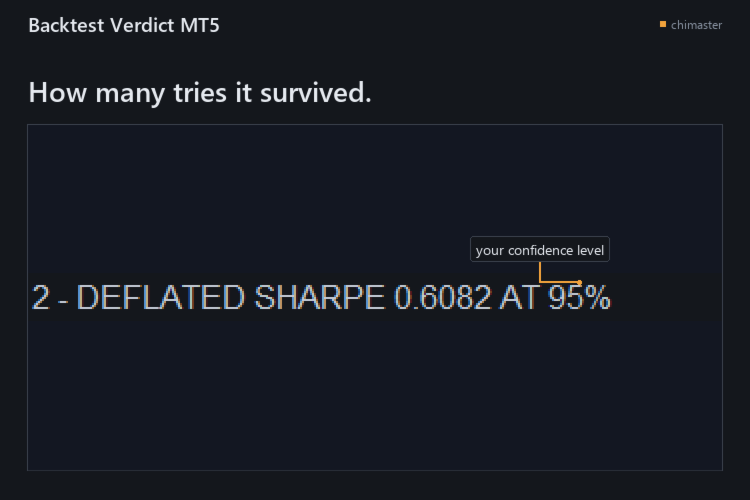
  • Count the tries behind the result: a deflated Sharpe ratio and a trial budget say how many configurations it would have survived at your confidence level.
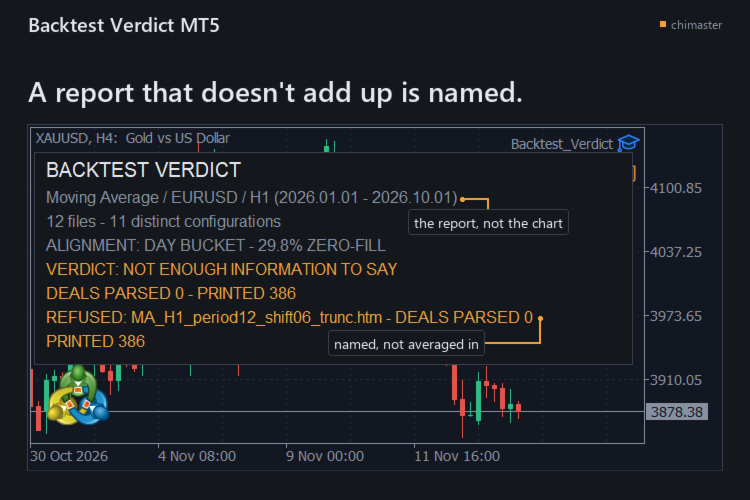
  • Catch a report that does not add up: every deal row must reconcile to the report's printed deal count and net within 0.01, or that file is named and refused instead of averaged in.
  • Read the folder as it is: the .htm and .html files the Strategy Tester wrote are enough, with no tester call, no re-export and no internet connection.
  • Keep the evidence: one text report holds the verdict, the numbers behind it, the settings used, and a SHA-256 fingerprint and deal counts for every report read.
  • Count configurations, not files: two reports with the same closed-operation series count as one configuration, so a copied export does not add a trial you never ran.

HOW IT WORKS

  • Export each configuration's report from the Strategy Tester as HTML into one folder.
  • Attach the tool to any chart, name the folder, and type the number you tried if the folder is missing some.
  • Read the verdict on the chart, then open the text report for the numbers behind it.

SETTINGS

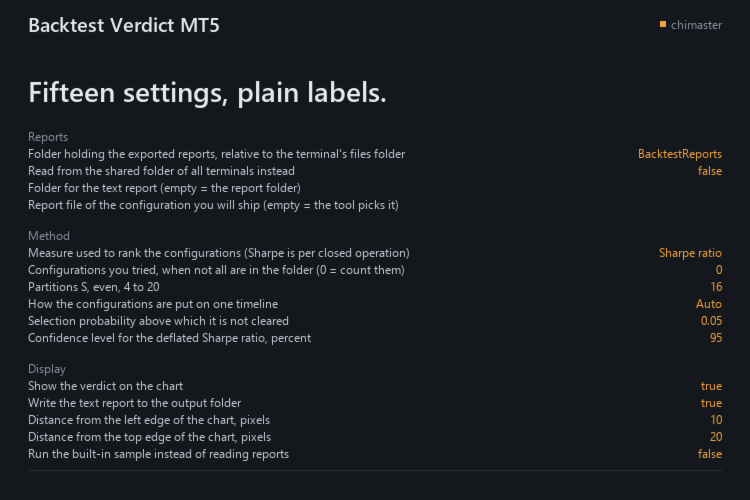
  • Reports folder: where the exported reports sit, relative to the terminal's files folder.
  • Shared folder: read from the shared folder of all terminals instead.
  • Report to ship: the configuration you will ship; empty lets the tool use the best on the whole sample.
  • Configurations you tried: your own count when not all are in the folder.
  • Partitions: how many slices the timeline is cut into, even, from 4 to 20.
  • Ranking measure: Sharpe, net profit or profit factor, with Sharpe per closed operation.
  • Selection probability threshold: above it the verdict is not cleared.
  • Confidence level: for the deflated Sharpe ratio, in percent.

All 15 inputs carry a plain-language label.

GOOD TO KNOW

  • Eleven configurations at minimum: below that it names the count it read and withholds the selection probability, the cleared verdict and the trial budget, and the trial count it can see is the weak point of the answer.
  • English reports only: the fields are read through the labels the Strategy Tester writes in the English interface, and a report from a terminal running another language has not been tested.
  • A verdict is not a forecast: it judges the way you chose a configuration, not what the next trade will do.

The demo runs in the Strategy Tester, whose folder holds none of your exported reports, so the tool prints NOT ENOUGH INFORMATION TO SAY there. A one-month rental runs the full tool on your exported HTML reports.

MetaTrader 5, any broker, netting and hedging accounts.

First reply within two working days.

If you have used it, I would welcome a short review of what worked and what did not.
Другие продукты этого автора
Реплей баров скрывает бары, до которых вы ещё не дошли. Этот реплей ещё и рассчитывает цену каждого виртуального входа по спреду, записанному на его баре, и выставляет попытке оценку в R, так что трейдер, репетирующий вручную, видит, чего стоило решение. ЧТО ДЕЛАЕТ Без заглядывания вперёд по барам сессии: шторка скрывает бары, до которых реплей ещё не дошёл. Спред бара: каждое виртуальное исполнение платит спред, записанный на баре, а не тот, который вы ввели; бар без спреда отклоняет рыночный о
FREE
По умолчанию сканирует последние 300 баров, обводит рамкой каждый разрыв справедливой стоимости из трёх баров, рисует его уровень 50 процентов и отмечает первое возвращение к ближнему краю. ВОЗМОЖНОСТИ Бычьи и медвежьи разрывы справедливой стоимости, каждый формируется, как только закрывается его третья свеча. Линия 50 процентов Consequent Encroachment (CE), пунктирная, когда InpShowCE включён. При касании: обрезать до касающегося бара, удалить, приглушить или оставить; нетронутые разрывы продле
FREE
Draws the four main trading session ranges on the chart in GMT, counts the range of each as it forms, and marks its high and low. FEATURES Four ranges: Asian, London Open, New York Open, London Close. Automatic GMT offset detection, with manual override. Session high and low levels, with a live range. HOW TO USE IT 1. Attach it to a chart. Default lookback is five days. 2. Check the detected GMT offset and correct it. 3. Enable or disable each session and set its hours. PARAMETERS InpDaysLookbac
FREE
Swap Cost Per Position собирает ваши открытые позиции в одну таблицу для ночного ролловера, в денежном выражении. Я сделал его для трейдера, который держит позицию через ночь: увидеть предстоящее списание рядом с уже учтённым свопом и, если своп котируется в пунктах, число ночей положительного кёрри, нужных, чтобы окупить круг. ЧТО ПОКАЗЫВАЕТ Одна строка на открытую позицию, с ценой на эту ночь: списание берёт объём этой позиции, а позиции сверх заданного вами лимита строк учитываются в последне
FREE
This library returns the largest lot whose loss at your stop does not exceed the money you allow it to risk, correct for any volume step, tick size and tick value the symbol reports. I wrote it for the MQL5 developer who has pasted a lot-normalising block into every EA and can no longer say which copy is right. One import, one version, and a call that refuses rather than oversizing. WHAT IT DOES It refuses instead of oversizing: when the smallest lot the symbol accepts would risk more than your
FREE
Drag the stop loss line to your level and the panel works out the lot size for the risk you set, from your broker's own contract size. FEATURES Entry, stop loss and take profit lines you drag. Lot size normalised to the broker's minimum, maximum and step. Risk as a percentage of balance or equity, fixed cash, or fixed lot. Live risk to reward ratio. HOW TO USE IT 1. Attach it to a chart and drag the three lines. 2. Set the risk basis and value in the inputs. 3. Read the lot size from the panel.
FREE
Order Entry Panel
Jevon Naldo Yoshield
Торговая панель Order Entry Panel отправляет рыночный ордер одним кликом с графика, со стопом, прикреплённым заранее. Я сделал её для трейдера, который торгует вручную и хочет принимать решение на графике. ВОЗМОЖНОСТИ Видеть ордер до отправки: каждая строка запроса показывает цену, объём, стоп и тейк-профит, если он есть. Каждый вход идёт со стопом, который рассчитывается по вашему расстоянию и прикрепляется до отправки. Знать маржу до клика: расчёт терминала по этой строке или нехватка маржи. О
FREE
Closes your positions and deletes your pending orders when the day's equity drawdown reaches your limit, and closes anything you open for the rest of that day. FEATURES On breach: closes every open position, deletes pending orders, locks the day. Panel: drawdown percentage, equity, state. HOW TO USE IT 1. Enable Allow Algo Trading. 2. Attach it to a chart and set the loss and warning levels. 3. Choose the breach actions. PARAMETERS InpDailyMaxLossPercent, InpDailyWarningPercent, InpAutoCloseOnBr
FREE
Shows the live spread, today's range against the daily ATR, the server time, GMT offset, the countdown and the open sessions. FEATURES Live spread in points and pips, colour coded tight, moderate or wide. Optional push alert. Today's range in pips, the daily ATR share, the server time, GMT offset, the countdown and the sessions. HOW TO USE IT 1. Attach it to any chart. 2. Set the spread limits for the symbol. 3. Choose the ATR period and corner. PARAMETERS InpCorner, InpOffsetX, InpOffsetY, InpS
FREE
Shows what each closed trade earned after commission, swap and fees, by symbol, session, hour, weekday or month. FEATURES Rebuilds each trade from its deals, costs apart from gross. Net result, R, summary, breakdowns, cost alarm, CSV export. HOW TO USE IT 1. Attach it to a chart. 2. Choose the window and table. 3. Read the panel or export the CSV. PARAMETERS InpRange, InpFilterMagic, InpRiskPercent, InpFixedStopPips, InpBreakdown. LIMITATIONS Trades opened before the window are counted, not reco
FREE
Фильтр:
Нет отзывов
Ответ на отзыв