 MetaTrader 5
 Experts
 지표
지표
 라이브러리
라이브러리
 유틸리티
유틸리티
 위젯
위젯
 규칙
규칙
MetaTrader 5용 트레이딩 유틸리티 - 46
 다음은 MetaTrader 5의 거래를 단순화하는 거래 프로그램입니다. 유틸리티의 설명과 목적을 읽으려면 유틸리티 위에 마우스를 놓으십시오.
It may be true that “Time waits for no one [human],” but at least now you can control the marching time of all your robots. EA Schedule Launcher (ESL) can launch and close any number of your EAs and/or indicators at custom beginning and ending times. You save your EA and/or indicator to a template and input when to open and close them. The power to control your EAs trading time window can improve both strategy performance and terminal/computer performance.
Note: EA cannot be run with the visual

한 계정 또는 다른 계정으로 트랜잭션을 복사하는 유틸리티입니다. Demo-version can be downloaded here .
당신은 어떤 조합에서 그물 및 위험 회피 계정 사이의 위치를 복사 할 수 있습니다. 당신은 악기의 이름과 복사 할 위치의 매직 넘버에 의해 필터를 설정할 수 있습니다. 지금까지 소스는 시장 위치에 대한 정보 만 보냅니다. 보류중인 주문은 공개 시장 위치로 전환 할 때 처리됩니다.
한 터미널에서 고문은 보낸 사람 모드(보낸 사람),다른 하나는 수신기 모드(수신기)에서 시작됩니다.
터미널은 데이터를 교환하는 동일한 공유 데이터 폴더를 갖도록 동일한 서버에서 작동해야 합니다.
설치 절차
보낸 사람 계정의 터미널에서,우리는 일반 매개 변수를 구성,보낸 사람 모드에서 고문을 시작합니다. 수신자 계정의 터미널에서 수신자 모드에서 고문을 시작하고 수신자에 대한 일반 매개 변수 및 매개 변수를 구성합니다.
이 제품을 보낸 사람과 다른 제품으로 사
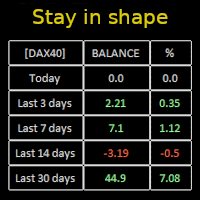
Constantly monitor the progress of your trading at daily intervals of your choice. For positive readings - maintain discipline and stick to your strategy. In case of gradually worsening results - react as soon as possible.
Be aware of the quality of your work!
The panel calculates the account balance You can track your progress for both the current instrument and the entire account The number of days back (5 items) - you set freely Learning to count days: if today is October 3 (day number

Pending Orders Grid Complete System opens any combination of Buy Stop, Sell Stop, Buy Limit and Sell Limit pending orders and closes all existing pending orders. Only one time of the pending order at the same time!!! You will have a possibility to put a legitimate Open Price for the first position in the grid. Usually it should in the area of Support/Resistance lines. You just need to drop this script on the chart of a desired currency pair.
Input Parameters Before placing all pending ord

Account Protector Meta Trader 5 This utility prevents risk of ruin per trading cycle. Retail forex trading accounts are designed with stop-out levels that make it nearly impossible to restore lost capital after a trader — human or algorithmic — blows an account . This is especially frustrating for traders who have grown their account to multiples of its starting value, only to suffer irreparable losses from a series of bad trade entries. The Account Protector solves this by enforcing a specified

Trading panel for manual trading. Has a fairly wide functionality. Allows you to automatically calculate the order size, open both market and pending orders. It has a wide range of options for closing orders, it is possible to partially close orders, close orders after reaching a certain profit or loss, separately close profitable and unprofitable, buy and sell, as well as pending orders. The panel also contains a simple implementation of a grid of pending orders, reverse and lock functions, tr

What Exactly Is A Smart Trading Tool? Smart Trading Tool was developed for fast and comfortable trading of the financial markets especially for ORDER BLOCKS TRADERS . It provides traders functionalities, such as: A Drawing Tool One-Click Trading Panel Automated Lot Sizes Calculation based on your risk appetite & Money Management ( Watch this video , how this tool can help manage your risk per trade better!) Built in PRICE LEVELS (Fibonacci, Round Numbers, Daily hi-low, etc) Shows Trading

MANAGING YOUR FOREX TRADING LIKE A PROFESSIONAL WITH POSITION SIZE CALCULATOR Position Size Calculator – an MT5 indicator, is a user-friendly tool that allows you to determine your required forex trading size for each trade based on how much you want to risk and available capital in your forex trading account. Load the calculator onto your chart and simply draglines to show your stop loss and take profit level. The calculator will automatically calculate the trade size instantly. This indica
Don’t you think you can get Candlestick Patterns alerts wherever you are?
This utility will send you a detailed notification on your mobile and alert on MT5 Terminal as soon as a Candlestick Pattern you want to see appears on chart. The notification contains the symbol, the Candlestick Pattern and the timeframe on which the pattern formed. You will need to link Metatrader 5 Mobile with your Windows Terminal. Here's how here . List of Candlestick Patterns that can be detected:
Three White Soldi

Multi Strategy Dashboard Utility MT5 Some functions of the MSD Utility can only be used on the full version. Multi instrument and multi time frame scanner, with the best indicators. Comes with an order management panel. The MSD Utility can be used for manual trading. Click on the '?' button on the dashboard to obtain information about the various elements of the MSD Utility. Uses ATR Take Profits, ATR Stop Losses and ATR Trailing Stops. Comes with an FX Currency Strength meter and a Mar

Currency Strength Trade Panel EA MT5 는 초보자 또는 전문가 트레이더를 위한 혁신적인 솔루션입니다! 8개 주요 통화의 일반적인 28개 조합을 제외하고 가격 조치와 결합하고 모든 기호/쌍에 적용할 수 있기 때문에 통화 강도 개념을 완전히 새로운 수준으로 끌어 올립니다. 즉, 모든 통화, 상품 및 암호화폐(인덱스 제외)를 포함하여 모든 쌍의 장단점을 거래할 수 있습니다. 복잡한 강도를 해독할 필요 없이 모든 쌍의 두 부분의 장/약 균형을 시각적으로 알려주는 컬러 막대를 사용하여 한 눈에 16/32 기호에 대한 명확한 통찰력을 제공하는 진정한 획기적인 제품입니다. 다른 전통적인 통화 강도 솔루션에서와 같이 선 또는 히스토그램.
통화 강도 무역 패널 EA MT5 는 또한 MT5에서 찾을 수 있는 가장 간단하고 사용하기 쉬운 무역 패널입니다. 추가 창이나 패널을 열 필요 없이 한 표면에 모든 옵션과 기능이 있습니다. 그것은 인터페이스를 사용하기 매우 편리한 하

이 유틸리티를 사용하면 마스터 설정이있는 한 터미널에서 슬레이브 설정이있는 다른 터미널로 모든 거래를 복사 할 수 있습니다
동시에 복사 할 쌍을 선택할 수 있으며 복사 된 순서의 크기를 여러 매개 변수로 설정합니다. 드로우 다운으로 한계 손실을 설정하거나 수익성있는 거래 만 복사하십시오
Mt4 또는 MT5 에서 mt4 또는 mt5 다른 브로커로 거래를 복사 할 수 있습니다
이제 mt4 에서 일하는 전문가 고문의 신호를 MT5 터미널 또는 뒤로 복사하는 것이 어렵지 않을 것입니다
복사 마스터를 사용하여 다른 신호,Eas,수동 거래에서 거래를 복사하십시오.
설정을 사용하여 로트 크기,무역 방향,이익 거래 만 복사 및 setdbvalue 를 변경하여 보증금을 절약 할 수 있습니다
복사 마스터는 하나의 계정에 서로 다른 가입 신호의 여러 전략을 결합 할 수 있습니다
복사 마스터 mt4 버전: 여기
복사 마스터 설정에 대한 추가 정보: https://www.mql5.c

A utility to close all orders automatically when conditions meet.
Various options are available to filter or select orders : Conditions : Closing conditions. 3 different conditions can be defined. EA will close orders anytime one or more defined conditions meet. Conditions can be defined based on account properties or selected orders properties. Also a fixed time to close orders is available.
Type of orders : Buy / Sell / Buy Limit / Sell Limit / Buy Stop / Sell Stop Symbol Selection : All / Ch
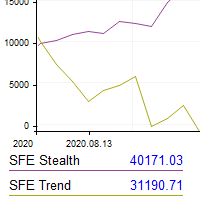
This utility shows the performance of the account (closed operations) in a graphical panel attached to a graph as an indicator. The purpose of the utility is to have a quick and clear view of the performance of transactions organized by different EAs or any desired combination.
The utility has the following features in the current version 1.0:
- Custom groups can be defined, to analyze and compare different performances within the account. The groups can contain filters of two types, filters

This Expert Advisor helps checking the connection of your trade accounts and it generates a report as a CSV file. Disconnections can be caused by trade server or by client terminal. Many users run their trading EAs on VPS, and this product help them to find out the cause of disconnection - trade server or VPS. To do that, open 2 client terminals with different brokers on one VPS and run this EA on both 2 terminals for some time. Then you can compare 2 report files from 2 terminals. An example i

....................................................... This tool places random orders, Randomly place pending orders just for do some testing. All is random: random symbol, random lots, random order type, random stoploss and takeprofit... Some users need to batch place orders for testing purposes, and this tool can meet their requirements. Notice: It can't run on live(real) account.
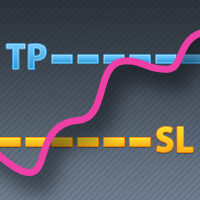
Some traders don't like expose Take Profit/Stop Loss level in their positions, this Expert Advisor can help them.
Put it to chart and set Take Profit/Stop Loss pips (0 means ignore), it watch the price of the symbol on chart and close the position if price reach Hidden TP/SL level. It hide user's Takeprofit and Stoploss price in effect. You can drag the horizontal line to set a new Takeprofit and Stoploss price.
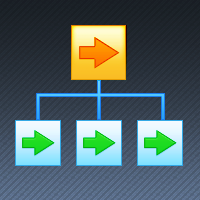
If you want something as below: Sell FOREX trading signal. Manage multiple accounts. Follow somebody's trading. "TradeCopier_source" and "TradeCopier_follow" can help you! Features: Copying from one source (master) account to multiple follower (slave) accounts. Allow investor (read only) password for the source (master) account. There are no complicated settings and input parameters, everything is easy. Works with different Brokers. Works with different symbols (EURUSD_FX, eurusd_m, etc.). C
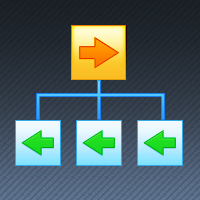
Reverse TradeCopier for Followers can copy trades from an account that is running Reverse TradeCopier Source . Features: Copies trades from one source (master) account to multiple following (slave) accounts. Allows investor (read only) password for source (master) account. There are no complicated settings and input parameters, everything is easy. Works with different brokers. Works with different quotes symbols (EURUSD_FX, eurusd_m, etc.). Can copy orders from 4-digit quotes platform to 5-dig

This tool has been designed for macroeconomic investors. It allows you to observe and operate currency indices that are more uncorrelated instruments than currencies, that do not share the same noise level as pairs and are totally uncorrelated with each other.
CurrencyTrader is a tool that allows you to trade the DXY, EURX, JPYX, GBPX, CADX, AUDX, CHFX and NZDX currency indices
Currently I use this tool for my swintrading in darwinex MACRO for MetaTrader 5 - Antonio Renteria Arce
I have left
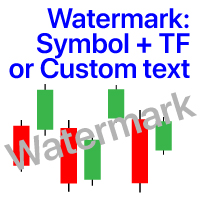
차트에 워터 마크:기호+기간/또는 자신의 텍스트 내#1 유틸리티 :66+기능을 포함| 당신은 질문이있는 경우 저에게 연락 표시기의 설정에서 구성 할 수 있습니다: 글자크기; 텍스트 색상; 글꼴 이름; 위치:
1=왼쪽 상단;
2=오른쪽 상단;
3=왼쪽 하단;
4=오른쪽 하단;
5=센터; 현재 시간 프레임 표시:켜기/끄기; 제거 할 기호의 접두사는 다음과 같습니다.; 제거 할 기호의 접미사(미화 치사한 사람 프로-->미화 치사한 사람); 사용자 정의 텍스트 표시:활성화하면 아래에 지정된 자신의 텍스트가 표시됩니다: 나만의 워터마크; 내#1 유틸리티 :66+기능을 포함| 당신은 질문이있는 경우 저에게 연락 ..................................
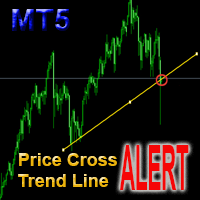
This is a support tool that will notify you when the price crosses a trend line, you can draw any trend line by manual, and you can change or drag it on chart in working time This tool will automatically update the new location of the trend line to alert you How to use: after added it on chart, you will draw a trend line and set name of the trend line same as in input of the tool (the parameter LineName ) There are 3 notification methods : Pop Up Alert, Send Email or Notification You can choose

Make your Trailing Stop, Take Profit, Breakeven, and Stop Loss levels invisible to the broker!
STEALTH MODE Virtual Trailing Stop Virtual Take Profit Virtual Breakeven Virtual Stop Loss Virtual 2-levels Trailing Stop Virtual Trailing Take Profit Virtual Lifetime of Orders Setting levels by dragging labels on the chart (Drag&Drop)
TRADING PANEL Operate faster with orders/positions [1] Change Order lot [2] Place BUY order [3] Place SELL order [4] Place BUY LIMIT order [5] Place SE
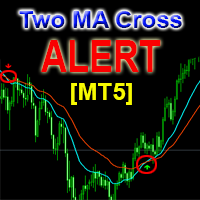
This is a support tool that will notify you when a fast MA (Moving Average) Line crosses a slow MA Line, you can choose any fast MA Line and slow MA Line by parameters in input tab The Indicator will draw a red arrow where fast MA line crosses DOWN slow MA line and it will draw a green arrow where fast MA line crosses UP slow MA line There are 3 Alert methods : Pop Up Alert, Send Email or Notification You can choose true or false to use or not for any Alert method in input tab You can choose Al

FXC Trade AssistanT MT5
This trading software will help you in manual trading. You can use it for open and close positions in many forms. The EA offers you lot sizeing, stop management methods and other usefull tools using with its control panel.
New in v1.13: Ultra-Fast CLOSE operation can close over 100 trades/second (Only MT5) New SETUP panels: Control, Chart, Msg., SFX, Advanced Added SFX sound profiles
Zero-Point Calculation with Swap & Commission Can handle foreign trades
New Info data: St

Customized Copy is a Multi-Terminal visual trade copying utility that supports Metatrader4 and Metatrader5 for Trade Copying.
You can activate EA on 10 different PCs/VPS. On each PC/VPS can install on Unlimited Terminals.
Specifications :
Real Time, Multi Terminal - Multi Account - MT4/MT5 trade copying (support over 50 accounts at same time) All settings are input visually. Visual display and modify of copy map and network Each copy path can be used with different settings

Hello, boys and girls!
Script allows you either to quickly save opened charts and then close all charts opened by visual tester mode or just faster close all charts. Feel free to take a look at video manual about how to use this script on my YouTube channel. Also, feel free to join my telegram channel , where time to time I publish some exclusive stuffs. Feel free to leave feedback and thoughts how to improve this script - I'd highly appreciate that. All the best.

产品简介: 本工具是一个简单的交易面板,主要用于复盘交易训练。您可以在策略测试环境下根据自己的交易策略进行交易练习。 这个工具主要适用单向交易训练,不适合进行对冲交易训练。
使用方法: 在策略测试中选择本EA,并进行货币兑、图表周期、复盘时间段等相关参数设置。 点击“开始”按钮后,会显示交易面板。 您可以点击“+”、“-”来调整下单时的仓位大小,每点击一次,变化0.01。 BUY按钮用来建立多头仓位。 SELL按钮用来建立空头仓位。 CLOSE按钮用来平仓,如果持有多个仓位,会平仓“报价”靠前的订单。
均线指标: 这个工具提供两条均线指标的显示支持。 在“输入”选项卡中,可以设置均线的显示与否,以及均线的周期参数。
自定义指标: 这个工具还提供一个自定义指标的显示设置。 在“输入”选项卡中,可以设置自定义指标的显示与否,以及它的路径参数。
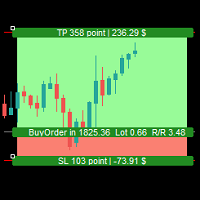
Simple Assistant for Trading
Precise Risk Management in each
Automatic Money Management Visual Trading Open Position Management User friendly and practical
during 15 years of considerable experience in stock market, we have dealt with many professional traders who have been used profitable and unrivalled methods in this market but failed in the long term. The reason is undoubtedly the lack of standard in their manner during their trade. Standard means the accurate repetition of a process….

Trade Panel Osw MT5: 전문가용 리스크 관리 및 거래 패널 Trade Panel Osw MT5는 MetaTrader 5를 위한 빠른 실행 및 고급 주문 관리 콘솔입니다. 스캘핑과 데이트레이딩을 최적화하도록 설계되었으며, 트레이더가 차트에서 직접 노출을 제어하고 자본 보호를 자동화할 수 있게 해줍니다.
패널 매개변수 및 기능 거래 탭 (Trade) N Orders: 실행 버튼을 누를 때 동시에 열 포지션 수. Lot / Type of Lot: 진입 랏. 고정 랏(Fixed Lot), 금액 리스크(Money Lot), 또는 잔고 백분율(Percent Lot) 중에서 선택하십시오. SL Points: 포인트 단위의 손절매 거리 (0은 비활성화). TP / Type of TP: 고정 포인트 수익 실현(TP Points) 또는 정확한 손익비(R:R Ratio) 유지를 위한 손절매 배수(TP Risk) 수익 실현. Comment: 각 주문에 첨부될 사용자 정의 주석. Vis

Excellent spread indicator. Reflects the spread on each bar as it is. It should be remembered that the spread is displayed at the time of the bar opening. Therefore, the most correct information will be on the minute bars. Spread is one of the basic forex concepts that any trader should know. If explained clearly, you can describe such an example. The trader buys the EUR / USD pair at the rate of 1.1000. However, he immediately goes into negative territory, for example, by 10 points, as if he bo

Ultimate MT5 to Telegram (UMT) sends controlled trades (via symbol, magic, comment) to your telegram channel. It sends open and closed trades, including pending orders and TP/SL modifications, along with chart screenshots, to any telegram channel. Additionally, you can send trade reports of open trades and summary profit/pip reports for day, week, or month. You can customize the design of the trade actions or reports with variables and emoticons.
A beautiful panel allows you to visualize all t

This is an expert for netting trading. In it, the grid of pending orders is being set. The Expert Advisor decides by calculation. It is possible to customize the work of the advisor by the hour. Many settings can be viewed in the panels. He displays his solution on the chart in the form of lines. There are only two types of lines. It is possible to use Magic number. It is already configured by default. You can also specify the size of the rate for it in the current currency. You can simultaneou

- Go up one more level with the most important Tools to Analyze the Market, such as drawing Horizontal and Dynamic Lines, Zones, Ratios, Trap Level Strategy, Impulse Projection, Bar Information with precision, automatic drawing of the most important Opening Levels (Open Day , Open Week, Open Month, Open Year), floating boxes on the chart where we can see the Countdown of each bar, the Spread and ATR indicator, an independent Panel with buttons for all options and shows the symbol, Time Frames,

바이낸스 거래소의 모든 암호화폐를 분석하고 주요 주요 신호(바이낸스, MT5 브로커의 모든 기호)를 모니터링하기 위한 강력한 도구입니다.
장점:
올인원!!! 더 이상 기록을 다운로드하고 온라인 바이낸스 데이터를 얻기 위해 다른 제품이 필요하지 않습니다. 전보, 이동 단말기, 우편으로 신호를 보내면 항상 시장에 대한 정보를 얻을 수 있습니다. 유연한 신호 설정과 차트에 레벨, 구역 및 패턴을 표시하여 브레이크아웃 및 바운스를 모니터링하는 기능. 작동하려면 허용된 URL을 설정해야 합니다.
서비스 - >> 설정 - >> Expert Advisors - >> 다음 URL에 대한 WebRequest 허용 - >> 목록에 추가:
https://api.binance.com https://api.telegram.org 프로모션:
이 제품을 다섯 번 구매할 때마다 구매자의 희망에 따라 두 개의 새로운 신호가 제품에 추가됩니다. 새 버전은 모든 구매자에게 무료로 제공됩니다. 구매 - 리뷰

The trend in the market can be predicted using trend lines but the problem is you don’t know where exactly the price is going to touch the trend line where you can put your pending orders on. Smart Channel Expert Advisor makes it possible to put an advanced channel around the price data, which can be configured to handle placing orders, opening and closing positions, managing risk per trade, spread, slippage, and trailing stop-loss and take-profit automatically. Features Money Management (Calcul

I know, you have an idea for an EA and would like to develop your own without the need of a programmer? Then LT Sandbox EA will help you with that! As the name says (sandbox), you can configure it the way you want (within your limitations, of course). With it you can use up to 13 indicators, including an external indicator (from a third party), being able to make dozens of combinations! Available indicators: Moving Average (two of them) RSI Stochastic Oscillator MACD Bollinger Bands Parabolic S

EA Functionality -------------------------------------------------------------------------------------------------------------------------------- - The EA automatically sets SL (Stop Loss) of the specified size in points for each position immediately after opening position; - EA will close all open positions if their losses exceed the set amount; - Close all positions biggest then set limit; Position automatically closed if it bigger than set limit; - New function how much you can loss per day.
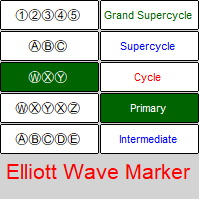
Elliott Waves Marker is a panel for marking up a chart based on Elliott waves.
The utility allows you to quickly mark the graph (mark up, edit and delete).
Input parameters: Font : Ewapro, Arial, ElliottWaveMine. download fonts : https://disk .yandex.ru/d/Pxwg7cI_cYh6_Q the second "X" in triple combination ("X" or "XX") colors for wave levels (Grand Supercycle, Supercycle, Cycle, Primary, Intermediate, Minor, Minute, Minuette, Subminuette)
For convenience, implemented: quick sele

Trade Copier Agent는 여러 MetaTrader(4/5) 계정/터미널 간에 거래를 복사하도록 설계되었습니다. 이 도구를 사용하면 제공자(소스) 또는 수신자(대상) 역할을 할 수 있습니다. 모든 거래 행위는 지연 없이 제공자에서 수신자로 복사됩니다. 이 도구를 사용하면 0.5초 미만의 매우 빠른 복사 속도로 동일한 컴퓨터의 여러 MetaTrader 터미널 간에 거래를 복사할 수 있습니다. 무역 복사기 에이전트 설치 및 입력 가이드 복사를 시작하기 전이나 주문이 없을 때 공급자 계정의 설정을 적용하십시오!
주문이 있는 동안 모든 변경 사항은 수신자 계정에 영향을 미칩니다. 예: 공급자 계정이 구매 주문을 적용한 다음 구매를 비활성화하면 수신자 계정의 모든 구매 주문이 닫힙니다.
EA에 대한 알림을 받으려면 URL( http://autofxhub.com ) MT4 터미널을 추가하십시오(스크린샷 참조). MT5 버전 https://www.mql5.com/en/m
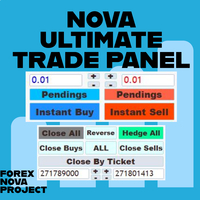
Metatrader 플랫폼의 많은 아름다운 기능을 한 곳에서 놓치지 않고 사용하고 싶다고 생각합니다.
우리는 당신만을 위한 트레이딩 패널을 디자인했습니다. 당신이 놓친 모든 마법의 기능을 만나보세요.
Nova Ultimate Trade Panel은 최고의 편리한 거래 경험을 제공합니다!
그것은 매우 빠르게 작동하고 모든 요청을 이행하도록 코딩된 보조 패널입니다.
모든 무역 거래에서 쉽게 사용할 수 있으며 최고 수준에서 모든 기능을 활용할 수 있습니다.
Dynamic Panel로 설계된 Nova Ultimate Trade Panel은 드래그, 이동 및 크기 최소화가 가능합니다.
내장 기능에 대해 이야기해 보겠습니다.
화살표 키와 데이터 입력이 있는 상자를 사용하여 빠르게 거래하고 원하는 대로 거래(랏)의 크기를 변경할 수 있습니다. 보류 중인 거래를 만들고 거래 설정을 변경할 수 있습니다. 화살표 키, 토글 상자 및 동적 수동 드래그 레벨 시프터 라인을 사용하여

Instead of sticking to the Charts,let's use ALL IN ONE KEYLEVEL Announcement: We are pleased to announce the latest version 14.02 of the One In One Keylevel product. This is a reliable product that has been upgraded with many new features and improvements to make your work easier and more efficient. Currently, we have a special promotion for this new version. The current discounted price is $500, and there are only 32 units left. After that, the price will increase to $1000, and will continue to

MetaTrader용 뉴스 패널은 MetaTrader 거래 플랫폼 내에서 경제 캘린더 데이터를 표시하는 도구입니다. 이 도구는 금융 뉴스 웹사이트 또는 데이터 제공업체와 같은 외부 소스에서 경제 뉴스 및 데이터 릴리스를 가져와서 읽기 쉬운 형식으로 표시합니다. 이 도구를 사용하면 거래자가 뉴스 릴리스를 소스, 시간대, 영향 수준, 통화 및 알림 방법별로 필터링할 수 있습니다. 또한 사용자가 데이터를 수동으로 업데이트하고 최신 정보를 사용할 수 있도록 하는 새로 고침 버튼이 포함되어 있습니다. 뉴스 패널 설치 및 입력 가이드 뉴스 패널이 소스에서 뉴스 데이터를 로드하도록 하려면 데이터 소스의 URL을 옵션 -> Expert Advisors -> '나열된 URL에 대한 WebRequest 허용'에 추가해야 합니다. (스크린샷 참조). MT4 버전 https://www.mql5.com/en/market/product/77300 MT5 버전 https://www.

Tool that gives the possibility to test your strategy manually on historical data in the Metatrader 5 Strategy Tester application.
It is based on an EA that can only be used in the strategy tester and in visual mode.
The EA provides the possibility to configure, through input parameters, the display of different indicators: 3 Moving Average RSI Stochastic MACD Alligator Bollinger Bands Parabolic SAR Envelopes Fractals Ichimoku CCI
Due to the limitations of the Mt5 strategy tester, such as th

Trade Informer HVZ is a utility that allows you to display trading results (open and closed positions) using filters for trading instruments and Magic Numbers of Expert Advisors. The results are displayed as a horizontal or vertical table or as separate blocks. Full list of displayed parameters:
List of analyzed instruments List of Magic Balance of open positions Result of closed positions for today The result of closed positions for the previous day
The result of closed positions for the c
There are a lot of high-quality signals on the MQL5 website, and learning them is a great way to broaden your mind and improve yourself. The trading history of the signal can be downloaded and saved in csv file format, but analyzing this textual information is difficult.
Signal Analyzer has 2 usage options: 1. You can import the downloaded csv files and display each trading history in the MT5 chart window. 2. Use the Strategy Tester for historical backtesting. *** SignalAnalyzer is used as foll

Easy Copier Limited is utility tool to copy trade / trade copier form one account (master) to other account (slave) . It works only with a single forex ( EURUSD ) . You can use this tool as local copier ( Terminals have to be in same PC / VPS ) as well as Remote Copier ( Terminals can be in different PC / VPS ). For remote copy you can use my server or it can be configured to your server . Trades are possible to copy from MT4 => MT4 MT4 => MT5 MT5 => MT5 MT5 => M

Candlestick Pattern Scanner is a multi-timeframe and multi-symbol dashboard and alert system that checks all timeframes and currency pairs for different candlestick patterns that are formed in them. Scanner is integrated with support and resistance zones so you can check the candlestick patterns in most important areas of the chart to find breakout and reversal patterns in the price chart. Download demo version (works on M4,M6,M12,H3,H8 timeframes and 20 symbols of Market Watch window) Read

Ichimoku Assistant is a multi-timeframe panel and alert system that scans all timeframes for multiple rules related to different ichimoku strategies. The Ichimoku indicator has 5 different lines, including Tenkan-sen, Kijun-sen, Senku Span A, Senku Span B and Chikou Span. This scanner checks the status of these lines compared to each other and gives alerts based on your selected rules. If you are using ichimoku kinko hyo in your trading strategy, this scanner and its alert and filtering system i

Hello, Every one
Close All Button
A script to close all market positions and/or pending orders.
----------------------------------------------------------------------------------- This is Close All market positions and/or pending orders button
You can close all orders in 1 second by one click
Download for Demo Account:
Download on Demo Account: Close All in 1s v1.4 Only Demo.ex5 - Google Drive Free version: https://www.mql5.com/en/market/product/74159 For send Trade notification to Your

정보 - NETTING 계정용 패널 메인(상단) 라인은 현재 거래에 대한 현재 이익(손실)을 보여줍니다. 계산 에 의해 결정됩니다. 하단 라인에는 전체 거래에 대한 정보가 표시됩니다. 이 정보는 기록에서 수집됩니다. "모든 주문" 및 "재무 결과 포함" 버튼은 현재 위치의 데이터와 내역(현재 거래에 대한)의 모든 주문을 표시합니다. 설정 옵션: 영어, 러시아어 배경색 , 텍스트 색상 , 이익 색상 , 손실 색상 차트에는 시가선이 표시됩니다. 도구 정보의 사용자 정의 가능한 목록: (패널 왼쪽) 초기 구매 마진 초기 판매 마진 가격 단계 가치 포인트 가격 단계 가격 단계 비용 1포인트 가격 계약 규모 경매 종료일 포인트로 퍼짐 최소 허용 가격 최대 허용 가격 상품의 기준 통화 이익 통화 균형 여유 증거금 시설 마진 수준 마진 콜 그만

모든 활성 및 대기 중인 거래의 잠재적 손실: SL 수준에 도달하면 (또는 SL 수준이 설정되지 않은 경우 현재 플로팅 손실) 내 #1 다기능 유틸리티: 66+ 기능, 이 인디케이터 포함 | 문의하기 질문이 있으면 | MT4 버전 입력 설정에서 다음 사항을 조정할 수 있습니다: 계산 방법 : 계좌 통화 / 핍 / 포인트 / 잔고의 % 차트 상의 위치: 왼쪽 아래 / 오른쪽 아래 / 왼쪽 위 / 오른쪽 위
글꼴: 색상, 크기 및 스타일 선택적으로 스왑 및 수수료 비용 을 계산에 포함할 수 있습니다 '% / 잔고' 방법을 사용할 때의 계산 기준: 계좌 잔고 / 여유 마진 / 현재 자본 //------------------------------- 내 #1 다기능 유틸리티: 66+ 기능, 이 인디케이터 포함 | 문의하기 질문이 있으면 | MT4 버전

사용자 설명서: 전문가 어드바이저 "범용 지표 커넥터" 이 시스템은 재프로그래밍 없이 모든 사용자 지정 지표(.ex5)의 신호를 실행하도록 설계된 고성능 자동화 브리지입니다. 이 전문가 어드바이저는 지능형 주문 관리자 역할을 하여, 기존에는 시각적인 전략에만 의존했던 방식에 청산 규칙, 자금 위험 관리, 시간 제어 등을 적용할 수 있도록 지원합니다.
1. 지표 링크 구성 전문가 어드바이저를 사용하려면 외부 지표를 다음과 같이 정확하게 "매핑"해야 합니다.
IndicatorName: Indicators 폴더에 있는 파일의 정확한 이름입니다.
Signal Type:
Intra-bar: 신호가 나타나는 즉시 주문을 실행합니다.
Finished_bar: 캔들이 마감될 때까지 기다렸다가 신호를 확인하고 "리페인팅"을 방지합니다.
NBuffer Buy/Sell: 지표가 화살표를 생성하는 데이터 채널(0, 1 등)을 지정합니다.
Operations Type: 매수만, 매도만 또는

MASS DESTROYER-MANUAL Most scalping robot open several positions in a matter of time.
In emergency situations where say over 30 positions are running at the same time and all these trades are going negative,
manually closing all of these positions can make your losses even bigger because of spreads and other market conditions This is where DEST001 comes in.. This robot has been designed such that positions are closed in a matter of microseconds.
The trader can chose some parameters as filt
This trading tool will help You to place your orders faster , specify its parameters easier and control your risks more clearly. It allows You to use lines on a chart to set the entry price, stop loss, take profit for any order, considering the specified percentage of risk from the deposit or a fixed lot, and place it in one click. It automatically detects a broker’s commission and takes it into account during calculations. It also calculates available for new order funds based on already opene

NEW : integration with Ofir Signals to send personalized alerts Ofir Notify is a tool which send alerts on trades to Telegram Alert on any event concerning a position : Opening, Closing, modification (SL, TP) Send alerts to Chats, Groups and Channel Alert on Equity change Display Risk, Reward and progress of profit/lost for each position Customization of alerts Sending charts screenshots with alerts Send signals from your indicators or experts Multi-lingual NEW : version 2 brings integrati

The EA Protection Filter ( MT4 version here ) provides a news filter as well as a stock market crash filter, which can be used in combination with other EAs. Therefore, it serves as an additional protective layer for other EAs that do provide such filters. During backtest analysis of my own night scalpers, which already use a stock market crash filter, I noticed that the historic drawdown, especially during stock market crash phases like 2007-2008, was reduced significantly by using such a fil

Make sure to join our Discord community over at www.Robertsfx.com , you can also buy the EA at robertsfx.com WIN NO MATTER IN WHICH DIRECTION THE PRICE MOVES
This robot wins no matter in which direction the price moves by following changing direction depending on in which direction price moves. This is the most free way of trading to this date. So you win no matter which direction it moves (when price moves to either of the red lines as seen on the screenshot, it wins with the profit target you

EquityProtect provides hidden StopLoss, TakeProfit or TrailingStop based on the account equity. All orders of all symbols can be closed or just the chosen currency and/or just buys or sells or pending orders deleted. EquityProtect closes all or just defined orders when the account equity falls under or rises over a certain level. Besides EquityProtect can use the account equity as trailing stop. A comment in the chart shows the equity where the robot will react. An Alert can be activated and ope
This is Boleta Long & Short NT-HDG, an Expert Advisor created with the function that will make operations carried out in Long & Short much easier.
> With just one click it is possible to mount a position in two assets simultaneously, further accelerating your actions right after the decision has been made.
> With it, it is also possible to operate in Hedge accounts, being able to set up positions in the same asset, for those who have strategies for this purpose.
> Can be used in multiple mar

1. What is this This is a tool used to display the balance curve in real time. The historical orders of the MT5 software are only tabular, and it looks troublesome when you have a lot of orders. This program can draw your historical trading orders in the form of a capital curve graph. This way you can see at a glance how well you are trading and where you are going wrong. At the same time, although the MT5 strategy backtest has a capital curve, it does not match the price one by one. So it is v

모든 거래자는 거래당 5%(또는 7%) 이상의 위험을 감수해서는 안 된다는 것을 알고 있습니다. 이것은 자금 관리법이며 상인은 다른 거래 수준에 대해 다른 StopLoss 값을 사용해야 하기 때문에 사용 가능한 LotSize를 매번 계산해야 합니다. 이 표시기는 차트에 배치하고 "손절매선"을 임의의 방향으로 끌 때마다 적절한 LotSize를 계산합니다.
기간 한정 제공: 당사의 모든 프리미엄 지표는 단 50$에 제공됩니다. MQL5 블로그에 액세스하면 프리미엄 지표에 대한 모든 세부 정보를 찾을 수 있습니다. 여기를 클릭하십시오.
입력 MAX_RISK_PER_TRADE- 거래자가 거래당 몇 퍼센트의 위험을 감수할지. CUSTOM_BALANCE- 위험을 계산하는 데 사용할 금액을 정의합니다. 0 => 계산기는 계정 잔액을 사용합니다. ENTRY_PRICE_LINE_COLOR - TP(이익 실현) 라인의 색상 STOP_PRICE_LINE_COLOR- SL(손절매) 라인의 색상 SP

The utility is designed to save funds on your trading account. There is support for three levels of minimum equity and free margin. For each level, you can set partial (by a certain percentage) or complete closing of all market orders. The partial close percentage is applied for each order separately based on its current size (i.e. the size at the time the equity or free margin reaches the appropriate level). Upon reaching the last third level, the utility can close all charts, which will make i

Painel informativo para day trade. Funciona em conta NETTING ou conta HEDGE. Tem a possibilidade de separar as infomrações dos trades conforme o número mágico de cada EA. Foi desenhado para melhor funcionamento no mercado futuro da B3. Durante as operações, o painel faz a plotagem das linhas de preço, stoploss e takeprofit (gain). Possui informações de volume, preço médio, lucro e stops. Mostra o histórico de ganhos diário, semanal, mensal e anual.

Once again, We Nailed It! Imagine a faster and smoother way to recalibrate ANY Indicator using just obvious and intuitive mouse clicks, realtime, real fast, real results on your chart just right after the Click... Instead of the boring "Open Settings dialog / Change one setting / Click OK / See what happens on Chart...", then repeat this process endlessly until you kill yourself!
Well... No More... Welcome to the Minions Labs Recalibrator tool!
Now you can Study, Trial, Experiment and Play with

MQLplus Charting
Inspired by good charting solutions available on the web, this utility finally brings some neat features to MT5 to make charting fun again. Current version supports following features: Free floating charts , similar to Tradingview A sophisticated Cross-Hair , with detailed data display Multi-Chart Cross-Hair sync function Measurement tool , showing account currency, points and period count as results Speed-Scrolling to move fast through markets history Snail-Scrolling to p

This trade copy utility allows you to instantly and seamlessly replicate and synchronize unlimited orders from multiple master accounts to multiple slave accounts on your local machine. You can create custom channels (or portfolios) with advanced filtering capabilities to copy from multiple master accounts to multiple slave accounts. Moreover, you can tailor these channels with a range of lot sizing and trade condition options to ensure that copied trades outperform the original source. You can

This EA is there to take your trade closing stress away. Quickly close as many trades as you have opened at the click of a button, INCLUDING PENDING ORDERS. This works on the MT5 platform whether it be currencies, Indices, stocks or Deriv synthetic indices. I have saved it under utilities as it is a utility, however, to install this, you have to save the file in you "EA" folder. That is; Go to "File", then "Open Data Folder", "MQL5" and then "Experts". Paste this file there. Restart MT5 and you'

Traders Toolbox Overwatch - 실행 중인 모든 Traders Toolbox 에 대한 모니터링 유틸리티입니다.
모든 Traders Toolbox Running 차트에 대한 간단한 차트 전환 유틸리티이자 시장 감시입니다.
특징:
1. 사용자 정의 가능한 버튼 색상, 행 및 열.
2. 세 가지 신호 유형(보유 - 황색 / 매도 - 적색 / 매수 - 녹색)
3. Traders Toolbox 의 새 인스턴스 또는 종료된 인스턴스에 따라 버튼 목록을 동적으로 업데이트합니다.
4. 단일 클릭 버튼은 관련 차트를 전경으로 가져옵니다.
5. 매수 및 매도 신호는 Traders Toolbox 차트 신호와 일치하는 백분율로 신호 강도를 표시합니다.
참고: 유틸리티는 Traders Toolbox / Traders Toolbox Lite 와 함께만 사용할 수 있으며 독립적으로 작동할 수 없습니다.
Traders Toolbox 와의 거래에

This EA allows you to manage support and resistance zones on MetaTrader 5…but not only: To your buying and selling zones (you can configure 2 sellings zones and 2 buyings zones),
you can add 3 options (2 with multiframes) to enter a position:
Option 1: this is the option that enters a position without a signal: as soon as the price reaches the zone, the robot sends a trade.
Option 2: here the robot will wait for a break in the selected timeframe. Example: you put your zones on an H4 graph (fo
MetaTrader 마켓은 개발자들이 거래 애플리케이션을 판매할 수 있는 간단하고 편리한 사이트이다.
제품을 게시하고 마켓용 제품 설명을 어떻게 준비하는가를 설명하는 데 도움이 됩니다. 마켓의 모든 애플리케이션은 암호화로 보호되며 구매자의 컴퓨터에서만 실행할 수 있습니다. 불법 복제는 불가능합니다.
