 MetaTrader 5
 Эксперты
 Индикаторы
 Библиотеки
 Утилиты
 Виджеты
 Правила
Смотри обучающее видео по маркету на YouTube
Как купить торгового робота или индикатор
Запусти робота на
виртуальном хостинге
виртуальном хостинге
Протестируй индикатор/робота перед покупкой
Хочешь зарабатывать в Маркете?
Как подать продукт, чтобы его покупали
Новые торговые утилиты для MetaTrader 5 - 24
 Ниже представлены торговые программы, упрощающие трейдинг в MetaTrader 5. Наведите курсор на товар, чтобы прочесть описание товара и его предназначение.
Risk Trade Panel — утилитарный советник MetaTrader 5 с панелью на графике для ручной торговли. Не даёт сигналов на вход, не строит сетку и не использует мартингейл. Решение о покупке или продаже за вами; панель помогает с объёмом, стопами и сопровождением позиции. Что умеет - лот фиксированный или от риска % от баланса (или equity) относительно дистанции SL; - рыночные BUY / SELL с SL и TP по умолчанию (пункты или абсолютная цена); - отложенные: Buy Limit, Sell Limit, Buy Stop, Sell Stop; - безу

Chart Risk Desk Pro — сфокусированная утилита MetaTrader 5 для ручных трейдеров, которым нужна скорость и контроль риска без перегруженной «мегапанели». Не даёт сигналов входа, не строит сетку и не использует мартингейл. Закрывает типичные пожелания пользователей тяжёлых trade panel: вести сделки, открытые вне панели; понятный режим пунктов/пипсов; BE и partial в один клик; виртуальные стопы при широком stop level брокера; дневной лимит убытка/прибыли; реверс и лок; простой OCO; более лёгкий инт

TM TradeManager – советник-помощник для ручной и автоматизированной торговли
Краткое описание
TM TradeManager – это не поставщик сигналов и не скальпер, открывающий сделки самостоятельно: это ваша **система безопасности и панель управления** для всех позиций на вашем счёте. Торгуете ли вы вручную, используете другую стратегию или иногда открываете сделку с телефона: как только TradeManager запущен на графике, он автоматически берёт на себя безубыток (break-even), трейлинг-стоп и, при желании,

SQ TACTIC TRACKER — Multi-Bot Performance & Risk Dashboard for MT5
KNOW YOUR EDGE. DON'T GUESS IT. Every bot, every symbol, every session, every open position — decoded on one chart.
Your equity curve tells you IF you're making money. It never tells you WHERE it comes from, WHEN you actually win, WHICH bot is quietly bleeding the account, or WHAT you're exposed to right now.
SQ Tactic Tracker puts your entire trading account on a single chart and answers those questions at a glance — live. It

Versione Inglese Title: Pocket Reversal Notifier - Free Mobile Utility Description: Pocket Reversal Notifier is a professional, free monitoring utility designed for traders who want to catch high-probability market opportunities without spending all day glued to the charts. This tool continuously scans the market for price reversals and sends real-time Push notifications straight to your smartphone. The algorithm is far more than a simple moving average crossover: it is a true "No-Lag" ecos
FREE

Самостоятельный алго, который работает от снятия Хая Предыдущего Дня (PDH) и/или от снятия Лоя Предыдущего Дня (PDL).
Настраивается:
- риск на сделку в % от депозита
- минимальная задержка между открытиями
- степерь агрессивности - ожидаемое* количество трейдов и просадка
(*) Ожидаемое не будет совпадать с реальностью почти никогда.
Создавался для работы на SP500 и NAS100
НИКАКИХ ГАРАНТИЙ ДОХОДНОСТИ ИЛИ ПРИБЫЛЬНОСТИ НЕ ДАЮ! РАССЧИТЫВАЙТЕ НА УБЫТКИ!
Лайвтест тут

FKG Trade Manager – Professional Risk & Order Management EA FKG Trade Manager is an advanced, multi-language trade management Expert Advisor designed to give traders full control over their positions, risk exposure, and order execution. Built with a clean, dark-themed movable UI panel directly on the chart, it eliminates emotional decision-making and automates routine trade management tasks. Key Features Quick Partial Close Buttons (10%, 20%, 50%): Instantly secure partial profits with a single
FREE

Multi Account Trade Desk MT5
## Short description
Account-wide MASTER-to-SLAVE trade copier for MetaTrader 5 with per-account risk sizing, automatic broker symbol matching, live readiness monitoring and parallel execution.
## Product description
Multi Account Trade Desk MT5 is built for traders who manage several MT5 accounts and want one central place to control risk, account readiness and trade replication.
Attach the same EA as MASTER on the source terminal and as SLAVE on every target

Portfolio Risk Sentinel — See how positions and pending orders contribute to portfolio risk, concentrations and uncovered exposure. Who it is for Designed for multi-position or multi-strategy users who need a portfolio view beyond one trade. Main functions Total and remaining portfolio risk Concentration monitoring Uncovered-position detection Pending-order risk Strategy grouping ATR-based stress view Guarded mitigation controls A practical setup workflow Review the selected account, symbols, se

Recovery Assistant Pro for MT5
Manual Recovery Trading Assistant
Recovery Assistant Pro is a Manual Trading Assistant EA for Recovery trade calculations and management. Helps calculate the appropriate Lot Size. Designed to calculate Recovery trade parameters based on floating loss and the selected Target USD. Simplifies Recovery calculations that would otherwise require manual calculation. The trading panel provides direct access to the main Recovery functions from the chart. Includes a Recov

Boleta para operações Long & Short na bolsa Brasileira B3 para operações em ações, mini-indice e mini-dolar com lotes ajustaveis; Possui botões de COMPRA, VENDA e FECHAR TODAS AS OPERAÇÕES; Podem ser definidos Ganhos (TakeProfit) e perdas (StopLoss), além do controle do StopMóvel (configuravel); É possível determinar quantidade de operações por dia; Existe um painel informativo com lucro ou prejuízo diário.
É possível determinar os horários de início e término das operações quando selecion
FREE

Prop Challenge Command Center — Keep prop-style account rules, progress and open-risk context together in a MetaTrader 5 command workspace. Who it is for For traders managing their own account limits who need a consolidated rule review before making trading decisions. Main functions Configurable rule profiles Persisted daily and peak-equity baselines Daily and overall drawdown monitoring Profit-target and minimum-day progress Consistency and exposure views Warning ladder with guarded lock, reset

ApexForge Quote Paused Notification is a lightweight monitoring utility designed for MetaTrader 5 that detects when market quotes stop updating and immediately alerts you when abnormal quote interruptions occur. Whether caused by server issues, network disconnections, market closures, or temporary liquidity interruptions, the tool helps traders recognize quote freezes before they lead to missed opportunities or unexpected trading behavior. A notification is also generated once normal price upda
FREE

Precision Trade Console — Bring visual order planning, pre-request checks and position-management controls into one MT5 console. Who it is for Designed for active discretionary traders who want a structured workflow from entry planning to managed exit. Main functions Market, limit and stop order modes Percentage, cash and fixed-lot position sizing Margin and spread safety gates Three staged take-profit levels and partial exits Breakeven management Fixed-distance or ATR-based trailing stops Persi

Transform Your Trading with SmartFastTrade AI: Speed and Ease at Your Fingertips! Introduction Are you a trader struggling with slow order execution? Do you want a tool that can assist you in making quick and accurate trading decisions? If yes, then SmartFastTrade AI is the answer to all your trading needs. With its unique combination of speed, user-friendliness, and advanced features, SmartFastTrade AI will help you unlock your full trading potential. Let's delve deeper into why this innovativ
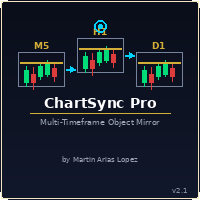
Draw once. See it everywhere. You draw a support line on your 5-minute chart. You switch to the 1-minute to confirm the structure. The line is already there. You open the daily. It's there too — perfectly placed, same color, same style. Zero extra work. That's ChartSync Pro. Most traders waste precious seconds — sometimes minutes — redrawing the same levels, trendlines, and zones across every timeframe. In scalping, those seconds are the trade. ChartSync Pro eliminates that entirely. The moment

Trade Manager MVP MT5 is a chart-based position sizing, order execution and trade management tool designed to help manual traders plan setups, control risk and manage positions from one compact panel. Define Entry, Stop Loss, TP1, TP2 and Final TP using draggable chart lines. Set your preferred risk percentage, and the EA calculates the position size from the Stop Loss distance. Moving the Entry line automatically moves the other levels while preserving their configured pip distances. Key Featur

Stop juggling a lot-size calculator, a trade manager, and a fistful of indicators. Smart Risk Manager combines precise risk-based execution, complete position management, and a professional Market Structure toolkit in one clean, draggable panel — built for Forex, Metals, Indices, Crypto and CFDs.
Plan a trade visually, see your exact lot size, risk and reward before you click, and manage every position straight from the chart with a single tap.
Utility for MetaTrader 5. Trades manual entries

Position Risk Architect — Build an entry, stop and target plan visually before deciding what volume fits your risk budget. Who it is for Designed for discretionary traders who want stop-distance-based planning instead of selecting lot size in isolation. Main functions Risk-based volume calculation Margin preview Reward-to-risk target planning Persisted chart geometry Broker stop-level and volume validation Guarded order execution A practical setup workflow Review the selected account, symbols, s
Multi Strategy Risk Allocator — Compare strategy risk budgets and usage in one allocation workspace. Who it is for Designed for users running several Magic-number groups who need to review how risk is distributed. Main functions Per-strategy risk usage and remaining budget Allocation comparison across multiple strategies Runtime enable and disable state Persistent strategy toggles Exportable allocation snapshots Clear dashboard for portfolio-level risk oversight A practical setup workflow Review

Pending Order Architect — Plan pending-order structures with visual levels, risk allocation and a clear order inventory. Who it is for Designed for traders preparing ladder or OCO-style plans who want to inspect volume and broker constraints first. Main functions Draggable base-price and stop-loss lines Equal-risk distribution across pending orders Broker capability and symbol-rule checks Live pending-order inventory Optional sibling cancellation for OCO workflows Guarded order placement and can

Basket Trade Commander — Organise a multi-leg trade basket with visible symbols, directions, weights and margin context. Who it is for Designed for users with an existing basket plan who want to inspect each leg before execution or unwind. Main functions Configurable symbols, directions and allocation weights Per-leg and basket-level volume checks Margin and symbol-rule validation Persistent enable and disable toggles for each leg Guarded basket execution Scoped unwind controls Clear basket comp

Local Trade Synchronizer — Review a local source-and-follower workflow with explicit mapping, scaling and data-freshness context. Who it is for Designed for users managing their own local MT5 terminals who need to inspect account and symbol relationships. Main functions Master and follower operating modes Prefix and suffix symbol mapping Configurable volume scaling Snapshot freshness checks Deterministic queue reconstruction Rejection of malformed or stale snapshots Clear synchronization and rec

Performance Intelligence Dashboard — Turn available account history into a structured performance-review workspace. Who it is for Designed for traders reviewing net results, win rate, profit factor and drawdown alongside the underlying history. Main functions Net trading results Win rate and trade-count statistics Profit factor Drawdown monitoring Daily performance series Rolling-period comparison Detailed trade tables Clear account-history summary panels A practical setup workflow Review the se

Trade Excursion Laboratory — Study completed trades through adverse excursion, favourable excursion and exit-efficiency context. Who it is for Designed for traders investigating MAE and MFE to understand their own entry and exit behaviour. Main functions Maximum adverse excursion reconstruction Maximum favorable excursion reconstruction Trade-efficiency metrics Excursion distribution views Detailed completed-trade inspection CSV export for further analysis Clear account-history scope and process

Session Performance Analytics — Compare completed-trade results across trading sessions using consistent time boundaries. Who it is for Designed for traders investigating how their historical behaviour differs between session windows. Main functions Completed-trade counts by session Session win rate Net result by session Excursion statistics Comparative session tables Explicit time-boundary configuration Clear account-history and session scope A practical setup workflow Review the selected accou

Strategy Attribution Matrix — Separate account results into strategy groups for contribution and relationship review. Who it is for Designed for multi-strategy users examining Magic-number or comment-based groups instead of account totals alone. Main functions Strategy-level trading results Contribution analysis Drawdown by strategy group Correlation estimates between selected groups Detailed selected-group trade view Magic Number and comment-prefix grouping Clear account-history scope and statu

Trading Discipline Journal — Connect trade review with a structured journal of setup, discipline and decision notes. Who it is for Designed for traders building a repeatable review habit with searchable notes linked to their history. Main functions Setup classification Emotion and context fields Custom tags and notes Rule-adherence score Journal search and filtering Screenshot-reference field Clear trade-linked journal records A practical setup workflow Review the selected account, symbols, serv

[ MT4 Version ] Single-platform versions: [ Telegram ] [ Discord ] Publish your trades to Telegram AND Discord simultaneously — up to 6 channels from one chart, each with its own audience tier, filters and delay. The complete distribution toolkit for signal sellers. ONE EA, YOUR WHOLE AUDIENCE 6 CHANNELS AT ONCE — 3 Telegram chats + 3 Discord webhooks
️ TIERS THAT SELL — VIP channels get signals instantly, free channels get them delayed (you choose: 60 s

QuickTrade Panel – Fast Order Execution & Risk Management The QuickTrade Panel is a powerful MetaTrader 5 trading tool that helps traders place orders faster, manage risk automatically, and control trades directly from the chart. It reduces manual work, improves trading accuracy, and makes trade management simple and efficient. Key Features On-Chart Trading: Change Lot Size, Risk %, Stop Loss (SL), Take Profit (TP), and Pending Distance without opening EA settings. Smart Position Sizing: Choose

Simple Replay Simple Replay Bar-by-Bar Historical Price Action Replay for MetaTrader 5 Simple Replay is a utility Expert Advisor that lets you replay historical price bars one at a time on your MT5 chart. A curtain hides future bars so you only see what happened up to the current position — perfect for practicing price action and backtesting discretionary strategies. Features Play / Pause — Auto-play bars at adjustable speed (0.5x to 64x) Step Forward / Back — Move one bar at a time in either di
FREE

Grid Assistant Vadyxa v3 (MQL5) Специализированный торговый помощник, разработанный для автоматизации ручной торговли сеточными стратегиями (Grid) на платформе MetaTrader 5 (работает исключительно на хеджинговых счетах). Основные возможности и логика работы 1. Интерактивная кнопка экстренного закрытия («ЗАКРЫТЬ ВСЁ») На графике отображается крупная информативная кнопка темно-красного цвета. При нажатии на неё советник мгновенно закрывает все открытые рыночные позиции и удаляет все отложенные о
FREE

Setting a chart up exactly the way you like it takes a few minutes. Doing it twenty times takes an afternoon. Chart Cloner opens exact copies of the chart you drop it on. Symbol, timeframe, colours, scale and chart mode always carry across, because that is what makes a copy a copy. You decide whether the attached Expert Advisor, the indicators and the drawn objects come with them. Point it at your Market Watch instead of a copy count and it opens one chart per symbol, every pair wearing the same
FREE

DragPan — TradingView-Style Chart Navigation Take full control of your MetaTrader 5 chart with intuitive, mouse-driven navigation inspired by TradingView. DragPan replaces MetaTrader's default scroll-and-scale behavior with smooth, natural gestures — click and drag to pan, drag the axes to stretch, and scroll to zoom. Key Features: One-Click Toggle — A clean on/off button in the top-right corner lets you switch DragPan mode on or off instantly, without disabling the indicator. Drag-to-Pan — Clic

Daily Drawdown Guardian — Track a daily-loss budget with explicit reference values, rollover context and configurable response settings. Who it is for Designed for traders reviewing daily risk consumption and the scope of optional protection actions. Main functions Broker-time daily rollover Configurable warning thresholds Persisted daily baseline Symbol and Magic Number scope Pending-order cancellation Optional scoped position flattening Guarded manual unlock and baseline reset Event history fo

Currency Exposure Matrix — Translate a collection of FX positions into a clearer currency-exposure view. Who it is for Designed for FX traders comparing long, short, gross and net exposure across several pairs. Main functions Gross and net currency exposure Long and short decomposition Deposit-currency conversion Concentration warnings Transparent handling when conversion symbols are unavailable A practical setup workflow Review the selected account, symbols, server time, available history and i

Equity Lock Manager — Organise an equity-lock plan around an initial or peak reference and clearly scoped response settings. Who it is for Designed for traders reviewing equity thresholds, arming state and optional account-management actions together. Main functions Initial-equity and peak-equity reference modes Configurable arming thresholds Clear lock and breach states Scoped pending-order cancellation Optional full or partial position close Persisted recovery state Confirmed baseline reset co

Trading Rules Enforcer — Make trading rules visible through configurable limits, status explanations and event review. Who it is for Designed for rule-driven traders comparing current activity with their own time, trade-count and exposure rules. Main functions Clear rule status dashboard Trading-session restrictions Overtrading controls Symbol and Magic Number scope Daily loss and exposure monitoring Clear blocking reasons Operational event history A practical setup workflow Review the selected

Advanced Position Manager — Manage existing positions through a visible scope and configurable exit-management tools. Who it is for Designed for traders reviewing several open positions who need scope-aware management. Main functions Selected ticket, current symbol, Magic Number and all-position scopes Breakeven management Partial-close controls Fixed-distance, ATR-based and previous-bar trailing stops Close By support for hedging accounts Guarded bulk-close operations Optional keyboard workflow
Session Trade Controller — Keep session schedules, weekday permissions and current order or position context together. Who it is for Designed for traders whose operating workflow depends on broker-time windows and explicit session boundaries. Main functions User-configured trading windows Live countdown to the next session change Weekday permission rules Clear open, closed and transition states Position and pending-order visibility Explicit reasons when trading is outside the permitted schedule

Here is a shorter, professional version with all your requested features included: QuickTrade Panel – MT5 Fast Execution, Smart Risk Management & On-Chart Trading The QuickTrade Panel is a lightweight, high-speed MT5 trading utility designed for fast and accurate order execution. It simplifies trading with one-click market and pending orders, automatic risk-based lot sizing, and an interactive on-chart dashboard. Key Features 1. On-Chart Trading Panel Adjust Lot Size, Risk %, SL, TP, and Pending

Коротко Auto TP Helper — лёгкий помощник для трейдеров, которые торгуют вручную, но не хотят забывать выставлять Stop Loss и Take Profit после каждого открытия сделки. Помощник работает в фоне: как только вы открываете позицию вручную, он мгновенно проставляет заданные вами SL и TP, а затем ведёт позицию классическим трейлинг-стопом — подтягивая стоп в сторону прибыли по мере движения цены. Никакой торговой логики, никаких сигналов на вход — только защита того, что вы уже открыли сами. Для кого

Коротко News Straddle Helper — помощник для торговли на волатильности вокруг выхода важных новостей. В заданный вами момент времени (с точностью до секунды) он автоматически расставляет два встречных отложенных ордера — Buy Stop и Sell Stop — на равном расстоянии от текущей цены. Как только один из них срабатывает, второй отменяется мгновенно. Если за отведённое время ни один ордер не сработал, оба снимаются автоматически. Идея классическая («news straddle»): направление движения после выхода ва

The TradingView-style hide-drawings button MT5 never had
"From the maker of Risk Sentinel — risk-first position sizing that keeps your risk fixed as you drag the stop: https://www.mql5.com/en/market/product/185711 "
Hide/Show Drawing is a one-tap chart-cleanup utility for MT5. Hide all your drawings — or just trendlines, Fibs, shapes, or text — to read raw price action, then restore everything exactly as it was, per-timeframe settings and all. Nothing is deleted; every object stays in memory a
FREE

Execution Suite Pro is an on-chart trading panel designed for MetaTrader 5 manual traders and scalpers. The utility provides visual trade management directly on the chart, allowing users to execute market orders, manage positions, and apply filtered bulk closures without using standard terminal dialogs. The panel utilizes asynchronous order dispatching (OrderSendAsync) to transmit trading requests without blocking the interface thread. It includes position filtering capabilities, multi-order exe
FREE

QuickTrade Panel Fast Order Execution, Smart Risk Management & One-Click Trading The QuickTrade Panel is a powerful and easy-to-use trading tool for MetaTrader 5 (MT5). It helps traders place orders faster, manage risk more effectively, and control trades directly from the chart. With all the important trading functions in one place, you can execute trades quickly without opening multiple windows. The panel supports both fixed lot trading and automatic Risk % lot sizing . Simply enter your pref

Visual MT5 trade planner with draggable entry, SL and TP, risk sizing and order management.
## Full description
Risk Assistant MT5 is a manual trading utility for planning, sizing and managing orders directly on a MetaTrader 5 chart.
The utility does not generate trading signals and does not decide when to enter the market. The trader selects the direction, entry, stop loss, take profit and acceptable risk. Risk Assistant displays the planned trade, calculates the volume and sends the order

QuickTrade - One-Click Trading Panel QuickTrade is a manual trading panel that places orders with a single click and sizes the lot automatically from a fixed money-per-trade amount. Instead of typing a lot size, you type how much money you want to put at risk, and QuickTrade calculates the correct lot from your chosen Stop Loss distance. Every order is sent with its Stop Loss and Take Profit already attached. Key Features One-click SELL / BUY - large buttons that also show the live Bid/Ask price

Advanced MT5 Trading Utility Panel EA Speed, Precision & Automated Risk Control The MT5 Advanced Trading Utility Panel is a professional-grade execution dashboard built for scalpers, day traders, and high-volatility news traders on MetaTrader 5. Designed to eliminate standard platform delays, it provides instant, one-click access to market execution, dynamic lot sizing, pending order management, and fast position clearing directly from your chart. Key Features & Functionalities ️ 1. Dynamic

Professional Manual Trading Assistant for MT5 BRIAN BREYLI VANA – Professional Trade Manager Dashboard & Market Intelligence EA for MetaTrader 5 Professional Manual Trading Assistant with Hybrid Position Management BRIAN BREYLI VANA is a professional manual trading assistant for MetaTrader 5 that combines one-click execution, intelligent position management, Market Intelligence, and Hybrid Position Management into a single trading dashboard.
Unlike conventional Expert Advisors, it never opens p
FREE

Free Global Stop Loss and Take Profit Setter with Break Even
Free one click Stop Loss and Take Profit tool for manual trading. Apply a fixed SL and TP to every open position on the symbol, or move them all to break even, with a single button. It only modifies Stop Loss and Take Profit levels — it never opens or closes a trade. Set your SL and TP distance in points, click once, and every position on the current symbol is protected. The break even button moves stops to entry (or a configurable num
FREE

BRE Behavioural Replay - Trade Psychology Analyzer
This is an analytics and awareness tool. It does not place, modify, or block trades.
It scans your local MetaTrader 5 deal history for revenge-trading patterns (a loss followed quickly by a larger re-entry) and shows a simple on-chart summary: - Trades scanned - Revenge entries flagged - Estimated cost of those patterns
Designed to run alongside your existing risk management EA. It shows you the why and the cost, complementing tools that alr
FREE

Advanced Indicators Manager Tired of manually removing and re-adding indicators every time you want to switch between setups or get a clean chart? With this tool you turn them on and off with a single click, no digging through menus, no lost time. Advanced Indicators Manager automatically scans your chart and detects every indicator currently applied (main window and sub-windows), creating a small button panel with one button per indicator. You can add as many indicators as you want to your cha
FREE

input double MaxLossLevel = 500.0; // Max Loss Level in account currency input double SafetyBufferMoney = 10.0; // Safe Buffer. In this case Threshold be 500+10 = 510 input int CheckEverySeconds = 2; input bool is_debugged = false; // Print additional messages in the Terminal
It will checks every CheckEverySeconds. If the total Loss of the account Go below Threshold of MaxLossLevel + SafeBufferMoney, then start Heding: for each open Position, open a new reversed Position with
FREE

Overview Advanced MT5 EA that automatically detects, scores, and visualizes support/resistance levels with integrated trading panel, risk management, and multi-channel alerts. Installation (3 Steps) Copy EA File : Place Saturno_Smart_SR_PRO_EA.ex5 in MQL5\Experts\ folder Refresh : Right-click "Expert Advisors" in Navigator → "Refresh" Attach : Drag EA to chart → Click "OK" → Enable AutoTrading button Note : Ensure "Allow Automated Trading" is checked and the EA shows a smiley face Qu
FREE

Protect your funded accounts and personal capital with military-grade precision. This utility continuously monitors your floating equity against your daily starting balance. The moment your custom drawdown threshold is breached, it instantly liquidates all open positions, deletes pending orders, and completely unloads from the chart. Stop revenge trading and never fail a prop firm evaluation due to a margin breach again.
FREE

Hard limits for prop firm and challenge accounts Prop firm rules are not suggestions. Breach the daily loss limit by one dollar and the account is gone, whatever the equity curve looked like an hour earlier. The problem is that the rule lives on the firm's server while your positions live in your terminal, and nothing in MetaTrader 5 connects the two. Prop Firm Circuit Breaker sits on one chart and watches the whole account. The name is literal: an exchange halts trading when a threshold is bre
FREE

A FOMO blocker to click before opening an emotional trade.
Once activated, the blocker remains in effect—even if you change settings or restart MT5—until the timer runs out, preventing you from opening new trades.
Set the duration you need for your mindset to return to normal.
Use it without restraint.
If you open a trade during this period, it will be closed immediately.
---- NEW VERSION FULL https://www.mql5.com/en/market/product/192677
Check out my alert for stepping away from your PC
FREE

OG2 Trading Assistant is a comprehensive trading panel for MetaTrader 5, designed to simplify the manual and semi-automated management of your positions directly from the chart. Key features: Risk management: automatic position size calculation based on a defined risk amount Automatic break-even: secures your positions once a specific risk/reward ratio is reached Partial Take Profit: closes part of the position at a first target while letting the remainder run to a second target Trai

Apex Signal Stream – Trade Panel Version 2.47 | For MetaTrader 5 Overview Apex Trade Panel is a fully on-chart trading panel with two modes: Manual — precise control over every order, from lot sizing and SL/TP logic to trailing methods and batch close filters; and SignalStream auto-trade — the panel polls the Apex Signal Stream server over HTTPS and executes incoming signals behind 10 safety gates, reporting every outcome back. One panel, two ways to trade — and nothing enters your account that

Global Stop Loss & Take Profit Manager — Trade Control for MT5 Take full control of your manual trades with one simple gesture: drag a line. This tool gives you a single Global Stop Loss line and a single Global Take Profit line, right on your chart. Move either one with your mouse, and it instantly updates the Stop Loss or Take Profit of every open manual position on that symbol — no dialogs, no confirmations, no clicking through each trade one by one. This is a trade management tool, not a tra

TBM Telegram To MT5 Copier turns a Telegram signal channel into real (or notify-only) trades on your MT5 account. It works together with a companion Windows desktop app that reads and parses your Telegram channel; this EA polls that app and acts on what it finds — including recognizing when the channel tells you to close a position, not just open one. With TBM Telegram To MT5 Copier you get automatic entry and close execution (or pure notifications, your choice), a full validation gauntlet befor

One EA for both sides — copy trades between two local MT5 terminals in milliseconds. No VPS, no server, no subscription!! Flash Sync — One EA. Two Roles. Zero Lag. Most local trade copiers make you install and manage two separate programs — one for the source account, one for the destination. Flash Sync is a single EA. Attach it to both terminals, flip one setting — Role: Master or Role: Slave — and you're done. No mismatched versions, no wondering which file goes where. Flash Sync mirrors open

QuickTrade Panel – Fast Execution & Smart Risk Management The QuickTrade Panel is a professional trading utility for MetaTrader 5 that makes order execution faster, safer, and easier. It allows traders to place market and pending orders directly from the chart while automatically managing position size based on their risk settings. Key Features Interactive On-Chart Panel: Easily adjust Lot Size, Risk %, Stop Loss (SL), Take Profit (TP), and Pending Order Distance without opening EA settings. Sma

G2 TRADING ASSISTANT – PRODUCT DESCRIPTION By Ida Bagus Putu Mahardika G2 Trading Assistant – Smart Trading Solution for Modern Scalpers G2 Trading Assistant is a professional trading panel designed to maximize your trading performance on the MetaTrader 5 platform. With an intuitive interface and advanced features, this panel gives you full control over order execution and risk management in real time. KEY ADVANTAGES OF THE G2 STRATEGY 1. VISUAL SETUP PLAN (Entry & Target Levels Visually) Dra

TRADE MANAGER G2 – PRODUCT DESCRIPTION By Ida Bagus Putu Mahardika Trade Manager G2 – All-in-One Trading Panel for Professional Execution & Risk Management Trade Manager G2 is a next-generation trading panel designed to give you full control over order execution, position management, and profit optimization in real time on MetaTrader 5. With a modern card-based user interface and individual TP actions per level, this panel elevates your trading experience to the next level. KEY ADVANTAGES OF

Launch price: $39 - increases to $49 once the first 10 copies sell. Message me after purchase and I'll help you set it up for your exact symbol/broker.
Drag a line. Watch every chart update. Never break your risk plan by accident.
Most risk panels stop at "drag SL, see lot size." This one goes further: move your Stop Loss and Take Profit follows automatically to hold your exact R:R — move your Entry and SL/TP travel with it, so your risk never silently drifts. And every level you plan appears

Wait for structure. Keep control. Trading Lab Structure Navigator is a visual multi-timeframe market-structure and manual decision-support utility for MetaTrader 5. It helps discretionary traders organize chart analysis, recognize structural change and wait for clearer conditions. It never opens, modifies or closes orders. Do not chase every price movement The Navigator turns the chart into an organized decision workspace. It combines the broader market picture, local structure and execution-foc

Daily PnL Overview Daily PnL is a lightweight MetaTrader 5 indicator that displays your current Profit & Loss (P&L) directly on the chart. It combines realized profit from closed trades during the selected period with the floating profit or loss from currently open positions, giving you a live view of your trading performance. The indicator also calculates your P&L as a percentage of your current account balance, making it easier to evaluate performance without opening the Trade or History tabs.
FREE

justEnter is a semi-automatic trade management utility for MetaTrader 5. You choose the entry; the utility calculates position size, places the stop loss, and manages the position through breakeven, partial closes and trailing until exit. For traders following signals If you take your entries from a signal service, a mentor, or your own alerts, the entry decision is already made by the time you open the terminal. What remains is execution: sizing the position correctly, placing the stop, moving
MetaTrader Маркет предлагает каждому разработчику торговых программ простую и удобную площадку для их продажи.
Мы поможем вам с оформлением и подскажем, как подготовить описание продукта для Маркета. Все продаваемые через Маркет программы защищаются дополнительным шифрованием и могут запускаться только на компьютере покупателя. Незаконное копирование исключено.

Вы упускаете торговые возможности:
- Бесплатные приложения для трейдинга
- 8 000+ сигналов для копирования
- Экономические новости для анализа финансовых рынков
Регистрация
Вход
Вы принимаете политику сайта и условия использования
Если у вас нет учетной записи, зарегистрируйтесь