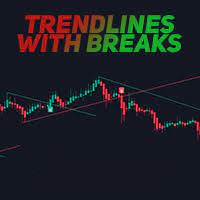
Trendlines with Breaks MT4
50 USD
Download demo:
74
Publicado:
21 dezembro 2022
Versão atual:
1.7
Não encontrou o robô certo? Encomende um para você
no serviço Freelance.
Ir para o Freelance
no serviço Freelance.
Como comprar um robô de negociação ou indicador?
Execute seu EA na
hospedagem virtual
hospedagem virtual
Teste indicadores/robôs de negociação antes de comprá-los
Quer ganhar dinheiro no Mercado?
Como apresentar um produto para o consumidor final?

Você está perdendo oportunidades de negociação:
- Aplicativos de negociação gratuitos
- 8 000+ sinais para cópia
- Notícias econômicas para análise dos mercados financeiros
Registro
Login
Você concorda com a política do site e com os termos de uso
Se você não tem uma conta, por favor registre-se
Can you add the name of the indicator and timeframe to alerts? Example: Trendlines with Breaks EURUSD M5 BUY
And, what is the difference between the two types of arrows?
Can you add the name of the indicator and timeframe to alerts? Example: Trendlines with Breaks EURUSD M5 BUY
And, what is the difference between the two types of arrows?
" Can you add the name of the indicator and timeframe to alerts? Example: Trendlines with Breaks EURUSD M5 BUY " i will add it and upgrade new version.
" what is the difference between the two types of arrows " i have only one type of arrow for buy (when candle close below lower trendline) and sell (when candle close upper higher trendline).
Trendlines with Breaks EURUSD M5 BUY
Just upgrade to version 1.7 that add new message template like " Trendlines with Breaks EURUSD M5 BUY "
Please choose template no 4 like this image. You can change indicator name in setting also.
Just upgrade to version 1.7 that add new message template like " Trendlines with Breaks EURUSD M5 BUY "
Please choose template no 4 like this image. You can change indicator name in setting also.
Thank you for the updates. I only see version 1.6.
I see a green arrow and blue arrow for BUY. Red and orange arrow for a sell.