Trendlines with Breaks MT4
50 USD
Descargado demo:
75
Publicado:
21 diciembre 2022
Versión actual:
1.7
¿No ha encontrado el robot adecuado?
Encargue el suyo
en la bolsa Freelance.
Pasar a la bolsa
Encargue el suyo
en la bolsa Freelance.
Cómo comprar un robot comercial o indicador
Inicia el robot en el
hosting virtual
hosting virtual
Pruebe un indicador/robot comercial antes de comprarlo
¿Quieres ganar en el Market?
Cómo ofrecer un producto para que lo compren

Está perdiendo oportunidades comerciales:
- Aplicaciones de trading gratuitas
- 8 000+ señales para copiar
- Noticias económicas para analizar los mercados financieros
Registro
Entrada
Usted acepta la política del sitio web y las condiciones de uso
Si no tiene cuenta de usuario, regístrese
Can you add the name of the indicator and timeframe to alerts? Example: Trendlines with Breaks EURUSD M5 BUY
And, what is the difference between the two types of arrows?
Can you add the name of the indicator and timeframe to alerts? Example: Trendlines with Breaks EURUSD M5 BUY
And, what is the difference between the two types of arrows?
" Can you add the name of the indicator and timeframe to alerts? Example: Trendlines with Breaks EURUSD M5 BUY " i will add it and upgrade new version.
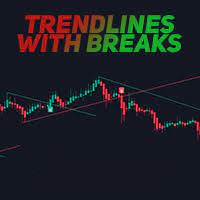
" what is the difference between the two types of arrows " i have only one type of arrow for buy (when candle close below lower trendline) and sell (when candle close upper higher trendline).
Trendlines with Breaks EURUSD M5 BUY
Just upgrade to version 1.7 that add new message template like " Trendlines with Breaks EURUSD M5 BUY "
Please choose template no 4 like this image. You can change indicator name in setting also.
Just upgrade to version 1.7 that add new message template like " Trendlines with Breaks EURUSD M5 BUY "
Please choose template no 4 like this image. You can change indicator name in setting also.
Thank you for the updates. I only see version 1.6.
I see a green arrow and blue arrow for BUY. Red and orange arrow for a sell.