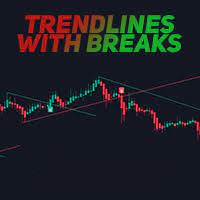
Trendlines with Breaks MT4
50 USD
Versione demo scaricata:
74
Pubblicato:
21 dicembre 2022
Versione attuale:
1.7
Non hai trovato un robot adatto?
Ordina il tuo
su Freelance
Vai alla sezione Freelance
Ordina il tuo
su Freelance
Come acquistare un Robot di Trading o un indicatore
Esegui il tuo EA
hosting virtuale
hosting virtuale
Prova un indicatore/robot di trading prima di acquistarlo
Vuoi guadagnare nel Market?
Come presentare un prodotto per venderlo con successo

Ti stai perdendo delle opportunità di trading:
- App di trading gratuite
- Oltre 8.000 segnali per il copy trading
- Notizie economiche per esplorare i mercati finanziari
Registrazione
Accedi
Accetti la politica del sito e le condizioni d’uso
Se non hai un account, registrati
Can you add the name of the indicator and timeframe to alerts? Example: Trendlines with Breaks EURUSD M5 BUY
And, what is the difference between the two types of arrows?
Can you add the name of the indicator and timeframe to alerts? Example: Trendlines with Breaks EURUSD M5 BUY
And, what is the difference between the two types of arrows?
" Can you add the name of the indicator and timeframe to alerts? Example: Trendlines with Breaks EURUSD M5 BUY " i will add it and upgrade new version.
" what is the difference between the two types of arrows " i have only one type of arrow for buy (when candle close below lower trendline) and sell (when candle close upper higher trendline).
Trendlines with Breaks EURUSD M5 BUY
Just upgrade to version 1.7 that add new message template like " Trendlines with Breaks EURUSD M5 BUY "
Please choose template no 4 like this image. You can change indicator name in setting also.
Just upgrade to version 1.7 that add new message template like " Trendlines with Breaks EURUSD M5 BUY "
Please choose template no 4 like this image. You can change indicator name in setting also.
Thank you for the updates. I only see version 1.6.
I see a green arrow and blue arrow for BUY. Red and orange arrow for a sell.