Trendlines with Breaks MT4
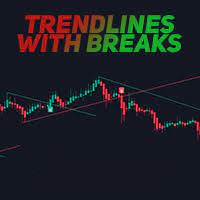
50 USD
Demo downloaded:
75
Published:
21 December 2022
Current version:
1.7
Didn't find a suitable robot?
Order your own one
on Freelance
Go to Freelance
Order your own one
on Freelance
How to buy а trading robot or an indicator
Run your EA on
virtual hosting
virtual hosting
Test аn indicator/trading robot before buying
Want to earn in the Market?
How to present a product for a sell-through

You are missing trading opportunities:
- Free trading apps
- Over 8,000 signals for copying
- Economic news for exploring financial markets
Registration
Log in
You agree to website policy and terms of use
If you do not have an account, please register
Can you add the name of the indicator and timeframe to alerts? Example: Trendlines with Breaks EURUSD M5 BUY
And, what is the difference between the two types of arrows?
Can you add the name of the indicator and timeframe to alerts? Example: Trendlines with Breaks EURUSD M5 BUY
And, what is the difference between the two types of arrows?
" Can you add the name of the indicator and timeframe to alerts? Example: Trendlines with Breaks EURUSD M5 BUY " i will add it and upgrade new version.
" what is the difference between the two types of arrows " i have only one type of arrow for buy (when candle close below lower trendline) and sell (when candle close upper higher trendline).
Trendlines with Breaks EURUSD M5 BUY
Just upgrade to version 1.7 that add new message template like " Trendlines with Breaks EURUSD M5 BUY "
Please choose template no 4 like this image. You can change indicator name in setting also.
Just upgrade to version 1.7 that add new message template like " Trendlines with Breaks EURUSD M5 BUY "
Please choose template no 4 like this image. You can change indicator name in setting also.
Thank you for the updates. I only see version 1.6.
I see a green arrow and blue arrow for BUY. Red and orange arrow for a sell.