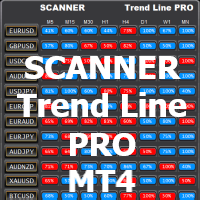
Scanner Trend Line PRO mt4
FREE
Publicado:
6 junho 2021
Versão atual:
1.5
Não encontrou o robô certo? Encomende um para você
no serviço Freelance.
Ir para o Freelance
no serviço Freelance.
Como comprar um robô de negociação ou indicador?
Execute seu EA na
hospedagem virtual
hospedagem virtual
Teste indicadores/robôs de negociação antes de comprá-los
Quer ganhar dinheiro no Mercado?
Como apresentar um produto para o consumidor final?

Você está perdendo oportunidades de negociação:
- Aplicativos de negociação gratuitos
- 8 000+ sinais para cópia
- Notícias econômicas para análise dos mercados financeiros
Registro
Login
Você concorda com a política do site e com os termos de uso
Se você não tem uma conta, por favor registre-se
hallo Evgenii, welchen Anbieter für die History Daten kannst du empfehlen ?
"Before use, download the history for the required symbols"
It's not really accurate
This means each time frame have specific range only ?
Добрый день! Сканер не работает. Что мне предпринять, чтобы это исправить?
Здравствуйте. Сканер использует созданные сет файлы оптимизатором: https://www.mql5.com/ru/market/product/53011
Или при помощи индикатора TrendLine PRO
Есть описание здесь: https://www.mql5.com/en/blogs/post/738685
After setting up Optimizer, the scanner, and Trend line Pro, I had a simple question for the manufacturer about the success rate on the scanner. I didn't quite understand how it was calculated and why the "current value" percentage was so different from the "average value" percentage. He responded by telling me to buy another one of his programs instead of simply answering the question. After hours of studying the scanner, I answered the question for myself. If you are a "newbie", as he called me, I would not recommend this product. There is not any post purchase support. You will be guided to purchase another one of his products. But, if you can figure out how this system works on your own, it is good.
Hello
Actually you can use scanner without additional programs. But you need to save set files for each using timeframe and pair
For example, you can use Trend Line PRO indicator: MQL4/Files/TL_Optimizer_Settings/_NAME_TIMEFRAME (_GBPUSD_M5)
after that you can install the Scanner to the chart
Also you can save the set file in the Scanner directly
The SR (Success Rate) parameter are using to get notifications when a new signal has the SR value higher which you had set (the vale of TP1)
I recommend set RS (50-80)% The higher SR value the less Notifications you will get
But thanks for your feedback. I should create information blog for new buyers
Why my scanner haven't data? What can I do?
Hello. To activate buttons of the Scanner you need to save set files for using pairs and timeframes.
Descriptions of the Scanner installation here: https://www.mql5.com/en/blogs/post/749265
Join the INFINITY community to be informed: https://t.me/INFINITY_MQL5
hi evgeny , i bought trend line pro and now i need scanner trend line PRO for free . thanks
here is it
Hi Evgenii
I have infinity trend line pro but the scanner not take informations because now it is Trend line pro
do you have the scanner for Infinity Trend Line Pro 10.4 ?
Thank You a lot
Warmly
Hi Evgenii
I have infinity trend line pro but the scanner not take informations because now it is Trend line pro
do you have the scanner for Infinity Trend Line Pro 10.4 ?
Thank You a lot
Warmly
hello. You have to save set file in the Trend Line PRO indicator for each pairs and timeframes which you use
After that you should add the scanner to the chart
Also you can use Optimizer utility to fins better setting automatically: https://www.mql5.com/en/market/product/53011
Hello. Assuming EURUSD has both the M30 (SR=50%) and H1 (SR=88%) buttons activated, how would I deactivate the M30 button? Right now, I have to delete the EURUSD M30 set file in the data folder which is very cumbersome. Please advise. Thanks.
Hello. If you don't like previous set file for using pair or timeframe, you can save a new settings using the Save button in the service window of the scanner
or you can save set file in Trend Line PRO indicator
or you can save set file after optimised by Optimiser utility
after saving a new set file you need to restart scanner on the chart !
hi Evgenii
trend pro line is very good
but do you know what ius wrong because i have no data calculated in the scanner
even all history is loaded
i have suffix _raw
Thanks for your help
warmly
hi Evgenii
trend pro line is very good
but do you know what ius wrong because i have no data calculated in the scanner
even all history is loaded
i have suffix _raw
Thanks for your help
warmly
Hello. Thank you.
If yo need additional set files for your pair and timeframe you need to create set file.
Read above how to do it.