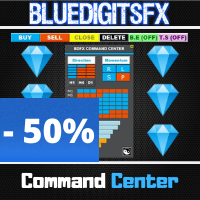
BlueDigitsFx Command Center
98 USD
Download demo:
311
Publicado:
10 agosto 2020
Versão atual:
1.33
Não encontrou o robô certo? Encomende um para você
no serviço Freelance.
Ir para o Freelance
no serviço Freelance.
Como comprar um robô de negociação ou indicador?
Execute seu EA na
hospedagem virtual
hospedagem virtual
Teste indicadores/robôs de negociação antes de comprá-los
Quer ganhar dinheiro no Mercado?
Como apresentar um produto para o consumidor final?

Você está perdendo oportunidades de negociação:
- Aplicativos de negociação gratuitos
- 8 000+ sinais para cópia
- Notícias econômicas para análise dos mercados financeiros
Registro
Login
Você concorda com a política do site e com os termos de uso
Se você não tem uma conta, por favor registre-se
thank you for the command center, nice will be to switck to the other charts to trade if is strong against weak, like showing in the info panel.
And if is possible to manage the Trades from multiple charts, like TS.
So i mean in this way: u watch the command center and see a weak and a strong chart.
2. open this explained chart and set a trade and this ,and other, trade will be managed by command center.
now we have to load the command center in any chart we want to trade?.
thank you,
Frank
I recently purchase the command Center since seeing it explained. this is really and awesome and effective tool to have without a doubt. the ability to see the prevailing trends, the strength of the currencies and the price action flows on multiple time frames is nothing short of fabulous. I no longer have to be switching between screen to be able to make a decision on my trades. Trades can then be taken easily with proper pre-established risk management, trailing SL etc. Such a wonderful tool for any trader!!!
BlueDigitsFx this is truly amazing. Thank You!!
How to add suffix
When I try to add all symbols with suffix, then the list gets truncated because I think you have some limit in the CP field
Please fix
or better add suffix parameter