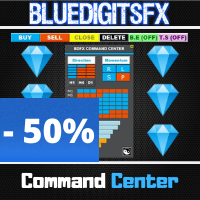
BlueDigitsFx Command Center
98 USD
Demo heruntergeladen:
311
Veröffentlicht:
10 August 2020
Aktuelle Version:
1.33
Keinen passenden Roboter gefunden?
Geben Sie Ihren Eigenen in Auftrag
auf Freelance!
Gehen Sie zu Freelance
Geben Sie Ihren Eigenen in Auftrag
auf Freelance!
Wie man einen Roboter oder Indikator kaufen kann
Starte Deinen EA im
Virtual Hosting
Virtual Hosting
Teste einen Indikator/Roboter vor dem Kauf
Möchtest Du Geld im Market verdienen?
Wie man Produkte richtig präsentiert

Sie verpassen Handelsmöglichkeiten:
- Freie Handelsapplikationen
- Über 8.000 Signale zum Kopieren
- Wirtschaftsnachrichten für die Lage an den Finanzmärkte
Registrierung
Einloggen
Sie stimmen der Website-Richtlinie und den Nutzungsbedingungen zu.
Wenn Sie kein Benutzerkonto haben, registrieren Sie sich
thank you for the command center, nice will be to switck to the other charts to trade if is strong against weak, like showing in the info panel.
And if is possible to manage the Trades from multiple charts, like TS.
So i mean in this way: u watch the command center and see a weak and a strong chart.
2. open this explained chart and set a trade and this ,and other, trade will be managed by command center.
now we have to load the command center in any chart we want to trade?.
thank you,
Frank
I recently purchase the command Center since seeing it explained. this is really and awesome and effective tool to have without a doubt. the ability to see the prevailing trends, the strength of the currencies and the price action flows on multiple time frames is nothing short of fabulous. I no longer have to be switching between screen to be able to make a decision on my trades. Trades can then be taken easily with proper pre-established risk management, trailing SL etc. Such a wonderful tool for any trader!!!
BlueDigitsFx this is truly amazing. Thank You!!
How to add suffix
When I try to add all symbols with suffix, then the list gets truncated because I think you have some limit in the CP field
Please fix
or better add suffix parameter