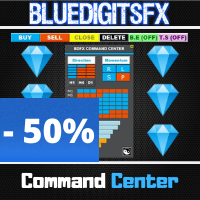
BlueDigitsFx Command Center
98 USD
Скачано демо:
311
Опубликован:
10 августа 2020
Текущая версия:
1.33
Не нашли подходящего робота?
Закажите собственного
на бирже фрилансеров
Перейти на биржу
Закажите собственного
на бирже фрилансеров
Как купить торгового робота или индикатор
Запусти робота на
виртуальном хостинге
виртуальном хостинге
Протестируй индикатор/робота перед покупкой
Хочешь зарабатывать в Маркете?
Как подать продукт, чтобы его покупали

Вы упускаете торговые возможности:
- Бесплатные приложения для трейдинга
- 8 000+ сигналов для копирования
- Экономические новости для анализа финансовых рынков
Регистрация
Вход
Вы принимаете политику сайта и условия использования
Если у вас нет учетной записи, зарегистрируйтесь
thank you for the command center, nice will be to switck to the other charts to trade if is strong against weak, like showing in the info panel.
And if is possible to manage the Trades from multiple charts, like TS.
So i mean in this way: u watch the command center and see a weak and a strong chart.
2. open this explained chart and set a trade and this ,and other, trade will be managed by command center.
now we have to load the command center in any chart we want to trade?.
thank you,
Frank
I recently purchase the command Center since seeing it explained. this is really and awesome and effective tool to have without a doubt. the ability to see the prevailing trends, the strength of the currencies and the price action flows on multiple time frames is nothing short of fabulous. I no longer have to be switching between screen to be able to make a decision on my trades. Trades can then be taken easily with proper pre-established risk management, trailing SL etc. Such a wonderful tool for any trader!!!
BlueDigitsFx this is truly amazing. Thank You!!
How to add suffix
When I try to add all symbols with suffix, then the list gets truncated because I think you have some limit in the CP field
Please fix
or better add suffix parameter