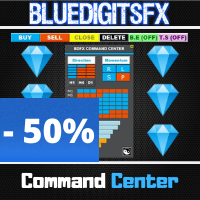
BlueDigitsFx Command Center
98 USD
Descargado demo:
311
Publicado:
10 agosto 2020
Versión actual:
1.33
¿No ha encontrado el robot adecuado?
Encargue el suyo
en la bolsa Freelance.
Pasar a la bolsa
Encargue el suyo
en la bolsa Freelance.
Cómo comprar un robot comercial o indicador
Inicia el robot en el
hosting virtual
hosting virtual
Pruebe un indicador/robot comercial antes de comprarlo
¿Quieres ganar en el Market?
Cómo ofrecer un producto para que lo compren

Está perdiendo oportunidades comerciales:
- Aplicaciones de trading gratuitas
- 8 000+ señales para copiar
- Noticias económicas para analizar los mercados financieros
Registro
Entrada
Usted acepta la política del sitio web y las condiciones de uso
Si no tiene cuenta de usuario, regístrese
thank you for the command center, nice will be to switck to the other charts to trade if is strong against weak, like showing in the info panel.
And if is possible to manage the Trades from multiple charts, like TS.
So i mean in this way: u watch the command center and see a weak and a strong chart.
2. open this explained chart and set a trade and this ,and other, trade will be managed by command center.
now we have to load the command center in any chart we want to trade?.
thank you,
Frank
I recently purchase the command Center since seeing it explained. this is really and awesome and effective tool to have without a doubt. the ability to see the prevailing trends, the strength of the currencies and the price action flows on multiple time frames is nothing short of fabulous. I no longer have to be switching between screen to be able to make a decision on my trades. Trades can then be taken easily with proper pre-established risk management, trailing SL etc. Such a wonderful tool for any trader!!!
BlueDigitsFx this is truly amazing. Thank You!!
How to add suffix
When I try to add all symbols with suffix, then the list gets truncated because I think you have some limit in the CP field
Please fix
or better add suffix parameter