Twinlane Copier
- Utilitários
- Versão: 2.0
- Atualizado: 14 novembro 2026
- Ativações: 10

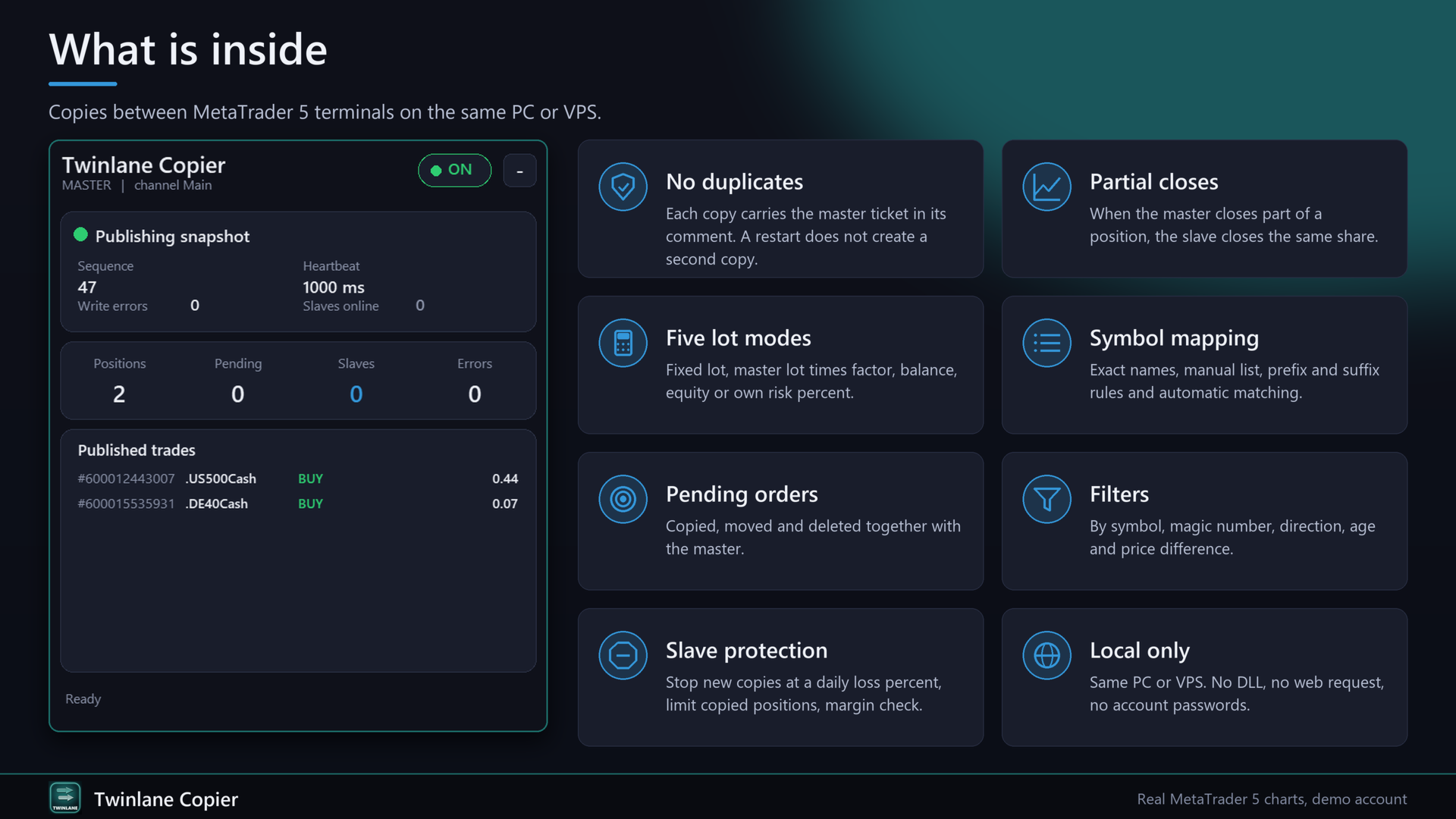
Twinlane Copier copies positions and pending orders from one MetaTrader 5 terminal to one or more other terminals that run on the same PC or VPS. The same EA works as Master or as Slave, and the terminals exchange a small snapshot file in the shared common folder. No DLL, no web request, no account passwords.
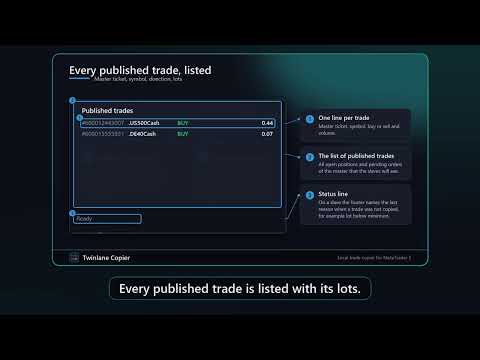
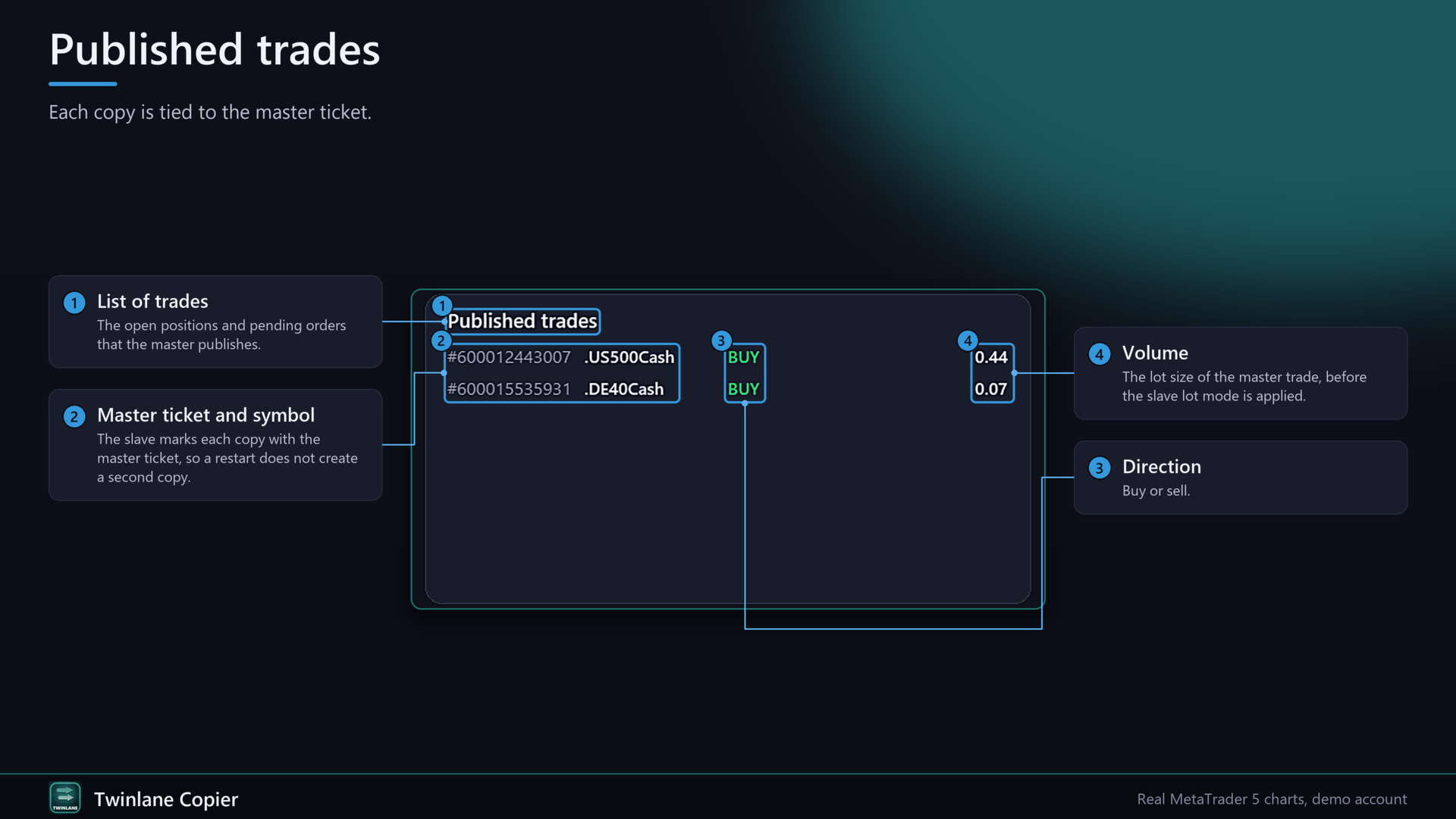
It is built so that a copied trade is never opened twice: every copy carries the master ticket in its comment, the slave checks open positions and orders before it sends anything, and a state file survives restarts. The panel on the chart shows the connection, the delay in milliseconds and every copied trade with master and slave ticket.
Three problems it is built to avoid
1. Duplicate positions. The slave marks each copy with the master ticket (comment "TL" plus ticket) and checks existing positions and pending orders first. A restart of the terminal, a lost connection or a repeated order request does not create a second copy. A trade that you close by hand on the slave stays closed and is not opened again.
2. Wrong lot after a partial close. When the master closes part of a position, the slave closes the same share of its own position. The share is taken from the master volume ratio at the time of copying and rounded to the volume step of the slave symbol. The remaining part stays open and follows the master.
3. Difficult setup. Four steps and one channel name. Symbol names such as EURUSD.pro, EURUSDm or XAUUSD.r are matched automatically. A manual list handles names that differ completely, for example GOLD and XAUUSD.
Functions
Master:
- Writes a snapshot of all open positions and pending orders to a temporary file and then renames it, so the slave never reads a half written file.
- Each snapshot carries a sequence number and a heartbeat. After every change a second confirmation snapshot follows after about 150 ms.
- Does not republish trades that are copies themselves.
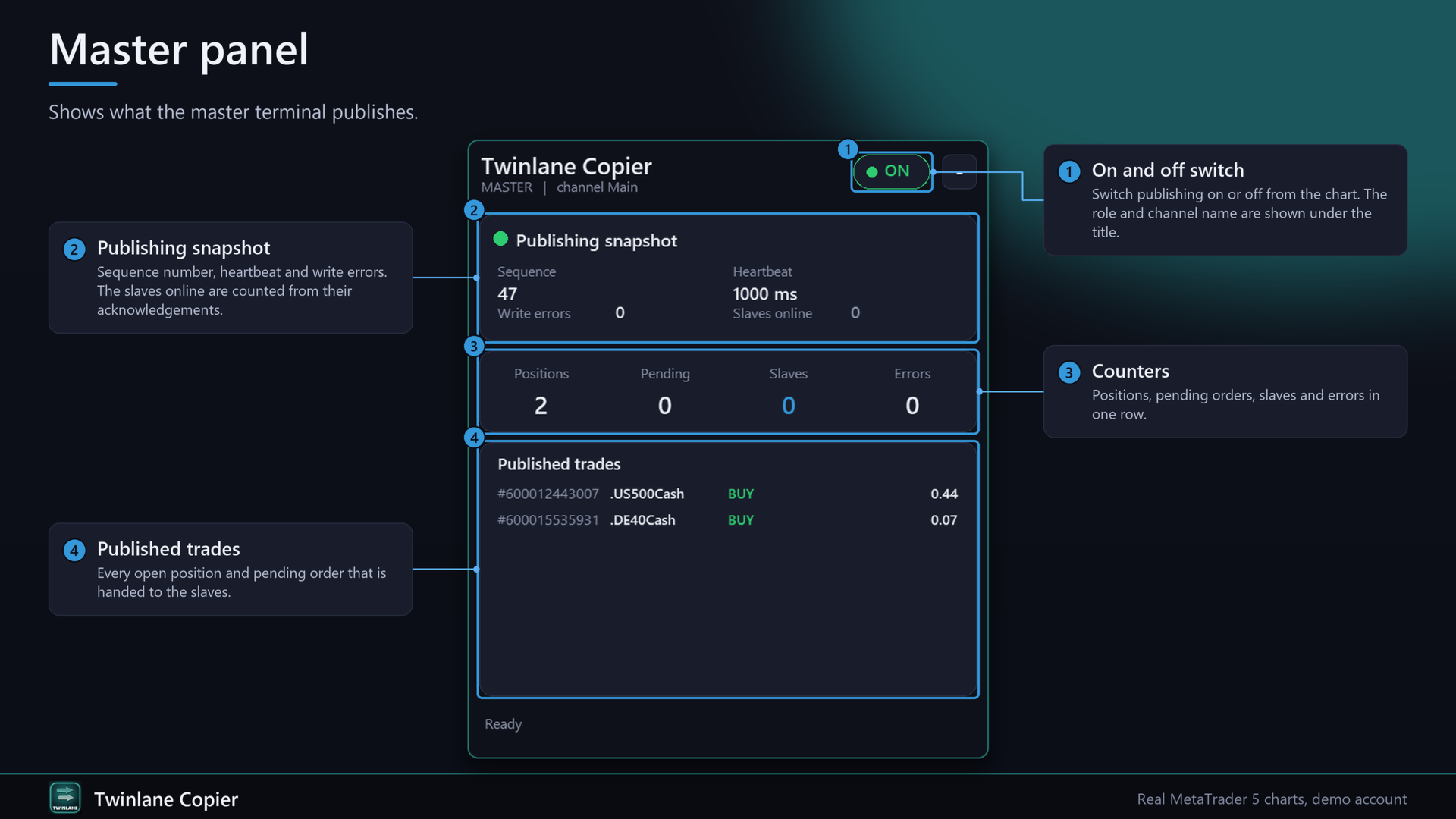
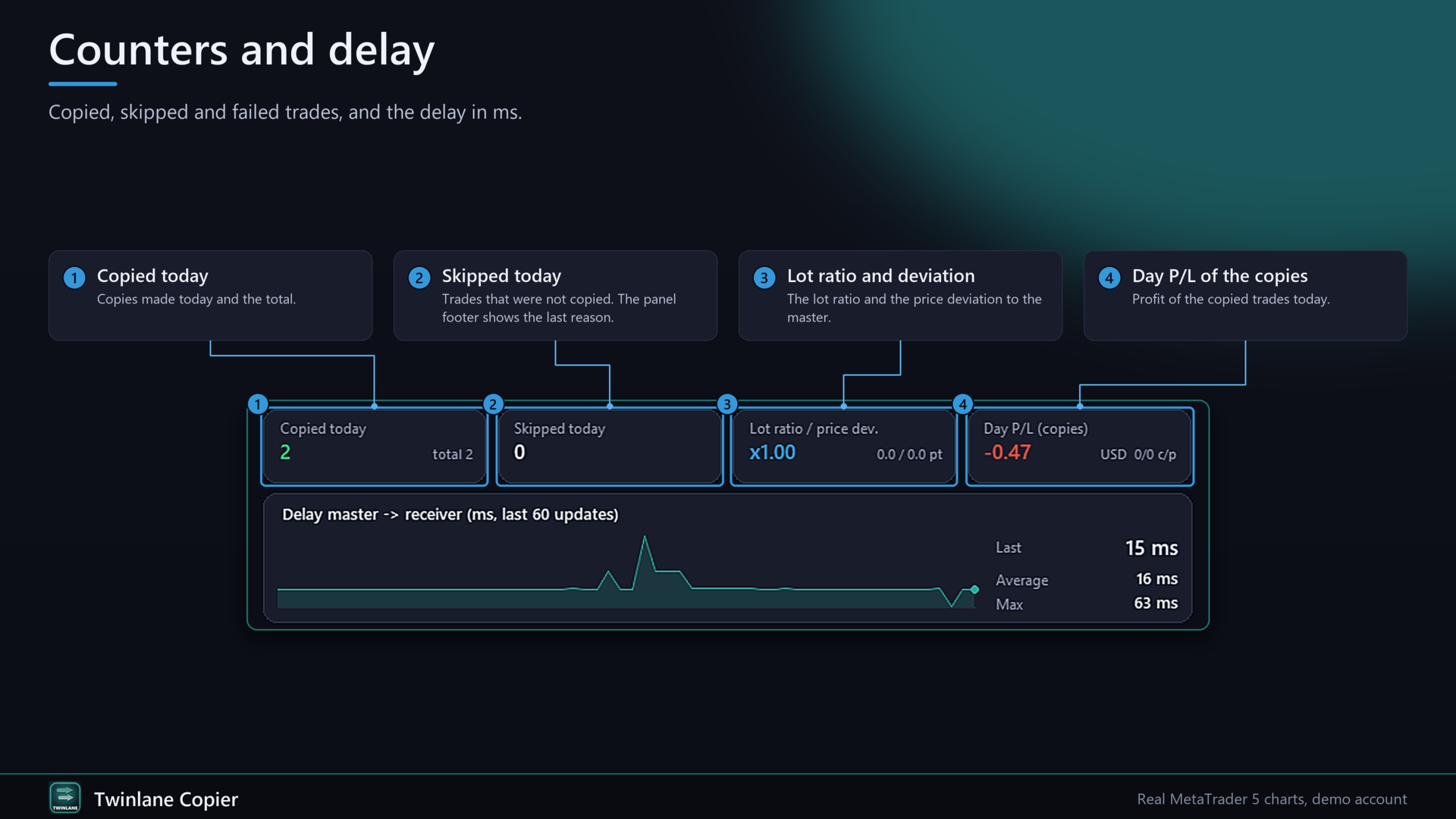
- Panel shows sequence, write errors, published trades and slave accounts that answer with an acknowledgement.
Slave:
- Compares the snapshot with its own trades (target against actual) and opens, changes or closes trades to match. A trade is closed only after it is missing in two different snapshots.
- No action at all when the master heartbeat is older than the timeout (default 10 seconds). Trades stay open, nothing new is copied, and the panel turns red.
- Five lot modes: Fixed lot, Master lot x factor, Proportional to balance, Proportional to equity, Own risk percent of equity by the distance to the stop loss.
- Stop loss and take profit are copied and follow later changes, either as distance from the own entry price or at the same price level. Broker stop level and freeze level are respected.
- Pending orders are copied, moved and deleted with the master. Expiry is converted between server times.
- Reverse copy (buy becomes sell, stop loss and take profit swap sides, limit orders become stop orders).
- Symbol mapping: exact name, manual list, prefix and suffix rules, and automatic matching.
- Filters by master symbol (allow list, deny list), master magic number, direction, maximum age of a trade, maximum price difference to the master entry, and a daily time window.
- Protection: stop new copies at a daily loss percent (optionally close copied trades), maximum number of copied positions, margin check before every order.
- Execution: filling mode is chosen from the symbol and switched automatically after an invalid fill. Requotes, timeouts and connection errors are retried with a pause. Failed trades are retried every two seconds and given up after eight attempts.
- Existing master trades at the moment the slave starts are not copied unless you switch on "Copy trades that were open before the slave started".
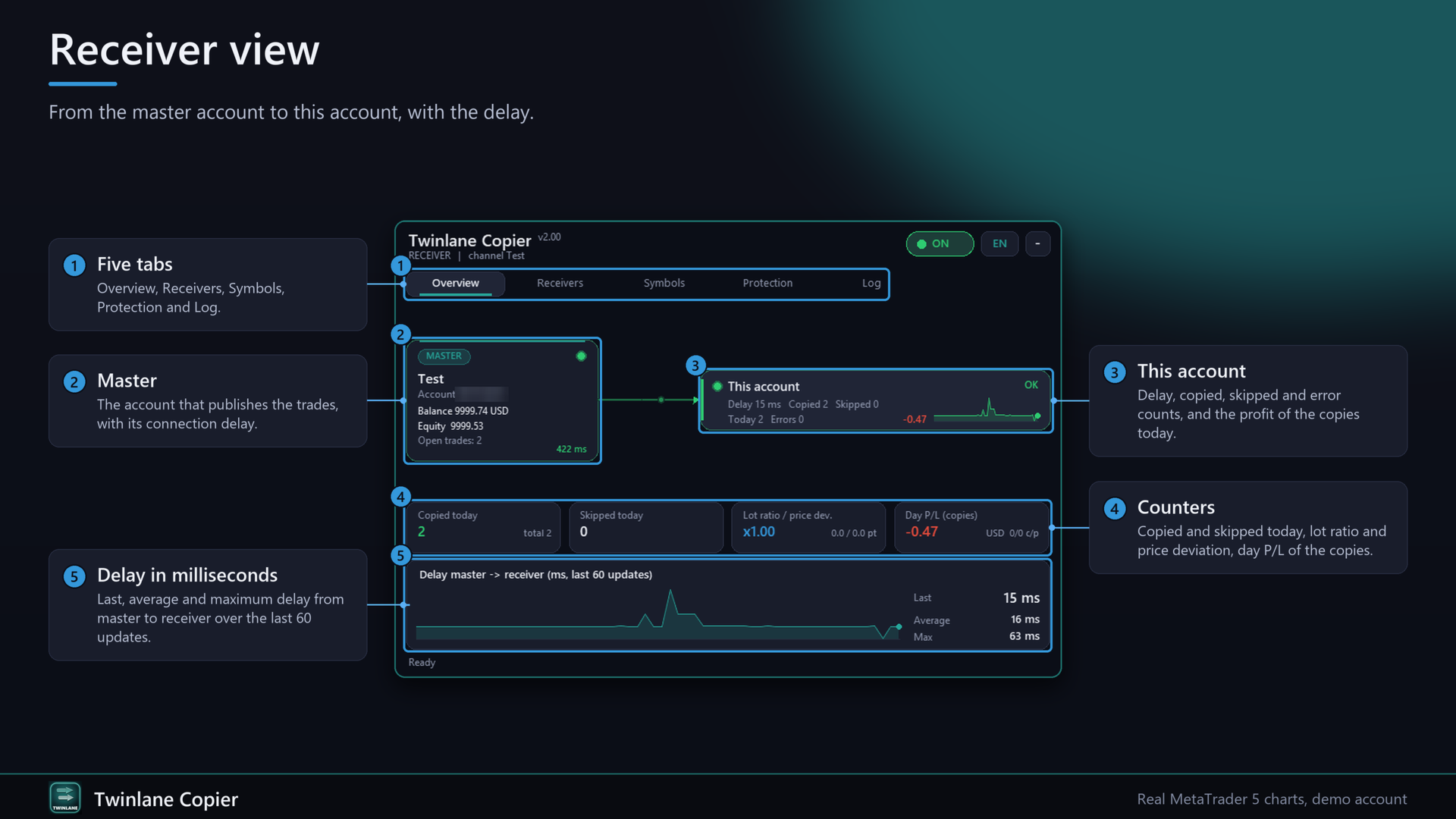
Panel (chart): role, connection state, heartbeat age, delay in ms, last copy time, counters for copied, closed, partial, skipped and error, list of copied trades (master ticket to slave ticket), on and off switch, collapse button, English or German, adjustable scale.
Strategy Tester: copying between terminals cannot run inside the tester. In the tester the EA runs a built-in self-test. It builds a simulated master snapshot and lets the real slave code open small trades, close part of them, change stop loss and take profit, place and delete a pending order and close the trades. No files are written in the tester.
Quick start
1. Install the EA on both terminals and allow algorithmic trading. Both terminals must run on the same Windows PC or VPS under the same Windows user.
2. On the master terminal open any chart and attach Twinlane Copier with Role = Master and a channel name, for example Main. Do not change the master account's trading.
3. On each slave terminal attach Twinlane Copier with Role = Slave, the same channel name and your lot mode. The slave account must be a hedging account.
4. Check the panel: a green dot and a heartbeat age below one second mean that the connection works. Test with a small trade on a demo account first.
FAQ
Does it work between different PCs? No. Both terminals must be able to read the same common folder, so same PC, same VPS or same Windows user. It does not work on the built-in MQL5 VPS because the terminals there cannot share files.
Does it work on netting accounts? The master may be any account type. The slave must be a hedging account. The EA stops with a message on a netting slave.
Can I copy from MT5 to MT4? No. MT5 to MT5 only.
How many slaves? Any number of slave terminals, each with its own settings. Each slave terminal needs its own EA instance. Activations: 10 per purchase.
What happens if the master terminal closes? The heartbeat stops. After the timeout the slave does nothing. Open slave trades keep their stop loss and take profit.
Why was a trade not copied? The panel footer shows the last reason, for example lot below minimum, symbol not found, not enough margin, trade too old or filtered.
Can I use my own EAs on the slave account? Yes. Copied trades use their own magic number (input "Magic number of copied trades"). Other trades are not touched.
Input parameters
General
- Role of this terminal: Master or Slave
- Channel name: must be equal on master and slave
- Panel language: English or Deutsch
- Show status panel
- Panel scale (0.7 to 2.0)
- Timer interval in ms (20 to 1000, default 50)
Slave sizing
- Lot mode: Fixed lot, Master lot x factor, Proportional to balance, Proportional to equity, Own risk % by stop loss distance
- Fixed lot (also used in risk mode when the master trade has no stop loss)
- Factor
- Own risk % of equity
- If computed lot is below the minimum lot: round up or skip
- Maximum lot per copied trade
Slave behaviour
- Reverse copy
- Copy pending orders
- Copy stop loss, Copy take profit
- How SL/TP are transferred: distance from own entry or same price level
- Follow later SL/TP/price changes
- Copy trades that were open before the slave started
- Magic number of copied trades
- Max deviation in points, Retries, Pause between retries
- Master heartbeat timeout in seconds
Symbol mapping
- Manual list (example: XAUUSD=GOLD;US30=DJ30.cash)
- Automatic prefix/suffix matching
- Master prefix and suffix to remove, slave prefix and suffix to add
Filters
- Only these master symbols, Never these master symbols (lists, separator semicolon, trailing * allowed)
- Only these master magic numbers
- Direction filter
- Max age of a master trade in seconds
- Max price difference to master entry in points
- Time window for new trades (slave server time)
Slave protection
- Stop new copies at daily loss percent, optionally close copied trades
- Max open copied positions
Master
- Heartbeat interval in ms
Honest limits
- Same PC, VPS or Windows user only. No cloud, no remote copying.
- MT5 to MT5 only. The slave account needs hedging.
- Stop-limit orders are not copied. Master trades that are older than the maximum age are skipped on purpose.
- Prices at the slave broker differ from the master broker. Delay, spread and slippage mean that copies are not identical to the master trades.
- The file is checked about every 50 ms, so the usual delay is well below one second, but it depends on your PC and broker.
- A copier does not make a strategy profitable and gives no guarantee of results. Test on a demo account first and check lots and stops on the slave before using real money.