Interactive RR Tool MT5
- Indicadores
-
Waleed Saleem
 Senior Quantitative Developer specializing in custom MT5 Expert Advisors, High-Availability server failover systems, dynamic grid/martingale hedging, and institutional risk-management logic. Fast delivery with full source code (.mq5).
 - Versão: 10.0
- Ativações: 5
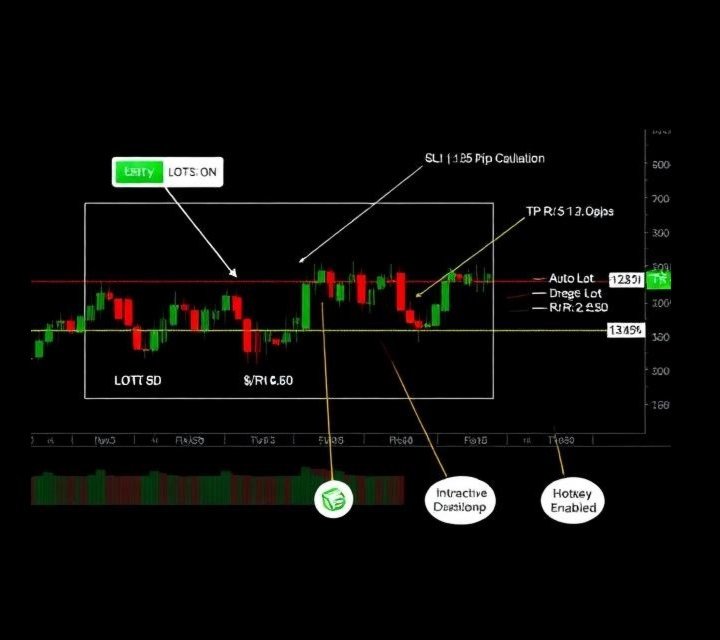
Interactive Risk Reward Tool MT5 is an essential visual position-sizing and trade-planning utility for MetaTrader 5. It allows traders to instantly calculate lot sizes, manage risk percentage, and map Risk-to-Reward (R:R) setups directly on the chart using interactive lines and hotkeys before placing a order.
Key Features
-
Instant Lot Sizing: Automatically calculates the exact volume (lots) based on your chosen risk percentage or fixed lot input, respecting broker minimums, maximums, and volume steps.
-
Interactive Drag-and-Drop Lines: Easily adjust Entry, Stop Loss, and Take Profit levels by dragging lines on the chart or using fast keyboard shortcuts.
-
Live Financial Metrics: Displays risk in pips, total monetary risk ($), potential reward ($), and real-time R:R ratio updates on the chart.
-
One-Click Visibility Control: Toggle all visual elements on or off instantly via an on-chart button or the TAB key.
-
Hotkey Support: Rapidly snap lines directly to your mouse pointer for high-speed scalping setup plans.
-
Flexible Text Positioning: Align information labels to the left edge or near current price bars.
Hotkey & Interactive Controls
-
TAB Key: Toggle tool visibility ON / OFF.
-
Q Key: Snap Entry Line to current mouse price.
-
W Key: Snap Stop Loss Line to current mouse price.
-
E Key: Snap Take Profit Line to current mouse price.
Input Parameters
-
Calculation Settings:
-
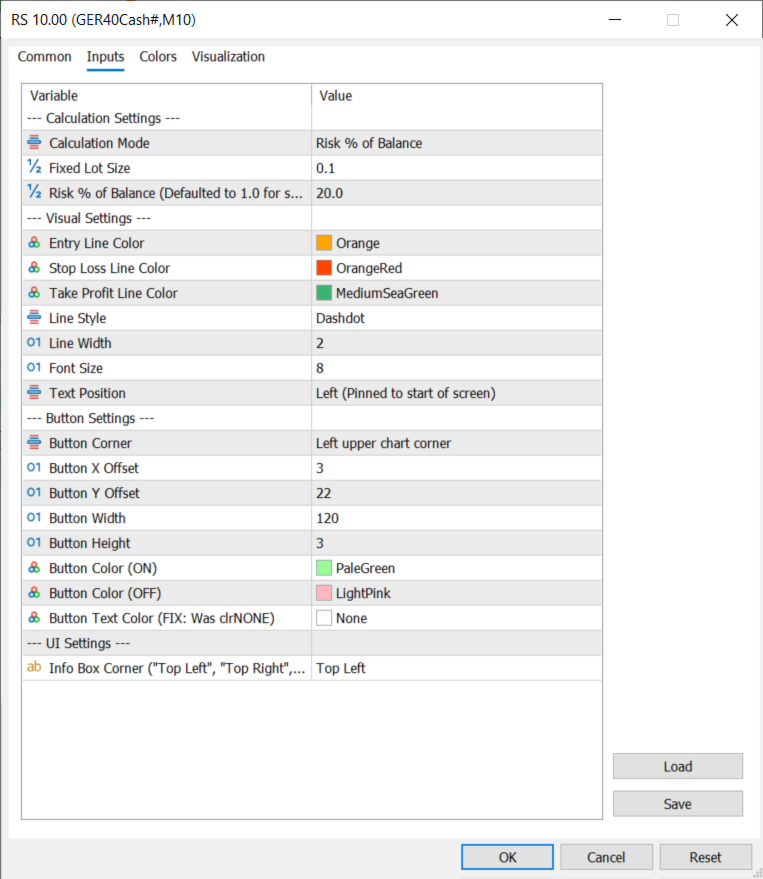
Calculation Mode : Switch between Risk % of Balance or Fixed Lot Size.
-
Fixed Lot Size : Specify lot size when using fixed calculation.
-
Risk % of Balance : Specify account risk percentage (e.g., 1.0%).
-
-
Visual Settings: Customizable colors, styles, widths, font sizes, and anchor positions for Entry, SL, and TP objects.
-
Button Settings: Adjust the corner location, offset, dimensions, and toggle colors of the on-chart control button.
-
UI Settings: Position the primary telemetry info box in any chart corner.