TradePilot Execution Utility
- Utilitários
-
Raymond Paul Raphael
 Specializes in high-performance trading tools designed for the modern MQL5 environment.
 - Versão: 1.0
- Ativações: 5
TradePilot Execution Utility
The Ultimate Execution & Risk Management Dashboard
TradePilot Execution Utility is a high-performance trade management dashboard built specifically for professional manual traders and those undertaking Prop Firm challenges. It bridges the gap between complex risk mathematics and rapid execution, ensuring you never miss a setup or over-leverage your account.
1. Visual Risk-Based Lot Sizing
Forget manual calculators. TradePilot uses your chart as the primary interface.
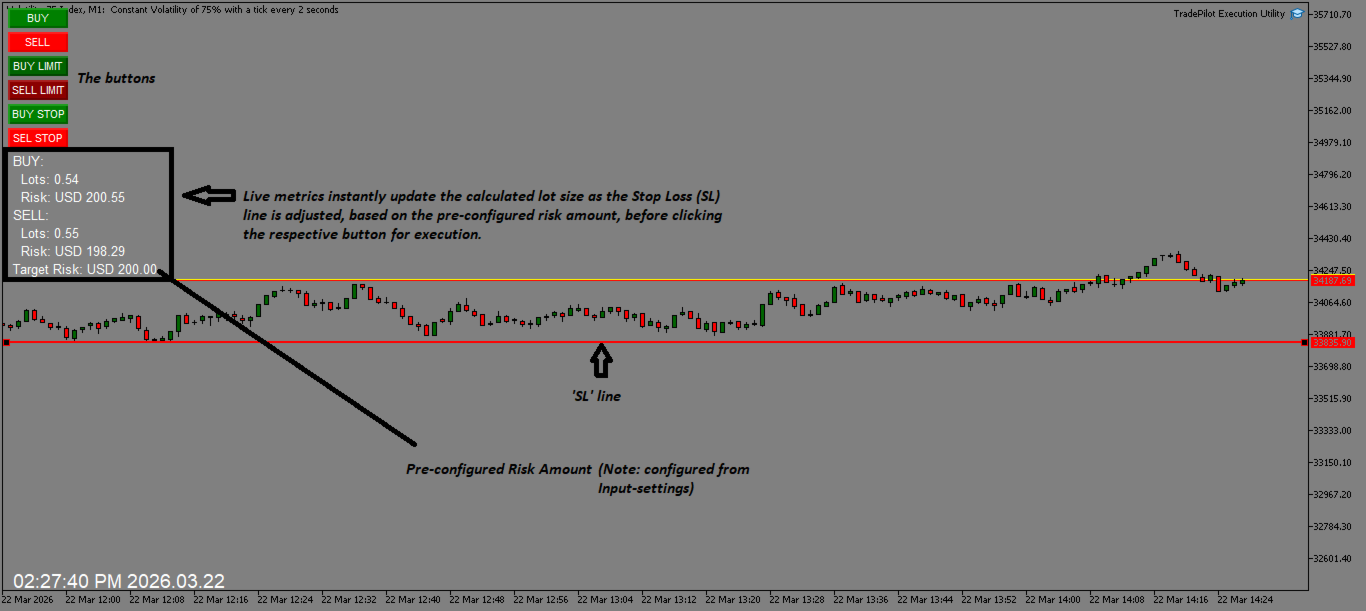
- Drag-to-Calculate: Simply move your SL line on the chart. The utility reads the price distance and instantly displays the precise lot size required to risk your exact Risk Amount (e.g., $30.00).
- Real-Time Info Display: A dedicated on-chart dashboard shows you exactly what your Lot Size and Risk Amount will be for both Buy and Sell scenarios before you ever click a button.
- Automatic Conversions: It handles the heavy lifting of converting quote currencies to your account currency in real-time.
- For Synthetics & Volatility Trading: Includes specific contract size adjustments for Volatility Indices (Boom, Crash, Step, Jump) and Step Index, making it a powerhouse for Deriv traders.
2. Multi-Stage Trade Management
Take the emotion out of your exits with "Set and Forget" automation:
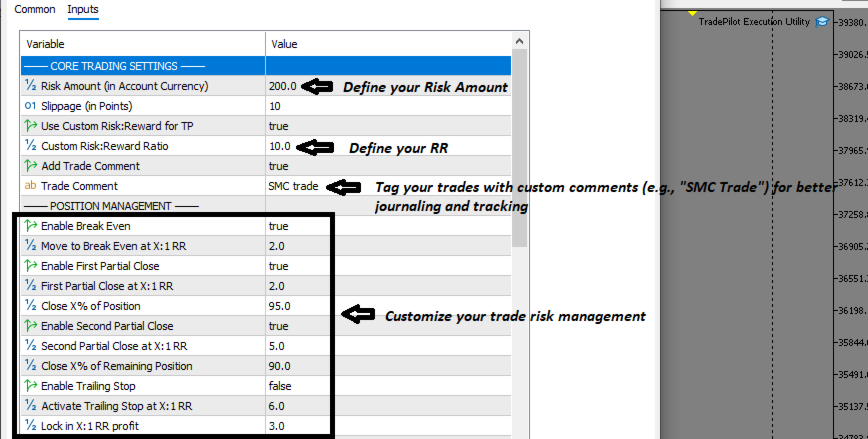
- Auto Break-Even: Automatically moves your Stop Loss to entry once your pre-configured Risk-to-Reward (RR) target is hit.
- Dual-Stage Partial Closes: Lock in profits at two different milestones. You can configure the utility to close a large portion (e.g., 95%) at the first target and a percentage of the remaining position at a second target.
- Advanced Trailing Stop: Protect significant gains by activating a trailing stop only after a high RRR (e.g., 6:1) is reached, locking in a specific profit ratio (e.g., 3:1).
3. Professional Execution Suite
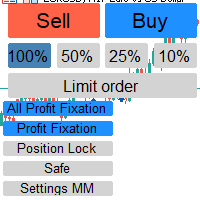
- One-Click Market Orders: Instant execution with pre-calculated SL and TP based on your Custom RR settings.
- Pending & Stop Orders: Full support for Limit and Stop orders. Simply draw your entry and SL lines, and the EA handles the rest.
- Custom Trade Comments: Tag your trades with custom comments (e.g., "SMC_Setup") for better journaling and tracking.
- Built-in Live Clock: Keep track of market sessions with a customizable on-chart digital clock (supports 24h format and timezone offsets).
4. Interactive Setup Guide
- Define Your Risk: Set your desired cash risk in the settings (e.g., $50).
- Draw Your Plan: Draw a Horizontal Line on your chart and name it "SL" (or your custom name), Then click buy/sell button on chart
For pending orders;
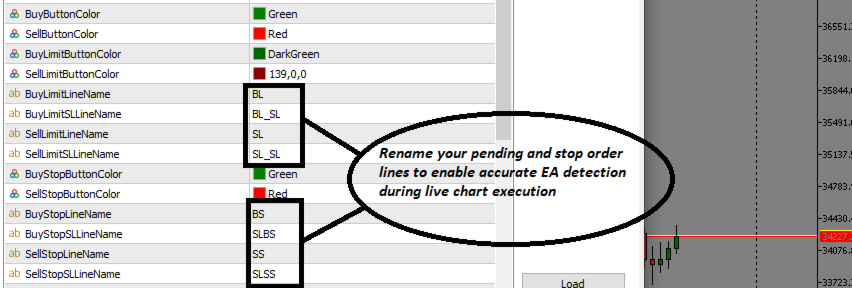
· BUY LIMIT-Draw lines for pending price ('BL') and SL ('BL_SL'). Or you can customize your preferable names from input
· SELL LIMIT- Draw lines for pending price ('SL') and SL ('SL_SL')
· BUY STOP- Draw lines for stop price ('BS') and SL ('SLBS')
· SELL STOP- Draw lines for stop price ('SS') and SL ('SLSS')
- Review Metrics: Watch the Info Display updates your lot size instantly as you drag the lines.
- Execute: Click BUY, SELL, or the Pending buttons. The EA instantly opens the position with the exact lot size and sets the SL/TP.
- Smart Monitoring: Once live, TradePilot monitors the price. It will automatically move to Break-Even, scale out via Partial Closes, or Trail your stop based on your settings.
About the Developer
RAYLURKS FX specializes in high-performance trading tools designed for the modern MQL5 environment. For support, setup guides, feature requests, troubleshooting, or to explore my other trading utilities please visit my profile and send me a direct message—I am happy to assist you in optimizing your trading setup : RAYLURKS FX MQL5 Profile