Gbpusd Quant Brain EA
- Experts
- Versão: 1.2
- Atualizado: 21 junho 2026
- Ativações: 5

Gbpusd Quant Brain EA MT5
Overview
Gbpusd Quant Brain EA is an Expert Advisor for MetaTrader 5 designed for automated trading on the GBPUSD pair.
The EA uses a structured rule-based trading approach with market condition checks, trade timing filters, risk settings, and automated trade management. It is developed mainly for GBPUSD and is intended for users who want a pair-specific automated trading system rather than a multi-symbol or high-frequency trading robot.
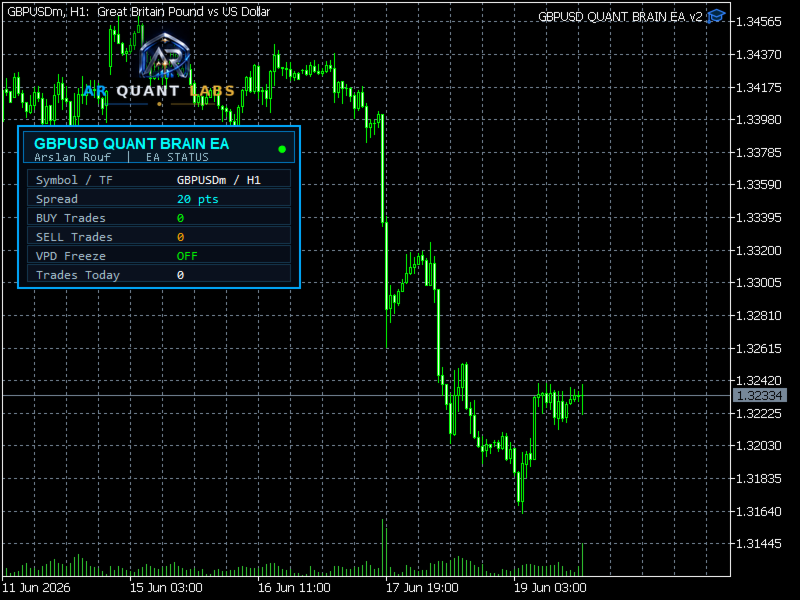
The recommended chart setup is GBPUSD on the H1 timeframe.
Main Features
Automated trading on MetaTrader 5
Designed mainly for GBPUSD
Recommended timeframe: H1
Rule-based trading logic
Configurable lot size
Stop Loss and Take Profit management
Risk control settings
Spread and execution filters
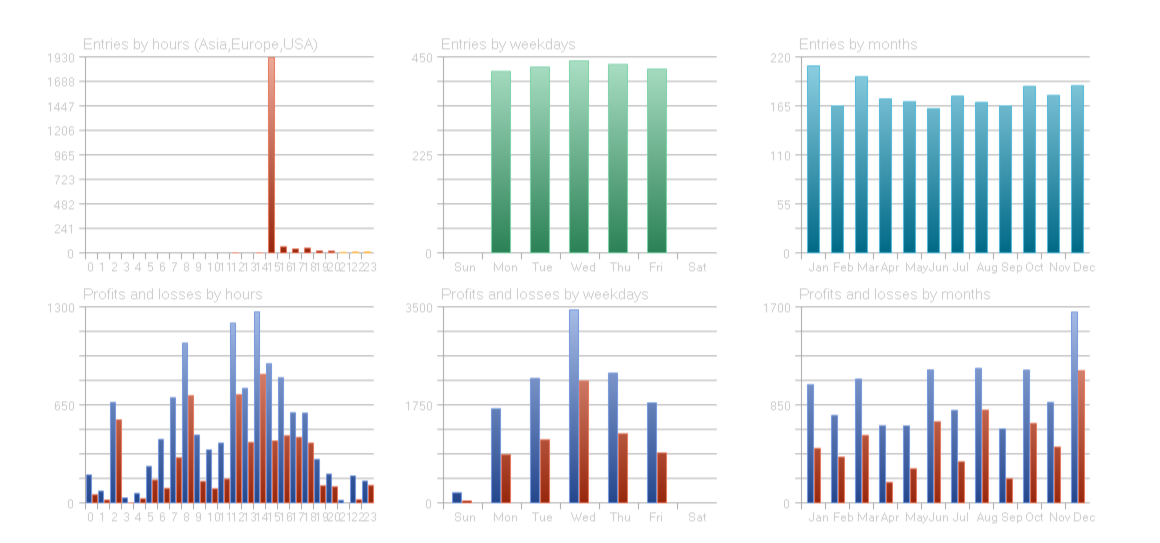
Trade timing controls
Magic Number support
Suitable for Strategy Tester and demo testing
Works with common MetaTrader 5 broker account types
Can be used on VPS for continuous operation
Recommended Use
Symbol: GBPUSD
Timeframe: H1
Platform: MetaTrader 5
Recommended account type: stable broker execution with reasonable spread
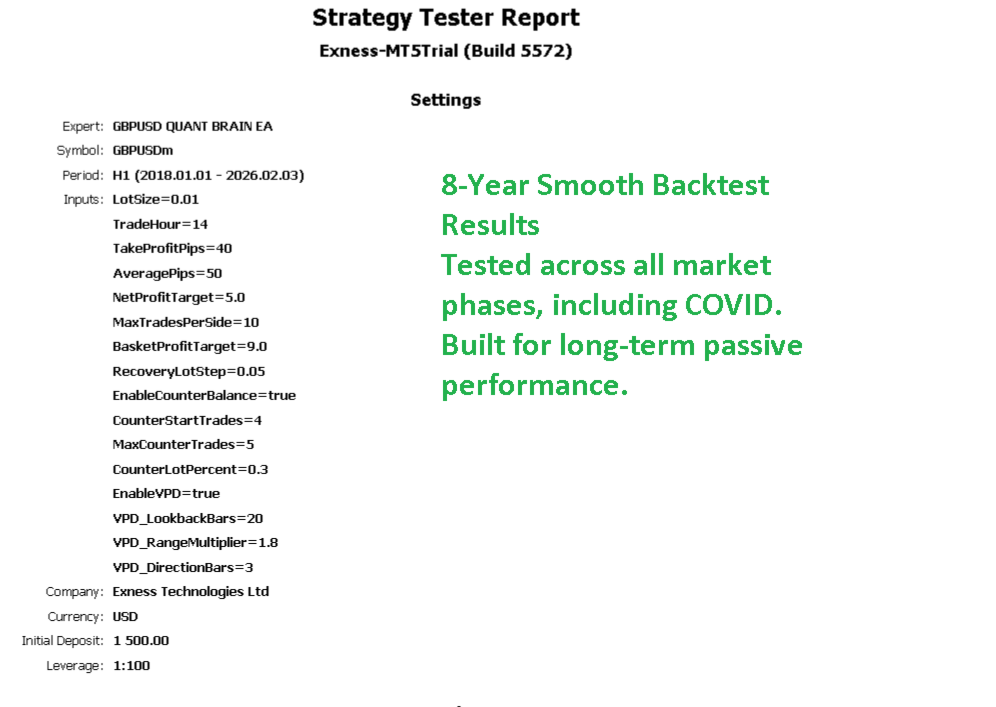
Recommended testing: Strategy Tester and demo account before live use
This EA is designed for GBPUSD only. It is not recommended for Gold, indices, crypto, or unrelated symbols unless the user performs separate testing and accepts the additional risk.
How the EA Works
Gbpusd Quant Brain EA monitors the GBPUSD chart and checks its internal trading conditions before opening a trade.
The EA does not force continuous entries. If the market conditions do not match the selected logic, the EA will wait and no trade will be opened.
Before trading, the EA may check:
Market direction
Price movement conditions
Spread level
Execution conditions
Trade timing
Risk settings
Current open trade status
When the required conditions are available, the EA can open and manage trades according to the selected input parameters.
Trade Management
The EA manages trades according to its Stop Loss, Take Profit, lot size, and risk settings.
Users should test the default settings first before changing parameters. Changing lot size, risk settings, Stop Loss, Take Profit, or broker conditions can change the final trading behavior.
VPS Use
For continuous automated trading, a VPS is recommended.
A VPS helps keep MetaTrader 5 running when the user's computer is closed or internet connection is interrupted. Users may use MQL5 VPS or another reliable VPS provider.
Broker and Account Notes
Gbpusd Quant Brain EA can work with common MetaTrader 5 broker account types. Actual behavior can vary between brokers because of spread, slippage, commission, execution speed, leverage, and symbol specifications.
Before live use, test the EA with the same broker and account type that you plan to use.
Input Parameters
Magic
Unique identifier used to separate this EA's trades from manual trades or other Expert Advisors.
Lot Size
Controls the trade volume when fixed lot mode is used.
Risk Settings
Control the trading risk according to the selected configuration.
Stop Loss
Defines the planned protection level for each trade.
Take Profit
Defines the planned target level for each trade.
Spread Filter
Prevents new trades when the spread is above the selected limit.
Trading Time Settings
Control when the EA is allowed to open new trades.
Trade Management Settings
Control how the EA manages open positions according to the selected setup.
Execution Settings
Control order execution tolerance and trade handling behavior.
How to Use
1. Open MetaTrader 5.
2. Open a GBPUSD H1 chart.
3. Attach Gbpusd Quant Brain EA from Navigator > Expert Advisors.
4. Enable Algo Trading.
5. Check the input settings.
6. Run a Strategy Tester backtest.
7. Test the EA on a demo account.
8. Use conservative lot and risk settings when starting.
Testing Recommendations
Before using the EA on a live account, test it with realistic conditions:
Use GBPUSD H1
Use realistic spread
Include broker commission if applicable
Use the same account type you plan to trade
Test a sufficient historical period
Start with conservative lot settings
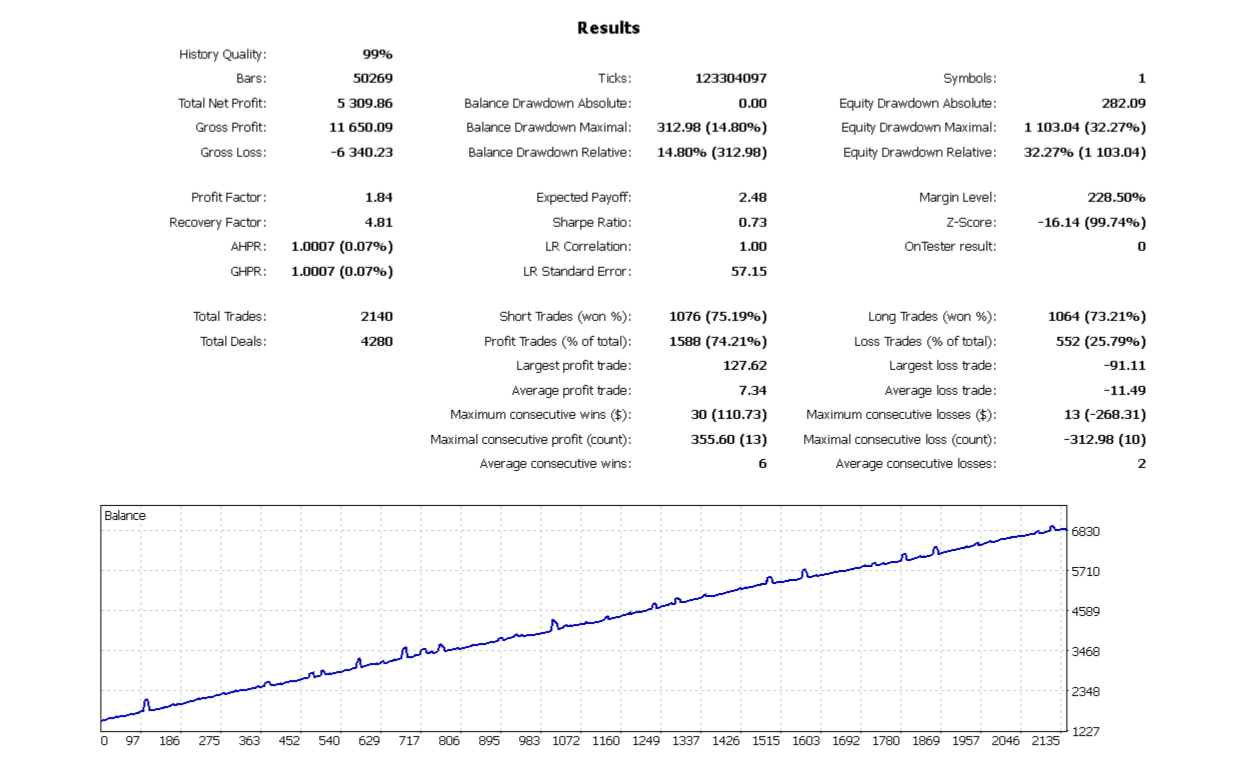
Check drawdown and trade behavior before live use
Important Notes
This EA is designed mainly for GBPUSD H1. Using it on other symbols or timeframes can produce different results.
Do not increase lot size without understanding the risk. Higher lot size can increase drawdown and account risk.
Risk Warning
Trading involves risk. This Expert Advisor does not guarantee profit and does not remove market risk. Results may vary depending on market conditions, broker execution, spread, slippage, commission, leverage, account size, and selected settings.
Always test the EA before live trading and use risk settings that match your own account and trading plan.