 MetaTrader 5
 Experts
 Indicadores
 Bibliotecas
 Utilitários
 Widgets
 Regras
Conheça o Mercado MQL5 no YouTube, assista aos vídeos tutoriais
Como comprar um robô de negociação ou indicador?
Execute seu EA na
hospedagem virtual
hospedagem virtual
Teste indicadores/robôs de negociação antes de comprá-los
Quer ganhar dinheiro no Mercado?
Como apresentar um produto para o consumidor final?
Bibliotecas de negociação para a plataforma MetaTrader 5
 Um conjunto de úteis bibliotecas de negociação vai ajudar a acelerar o desenvolvimento de aplicativos de negociação.
CLIQUE AQUI PARA VER TODOS OS MEUS PRODUTOS GRATUITOS
SignalXpert foi desenvolvido por mim para oferecer aos traders que utilizam o indicador RangeXpert uma ferramenta poderosa de análise. RangeXpert serve como a base do sistema – ele identifica áreas precisas do mercado e fornece os dados que o SignalXpert avalia em tempo real para gerar sinais claros e acionáveis. Isso permite o monitoramento simultâneo de até 25 diferentes ativos em vários timeframes , detectando em tempo real os movimentos
FREE

O script UZFX - Set Stop Loss to Breakeven Instantly para MetaTrader 5 (MT5) é uma ferramenta poderosa que permite aos negociadores mover rapidamente o stop loss de todas as posições abertas para o seu preço de entrada, garantindo negociações sem risco. Este script é particularmente útil para gerenciar negociações ativas de forma eficiente, garantindo que, uma vez que uma posição se mova favoravelmente, o trader esteja protegido de perdas potenciais.
(Visite o perfil e confira todos os outros
FREE
O script UZFX - Close All Open Buy & Sell Orders Instantly para MetaTrader 5 (MT5) é uma ferramenta poderosa que permite aos traders fechar imediatamente todas as posições de mercado ativas com uma única execução. Este script é ideal para gerenciamento de comércio de emergência, ajudando os comerciantes a sair rapidamente do mercado durante alta volatilidade, eventos de notícias ou ajustes de estratégia.
Caraterísticas: Fecha todas as posições de compra e venda abertas em todos os símbolos. U
FREE

EAPADPRO Library for MetaTrader 5 é uma biblioteca profissional gratuita de interface para adicionar um painel informativo moderno ao seu Expert Advisor. A biblioteca foi pensada para desenvolvedores MQL5 que desejam dar aos seus programas de trading uma apresentação visual mais limpa, mais informativa e mais profissional diretamente no gráfico do MetaTrader 5. Expert Advisors para MetaTrader 5 frequentemente contêm lógica mais complexa, múltiplas configurações, filtros por Magic number, regras
FREE

Modern Dark Chart Theme for MT5 Upgrade your MetaTrader 5 chart into a clean, dark, professional trading workspace. Your chart is your trading office. It is where you analyze the market, test Expert Advisors, review setups, record videos, share screenshots, and make trading decisions. If your MT5 chart looks old, bright, noisy, or unprofessional, your trading environment can feel distracted before you even start your analysis. Modern Dark Chart Theme for MT5 helps you create a cleaner, darker,
FREE

NATS (Niguru Automatic Trailing Stop) will help you achieve more profits, by setting the trailing stop automatically. Pair this NATS application with EA, or can also be used as a complement to manual trading.
A trailing stop is a powerful tool in trading that combines risk management and profit optimization.
A trailing stop is a type of market order that sets a stop-loss at a percentage below the market price of an asset, rather than a fixed number. It dynamically adjusts as the asset’s pric
FREE

An easy to use, fast, asynchronous WebSocket library for MQL5. It supports: ws:// and wss:// (Secure "TLS" WebSocket) text and binary data It handles: fragmented message automatically (large data transfer) ping-pong frames automatically (keep-alive handshake) Benefits: No DLL required. No OpenSSL installation required. Up to 128 Web Socket Connections from a single program. Various Log Levels for error tracing Can be synchronized to MQL5 Virtual Hosting . Completely native t
O script UZFX - Margin Required and Max Lot Size para MetaTrader 5 (MT5) foi concebido para ajudar os negociadores a determinar rapidamente a margem necessária para abrir uma posição de 1 lote e calcular o tamanho máximo do lote que podem negociar com base no capital da sua conta atual. Esta ferramenta é essencial para a gestão de riscos e dimensionamento de posições, permitindo aos negociadores planear as suas transacções de forma eficiente.
Caraterísticas:
Calcula a margem necessária para
FREE

Biblioteca ModernUI para MetaTrader 5 ModernUI é uma biblioteca de interface de usuário hospedada no gráfico para MetaTrader 5. Ela ajuda desenvolvedores MQL5 a criar painéis de EA mais limpos, dashboards, janelas de configuração, formulários, tabelas, diálogos, drawers e interfaces compactas de estilo trading dentro do ambiente gráfico do MT5. Ela foi criada para desenvolvedores que desejam uma camada de interface mais profissional do que objetos gráficos espalhados, mantendo ao mesmo tempo con
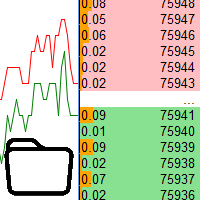
Usando dados do livro de pedidos no testador de estratégia Características principais:
Uso simultâneo de vários símbolos, até 7 peças Visualização DOM Com a visualização das carteiras de pedidos, está disponível simulação em tempo real, bem como aceleração ou desaceleração Trabalhando com a biblioteca: Este produto também requer um utilitário para salvar dados: https://www.mql5.com/en/market/product/71642 Utilitário de controle de velocidade: https://www.mql5.com/pt/market/product/81409 Incluir
FREE

The UZFX - Delete All Drawing and Objects on Chart Instantly is a simple yet powerful MetaTrader 5 (MT5) script designed to instantly remove all drawing objects from the active chart. This script is useful for traders who need to quickly clear their charts from technical analysis drawings, trend lines, Fibonacci tools, text labels, and other objects without manually deleting them one by one. If you are Looking Best indicators in Mql5 Market. Check these out!
SSS Scalping Smart Signals MT5 Indi
FREE

Key Features: 200+ Fully Implemented Patterns across all categories Advanced Market Structure Analysis Smart Money Integration (Wyckoff, Order Blocks, Liquidity) Professional Risk Management Multi-Timeframe Analysis AI-Powered Confidence Scoring Advanced Visualization Real-time Alerts Pattern Categories: Single Candle Patterns (Hammer, Doji, Marubozu, etc.) Multi-Candle Patterns (Engulfing, Stars, Harami, etc.) Chart Patterns (Head & Shoulders, Cup & Handle, Triangles, etc.) Harmonic Pattern
FREE
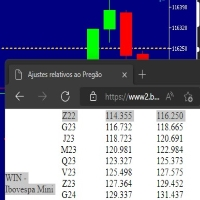
Este script marca no gráfico do ativo BRA50 da active trades o ponto de ajuste do contrato futuro do Mini Índice Brasileiro (WIN),
***ATENÇÃO*** para este script funcionar é necessário autorizar a URL da BMF Bovespa no Meta Trader. passo a passo: MetaTrader 5 -> Ferramentas -> Opções -> Expert Adivisors * Marque a opção "Relacione no quadro abaixo as URL que deseja permitir a função WebRequest" e no quadro abaixo adicione a URL: https://www2.bmf.com.br/ este indicador usa a seguinte página par
FREE

This library allows you to automatically filter events by symbol. Additionally, it requires the use of "flags" to classify events based on their importance (high, low, etc.). Properties: Our library is simple and only requires the export of four functions to work properly. Requirements: The library uses OnTimer , so it is not compatible with programs that also use this event. If your bot utilizes OnTimer , this may interfere with the library’s functionality and prevent event filtering. We recomm
FREE

WalkForwardOptimizer library allows you to perform rolling and cluster walk-forward optimization of expert advisers (EA) in MetaTrader 5. To use the library include its header file WalkForwardOptimizer.mqh into your EA source code, add call provided functions as appropriate. Once the library is embedded into EA, you may start optimization according to the procedure described in the User guide . When it's finished, intermediate results are saved into a CSV file and some special global variables.
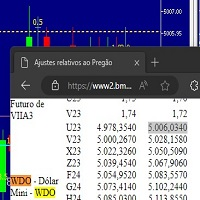
Este script marca no gráfico do ativo MINDOL da activ trades o ponto de ajuste do contrato futuro do Mini Dolar (WDO),
***ATENÇÃO*** para este script funcionar é necessário autorizar a URL da BMF Bovespa no Meta Trader. passo a passo: MetaTrader 5 -> Ferramentas -> Opções -> Expert Adivisors * Marque a opção "Relacione no quadro abaixo as URL que deseja permitir a função WebRequest" e no quadro abaixo adicione a URL: https://www2.bmf.com.br/ este indicador usa a seguinte página para buscar o a
FREE

Trading Notes is an innovative tool designed for traders to streamline their decision-making process by allowing them to write and display important reminders or short details directly over their trading charts. This essential feature ensures that traders have quick access to their personalized checklist before opening any positions, enhancing their trading efficiency and accuracy. MT4 Version - https://www.mql5.com/en/market/product/120613 Join To Learn Market Depth - https://www.mql5.co
FREE

O script UZFX - Delete Only Pending Orders para MetaTrader 5 (MT5) é uma ferramenta simples mas eficaz que remove automaticamente todas as ordens pendentes (Buy Limit, Sell Limit, Buy Stop, Sell Stop) da conta de negociação. Este script é ideal para os negociadores que querem limpar as suas ordens pendentes instantaneamente sem afetar as posições activas no mercado.
Veja todos os meus outros indicadores MT4/MT5 e EAs >> AQUI Caraterísticas: Elimina todas as ordens pendentes (Buy Limit, Sell L
FREE

Read-only basket analytics library for grid and averaging EAs. Real breakeven, what-if, stress test and stop-out distance. Sends no orders.
What it is A library that reads your open positions and tells you the real state of a grid or averaging basket. It does not trade. It sends no orders. It has no entry logic. You call it from your own EA.
What it tells you - Breakeven of the basket, with swap and commission counted - The price where the basket nets a money amount you choose - Where the ave
FREE

Turn your manual trades into fully automated profit machines! This powerful MT5 EA takes over the moment you open a position — no delays, no stress. It instantly places Stop Loss and Take Profit, activates customizable trailing, and locks in profits while protecting your capital
Perfect for scalpers: Every trade is immediately secured, giving you the freedom to focus on sniping the best entries while the EA handles all the management work in the background.
Auto SL/TP Full trailin
FREE

Exibição de Texto Estático é um Expert Advisor (EA) leve e fácil de usar para MetaTrader 5, projetado para inspirar e educar traders exibindo dicas de trading motivacionais diretamente em seu gráfico. Com um fundo preto elegante e centralizado e texto branco em uma fonte monoespaçada, este EA oferece conselhos concisos e práticos em fragmentos rotativos para mantê-lo focado em um trading disciplinado. Perfeito para iniciantes e traders experientes, ele promove princípios-chave como gerenciamento
FREE

Start earning profits by copying All trades are sent by our successful Forex trader & are extremely profitable. You can earn profits by copying trades daily Trial Period included You'll also get access to extremely powerful trading education which is designed in a simple way for you to become a profitable trader, even if you have no trading experience. https://ec137gsj1wp5tp7dbjkdkxfr4x.hop.clickbank.net/?cbpage=vip
FREE

Overview AlgoNLP.mqh is a standalone MQL5 library that converts human-written trading instructions into structured trade intents that your Expert Advisor (EA) or indicator can understand. Do leave a review if you like :D
Also check out my new Indicator : ALGOCHAMP v3 Plus Example input: Buy gold at 2370 with TP 0.3% and SL 1% Output intent: Side: BUY | Type: LIMIT | Symbol: XAUUSD | Entry: 2370 | TP: 0.3% | SL: 1% | Lot: 0.00 This enables you to build chat-controlled or Telegr
FREE

This library will allow you to send your trades using your MT5 EA bot and its very easy to integrate on any EA which you can do yourself with the script code which is mentioned in documentation. This product allows trading operations via API For MEXC chart : Renting Crypto Charting for OHLC data or Crypto Ticks with Order Book Depth is optional - Supports MEXC API calls - Place Limit, SL Limit and Take Profit Limit Orders - Place Market, SL-Market, TP-Market orders - Modify Limit order - C

MT5 to Delta Exchange API Bridge EA Connector allows your expert advisor with mq5 file to integrate and communicate with Delta Exchange using API Keys You can place order, check balance and other order managements using Delta Exchange API - Place Limit, SL Limit and Take Profit Limit Orders - Place Market, SL-Market, TP-Market orders - Cancel Order - Query Orders - Change Leverage, margin - Get Position info and many more, details available at demo script Script Documentation

Japan Bank Holiday and Gotobi Library responde às perguntas de calendário do mercado do iene dentro do seu próprio Expert Advisor, indicador ou script: se hoje é feriado bancário no Japão, se é um dia gotobi, quando é o próximo fixing de Tóquio e que horas são no Japão segundo o servidor da sua corretora. Todas as regras são calculadas, portanto não há tabela de feriados para atualizar. De 1980 a 2027 os resultados coincidem, dia a dia, com a lista de feriados nacionais do Gabinete do Japão. Sem
FREE

CRingBuffer - Numeric ring buffer with lightweight high-performance statistics engine
CRingBuffer is a powerful MQL5 library for numeric rolling-window analysis. After each insertion it immediately provides mean, variance, standard deviation, percentiles, z-scores, min/max tracking and normalized values - all in O(1) to O(n log n). Table of contents: Application area
Two operating modes Basic statistics Welford statistics (numerically stable, recommended for large price levels) Percentiles Z-s
FREE

INTRODUCING MML Data Bridge The demand for bridging external data and machine learning with trading platforms is higher than ever. MetaTrader 5 is a powerful environment for trading and back testing, but without a data bridge, MT5 is largely isolated from using any external data. MML Bridge is a developer tool that allows users to bridge external data into MT5 for back testing, live trading, and optimization. It's built for ease of use, providing users with a simple function API that drip-feeds
FREE

Universal MarketInfo Service Library for MT4 & MT5
Bring simplicity and power to your trading projects with the Universal MarketInfo Service — a professional library that exposes a unified API for both MetaTrader 4 and MetaTrader 5.
No more rewriting code for each platform. With this library, you can: Access symbol data, OHLC prices, spreads, and volatility with a single call. Query account balance, free margin, stop levels, and lot constraints. Work with currency precision, pip values, and n
FREE

MT4/5通用交易库( 一份代码通用4和5 ) #import "K Trade Lib5.ex5" //简单开单 long OrderOpen( int type, double volume, int magic, string symbol= "" , string comment= "" , double opprice= 0 , double sl= 0 , double tp= 0 , int expiration= 0 , bool slsetmode= false , bool tpsetmode= false ); //复杂开单 void SetMagic( int magic, int magic_plus= 0 ); void SetLotsAddMode(int mode=0,double lotsadd=0); long OrderOpenAdvance( int mode, int type, double volume, int step, int magic, string symbol= "" , string comm
FREE

Stop training your models on the future. Every quant developer knows the nightmare: a beautiful backtest, then live trading falls apart. The number-one silent killer is lookahead bias — reading a higher-timeframe bar that has not closed yet, or labeling rows with information from the future. One wrong bar shift and your entire dataset is poisoned, and you will never see it in the backtest. MTF Data Core is the multi-timeframe data engine behind kouaAlgo's data tools — now free for MQL5 developer
FREE

Biblioteca EX5 Signal Copier — Motor de Eventos de Negociação Profissional para MT
Transforme qualquer Expert Advisor em um poderoso copiador de negociações, processador de sinais ou motor de automação — sem precisar escrever lógica complexa de rastreamento de negociações.
A Biblioteca EX5 Signal Copier é um sistema de alto desempenho, orientado a eventos, que captura todas as atividades de negociação no MetaTrader 5 e as converte em sinais estruturados que você pode usar para criar:
Copiador

Friends, join us!
Ask questions and connect with like-minded traders: MetaCOT Public Group
MetaCOT Information Channel: news, CFTC reports, and signals: MetaCOT Channel
Here’s to successful trading and new profitable signals for us all! Attention! Recently, certain countries have been blocking access to the cftc.gov website. As a result, users in these countries are giving the product low ratings. MetaCOT has always adhered to the highest quality standards and is in no way associated with th
FREE

Varre uma lista fixa de ativos ( ibov brasil ) no timeframe escolhido (TimeFrame) . Para cada par e para vários períodos. Calcule um modelo de regressão entre os dois ativos (e, se desejar, usando o índice bova11 como normalizador ). Gera a dispersão (spread) dessa relação, sua média , desvio-padrão , espetacular e os betas (B1 e B2) . Aplicar um teste ADF sem exclusão (cointegração / estacionariedade). Calcula o
FREE

This lightweight utility library provides essential functions for MQL5 developers to streamline and simplify expert advisor (EA) and indicator development. Whether you’re building trading algorithms or managing chart resources dynamically, this library offers clean and reusable building blocks to enhance your code quality and reduce repetition. Key Features Price Access Functions ASK(string symbol) – Get the current Ask price. BID(string symbol) – Get the current Bid price. Account Information
FREE

This simple logging library is designed to provide clear and contextual log output with minimal hassle. It exposes five methods: LogError Message (message) LogWarn Message (message) LogInfo Message (message) LogDebug Message (message) LogTrace Message (message) Each method prints the provided message to the console only if the severity level meets or exceeds the current threshold set by a global variable logLevel. This means you control the verbosity of your application's logs by adjusting logL
FREE

The library is dedicated to help manage your trades, calculate lot, trailing, partial close and other functions.
Lot Calculation Mode 0: Fixed Lot. Mode 1: Martingale Lot (1,3,5,8,13) you can use it in different way calculate when loss=1 ,when profit=0. Mode 2: Multiplier Lot (1,2,4,8,16) you can use it in different way calculate when loss=1 ,when profit=0. Mode 3: Plus Lot (1,2,3,4,5) you can use it in different way calculate when loss=1 ,when profit=0. Mode 4: SL/Risk Lot calculate based on s

Friends, join us!
Ask questions and connect with like-minded traders: MetaCOT Public Group
MetaCOT Information Channel: news, CFTC reports, and signals: MetaCOT Channel
Here’s to successful trading and new profitable signals for us all! Attention! Recently, certain countries have been blocking access to the cftc.gov website. As a result, users in these countries are giving the product low ratings. MetaCOT has always adhered to the highest quality standards and is in no way associated with th

This is a simplified and effective version of the library for walk forward analysis of trading experts. It collects data about the expert's trade during the optimization process in the MetaTrader tester and stores them in intermediate files in the "MQL5\Files" directory. Then it uses these files to automatically build a cluster walk forward report and rolling walk forward reports that refine it (all of them in one HTML file). Using the WalkForwardBuilder MT5 auxiliary script allows building othe

Order Book, known also as Market Book, market depth, Level 2, - is a dynamically updated table with current volumes of orders to buy and to sell specific financial instument at price levels near Bid and Ask. MetaTrader 5 provides the means for receiving market book from your broker, but in real time only, without access to its history. The library OrderBook History Library reads market book state in the past from archive files, created by OrderBook Recorder . The library can be embedded into you

Cryptocurrency analysis has never been easier with Crypto Charts for MetaTrader 5. Now, trading on BitMEX has never been easier with BitMEX Trading API for MetaTrader 5. BitMEX Trading API library was built to be as easy to use as possible. Just include the library into your Expert Advisor or Script, call the corresponding methods and start trading! Features
Trade on BitMEX and BitMEX Testnet. Build and automate your strategies. Concern more with the trading strategy logic and less with the co

Teclado trader, é uma BIBLIOTECA que você pode chamar no OnChartEvent para abrir posição de compra/venda/zerar, os botões padrões são: V = venda C = compra Z = zerar posições a mercado S = zerar posições opostas e depois a mercado X = zerar posições opostas
Além da função de teclado, é possível mostrar os estados do ExpertAdvisor usando o MagicId, com informação de:
lucro mensal, semanal, diario, e posição aberta, para isto use o OnTick, ou qualquer outro evento (OnTimer / OnTrade / OnBookEven

Goliath MT5 - scalper fully automated Expert Advisor for medium-volatile forex markets
P roperties: The Library trades 10 currency pairs (USDCHF, EURCHF, EURGBP, AUDUSD, USDCAD, GBPUSD, EURUSD, NZDUSD, CADCHF, EURAUD, EURCAD, AUDJPY) The Library does not use martingale The Library sets a fixed stop loss and take profit for all orders The Library only trades a user input volume The Library can be installed on any currency pair and any timeframe Recommendations: Before using on a real account, t

The library is used to develop automatic trading on Binance Spot Market from MT5 platform. Support all order types: Limit, Market, StopLimit and StopMarket Support Testnet mode Automatically display the chart on the screen Usage:
1. Open MQL5 demo account 2. Download Header file and EA sample https://drive.google.com/uc?export=download&id=1kjUX7Hyy02EiwTLgVi8qdaCNvNzazjln Copy Binance.mqh to folder \MQL5\Include Copy BinanceEA-Sample.mq5 to folder \MQL5\Experts 3. Allow WebRequest from MT5

Gold plucking machine Gold plucking machine is an Expert Advisor designed specifically for trading gold. The operation is based on opening orders using the Fast and Slow lines indicator, thus the EA works according to the "Trend Follow" strategy, which means following the trend. Use grid strategy to place orders without stop loss operation, so please make sure the account has sufficient funds. magic number - is a special number that the EA assigns to its orders.
Lot Multiplier -

The library is used to develop automatic trading on Binance Futures Market from MT5 platform. Support Binance Futures USD-M and COIN-M Support Testnet mode Support all order types: Limit, Market, StopLimit, StopMarket, StopLoss and TakeProfit Automatically display the chart on the screen Usage:
1. Open MQL5 demo account 2. Download Header file and EA sample https://drive.google.com/uc?export=download&id=17fWrZFeMZoSvH9-2iv4WDJhcyxG2eW17
Copy BinanceFutures.mqh to folder \MQL5\Include Copy Bina

MT4/5通用交易库( 一份代码通用4和5 ) #ifdef __MQL5__ #define KOD_TICKET ulong #define KOD_MAGIC long #else #define KOD_TICKET long #define KOD_MAGIC int #endif class ODLIST; #import "K Trade Lib Pro 5.ex5" //祝有个美好开始,运行首行加入 void StartGood() ; //简单开单 long OrderOpen( int type, double volume, int magic, string symbol= "" , string comment= "" , double opprice= 0 , double sl= 0 , double tp= 0 , int expiration= 0 , bool slsetmode= false , bool tpsetmode= false ); //复杂开单

Binance Library MetaTrader 5 connects your Expert Advisors, indicators, and scripts to Binance.com and Binance.US directly from MetaTrader 5. It is a developer library for building custom Binance integrations inside MT5, not a standalone trading robot or copier. The library helps you add Binance instruments to Market Watch, read symbol specifications, load current and historical market data, check wallet balances, manage orders, and track open positions. It supports Spot, USD-M futures, and COI

1. What is this The MT5 system comes with very few optimization results. Sometimes we need to study more results. This library allows you to output more results during backtest optimization. It also supports printing more strategy results in a single backtest. 2. Product Features The results of the optimized output are quite numerous. CustomMax can be customized. The output is in the Common folder. It is automatically named according to the name of the EA, and the name of the same EA will be au

T5l Library é necessaria para o uso dos robos da TSU Investimentos, nele você tera todo o framework de funções para o funcionamento correto dos nossos Expert Advisors para MetaTrader 5 ツ . - O Robos Expert Advisors da TSU Invesitmentos não funcionarão sem esta biblioteca de funções, o T5L library podera receber atualizações e melhorias ao longo do tempo. - Na biblioteca que voçê encontrará f uncionalidades diversas como envio de ordens, compra e venda, verificação de gatilhos de entradas, an

AO Core is the core of the optimization algorithm, it is a library built on the author's HMA (hybrid metaheuristic algorithm) algorithm. Pay attention to the MT5 Optimization Booster product , which makes it very easy to manage the regular MT5 optimizer . An example of using AO Core is described in the article: https://www.mql5.com/ru/articles/14183 https://www.mql5.com/en/blogs/post/756510
This hybrid algorithm is based on a genetic algorithm and contains the best qualities and properties of p

EA Toolkit is a library that allows any developer to quickly and easily program Advisor experts. It includes many functions and enumerations such as trailing stop, lot, stop loss management, market trading authorisations, price table updates, trading conditions and many more.
Installation + Documentation : You will find all the information to install this library and the documentation of its functions on this GitHub : https://github.com/Venon282/Expert-Advisor-Toolkit WARNING : The installat

Want to get all events like Previous/Forecast/Actual values for each news to analyze/predict it? By this simple library you can do it easily,Just import/integrate the library into your system,then get all possible values for each news Even In Strategy Tester . Note: Please add the address " https://www.forexfactory.com/ " of news feed at your MT5 tab > Tools > Options > Expert Advisors > Check Allow web request for listed URL. Since the WebRequest() function can't be called from indicator ba
A Simple Moving Average (SMA) is a statistical indicator used in time series analysis. This indicator represents the arithmetic mean of a sequence of values over a specific period of time. SMA is used to smooth short-term fluctuations in data, helping to highlight the overall trend or direction of changes. This aids analysts and traders in better understanding the general dynamics of the time series and identifying potential trends or changes in direction. More information you can find in Wiki

Esta biblioteca permitirá que você gerencie negociações usando qualquer um de seus EA e é muito fácil de integrar em qualquer EA que você mesmo pode fazer com o código de script mencionado na descrição e também exemplos de demonstração em vídeo que mostram o processo completo.
- Pedidos Place Limit, SL Limit e Take Profit Limit
- Ordens Place Market, SL-Market, TP-Market
- Modificar ordem de limite
- Cancelar pedido
- Consulta de pedidos
- Mudança de alavancagem, margem
- Obter informaçõe

Hello everyone! I am a professional MQL programmer , Making EAs, Indicators and Trading Tools for my clients all over the world. I build 3-7 programs every week but I seldomly sell any ready-made Robots. Because I am fastidious and good strategy is so few... this EA is the only one so far I think its good enough to be published here.
As we all know, the Ichimoku indicator has become world popular for decades, but still, only few people knows the right way of using it, and if we check the clo

Applying these methods, I managed to arrive at a nuanced conclusion that is crucial to understanding the importance of unique strategies in contemporary trading. Although the neural network advisor showed impressive efficiency in the initial stages, it proved to be highly unstable in the long run. Various factors such as market fluctuations, trend changes, external events, etc. cause its operation to be chaotic and eventually lead to instability. With these experiences, I accepted the challenge

Introducing "TG Risk Service Manager" — your comprehensive toolkit for swift and precise risk management and lot size calculations in the dynamic world of trading. Designed to streamline development processes and enhance trading strategies, this indispensable library equips developers with essential tools for optimizing risk assessment and trade profitability. Metatrader4 Version | All Products | Contact Key Features:
Efficient Lot Size Calculation : Harness the power of precise lot size c

Introducing "TG Trade Service Manager" — your all-in-one solution for seamless trade management in both MQL4 and MQL5 environments. With a focus on speed, reliability, and convenience, this powerful library simplifies the complexities of trade execution and management, empowering developers with a single interface for enhanced efficiency. Metatrader4 Version | All Products | Contact Key Features:
Unified Interface : TG Trade Service Manager" provides a unified interface for MQL4 an

The following library is proposed as a means of being able to use the OpenAI API directly on the metatrader, in the simplest way possible. For more on the library's capabilities, read the following article: https://www.mql5.com/en/blogs/post/756098 The files needed to use the library can be found here: Manual IMPORTANT: To use the EA you must add the following URL to allow you to access the OpenAI API as shown in the attached images In order to use the library, you must include the following Hea

This trailing stop application will helping trader to set the trailing stop value for many open positions, that apply a grid or martingale strategy as a solution.
So if you apply a grid or martingale strategy (either using an EA or trading manually), and you don't have an application to set a trailing stop, then this application is the solution.
For EAs with a single shot strategy, just use the FREE trailing stop application which I have also shared on this forum.

KP TRADE PANEL EA is an EA MT5 facilitates various menus. KP TRADE PANEL EA is an EA skin care in MT5 is an EA that puts the system automatically in download EA MT5 to test with demo account from my profile page while some Trailing Stop Stop Loss require more than 0 features EA determines lot or money management calculates lot from known and Stop loss TS = Trailing stop with separate stop loss order Buy more AVR TS = Trailing stop plus

Here is the English translation of your description for the EA (Expert Advisor): --- This is a time -based automatic trading EA . It allows you to set the exact time for trading , down to the second , and specify the maximum number of orders . You can choose to place either buy or sell orders . It is possible to set take profit and stop loss points . Additionally , you can specify how long after placing
Uma biblioteca fácil de usar que oferece aos desenvolvedores acesso direto às principais estatísticas de negociação para seus EAs MQL5. Métodos disponíveis na biblioteca: Dados da conta e lucros: GetAccountBalance() : Retorna o saldo atual da conta. GetProfit() : Retorna o lucro líquido de todas as negociações. GetDeposit() : Retorna o total de depósitos. GetWithdrawal() : Retorna o total de retiradas. Análise de negociação: GetProfitTrades() : Retorna o número de negociações lucrativas. GetLoss

Trading Forex with our platform offers several key advantages and features: Real-time Data : Stay updated with live market data to make informed decisions. User-Friendly Interface : Easy-to-navigate design for both beginners and experienced traders. Advanced Charting Tools : Visualize trends with interactive charts and technical indicators. Risk Management : Set stop-loss and take-profit levels to manage your risk. Multiple Currency Pairs : Access a wide range of forex pairs to diversify your tr

The Hybrid Metaheuristic Algorithm (HMA) is a cutting-edge optimization approach that combines the strengths of genetic algorithms with the best features of population-based algorithms. Its high-speed computation ensures unparalleled accuracy and efficient search capabilities, significantly reducing the total time required for optimization while identifying optimal solutions in fewer iterations. HMA outperforms all known population optimization algorithms in both speed and accuracy. Use Cases AO

*****A negociação principal é XAUUD. Se testar, recomenda-se ajustar ao XAUUD. Outras metas de negociação não podem garantir rentabilidade*******
Se necessitar de testar, por favor deixe uma mensagem (responderei assim que o vir). Para proteger os resultados do trabalho, é necessário introduzir parâmetros específicos. Os parâmetros predefinidos do sistema não conseguem atingir o efeito mostrado na retirada da captura de ecrã!
Se necessitar de testar, por favor deixe uma mensagem (responderei

Este produto esteve em desenvolvimento nos últimos 3 anos. É a base de código mais avançada para trabalhar com todos os tipos de inteligência artificial e aprendizado de máquina na linguagem de programação MQL5. Tem sido usado para criar vários robôs de trading e indicadores com tecnologia de IA no MetaTrader 5. Esta é a versão premium de um projeto gratuito e de código aberto sobre aprendizado de máquina para MQL5, disponível aqui: https://github.com/MegaJoctan/MALE5 . A versão gratuita tem me

This Pine Script implements a Gaussian Channel + Stochastic RSI Strategy for TradingView . It calculates a Gaussian Weighted Moving Average (GWMA) and its standard deviation to form an upper and lower channel. A Stochastic RSI is also computed to determine momentum. A long position is entered when the price closes above the upper Gaussian band and the Stoch RSI K-line crosses above D-line . The position is exited when the price falls back below the upper band. The script includes commission, cap

Pionex API EA Connector para MT5 – Integração Perfeita com MT5 Visão Geral O Pionex API EA Connector para MT5 permite a integração perfeita entre MetaTrader 5 (MT5) e a API da Pionex . Com esta ferramenta poderosa, os traders podem executar e gerenciar operações, obter informações de saldo e acompanhar o histórico de ordens diretamente no MT5 . Principais Funcionalidades Gerenciamento de Conta e Saldo Get_Balance(); – Obtém o saldo atual da conta na Pionex . Execução e Gerenciamento de Ord
O Mercado MetaTrader é um site simples e prático, onde os desenvolvedores podem vender seus aplicativos de negociação.
Nós iremos ajudá-lo a postar e explicar como descrever o seu produto para o mercado. Todos os aplicativos no Mercado são protegidos por criptografia e somente podem ser executados no computador de um comprador. Cópia ilegal é impossível.

Você está perdendo oportunidades de negociação:
- Aplicativos de negociação gratuitos
- 8 000+ sinais para cópia
- Notícias econômicas para análise dos mercados financeiros
Registro
Login
Você concorda com a política do site e com os termos de uso
Se você não tem uma conta, por favor registre-se