 MetaTrader 5
 Experts
 Indicadores
 Bibliotecas
 Utilitários
 Widgets
 Regras
Conheça o Mercado MQL5 no YouTube, assista aos vídeos tutoriais
Como comprar um robô de negociação ou indicador?
Execute seu EA na
hospedagem virtual
hospedagem virtual
Teste indicadores/robôs de negociação antes de comprá-los
Quer ganhar dinheiro no Mercado?
Como apresentar um produto para o consumidor final?
Novas ferramentas de negociação para MetaTrader 4 - 48
 Abaixo estão os programas de negociação que simplificam o trading no MetaTrader 4. Passe o mouse sobre um produto para ler uma descrição mostrando seu propósito.
Key Features This application is designed to quickly place a pending order or open a position at market. The position volume will be calculated automatically according to the risk settings. This application also manages orders and positions. Everything is simple, you only need to specify the price of the order (or position by market) and stop loss. The type of the pending order is selected automatically depending on the logic of the relative location of the current price, pending order price and

Take your trading to the next level with DFGX - our second generation Dynamic Fibonacci Grid. This new, powerful and easy to use application is specially designed and optimized for contrarian intraday trading, scalping and news trading on the Forex market. This system is the ideal solution for active professional traders and scalpers who are looking for innovative ways to optimize their strategy. The system also provides excellent opportunity for new traders who want to learn to trade in a syste

Utilitário projetado para alterar o instrumento de negociação para gráficos atuais, todos ou selecionados, mudança de período de tempo e para movimento simultâneo no histórico (automaticamente ou com um clique) todos os gráficos. A lista de símbolos é lida na "Visão geral do mercado". Você pode alterar a cor, o tamanho e a posição dos botões. A sincronização de gráficos ocorre no momento da primeira barra visível no gráfico ativo, quando você clica no botão de sincronização ou quando move o mous

This utility calculates and draws lines over the chart. There are two types of channels: Channel A: the mainline is drawn using local Lows for uptrends and local Highs for downtrends. Channel B: the mainline is drawn using local Highs for uptrends and local Lows for downtrends. The parallel line of both types is built, using the maximum fractal between the base points of the mainline. There are few conditions which have to be fulfilled and can be changed in the parameters (see also picture 4): T

The Supertrend Trailing Stop will trail the Stop Loss price of your selected orders following the Supertrend Line, so you don't have to worry about having to change it manually. MQLTA Supertrend Trailing Stop requires you to install the FREE Indicator Supertrend Line https://www.mql5.com/en/market/product/25951
How does it work? The Expert Advisor sets and moves the Stop Loss price of the selected orders following the value of the Supertrend Line. You can filter the Orders by Symbol Comment Mag
FREE

The Parabolic SAR Trailing Stop will trail the Stop Loss price of your selected orders following the PSAR indicator, so you don't have to worry about having to change it manually.
How does it work? The Expert Advisor sets and moves the Stop Loss price of the selected orders following the value of the PSAR Indicator. You can filter the Orders by Symbol Comment Magic Number Buy/Sell
Parameters PSAR Step - The Step of the PSAR PSAR Max Step - The Max Step of the PSAR PSAR Shift - The Shift of the
FREE

Automation for setting up Stop Loss, Take Profit and Trailing Positions can be opened with all platforms MetaTrader 4 MetaTrader Android MetaTrader iOS MT4 Web Trader The Expert Advisor will arrange Trailing of trades Market Execution Pending Order (Buy Stop, But Limit, Sell Stop, Sell Limit)
Input Parameters (all in pips) Take Profit - take profit value. Stop Loss - stop loss value. Trailing Start - trailing start. Trailing Step - trailing step/stop. Lock Start - lock start (first time trailin
FREE

O utilitário permite testar manualmente suas estratégias no testador de estratégias. Negociação com um clique no gráfico de visualização.
A versão mais recente do utilitário oferece recursos avançados para os traders testarem manualmente suas estratégias de negociação. Com o testador de estratégias, agora você pode avaliar a eficácia de suas estratégias de negociação em um ambiente simulado. Esta funcionalidade permite-lhe analisar o desempenho das suas técnicas de negociação e aperfeiçoá-las pa
FREE

Close at time is a very useful EA to close specific positions at specific time. It also provides additional condition to setup. Close specific positions at time. Close specific positions which currently profits. Close specific long positions only. Close specific short positions only. Close specific pending orders. It is useful to support your trading strategies.
Parameters description magic : Target magic number to close. close_time_hr: Hour to close. (MetaTrader 4 terminal time) close_time_min
FREE

Yet another signal copier. Nothing special. Demo version can be downloaded here .
Key Features The utility copies trades between terminals: by market, pending orders (optional), as well as their stop loss and take profit levels (optional as well). You can copy from one Master account to several Slave accounts, as well as from several Master accounts to one Slave account.
Volume calculation At the moment, there are two options for calculating the volume: The trade volume is taken 1 to 1 from th

A script that brings the cryptocurrency market to the MetaTrader platform. Make sure you have added the API address https://min-api.cryptocompare.com in the list of allowed URLs on tab 'Tools' → 'Options' → 'Expert Advisors'. After the script has successfully finished, go to menu and select 'File' → 'Open Offline', choose one of the generated timeframes (for example: BTCUSDBitst5 ) and click 'Open'. Now you can add your indicators or templates to customize the chart as you want.
Inputs Logging
FREE

Reverse OCO is a utility shaped to trade the news. Given the eventuality of a rally related to an economic event, the user can schedule an OCO (one-cancel-other) order with automatically calculated TP/SL points. At scheduled time, Reverse OCO will check latest volatility (at current graph timeframe), and place an OCO order with lots and price channel calculated on the basis of the max loss acceptable for the user. It works with every product , every timeframe .
Parameters Event scheduling time

This is a program in the form of an EA that attaches to a chart in MetaTrader 4. Then, by using API from Bittrex, Binance websites, it downloads the history of altcoins. By selecting a pair name, the EA automatically downloads all time frames history (Daily,H12,H4,H2,H1,M30,M15,M5,M3,M1) so there is no need to attach multiple EAs to different charts. You can select one pair from Bittrex and 4 pairs from Binance exchange with one running EA and create up to 15 timeframes for 5 different pairs. Th
EA Performance Analyzer calculates the profit or loss made by an EA during a selected time period. Profit/loss is calculated for each currency pair in order to allow the user to analyze the EA performance based on the currency pairs traded during a selected time period. This tool utilizes MetaTrader 4 historical trading data and works on any time frame. It considers up to 30 pairs at a time and displays the results on both chart and MetaTrader 4 "Experts" tab. Profit/Loss information of all curr

The utility is designed to open Buy and Sell market orders and close all positions. Opening and closing positions by pressing the hot key. How to open and close positions with voice using the utilities of this type, see in the video under the description. https://www.youtube.com/channel/UCTpVWJkEic6TzoXr0qc9RIw/featured The keys "1", "2", "3", "4", "5", "6", "7", "8", "9", "0" send a request to open Buy orders with predefined values Lot , Take Profit, Stop Loss, Magic. The keys "Q", "W", "E", "
FREE
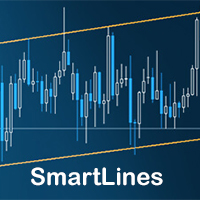
SmartLines allows you to open orders using trend lines. SmartLines for MT5 https://www.mql5.com/ru/market/product/32441 Now you have the opportunity to control breakthroughs of the trend corridor automatically and without delay. As soon as the price crosses your trend line with your settings, the order is automatically opened. You will not miss the moment of the trend change. The principle of working with SmartLines is similar to placement of pending orders. However, pending orders only have the

ScalTradeAssistPro: Empowering Manual Forex Traders with Enhanced Support
The tool presents itself as a solution tailored to address specific scenarios, such as instances where brokers impose limitations on setting Stop Loss (SL) values in close proximity to the initial position value. Notably catering to the needs of scalping traders, ScalTradeAssistPro steps in with a unique capability—the ability to establish "virtual SL/TP" points. This innovative feature calculates both the Stop Loss and T

The AllClosedMT4 utility in the form of an expert. The utility is designed for closing all open positions simultaneously based on the total profit (in the deposit currency) of all open positions. The utility can be attached to any chart with any trading instrument.
Parameters Profit - the total positive profit in the deposit currency, at which all open positions are closed (profit). Stop - the total negative profit in the deposit currency, at which all open positions are closed (loss). The valu
FREE

This expert is a tool which helps every trader to see the historical results by magic number or orders' comment.
You can to get source code from here .
Parameters MagicNumber - Here we put the orders' identifier ID we want to analyze. OrdersComm - Here we put the orders' comment we want to analyze.
How use it Add file in "expert" folder. Attach expert on a chart with your settings (MagicNumber or OrdersComm).
FREE

Z przyjemnością przedstawiamy Państwu wskaźnik informacyjny „Info Trader”.
Ponieważ sami jesteśmy traderami, tworzymy oprogramowanie, którego używamy przede wszystkim w naszych własnych praktykach handlowych. Podczas intraday wielowalutowego handlu nieustannie potrzebowaliśmy gotowego do użycia panelu informacyjnego.
Zapewne zauważyłeś, że konieczne jest podjęcie decyzji o realizacji zysku na koncie z uwzględnieniem zysku na wielu instrumentach. Aby to zrobić, musisz szczegółowo zobaczyć cały

This utility is designed for level trading.
Parameters buy level, sell level - type of the placed order. open price level - price level of the order. open Lot - order volume. Magic - magic number of the order. TakeProfit - take profit of the order in pips, (0.00001) for 4- and 5-digit quotes, (0.001) for 3- and 2-digit quotes. StopLoss - stop loss of the order in pips, (0.00001) for 4- and 5-digit quotes, (0.001) for 3- and 2-digit quotes. repeat open orders as a Limit Order: on, off - enable t
ISO Trend Line Pending Expert is a unique professional tool which can turn any selected Trend Line, Support Line and Resistance Line on your chart into a pending order line or Alert line with different trigger methods. With various order types including Price Touch , Price Break Out and Candle Close Break Out . The Order History feature will let you to have a quick access to all other charts which an order has been executed. It’s truly designed to help traders easily trade and manage many charts

The Custom Market Watch ( CMW ) is a professional grade trading application which allows you to operate effortlessly with large number of symbols and multiple open positions simultaneously from one chart. The Custom Market Watch shows the most essential daily technical information for each symbol in combination with very simple and easy to use trading interface where you can monitor the net exposure for each symbol and you can open and close positions with one click. The app is automatically syn

Underlying assets with expiration date can change automatically to next date in the chart. Some brokers offer underlying assets with expiration date. For example to March, June, September, or December. This tool switches automatically to the next date. Expert Advisors, indicators, charts, or templates receive automatically the new contract. Automatically supported formats: NameMMMYY (Jp225Mar17) or NameMMYY (SugarMr17). Use as an indicator. Path \MQL4\Indicators.
Example From UsaIndJun17 , UsaI

This utility device opens an opposite position a specified distance away from an original order (opened by another EA or just by manual trading) which it automatically detects. It can be used to gain back losses on false breakouts for example. Positions opened by the device can have a fixed SL and TP or/and can be protected by a trailing stop . In addition, it has a partial close function and a separate function to set a TP for secondary targets . It also uses a Magic number system , so it can b

This is a simple leading indicator that will aids in drawing lines for Open price of the day, week, month, and the year. It also draws the High and Low of the periods respectively. The Open price helps marking off the starting point of the any symbol within a specified period. These lines can be useful in determining the trend of any market (stocks and FX). It also inclusde ranges of the pip movement of symbol of any given period. These ranges helps you to identify how far the market has moved t

The TemplateSwitcher utility allows automatically switching the set of indicators and objects used on the chart depending on the current timeframe and/or symbol. It often happens that an indicator with a certain period is used on a chart of a higher timeframe, while the same indicator with an increased calculation period is required for a smaller timeframe. Of course, it is possible to open two charts of different timeframes with the required indicator periods. But what if duplication of charts

The trading panel is designed to close trading positions on the current instrument. The panel shows the account situation for the instrument it is attached to. The panel displays the following information: Balance - account balance; Equity - account equity; Margin - used margin; Free margin - free margin; Total Position - the summary position on the account for the current instrument, in lots; Position buy - the summary position of the buy direction for the current instrument, in lots; Position

AW Shepherd Safety EA é um Expert Advisor para gerenciar posições abertas. A primeira ordem é aberta pelo trader no painel, e a partir daí o EA conduz a cesta sozinho: adiciona ordens de recuperação com filtro de tendência, fecha o lado por TakeProfit, trailing ou stop e mostra os níveis de fechamento no gráfico. Compras e vendas são geridas separadamente, e os dois lados podem ficar abertos ao mesmo tempo. A ordem de recuperação não é aberta apenas pelo passo de preço, mas depois de uma reversã

The ZoomIN indicator is designed for quickly viewing the selected bar on the smaller timeframes in a pop-up window. Once launched, the indicator works in the background, does not take up space on the chart and does not consume system resources. When the indicator is activated by the Shift + i combination (can be changed in the settings), a pop-up window with a chart of a smaller timeframe is created. The displayed timeframe can be changed by a left-click on the magnifying glass icon. To hide the
FREE

Virtual Trailing and Closing Profit by parts
U Trail and Close Part is a fully automated Expert Advisor for managing trades. The following functions are used in the Expert Advisor:
Calculation of risk in a position StopLoss - used for calculation of risk in a trade. LotFixedUse - only a fixed lot is used. LotFixed - fixed lot size. RiskMM - percentage of risk in the position. The function is active if the fixed lot is disabled.
Partial profit taking PartialOn - enable partial closure (true) b

Copyist MS is a simple and easy to use trade copier. It works as a single-file Expert Advisor with toggled Master and Slave operation modes.
Configurations Type of work - work mode selection: Master or Slave; Copy by magic number - copy trade orders by magic number (configure in master terminal) Will not copy currency pairs - list of unwanted currency pairs to copy (configure in master terminal) Master account number - master-terminal trading account number; Selective copying currency pairs - i

This panel closes trading positions at multiple symbols. The panel displays the situation for all open symbols on the account: Balans - account balance Equity - account equity Margin - used margin Freemargin - free margin Summ Position - the summary position on the account, in lots Position buy - the summary buy position, in lots Position sell - the summary sell position, in lots Summ Profit - the total profit (loss) at all positions Profit buy - the total profit of buy positions Profit sell - t

Binary Options Pal Studio is analytical tool for constructing a profitable Binary Options trading strategy, combining technical data and money management systems.
Features Most of indicator parameters are optimizable for best win rate or simulated balance, generating best possible outcome. Daily, hourly ITM statistics are displayed on interactive dashboard, every day of the week and hour can be switched to set up specific time patterns. Trade size, payout, spread and money management systems (i
FREE

This small tool takes over the manually opened positions and treats them according to the predefined settings with the dynamic stop loss and Money Management, which predicts which position size should be used for the trade. The program dynamically tracks the stop loss as soon as the position comes into the plus. Possible commissions and swaps are taken into calculation. It should only be installed on one chart window per symbol.
Settings LotRiskPercent = 25 - Percentage of the item size. Calcul

This script allows selecting the TakeProfit and StopLoss levels. It analyzes the history data, and then calculates the probability of reaching a given price level.
How the script works Suppose you have a trading strategy and you want to select the TakeProfit and StopLoss levels. Run the script and set the parameter: Number of Bars - the average position holding time in bars. Once the script operation is complete, the AIS-PPL.csv file will be created in the Files folder in the terminal data cata
FREE

This trade panel is designed for opening market orders with predefined values of Magic, TakeProfit and StopLoss. The panel displays the following data: Ask - current Ask price; Bid - current Bid price; Spread - spread equal to (Ask-Bid)*0.0001 for 4- and 5-digit quotes, and (Ask-Bid)*0.01 for 3- and 2-digit quotes; Buy - button for sending a request to open a Buy order; Sell - button for sending a request to open a Sell order; TakeProfit - set TakeProfit: pips - in pips (0.00001) for 4- and 5-di

This utility searches the history for price patterns, which are similar to those present in the intervals selected by trader (there are several intervals, see the screenshot). The length of the pattern and selected intervals is the same and is given by the number of bars. The similarity is estimated by comparing the colors of bar bodies, sizes of bars' bodies and wicks. For all identified patterns, further movement of the price is visualized as lines. The color of lines determines the degree of

As it is known, one of the winning parameters in Forex market is Money Management, which is more crucial than a good strategy. So it is good to know that there is a hidden fact in the market, so called pip's value. Most traders pay no attention to this fact. Here comes an example to brighten up. If you have an EUR account, pip's value for each 0.1 lots on EURGBP is around 1.10380 (it depends on the current rate) and on EURUSD is around 0.85050, it means if you take a trade on each of these curre

The utility searches the price history looking for the pattern similar to the one within a specified interval. The length of a pattern and a specified interval is the same and set in bars. Similarity is estimated by comparing the bars' body colors, size and shadows. The subsequent price movement is displayed as lines for all detected patterns. The color of the lines defines the degree of similarity. The movement length is set as a number of bars. Search for patterns and visualization are perform
FREE
This program does not open orders on its own, but instead monitors the active orders of the currency pair it is attached to. The EA sets the Take Profit (TP) or Trailing Stop (TS) levels for active market trades. If pending orders are triggered, the program recalculates the levels and modifies the previously placed trades. The program monitors SELL and BUY orders separately. For example, the program can close SELL trades using TS, and set TP for BUY trades.
Settings profit_Ord___BUY = 15 - prof

This utility is designed for testing the signal indicators (arrow or trend based). This utility allows quickly evaluating the efficiency of an indicator. To use this utility correctly, enter the exact name of your indicator in name_indicators. Then set filter 1 or 2, depending on the bar, where the order should be opened. Next, set the number of the buffer for buying and selling, set take profit and stop loss. The indicator is ready to be tested. This utility can be used in live trading as well.

The Quick Style utility is designed for facilitation and acceleration of working with the properties of graphical objects. Left-click a graphical object while holding the Shift key to open the quick access window for configuring the object properties. In the window, you can change the color, style and line width with one click, including those of other graphical objects. All changes are displayed immediately. To close the Quick Style , simply click the free space on the chart. The utility is eas
FREE

Risepanel helps you open positions, close positions and analyze currencies. It works any time frame. For calculations to be correct, your account currency must be USD, EUR or GBP.
Features Market information. Orders and Pending Orders (Stop & Limit). 8 kinds of Pending by trend line. Specifications and Margin Calculation Required by Buy or Sell. Calculate and determine Stop Loss by pip, currency pair price, monetary value and percentage of risk. Calculate and determine the take profit by pip, t
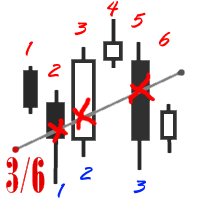
The utility simplifies the search for maximum bars accumulation levels. These levels can be used both for technical analysis and trading actions, like setting a stop loss or pending orders. Additional analytical methods are recommended for levels confirmation.
How it works Сounter mode (enabled by default). In the Сounter mode, draw a trend line on the chart and the utility will specify its length in bars as well as the number of bars the line crosses. When moving a trend line, the utility re-c
FREE

OneClick Trades Panel Basic is a utility software created to open and also manage the open orders by closing each trades accordingly right from your charts. This version has few buttons and they are to open Buy and Sell trades, and also buttons to close Buy, Sell and all orders (both Buy and Sell) simultaneously. This is a basic version with minimal features.
Features Buy - button used to open a Buy trades. Sell - button used to open Sell trades. Close Buy - button used to close Buy trades. Clo
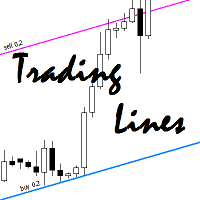
This utility is an Expert Advisor for semi-automatic trading within a price channel. It enters the market when the price crosses the channel boundary. Trend lines with a special type of description should mark the boundaries of the price channel. Trader is responsible for creating and aligning such trade lines on the required chart. The lines should be placed according to the same rules the "buy limit" and "sell limit" pending orders are placed. A trend line with a description of type "buy x" (w

What Trades Manager can do for your trades . Collect all order positions into one chart (pict. 1). All orders will be grouped by pair symbol , sum of order positions, lots, running pips, and profit/losses. All orders will be summarized and displayed at the bottom of the panel. You can set target profit, stop loss and placing stop-profit automatically to each order (pict. 4). From one chart, it will be easier to monitor and manage all orders without moving to another chart. The green color is sur

This utility allows you to check and improve your binary options trading skills. This is an indicator, not an Expert Advisor. Therefore, you do not need to remove your active EA from the chart.
Inputs Expiry, min - option expiration time; InfoPanel background color - info panel background color; InfoPanel text color - info panel text color; InfoPanel text fontsize - info panel font size.
FREE

Url Watermark is an handy indicator that allows you to see the name of the financial instrument, the time frame, and the website link on chart. Very simple to use. You can also add your web site Logo image. Note : the size of the bitmap must be the same as the input, otherwise the picture will not be loaded It allows a full customization to fit the indicator to any type of chart.
Input Values LOGO SETTINGS Logo file name (.bmp): example "\\Images\\MyLogo.bmp" (attention: leave the correct folde

Multi Exposition Meter makes your multi instrument exposure clear and readable, no matter how complicated and hedged it is. It does the following: It measures which instruments are traded against which ones in any moment. Measures the exposure share (weight) of each instrument, regarding its volume. Measures total volume, volume at risk and hedged volume. It measures the factor of diversification of the exposure. It calculates the amount of hedging per each instrument, in percent. Shows spread c

This type of EA does not open orders itself. (in backtest mode it open random orders for visualizing, how EA works) This utility is for manual trader, who like trading with Trailing Stops and want automatically trail stop loss of opened positions by preferred algorithm. This EA using one of the seven algorithms (MA, Fractals, SAR, ATR, Movement of Candlesticks, Profit and Points) to catch the trend. You can specify a breakeven level to move stop loss of your opened positions. You can filter ope

FastMove is a panel with 5 buttons, a notification area and a text entry. Its goal is to enable quick and simple execution. Buttons: MOVE - Move the interface BUY - Start of buy process SELL - Start of sell process L - Select quantity of lots % - Select quantity of percent of balance Areas: Notifications - This area displays notifications of the various states of the program and the commands sent. Text input - Here you enter the number of lots or the percentage of risk capital depending on the o
FREE

Close Assistant (CA) is a full featured utility for monitoring and closing a set of positions placed by trader or EA. It closes filtered orders in specified time or level or candle patterns or when a certain profit or loss of the total positions is reached. CA uses Zero Profit Lock function to save deposit when total profit falls to zero. Profit and loss levels can be set in fixed amount of account currency or percentage of balance or equity or margin. CA only monitors and works on filtered po

This utility is a functional panel for manual trading. A special feature provided by the panel is the possibility to choose the stealth mode, in which operation is invisible to the broker! In this mode, a trader can open one sell and one buy order (in future updates, the number of orders will be increased). Any number of orders can be opened in the normal mode. In the assistant parameters, you can set stop loss, take profit, trailing stop, etc. In addition, you can control drawdown and limit it

Trendline EA MT4 Trendline EA MT4 é um Expert Advisor (EA) semiautomático para MetaTrader 4 concebido para executar ações de trading ou gerar alertas com base em linhas de tendência desenhadas pelo utilizador. O MetaTrader 4 não oferece nativamente a possibilidade de abrir ou gerir ordens diretamente a partir de linhas de tendência. Este Expert Advisor estende o comportamento padrão da plataforma ao monitorizar linhas de tendência definidas pelo utilizador e executar ações predefinidas quando o

The TimeFilter indicator allows visually selecting the bitmaks (GoodHourOfDay, BadHoursOfDay, GoodDayOfWeek, BadDaysOfWeek) for the Standard Library's Intraday Time Filter module for trading signals. Additionally, it is possible to enable and disable the trading intervals in a string form. It is also possible to use the trade volume multiplier when using the indicator as a part of an EA. String format: [week day]:[first hour]-[last hour]. See the screenshots and the video for usage examples.
Pa

SimpleStop is a utility for professional traders: full support for the strategy tester for manual trading (Backtest) - placing, dragging, deleting orders (also available in the demo version); placing orders in one click at the price with no limits on the maximum allowed offset level, as well as in a closed market. The EA places an appropriate order at the appropriate time - stop, limit or opening a position by market within the maximum slippage; automatic Money Management; automatic placement of
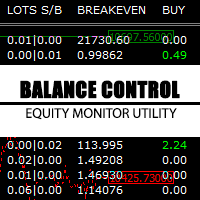
Balance Control is a suite of information about your trading account. The indicator returns the annual, quarterly, monthly, weekly and daily earnings from your operations history. Also, other helpful data of the leverage used, account leverage and free margin are shown on the chart. The most interesting feature of this indicator is the aggregation of positions and the ability to view the chart in question with a simple click. When you click on a symbol of open operation, a new chart is opened. O
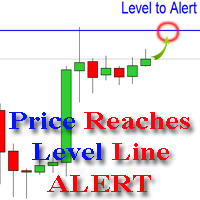
The indicator alerts you when the market price crosses your line level (adjustable). You can change color, thickness and default pip distance for the line via the parameter in input tab (see the screenshot and video below).
Parameters line_color : color for the line to be drawn line_thickness : thickness of the line sound : name of sound file if you want it to play at crossing time default_distancepip : at the first times you add the indicator on chart, it will use this param to draw the line w

FastMove is a panel with 5 buttons, a notification area and a text entry. Its goal is to enable quick and simple execution. Buttons: MOVE - Move the interface BUY - Start of buy process SELL - Start of sell process L - Select quantity of lots % - Select quantity of percent of balance Keyboard inputs ' ESC ' - Cancels the operation or return to the previous stage. ' F ' - Lock or unlock interface to prevent accidental executions. M - Move the interface. P - Exchange between pending orders or mark

Spread Based pair trading tool It is a very useful tool for commodities traders . Specially those traders who trade crude oil and brent oil. This is also a good strategy for any two pairs which have very high correlation.
This panel consists of Two drop downs to select two symbols. One should chose two mutually correlated symbols. Fields to enter a spread value and trade lot size.
How a trade in this panel is placed? When you click on the place order button, it starts tracking the market and s

QuickClose: Instant Order Management Made Simple QuickClose allows you to instantly close all orders with a single click. It operates at high speed, giving you the flexibility to close orders for a specific symbol or all symbols at once. This makes trade management significantly faster and more efficient. This Expert Advisor can swiftly close all buy and sell orders either for a selected symbol or across all trades. The SymbolButton is specifically designed for order closure, featuring bo

Chart Button is a very useful indicator that allows you to navigate all charts with a simple click. This tool has been designed to work both vertically and horizontally. The particularity of this navigator is that you can change more charts simultaneously setting the input value. This tool will give you the ability to optimize your navigation and speed up all your analyzes.
Input Values Direction (the direction of symbols buttons) Horizontal Vertical 32 SYMBOLS Forex_Suffix_Symbols (add Forex S

One simple helper for your business. One click to open an order to buy or sell with your settings. You can open more information and obtain the average of all inputs depending on the setting. One click on the buttons and operations in this market are done!
Inputs Comments - additional comment to orders Lots - initial lot Lot exponent - value the lot should be multiplied by when the next generation is placed Maximum lot size - maximum size of the lot Magic number Take profit Take profit for more

Please note: This demo will work only on EURUSD live chart. It will not run in the strategy tester. ChartTrader is a professional trading tool that every trader needs in their toolbox. It has been developed to work with the MetaTrader 4 platform. ChartTrader offers a number of options to make placing orders in the Forex market quick and easy. The GUI sits on the chart window, so there is no need to navigate to separate windows when placing orders. The program allows you to set pending and insta
FREE

This is a panel which can be used by the users to place a pending order in which they can customize their order while working on the chart. This panel allows its user to input their trade values. It is an easy to use panel from which user can place their pending orders quickly.
Inputs of this Panel Includes Price - The user inputs the price to place pending trade. Type - The user inputs the type of pending trade (BL,SL,BS,SS). Lot Size - The user inputs the lot size for the trade. Risk% - The u

Mind Wave Trading Simulator is a training/trading utility for MetaTrader 4 that runs in both tester and real trade modes. It extends MetaTrader 4 functionality and makes trading easier in both tester and real trade modes. When used in the MetaTrader 4 tester, it offers traders an opportunity to practice and train their manual trading skills in accelerated speed. No need to wait for hours and days in real time demo trading to evaluate some manual trading strategy.
Features that extend MetaTrader

Link several charts to each other to create a chartgroup. Used for rapid analysis of markets/symbols on multiple timeframes. ChartGroup is implemented as a MetaTrader indicator. When the indicator is applied to several charts they share either the same Symbol or Timeframe, depending on the setting of the single Input-Parameter "mode". You can create one group sharing the same symbol and one group sharing the same timeframe/period at one point in time. The number of charts for a group is not limi

The script displays info about the share's corporate reports and dividends. The data is downloaded from investing.com : Report date Profit per share (EPS) Revenue Market capitalization Amount of dividends Date of payment of dividends Dividend income The product cannot be tested in the tester (since it is not possible to receive data from the Internet).
Before launching: Add 2 URL https://ru.investing.com/earnings-calendar/Service/getCalendarFilteredData and https://ru.investing.com/di
Você sabe por que o mercado MetaTrader é o melhor lugar para vender as estratégias de negociação e indicadores técnicos? Não há necessidade de propaganda ou software de proteção, muito menos problemas de pagamentos. Tudo é providenciado no mercado MetaTrader.

Você está perdendo oportunidades de negociação:
- Aplicativos de negociação gratuitos
- 8 000+ sinais para cópia
- Notícias econômicas para análise dos mercados financeiros
Registro
Login
Você concorda com a política do site e com os termos de uso
Se você não tem uma conta, por favor registre-se