Vladislav Andruschenko / 프로필
- 정보
|
14+ 년도
경험
|
44
제품
|
2345
데모 버전
|
|
93
작업
|
0
거래 신호
|
0
구독자
|
저는 Vladislav입니다. 2007년부터 MetaTrader용 도구를 개발해 온 전문 MQL4/MQL5 개발자입니다.
Expforex는 MetaTrader 4 및 MetaTrader 5를 위한 실용적인 트레이딩 솔루션을 개발합니다:
Expert Advisors, 트레이딩 패널, 거래 복사 도구, 리스크 관리 유틸리티, 계좌 리포트, 테스트 도구 및 자동매매 시스템.
✅ 2007년부터 MetaTrader 개발
✅ MT4 및 MT5용 전문 도구
✅ 문서, 동영상 가이드 및 제품 지원
✅ 트레이더, 개발자, 계좌 운용자를 위한 전문 유틸리티
━━━━━━━━━━━━━━━━━━━━
⭐ VirtualTradePad PRO SE — 프리미엄 MetaTrader 트레이딩 워크스페이스
MT4 및 MT5용 전문 수동 거래 패널로, 차트 기반 제어, 포지션 관리, 주문 도구, 부분 청산, 평균가 관리, 시그널 워크스페이스, 테스트 준비 및 고급 거래 모듈을 제공합니다.
https://expforex.com/ko/vtpprosehero/
━━━━━━━━━━━━━━━━━━━━
🌐 Expforex 공식 웹사이트 https://www.expforex.com/ko/
🚀 Expforex 전체 제품 허브 https://www.mql5.com/ko/blogs/post/760828
🛒 MQL5 Market의 전체 제품 https://www.mql5.com/ko/users/vladon/seller#products
📘 모든 MQL5 가이드 https://www.mql5.com/ko/users/vladon/blog
━━━━━━━━━━━━━━━━━━━━
💬 질문, 아이디어가 있거나 도움이 필요하신가요?
먼저 전체 가이드와 제품 문서를 확인하는 것을 권장합니다. 대부분의 답변, 설정 예시, 중요한 사용 방법은 이미 문서에 자세히 설명되어 있습니다.
특정 제품에 대한 개인적인 도움이 필요하다면, 사용 중인 해당 제품 페이지의 Comments 섹션에 질문을 남겨 주세요. 이렇게 하면 제품 버전, 설정, 스크린샷, 로그를 더 쉽게 확인할 수 있으며, 더 정확한 답변을 드릴 수 있습니다.
여러분의 피드백, 아이디어, 실제 트레이딩 시나리오는 Expforex 제품을 더욱 개선하는 데 큰 도움이 됩니다.
━━━━━━━━━━━━━━━━━━━━
🔗 소셜 링크
📢 MQL5 Channel https://www.mql5.com/ko/channels/expforex
▶️ YouTube https://www.youtube.com/Expforex
📘 Facebook https://www.facebook.com/ExpForex/
𝕏 X / Twitter https://x.com/expforex
📱 Telegram https://t.me/Expforex
🎵 TikTok https://www.tiktok.com/@expforex
📧 Contact https://expforex.com/ko/contacts/
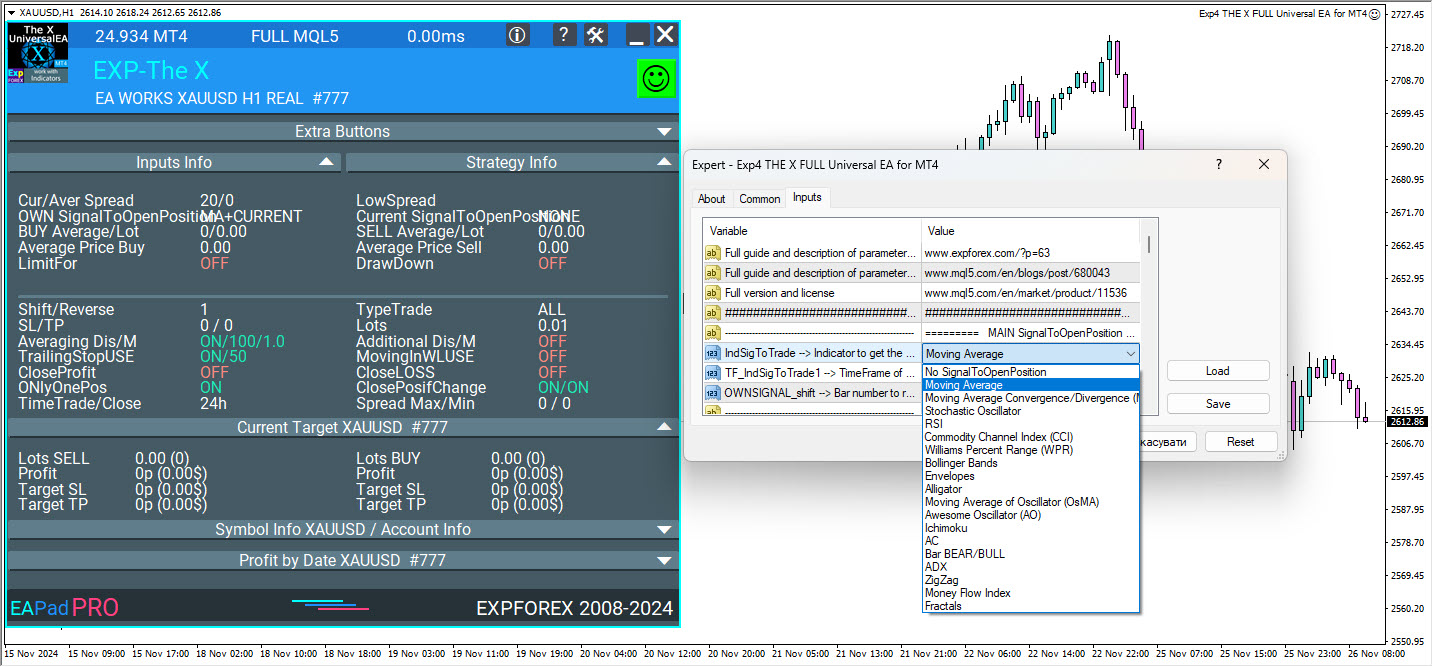
Learn more in your language:
English – https://expforex.com/thex/
Chinese (zh) – https://expforex.com/zh/thex/ – 通用外汇交易专家,使用标准指标
French (fr) – https://expforex.com/fr/thex/ – Conseiller universel utilisant des indicateurs standards
German (de) – https://expforex.com/de/thex/ – Ihr universeller Berater mit Standardindikatoren
Italian (it) – https://expforex.com/it/thex/ – Consulente universale basato su indicatori standard
Japanese (ja) – https://expforex.com/ja/thex/ – 標準指標を使用した汎用トレーディングエキスパート
Korean (ko) – https://expforex.com/ko/thex/ – 표준 지표를 사용하는 범용 거래 전문가
Portuguese (pt) – https://expforex.com/pt/thex/ – Consultor universal com indicadores padrão
Russian (ru) – https://expforex.com/ru/thex/ – универсальный советник с использованием стандартных индикаторов
Spanish (es) – https://expforex.com/es/thex/ – Asesor universal utilizando indicadores estándar
Turkish (tr) – https://expforex.com/tr/thex/ – Standart göstergelerle evrensel danışman
Ukrainian (ua) – https://expforex.com/ua/thex/ – Універсальний радник із використанням стандартних індикаторів
🚀 Get the Best Expert Advisors for MetaTrader at Unbeatable Prices!
💡 Boost Your Forex Trading with Smart Tools and Powerful Algorithms.
⏳ Don’t Miss Out—Your Journey to Success Starts Now!
💸 Black Friday Special: Unlock Exclusive Deals and Discounts Today!
https://www.mql5.com/en/users/vladon/seller#products
https://expforex.com/discounts
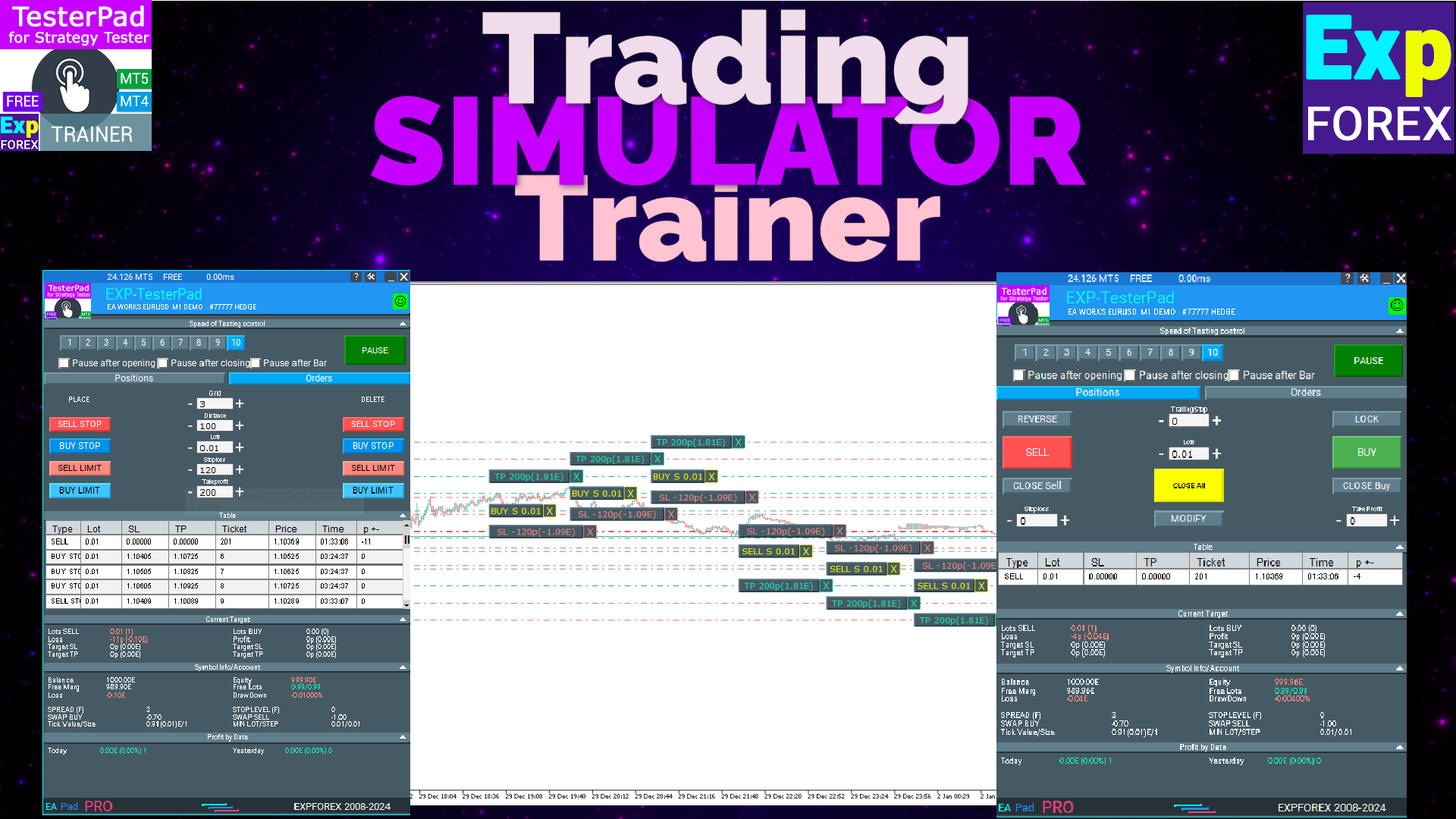
📈 Unlock the power of strategy testing with Tester Pad, an innovative simulator designed to refine your trading skills and enhance your strategies. Practice real-time trading using indicators directly in the MetaTrader Strategy Tester!
Experience the advantage of detailed indicator-based simulations, allowing you to practice and improve without risking real capital. Test, analyze, and perfect your strategies to prepare for live trading confidently.
Join the community of traders who rely on Tester Pad to sharpen their strategies and achieve better trading results. Start your journey to professional-level testing and strategy refinement today!
Discover more:
Tester Pad in English – https://expforex.com/testerpad/
Tester Pad in Chinese (zh) – https://expforex.com/zh/testerpad/ – 专业的外汇策略测试模拟器
Tester Pad in French (fr) – https://expforex.com/fr/testerpad/ – Tester Pad – Simulateur avancé pour vos stratégies Forex
Tester Pad in German (de) – https://expforex.com/de/testerpad/ – Tester Pad – Ihr Forex-Strategie-Simulator
Tester Pad in Italian (it) – https://expforex.com/it/testerpad/ – Tester Pad – Simulatore avanzato per strategie Forex
Tester Pad in Japanese (ja) – https://expforex.com/ja/testerpad/ – Tester Pad – Forexストラテジーシミュレーター
Tester Pad in Korean (ko) – https://expforex.com/ko/testerpad/ – Tester Pad – 고급 외환 전략 시뮬레이터
Tester Pad in Portuguese (pt) – https://expforex.com/pt/testerpad/ – Tester Pad – Simulador avançado de estratégias Forex
Tester Pad in Russian (ru) – https://expforex.com/ru/testerpad/ – Tester Pad – Ваш передовой симулятор для тестирования стратегий на Forex
Tester Pad in Spanish (es) – https://expforex.com/es/testerpad/ – Tester Pad – Simulador avanzado de estrategias Forex
Tester Pad in Turkish (tr) – https://expforex.com/tr/testerpad/ – Tester Pad – Gelişmiş Forex Strateji Simülatörü
Tester Pad in Ukrainian (ua) – https://expforex.com/ua/testerpad/ – Tester Pad – Ваш просунутий симулятор стратегії для Forex
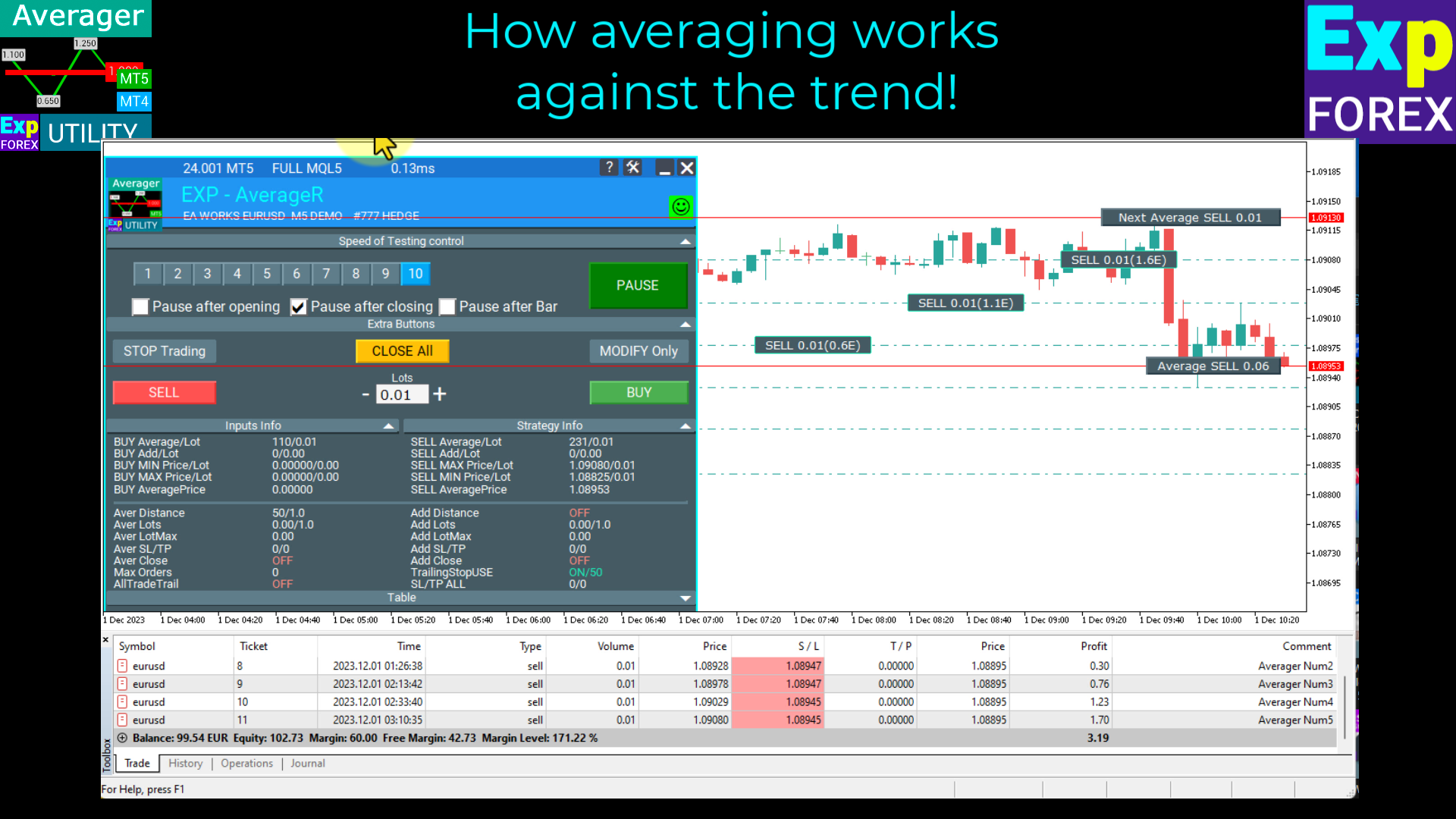
📈 Optimize your trading approach with the Averager, a versatile tool designed to support both trend-following and counter-trend strategies. Effortlessly manage averaging positions and open deals with precision, whether you're trading against the trend or on the trend.
Stay ahead of the market and boost your trading performance with comprehensive control for every position!
Join traders worldwide who rely on the Averager to improve their trading results. Start managing your trades like a pro with strategic averaging!
Discover more:
Averager in English – https://expforex.com/averager/
Averager in Chinese (zh) – https://expforex.com/zh/averager/ – 你的平均交易助手,支持逆势和顺势开单管理
Averager in French (fr) – https://expforex.com/fr/averager/ – Averager – Outil pour la gestion des positions moyennes, pour des stratégies de tendance et contre-tendance
Averager in German (de) – https://expforex.com/de/averager/ – Averager – Werkzeug zur Verwaltung von Durchschnittspositionen, für Trendfolgen und Gegen-Trend-Strategien
Averager in Italian (it) – https://expforex.com/it/averager/ – Averager – Strumento per la gestione delle posizioni medie, per strategie di tendenza e contro-tendenza
Averager in Japanese (ja) – https://expforex.com/ja/averager/ – Averager – トレンドと逆トレンドのポジション平均化ツール
Averager in Korean (ko) – https://expforex.com/ko/averager/ – Averager – 트렌드 및 역트렌드 포지션 관리를 위한 평균화 도구
Averager in Portuguese (pt) – https://expforex.com/pt/averager/ – Averager – Ferramenta para gestão de posições médias, para estratégias de tendência e contra-tendência
Averager in Russian (ru) – https://expforex.com/ru/averager/ – Averager – Инструмент для управления средними позициями в тренде и против тренда
Averager in Spanish (es) – https://expforex.com/es/averager/ – Averager – Herramienta para gestionar posiciones promedias en contra de la tendencia y en la tendencia
Averager in Turkish (tr) – https://expforex.com/tr/averager/ – Averager – Araç pozisyonları ortalamak için, trend ve karşı-trend stratejileri için destek
Averager in Ukrainian (ua) – https://expforex.com/ua/averager/ – Averager – Інструмент для управління середніми позиціями по тренду та проти тренду
Enhance your trading strategy with the Averager today!
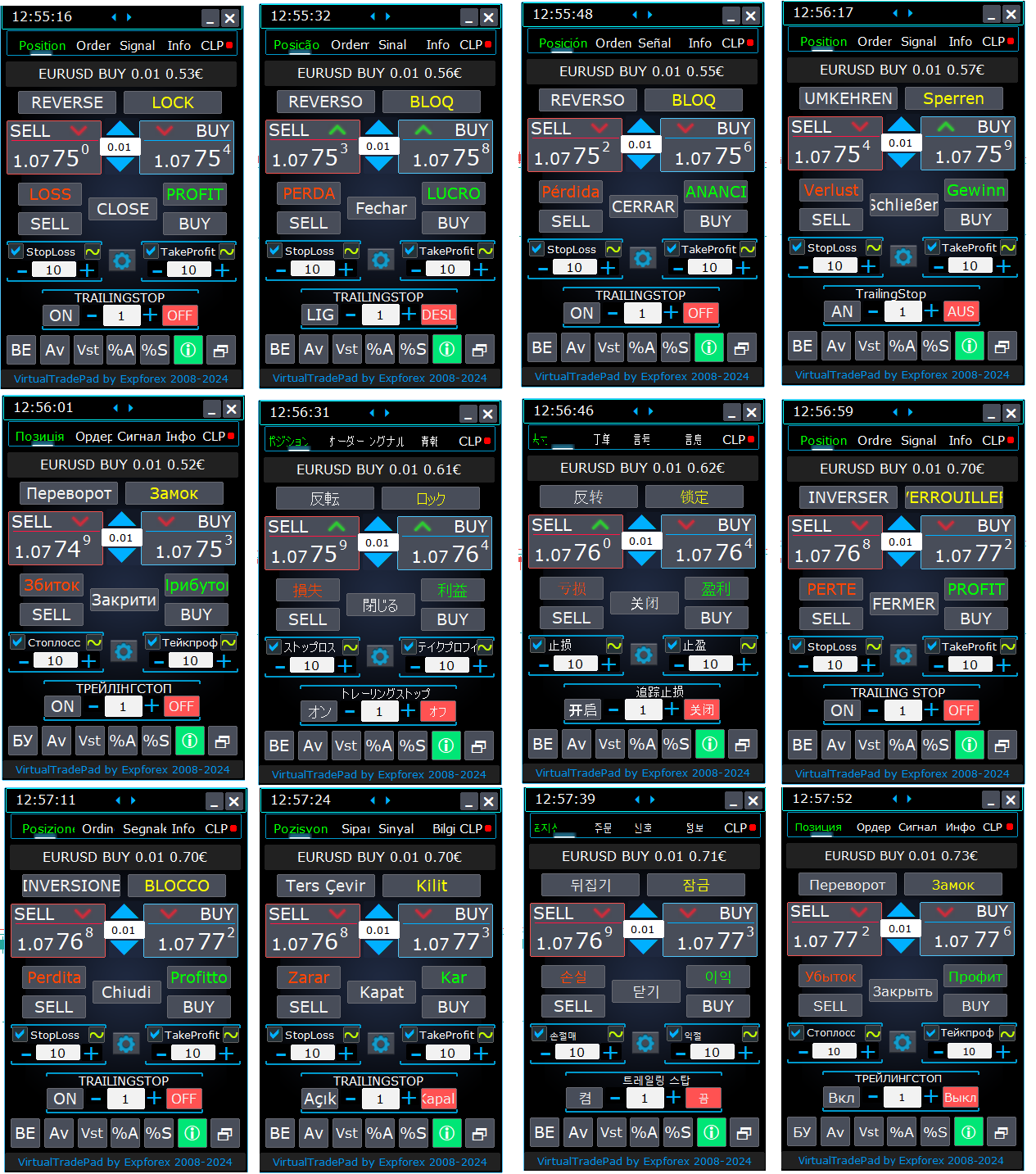
📊 Now supporting 12 languages, VirtualTradePad (VTP) makes it easier than ever for traders worldwide to execute trades seamlessly with one-click simplicity right from the chart or keyboard.
Want to place trades and manage your positions in your own language?
🌍 VirtualTradePad simplifies the trading experience for everyone, whether you’re in China, France, Germany, Italy, Japan, Korea, Brazil, Spain, Turkey, or Ukraine!
🌐 With a single click, switch to your language and access clear, easy-to-use trading commands tailored for MetaTrader.
Trade efficiently and without language barriers – with robust support for your language and smooth integration into MetaTrader.
Join successful traders around the world and elevate your trading experience! 💼✨
Learn more at:
VirtualTradePad in English – https://expforex.com/virtualtradepad/
VirtualTradePad in Chinese (zh) – https://expforex.com/zh/virtualtradepad/ – 从图表和键盘进行一键交易的交易面板
VirtualTradePad in French (fr) – https://expforex.com/fr/virtualtradepad/ – VirtualTradePad – Panneau de trading pour le trading en un clic
VirtualTradePad in German (de) – https://expforex.com/de/virtualtradepad/ – VirtualTradePad – Handels-Panel für den Ein-Klick-Handel
VirtualTradePad in Italian (it) – https://expforex.com/it/virtualtradepad/ – VirtualTradePad – Pannello di trading per il trading con un clic
VirtualTradePad in Japanese (ja) – https://expforex.com/ja/virtualtradepad/ – VirtualTradePad – チャートとキーボードからのワンクリックトレード用の取引パネル
VirtualTradePad in Korean (ko) – https://expforex.com/ko/virtualtradepad/ – VirtualTradePad – 차트와 키보드에서 원클릭 거래 패널
VirtualTradePad in Portuguese (pt) – https://expforex.com/pt/virtualtradepad/ – VirtualTradePad – Painel de negociação para negociação com um clique
VirtualTradePad in Russian (ru) – https://expforex.com/ru/virtualtradepad/ – VirtualTradePad – Панель для торговли в один клик с графика и клавиатуры
VirtualTradePad in Spanish (es) – https://expforex.com/es/virtualtradepad/ – VirtualTradePad – Panel de trading para el trading con un clic
VirtualTradePad in Turkish (tr) – https://expforex.com/tr/virtualtradepad/ – VirtualTradePad – Tek tıklamayla işlem yapmak için ticaret paneli
VirtualTradePad in Ukrainian (ua) – https://expforex.com/ua/virtualtradepad/ – VirtualTradePad – Торговельна панель для торгівлі в один клік з графіка та клавіатури
Explore all the details and start trading more efficiently today!
🔹 ExtraReportPad MT4: https://www.mql5.com/en/market/product/15056
🔹 ExtraReportPad MT5: https://www.mql5.com/en/market/product/36730
📰↔️↔️↔️FULL GUIDE for ExtraReportPad: https://www.mql5.com/en/blogs/post/688893
🌐↔️↔️↔️FULL GUIDE for ExtraReportPad: https://www.expforex.com/?p=55
▶️YouTube: https://www.youtube.com/watch?v=K-OUdgLQRfg
⭐⭐⭐⭐⭐⭐⭐⭐⭐⭐⭐⭐⭐⭐⭐⭐⭐⭐⭐⭐⭐⭐
Exp – AI Sniper. Automatic Smart Expert Advisor for Metatrader.
💎 Exp – AI Sniper MT4: https://www.mql5.com/pt/market/product/118167
💎 Exp – AI Sniper MT5: https://www.mql5.com/pt/market/product/118127
🌐↔️↔️↔️ FULL GUIDE for Exp – AI Sniper: https://expforex.com/aisniper/
▶️Youtube: https://www.youtube.com/watch?v=TdFK770JeHw
⭐⭐⭐⭐⭐⭐⭐⭐⭐⭐⭐⭐⭐⭐⭐⭐⭐⭐⭐⭐⭐⭐
🆕🆕🆕🆕🆕🆕🆕🆕🆕🆕🆕🆕🆕🆕🆕🆕🆕🆕🆕🆕🆕🆕
AI Sniper for MetaTrader 4 — 정밀한 실행을 위해 설계된 지능형 트레이딩 로봇 AI Sniper 는 MetaTrader 4 전용으로 개발된 스마트하고 적응형인 트레이딩 로봇입니다. 단순한 일반형 Forex 봇이 아니라, 더 높은 정밀도와 더 명확한 구조, 그리고 더 전문적인 자동매매 환경을 원하는 트레이더를 위해 설계되었습니다. AI Sniper for MT4 는 고급 알고리즘 로직, 실시간 시장 해석, 그리고 정교하게 설계된 실행 구조를 결합하여 BUY 및 SELL 기회를 더욱 높은 품질로 포착할 수 있도록 돕습니다. AI Sniper 는 시장의 원초적인 가격 움직임을 보다 명확하고 구조적인 트레이딩 판단으로 전환합니다. 시스템은 가격 행동, 시장 환경, 기술적 조건을 지속적으로 평가하여 더 유리한 진입 구간과 더 견고한 관리 시나리오를 찾아냅니다. Forex 시장과 금융시장 전반에서 축적된 15년 이상의 실전 경험을 바탕으로, 이 Expert Advisor는
AI Sniper for MetaTrader 5 — 정밀한 실행을 위해 설계된 지능형 트레이딩 로봇 AI Sniper 는 MetaTrader 5 를 위해 개발된 강력하고 지능적인 트레이딩 로봇으로, 단순한 일반형 Expert Advisor를 넘어서는 성능과 완성도를 원하는 트레이더를 위해 설계되었습니다. 고급 시장 로직, 적응형 매매 구조, 그리고 정교한 진입 타이밍 분석을 결합하여 변동성이 큰 시장에서 확률 높은 BUY 및 SELL 기회를 식별할 수 있도록 돕습니다. AI Sniper 는 MT5 환경에 최적화된 자기 최적화형 트레이딩 시스템으로, 시장을 실시간으로 분석하고 변화하는 조건에 반응하며, 속도·논리·정밀성을 바탕으로 거래를 실행하도록 설계되었습니다. AI Sniper 는 단순한 진입 공식만 사용하는 일반적인 자동매매 로봇이 아닙니다. 더 깊이 있는 시장 평가를 기반으로 하며, 기술적 분석, 전략 필터, 그리고 가격 변동마다 수행되는 지속적인 내부 계산을 결합해
Take advantage of the AI chat on www.expforex.com!
The intelligent Expforex AI assistant instantly answers questions related to our trading and investment programs.
Get quick and accurate responses, as well as support for all aspects of our website.
Optimize your financial decisions with the help of artificial intelligence!
https://www.youtube.com/watch?v=EgTsrAsgpRA
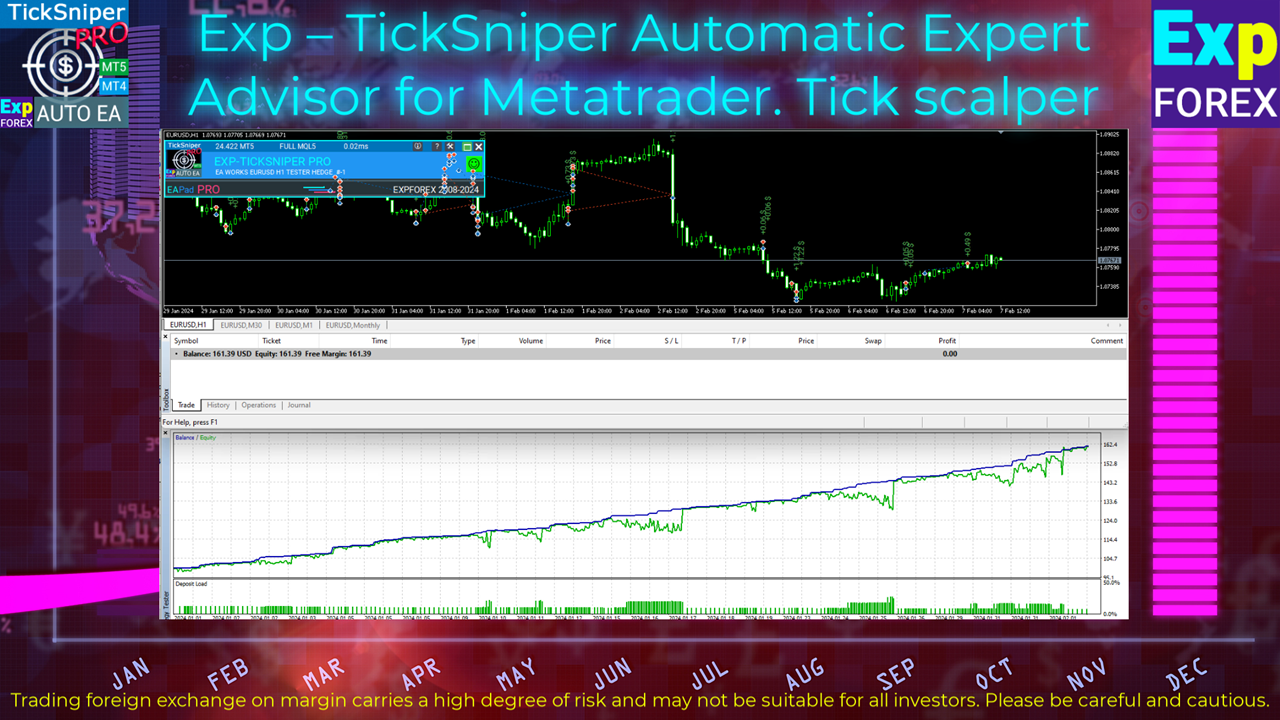
TICKSNIPER PRO is a high-speed tick scalper with auto-selection of parameters for each currency pair automatically.
💎 TICKSNIPER MT4: https://www.mql5.com/en/market/product/1287
💎 TICKSNIPER MT5: https://www.mql5.com/en/market/product/3493
📰↔️↔️↔️ FULL GUIDE for TICKSNIPER: https://www.mql5.com/en/blogs/post/681147
🌐↔️↔️↔️ FULL GUIDE for TICKSNIPER: https://www.expforex.com/?p=10
💛💛💛💛💛💛💛💛💛💛💛💛💛💛💛💛💛💛
COPYLOT Trade Copier zwischen Terminals
💎 COPYLOT MT4: https://www.mql5.com/de/market/product/6226
💎 COPYLOT MT5: https://www.mql5.com/de/market/product/11953
↔️↔️↔️ FULL GUIDE for COPYLOT : https://www.mql5.com/en/blogs/post/684303
↔️↔️↔️ FULL GUIDE for COPYLOT : https://www.expforex.com/?p=44
▶️Youtube: https://www.youtube.com/watch?v=l1eurZ2FZ-I
💛💛💛💛💛💛💛💛💛💛💛💛💛💛💛💛💛💛
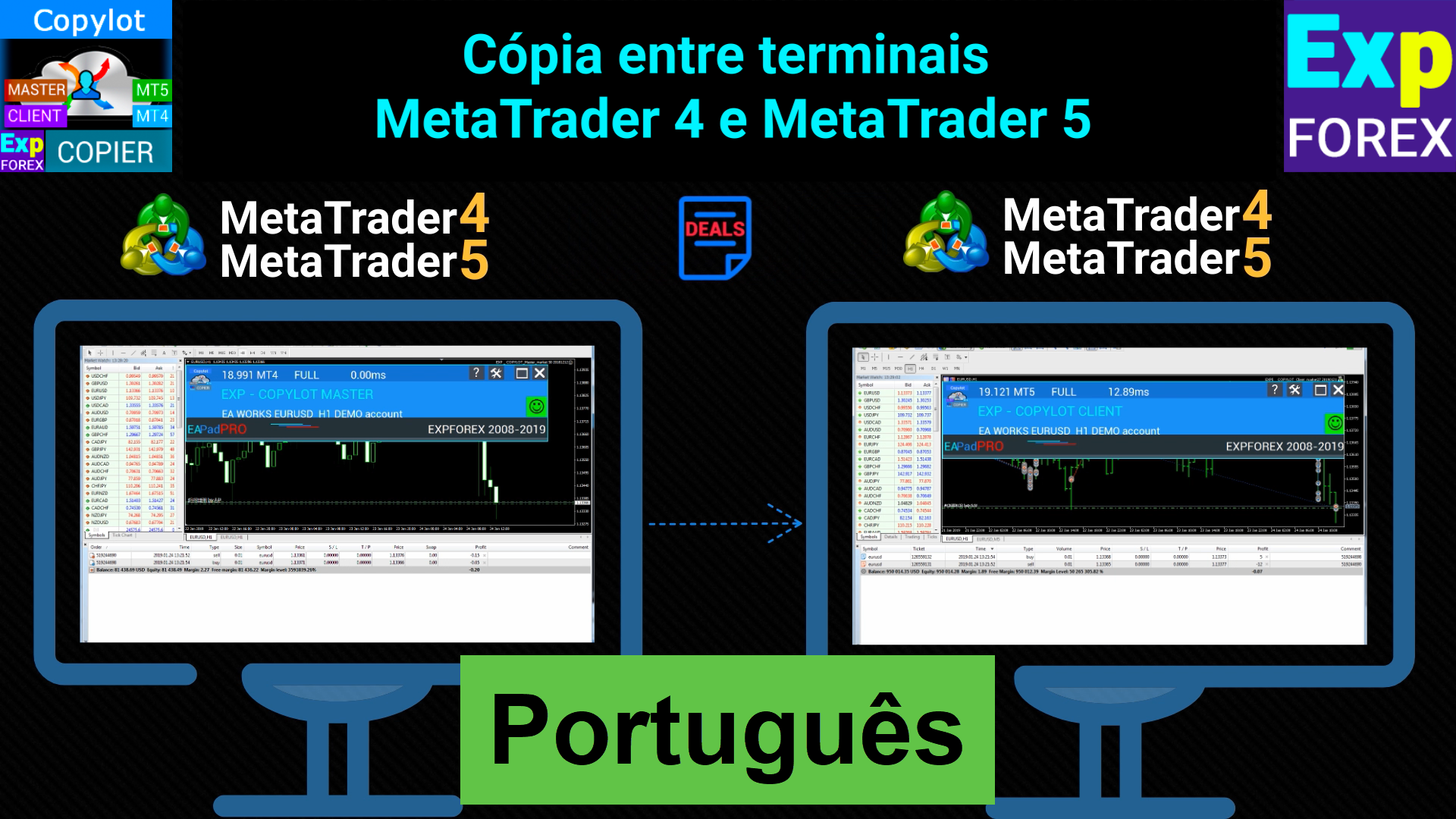
COPYLOT Copiadora comercial entre terminais
💎 COPYLOT MT4: https://www.mql5.com/pt/market/product/6226
💎 COPYLOT MT5: https://www.mql5.com/pt/market/product/11953
↔️↔️↔️ FULL GUIDE for COPYLOT : https://www.mql5.com/en/blogs/post/684303
🌐↔️↔️↔️ FULL GUIDE for COPYLOT : https://www.expforex.com/?p=44
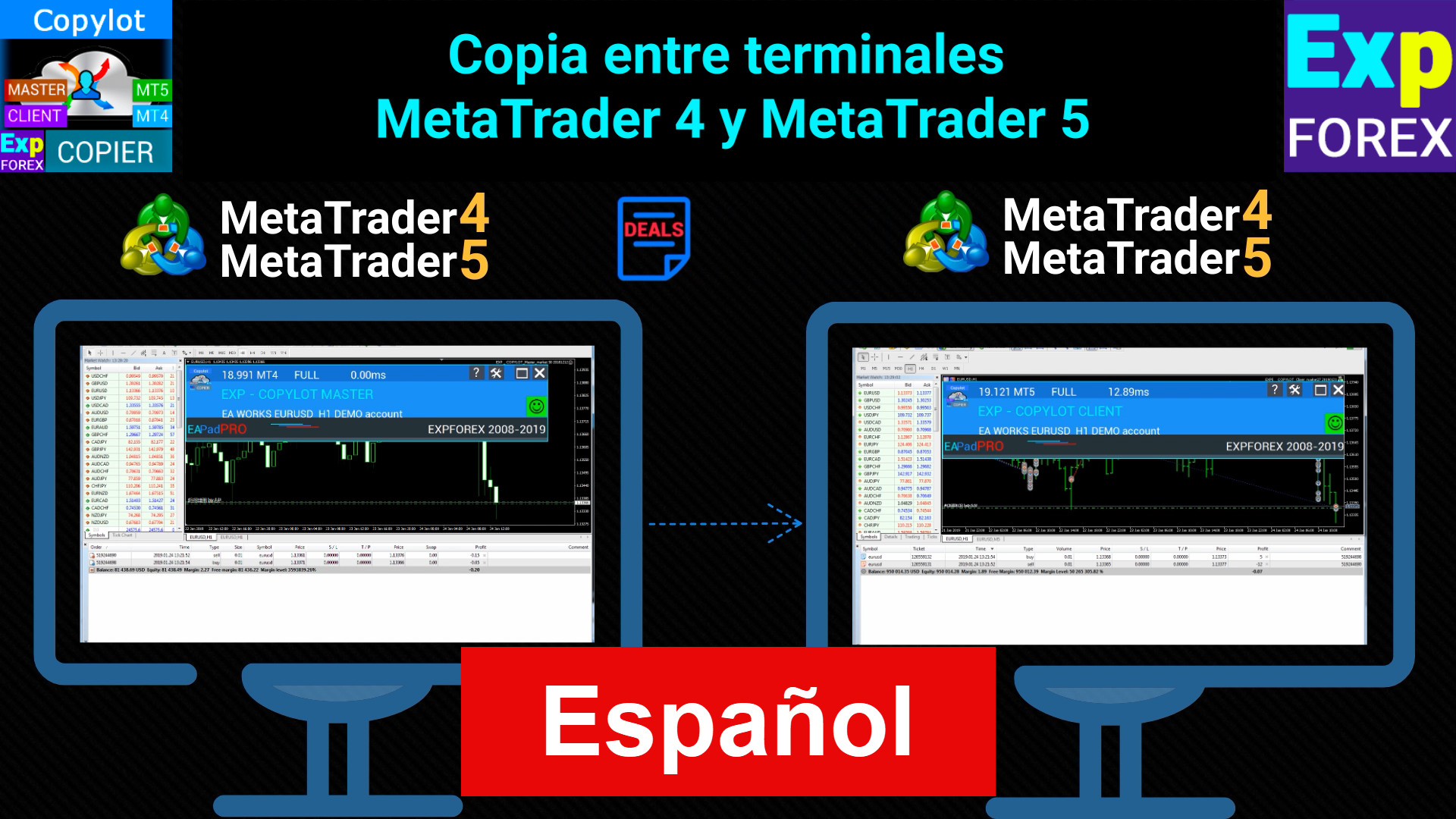
COPYLOT Trade Copiadora entre terminales
💎 COPYLOT MT4: https://www.mql5.com/es/market/product/6226
💎 COPYLOT MT5: https://www.mql5.com/es/market/product/11953
↔️↔️↔️ FULL GUIDE for COPYLOT : https://www.mql5.com/en/blogs/post/684303
🌐↔️↔️↔️ FULL GUIDE for COPYLOT : https://www.expforex.com/?p=44
Swing 모델 기반 거래 전략에는 증가된 랏으로 두 개의 반대되는 보류 주문을 넣는 것이 포함됩니다. 시장 가격이 특정 방향으로 움직이면 주문 중 하나가 실행되고 다른 주문의 로트 크기가 늘어납니다. 이 접근 방식을 통해 거래자는 위험을 최소화하면서 이익을 얻을 수 있으므로 외환, 주식 및 상품을 거래하는 안정적인 방법이 됩니다. 금융 거래에서 이 전략을 사용하는 것은 특히 변동성이 큰 시장에서 정보에 입각한 의사 결정을 촉진하는 능력으로 널리 인식되어 왔습니다. 그 효과는 시장 동향을 파악하고 이를 활용하는 동시에 시장 위험에 대한 노출을 줄이는 능력에 기인합니다. 따라서 거래 성과를 최적화하려는 거래자들에게 인기 있는 선택입니다. ONLY for HEDGING account type EA는 세 가지 유형의 보류 주문 개시(TypeofTrade)를 제공합니다. 배치 후 자동 개설(즉시 AutoTrade 개설) 수동개설 후 개설 및 관리(수동개설 ManualTrade) 고/저 레벨
Due to the increase in the number of additional tools, the cost of renting services for the maintenance of the site and other applied tools,
The cost of products - utilities will be increased until Friday, April 19, 2024.
You can purchase the full version of our utilities at reduced prices now, without time limits. 💟💟💟💟💟💟💟💟💟💟💟💟💟💟💟
https://www.mql5.com/en/users/vladon/seller 💟💟💟💟💟💟💟💟💟💟💟💟💟💟💟 Thank you for your trust and understanding!
We strive to be the best.
All my programs: https://www.mql5.com/en/users/vladon/seller#products
💟💟💟💟💟💟💟💟💟💟💟💟💟💟💟💟💟💟💟💟💟💟
💌My channel: https://www.mql5.com/en/channels/expforex
📰My blog: https://www.mql5.com/en/users/vladon/blog
▶️YouTube: https://www.youtube.com/Expforex
🌐Website: https://www.expforex.com/
📧 Contact: https://expforex.com/contacts/

💟💟💟💟💟💟💟💟💟💟💟💟💟💟💟💟💟💟💟💟💟💟
Global Update EAPADPRO v55 with build 4270
!!!Attention! Support of visual Graph Elements (Buttons, input line, Edit Box, CheckBox) is no longer supported by VPS server from MetaQuotes!!!!
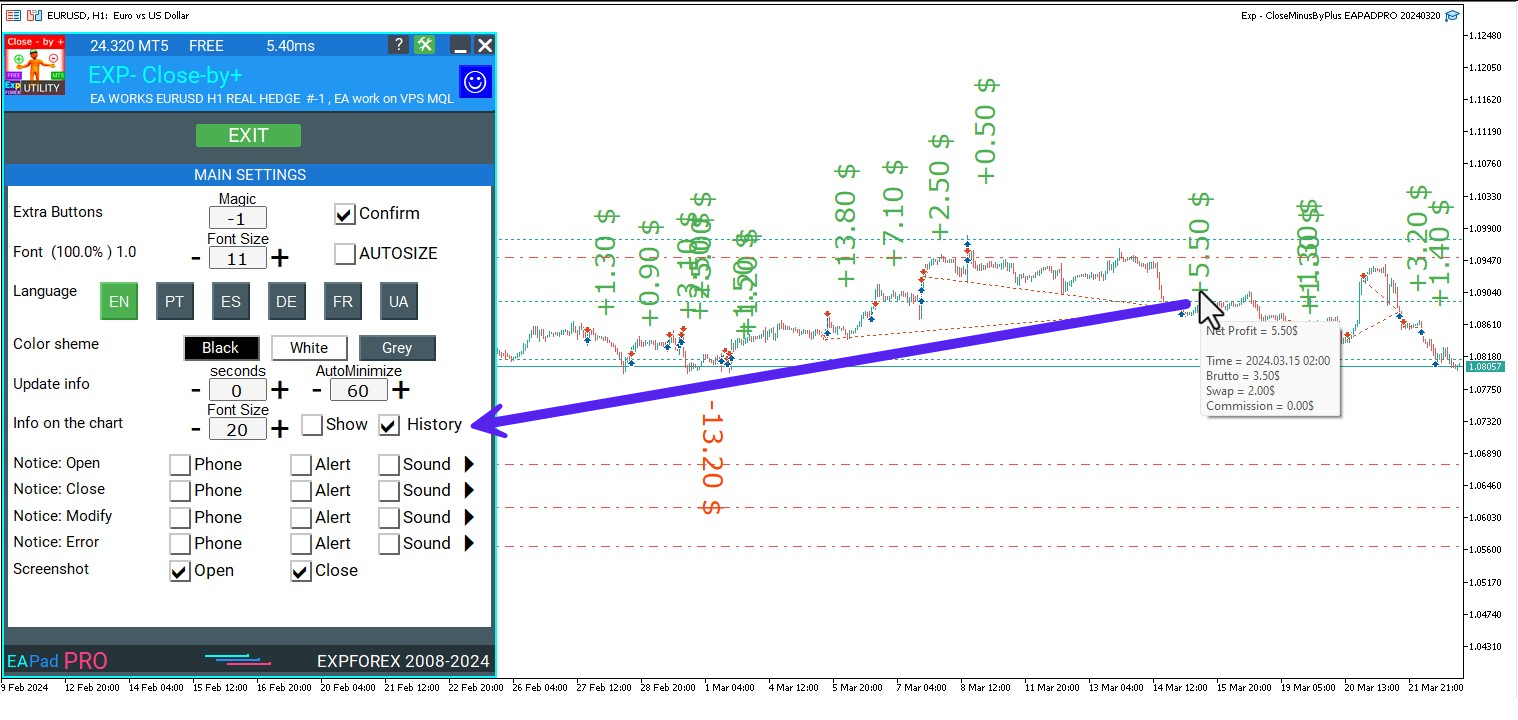
-Added: information about profit from closed positions to the chart.
The information is displayed for each bar of the current timeframe.
You can change the timeframe to see the result of trading on a certain bar of the current timeframe.
If several positions/deals are closed on one bar of the current timeframe, the trading result is summarized, and the total information for a certain bar is displayed.
The information is updated when the next position/deal is closed.
You can turn off showing history in the panel settings.
===========================================================================================
-Added: The status of the Expert Advisor operation if it was launched on the server from "VPS MQL MetaQuotes".
When Expert Advisor is running on the server from MetaQuotes, a message will be created on the home computer that Expert Advisors are running on the server "VPS MQL MetaQuotes". The smiley face is blue.
Attention: If an Expert Advisor is launched on both the server and the home computer, it can trade in parallel on 2 terminals (server "VPS MQL MetaQuotes" + home computer); there may be conflicts.
Attention: If the Expert Advisor is launched on the server "VPS MQL MetaQuotes", do not Turn it on work on the home computer to avoid conflicts.
Frequency of polling the status of work on the server = 1 day.
After deinitialization of the Expert Advisor on the server - It will get the status - stopped.
To test the work on the server from "VPS MQL MetaQuotes", pending orders are created!
===========================================================================================
-Added: The error status of the Expert Advisor operation can now be read on the EAPADPRO panel.
You can click on the Smile or the Expert Advisor operation status bar and you will be shown a message about current errors of Expert Advisor operation.
If you click on the Smile button on the panel, you will be shown the causes and errors and their solutions with pictures.
===========================================================================================
-Added: Notification of errors and opening/closing of trades to the chart in the form of InfoBox.
Notification is shown for 4 types:
---Opening a new trade;
---Closing a deal;
---Modification of a trade;
---Error received by Expert Advisor from the server;
In the EAPADPRO panel settings, you can turn on or off the notification type you need.
Notifications can be viewed as they arrive in the notification queue.
Notifications are accumulated in a data array each time you install/reinstall/change Expert Advisor settings.
In the EAPADPRO header you can also enable disable INFOBOX.
===========================================================================================
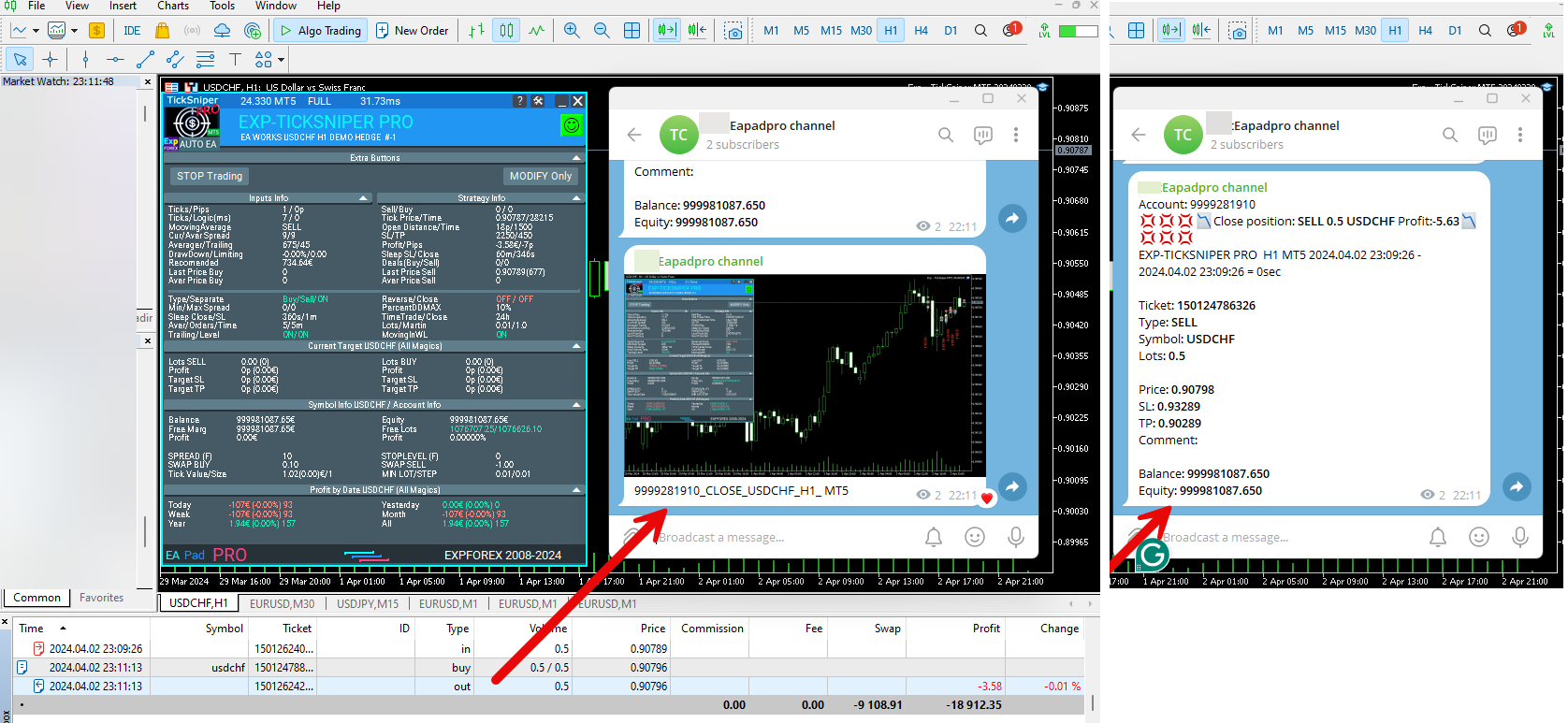
-Added: Working with Telegram (Beta version)
For Expert Advisor to work with the Telegram bot, you need to set up the bot on your phone and create a "public" or "private" channel.
To receive notifications from your account, you need to assign your bot as an administrator of your "public" or "private" channel.
Attention! Sending notifications and working with commands takes computer resources! Use the Telegram bot only for your own needs.
How To set Telegram bot: https://www.mql5.com/en/market/product/30733#!tab=comments&page=1&comment=52925811
New settings for working with Telegram:
EAPadPRO2=" =============== Telegram bot ";
==input ENUM_UPDATE_MODE TG_UpdateMode=UPDATE_SLOW --> Update Mode. Timer speed, to receive commands from Telegram bot. The faster the timer runs, the more computer resources will be used! Please do not change it unnecessarily. 2sec,3sec,10sec
==TG_PRIORITY=TG_HOME_VPS --> Priority of work. This is the priority mode when the Telegram bot works on the MetaQuotes VPS server and your home computer.
TG_HOME_ONLY=1, // Only the HOME bot. The Telegram bot works only on the home computer.
TG_VPS_ONLY=2, // Only the VPS bot. The Telegram bot works only on the MetaQuotes VPS server.
TG_VPS_HOME=3, // First VPS bot, second HOME bot. The Telegram bot works on the MetaQuotes VPS server if you upload it to the server. If not, it will work on your home terminal. Check the work on the VPS server every 10 minutes.
TG_HOME_VPS=4, // First HOME bot, second VPS bot. The Telegram bot works on a home computer, but if the home computer/terminal is turned off, it will work on the VPS server from MetaQuotes. Check the VPS server's work every 10 minutes.
Attention! Screenshots are not available on the VPS server from MetaQuotes!
==TG_Token="" --> Token bot. Token (unique code) of the bot that will send notifications and receive commands
==TG_ChannelName="" --> --> Public Channel Name @. Or "private" ID starts -100 of the private channel. That will send notifications about opening/closing/modification/errors and screenshots from the terminal.
==TG_UserNameFilter="" --> Whitelist Usernames. List of users, starting with @, who can use the bot.
Attention! Sending notifications and working with commands takes computer resources! Use the Telegram bot only for your own needs.
==TG_UseBotTimer=false;//TG_UseBotTimer --> Working with the bot from the phone
New notification type added to EAPADPRO panel settings:
==Notice Open TG - Send a notification to the Telegram channel if a trade is open;
==Notice Close TG - Send a notification to the Telegram channel if a trade is closed;
==Notice Modify TG - Send a notification to the Telegram channel if a trade is modified;
==Notice Error TG - Send a notification to the Telegram channel if an error is received;
==ScreenShot TG - Send a screenshot to the Telegram channel if a trade is opened or closed;
Attention! This is a beta version of working with the Telegram bot. We are working on improving and adding new features.
If you have any suggestions, please write in the "Comments" section.
===========================================================================================
-Improvement: Code optimization to increase speed.
-Improvement: The speed of the panel update in the strategy tester is now calculated automatically depending on the speed of quotes arrival.
This is done to increase the speed of the program in the strategy tester.
Information update is now equal to 1 real second.
-Improvement: The speed of the program running EAPADPRO in the strategy tester.
Attention! Events in the strategy tester are processed only when a new tick is created.
If a new tick (minimum price movement) is not created, then the panel waits for the next tick.
With Visualization:
Version 48: 390sec (TickSniper 2024-2024)
Version 55: 244sec >>159% (TickSniper 2024-2024)
w/o Visualization:
Version 48: 363sec (TickSniper 2020-2024)
Version 55: 220sec >>165% (TickSniper 2020-2024)
with Visualization:
Version 48: 15750sec (TickSniper 2020-2024)
Version 55: 6220sec >>253% (TickSniper 2020-2024)
-Improvement: The color of the button to close a position on the chart changes depending on the current profit of this position.
-Improvement: Graphic improvements to optimize the Expert Advisor's performance
-Improvement: The account deposit Symbol is cent ¢, USD $, or eur €. All others are the first letter of the deposit currency name.
-Improvement: When visual testing is completed, objects are not removed from the graph.
-Improvement: When creating screenshots after opening/closing positions, the EAPAPDPRO Control Panel will be expanded to show full information.
This is done in order to study the trading history of Expert Advisor on the visualization graph after testing is completed.
-Fixed: Managing positions and orders from the chart when the panel is minimized.
-Fixed: Corrected the error of clearing the chart from unused order labels.
-Fixed: AutoSize when switching charts.
-Fixed: Drawing errors to Print when the Expert Advisor runs on "VPS MQL MetaQuotes"
Subscribe to my Channel to get new updates💌My channel: https://www.mql5.com/en/channels/expforex
💟💟💟💟💟💟💟💟💟💟💟💟💟💟💟💟💟💟💟💟💟💟📰My blog: https://www.mql5.com/en/users/vladon/blog
▶️YouTube: https://www.youtube.com/Expforex
🌐Website: https://www.expforex.com/
📧 Contact: https://expforex.com/contacts/

💟💟💟💟💟💟💟💟💟💟💟💟💟💟💟💟💟💟💟💟💟💟
===========================================================================================================
Swing strategy (Pendulum). Automatic opening of 2 opposite pending orders, OCO orders.FREE
🔹 Exp Swing MT4: https://www.mql5.com/en/market/product/13409
🌐↔️↔️↔️FULL GUIDE for Swing : https://www.expforex.com/?p=90