
All in One Trade
- 지표
-
Alexey Minkov
 💡 My name is Alexey, but my friends call me Alex. I'm the founder and lead developer at MAFX Solutions. I have been trading and coding since 2004, as a trader, investor and IT developer.
 - 버전: 8.61
- 업데이트됨: 7 9월 2026
- 활성화: 20
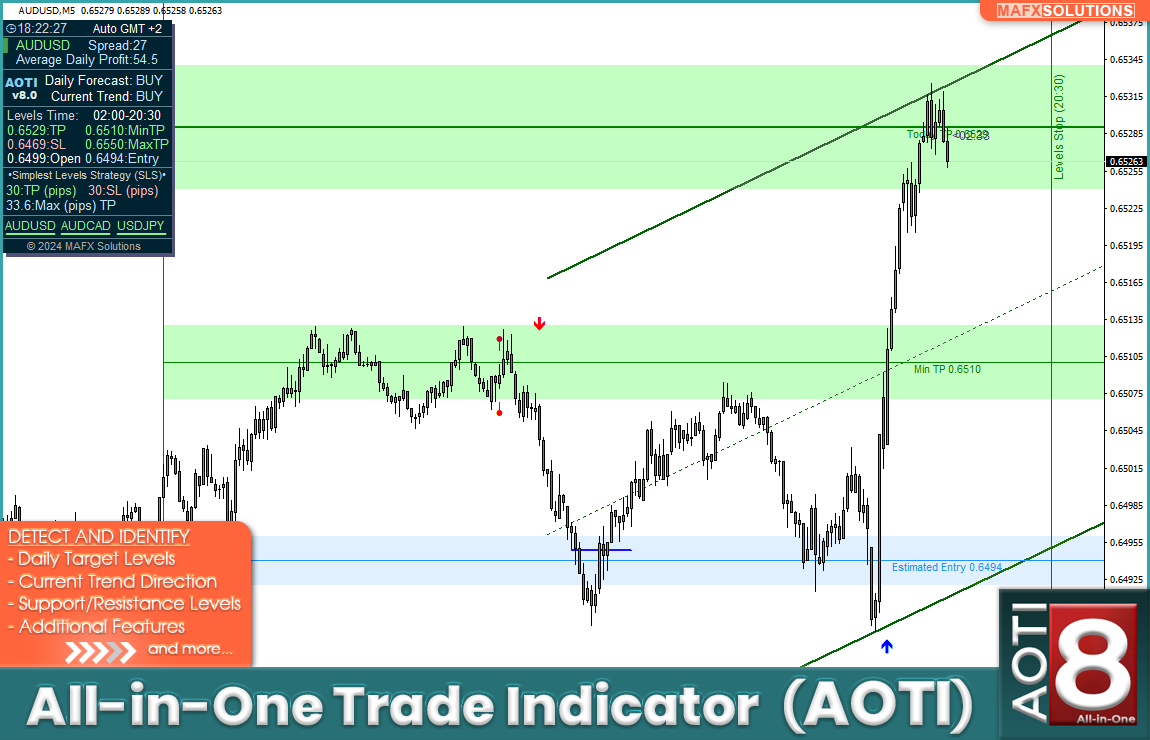
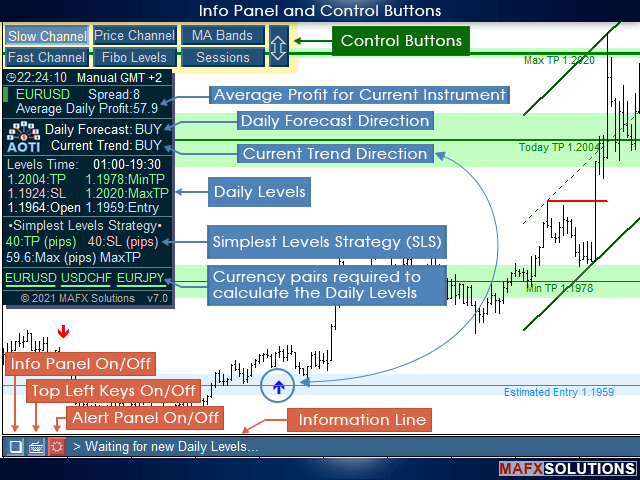
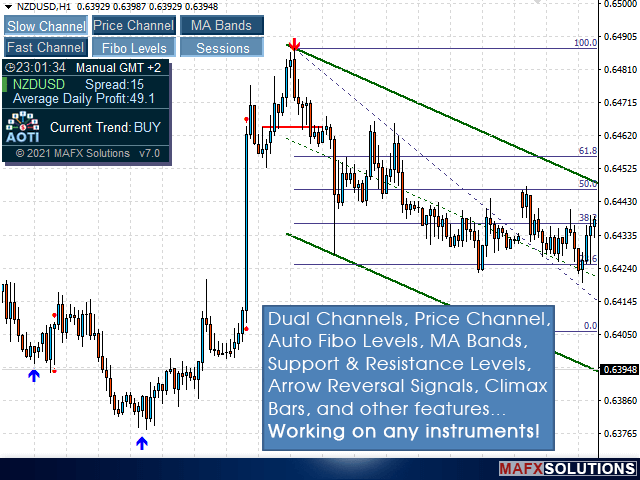
All-in-One Trade Indicator (AOTI) automatically calculates daily target levels for 14 currency pairs and brings together technical analysis tools for any trading instrument in a single window: Double Channel for trend detection, Price Channel, MA Bands, Climax Bars detector, Fibonacci levels, support/resistance micro-levels, and arrow reversal signals. Works on the MetaTrader 4 platform.
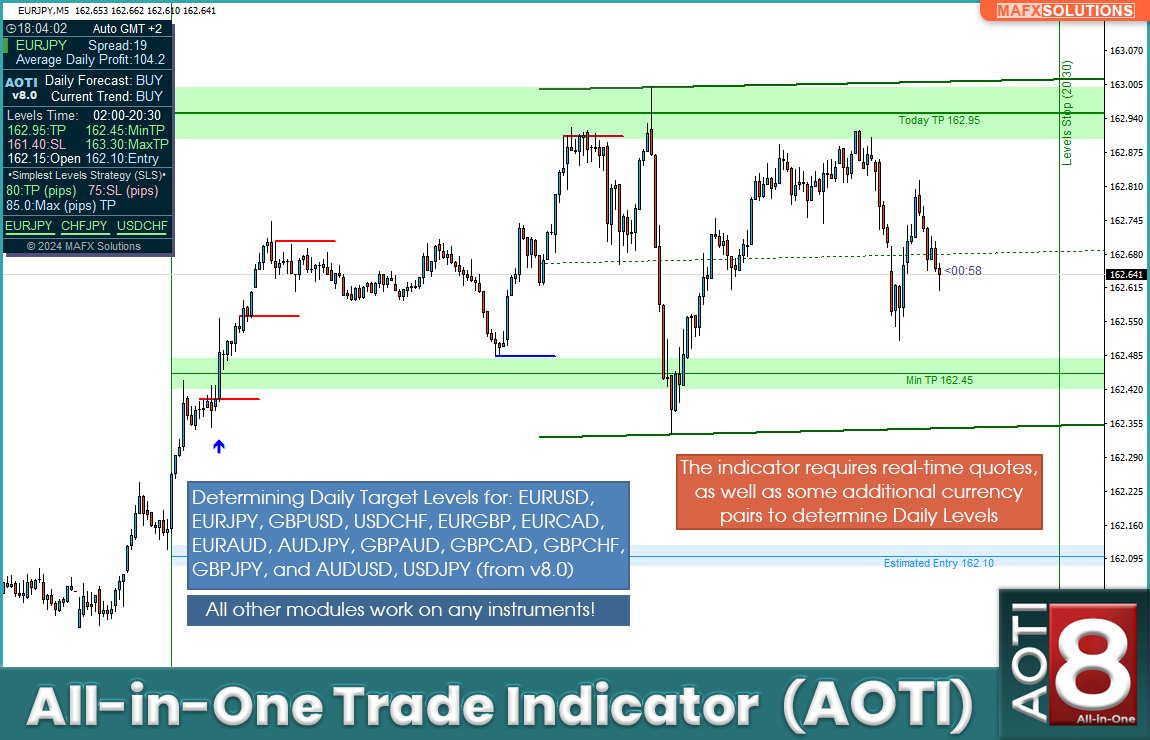
Daily levels are calculated for EURUSD, EURJPY, GBPUSD, USDCHF, EURGBP, EURCAD, EURAUD, AUDJPY, GBPAUD, GBPCAD, GBPCHF, GBPJPY, AUDUSD, and USDJPY. All other modules work on any instrument.
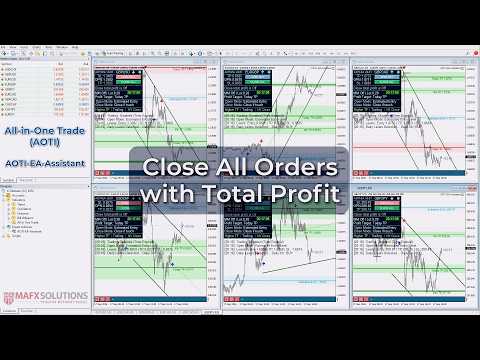
After purchasing, please write to me directly to receive the free AOTI-EA-Assistant, a helper EA that automates opening trades and managing open positions based on the Simplest Level Strategy using AOTI's daily levels. The Assistant works with the currency pairs for which the indicator calculates daily levels.
Detailed manual on installation, GMT Offset setup, loading the required history, and using the indicator:
All-in-One Trade Indicator (AOTI) Manual and Settings Description
Key Features
- Daily levels for 14 currency pairs: Estimated Entry, Today TP, Today SL, Min TP, and Max TP. Levels are calculated once a day at the start of a new trading day. The calculation time depends on the broker's server GMT Offset. Once calculated, the levels remain valid for the current trading day.
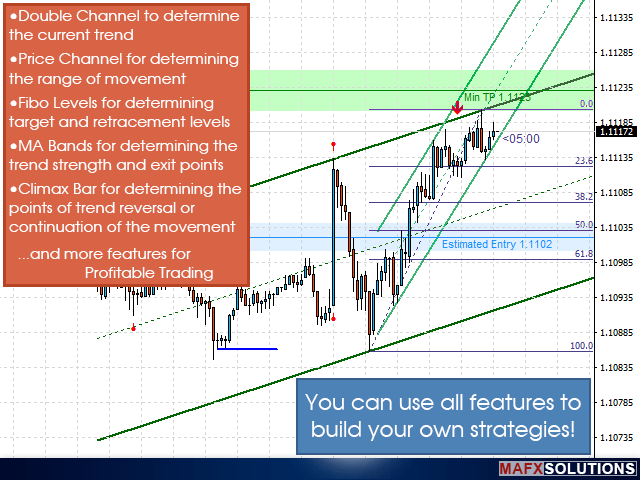
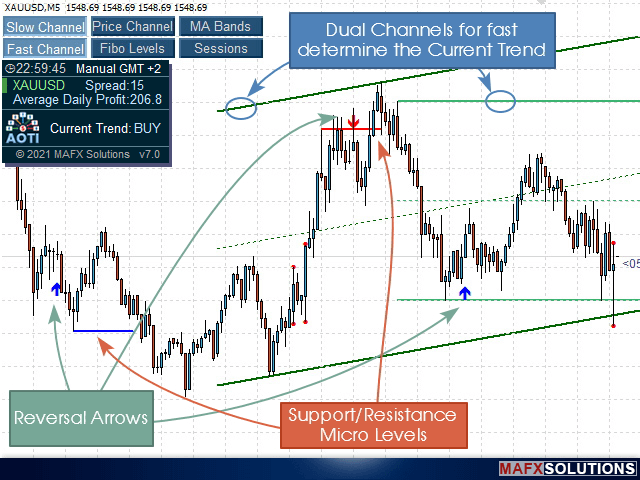
- Double Channel: the Slow Channel shows the main trend, while the Fast Channel reflects the short-term tendency. Both work on any instrument.
- Price Channel: displays the boundaries of price extremes and helps assess the range of movement.
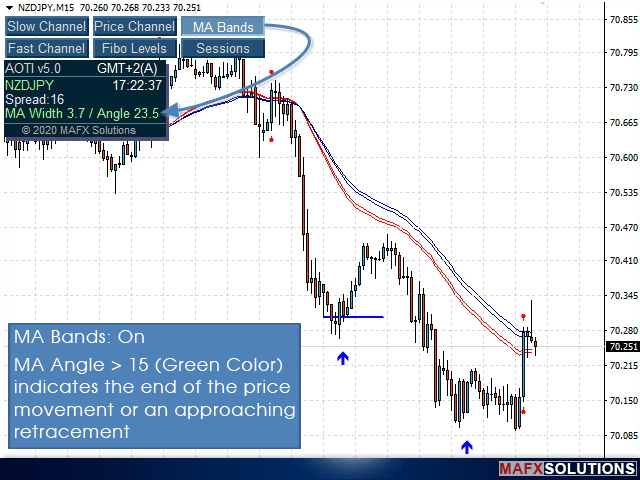
- MA Bands: an indicator of trend strength and a reference point for exiting a position.
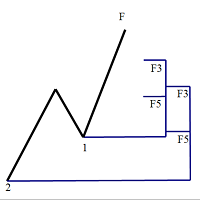
- Fibo Levels: automatic calculation of Fibonacci levels for movement targets and correction levels.
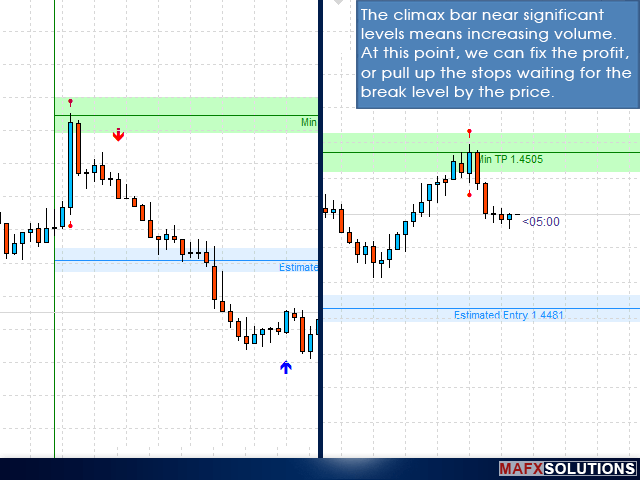
- Climax Bars: highlights bars with abnormal activity as a signal of a possible reversal or trend continuation.
- Support/resistance micro-levels: signal a weakening trend and possible reversal zones, while a breakout of a level indicates a likely continuation of the movement.
- Arrow reversal signals: have a higher priority than the micro-levels. Used as entry points for scalping or profit-taking.
- Automatic GMT Offset detection with the option for manual adjustment.
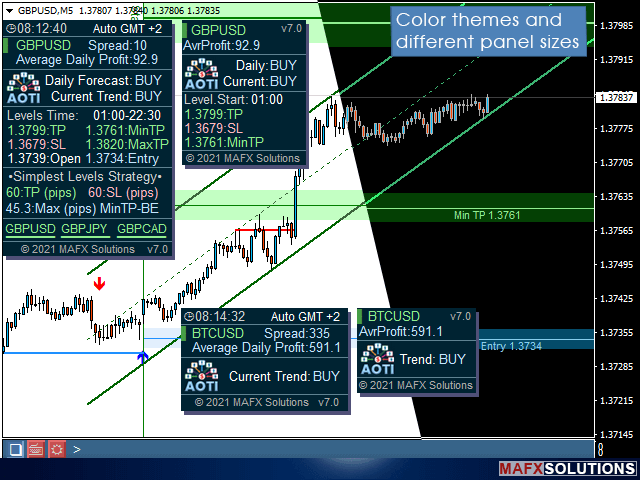
- Two info panel sizes (Extended and Minimal) and two color themes (Light and Dark).
- Full set of alerts: Pop-up, Sound, Push, Email.
How It Works
Daily levels are calculated once a day. The indicator analyzes price movement, correlation between pairs, and price speed and volume across several timeframes, checks the status of each level, and calculates the values for the current trading day. Five key levels are displayed on the chart: the estimated entry point, the daily take-profit, the stop-loss, the minimum target, and the maximum potential during high volatility.
All other modules run in parallel. The Double Channel immediately shows the market direction across different horizons. Climax Bars and arrow signals help you choose the moment to enter or partially take profit intraday. Micro-levels act as early warnings of a weakening current movement: they first signal a possible reversal, and a breakout of the level indicates a continuation of the trend.
Daily Levels
Five values that the indicator calculates every day for the 14 pairs:
- Estimated Entry: The calculated entry level for a position. Depending on your trading approach, you can open a position as soon as the daily levels appear, or wait for the price to touch the Estimated Entry level.
- Today TP: The calculated daily take-profit level, which can be used as a reference for estimating the potential target of the move during the trading day.
- Today SL: The stop-loss level for the daily position.
- Min TP: The minimum calculated profit target; can be used as a reference for partial profit-taking or moving the position to breakeven.
- Max TP: The calculated maximum target of the move during high market volatility.
Important: for the daily levels to be calculated, the terminal must be connected to the broker and online. The indicator requires real-time quotes for a number of additional pairs. The daily level detection function only works in real time and is not available in the Strategy Tester.
Double Channel and Additional Modules
The Double Channel consists of two channels with different calculation periods. The Slow Channel reflects the more significant trend and helps determine the overall direction. The Fast Channel shows the short-term tendency and is useful for fine-tuning the entry moment. Together they provide market context without switching to higher timeframes.
The Price Channel bounds the zone of price extremes and shows how far the price has moved away from its range. MA Bands help assess whether the momentum or trend is holding up or starting to fade, and can be used as a reference point for taking profit. Fibo Levels are built automatically and show potential movement targets and correction levels without any manual plotting.
Settings Overview
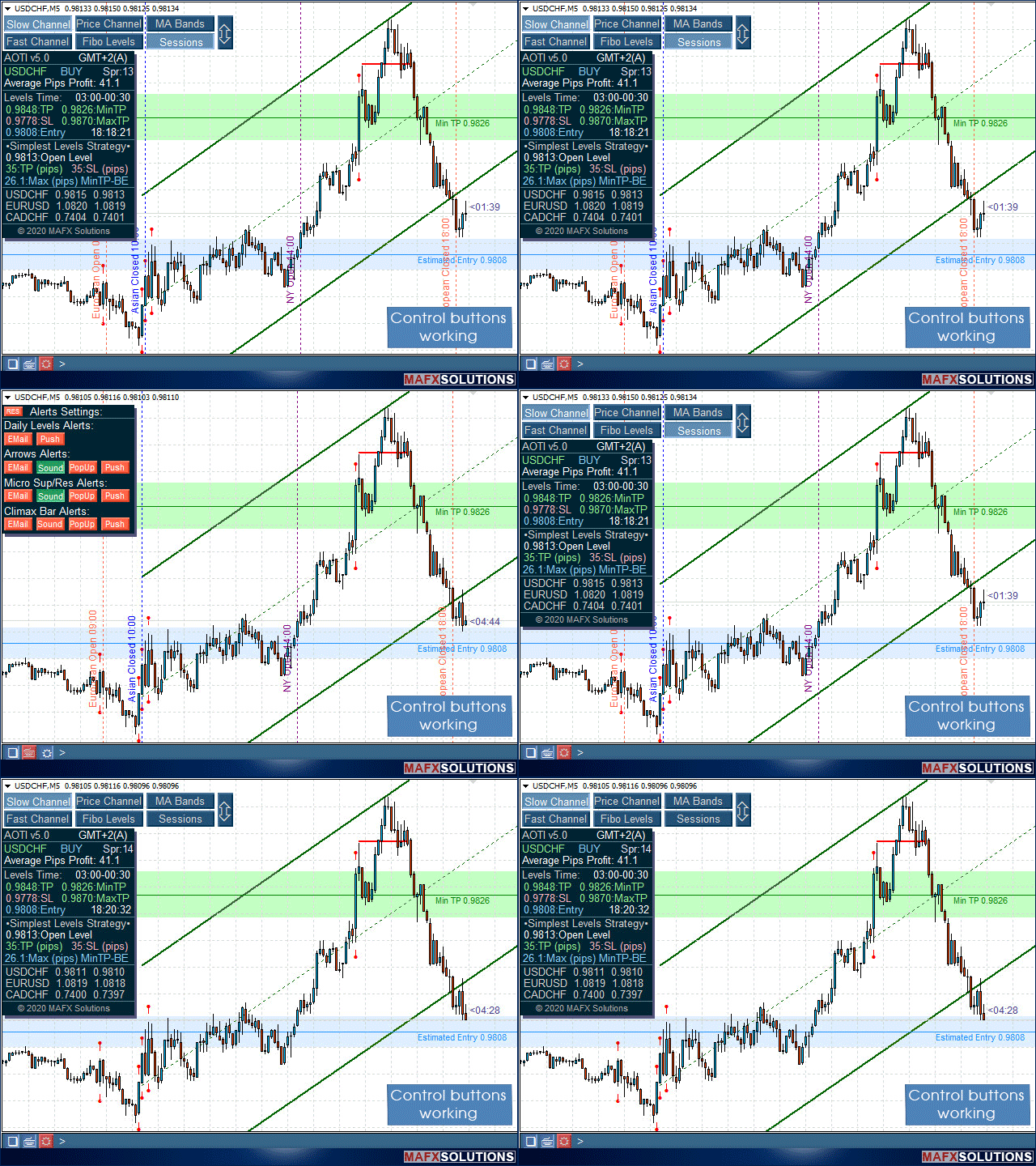
Settings are grouped into logical blocks: automatic or manual GMT Offset detection, Double Channel parameters (number of bars for the Slow Channel and Fast Channel), the Price Channel smoothing period, the number of bars for calculating Fibonacci levels, the distance from the price to the arrow in pips, the info panel size, and the color theme. On-chart control buttons let you switch parameters directly during trading, without opening the settings window.
Alerts
- Pop-up Alerts. Pop-up windows in the terminal.
- Sound Alerts. Sound notification.
- Push Notifications. Push notifications (requires MetaQuotes ID setup).
- Email Alerts. Email (requires additional setup in the MetaTrader 4 terminal).
Support
If the daily levels do not appear, check the terminal's connection to the broker and the availability of quotes for all required pairs. Set the GMT Offset by comparing GMT time with your broker's time. On first launch, load enough historical data for all modules to work correctly.
Important: All-in-One Trade Indicator (AOTI) is an analytical tool. The daily levels, arrow signals, and other displays on the chart are calculated based on historical data and current quotes and are not a guarantee of future results. The indicator is not an automated trading system. The final outcome depends on your decisions, discipline, and risk management. Before purchasing, download the demo version from the Market and check the available modules in the tester. For any questions, please write to me directly.

























































Firstly, lets not talk about the indicator just yet, Lets talk about Alex the owner/creator of the indicator.. what a guy, i purchased this some 7-8 yrs ago never used it as i was new to trading and everything was just over whelming for me. Fast forward to the present I reached out to Alex for advice/help and man let me tell you he was sooo helpful. You always have this feeling in the back of your mind what happens when i purchase something frmo MQL will the owner be present and helpful well he was ( what a guy) I am not the best guy when it comes to these things but Alex was patient and very helpful. Regarding the indicator i suggest its worth the investment easily I have been sleeping on this indicator. 5 stars + without a doubt