BTMM State Engine Pro MT4
- 지표
- 버전: 1.69
- 업데이트됨: 1 9월 2026
- 활성화: 5

BTMM State Engine Pro by G-Labs — Beat The Market Maker indicator for MetaTrader 4. Asian session range, London and New York kill zones, level progression (L1/L2/L3), peak formation detection (PFH/PFL), entry signals, and a multi-pair scanner from one chart.
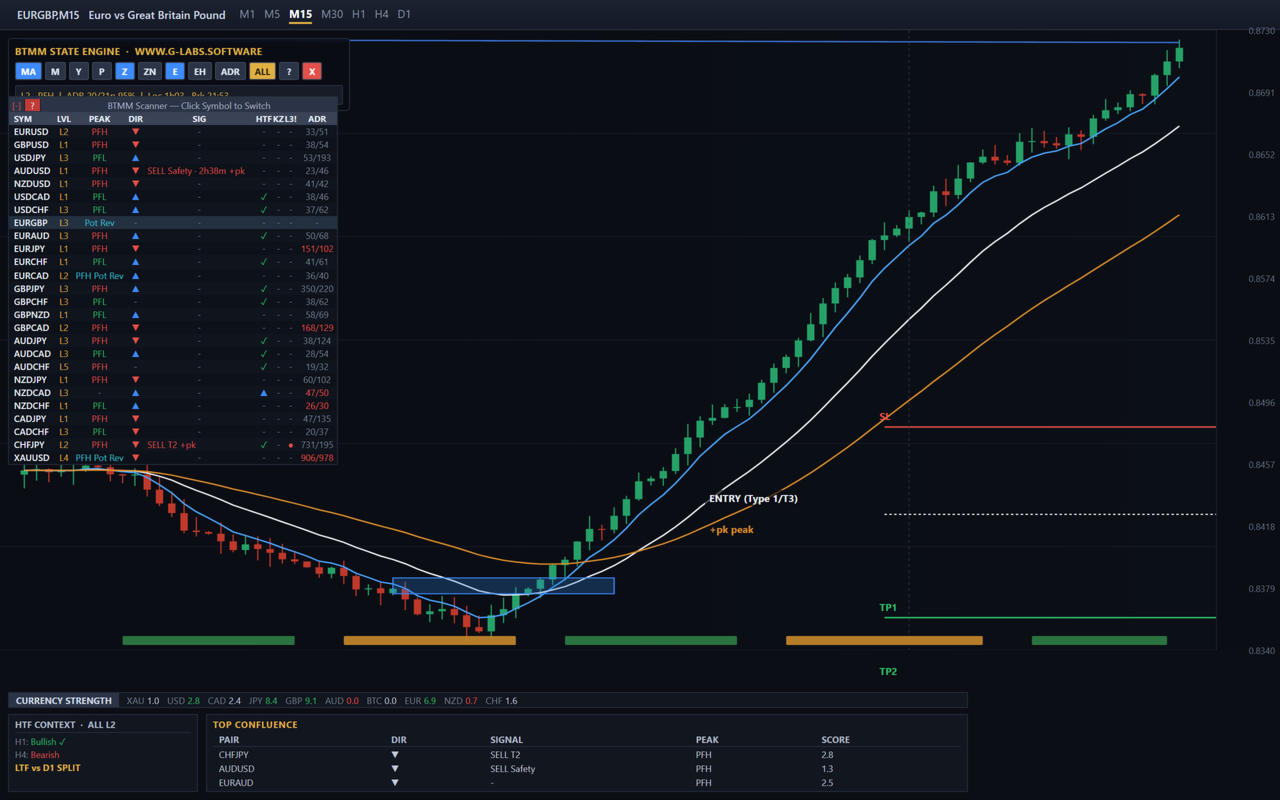
Stop scanning charts one pair at a time. The State Engine tracks the BTMM daily cycle automatically — Asian box, room boundaries, level blocks, peak formations, and filtered entries — while the scanner dashboard shows level, peak status, direction, signal, and kill zone state across your full watchlist. HTF context (H1/H4/D1), currency strength, and top-confluence ranking help you prioritise setups by confluence score.
What it does
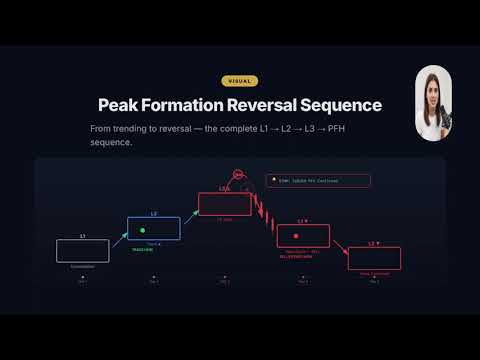
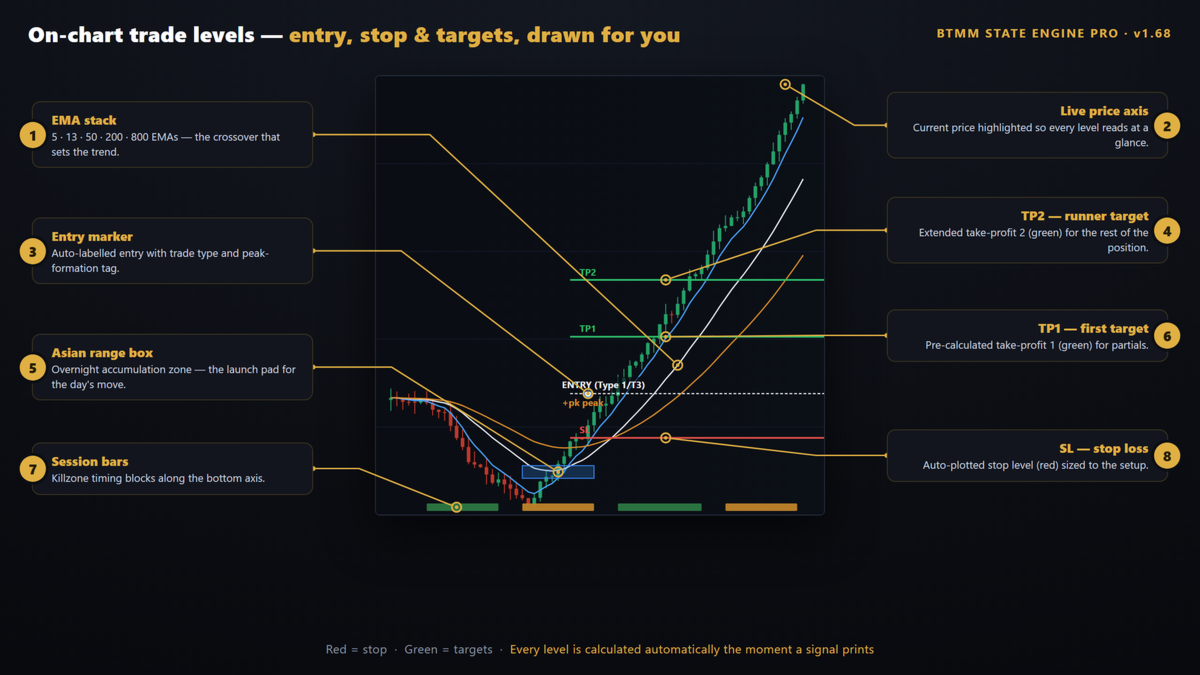
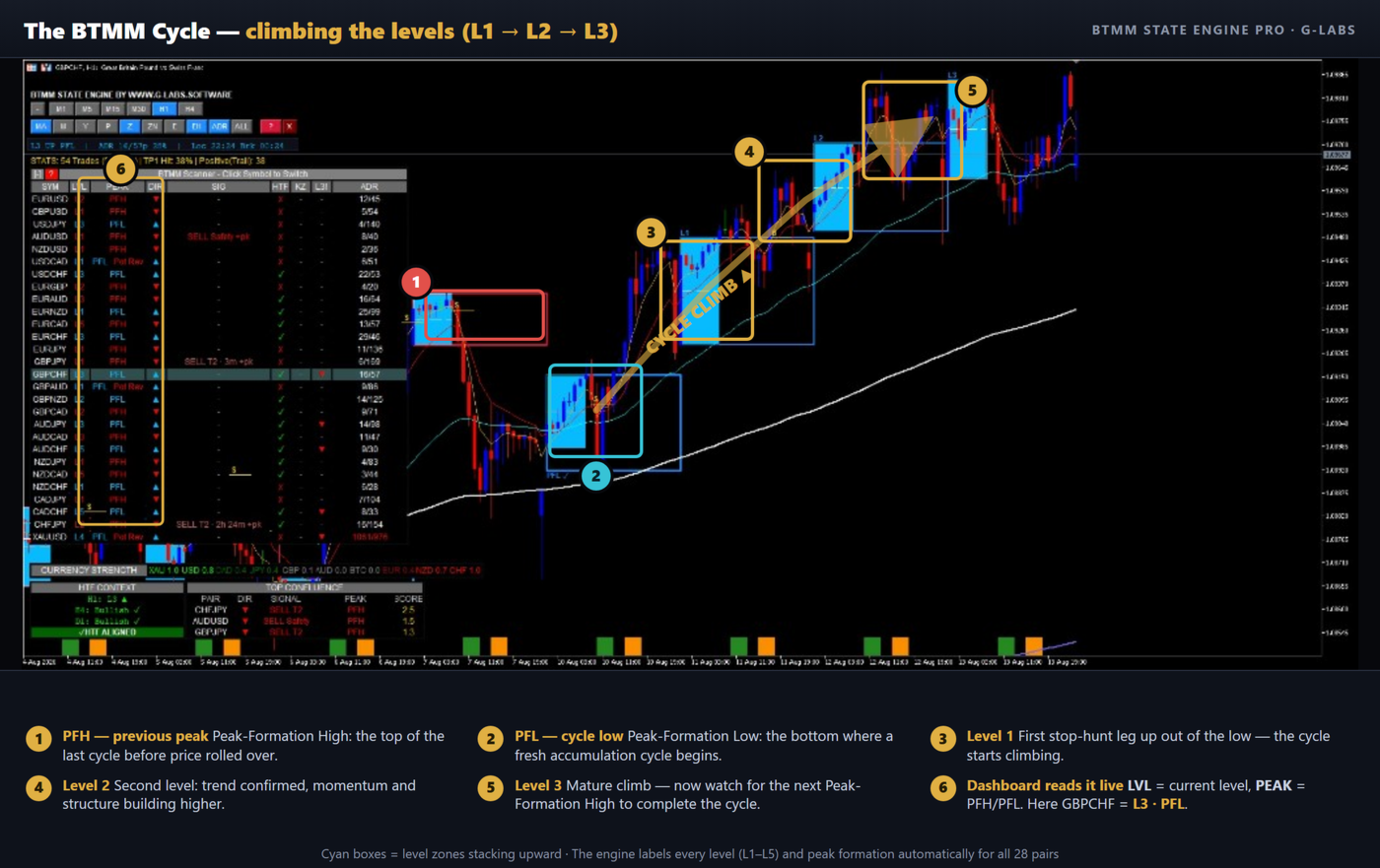
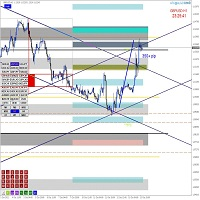
Draws the Asian session range with DST-aware kill zone shading; session times can follow broker server offset automatically or be set manually in inputs. Tracks level progression (L1, L2, L3 and beyond) with on-chart level blocks. Detects peak formations (pending and confirmed). Shows entry-style setups including stop-hunt style, standard filtered crossovers, 50 EMA approaches, identity-style 50 EMA context, and pullback-to-50 EMA trades according to inputs and filters. Monitors a configurable symbol list and shows a live scanner dashboard with per-symbol state. Includes HTF trend alignment panel, currency strength meter, and top-confluence ranking.
Entries and filters
Signals follow the methodology described in the materials included with the product. Filters may include momentum-style candle checks, Traders Dynamic Index confirmation, cycle direction, and kill zone timing. Behaviour depends on inputs and market data.
On-chart controls
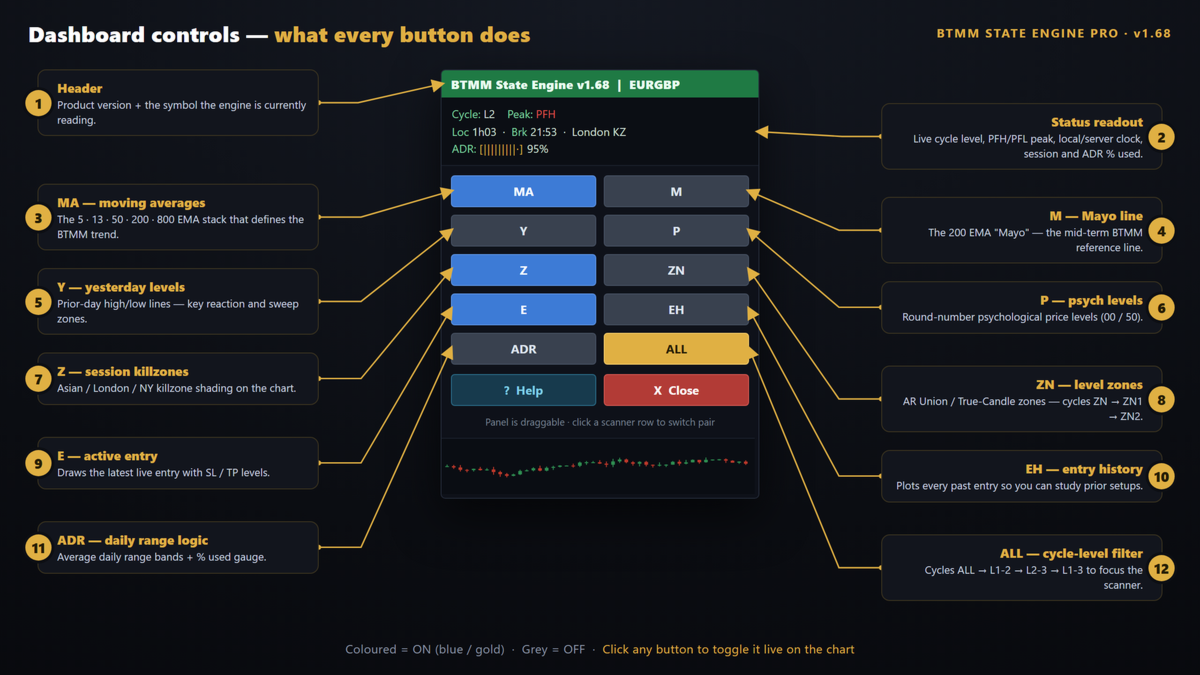
Toolbar toggles control EMA layers, reference lines, psychological levels, kill zone shading, entry markers, entry history, average daily range display, level filter modes, and a help panel.
Scanner dashboard
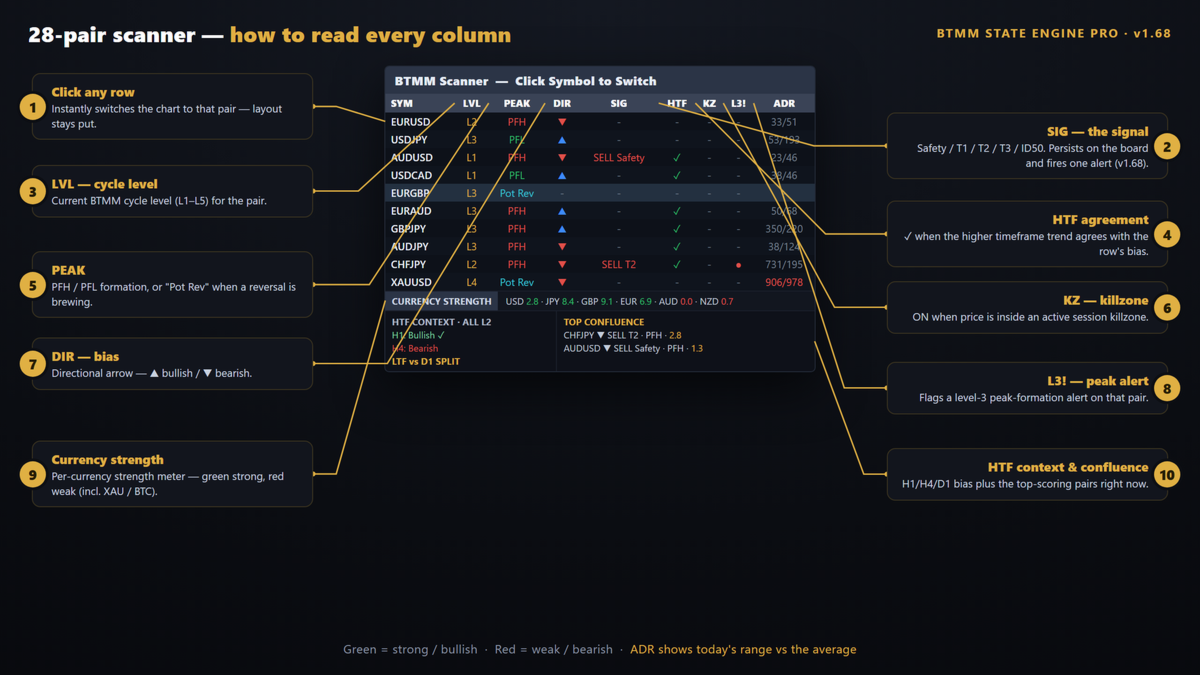
Lists symbols with columns such as symbol, level, peak status, direction, signal, kill zone state, and range-related fields. Click a row to switch the chart where the terminal allows. HTF context, currency strength, and top-confluence panels rank opportunities across the watchlist.
Alerts
Enable or disable alert types for the chart and scanner. Typical options include peak confirmation, entry alerts, kill zone notices, cooldown between alerts, optional scanner alerts only in kill zones, toast popups, and popup settings.
History
Where included, history summarises past signals over a configurable lookback for review in the terminal. Past behaviour does not predict future results.
Settings
Inputs cover session hours, colours, EMA periods, stop buffer, filters, enabled signal types, history depth, scanner list, dashboard position and fonts, and alerts. Full parameter names are listed in the product documentation.
Quick start
Attach to M15 or H1. Check symbol names match your broker. Adjust sessions if needed. Enable alerts. Use toolbar and scanner to switch symbols and layers.
Requirements
MetaTrader 4. Use symbols your broker offers. Match scanner names to broker suffixes. M15 or H1 recommended for the methodology.
Keywords
BTMM, Beat The Market Maker, Asian session, Asian range, kill zone, London session, New York session, peak formation, PFH, PFL, market maker method, level progression, multi-pair scanner, currency strength, MetaTrader 4 indicator, G-Labs