Price Action Toolkit

4.6
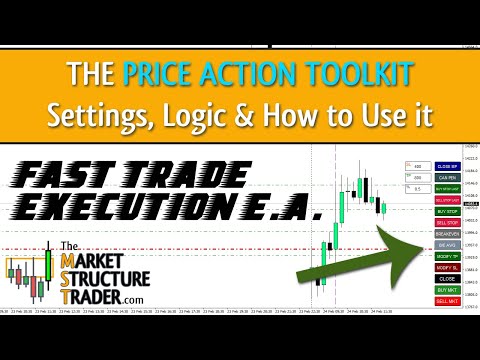
가격 조치 도구 키트 EA는 주로 스캘퍼를 위해 설계되었지만 모든 시간대에 사용하여 정지 수준에 따라 올바르게 계산된 로트 크기로 시장에 빠르게 진입할 수 있습니다. 주문) 그런 다음 시장이 움직일 때 스탑을 조정하고 이익을 얻습니다.

사용할 모든 기능, 설정 및 모범 사례 전략의 전체 목록을 보려면 여기를 클릭하십시오. https://www.mql5.com/en/blogs/post/748072

위험 기반 진입
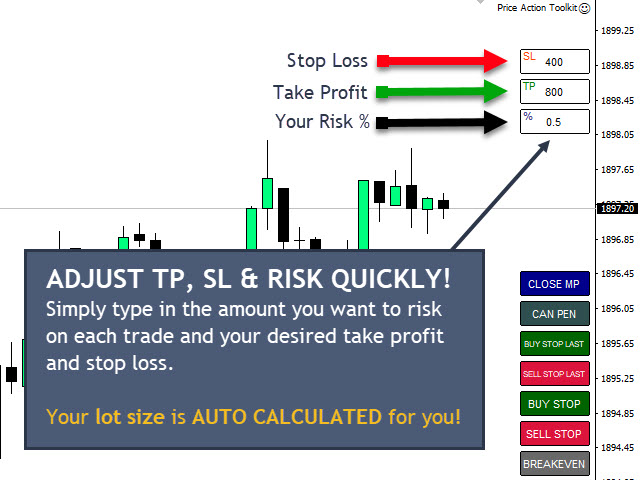
빠른 주문 버튼을 사용하면 계정의 위험 비율을 기반으로 포지션을 잡을 수 있습니다. 선택한 위험과 손절매까지의 거리를 기반으로 로트 크기를 자동으로 계산합니다. 따라서 브로커가 0.01 로트 크기 사용을 허용하는지 확인해야 합니다. 0.10 또는 1.00 로트 증분을 사용해야 하는 경우 작동하지 않습니다.

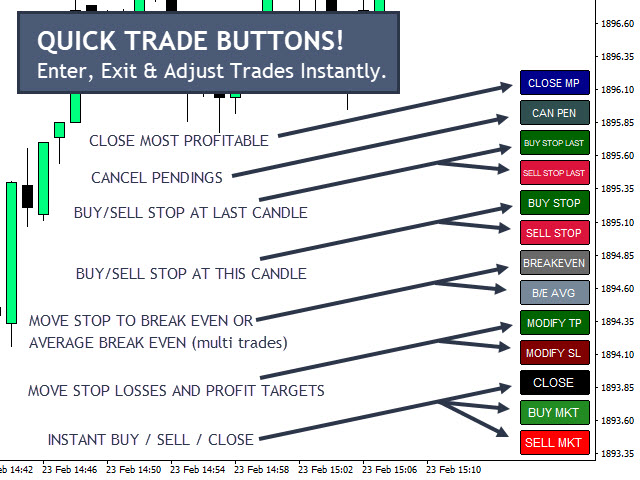
빠른 거래 실행 버튼
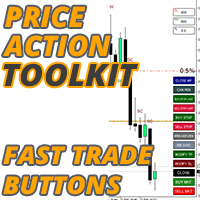
차트에 빠른 거래 실행 버튼을 배치하여 즉시 거래를 자동으로 열거나 닫거나 조정할 수 있습니다. 일반 진입 버튼뿐만 아니라 모든 포지션을 종료할 수 있는 빠른 닫기 버튼이 있고, 스탑을 손익분기점(또는 두 개 이상의 거래가 열려 있는 경우 평균 손익분기점)으로 이동하고, 현재 또는 마지막 캔들 고점 위에 매수 및 매도 스탑을 배치합니다. 낮고 가장 수익성이 높은 포지션만 청산하는 기능을 통해 여러 거래를 통해 확장한 포지션에서 일부 이익을 얻을 수 있습니다.
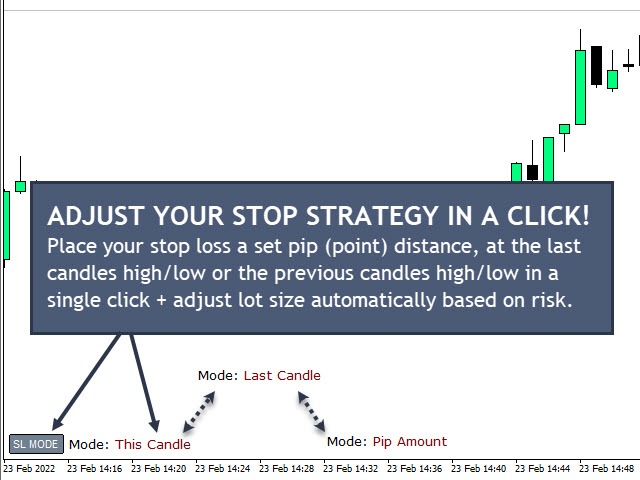
손절매 모드 버튼을 사용하면 각 거래에 대한 중지 전략을 빠르게 변경할 수 있습니다. 설정된 포인트 수(보수적) 또는 현재 또는 마지막 캔들 고/저(공격적)에 스톱을 두는 사이를 전환할 수 있습니다.

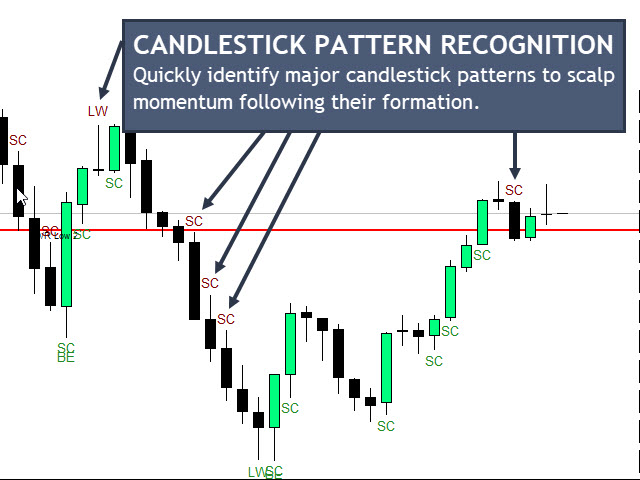
촛대 패턴 인식
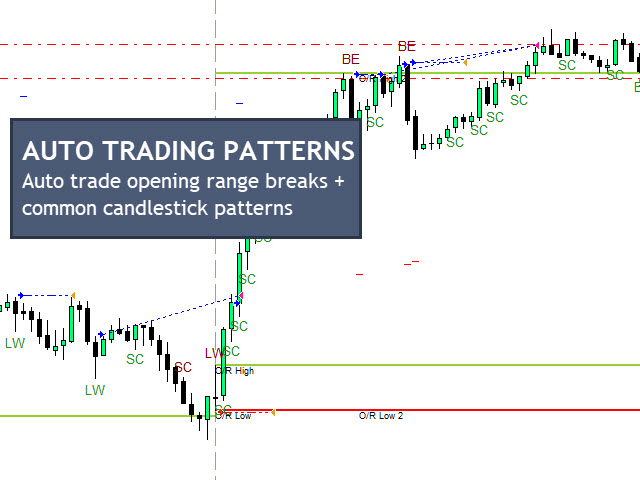
EA는 망치와 별똥별(긴 심지 양초), 강세 및 약세 인입 패턴, 강한 종가 양초, 동일한 고점 및 저점, 재고 조정 막대(IRB) 및 2를 포함하여 가장 일반적으로 사용되는 스캘핑 촛대 패턴이 감지될 때 차트에 표시됩니다. 바 패턴 내부.
추세에 따라 길거나 짧은 패턴만 걸러내는 패턴에 대한 EMA(지수 이동 평균) 필터도 있습니다.

세션 개시 범위 및 최근 범위
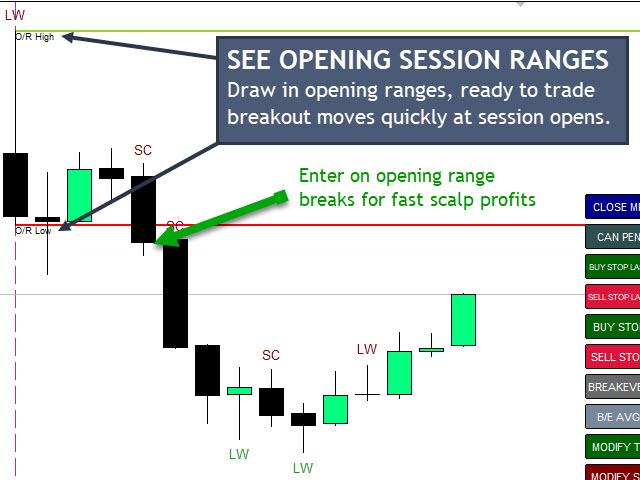
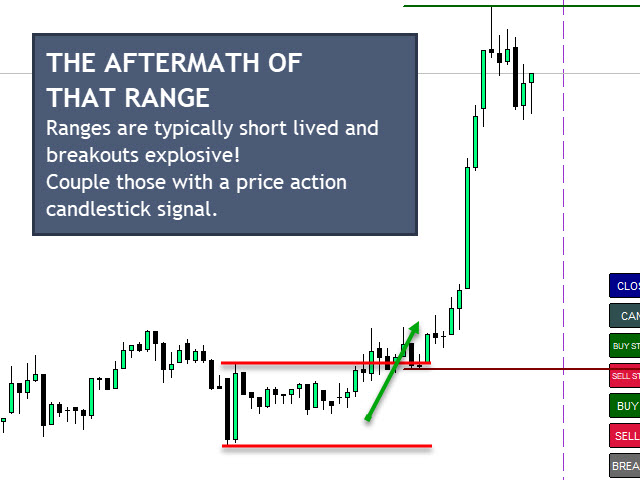
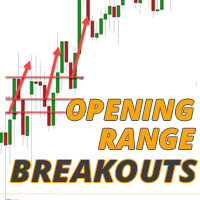
EA는 2개의 주요 거래 세션 시작(프랑크푸르트 및 뉴욕)에서 개장 범위 돌파를 발견하고 거래하는 데 도움이 되도록 개장 범위를 자동으로 그립니다. 세션당 두 개의 시작 범위를 선택하고 이러한 세션의 시작 및 종료 시간과 식별하려는 시작 범위를 조정할 수도 있습니다. EA는 대부분의 브로커가 사용하는 UTC+2로 기본 설정되어 있으며 오프닝 5분과 90분에 추첨하지만 필요에 따라 조정할 수 있습니다.
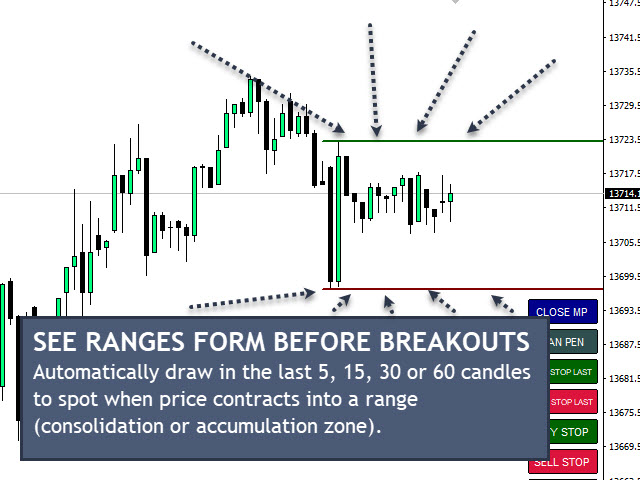
또한 차트에 마지막 5개, 15개, 30개 및 60개의 캔들 고가 및 저가 범위를 표시할 수 있으며, 이 범위는 최근 통합 기간의 이탈을 파악하는 데 도움이 되는 가격 움직임에 따라 조정됩니다.

자동화된 거래
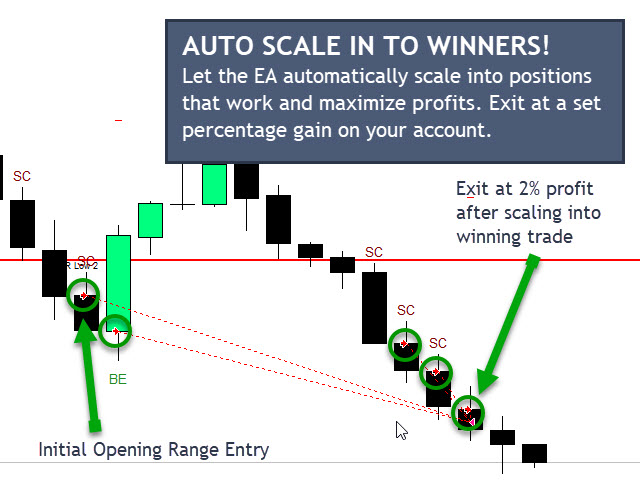
시작 범위, 촛대 패턴을 기반으로 자동으로 거래하도록 EA를 설정할 수 있으며 또한 자동으로 우승 위치로 확장되므로 많은 거래자가 당신을 위해 승자에 추가하는 심리를 제거하여 우승 항목을 최대화할 수 있습니다. 하기 위해 고군분투합니다. EA는 또한 자동 트레일 스톱을 통해 귀하의 방식으로 움직이는 포지션에 대한 이익을 고정하고 귀하에게 불리한 크고 빠른 움직임에 영향을 받을 수 있는 이익 거래의 위험을 최소화합니다.

출구 전략
자동으로 목표를 달성하는 데 도움이 되는 열린 거래에 대한 계정 증가 비율을 기반으로 자동 종료되도록 EA를 설정할 수 있습니다. 촛대 패턴 인식 및 개방 범위를 위해 자동 거래 기능을 사용하는 경우 히트 시 모든 자동 거래를 중지하는 일일 이익 목표를 설정할 수도 있습니다. 이러한 이익을 잠그고 계정의 과도한 거래를 방지하여 종종 힘들게 번 이익을 많이 돌려주게 됩니다!
역전의 조짐이 보이면 EA가 귀하의 포지션을 종료하도록 하는 옵션도 있습니다. 그런 다음 귀하의 방향으로 향하는 마지막 촛불이 반전되어 귀하의 포지션이 마감됩니다. 예를 들어 EA가 마지막 강세 양초의 저점을 오랫동안 모니터링하고 가격이 해당 수준 아래로 닫히면(잠재적 반전 또는 후퇴) 다음 진입을 위해 준비된 이익을 귀하의 포지션에서 빠져 나옵니다.

전략 테스터의 스캘핑 연습
버튼은 전략 테스터에서 모두 사용할 수 있으므로 거래를 연습하고 수동 및/또는 반자동 입력을 수행할 수 있습니다.
리뷰 6
Eldy Yakin Sinit
942
Eldy Yakin Sinit 2022.04.09 05:19 
 

Awesome tools especially for Indices scalper!

Mark
122
Mark 2022.03.16 02:26 
 

I absolutely love this EA, I have been searching for quite some time to find a decent one. The auto scaling in of positions is extremely useful to me for trading on XAUUSD. Many thanks Lee.

Plamen Ivanov
2148
Plamen Ivanov 2022.03.11 08:48 
 

Another awesome tool provided by Lee. It fits my scalping strategy on indices. Again, great tool and truly 5* :)

추천 제품
VIDEO WALKTHROUGH (CLICK) Murrey Math Volume & Market Profile Stop guessing. Murrey Math Volume & Market Profile is an all-in-one institutional-grade trading system... Murrey Math Volume & Market Profile Stop guessing.  Murrey Math Volume & Market Profile is an all-in-one institutional-grade trading system that combines: Murrey Math Framework – geometric price structure & key reaction levels Market Profile – time-based value, balance & auction structure Volume Profile – volume-by-price di
Every trader is watching over his account over and over.... trying to anlayse every system he or she has. With this tool you are able to  export your complete history of every account export withdrawls / deposits / rebates to a separate file export account status with balance / equity / current drawdown recalculate micro to standard lots / profits ...  export decimal by "." or ","  combine a series of Magic Numbers to one unique Magic Number   filter to ignore OrderComments.
PerfectLine
Sergio D. Rocha
5 (2)
When drawing a trend line or other objects, there is a natural deviation when you place the object from a higher time frame, and then go to watch it in a lower time frame. PerfectLine is a technical indicator that solves this problem. Once you touch a line after drawing it, Perfect Line will find the exact spot in the lower time frame available for it's position and then rectifies where it should be. Perfect Line uses a five pixels pre-established tolerance, if a difference between the line's no
Automation for setting up Stop Loss, Take Profit and Trailing Positions can be opened with all platforms MetaTrader 4 MetaTrader Android MetaTrader iOS MT4 Web Trader The Expert Advisor will arrange Trailing of trades Market Execution Pending Order (Buy Stop, But Limit, Sell Stop, Sell Limit) Input Parameters (all in pips) Take Profit - take profit value. Stop Loss - stop loss value. Trailing Start - trailing start. Trailing Step - trailing step/stop. Lock Start - lock start (first time trailin
FREE
InfinityBreak v3.0 – 더 똑똑하게 거래하세요! 자동화된 거래의 최신 혁신으로 시장을 제어하세요. InfinityBreak v3.0은 주요 브레이크아웃을 자동으로 감지하고, TP, SL, 부분 TP 및 로트 크기를 관리하여 XAU/USD를 전문가처럼 거래할 수 있도록 도와줍니다. M1 타임프레임 최적화 – 빠르고 정확하며 신뢰할 수 있음. 스마트 리스크 관리 – 마틴게일 없음, 위험 전략 없음. 초보자~중급자 친화적 – 완전 자동, 간단하면서도 강력함. 스트레스 없이, 지속적으로 모니터링하지 않고 시장 브레이크아웃을 거래 기회로 바꾸세요.   MT5 Version:  Infinity Gold Break 3 | Buy Trading Robot (Expert Advisor) for MetaTrader 5     Infinity EAs Channel:  Private Messages - Evan Pierre Clement - KurukoPro
Quantized Trend
Oleg Pechenezhskiy
This utility automatically draws the trend channel on the price chart. For the time interval from the specified date to the current bar, the drawn channel is almost optimal. Placing the beginning of the channel at a more distant historical price extremum, you get a visualization of a longer-term trend. Channel slope is not a continuous value, but takes one of discrete values (in AxB format, where A is the number of price points (points), and B is the number of timeframes). This program works ONL
All the buttons  and info you need as a trader in just one interface No need to navigate between multiple interfaces and waste time and money This cutting-edge trading tool is designed bu a trader for a trader to meet all your trading needs and more, offering an array of features and functionalities to enhance your trading success. 45 Features: Buy       :Open long positions Sell       :Open short positions  HG        : HEDGE :Buy and Sell(same lot) S.Pdg    : Sell-Stop and Sell-Limit  Red X 
Exp Swing
Vladislav Andruschenko
4.5 (58)
그것은 Swinger(Pendulum, Cheburashka)라고 하는 유명한 전략의 모델을 사용합니다. 전략은 두 개의 반대되는 보류 중인 주문을 배치하는 것입니다. 가격이 특정 방향으로 이동하면 하나의 보류 주문이 트리거되고 다른 주문의 로트 크기가 증가합니다. EA는 세 가지 유형의 개설 보류 주문(TypeofTrade)을 제공합니다. 배치 후 자동 개설(즉시 개설 AutoTrade) 수동 개봉 후 개봉 및 관리 (수동 개봉 ManualTrade) 높음/낮음 수준으로 열기(과거 막대 TFTrade의 경우 높음 낮음) OCO(One-Cancels-the-Other) 주문은 두 개의 주문으로 구성된 조건부 주문의 일종입니다. 두 번째 주문이 체결되면 첫 번째 주문은 자동으로 취소됩니다. 스윙 - 전체 설명 MT5 version 구입 방법 설치하는 방법     로그 파일을 얻는 방법     테스트 및 최적화 방법     Expforex의 모든 제품 작동 원리 시작 시 Expe
FREE
Fibo Scalper Pro
Thushara Dissanayake
2.33 (3)
Fibo Scalper Pro Expert Advisor는   인기 있는   피보나치 거래 전략을   자동화하도록 설계된 강력한 도구입니다. 차트에서 피보나치 수준을 자동으로 그리고 조정하여 거래 프로세스를 단순화합니다. 이 기능은 분석에서 피보나치 되돌림 및 확장을 활용하는 트레이더에게 편리함과 정확성을 제공합니다. Fibo Scalper Pro의 주요 기능 중 하나는 사용자 지정 기능입니다. 이를 통해 전문 거래자는 특정 거래 선호도에 따라 각 피보나치 수준을 활성화 또는 비활성화할 수 있습니다. 이 수준의 사용자 정의를 통해 트레이더는 도구를 개별 전략 및 거래 스타일에 맞게 조정할 수 있습니다. 거래 신호를 더욱 향상시키기 위해 Fibo Scalper Pro는 RSI, CCI 및 Stochastic과 같은 인기 있는 지표를 통합합니다. 이러한 지표는 피보나치 신호를 검증하는 필터 역할을 하여 거래 전략의 전반적인 정확성과 신뢰성을 높입니다. Expert Advisor에


The Arrow Scalper
Fawwaz Abdulmantaser Salim Albaker
1 (2)
Dear Friend..  I share with you this simple Expert Adviser .. it is full automatic  this Expert Adviser following the trend of the pair you install on or any stocks or indices , it is works like that: - when the trend on H4 chart show a start of up trend the expert will wait till the 15M & 1H charts show an up trend the EA will open a buy order directly , and do the same for down trend and open a sell order the buy or sell  order lot size and take profit and stop loss will measured manually  by
FREE
The  Expert Advisor   is designed for quick and easy one-click trading to close market and pending orders in all pairs .  there is one click button to close all market pending orders and one click button to close all pending orders .  in the settings you have an options to adjust the corner and the width and front type and front color and front size .  it is an easy EA that help you to delete pending orders and close market orders . 
Breakeven & Close-All Control Panel (MT4 Expert Advisor) A simple, fast, and reliable trade-management tool designed for manual traders. This EA adds two movable on-chart buttons that let you instantly protect profits or close all open positions with a single click. It also includes a fully automated Auto-Breakeven system . Main Features 1. BREAKEVEN Button (Move SL to BE) Instantly move the Stop-Loss of all open trades to breakeven, with a customizable offset in pips. Works for BUY and S
Chart Button is a very useful indicator that allows you to navigate all charts with a simple click. This tool has been designed to work both vertically and horizontally. The particularity of this navigator is that you can change more charts simultaneously setting the input value. This tool will give you the ability to optimize your navigation and speed up all your analyzes. Input Values Direction (the direction of symbols buttons) Horizontal Vertical 32 SYMBOLS Forex_Suffix_Symbols (add Forex S
The advantages of EA TWO CANDLE SMART are: It is equipped with various filters, including: maxspread, maxlot, takeprofit (4 step), stop loss (3 step), profit target per day, and many more. Open order BUY = If iClose[2] > iOpen[2] && iClose[1] > iOpen[1]. Open order SELL = If iClose[2] < iOpen[2] && iClose[1] < iOpen[1]. Target_profit_perday=50; ==> can work on forward test. lockprofit=2;//Minimal Profit in money Step_LockProfit_in_Money=25; Stoploss_in_Money=1000; Stoploss_in %=50;==> Stoploss
Avoid SWAP fees EA MT4   This version only supports orders with a single order transaction count of<10. If the single order transaction count is>10, please subscribe to a higher version This EA is not actively profitable, but only uses trading time to increase trading frequency and achieve the goal of saving swap fees.   Working principle: This EA will generate MQL4 Experts Orderhis before the trading deadline of the day_ The today.csv file is used to record the information that has been opened
EA Close All MT4
Teerathad Booranawisedkul
FREE 7-DAY TRIAL After your trial ends, continue using this essential trading tool for only $30 one-time payment. EA Close All MT4 FEATURES - Close ALL orders instantly - Close by type: BUY or SELL only - Close by P/L: PROFIT or LOSS only - Close BUY PROFIT / BUY LOSS - Close SELL PROFIT / SELL LOSS - Delete all PENDING orders - Real-time P/L display - Zero configuration needed LIVE DASHBOARD - Total positions counter - BUY/SELL breakdown - Individual P/L tracking - Pending orders count - Colo
================================ ENGLISH MANUAL ================================ Product Name: One-Click Close Utility v9.4 Developer: Gemini Partner Version: 9.40 Platform: MetaTrader 4 Type: Expert Advisor I. PRODUCT OVERVIEW --------------- One-Click Close is a professional order management utility designed for  MetaTrader 4 platform. It provides rapid batch closing operations through  intuitive button interface, integrated with intelligent risk management  system. Suitable for both manual
Contact/message me if you encounter any issue using the product or need extra feature to add on the base version. There is a demo version of this panel Dashboard Trading Made Simple Demo in my product list, please try it out to get familiar with all functionalities free, LINK . This system basically utilizes TDI as the main indicator to generate trading signal mainly on H1 and H4 timeframes. The signal will be further filtered and trimmed. Stochastic; Heiken Ashi candle direction and candle siz
Grid Panel Allows you to :  Set the number of levels (trades). Lot size and you can do Martingale to raise the lot size for each level. Set distance between levels, and you can manage the distance for each level using   Distance Q. Static TP and SL for each level. You can open : BUY STOP / BUY LIMIT / SELL STOP / SELL LIMIT   (levels in one click). Close all buy orders. Close all sell orders. Close all winning orders. Close all losing orders. Close all orders. Close all Pending BUY orders. Clos
TSInfoKit
Salvatore Labriola
This Utility is a test for creating objects on the graph . Drag it on any graph and follow the instructions! Any questions about work program send me mail : info@tradingsolution.it In future I will add more information with new version for now it provides account information: AccountNumber AccountName AccountCurrency AccountCompany Server Account Leverage Stop Out level Balance Equity Margin Free Margin
Modify TP SL Pending Orders Selected chart. Please leave a review about this product to help other users benefit from it. This script avoids modifying existing BUY and  SELL ( TP & SL ) orders. + User-friendly utility + Help adjusting Take Profit and Stop Loss points for all your running orders automatically + Compatible with orders Sell Limit , Buy Limit , Sell Stop , Buy Stop + Easily edit all orders with appropriate new P&L values + The indicator works only on the selected window. There's no
NEXT GEN BOT – GOLD EDITION (XAUUSD)  ️ IMPORTANT NOTICE With Setfile (download in Comments) XAUUSD Pair M1 to M5 TF use (Must be Use Setfile for Backtesting ,Demo or Live Trading ) Only a limited number of licenses remain at the current price. Final Price: $990 NEXT GEN GOLD BOT HAS ARRIVED Following the outstanding success of the original GOLD KING Bot , I am proud to present its next evolution: Next Gen Bot 2026 A precision-engineered, fully automated trading solution designed fo
Trendline EA
Carlos Oliveira
4.5 (10)
MetaTrader 4용 Trendline EA MetaTrader 4는 추세선에서 직접 주문을 배치하거나 관리할 수 있는 기본 기능을 제공하지 않습니다. 이 전문가 어드바이저(EA)는 차트에 수동으로 그린 추세선을 기반으로 거래 실행과 알림을 가능하게 하여 플랫폼의 기본 동작을 확장합니다. MT4용 Trendline EA는 가격이 사용자 정의 추세선과 상호작용할 때 사전에 정의된 작업을 적용하도록 트레이더를 지원하도록 설계되었습니다. 모든 거래 결정은 명시적인 추세선 명령과 입력 파라미터를 통해 전적으로 사용자의 통제 하에 있습니다. 이 전문가 어드바이저는 거래 전략을 정의하지 않습니다. 사용자가 설정한 추세선과 지시에 따라서만 작업을 실행합니다. 추가 자료 사용자 가이드와 문서는 MQL5 블로그 섹션에서 확인할 수 있습니다. 주요 기능 사용자가 그린 추세선을 기반으로 한 거래 작업 실행 Buy, Sell, Close, Alert 명령 지원 설정 가능한 자금 관리 옵션 Stop L

Friends, this tool does not work in backtesting and you must run it live. Chat Ai assistant a versatile and intelligent AI assistant Talk to the AI, get advice from it, give it orders Can be used in all charts, time frames, symbols, markets and... With a very simple interface This tool is an artificial intelligence assistant that you can chat with. You can give him different commands. for example: Tell him to open a buy order for you. Or tell him to close your sales deals Or tell it to change
Draw Horizontal Ray
JUAN LUIS CIENFUEGOS RUIZ
5 (1)
Sometimes we want to draw a horizontal ray from any given price based on a candlestick, and this tool solves that with just 1 key! In order to draw an horizontal ray you just need to drag and drop the indicator over any chart you want and then: 1) Click over ANY candle and then 2) Hit any of the following keys: O - It will draw an horizontal ray right at the OPEN price of the clicked candle H - It will draw an horizontal ray right at the HIGH price of the clicked candle L - It will draw an horiz
Live Bot Maker
Nabeel Zafar
5 (4)
Let Your Ideas Earn For You. Convert your Ideas and Strategies in to automated trading bots directly on MT4. Visual Strategy Builder with Instant Results on the chart. This One of a kind strategy builder, allows you to specify rules and visually see the signals based on those rule as you create them. Visit the link for Group, User Manual, Video Examples Why Use LBM LBM is an essential tool for traders of all levels. It allows traders to create strategies quickly and easily, and to test them i
This TraderMaster EA is super helpful for professional trader.  Input Parameter Section: 1) Allow trader to set different line style, such as color, width; 2) Apply our chart style, if set false, it will not change the chart style; 3) Select different panel mode 3.a) Simple Mode, for trader immediately place a market order, pending order, delete and close orders; 3.b) Draw Line Mode, for price action traders who want to trade for trend and reverse in his trading plan; 3.c) Advanced Mode, includ
Indicator Notify
Kritchavatchara Datchkanakorn
With this Expert Advisor you will never miss an indicator event, you will receive notifications on your mobile phone when the chart matches the conditions you have set. Indicators in the Expert Advisor Moving Average(MA) Bollinger Bands(Bands)   Stochastic Oscillator(Stochastic)   MACD   Relative Strength Index(RSI)   Before use the Expert Advisor Install "MetaTrader 4" on your mobile phone. Enable Push Notifications in "MetaTrader 4" on your PC, go to menu bar Tools -> Options -> Notifica
VR Alert
Vladimir Pastushak
5 (1)
VR Alert是一种实用工具,设计用于指示交易者价格达到给定水平。신호 레벨은 수평뿐만 아니라 비스듬하게 설정할 수 있다. 따라서 거래자는 금융 분야에서 최신 도구를 얻을 수 있는 새로운 기회와 기회를 얻는다. 가상현실 알림 유틸리티 덕분에 더 이상 모니터 근처에 오래 앉아 있을 필요가 없다. 당신은 안전하게 당신의 가정 집안일에 대해 갈 수 있습니다, 작업 의무를 수행, 가족과 함께 시간을 보내고. 당신의 임무는 단순히 레벨을 설정하고 정보의 네 가지 방법 중 하나를 선택하는 것이다. 유틸리티는 스마트폰, 이메일로 알림을 보내고 표준 알림 창과 소리를 표시하며 그래프를 빨간색으로 칠할 수 있다. 유틸리티의 모든 제어는 차트의 마우스로 수행된다. 권장 사항: 단말기를 구성하여 스마트폰으로 푸시 메시지를 보낼 수 있도록 구성하고 블로그의 지침입니다. 단말이 전자 메일 메시지를 전자 메일로 보내도록 구성하고 블로그의 지침입니다. 그냥 네비게이터에서 차트로 표시기를 드래그합니다. 표시기의 이름
Crosshair Percent MT4
Miguel Antonio Rojas Martinez
This tool allows you to better analyze your chart. With "Crosshair Percent", you can calculate distances in the chart in a percentage way (in a very simple way, when the pointer is attached in the form of a crosshair: CRTL + F). The utility allows to measure and/or calculate the movements of the price NOT only in points, use a measure in professional terms as it is the percentage. The result is shown in two parts of the screen, one of them, next to the position of the pointer and the other in a
이 제품의 구매자들이 또한 구매함
The product will copy all telegram signal to MT4   ( which you are member  ) , also it can work as remote copier.  Easy to set up, copy order instant, can work with almost signal formats, image signal, s upport to translate other language to English Work with all type of channel or group, even channel have "Restrict Saving Content", work with  multi channel, multi MT5 Work as remote copier: with signal have ticket number, it will copy exactly via ticket number. Support to backtest signal. How to
EasyInsight AIO MT4
Alain Verleyen
4 (2)
EASY Insight AIO – 스마트하고 손쉬운 트레이딩을 위한 올인원 솔루션 개요 외환, 금, 암호화폐, 지수, 심지어 주식까지 — 전 시장을 몇 초 만에, 수동 차트 확인이나 복잡한 설치, 인디케이터 설정 없이 스캔할 수 있다고 상상해 보세요. EASY Insight AIO 는 AI 기반 트레이딩을 위한 궁극의 플러그 앤 플레이(Plug & Play) 데이터 내보내기 도구입니다. 단 하나의 깔끔한 CSV 파일로 전체 시장 스냅샷을 제공하며, ChatGPT, Claude, Gemini, Perplexity 등 다양한 AI 플랫폼에서 즉시 분석할 수 있습니다. 창 전환, 복잡함, 차트 오버레이는 더 이상 필요 없습니다. 자동으로 내보내지는 순수하고 구조화된 데이터 인사이트만으로, 반복적인 차트 감시 대신 데이터 기반의 스마트한 의사결정에 집중할 수 있습니다. 왜 EASY Insight AIO인가요? 진정한 올인원 • 별도의 설정, 인디케이터 설치, 차트 오버레이가 필요 없습
TradePanel MT4
Alfiya Fazylova
4.84 (89)
Trade Panel은 다기능 거래 보조원입니다. 이 애플리케이션에는 수동 거래를 위한 50개 이상의 거래 기능이 포함되어 있으며 대부분의 거래 작업을 자동화할 수 있습니다. 전략 테스터에서는 애플리케이션이 작동하지 않습니다. 구매하기 전에 데모 계정에서 데모 버전을 테스트할 수 있습니다. 데모 버전 여기 . 전체 지침 여기 . 거래. 한 번의 클릭으로 거래 작업을 수행할 수 있습니다: 자동 위험 계산을 통해 지정가 주문 및 포지션을 엽니다. 한 번의 클릭으로 여러 주문과 포지션을 열 수 있습니다. 주문 그리드를 엽니다. 그룹별 대기 주문 및 포지션을 마감합니다. 포지션 반전(매수 청산 후 매도 개시 또는 매도 청산 후 매수 개시). 포지션 고정(매수 포지션과 매도 포지션의 양을 동일하게 하는 추가 포지션 개설). 한 번의 클릭으로 모든 포지션을 부분 청산합니다. 모든 포지션의 이익실현과 손절매를 동일한 가격 수준으로 설정합니다. 모든 포지션에 대한 손절매를 해당 포지션의 손익 분기


RedFox Copier Pro
Rui Manh Tien
4.7 (10)
Time saving and fast execution Whether you’re traveling or sleeping, always know that Telegram To Mt4 performs the trades for you. In other words, Our   Telegram MT4 Signal Trader  will analyze the trading signals you receive on your selected Telegram channels and execute them to your Telegram to MT4 account. Reduce The Risk Telegram To Mt4   defines the whole experience of copying signals from   Telegram signal copier to mt4 platforms. Users not only can follow all instructions from the signa
Unlimited Trade Copier Pro is a tool to copy trade remotely to multiple MT4, MT5 and cTrader accounts at different computers/locations over internet. This is an ideal solution for you if you are a signal provider and want to copy your trades to other receivers globally on your own rules. One provider can copy trades to multiple receivers and one receiver can get trade from multiple providers as well. The provider can even set the subscription expiry for each receiver, so that receiver will not b
Riskless Pyramid
Snapdragon Systems Ltd
5 (1)
Introduction This powerful MT4 trade mangement EA offers a way potentially to aggressively multiply trade profits in a riskfree manner. Once a trade has been entered with a defined stoploss and take profit target then the EA will add three pyramid add-on trades in order to increase the overall level of profit. The user sets the total combined profit target to be gained if everything works out. This can be specified either as a multiple of the original trade profit or as a total dollar amount. Fo
Strategy Builder offers an incredible amount of functionality. It combines a trade panel with configurable automation (covert indicators into an EA), real-time statistics (profit & draw down) plus automatic optimization of SL, TP/exit, trading hours, indicator inputs. Multiple indicators can be combined into an single alert/trade signal and can include custom indicators, even if just have ex4 file or purchased from Market. The system is easily configured via a CONFIG button and associated pop-up
Ultimate Extractor - Professional Trading Analytics for MT4 Ultimate Extractor transforms your MetaTrader 4 trading history into actionable insights with comprehensive analytics, interactive charts, and real-time performance tracking. Ability to combine multiple accounts and MT4 and MT5 into a single dashboard. What It Does Automatically analyzes your MT4 trading history across all Expert Advisors and generates detailed HTML reports with interactive visualizations. Tracks live performance metric
Ultimate Trailing Stop EA
BLAKE STEVEN RODGER
4.33 (15)
This EA Utility allows you to manage (with advanced filtering) unlimited open orders (manual or EA) with 16 trailing stop methods: fixed, percent, ATR Exit, Chandelier Exit, Moving Average, Candle High Low Exit, Bollinger Bands, Parabolic, Envelope, Fractal, Ichimoku Kijun-Sen, Alligator, Exit After X Minutes or Bars, RSI and Stochastic. The trailing stop can be either real or virtual, and you can exit fully or with a partial close percent on touch or bar close.  Moreover, you can add (overrid
Hedge Trade
Mothusi Malau
1 (1)
️ Hedge Trade — Smart Fixed-Offset Hedging EA Turn adverse moves into controlled recovery cycles. Hedge Trade is a professional-grade MetaTrader 4 Expert Advisor that protects any open trade by automatically placing and managing one intelligent hedge order. It’s built for traders who prefer to open their own base position but want an automated, disciplined hedging system to manage drawdown and capture counter-moves — safely, transparently, and without martingale. Key Features Automatic Hedg
Telegram To MT4 Receiver
Levi Dane Benjamin
3.67 (6)
당신이 멤버인 어떤 채널에서든(비공개 및 제한된 채널 포함) 신호를 직접 MT4로 복사하세요.  이 도구는 사용자를 고려하여 설계되었으며 거래를 관리하고 모니터하는 데 필요한 많은 기능을 제공합니다. 이 제품은 사용하기 쉽고 시각적으로 매력적인 그래픽 인터페이스로 제공됩니다. 설정을 사용자 정의하고 제품을 몇 분 안에 사용하십시오! 사용자 가이드 + 데모  | MT5 버전 | Discord 버전 데모를 시도하려면 사용자 가이드로 이동하십시오. Telegram To MT5 수신기는 전략 테스터에서 작동하지 않습니다! Telegram To MT4 특징 한 번에 여러 채널에서 신호를 복사합니다. 비공개 및 제한된 채널에서 신호를 복사합니다. Bot 토큰이나 채팅 ID가 필요하지 않습니다(필요한 경우 계속 사용할 수 있음). 위험 % 또는 고정된 로트를 사용하여 거래합니다. 특정 심볼을 제외합니다. 모든 신호를 복사할지 복사할 신호를 사용자 정의할지 선택합니다. 모든 신호를 인식하기
The product will copy all  Discord  signal   to MT4   ( which you are member  ) , also it can work as remote copier.  Easy to set up. Work with almost signal formats, support to translate other language to English Work with multi channel, multi MT4. Work with Image signal. Copy order instant, auto detect symbol. Work as remote copier: with signal have ticket number, it will copy exactly via ticket number. How to setup and guide: Let read all details about setup and download Discord To MetaTrader
Crystal Trade Manager PRO – MT4 고급 리스크 및 트레이드 관리 시스템 무료 버전: https://www.mql5.com/en/market/product/150632 개요 Crystal Trade Manager PRO(CTM)는 MetaTrader 4를 위한 전문급 거래 실행 및 리스크 관리 유틸리티입니다. 엄격한 실행, 견고한 자본 보호, 그리고 똑똑한 자동화를 필요로 하는 트레이더를 위해 설계되었습니다. 본 시스템은 계좌 리스크를 관리하고, 자본(EQ)을 보호하며, 일일 제한을 적용하고, SL/TP를 자동으로 설정하며, 전문급 기능을 갖춘 초고속 원클릭 트레이딩 패널을 제공합니다. Prop Firm 챌린지, 데이트레이딩, 스캘핑, 포트폴리오 매니저에게 최적화되어 있습니다. MT5 버전도 제공됩니다. 주요 기능 1. 고급 리스크 및 드로우다운 보호 기능 하루 드로우다운을 1%~70% 범위에서 설정 가능 설정한 한도를 초과할 경우 모든 포지션 즉시 종료 조건
Remote Trade Copier   is an advanced tool designed for efficiently copying trades between accounts in both   local   and   remote   modes. It allows for lightning-fast order replication from a master account to a slave account. In local mode, trades are copied instantly, while in remote mode, the copying process takes a second.  In new version, in remote mode , the copy operation can be performed with a delay of milliseconds or zero . After purchase, ask how to activate it MT4 Version (Only Loc
Averaging Helper
Sergey Batudayev
5 (2)
평균화 도우미 - 이러한 종류의 거래 도우미 도구는 두 가지 기술을 사용하여 이전에는 수익성이 없었던 포지션의 평균을 맞추는 데 도움이 됩니다. 표준 평균화 추세에 따라 포지션을 이후 오픈하여 헤지 이 유틸리티는 매수 및 매도 포지션 모두 여러 방향의 여러 미결제 포지션을 한 번에 정리할 수 있습니다   . 예를 들어, 하나는 매도 포지션이고 다른 하나는 매수 포지션인데, 두 포지션 모두 수익이 없거나, 하나는 수익이 없고 하나는 수익이지만 수익이 충분하지 않은 경우, 두 포지션의 평균을 계산하여 더 높은 수익률로 거래를 마감하려는 경우, 이 유틸리티는 평균화 도우미(Averaging Helper)를 사용하는 데 도움이 될 것입니다. 평균화 도우미 유틸리티를 사용하면 다음 포지션의 크기, 주문 가격, 포지션을 평균화하고 지정한 이익 실현 크기에 맞춰 포지션을 마감하는 방향을 자동으로 계산할 수 있습니다. 이 유틸리티는 매수 및 매도 버튼을 사용하여 포지션을 오픈할 수 있도록 지원합니
With this Expert Advisor, you can seamlessly integrate various channel, arrow, and reversal indicators. It offers the flexibility to use all popular channel trading strategies, while also providing powerful tools to customize your trading conditions and risk management system.   The Expert Advisor opens orders when the price crosses the channel boundaries. Multiple crossing conditions are available for customization: Price touches boundary on re-entry into the channel Price touches boundary on
ManHedger MT4
Peter Mueller
5 (1)
THIS EA IS A SEMI-AUTO EA, IT NEEDS USER INPUT. Manual & Test Version Please TEST this product before   BUYING  and watch my video about it. Contact me for user support or bug reports, or if you want the MT5 version! MT5 Version I do not guarantee any profits or financial success using this EA. With this Expert Advisor, you can: Implement your own   Zone Recovery   strategy to capitalize on trending markets. Create   Grid   trading strategies, to profit from ranging markets. Place orders easil
Custom Alerts AIO: 다중 시장을 동시에 모니터링 – 설정 없이 즉시 사용 가능 개요 Custom Alerts AIO 는 복잡한 설정 없이 즉시 사용할 수 있는 통합 시장 모니터링 도구입니다. FX Power, FX Volume, FX Dynamic, FX Levels, IX Power 등 필요한 모든 지표가 내장되어 있어 별도의 설치나 구성 없이 알림 기능을 바로 사용할 수 있습니다. 차트 그래픽 없이 작동하며, Forex, 금속, 지수, 암호화폐 등 주요 자산군을 모두 지원합니다. 주식(Symbols)은 별도로 입력하여 추가할 수 있으나, MetaTrader에서는 일반적으로 제한적으로만 사용됩니다. 1. 왜 Custom Alerts AIO를 선택해야 하나요? 추가 라이선스가 필요 없습니다 • 모든 Stein Investments 지표가 내장되어 있어 별도 구매가 필요 없습니다. • 즉시 알림 기능을 시작할 수 있어 빠르고 간편합니다. 모든 시장을 하나의 도구로
Wouldn't it be great if AI had a second look at your trading data — graphics, indicators, and beyond? Introducing AI Trading Station , a revolutionary utility seamlessly integrated with the MetaTrader platform. Powered by the advanced intelligence of OpenAI's ChatGPT, this complete solution covers every step of your trading journey, from data gathering to trade execution. The Complete Trading Process. Reinvented Data Gathering & Visualization: Collect and display vital market data on intuitive
The Expert Advisor will help you forward all pop-up alert with screenshot from  MetaTrader 4 to Telegram channel/ group, also forward all notifications to Telegram. Parameters  -  Telegram Bot Token - create bot on Telegram and get token.  -  Telegram Chat ID  - input your Telegram user ID,  group / channel ID  -  Forward Alert - default true, to forward alert.  -  Send message as caption of Screenshot - default false, set true to send message below Screenshot  How to setup and guide  - Telegram
Trade Copier Pro
Vu Trung Kien
4.57 (14)
Trade Copier Pro is a tool to copy trade remotely to MT4, MT5 and cTrader accounts at different computers/locations over internet. This is an ideal solution for you if you are a signal provider and want to copy your trades to other receivers globally on your own rules. One provider can copy trades to multiple receivers and one receiver can get trade from multiple providers as well. The provider can even set the subscription expiry for each receiver, so that receiver will not be able to receive t
FiboPlusMultiTF
Sergey Malysh
5 (1)
A ready-made multitimeframe trading system based on automatic plotting and tracking of Fibonacci levels for buying and selling any symbol. Advantages Determines the trend direction based on a complex of 14 indicators ( Cx ), extremums of ZigZag ( Z ), RSI ( R ), Impulse ( I ) Displaying the values of 14 indicators comprising the trend direction ( Cx ) Plotting horizontal levels, support and resistance lines, channels View the plotting option of Fibonacci levels on any timeframe, with the abilit
The product is used to trade base on any Alert signal in MT4 Easy to setup, simple format with custom keyword All option to management orders as trailing stop, breakeen, partial close, time filter, news filter ... Option to auto open grid orders How to setup and guide: Let read all details about setup and download indicator for auto get Alert Signal   here Do not buy if you even can not install demo EA to your VPS ( some VPS block download EA from mql5 market) We always bring customers high qua
If you need an advisor on any arrow indicator signals - this utility will definitely help you.  You will be able, with the help of this utility to form an unlimited number of EAs on YOUR signals , with your set of settings, with your copyright and complete source code . You will be able to use the resulting EAs unlimitedly , including adding them to the Market and other resources. Free simple version of the generation script to help you understand how it works - here What does the utility do? 
LIMITED OFFER - JUST FOR 2 DAYS | 50% BLACK FRIDAY DISCOUNT $640 -> $320 Your Smart Trading Assistant for the Forex Market Introducing a powerful MetaTrader tool designed to revolutionize the way you trade. This intelligent assistant goes beyond traditional indicators to provide a comprehensive, AI-driven market analysis — so you can trade with clarity and confidence. What It Does This advanced tool continuously monitors and analyzes a wide range of market data to deliver high-quality trading
Ultimate Trade Copier
BLAKE STEVEN RODGER
5 (2)
This trade copy utility allows you to instantly and seamlessly replicate and synchronize unlimited orders from multiple master accounts to multiple slave accounts on your local machine. You can create custom channels (or portfolios) with advanced filtering capabilities to copy from multiple master accounts to multiple slave accounts. Moreover, you can tailor these channels with a range of lot sizing and trade condition options to ensure that copied trades outperform the original source. You can
News Trapper EA
Noha Mohamed Fathy Younes Badr
4.85 (13)
Hi, all.  News trapper EA It is an expert for trading news very safe expert  Automated Trading on the news of the economic calendar. It shows stable trading during last 10  years. EA doesn't use dangerous technologies like martingale, grid. The Expert is very simple to use.      sale will end after 48 h how to install it     and set files     read the blog         after purchase contact me to add you to   VIP   channel  The program contains flexible settings for trading on the news of the econo
This is an Expert Adviser use for manual trading as a background EA or combine with external EA to open orders. Loss Recovery Trading is one of your options to handle the lose positions instead of using stop loss by setting a zone recovery area and target to exit the turn rounds sequence. How It Work? If the market goes against your first positions direction at the specific of losing points, the EA will open an opposite direction position with calculated larger lot size and also keep the first
The advantage of using this EA This EA directly updates takeprofit and stop losses that are still empty in a manual order Parameters Multiplier: Multiplier value of the previous transaction Distance: Distance hedging from the previous order Takeprofit: take profit taken from the last price + the value of this column We recommend that you do not add more than one manual transaction in the same pair martingale hedging | manual hedging | hedging manual | hedging lot | best robot | best ea
This means now you can trade on multiple MetaTrader 4 accounts simultaneously, mirror the trades of any trading bot to your friends and family accounts (even if it is locked to your MT4 account number), create investment portfolios of many MT4 accounts, remove risk of unregulated Forex brokers, turn losing trading strategy into a winner and become an independent account manager immediately without the need to sign any contracts or opening expensive PAMM accounts with the broker. Reverse Trading
제작자의 제품 더 보기
Position Trader EA
LEE SAMSON
4.64 (11)
모든 거래 전략을 포지션 거래 전략으로 바꾸거나, 자신에게 불리하게 움직이는 포지션에 대한 자동 하락 제어 시스템을 포함하여 검증된 RSI 및 ADR 기반 포지션 거래 전략을 거래하세요. 이 EA는 수년 동안 Market Structure Trader 웹사이트에서 강의된 포지션 거래 전략에 사용되어 온 MRA EA를 발전시키고 단순화한 것입니다. 웹사이트, 무료 포지션 트레이딩 코스 및 기타 제품에 대한 링크는 내 프로필을 참조하세요. EA는 "탄성 밴드 이론"을 사용하여 시장 구조 움직임으로 자동으로 확장되며 RSI 지표 또는 거래하려는 외환 상품의 ADR(평균 일일 범위) 확장을 사용하여 은행 및 기관이 취한 되돌리기 움직임을 의미합니다. 포지션 트레이딩은 작은 위험과 다중 진입을 통해 시장에 진입하는 방법입니다. 즉, 초기 거래 진입의 정확성이 진입 후 EA에서 거래를 관리하는 방식보다 덜 중요하다는 의미입니다. 시장은 예측할 수 없으며 장기적으로 지속 가능한 모든 종류의
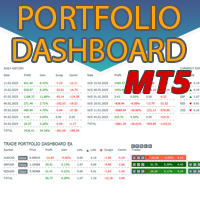
일별 및 주별 마감 거래 내역, 현재 진행 중인 거래, 외환 노출을 한 차트에서 즉시 확인하세요! 히트맵을 사용하여 수익성 있는 거래와 거래 포트폴리오 내에서 현재 하락이 있는 위치를 파악하세요. 빠른 마감 버튼 빠른 마감 버튼을 사용하여 단일 심볼에 대한 모든 거래를 마감하거나, 개별 거래를 전체적으로 마감하거나, 버튼을 클릭하여 일부 수익 또는 손실을 실현하세요. 더 이상 목록에서 거래를 찾아 거래의 일부를 마감하는 방법을 알아낼 필요가 없습니다. 대시보드는 외환 쌍을 거래하는 동안 각 통화 심볼에 대한 현재 노출도 표시하므로 주요 뉴스 이벤트에 앞서 과도하게 노출될 수 있는 영역을 파악하는 데 도움이 됩니다. 버튼을 사용하여 뉴스가 나오기 전에 노출을 즉시 빠르게 줄이거나, 이미 뉴스가 발생하여 수익을 창출한 경우 클릭 한 번으로 빠르게 수익을 확보할 수 있습니다! 진행 중인 거래 히트맵 거래 히트맵은 달러 비용 평균화를 사용하여 거래의 확장 및 축소를 수행하는 포지션 거
시장 반전 경고 EA는 동일한 이름( https://www.mql5.com/en/market/product/57892 )의 지표에 의해 구동되며 시장 구조 변화를 기반으로 거래됩니다. EA는 기본적으로 지표에서 시장 반전 경고를 보낼 때마다 거래를 수행하고 EA 설정에서 설정한 조건 및 필터를 기반으로 해당 경고를 거래합니다. 가격이 현재 추세 방향으로 움직일 때 지지 직사각형을 그리고 가격이 급격하게 반전할 때 거래되고 시장 구조의 변화 또는 반전의 재시험을 알립니다. 표시기 페이지에서 자세히 알아보십시오.  https://www.mql5.com/en/market/product/57892 이 설명에서 다루기에는 너무 많은 설정과 가능성이 있으므로 모든 설정이 포함된 블로그 게시물과 이 블로그 게시물에서 자세히 설명하는 비디오가 있습니다.  https://www.mql5.com/en/blogs/post/745502 위의 해당 게시물을 읽고 비디오를 시청하면 EA가 얼마나
가격이 역전되고 후퇴함에 따라 시장 구조가 변경됩니다. 시장 구조 반전 경고 표시기는 추세 또는 가격 움직임이 고갈에 가까워지고 반전할 준비가 되었음을 식별합니다. 일반적으로 반전이나 큰 하락이 일어나려고 할 때 발생하는 시장 구조의 변화를 알려줍니다. 지표는 가능한 고갈 지점 근처에서 새로운 고점 또는 저점이 형성될 때마다 초기에 돌파와 가격 모멘텀을 식별합니다. 표시기는 반대쪽에 있는 마지막 촛불에 직사각형을 그립니다. 그런 다음 현재의 단기 추세에서 계속 움직이기 때문에 가격과 함께 직사각형을 따라갈 것입니다. 가격이 사각형 위나 아래로 다시 닫힐 정도로 약해지면 시장 구조에 잠재적인 변화가 일어나고 있음을 나타냅니다. 그런 다음 표시기는 방향의 잠재적인 이동과 추세 또는 주요 하락의 가능한 반전 시작에 대해 경고합니다. 작동 방식을 보려면 아래의 작동 표시기를 참조하십시오! 모든 쌍 및 주요 기간을 모니터링하는 대시보드: https://www.mql5.com/en/m
추측을 멈추세요. 통계적 우위로 트레이딩을 시작하세요. 주식 지수는 외환과 다르게 거래됩니다. 정해진 세션이 있고, 야간에 갭이 발생하며, 예측 가능한 통계적 패턴을 따릅니다. 이 지표는 DAX, S&P 500, 다우존스와 같은 지수를 자신 있게 거래하는 데 필요한 확률 데이터를 제공합니다. 무엇이 다른가 대부분의 지표는 무엇이 일어났는지 보여줍니다. 이 지표는 다음에 무엇이 일어날 가능성이 있는지 보여줍니다. 매 거래일마다 지표는 100일간의 과거 데이터를 기준으로 현재 설정을 분석합니다. 유사한 갭, 유사한 시가 위치를 가진 날을 찾고, 가격이 주요 레벨에 도달한 빈도를 정확히 계산합니다. 갭이 메워질지, 어제 고점이 테스트될지 더 이상 추측할 필요가 없습니다. 실제 데이터에 기반한 정확한 백분율을 얻게 됩니다. 모든 입력 설명이 포함된 전체 매뉴얼:   https://www.mql5.com/en/blogs/post/766370 훌륭한 설정을 찾는 데 도움이 되는 전략 가이드:
Risk/Reward Tool은 MetaTrader 5에서 거래를 계획, 시각화 및 실행하는 방식을 혁신하도록 설계된 전문가급 Expert Advisor입니다. 정밀한 리스크 관리를 중시하는 재량 트레이더이든, 거래 설정을 시각적으로 테스트해야 하는 전략 개발자이든, 이 도구는 우아하고 직관적인 인터페이스에서 필요한 모든 것을 제공합니다. 기본적인 포지션 계산기와 달리, Risk/Reward Tool은 시각적 거래 계획을 즉각적인 실행 기능, 실시간 손익 모니터링 및 포괄적인 거래 관리 기능과 결합합니다. 이 도구는 MT5 전략 테스터와 완전히 호환되어 실제 자본을 위험에 빠뜨리지 않고 거래 전략을 연습하고 접근 방식을 개선할 수 있습니다. 도구의 전체 매뉴얼은 여기에서 확인할 수 있습니다: https://www.mql5.com/en/blogs/post/766244 MT4 버전: https://www.mql5.com/en/market/product/78020/ 주요 기능 시각적 거래
시장 반전 경고 EA는 동일한 이름(여기에서 사용 가능)의 지표에 의해 구동되며 시장 구조 변화를 기반으로 거래됩니다. EA는 기본적으로 지표에서 시장 반전 경고를 보낼 때마다 거래를 수행하고 EA 설정에서 설정한 조건 및 필터를 기반으로 해당 경고를 거래합니다. 가격이 현재 추세 방향으로 움직일 때 지지 직사각형을 그리고 가격이 급격하게 반전할 때 거래되고 시장 구조의 변화 또는 반전의 재시험을 알립니다. 표시기 페이지에서 자세히 알아보십시오. 이 설명에서 다루기에는 너무 많은 설정과 가능성이 있으므로 모든 설정이 포함된 블로그 게시물과 이 블로그 게시물에서 자세히 설명하는 비디오가 있습니다.  https://www.mql5.com/en/blogs/post/745502 위의 해당 게시물을 읽고 비디오를 시청하면 EA가 얼마나 강력한지 알게 될 것입니다. 이 블로그 게시물에서 시작하는 데 도움이 되는 몇 가지 좋은 설정 파일과 전략을 볼 수 있습니다.  https://w
Market Reversal Alerts
LEE SAMSON
4.2 (115)
가격이 역전되고 후퇴함에 따라 시장 구조가 변경됩니다. 시장 구조 반전 경고 표시기는 추세 또는 가격 움직임이 고갈에 가까워지고 반전할 준비가 되었음을 식별합니다. 일반적으로 반전이나 큰 하락이 일어나려고 할 때 발생하는 시장 구조의 변화를 알려줍니다. 지표는 가능한 고갈 지점 근처에서 새로운 고점 또는 저점이 형성될 때마다 초기에 돌파와 가격 모멘텀을 식별합니다. 표시기는 반대쪽에 있는 마지막 촛불에 직사각형을 그립니다. 그런 다음 현재의 단기 추세에서 계속 움직이기 때문에 가격과 함께 직사각형을 따라갈 것입니다. 가격이 사각형 위나 아래로 다시 닫힐 정도로 약해지면 시장 구조에 잠재적인 변화가 일어나고 있음을 나타냅니다. 그런 다음 표시기는 방향의 잠재적인 이동과 추세 또는 주요 하락의 가능한 반전 시작에 대해 경고합니다. 작동 방식을 보려면 아래의 작동 표시기를 참조하십시오! 여기에서 모든 쌍 및 기간을 모니터링하기 위한 선택적 대시보드 추가 기능: https://www
모든 거래 전략을 포지션 거래 전략으로 바꾸거나, 자신에게 불리하게 움직이는 포지션에 대한 자동 하락 제어 시스템을 포함하여 검증된 RSI 및 ADR 기반 포지션 거래 전략을 거래하세요. 이 EA는 수년 동안 Market Structure Trader 웹사이트에서 강의된 포지션 거래 전략에 사용되어 온 MRA EA를 발전시키고 단순화한 것입니다. 웹사이트, 무료 포지션 트레이딩 코스 및 기타 제품에 대한 링크는 내 프로필을 참조하세요. EA는 "탄성 밴드 이론"을 사용하여 시장 구조 움직임으로 자동으로 확장되며 RSI 지표 또는 거래하려는 외환 상품의 ADR(평균 일일 범위) 확장을 사용하여 은행 및 기관이 취한 되돌리기 움직임을 의미합니다. 포지션 트레이딩은 작은 위험과 다중 진입을 통해 시장에 진입하는 방법입니다. 즉, 초기 거래 진입의 정확성이 진입 후 EA에서 거래를 관리하는 방식보다 덜 중요하다는 의미입니다. 시장은 예측할 수 없으며 장기적으로 지속 가능한 모든 종류의
주요 주식 지수의 개장 변동성을 활용하고 시장이 개장 벨에서 이탈하는 시점에 발생하는 갑작스러운 움직임으로부터 이익을 얻으십시오. 전략의 목표는 시장이 공개적으로 한 방향으로 빠르고 강하게 움직이고 움직이는 은행에서 이익을 얻는 것입니다. 시장이 약하고 방향 없이 열리면 EA는 헤지 손실을 잠그고 포지션을 종료하기 전에 시장이 방향을 결정할 때까지 기다립니다. 주가지수 헤지 EA는 개장 전 범위를 분석하고 어느 방향으로든 빠른 움직임으로 시장이 열리자마자 현금화할 수 있는 이상적인 거래 거리를 찾습니다. 이 전략은 DAX, DOW, NAS, S&P500 또는 FTSE와 같은 모든 주식 지수에서 작동합니다. 사전 시장 범위가 너무 크거나 작은 경우 사전 시장 가격 조치를 건너뛰고 초기 5분 개시 범위에서 휴식을 취하려고 시도합니다. 이 기능은 너무 좁은 범위에서 휩소를 피하거나 범위가 너무 넓으면 목표를 달성하지 못할 가능성을 방지하기 위해 공개적으로 이상적인 거래 조건을 만드는 데
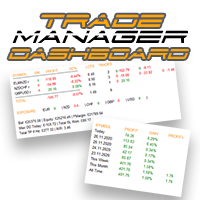
외환 포트폴리오를 관리하십시오. 당신이 서 있는 위치, 효과가 있는 것과 통증을 유발하는 것을 즉시 확인하십시오! MT5 버전은 여기에서 사용 가능: https://www.mql5.com/en/market/product/58658 Trade Manager 대시보드는 현재 외환 시장에서 각 포지션이 어디에 있는지 한 눈에 보여주고 위험 관리 및 통화 노출을 더 쉽게 이해할 수 있도록 설계되었습니다. 여러 포지션 또는 거래 그리드 및 바스켓 전략을 사용하여 점진적으로 시장으로 확장하는 거래자의 경우 이것이 핵심 정보입니다. 터미널에서 여러 위치를 모니터링하는 것은 종종 관리하기 어렵습니다. 저조한 위험을 과도하게 활용하고 사용하는 것은 신규 거래자와 일부 숙련된 거래자가 직면한 주요 문제입니다. 거래 관리자는 각 통화에 대한 노출을 개별적으로 표시하여 한 번에 양방향 거래를 하지 않도록 합니다. 특징: 공개 거래 - 통화 쌍별로 정렬된 현재 공개 거래를 모두 봅니다. 쌍뿐만 아니
일별 및 주별 마감 거래 내역, 현재 진행 중인 거래, 외환 노출을 한 차트에서 즉시 확인하세요! 히트맵을 사용하여 수익성 있는 거래와 거래 포트폴리오 내에서 현재 하락이 있는 위치를 파악하세요. 빠른 마감 버튼 빠른 마감 버튼을 사용하여 단일 심볼에 대한 모든 거래를 마감하거나, 개별 거래를 전체적으로 마감하거나, 버튼을 클릭하여 일부 수익 또는 손실을 실현하세요. 더 이상 목록에서 거래를 찾아 거래의 일부를 마감하는 방법을 알아낼 필요가 없습니다. 대시보드는 외환 쌍을 거래하는 동안 각 통화 심볼에 대한 현재 노출도 표시하므로 주요 뉴스 이벤트에 앞서 과도하게 노출될 수 있는 영역을 파악하는 데 도움이 됩니다. 버튼을 사용하여 뉴스가 나오기 전에 노출을 즉시 빠르게 줄이거나, 이미 뉴스가 발생하여 수익을 창출한 경우 클릭 한 번으로 빠르게 수익을 확보할 수 있습니다! 진행 중인 거래 히트맵 거래 히트맵은 달러 비용 평균화를 사용하여 거래의 확장 및 축소를 수행하는 포지션 거
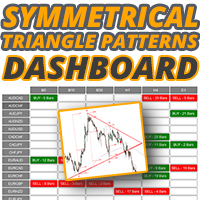
대칭 삼각형 차트 패턴은 가격이 강제로 상승 또는 붕괴되기 전에 수축 및 통합 기간을 나타냅니다. 하단 추세선에서의 분석은 새로운 약세 추세의 시작을 나타내고 상단 추세선의 이탈은 새로운 강세 추세의 시작을 나타냅니다. 대시보드를 사용하여 대칭 삼각형 패턴으로 거래하는 모든 상품과 시간 프레임을 한 번에 모니터링하십시오! https://www.mql5.com/en/market/product/69169/ MT5 버전 사용 가능: https://www.mql5.com/en/market/product/70006/ 이 표시기는 이러한 패턴을 식별하고 4가지 핵심 포인트가 형성되고 가격이 다시 삼각형으로 되돌아갔을 때 경고하므로 잠재적인 돌파에 대비할 수 있습니다. 대칭 삼각형이 항상 완벽하게 대칭인 것은 아니며 가격이 오르거나 내릴 수 있지만 일반적으로 가장 성공적인 돌파는 삼각형의 첫 번째 점을 형성한 높거나 낮은 방향입니다. 따라서 지표는 돌파에 대한 강세 또는 약세 편향을 제공하
대칭 삼각형 차트 패턴은 가격이 강제로 상승 또는 붕괴되기 전에 수축 및 통합 기간을 나타냅니다. 하단 추세선에서의 분석은 새로운 약세 추세의 시작을 나타내고 상단 추세선의 이탈은 새로운 강세 추세의 시작을 나타냅니다. MT4 버전 사용 가능: https://www.mql5.com/en/market/product/68709/ 이 표시기는 이러한 패턴을 식별하고 4가지 핵심 포인트가 형성되고 가격이 다시 삼각형으로 되돌아갔을 때 경고하므로 잠재적인 돌파에 대비할 수 있습니다. 대칭 삼각형이 항상 완벽하게 대칭인 것은 아니며 가격이 오르거나 내릴 수 있지만 일반적으로 가장 성공적인 돌파는 삼각형의 첫 번째 점을 형성한 높거나 낮은 방향입니다. 따라서 지표는 돌파에 대한 강세 또는 약세 편향을 제공하고 색상으로 구분되어 특정 방향에 대해 경고합니다. 한 방향으로만 거래를 할 필요는 없지만 어느 방향으로도 돌파가 가능하지만 첫 번째 포인트 추세에 따라 중단이 발생하면 더 크고 빠른 가
추측을 멈추세요. 통계적 우위로 트레이딩을 시작하세요. 주식 지수는 외환과 다르게 거래됩니다. 정해진 세션이 있고, 야간에 갭이 발생하며, 예측 가능한 통계적 패턴을 따릅니다. 이 지표는 DAX, S&P 500, 다우존스와 같은 지수를 자신 있게 거래하는 데 필요한 확률 데이터를 제공합니다. 무엇이 다른가 대부분의 지표는 무엇이 일어났는지 보여줍니다. 이 지표는 다음에 무엇이 일어날 가능성이 있는지 보여줍니다. 매 거래일마다 지표는 100일간의 과거 데이터를 기준으로 현재 설정을 분석합니다. 유사한 갭, 유사한 시가 위치를 가진 날을 찾고, 가격이 주요 레벨에 도달한 빈도를 정확히 계산합니다. 갭이 메워질지, 어제 고점이 테스트될지 더 이상 추측할 필요가 없습니다. 실제 데이터에 기반한 정확한 백분율을 얻게 됩니다. 모든 입력 설명이 포함된 전체 매뉴얼: https://www.mql5.com/en/blogs/post/766370 훌륭한 설정을 찾는 데 도움이 되는 전략 가이드: ht
거래하고자 하는 주요 영역을 파악한 후 자동으로 거래 지원 및 저항 또는 공급 및 수요 구역을 설정합니다. 이 EA를 사용하면 한 번의 클릭으로 매수 및 매도 구역을 그린 다음 가격이 바뀔 것으로 예상되는 정확한 위치에 배치할 수 있습니다. 그런 다음 EA는 해당 구역을 모니터링하고 구역에 대해 지정한 가격 액션에 따라 자동으로 거래를 수행합니다. 초기 거래가 수행되면 EA는 대상 구역이 되는 반대 구역에서 이익을 얻습니다. 그런 다음 거래를 종료하고 진입할 새 구역을 그리거나 이익을 얻고 즉시 반대 방향으로 거래를 역전하여 "항상 시장" 스타일 전략을 만드는 두 가지 선택이 있습니다. 입력 및 전략이 포함된 전체 매뉴얼은 여기에 있습니다: https://www.mql5.com/en/blogs/post/760256 이 EA는 시장에서 고정 또는 하드 스톱 로스를 사용하지 않는 포지션 트레이더 또는 달러 비용 평균 거래 전략을 위해 설계되었습니다. 대신, 다음에 가능한 지지 또는
Risk/Reward Tool은 MetaTrader 4에서 거래를 계획, 시각화 및 실행하는 방식을 혁신하도록 설계된 전문가급 Expert Advisor입니다. 정밀한 리스크 관리를 중시하는 재량 트레이더이든, 거래 설정을 시각적으로 테스트해야 하는 전략 개발자이든, 이 도구는 우아하고 직관적인 인터페이스에서 필요한 모든 것을 제공합니다. 기본적인 포지션 계산기와 달리, Risk/Reward Tool은 시각적 거래 계획을 즉각적인 실행 기능, 실시간 손익 모니터링 및 포괄적인 거래 관리 기능과 결합합니다. 이 도구는 MT4 전략 테스터와 완전히 호환되어 실제 자본을 위험에 빠뜨리지 않고 거래 전략을 연습하고 접근 방식을 개선할 수 있습니다. 도구의 전체 매뉴얼은 여기에서 확인할 수 있습니다: https://www.mql5.com/en/blogs/post/766244 MT5 version:  https://www.mql5.com/en/market/product/158601 주요 기능
주가 지수 개장 시 발생하는 폭발적인 움직임으로 이익을 얻고 매일 실행 가능한 우위를 확보하십시오. 개시 범위 돌파 EA는 DAX, DOW, NASDAQ 및 S&P500과 같은 주요 주식 지수에서 매일 개장 직후 형성되는 추세를 포착하기 위해 원하는 대로 조정할 수 있습니다. 이러한 개방은 매일 같은 시간에 발생하므로 변동성이 언제 발생하는지 알 수 있으며 종종 이 EA로 캡처하고 전체 거래 세션 동안 탈 수 있는 개방된 강력한 추세 형태 직후에 발생합니다. 개장 범위는 일반적으로 주식 시장 개장 첫 5-15분이며 대규모 시장 참가자가 초기 주문을 한 후 투기 거래가 시작됩니다. 개봉 후 두 가지 중 하나가 발생하는 경향이 있습니다. 1. 지수가 상승, 반전, 반전되는 범위 또는 회전일을 얻습니다. 요즘 전략과 EA는 종종 손익분기점을 넘기거나 작은 손실을 입을 것입니다. 2. 시장이 몇 시간 동안 계속해서 한 방향으로 밀고 가는 경향이 있는 날이 있습니다. 요즘은 전략이 실제로
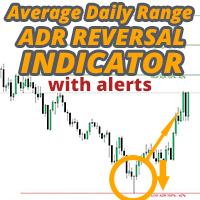
ADR 반전 표시기는 가격이 정상적인 일일 평균 범위와 관련하여 현재 거래되고 있는 위치를 한 눈에 보여줍니다. 가격이 평균 범위를 초과하고 선택한 수준보다 높을 때 팝업, 이메일 또는 푸시를 통해 즉각적인 알림을 받을 수 있으므로 신속하게 철회 및 반전에 뛰어들 수 있습니다. 지표는 평균 일일 범위 극단에서 차트에 수평선을 그리고 가격이 초과하는 수학적 확률이 첨부된 수준 위의 확장을 그립니다. 자세한 내용은 아래에서... 표시기를 보완하고 모든 쌍을 모니터링하기 위한 ADR 경고 대시보드: https://www.mql5.com/en/market/product/66316 MT4 버전도 여기에서 사용 가능: https://www.mql5.com/en/market/product/62757 시간의 약 60%는 가격이 정상적인 일일 평균 범위(ADR) 내에서 거래되고 이 수준 이상으로 상승하면 일반적으로 급격한 가격 변동의 지표이며 일반적으로 이에 따라 후퇴(이익 차감) 움직임이 있
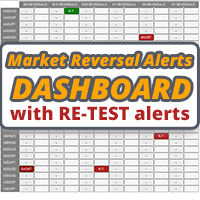
이 대시보드는 시장 구조 반전 지표와 함께 사용하기 위한 경고 도구입니다. 주요 목적은 특정 시간 프레임에 반전 기회를 알리고 지표가 하는 대로 경고의 재테스트(확인)를 알리는 것입니다. 대시보드는 자체적으로 차트에 배치되고 백그라운드에서 작동하여 선택한 쌍 및 기간에 대한 알림을 보내도록 설계되었습니다. 많은 사람들이 하나의 MT4에서 여러 차트에서 시장 반전 표시기를 실행하는 대신 여러 쌍과 시간 프레임을 한 번에 모니터링하기 위해 대시를 요청한 후 개발되었습니다. M5, M15, M30, H1, H4 및 D1 시간대에 경고합니다. 더 높은 기간은 물론 모든 거래와 마찬가지로 가장 잘 작동합니다. 사각형을 그리고 특정 쌍의 시장 구조 변화를 경고하기 위해 만든 표시기는 대시보드를 실행합니다. 대시보드를 사용하면 여러 쌍과 시간 프레임을 모니터링하고 하나의 차트를 열어 경고를 받을 수 있습니다. 이 대시보드는 시장 구조 반전 지표용 애드온으로 설계되었습니다. 독립적으로 작동하며
주가 지수 개장 시 발생하는 폭발적인 움직임으로 이익을 얻고 매일 실행 가능한 우위를 확보하십시오. 개시 범위 돌파 EA는 DAX, DOW, NASDAQ 및 S&P500과 같은 주요 주식 지수에서 매일 개장 직후 형성되는 추세를 포착하기 위해 원하는 대로 조정할 수 있습니다. 이러한 개방은 매일 같은 시간에 발생하므로 변동성이 언제 발생하는지 알 수 있으며 종종 이 EA로 캡처하고 전체 거래 세션 동안 탈 수 있는 개방된 강력한 추세 형태 직후에 발생합니다. 개장 범위는 일반적으로 주식 시장 개장 첫 5-15분이며 대규모 시장 참가자가 초기 주문을 한 후 투기 거래가 시작됩니다. 개봉 후 두 가지 중 하나가 발생하는 경향이 있습니다. 1. 지수가 상승, 반전, 반전되는 범위 또는 회전일을 얻습니다. 요즘 전략과 EA는 종종 손익분기점을 넘기거나 작은 손실을 입을 것입니다. 2. 시장이 몇 시간 동안 계속해서 한 방향으로 밀고 가는 경향이 있는 날이 있습니다. 요즘은 전략이 실제로
ADR Alert Dashboard
LEE SAMSON
3.83 (12)
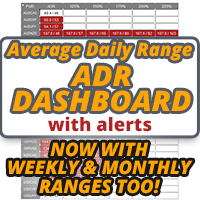
ADR 경보 대시보드는 가격이 일반적인 일일 평균 범위와 관련하여 현재 거래되고 있는 위치를 한 눈에 보여줍니다. 가격이 평균 범위를 초과하고 선택한 수준보다 높을 때 팝업, 이메일 또는 푸시를 통해 즉각적인 알림을 받을 수 있으므로 신속하게 철회 및 반전에 뛰어들 수 있습니다. 대시는 빈 차트에 배치되도록 설계되었으며 배경에 앉아서 레벨에 도달하면 경고하므로 앉아서 보거나 전혀 볼 필요가 없습니다! MT5 버전은 여기에서 사용 가능: https://www.mql5.com/en/market/product/66316 새로운 기능: 이제 평균 WEEKLY 및 MONTHLY 범위와 경고도 표시됩니다! 여기에서 차트의 수준을 나타내는 ADR 반전 표시기를 얻으십시오. https://www.mql5.com/en/market/product/62757 시간의 약 60%는 가격이 정상적인 일일 평균 범위(ADR) 내에서 거래되고 이 수준 이상으로 상승하면 일반적으로 급격한 가격 변동의 지표
The Strat Dashboard - Rob Smith의 Strat 전략용 다중 심볼 패턴 스캐너 실시간 다중 심볼 Strat 분석으로 트레이딩을 혁신하세요 The Strat Dashboard는 Rob Smith의 유명한 “Strat” 트레이딩 방법론을 사용하는 트레이더를 위해 특별히 설계된 강력하고 전문적인 인디케이터입니다. 여러 종목을 여러 타임프레임에서 동시에 모니터링하고, 고확률 패턴을 즉시 식별하며, 중요한 매매 기회를 놓치지 마세요. MT5 Version :-  https://www.mql5.com/en/market/product/153384/ “The Strat”이란 무엇인가? The Strat은 Rob Smith가 개발한 혁신적인 프라이스 액션 기반 트레이딩 전략으로, 캔들스틱 패턴과 타임프레임 간의 관계를 분석합니다. 각 캔들은 이전 캔들과의 관계에 따라 번호로 분류되어, 모든 시장, 모든 시간대 에 적용 가능한 보편적인 가격 해석 언어를 제공합니다.
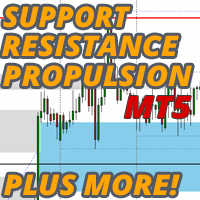
차트에 지지 및 저항 수준과 추진 캔들 갭을 자동으로 그려주므로 다음 가격 방향 및/또는 잠재적 반전 가능성을 확인할 수 있습니다. 이 보조지표는 제 웹사이트(시장 구조 트레이더)에서 가르치는 포지션 트레이딩 방법론의 일부로 사용하도록 설계되었으며 타겟팅 및 잠재적 진입을 위한 주요 정보를 표시합니다. MT4 Version:  https://www.mql5.com/en/market/product/97246/ 이 보조지표에는 2가지 핵심 기능과 4가지 추가 기능이 있습니다: 핵심 기능 1 - 일일, 주간 및 월간 시간대의 자동 지지선 및 저항선 이 인디케이터는 지난 2일에서 최대 6주 및 몇 달 전의 가장 최근 지원 및 저항 수준을 자동으로 가져옵니다. 이러한 레벨의 모양을 원하는 대로 완전히 사용자 지정하고 표시되는 레벨 수를 표시할 수 있습니다. 이러한 주요 레벨은 종종 가격이 하락하거나 반전되는 주요 지지 및 저항 구간으로 작용합니다. 또한 가격이 향할 목표가 되기도 하므로
외환 포트폴리오를 관리하십시오. 당신이 서 있는 위치, 효과가 있는 것과 통증을 유발하는 것을 즉시 확인하십시오! MT4 버전은 여기에서 사용 가능: https://www.mql5.com/en/market/product/58375 Trade Manager 대시보드는 현재 외환 시장에서 각 포지션이 어디에 있는지 한 눈에 보여주고 위험 관리 및 통화 노출을 더 쉽게 이해할 수 있도록 설계되었습니다. 여러 포지션 또는 거래 그리드 및 바스켓 전략을 사용하여 점진적으로 시장으로 확장하는 거래자의 경우 이것이 핵심 정보입니다. 터미널에서 여러 위치를 모니터링하는 것은 종종 관리하기 어렵습니다. 저조한 위험을 과도하게 활용하고 사용하는 것은 신규 거래자와 일부 숙련된 거래자가 직면한 주요 문제입니다. 거래 관리자는 각 통화에 대한 노출을 개별적으로 표시하여 한 번에 양방향 거래를 하지 않도록 합니다. 특징: 공개 거래 - 통화 쌍별로 정렬된 현재 공개 거래를 모두 봅니다. 쌍뿐만 아니
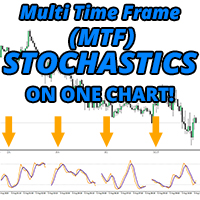
마침내! 하나의 차트에 여러 시간 프레임을 표시하는 MT4의 확률 지표! 4개의 별도 시간 프레임에서 메인 및 신호 라인의 실제 위치를 즉시 확인하여 교육받은 거래 결정을 내리는 데 도움이 됩니다. 표시기가 여러 시간 프레임에서 표시하는 내용을 시각적으로 확인해야 하는 트레이더를 위한 진정한 MTF 확률 표시기입니다. 위 또는 아래를 가리키거나 숫자가 표시됩니다. 더 이상 다른 스토캐스틱의 위치를 ​​확인하기 위해 시간 프레임을 휙휙 넘기지 않아도 됩니다! 좋아하는 시간대에 머물면서 전체 개요를 확인하세요! 다른 확률적 지표의 위 또는 아래 화살표가 주 또는 신호선인지, 실제로 가리키는 각도인지 더 이상 궁금해하지 마십시오! 확장되거나 정확하지 않아 가치 있는 차트 공간을 차지하는 MTF 확률론은 더 이상 필요하지 않습니다! 거래 차트에서 모든 시간대에 교차가 발생했는지 여부를 확인하십시오! 특징 M1에서 월간까지 원하는 기간(총 4개까지)을 선택하십시오. 나란히 표시된
FREE
ADR Reversal Indicator
LEE SAMSON
4.21 (14)
ADR 반전 표시기는 가격이 정상적인 일일 평균 범위와 관련하여 현재 거래되고 있는 위치를 한 눈에 보여줍니다. 가격이 평균 범위를 초과하고 선택한 수준보다 높을 때 팝업, 이메일 또는 푸시를 통해 즉각적인 알림을 받을 수 있으므로 신속하게 철회 및 반전에 뛰어들 수 있습니다. 지표는 평균 일일 범위 극단에서 차트에 수평선을 그리고 가격이 초과하는 수학적 확률이 첨부된 수준 위의 확장을 그립니다. 자세한 내용은 아래에서... 표시기를 보완하고 모든 쌍을 모니터링하기 위한 ADR 경고 대시보드: https://www.mql5.com/en/market/product/62756 MT5 버전도 여기에서 사용 가능: https://www.mql5.com/en/market/product/64477/ 시간의 약 60%는 가격이 정상적인 일일 평균 범위(ADR) 내에서 거래되고 이 수준 이상으로 상승하면 일반적으로 급격한 가격 변동의 지표이며 일반적으로 이에 따라 후퇴(이익 차감) 움직임이
이 대시보드는 시장 구조 반전 지표와 함께 사용하기 위한 경고 도구입니다. 주요 목적은 특정 시간 프레임에 반전 기회를 알리고 지표가 하는 대로 경고의 재테스트(확인)를 알리는 것입니다. 대시보드는 자체적으로 차트에 배치되고 백그라운드에서 작동하여 선택한 쌍 및 기간에 대한 알림을 보내도록 설계되었습니다. 많은 사람들이 하나의 MT4에서 여러 차트에서 시장 반전 표시기를 실행하는 대신 여러 쌍과 시간 프레임을 한 번에 모니터링하기 위해 대시를 요청한 후 개발되었습니다. M5, M15, M30, H1, H4 및 D1 시간대에 경고합니다. 더 높은 기간은 물론 모든 거래와 마찬가지로 가장 잘 작동합니다. 이 대시보드는 시장 구조 반전 지표용 애드온으로 설계되었습니다. 독립적으로 작동하며 시장 역전 경고 표시기가 제공하는 패턴 및 신호에 대해 경고합니다. 여기에서 시장 반전 경고 표시기를 얻으십시오: https://www.mql5.com/en/market/product/46295 이
The Strat Dashboard - Rob Smith의 Strat 전략용 다중 심볼 패턴 스캐너 실시간 다중 심볼 Strat 분석으로 트레이딩을 혁신하세요 The Strat Dashboard는 Rob Smith의 유명한 “Strat” 트레이딩 방법론을 사용하는 트레이더를 위해 특별히 설계된 강력하고 전문적인 인디케이터입니다. 여러 종목을 여러 타임프레임에서 동시에 모니터링하고, 고확률 패턴을 즉시 식별하며, 중요한 매매 기회를 놓치지 마세요. MT4 Version :-   https://www.mql5.com/en/market/product/153375/ “The Strat”이란 무엇인가? The Strat은 Rob Smith가 개발한 혁신적인 프라이스 액션 기반 트레이딩 전략으로, 캔들스틱 패턴과 타임프레임 간의 관계를 분석합니다. 각 캔들은 이전 캔들과의 관계에 따라 번호로 분류되어, 모든 시장, 모든 시간대 에 적용 가능한 보편적인 가격 해석 언어를 제공합니다.
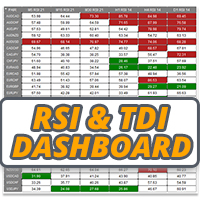
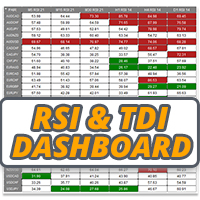
RSI / TDI 알림 대시보드를 사용하면 거래하는 모든 주요 쌍에서 RSI를 한 번에(귀하가 선택 가능) 모니터링할 수 있습니다. 두 가지 방법으로 사용할 수 있습니다. 1. 여러 시간 프레임을 선택하면 일반적인 거래 조건을 넘어 확장된 여러 시간 프레임이 있을 때 대시가 표시됩니다. 가격이 여러 기간에 걸쳐 과매수 또는 과매도 수준에 도달하여 최근에 가격이 크게 밀리고 있으므로 곧 철회 또는 반전이 예정되어 있음을 나타내는 훌륭한 지표입니다. 2. 하나의 기간(당신이 가장 선호하는 거래)과 여러 RSI 수준을 사용하여 해당 기간에 RSI 확장의 강도를 보여줍니다. 이것은 가격이 너무 오랫동안 한 방향으로 매우 세게 밀렸고 시장이 차익실현을 해야 할 때 평균 회귀 거래를 취하기 위한 훌륭한 전략입니다. 예시 스크린샷에서 H4 RSI가 25레벨을 넘어 2쌍으로 확장된 것을 볼 수 있습니다. 이는 일반적인 가격 조치보다 훨씬 더 멀리 있기 때문에 매수할 좋은 기회입니다. 대
필터:
fxcollection
101
fxcollection 2022.11.23 19:36 
 

사용자가 평가에 대한 코멘트를 남기지 않았습니다

robertgerg
124
robertgerg 2022.11.18 07:39 
 

I would recommend update price actions above/below candles whenever changing timeframes becaus 5min price actions make those H1 or H4 candles almost invisible. Othervise very useful.

Gavin Rissetto
283
Gavin Rissetto 2022.08.19 05:15 
 

Thank you it helps me a lot.

Eldy Yakin Sinit
942
Eldy Yakin Sinit 2022.04.09 05:19 
 

Awesome tools especially for Indices scalper!

Mark
122
Mark 2022.03.16 02:26 
 

I absolutely love this EA, I have been searching for quite some time to find a decent one. The auto scaling in of positions is extremely useful to me for trading on XAUUSD. Many thanks Lee.

Plamen Ivanov
2148
Plamen Ivanov 2022.03.11 08:48 
 

Another awesome tool provided by Lee. It fits my scalping strategy on indices. Again, great tool and truly 5* :)

리뷰 답변