Predator Volume Profile Ai
- 지표
-
Evans Asuma Metobo
 Best Scalper On Earth📈. 4+ years Forex, Stocks, Commodities, Crypto Expert with MBA Finance & 5 years experience in Wyckoff Schematics and Order-flow Analysis.
- 버전: 3.0
- 활성화: 6
Predator Volume Profile AI
Product Description
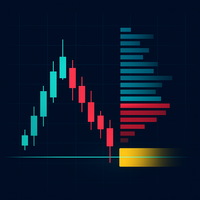
Predator Volume Profile AI reads the market through auction theory and a self-learning engine. It builds session volume profiles, scores the daily bias, and shows only the BUY / SELL arrows that its AI approves. Every run makes it smarter.
Key features
- RTH, Overnight and Weekly volume profiles with POC, VAH/VAL, HVN/LVN
- Live bias dashboard: value migration, open location, profile shape
- Daily bias line: buys only above it, sells only below it
- Trendline breakout and retest signals
- Failed-auction and acceptance-pullback signals
- Dual AI filter that vetoes weak setups
- Learns from live data and the Strategy Tester, and keeps its database
- Last 5 signals only, so your chart stays clean
- Alerts and push notifications
Quick Manual
1. Installation
- Copy the file into MQL5\Indicators .
- Restart MetaTrader 5 or refresh the Navigator.
- Drag the indicator onto a chart. M5 is recommended.
- Enable Allow DLL/Algo if prompted.
2. Reading the Chart
| Element | Meaning |
|---|---|
| Green arrow | BUY signal |
| Red arrow | SELL signal |
| Text under the arrow | Signal type and AI confidence |
| Daily bias line | Green = bullish, only buys. Red = bearish, only sells |
| Gold line | POC (point of control) |
| Blue dashed lines | Value area high / low |
| Red zones | Low-volume areas where price moves fast |
| Grey dotted lines | High-volume areas where price slows |
Only the last 5 signals stay on the chart.
3. Using the Dashboard
The panel shows the overall bias and a plan for the session:
- Bullish: look for buys on dips.
- Bearish: look for sells on rallies.
- Balanced: trade the edges only.
It also shows the auction state, the Heiken Ashi confirmation and the AI status.
4. Signal Types
- TL BREAKOUT: price breaks a trendline.
- TL RETEST: price returns to test the broken line.
- FAILED AUCTION: price fails outside value and returns.
- ACCEPT PULLBACK: price pulls back to an accepted edge.
- ML DISCOVERY: a pattern found by the AI.
5. The Learning Phase
- During WARM-UP, signals are tagged (learning).
- After warm-up, the AI filter becomes ACTIVE and weak signals are hidden.
- Run the indicator in the Strategy Tester to train it faster.
- The database is saved automatically. It always loads the largest one available.
6. Recommended Settings
- Timeframe: M5
- Broker offset: if your broker's server time is off, set the NY offset manually. Use -7 for NY-close brokers.
- Daily bias filter: keep it ON.
- Alerts: turn ON for live trading.
7. Tips
- Give the AI time to learn. More history means better filtering.
- Treat arrows as trade ideas, not guarantees.
- Always use a stop loss.
- Test on a demo account first.
Disclaimer: Trading involves risk. Past performance does not guarantee future results.