FX CandleTimer
- 지표
- 버전: 1.10
- 활성화: 5

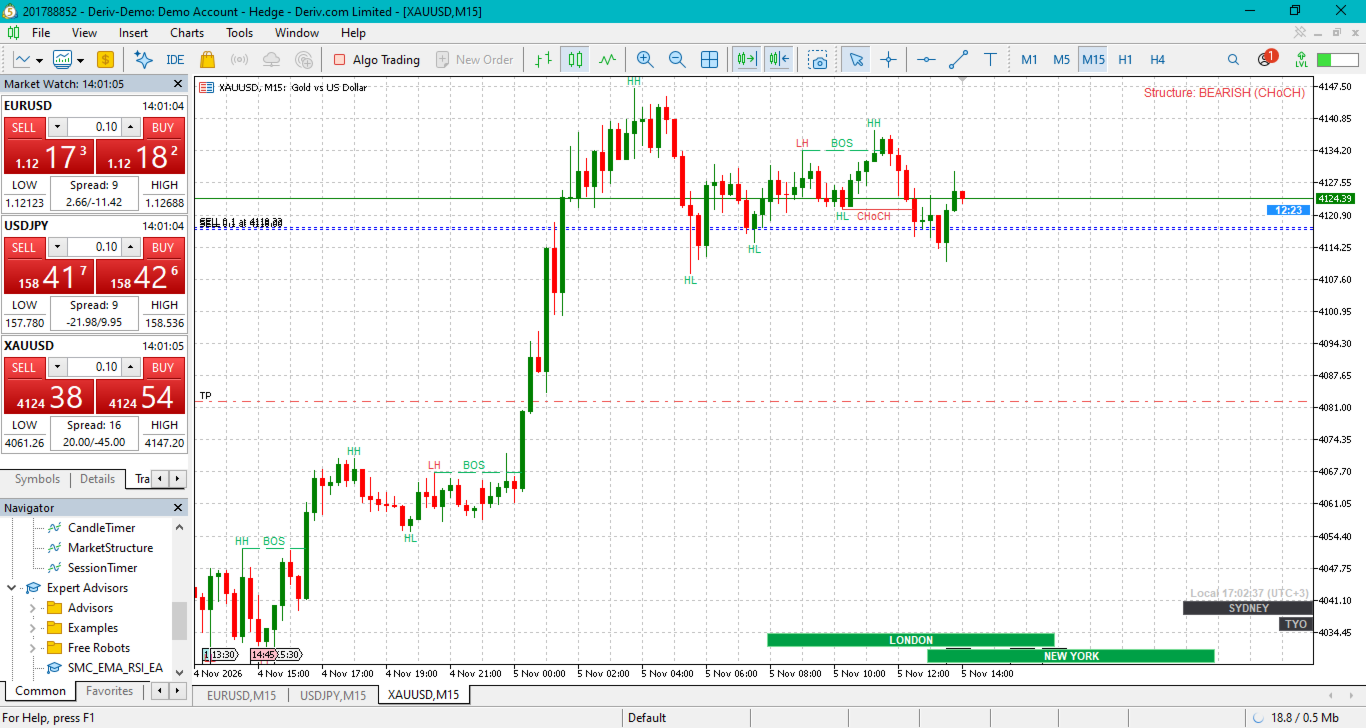
It counts down to the close of the current candle and shows the time in a filled rectangle just under the bid price.
What you can change in the inputs
- Fill colour: the rectangle uses the standard MT5 colour picker, so any colour works.
- Text colour, border colour, font and font size: all adjustable, and the border can be switched off.
- Rectangle width and height: adjust these until the box fits your chart.
- Position: the timer can sit at the right edge beside the price scale, or centred under the current candle.
- Gap below bid: moves the box closer to or further from the bid price.
- Warning colours: the box switches to a second fill and text colour (red by default) during the last 10 seconds of the candle. You can change the number of seconds or turn it off.
To install
- In MT5, go to File → Open Data Folder → MQL5 → Indicators and paste CandleTimer.mq5 there.
- Open MetaEditor (F4) and compile with F7, or just restart MT5.
- Drag CandleTimer from the Navigator onto your chart.