Knightsguard
- Experts
- 버전: 1.0
- 활성화: 10

Precision for the night session
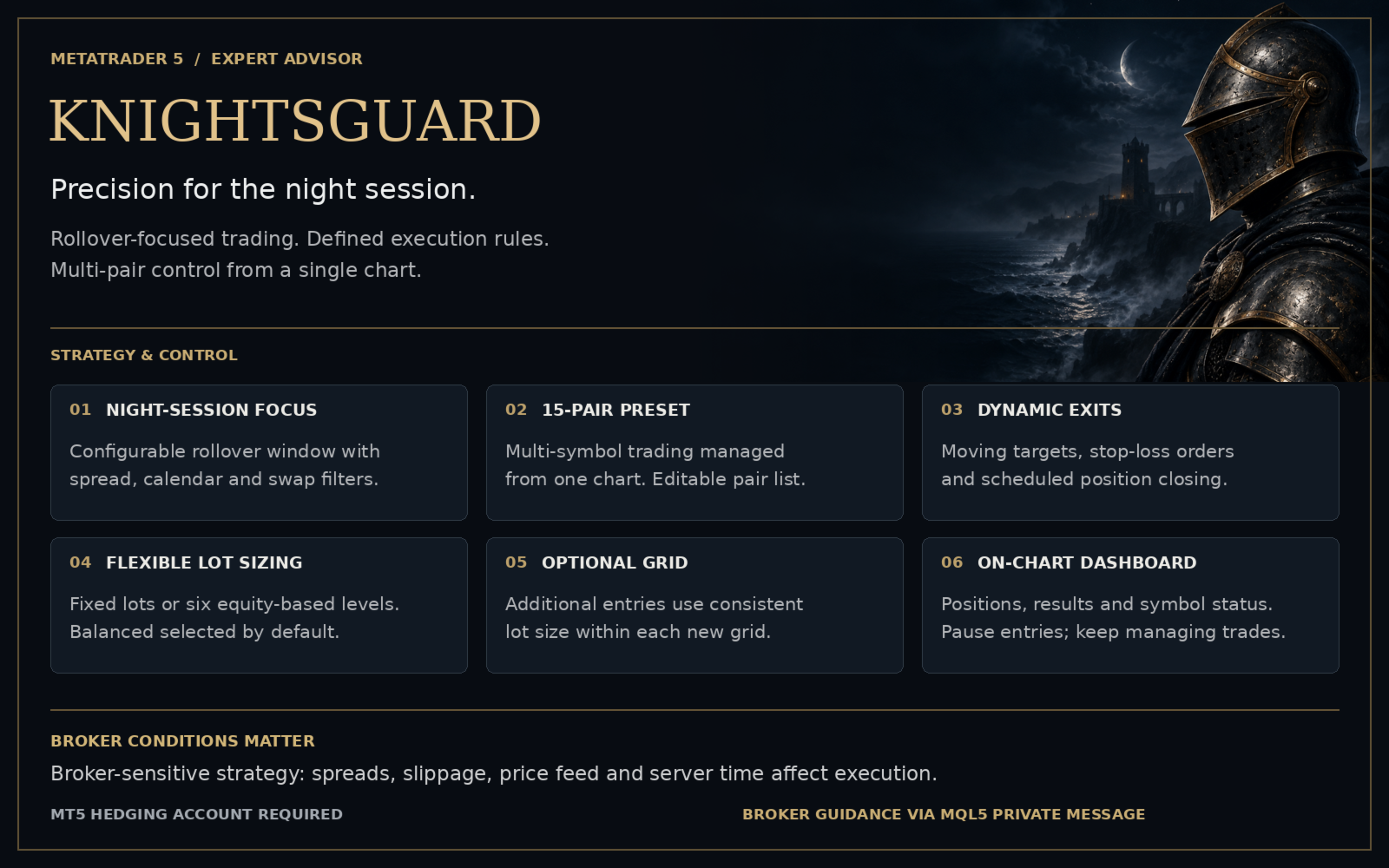
Knightsguard is a dedicated multi-pair Expert Advisor for Forex trading around the daily rollover. It combines volatility-aware entries, dynamic profit targets and a defined schedule for managing pending orders and open positions.
Patient at entry. Systematic at exit. Clear in operation.
A focused approach
Within its configured night session, Knightsguard looks for short-term price deviations and trades towards a retracement. Entry distances respond to measured volatility, while spread, calendar and swap filters define when new trades may be placed.
Once a trade is open, position management takes over. Profit targets can adjust according to the strategy, pending orders are removed under defined conditions, and remaining positions are submitted for closure at the configured closing time when market and execution conditions allow.
Feature overview
- Multi-pair trading from one chart: One instance manages the configured symbol list. The included preset contains 15 Forex pairs, with an editable selection.
- Volatility-aware entries: Entry distances respond to measured market movement.
- Dynamic exit management: Moving profit targets, stop-loss orders and scheduled position closing operate within a shared set of rules.
- Night-session filters: Separate spread thresholds for new entries and pending-order cancellation, plus configurable calendar and triple-swap filters.
- Flexible position sizing: Choose fixed lots or six equity-based levels, from Very low to Very high. Balanced is selected by default. Subsequent entry and grid sizes adapt to current equity; existing orders retain their original volume.
- Optional grid entries: Additional orders use a consistent lot size within each newly placed grid. Grid trading can be disabled.
Your trading overview, on the chart
The Knightsguard dashboard brings together booked and floating results, win rate, profit factor, open positions, pending orders and individual symbol status. Switch between daily, weekly, monthly and all-history views, or inspect active trades in the positions tab.
Pause entries suspends new entries while existing positions remain managed. Pending orders are submitted for cancellation on the next tick. A compact layout, grouped settings and coordinated chart styling keep daily operation clear.
Broker selection matters
Knightsguard is broker-sensitive. Rollover spreads, slippage, price-feed differences, execution conditions and broker server time can materially change its entries and results. Broker selection and a correctly aligned trading schedule are therefore part of the setup.
For current broker recommendations and setup guidance, send me a private message on MQL5. Test your chosen setup using your broker's data and conditions before live use.
Getting started
Knightsguard requires a MetaTrader 5 hedging account and runs from a single Forex chart. Match symbol names to your broker, check the schedule in broker server time, then select Fixed lot or your preferred Risk level. Risk levels determine lots per account equity and apply to each order, including grid orders. Graphics are embedded; no external DLLs are required.
Live monitoring
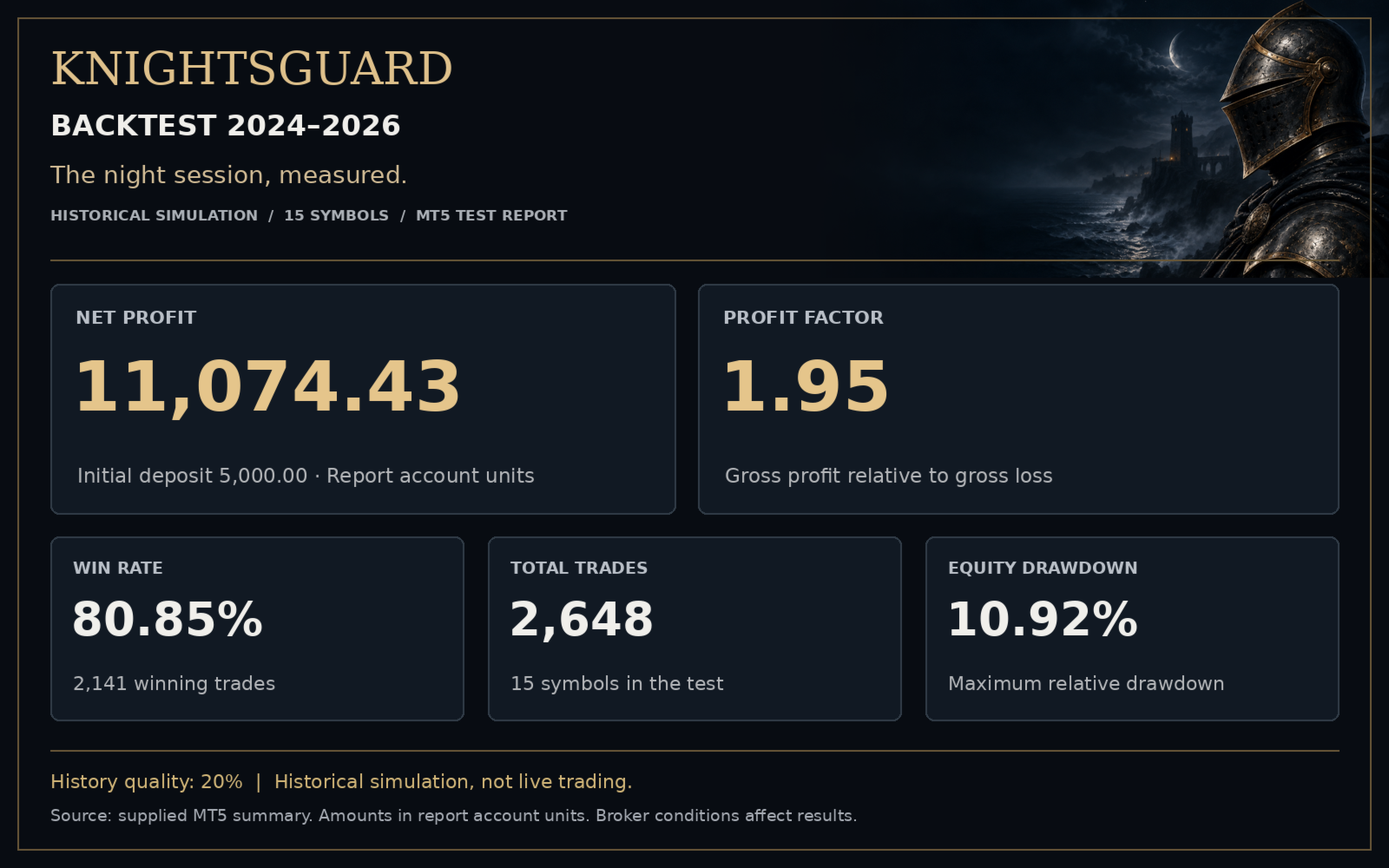
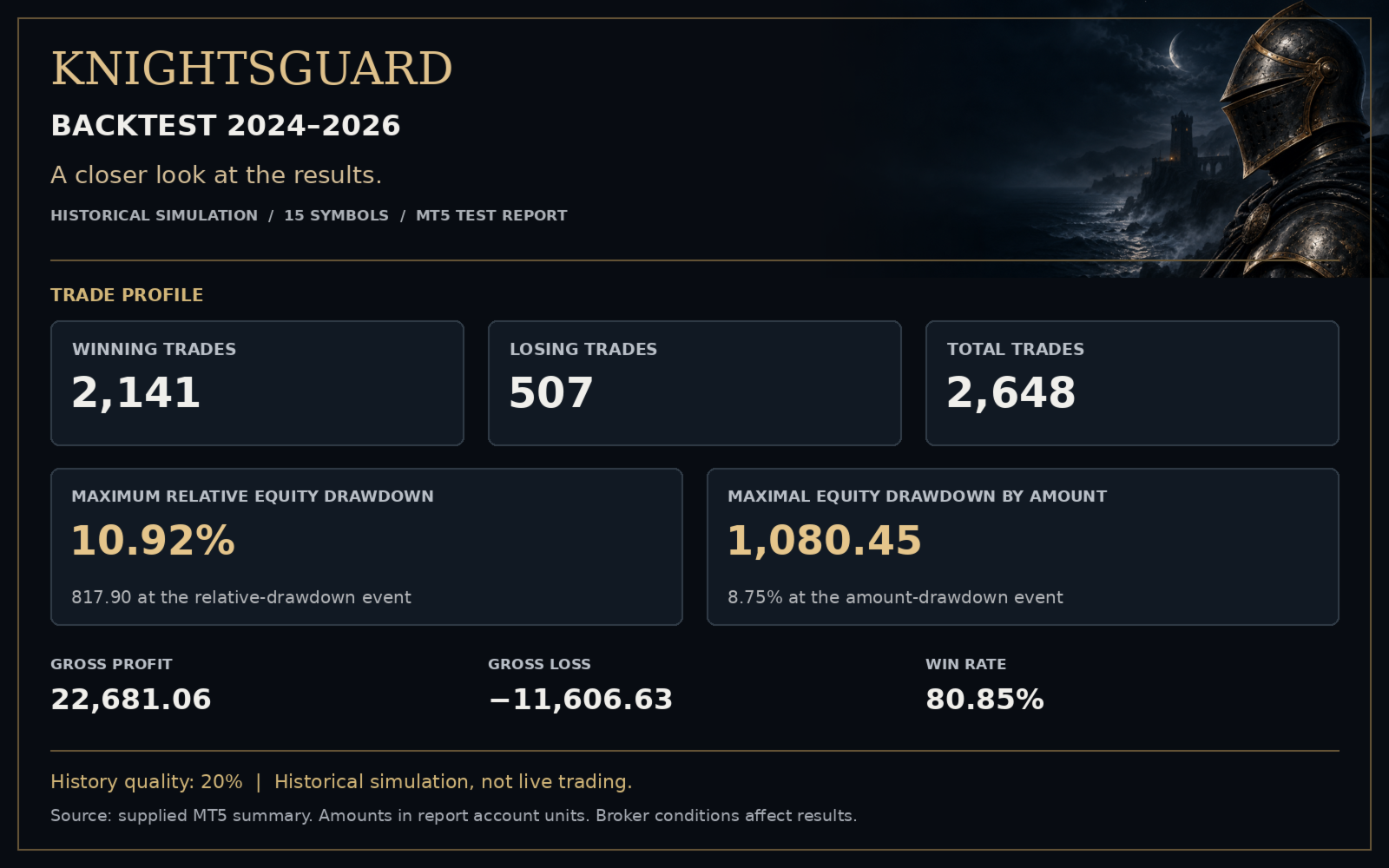
A public live signal is coming soon. The link will be added here once available. Backtest images shown on this page represent historical simulations, not live trading results.
Introductory pricing
The current price is temporary introductory pricing. The price is scheduled to increase after every five sales, subject to the Market's permitted update frequency.