Axivor Bridge
- 유틸리티
-
Aleksander Valentin
 I am the founder of Axivor Systems, an independent trading-software brand focused on professional tools for risk control, platform connectivity and systematic automation.
 - 버전: 1.0
- 활성화: 5
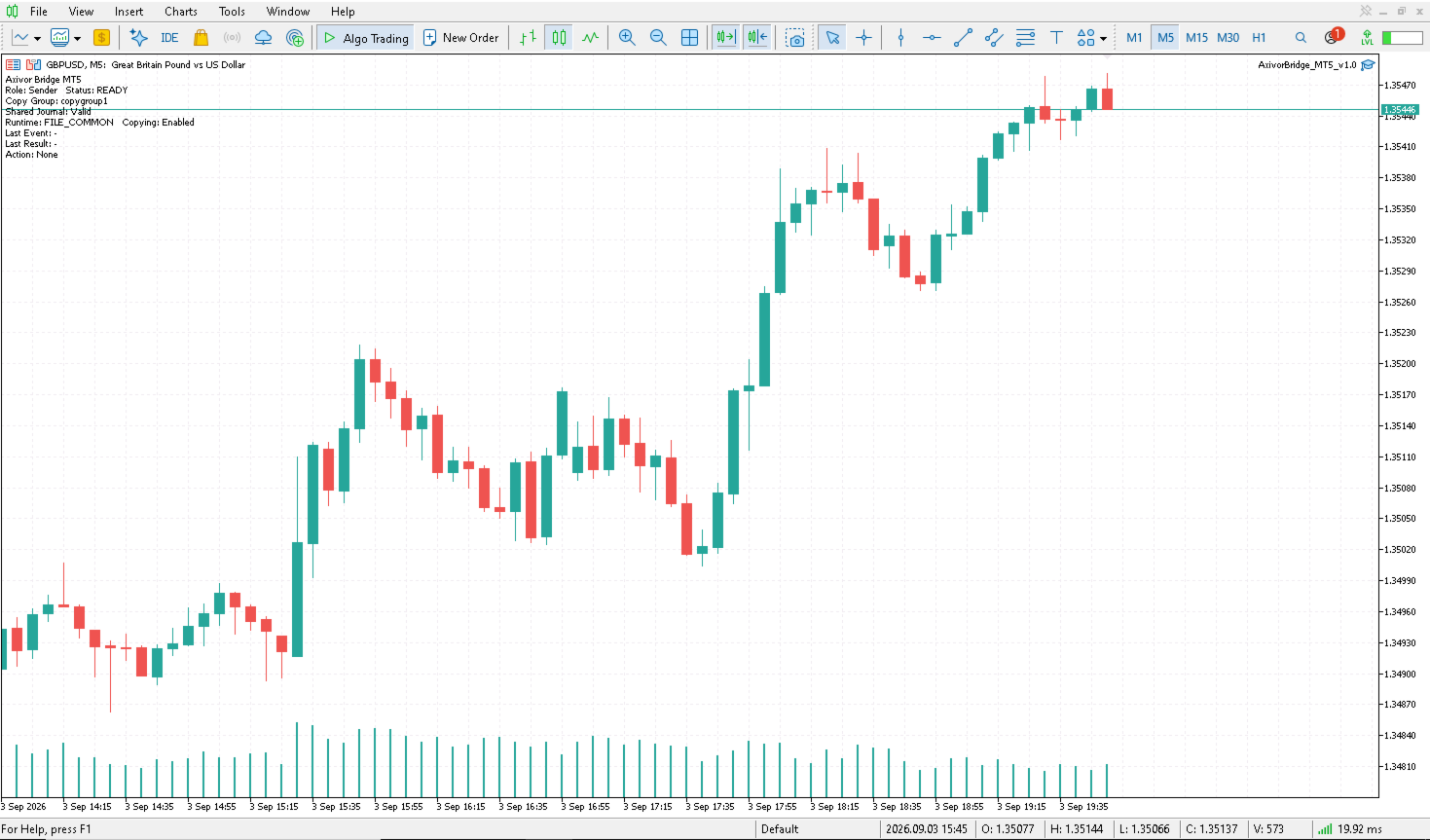
Axivor Bridge is a local multi-account trade-copying utility for MetaTrader 5 on native Windows desktops and VPS environments. The same Expert Advisor can run as Sender or Receiver. One Sender publishes supported market-position lifecycle changes to multiple independently configured Receivers without a separate relay program.
Bridge does not generate trading signals or choose trades. The trader controls the source account; each Receiver applies its own configured volume policy and remains subject to its broker and account conditions.
For normal MT5-to-MT5 use, setup is deliberately simple: attach Bridge to both accounts, leave the target as Receiver, change the source to Sender and keep the same Copy Group. No separate relay application is required.
Key Features
- Market BUY and SELL copying
- Initial Stop Loss and Take Profit copying
- Later Stop Loss and Take Profit changes
- Full/manual close copying
- One Sender with multiple independently configured Receivers
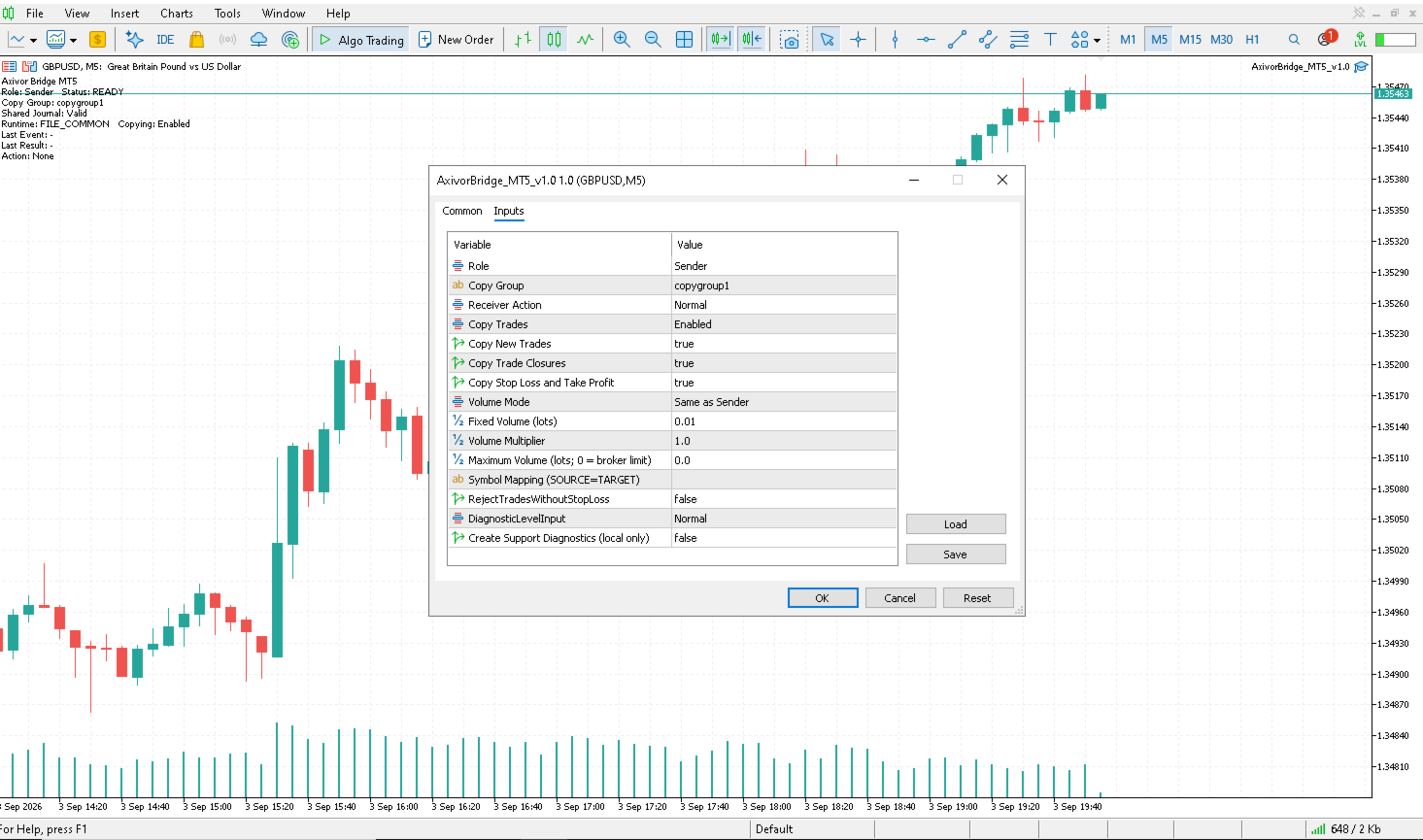
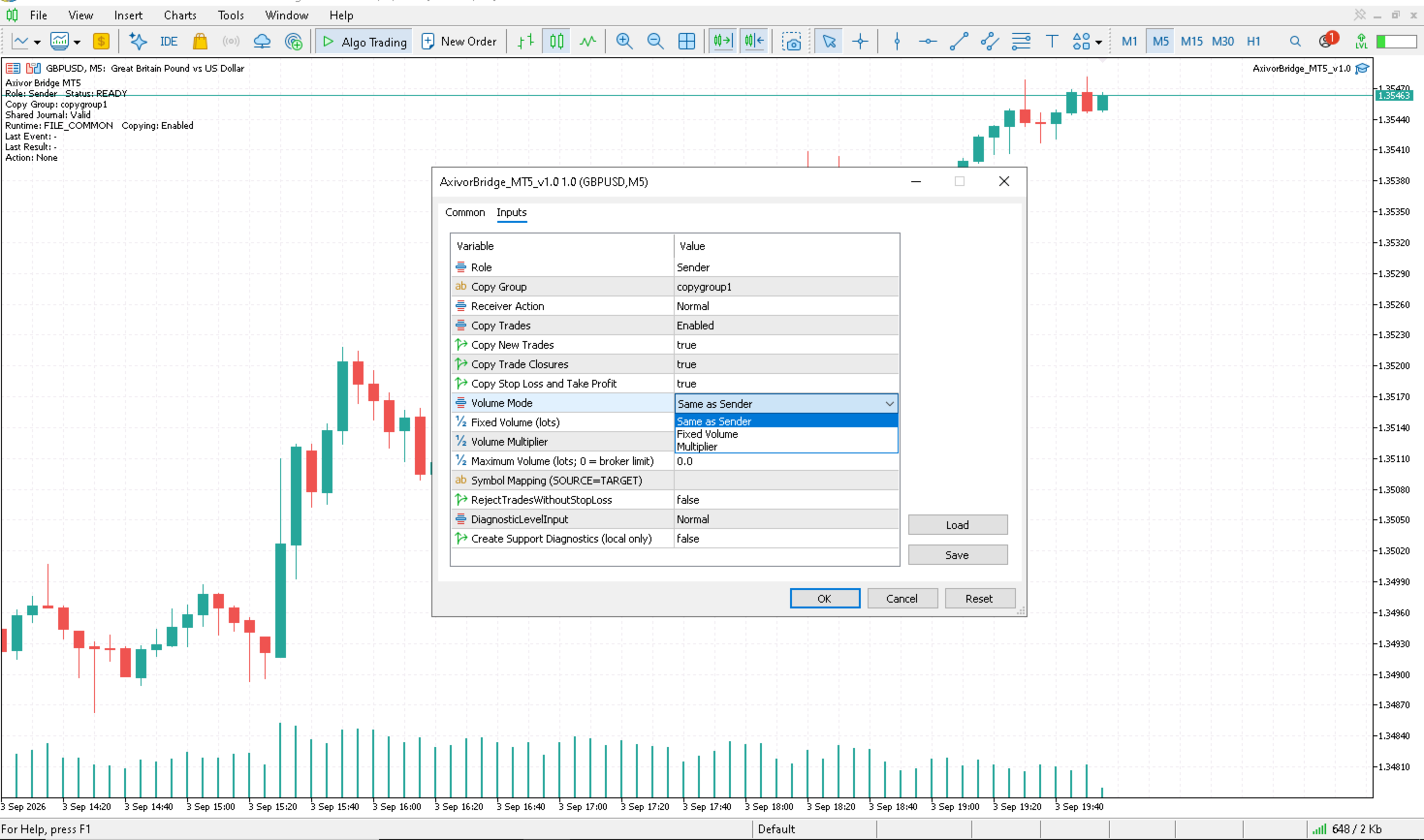
- Same as Sender, Fixed Volume and Multiplier sizing modes
- Optional hard Maximum Volume rejection ceiling
- Explicit Symbol Mapping for broker naming differences
- Persistent source-target mapping and restart protection
- Same-platform and supported mixed-platform desktop workflows
- Local Shared Journal architecture with no separate relay service
Basic MT5-to-MT5 Setup
- Install and attach Axivor Bridge on the source and target MT5 accounts.
- Leave the target account at the default Receiver Role.
- On the source account set Role = Sender.
- Keep copygroup1 on both sides or enter the same unique Copy Group.
- Start the Sender first, then the Receiver.
- Confirm both show READY.
- Run a small demo lifecycle before live use.
No preset, file selection or filesystem work is needed for normal MT5-to-MT5 Basic setup.
What Version 1.0 Copies
Bridge copies market opens, initial Stop Loss and Take Profit, later Stop Loss and Take Profit changes, and full manual closes. Each Receiver keeps persistent source-target mapping and processing progress so a normal restart does not replay completed trade-copy events.
Pending orders and partial closes are outside the Version 1.0 scope.
One Sender, Multiple Receivers
One Sender can serve multiple Receivers that use the same Copy Group. Each Receiver can use independent volume settings and records its own execution outcome. A rejection or failure on one Receiver does not mean the other Receivers failed. Practical capacity depends on the computer, terminals, brokers and number of accounts.
Volume Control
Same as Sender
Uses source and target contract metadata to preserve the source requested economic volume, subject to the target broker and platform rules.
Fixed Volume
Uses the configured Receiver volume.
Multiplier
Scales the source volume by the configured Receiver multiplier.
Maximum Volume
Maximum Volume is not a fourth sizing mode. It is a hard Bridge rejection ceiling. If the resolved Receiver volume exceeds a configured non-zero ceiling, the copy is rejected rather than silently clamped. With Maximum Volume = 0 , no separate Bridge-level ceiling is applied; broker limits remain authoritative.
Mixed-Platform Support
Axivor Bridge also supports mixed-platform relationships with a supported third-party desktop platform. Mixed-platform copying uses the local Shared Journal and requires additional one-time setup. Detailed mixed-platform setup instructions are provided in the Axivor Bridge MetaTrader 5 documentation and MQL5 setup resources.
Automatic mixed-platform journal discovery is not supported. Mixed-platform operation requires the documented local Shared Journal setup.
Symbol and Broker Notes
Receiver execution depends on symbol availability, broker minimum and maximum volume, volume step, margin, market hours, stop levels and current execution conditions. Broker symbol names may differ. Use explicit Symbol Mapping when required, for example EURUSD=EURUSD.a .
Bridge does not provide universal automatic symbol mapping.
Restart Protection
Each Receiver persists its mapping and processing position. A normal restart continues the existing relationship without replaying completed copy events. A fresh relationship or deliberate reset is different from a normal restart. Changing the Sender requires a controlled reset while all affected accounts are flat; seamless live Sender migration is not supported.
Version 1.0 Scope — Not Supported
- Pending-order copying
- Partial-close copying
- Risk-based Receiver sizing
- Seamless live Sender migration
- Automatic mixed-platform journal discovery
- Universal automatic symbol mapping
- Advanced recovery tooling
- Cloud copy
Demo Before Live Use
Before live use:
- Use demo accounts.
- Verify the Copy Group on every participant.
- Verify Symbol Mapping if broker names differ.
- Verify each Receiver's volume behavior and Maximum Volume setting.
- Test one minimum-size market OPEN with initial SL/TP.
- Test a later SL/TP modification.
- Test a full CLOSE.
- Restart and confirm the completed trade does not replay.
Support and MQL5 Resources
The product description and supplied MetaTrader 5 manual provide the required setup information. Support is available through MQL5 product comments and MQL5 messaging. When requesting help, provide the visible status, Copy Group, symbol and approximate UTC time. Do not provide passwords or account credentials.
Risk and Execution Note
Trading involves risk. Axivor Bridge cannot guarantee target fill price, identical timing, broker acceptance or an identical execution outcome. Symbol availability, contract metadata, volume rules, margin, precision, stop levels, market hours, spread, liquidity, slippage and broker policy remain authoritative.