Zenith Portfolio Matrix EA MT5
- Experts
- 버전: 3.1
- 업데이트됨: 29 8월 2026
- 활성화: 5

# Zenith Portfolio Matrix EA MT5 — v3.00
## Description
Zenith Portfolio Matrix EA MT5 is an automated Expert Advisor for MetaTrader 5. It monitors a predefined portfolio across Gold, EURUSD, GBPUSD and USDJPY from one chart and coordinates multiple independent decision modules across higher intraday timeframes.
The Expert Advisor makes new trading decisions after a bar has closed. Its private signal formulas, qualification thresholds and internal weightings are not disclosed. The product is intended for users who understand leveraged trading, broker execution differences and the limitations of historical simulation.
Version 3.00 provides three clearly separated risk profiles: Safe, Balanced and Maximum. Balanced is the default reference profile. A bounded Custom mode is also available for experienced users, but it is not included in the published three-level test table because its value is selected by the user rather than being a fixed product profile.
## Main features
- One chart manages the complete enabled portfolio
- Four default markets: Gold, EURUSD, GBPUSD and USDJPY
- Three fixed risk profiles plus a bounded Custom mode
- Closed-bar decision process
- Position sizing that responds to account conditions and market volatility
- Portfolio-level exposure controls
- A stop loss is submitted with every position, subject to broker acceptance and execution
- Automatic detection of common broker prefixes, suffixes and Gold aliases
- Manual symbol-name overrides when automatic detection is unsuitable
- On-chart status panel and optional price-chart graphics
- Persistent drawdown state across terminal restarts
- Optional MetaTrader mobile notifications
## How orders are managed
An entry may be divided into as many as three parts. The first part is submitted as a market order. The remaining parts may be placed as limit orders at less favourable prices and can fill only if price moves against the initial entry. The parts of an entry share one stop-loss area, and their sizes are calculated as components of the planned entry exposure.
The Expert Advisor may add smaller positions after an existing trade has moved into profit by the required distance. It does not increase position size merely because a previous trade lost.
Zenith does not use martingale or a conventional grid-recovery process.
## Account type
The published reference simulations use a hedging account. Hedging mode allows separate positions from different internal modules to remain independent on the same symbol.
On a netting account, MetaTrader merges positions on the same symbol. One module's exit can therefore affect positions associated with another module. The Expert Advisor can still operate, but its behaviour differs from the tested hedging configuration and the published figures below do not describe that netting behaviour. A hedging account is recommended.
## Default portfolio
- Gold, automatically detected from common broker names such as GOLD or XAUUSD
- EURUSD
- GBPUSD
- USDJPY
All four markets were enabled in the reference simulations. Each instrument can be disabled. Manual symbol overrides are available for brokers that use unusual ticker names.
## Setup
1. Install the Expert Advisor through the MQL5 Market.
2. Open one chart. A Gold H1 chart is the reference setup used for the published tests.
3. Attach `Zenith_Pro` to that chart only.
4. Keep automatic symbol detection enabled unless the broker uses an unsupported symbol name.
5. Select a risk profile. Level 2 Balanced is the default.
6. Enable algorithmic trading in MetaTrader 5.
7. Confirm the detected instruments in the Experts journal and on-chart panel.
8. Test the configuration on a demo account before considering live use.
Do not attach the same configuration to multiple charts. Every attachment starts another portfolio instance and may multiply exposure. Change the Magic number only when a deliberately separate instance is required.
## Risk profiles
Risk profiles change position sizing and portfolio exposure limits. A higher level permits greater exposure and can produce larger and longer losses. The names are configuration labels only. They do not state or imply an expected return, a probability of profit, capital protection or a maximum possible loss.
- **Level 1 — Safe:** the lowest fixed exposure profile
- **Level 2 — Balanced:** the default reference profile
- **Level 3 — Maximum:** the highest fixed exposure profile; substantial drawdown occurred in the reference test
The small-account guard is enabled by default. It may restrict a higher level when broker minimum-lot granularity makes the requested exposure unsuitable for the account balance. Level 3 is not available below a 10,000 account balance; the Expert Advisor substitutes Level 2 and reports the change on the panel.
The drawdown-stop function prevents new entries after its configured threshold is reached. It does not close existing positions, create a guaranteed equity floor or prevent losses beyond the threshold.
## Historical Strategy Tester results
The following figures are outputs from historical MetaTrader 5 Strategy Tester simulations. They are not live-account results and are not forecasts.
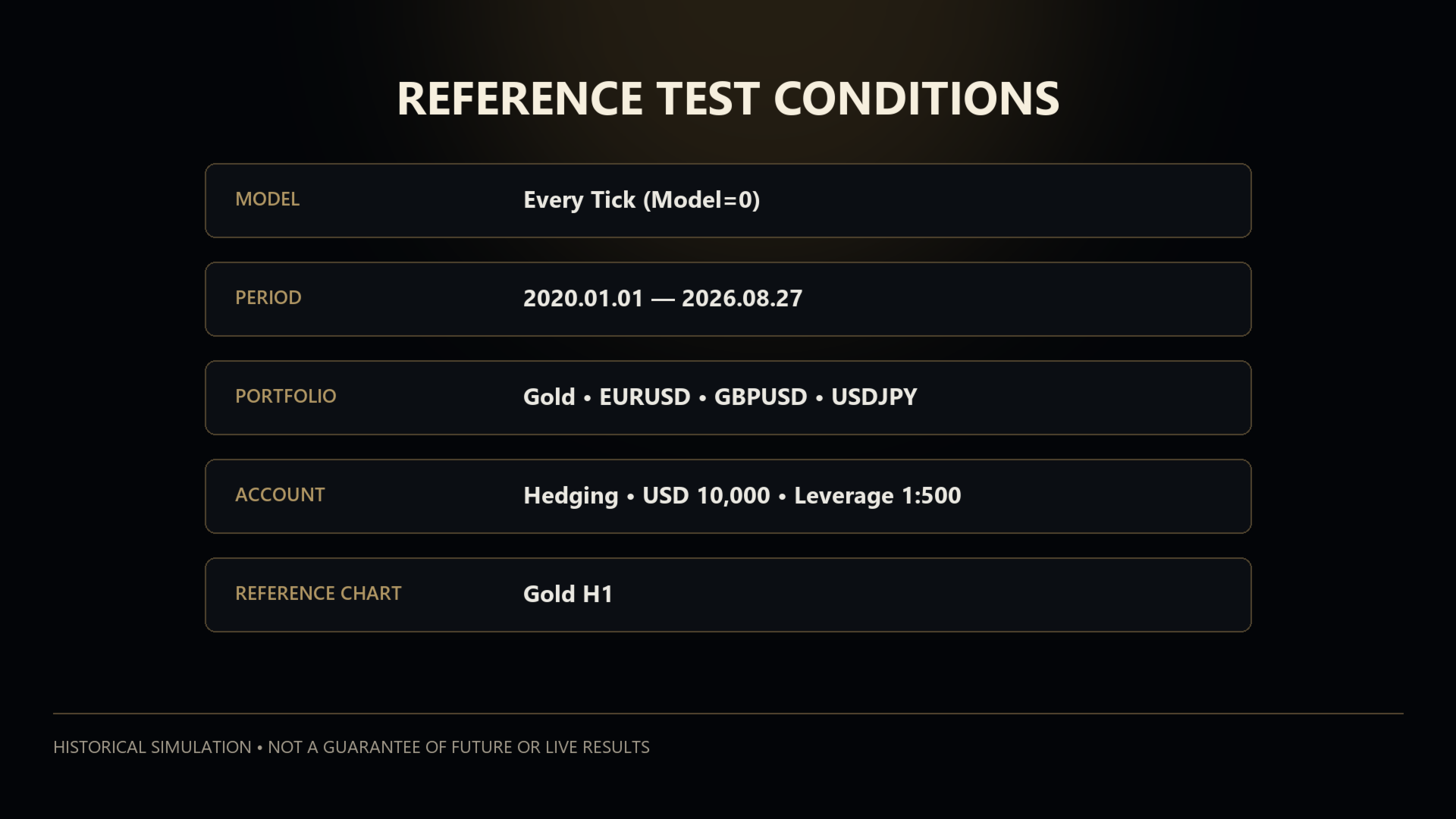
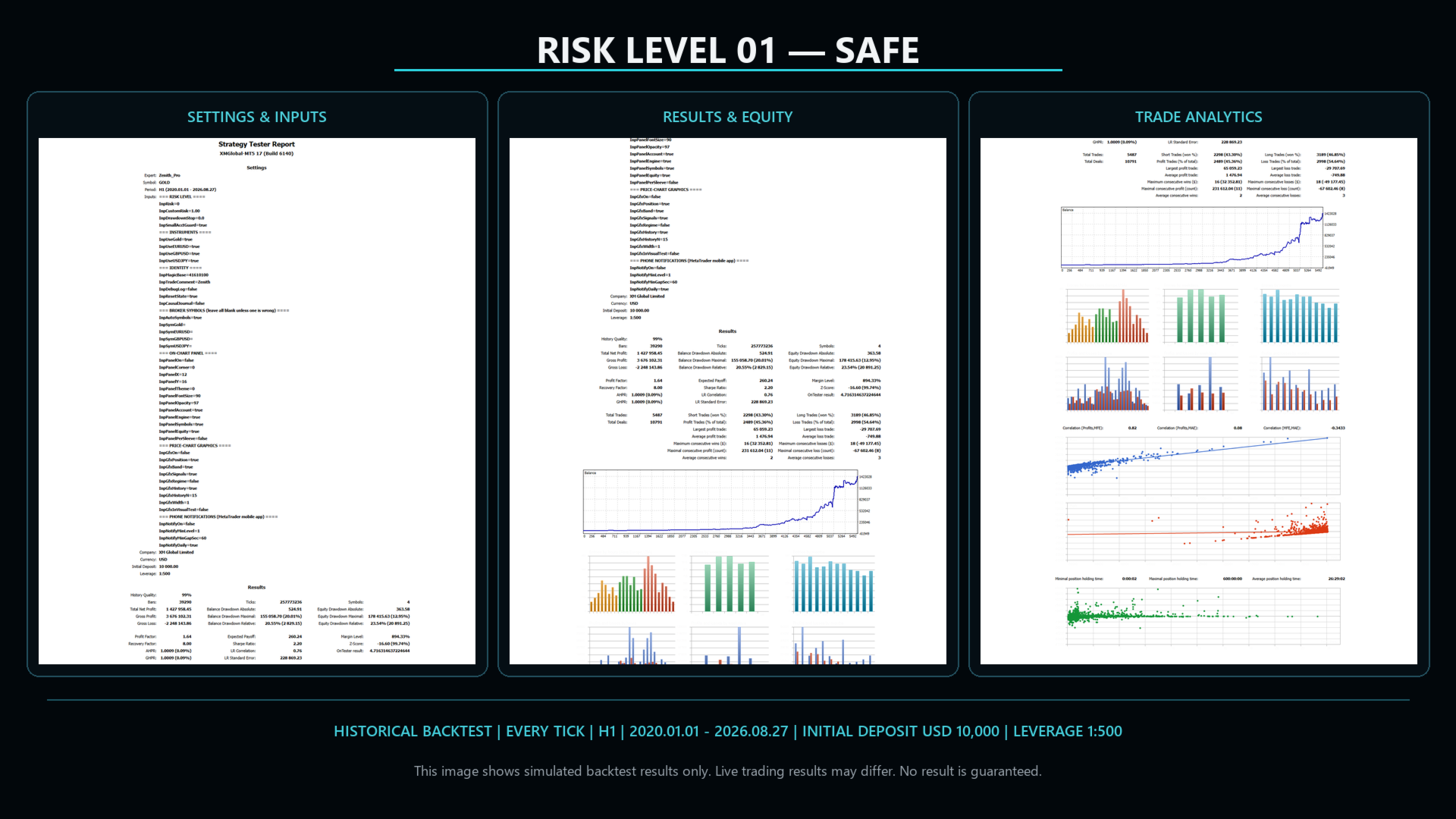
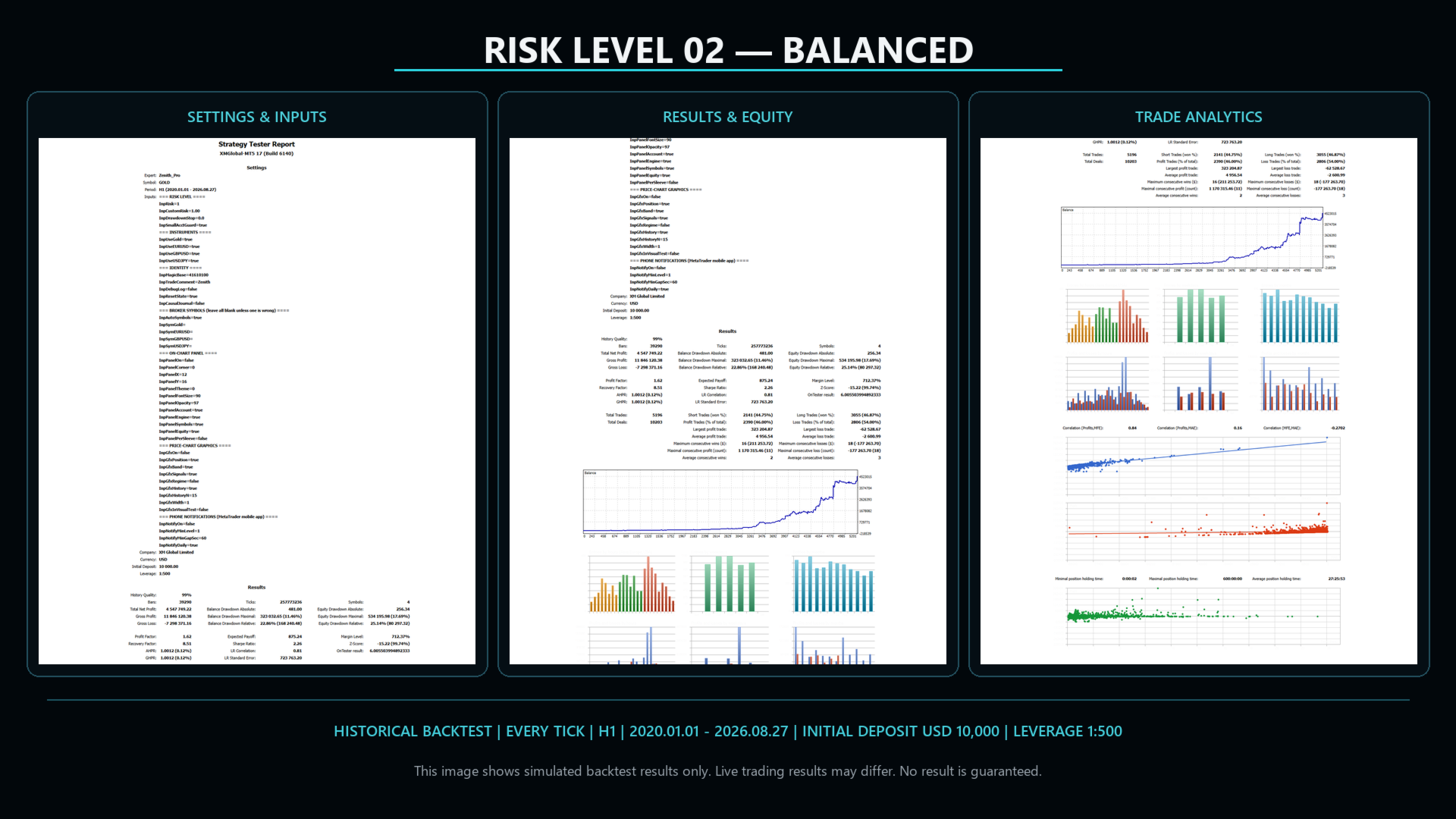
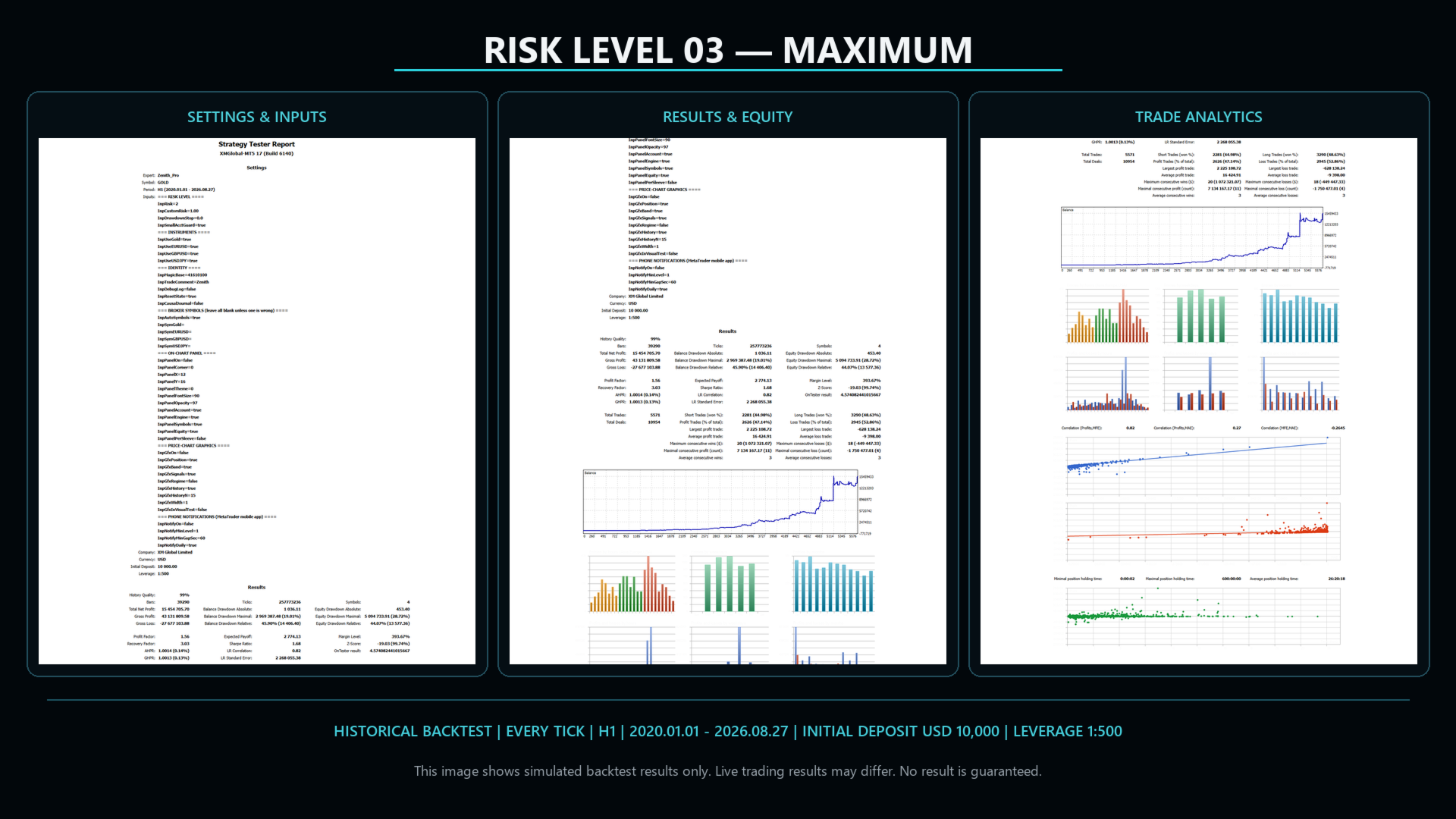
**Reference conditions:** Zenith Portfolio Matrix EA MT5 v3.00; MetaTrader 5 Strategy Tester; Every Tick model (`Model=0`); XMGlobal-MT5 historical data; hedging account; test configuration from 1 January 2020 to 27 August 2026; Gold H1 reference chart; Gold, EURUSD, GBPUSD and USDJPY enabled; 10,000 USD initial deposit; effective leverage 1:500 as recorded in the generated MT5 reports; one separate simulation per fixed risk level; panel and chart graphics disabled during the three report runs.
| Risk level | Fixed multiplier | Net profit | Positive months | Worst month | MT5 equity DD relative | MT5 balance DD relative | Profit factor | Total trades | CAGR over tested period |
|---|---:|---:|---:|---:|---:|---:|---:|---:|---:|
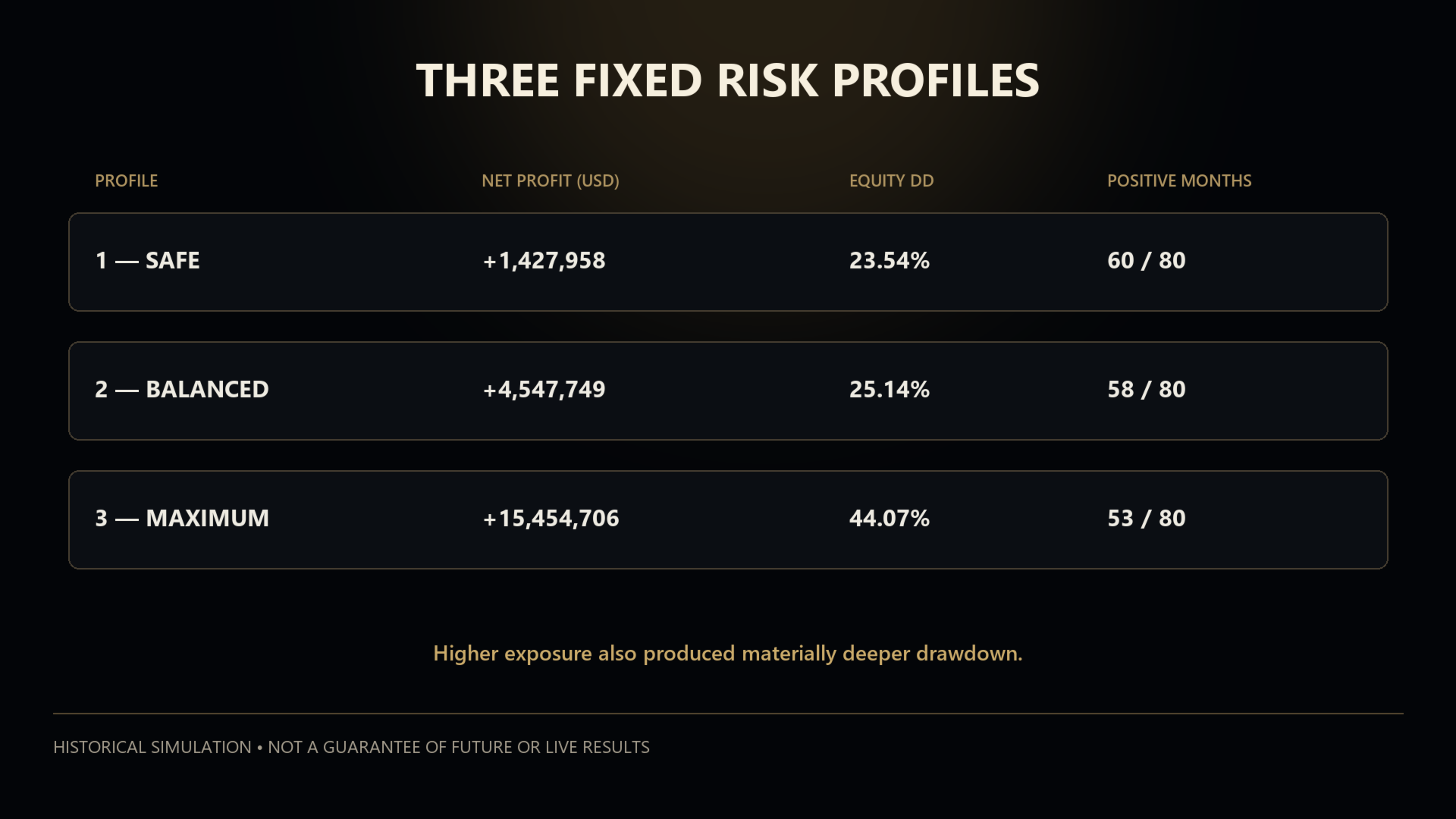
| **1 — Safe** | 0.75 | +1,427,958 USD | 60/80 (75.0%) | −9.92% | 23.54% | 20.55% | 1.64 | 5,487 | 110.7% |
| **2 — Balanced** *(default)* | 1.00 | +4,547,749 USD | 58/80 (72.5%) | −10.37% | 25.14% | 22.86% | 1.62 | 5,196 | 150.5% |
| **3 — Maximum** | 2.10 | +15,454,706 USD | 53/80 (66.2%) | −22.90% | 44.07% | 45.90% | 1.56 | 5,571 | 200.9% |
Important context for interpreting the table:
- Safe had 20 negative months, Balanced had 22 and Maximum had 27.
- The default Balanced profile's worst calendar month in this test was −10.37%.
- Maximum experienced a −22.90% worst month and 44.07% relative equity drawdown.
- Results were concentrated in a minority of strong periods. The simulation also contains flat, negative and multi-month recovery periods.
- Large compounded figures are strongly affected by the selected period, reinvestment, historical prices and simulated execution.
- Profit factor and CAGR do not describe the sequence of losses or the capital required to tolerate drawdown.
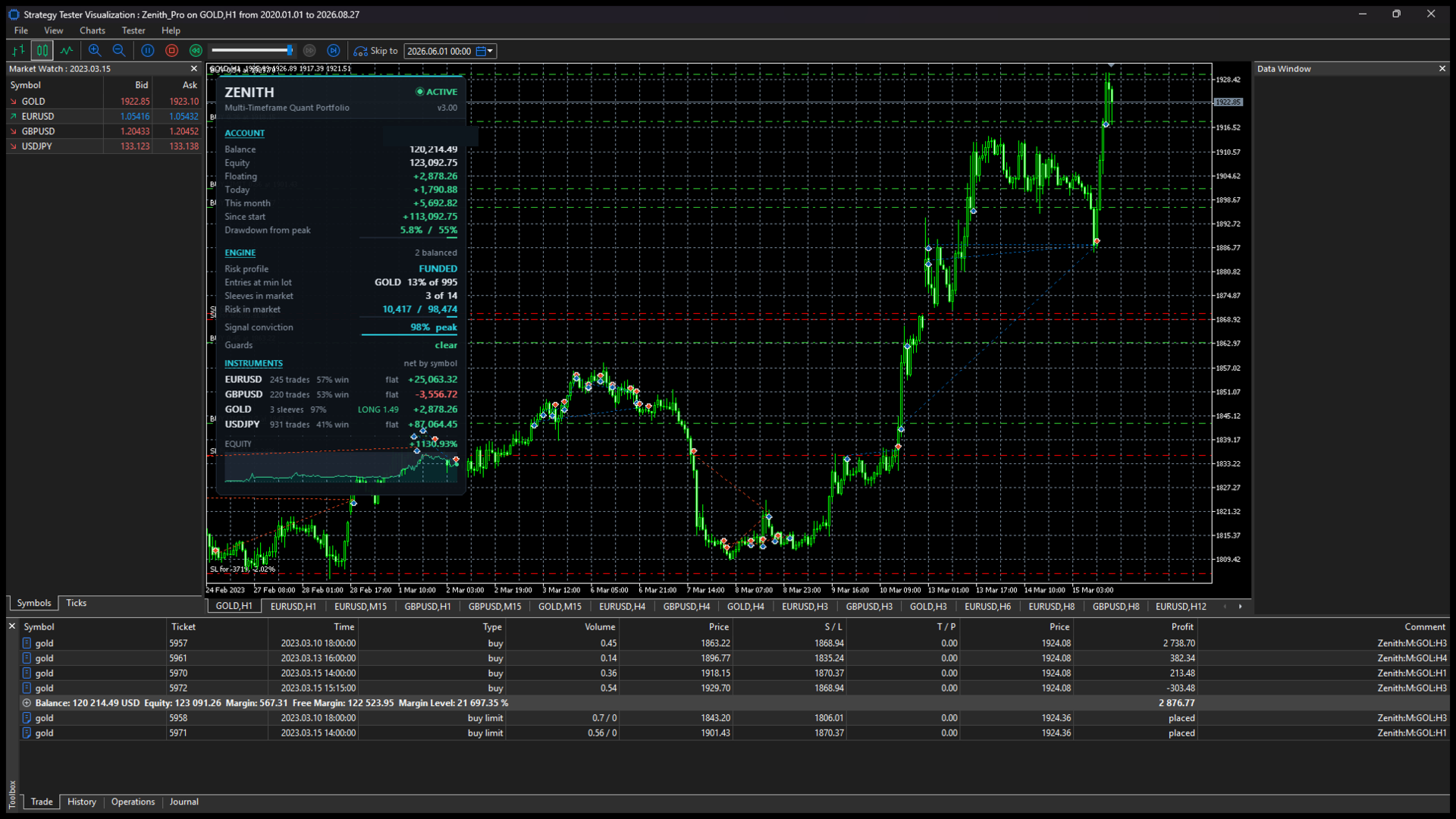
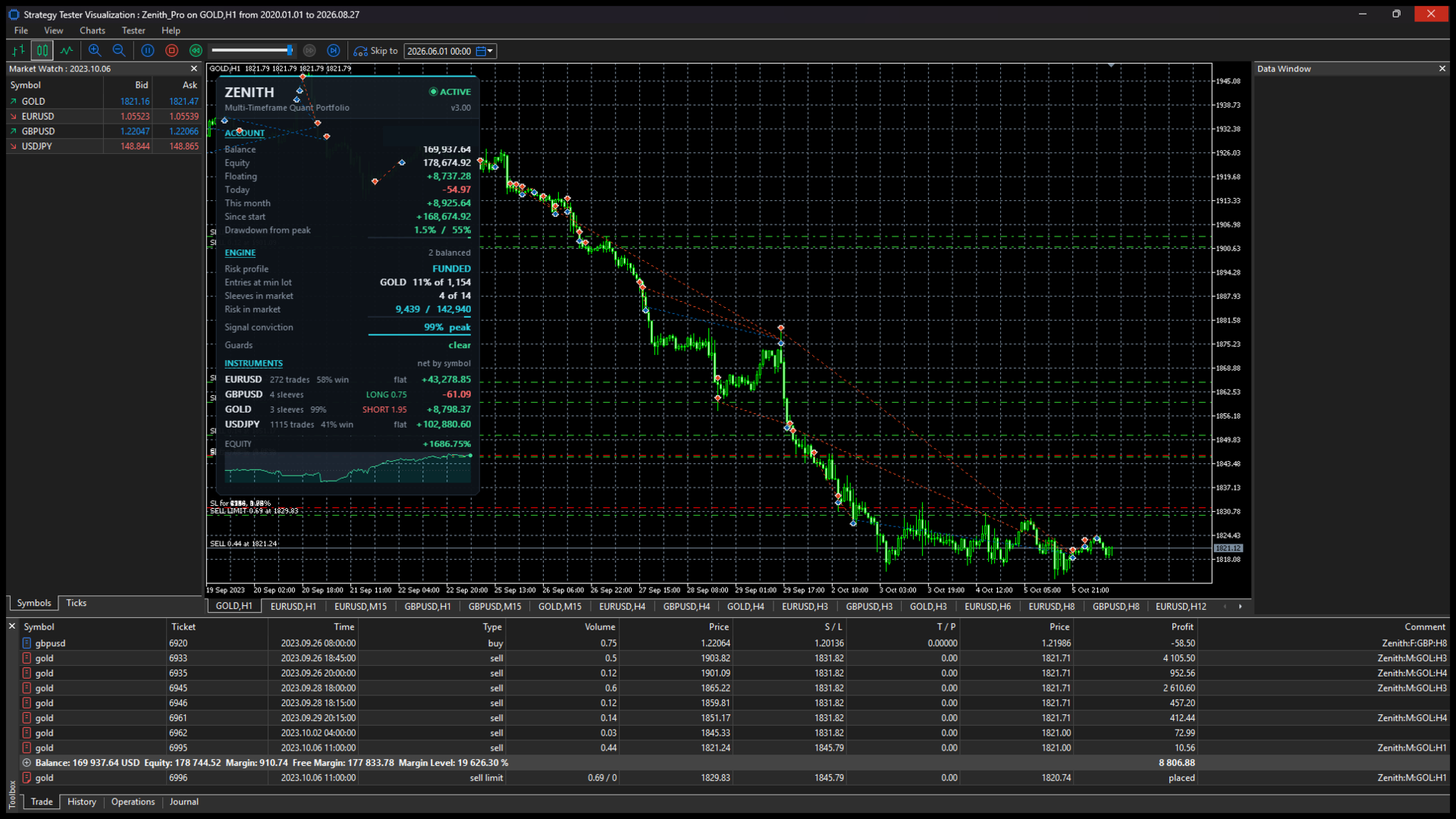
The downloadable report images and video accompanying this listing are derived from these new v3.00 test runs. The result screenshots retain the original Strategy Tester graphs. The demonstration video records a separate genuine Level 2 Balanced Visual Every Tick run with the on-chart panel enabled and price-chart graphics disabled for rendering efficiency.
## Why another test can differ
A Strategy Tester run on another installation may produce materially different results because of broker history, tick generation, spread, commission, swap, slippage assumptions, symbol specifications, contract size, minimum lot, volume step, margin rules, trading sessions, account type, leverage, terminal build and input settings.
A positive simulation does not establish that the Expert Advisor is profitable, suitable for a particular user or likely to produce a positive result in live trading. Live results may be positive or negative and may differ substantially from the report.
## Important operational notes
- MetaTrader 5 only
- One chart attachment manages the enabled portfolio
- The required symbols must be available in Market Watch
- Algorithmic-trading permissions must be enabled
- A stable terminal and network connection are recommended
- A VPS may be used for continuity but does not improve or guarantee trading results
- Stop-loss orders reduce planned exposure but cannot prevent slippage, gaps, rejection or loss
- Testing on a demo account before live use is recommended
- Existing users should review the Inputs tab after updating and use v3.00 settings rather than an older preset
## Risk warning
Trading leveraged financial instruments involves substantial risk and may result in the loss of some or all invested capital. This Expert Advisor is execution software. It is not an investment product, managed account, signal subscription, or investment, financial, legal or tax advice.
Nothing in the product name, description, screenshots, video, Strategy Tester reports, risk-profile labels or controls promises or implies profit, income, capital preservation, a maximum loss, a guaranteed drawdown limit, error-free operation or any future outcome. Historical and simulated performance has inherent limitations and does not guarantee future or live performance.
Users remain responsible for determining whether automated and leveraged trading is lawful and suitable in their jurisdiction, selecting a broker and account type, configuring the product, choosing exposure, monitoring operation and accepting all resulting trading decisions and losses.