Trade Report Generator
- 지표
- 버전: 1.0

Most performance stats live scattered across the terminal's History tab — win rate isn't shown anywhere, profit factor needs a calculator, and there's no clean way to hand a summary to a prop firm, a signal subscriber, or your own records.
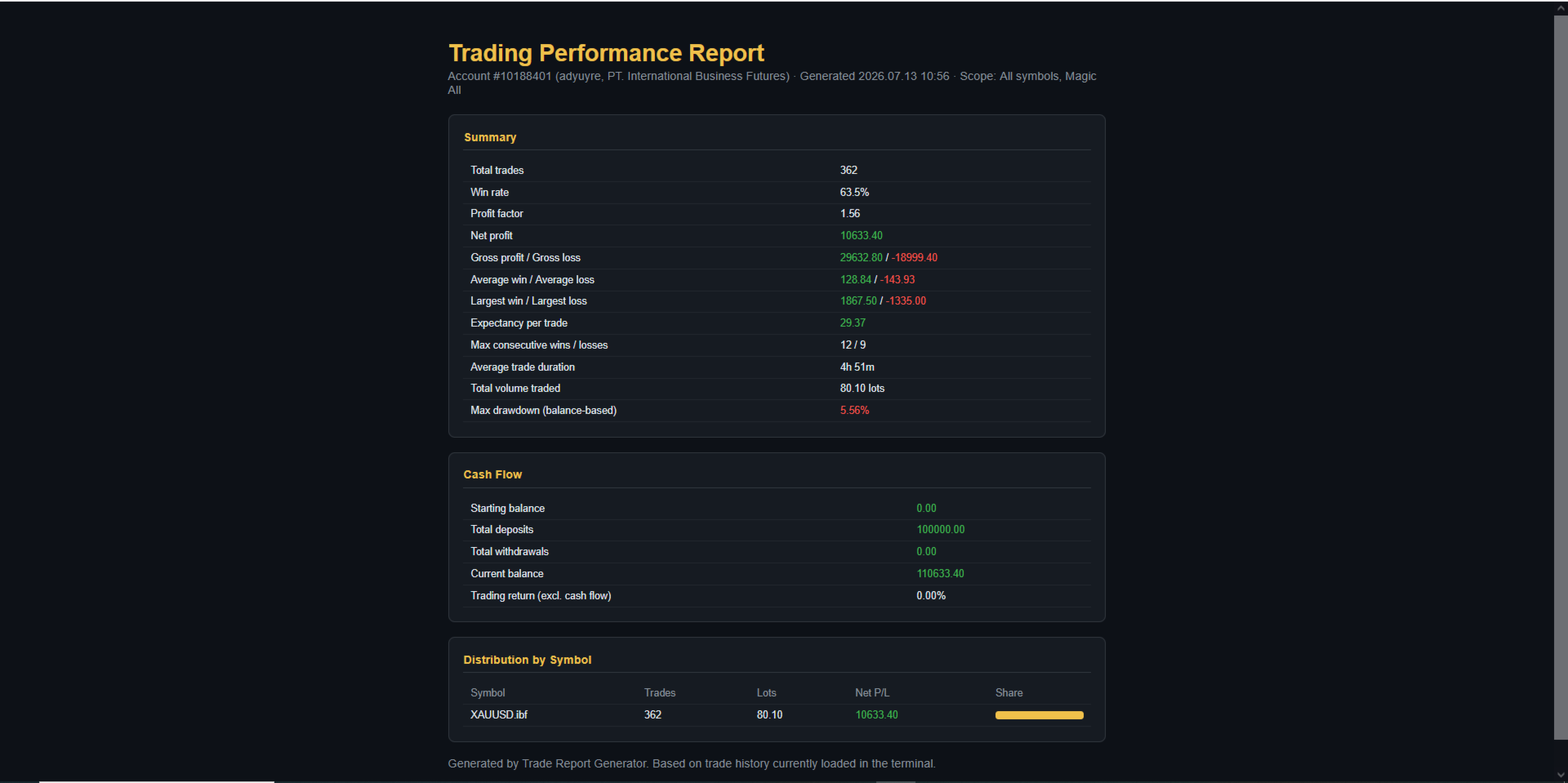
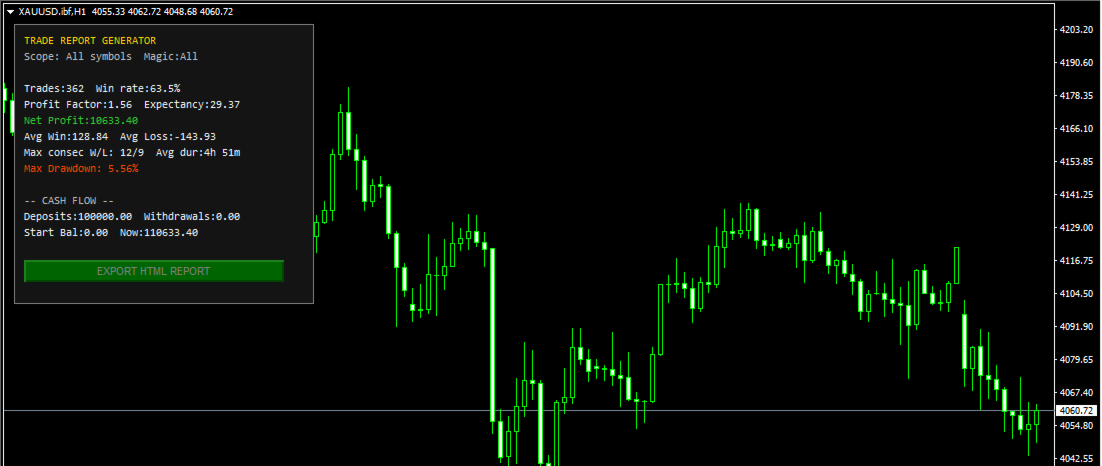
Trade Report Generator reads your account's closed-trade history directly from the terminal and turns it into two things: a live on-chart summary panel, and a one-click, fully self-contained HTML report you can open in any browser or print straight to PDF.
On-chart panel shows:
- Total trades, win rate, profit factor, expectancy per trade
- Net profit, average win/loss, largest win/loss
- Max consecutive wins/losses, average trade duration
- Max drawdown (balance-based)
- Deposits, withdrawals, starting and current balance
Exported HTML report adds:
- A full summary card with every metric above
- A cash-flow breakdown, including return on capital contributed (separating actual trading performance from money you deposited or withdrew)
- A per-symbol distribution table with proportional bar visualization, for accounts trading more than one instrument
Optional filters scope everything to one Magic Number and/or one symbol — or leave both blank for the whole account.
Key features
- Read-only: never places, modifies, or closes a single order
- Efficient: only rescans history when a trade actually closes or a deposit posts, not every tick
- Self-contained HTML output — no external template files, no internet connection needed to view it
- Works for any trading style, not just grid or averaging — this is general-purpose account reporting
Important Figures are based on the trade history currently loaded in the terminal. If numbers look incomplete, open the History tab, right-click, and select "All History" before generating a report. Max drawdown is calculated from the closed-trade balance curve, not tick-by-tick floating equity, and the export excludes commission from the live panel where the platform doesn't expose it consistently — see the in-app notes for specifics.
Works on any symbol/broker/account type.