CrossScan
- 지표
- 버전: 1.13
- 활성화: 5

CrossScan also has a companion EA workflow, and a free beta tester for the attached EA is planned to be available by the end of the month.
CrossScan is a MetaTrader 5 scanner indicator built for traders who want a clearer technical workflow based on structured Fibonacci mapping, MACD logic, divergence, pattern confirmation, and multi-timeframe confluence.
It is designed to help traders scan and organize chart structure more efficiently instead of manually checking every chart one by one.
Suggested timeframes
CrossScan is best used on:
- M15
- H1
- H4
- D1
- MN1
These timeframes help the scanner organize active structure, macro structure, and stacked confluence more clearly.
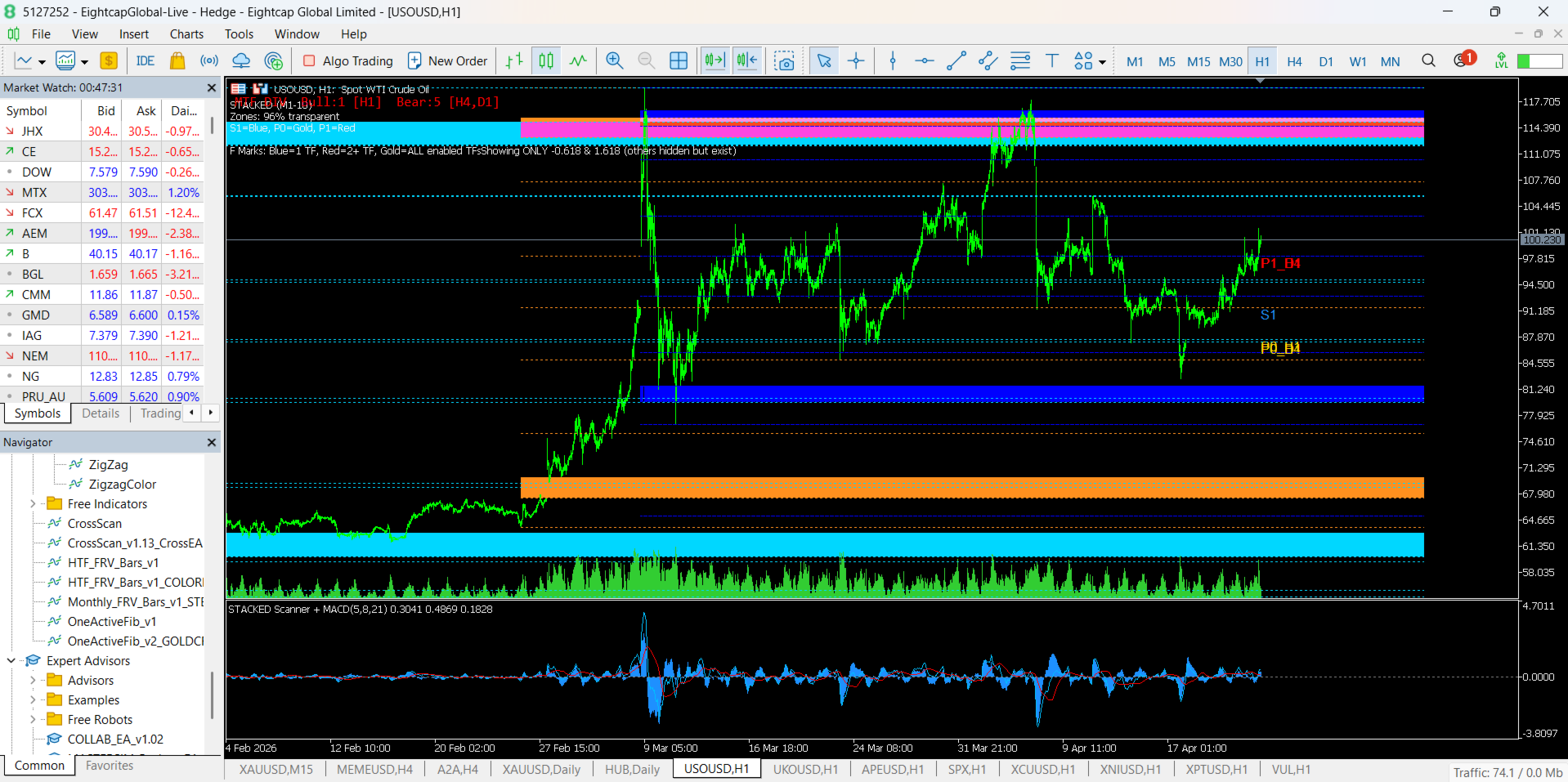
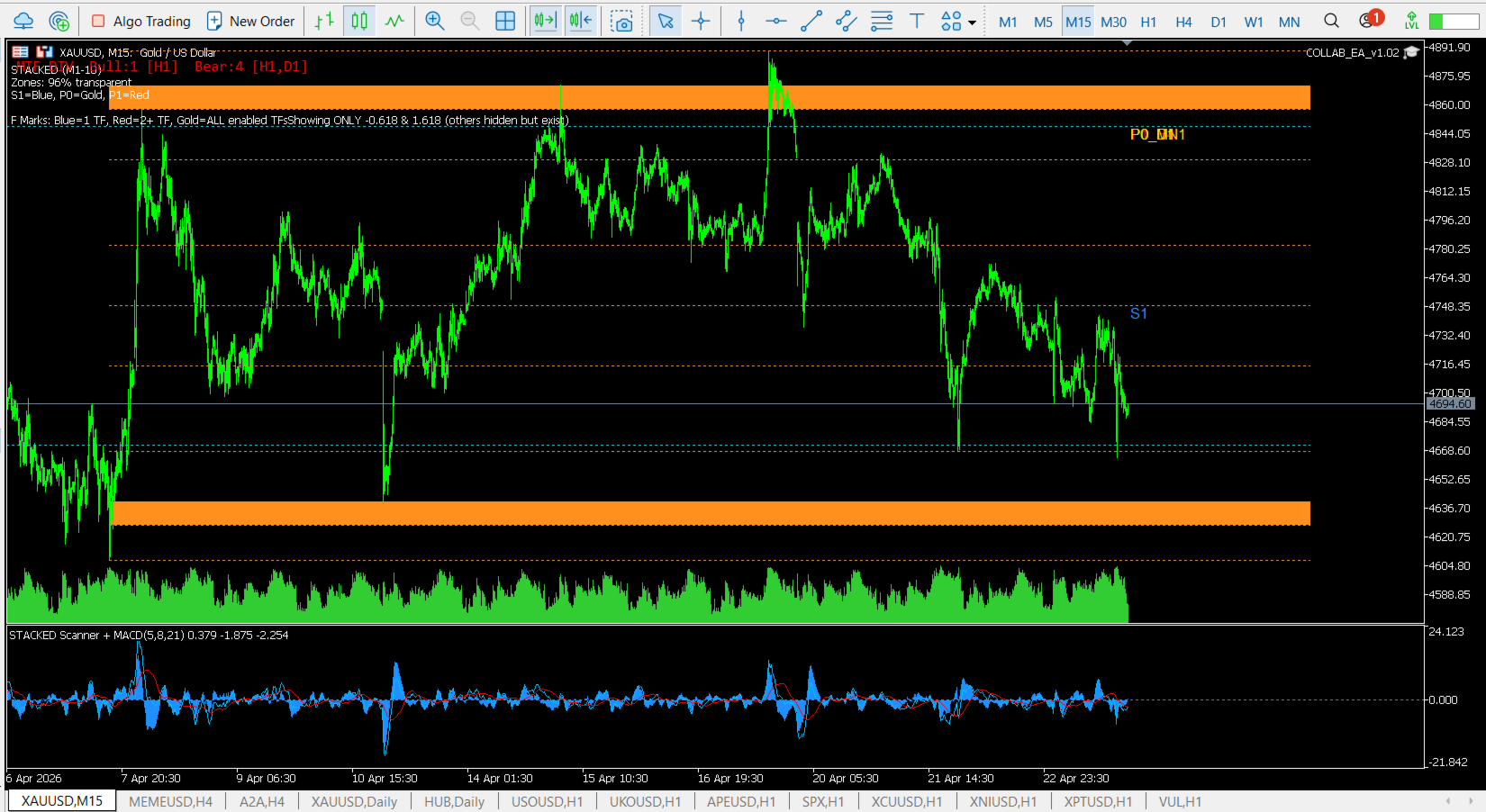
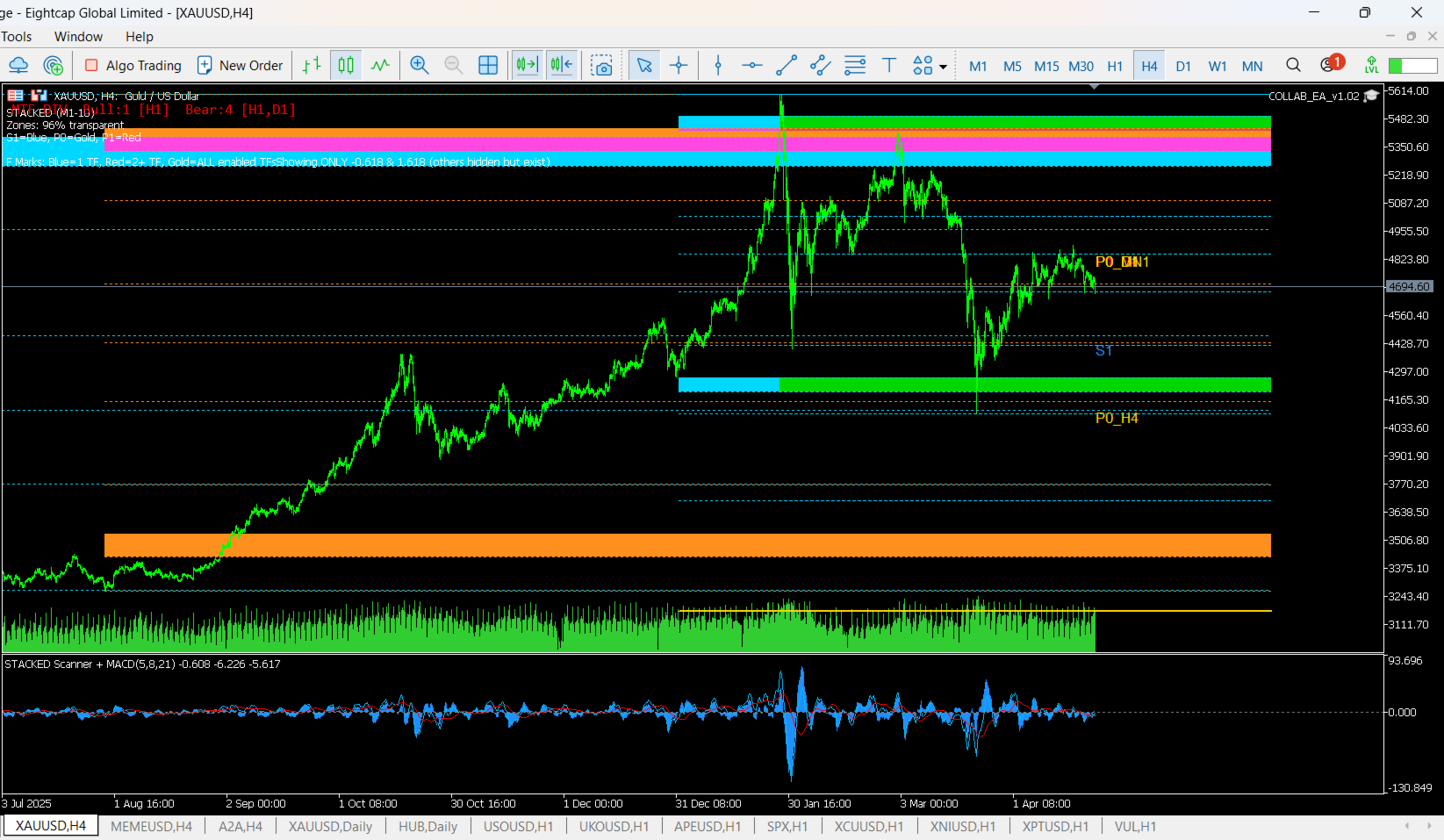
S1 / P0 / P1 structure
S1
S1 is the main active working fib built from the current visible move on the chart.
It gives the trader a practical live structure to follow on the active chart.
P0
P0 is the higher-structure macro fib built from a broader move on higher timeframes.
It helps define the larger context around the current setup.
P1
P1 is the next chained structure built from the macro move.
It helps extend the market map and organize the next major leg after the larger structural move.
Multi-timeframe logic
CrossScan uses multi-timeframe analysis to compare the active chart with higher-timeframe structure and confluence.
It can also identify which higher timeframe is contributing to the confluence, such as H1, H4, D1, or MN1.
This helps traders see whether the current setup is aligned with broader market structure and stacked reaction areas.
Key workflow features
CrossScan can combine:
- structured fib mapping
- active and macro chart structure
- confluence tracking across multiple timeframes
- supply and demand zone visualization
- MACD panel logic
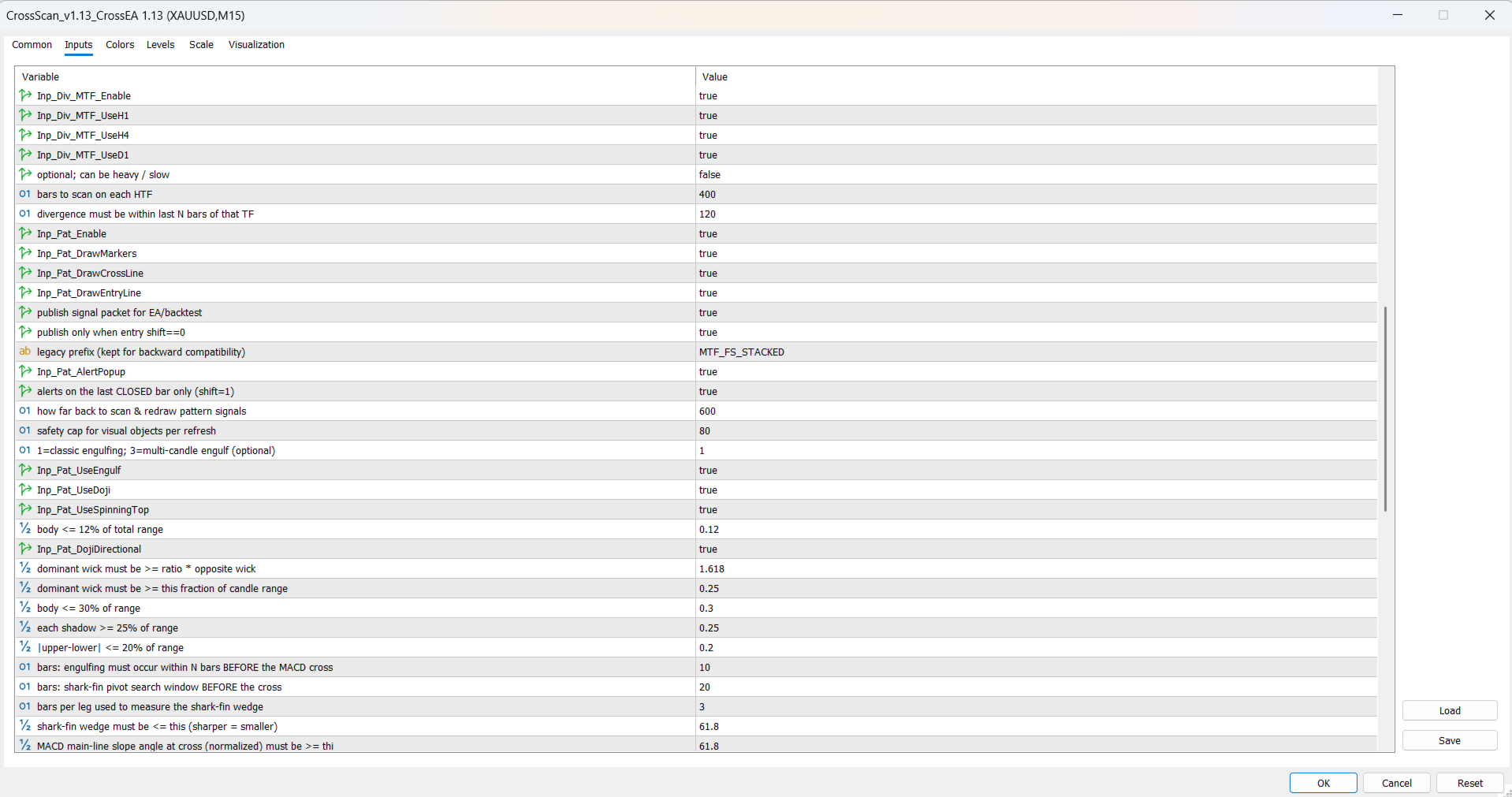
- regular and hidden divergence
- multi-timeframe divergence scoring
- pattern workflow such as engulfing, doji, spinning-top, cross confirmation, and retest logic
- optional EMA overlays
- confluence marking across stacked timeframes
Customizable options
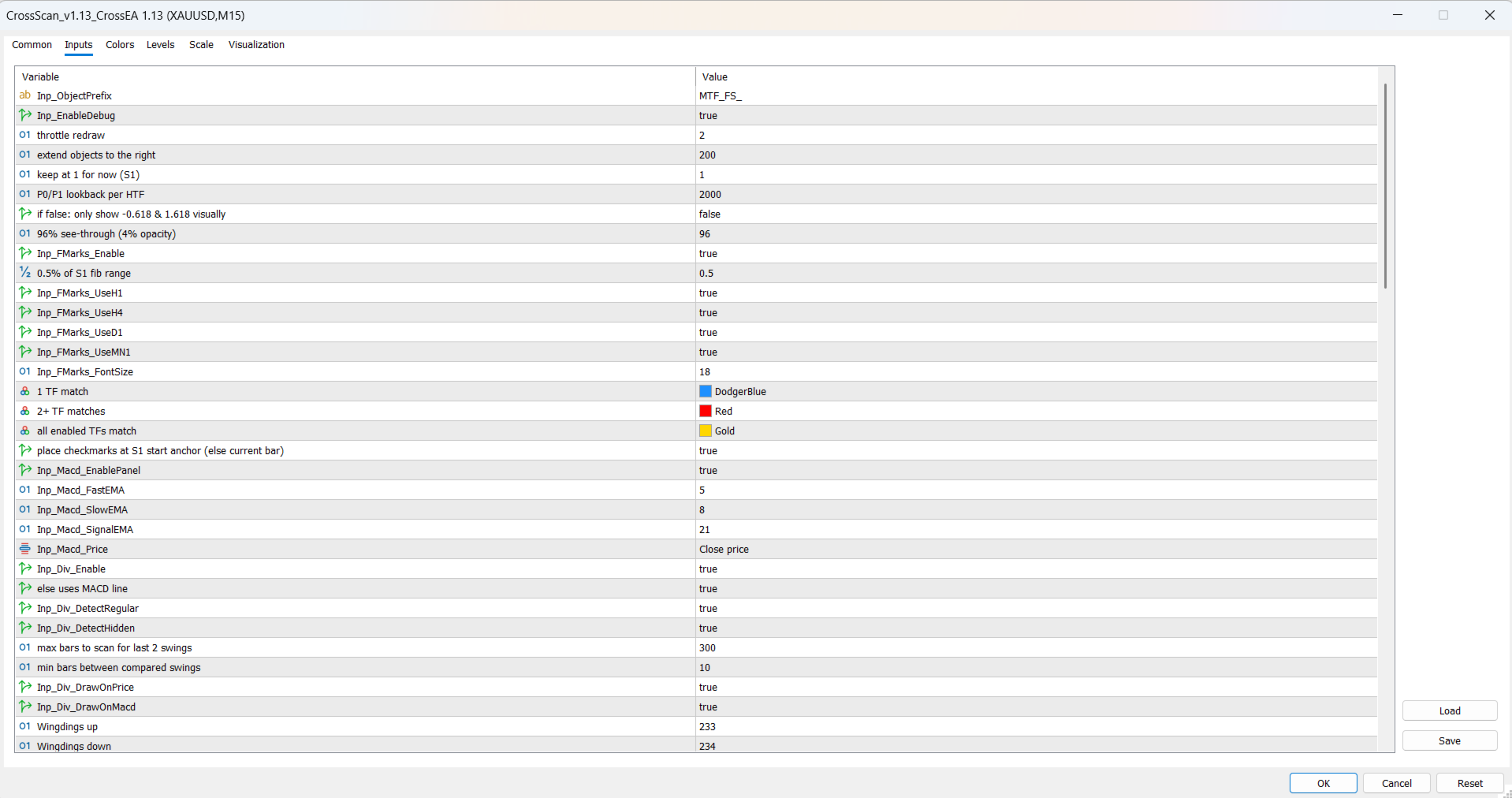
CrossScan includes customizable settings for:
- object prefix and scanner naming
- debug and refresh behavior
- redraw timing and extension to the right
- visible active fib count
- macro structure lookback depth
- level visibility
- zone transparency
- confluence marking enable/disable
- enabled confluence timeframes such as H1, H4, D1, and MN1
- confluence colors, font size, and marker placement
- MACD fast, slow, signal, and price settings
- divergence mode and detection options
- regular and hidden divergence filters
- divergence lookback and minimum separation
- multi-timeframe divergence enable/disable
- higher-timeframe divergence selection
- divergence panel visibility
- pattern detection toggles
- engulfing, doji, and spinning-top pattern options
- cross-line, marker, and entry-line display
- signal publishing for EA and backtest workflow
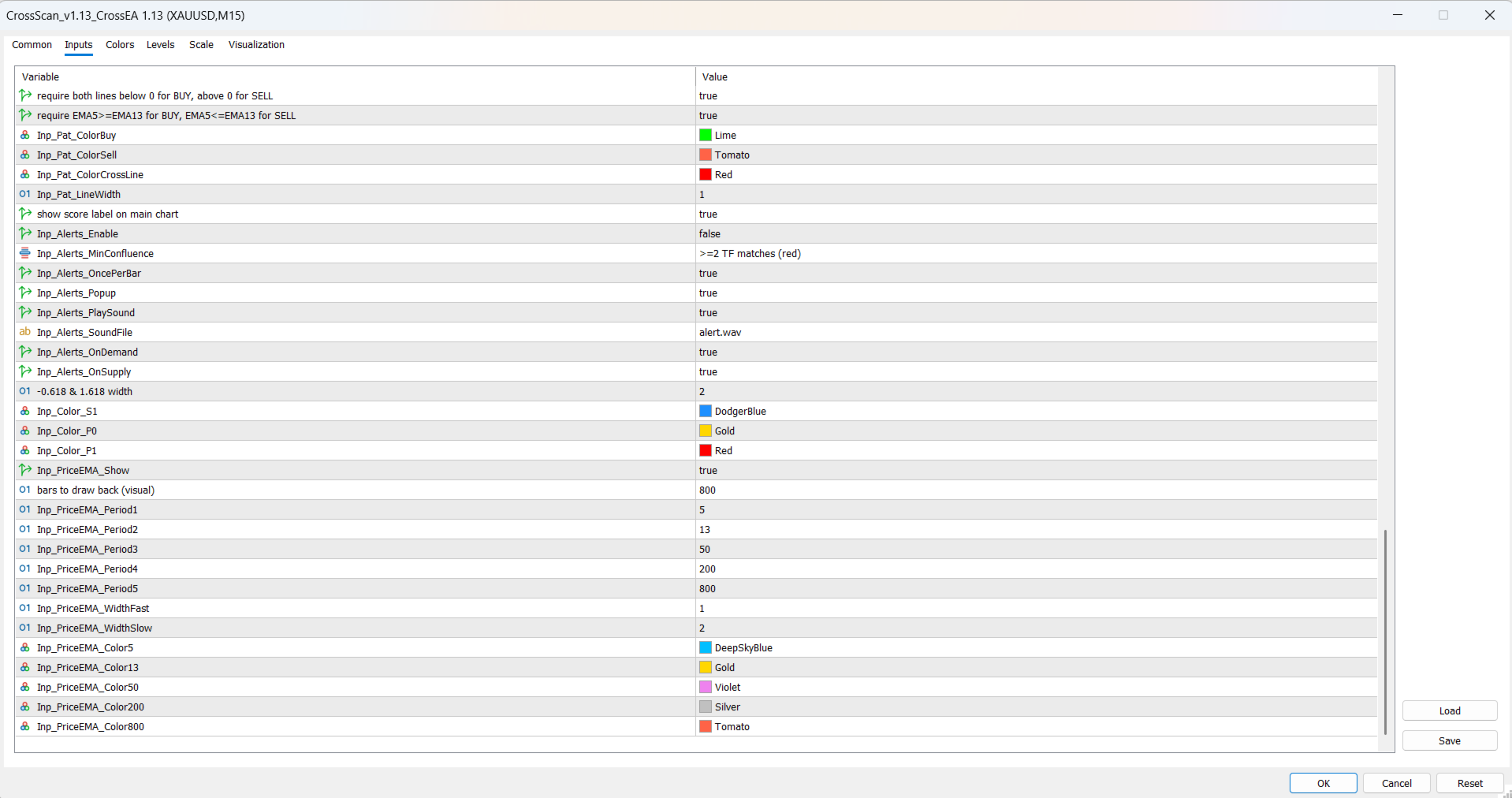
- popup and sound alerts
- alert filtering by confluence threshold
- pattern lookback and scan depth
- retest requirements and trend alignment rules
- line width, colors, and chart styling
- EMA visibility, periods, widths, and colors
Who it is for
CrossScan is designed for:
- technical traders
- fib traders
- confluence traders
- structure-based traders
- MT5 users who want a scanner workflow instead of checking charts manually
Important
CrossScan is a technical scanning and workflow tool for MetaTrader 5.
It does not guarantee profits and is not financial advice.
Results depend on market conditions, broker conditions, execution, and user decision-making.