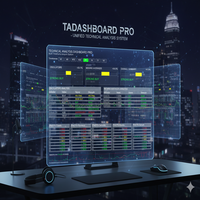
MTF MultiAsset Channel Panel
- 지표
- 버전: 1.0
- 활성화: 5

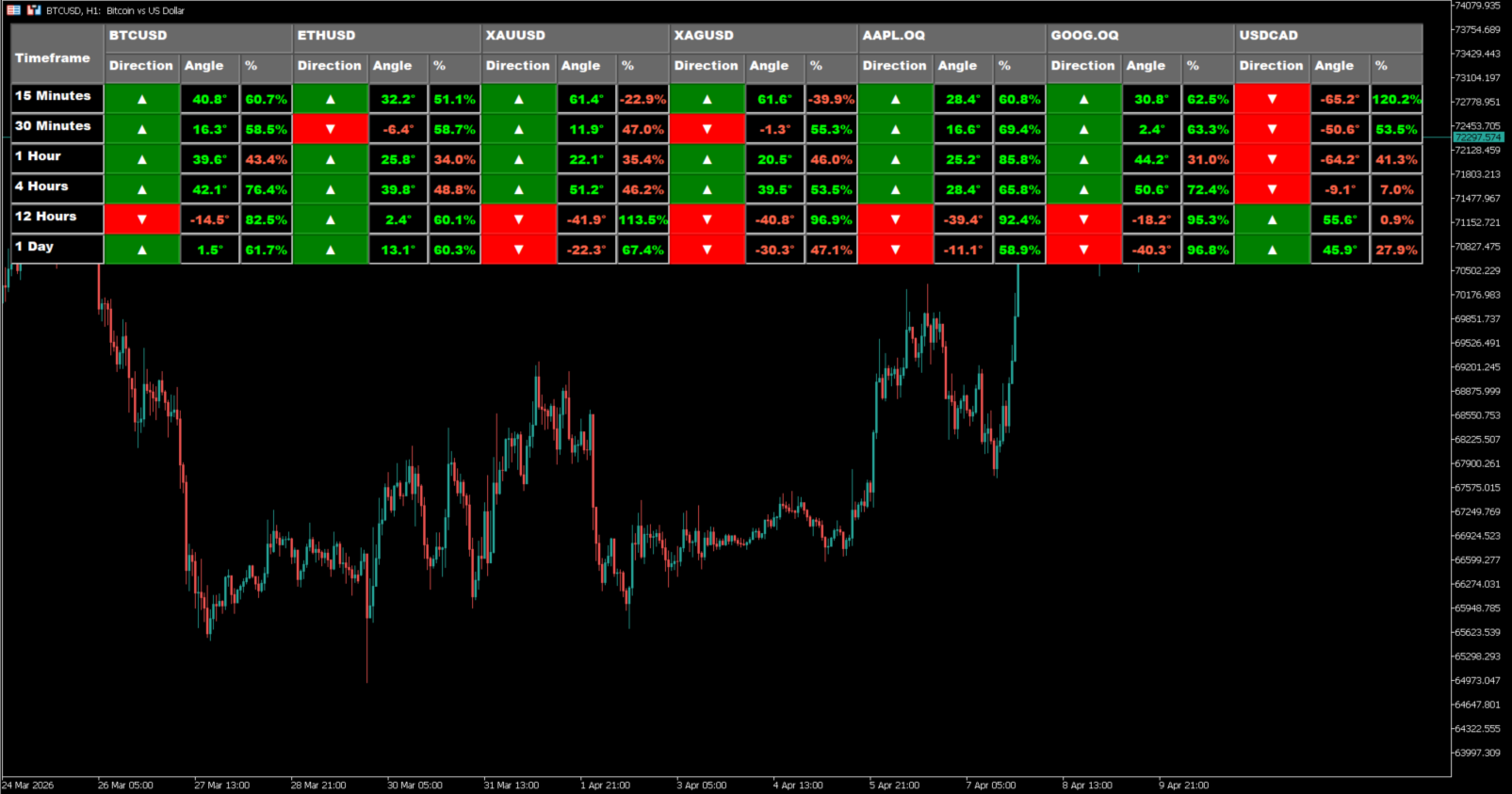
MTF Multi-Asset Channel Panel is a multi-timeframe and multi-symbol indicator for MetaTrader 5 that summarizes channel structure in a compact table directly on the chart.
Instead of drawing several channel objects at the same time, the indicator organizes the most relevant channel information into a structured panel. For each enabled timeframe and each selected symbol, it shows three practical elements: channel direction, channel angle, and the current price position inside the channel in percentage terms.
The purpose of this panel is to help the trader read market context quickly across several symbols and timeframes without filling the chart with overlapping objects. With one glance, it becomes easier to see whether a symbol is moving in the same direction across multiple timeframes, whether the slope is meaningful or flat, and whether price is located near the lower part, middle part, or upper part of the channel.
The indicator can be used for discretionary analysis, symbol comparison, and multi-timeframe filtering. It is especially useful for traders who want a channel-based summary without switching charts continuously or stacking multiple drawings on the screen. This version focuses on a panel view that keeps the information visible, organized, and easy to compare.
How it works
For every configured symbol and enabled timeframe, the indicator loads a lookback window of price data and builds a channel state from that historical segment. The slope can be calculated either with a simple two-point method or with linear regression. The applied price used for the slope can also be selected by the user.
After the slope is calculated, the indicator derives the channel direction, the normalized angle in degrees, and the current price position inside the channel as a percentage. The percentage is calculated from the current live price relative to the channel structure projected from the most recent calculated state. If the price series is not ready yet, the panel shows a synchronization state. If a symbol is invalid or there is not enough data, the panel shows a non-available state instead of a misleading value.
What the panel shows
Timeframe row
Each row represents one timeframe. The current version supports 1 Minute, 5 Minutes, 15 Minutes, 30 Minutes, 1 Hour, 4 Hours, 12 Hours, and 1 Day. Disabled rows can be hidden or kept visible depending on the panel settings.
Symbol groups
Each selected symbol appears as a group of three columns in the header, which makes it possible to compare several symbols side by side in the same panel. If the symbol list is empty, the indicator uses the current chart symbol.
Direction
Direction shows the current channel bias for that symbol and timeframe. Up, down, and flat states are displayed visually so the trader can identify alignment or conflict between timeframes more quickly.
Angle
Angle shows the inclination of the channel in degrees. This helps distinguish between a structured move and a flatter or less directional condition.
Percent (%)
Percent shows the current live price position inside the channel as a percentage. This helps the trader judge whether price is near the lower side of the channel, around the middle, or near the upper side.
Status states
If the series is still loading, the panel can show a sync state. If the symbol is not valid or data is not available, the panel shows a non-available state. This helps avoid reading incomplete information as a valid signal.
Practical uses
- Compare channel direction across several symbols and timeframes
- Detect alignment or conflict between short-term and higher-timeframe structure
- Check whether the slope is strong, weak, or flat
- See whether price still has room inside the channel or is already extended
- Reduce chart clutter compared with workflows that require multiple channel drawings
- Keep a structured market overview on one chart window
Designed for
- traders who use multi-timeframe confirmation
- traders who monitor more than one symbol
- discretionary traders who want fast visual context
- workflows that use direction, slope, and price location as context filters
- users who prefer a summary panel instead of many overlapping chart objects
Main features
- Multi-timeframe channel panel
- Multi-symbol comparison
- Direction, angle, and price position in one table
- Configurable symbol list
- Selectable slope method
- Selectable applied price for slope calculation
- Option to calculate using closed bar or current bar
- Adjustable refresh interval
- Adjustable panel location and dimensions
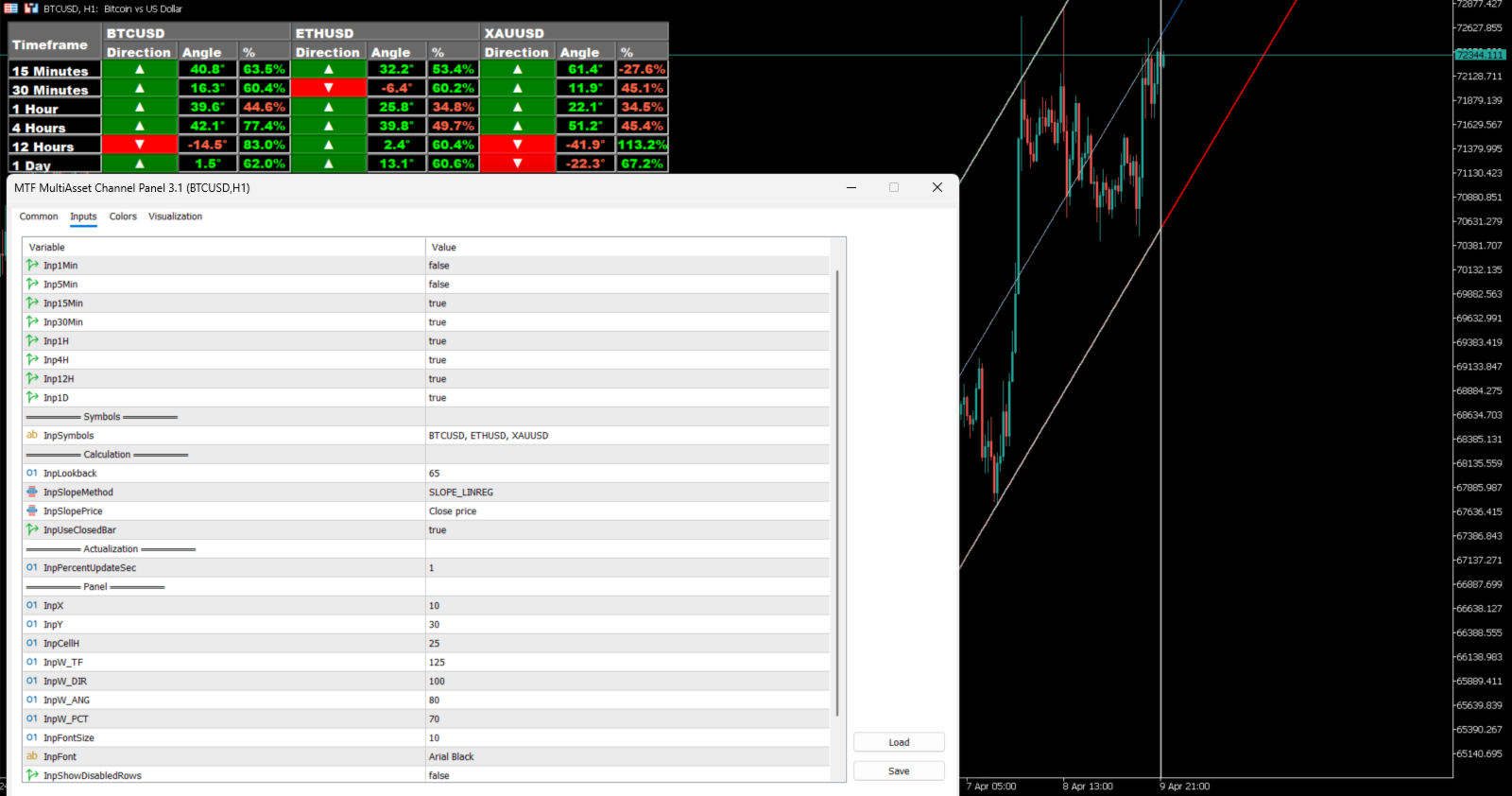
- Optional display of disabled timeframe rows
- Debug mode for development or troubleshooting
Input Parameters
Timeframes
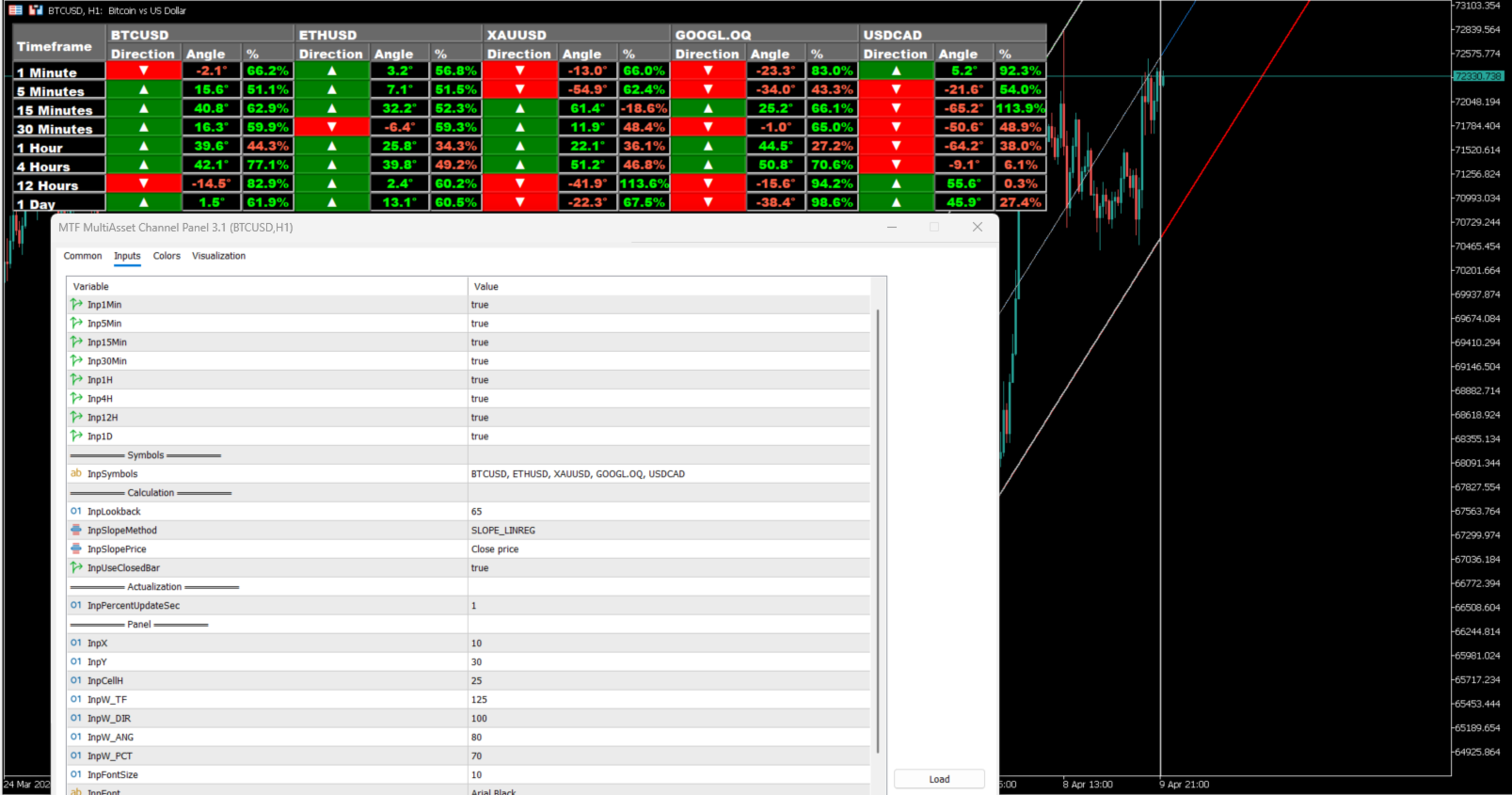
Inp1Min – enables or disables the 1 Minute row
Inp5Min – enables or disables the 5 Minutes row
Inp15Min – enables or disables the 15 Minutes row
Inp30Min – enables or disables the 30 Minutes row
Inp1H – enables or disables the 1 Hour row
Inp4H – enables or disables the 4 Hours row
Inp12H – enables or disables the 12 Hours row
Inp1D – enables or disables the 1 Day row
Symbols
InpSymbols – list of symbols to display in the panel. If left empty, the indicator uses the current chart symbol. The code normalizes separators, so the symbol list can be prepared from common text formats before being parsed into the panel.
Calculation
InpLookback – number of bars used to build the channel structure for each symbol and timeframe
InpSlopeMethod – slope calculation method:
- SLOPE_2POINTS uses the oldest and newest price in the lookback range
- SLOPE_LINREG uses a linear regression slope over the lookback range
InpSlopePrice – applied price used in the slope calculation. Supported options come from MetaTrader price constants such as Open, High, Low, Median, Typical, Weighted, and Close
InpUseClosedBar – when true, calculations use the last closed bar; when false, calculations can use the current forming bar
Update
InpPercentUpdateSec – refresh interval in seconds used to update live price position and panel values
Panel
InpCorner – chart corner used to anchor the panel
InpX – horizontal offset in pixels from the selected corner
InpY – vertical offset in pixels from the selected corner
InpCellH – row height of the panel cells
InpW_TF – width of the Timeframe column
InpW_DIR – width of each Direction column
InpW_ANG – width of each Angle column
InpW_PCT – width of each Percent column
InpFontSize – text size used in panel labels
InpFont – font name used in panel labels
InpShowDisabledRows – when true, disabled timeframes remain visible as inactive rows; when false, they are hidden from the layout
Debug
InpDebugMode – enables journal messages for debugging and configuration checks
Notes
This indicator is designed as a decision-support tool. It does not open trades or execute automated trading operations. Its purpose is to summarize channel structure in a clear panel so the trader can read context with less chart noise and faster comparison across symbols and timeframes.