MatadorGate
- 지표
- Metin Erkamoglu
- 버전: 3.60
- 업데이트됨: 1 11월 2025
- 활성화: 5
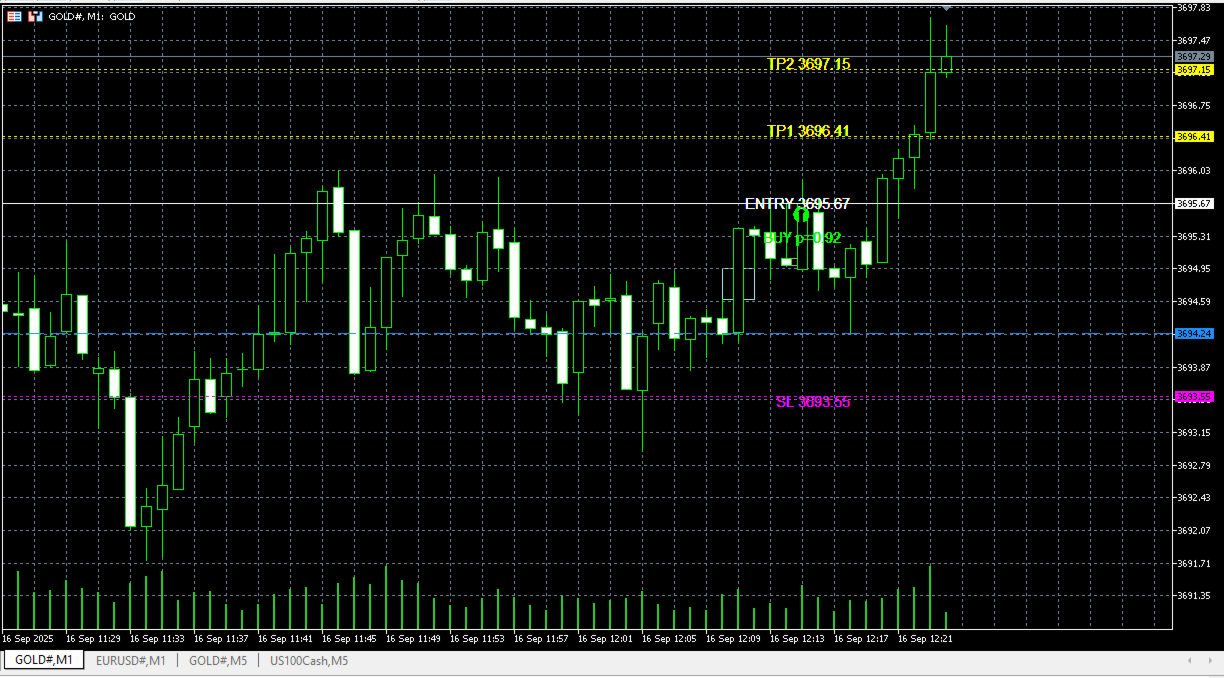
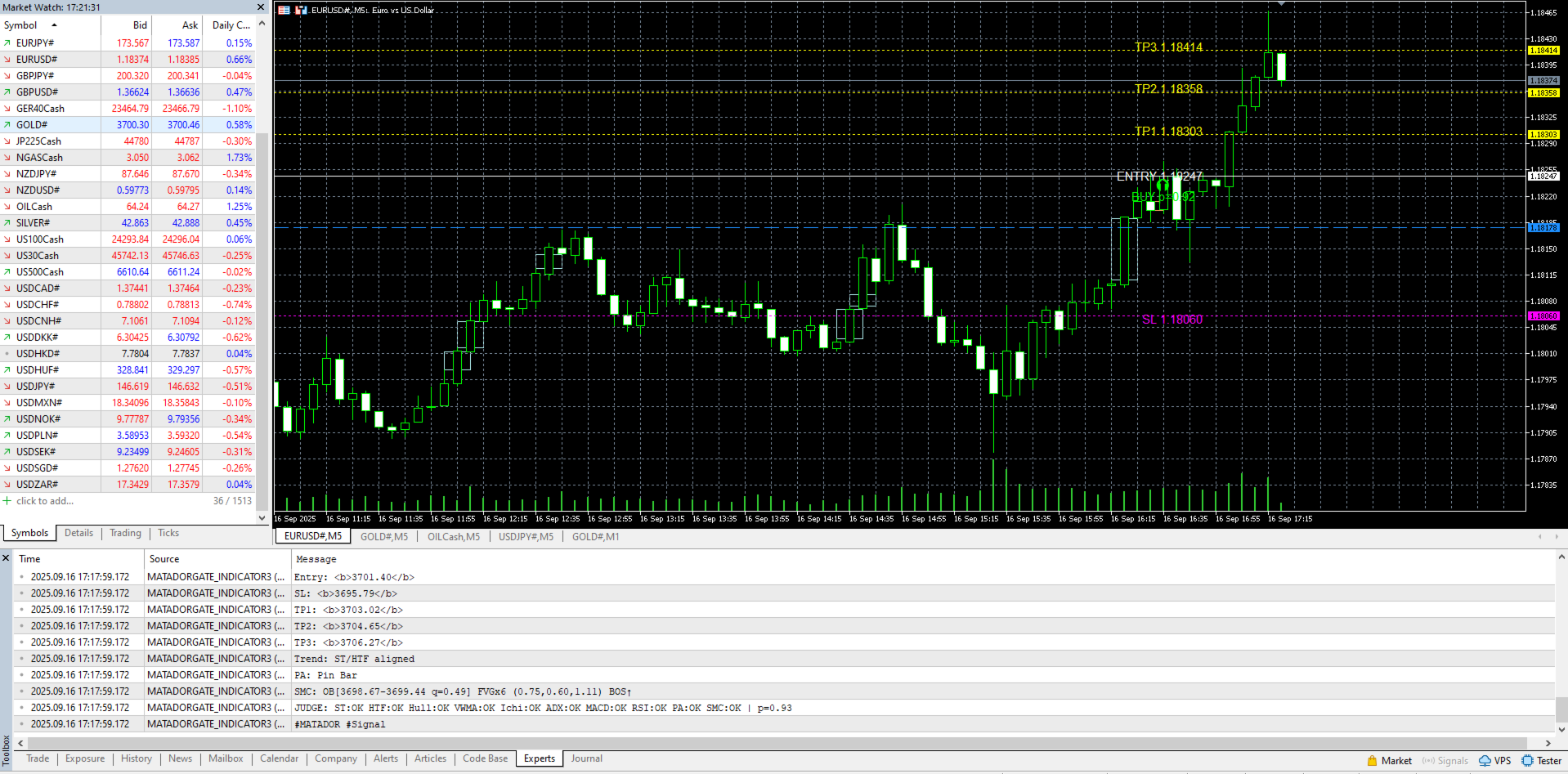
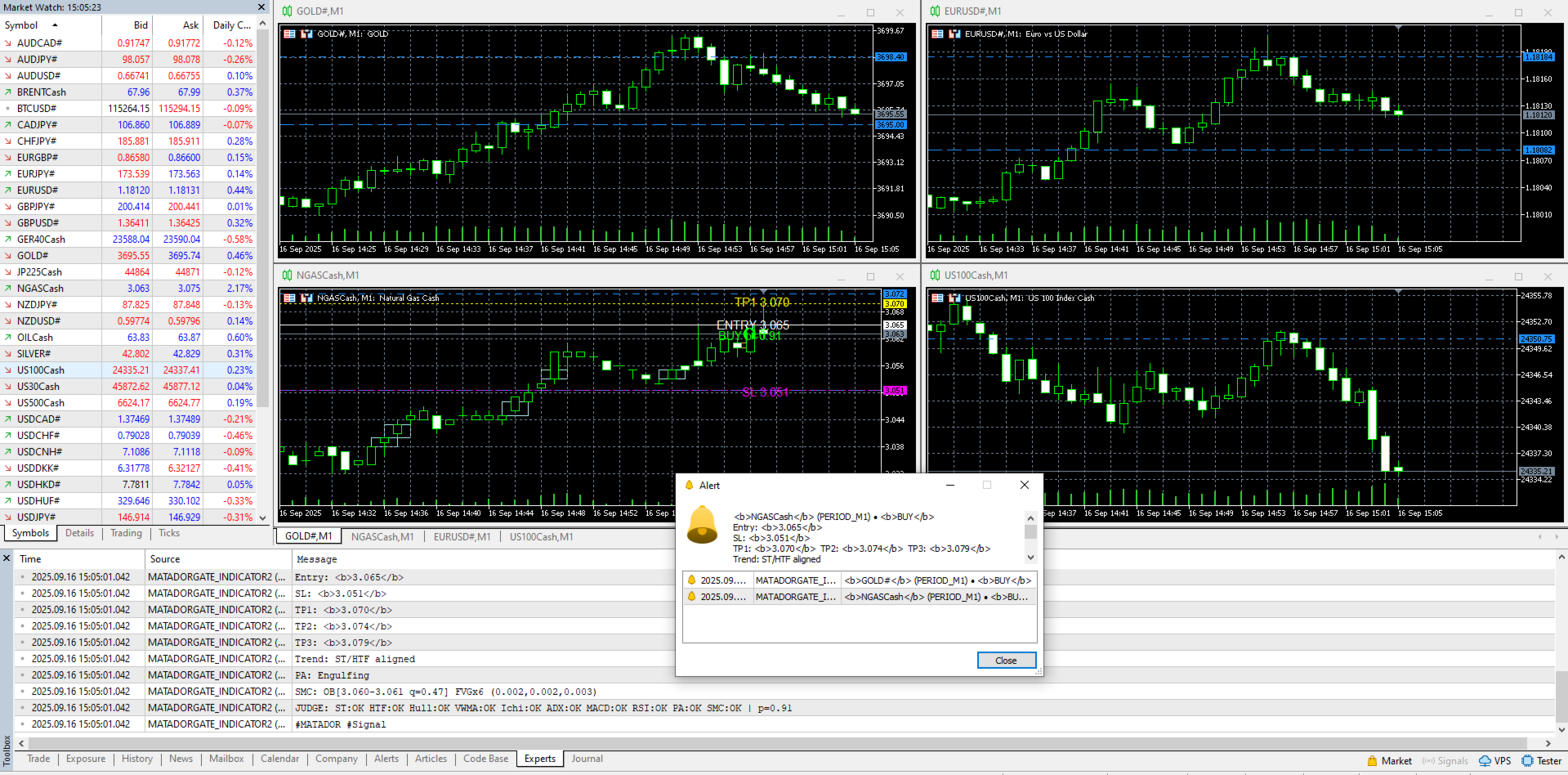
MATADOR (MT5) is a fusion indicator that turns trend + momentum + volatility + SMC into one actionable trading plan. The core engine blends ATR-based SuperTrend bias, an HTF EMA gate, ADX/DI, momentum (MACD/RSI/SMI/MFI/Heikin-Ashi), volatility regimes (Bollinger/Donchian/Keltner, Choppiness/Squeeze), Session VWAP and ADR/ATR with SMC+ (Order Block, FVG, BOS/CHOCH) to produce a pScore (0..1). When conditions pass, MATADOR prints Entry / SL / TP1-TP3 on the chart, fires an alert, and also covers Retest (touch of ST/OB) and Continuation (trend persistence) scenarios. The indicator does not open trades; a clean iCustom bridge is provided for EAs (buffers: 0=BUY, 1=SELL, 2=DIR +1/-1, 3=pScore, 4=SL, 5=TP1). Profiles (Conservative / Standard / Aggressive) adjust thresholds and feature weights to your risk style.
User Guide :
https://drive.google.com/drive/folders/1N_mCI-ZEE7dztS0QXRlBaDXHmMK2Wqgi?usp=drive_link
What you get: a one-glance plan that consolidates many signals into a single score; structured drawings of ST/OB/FVG and target levels; terminal & push alerts (Default / Compact / JSON); smart clutter control with AutoPurge / TTL; a Spread Gate and HTF Gate to filter noise; optional Heikin-Ashi confirmation for high-noise markets.
Quick start: attach to a chart and pick a profile; start with a preset and calibrate MaxSpreadPoints to your broker’s point/pip scheme; keep OnlyHeavyOnNewBar = true for performance. Presets included: XAUUSD (M1/M5), Major FX (M5/M15), Indices (M1/M5), Crypto (M1–M15).
Tuning tips:
• XAUUSD (M1/M5): ATR≈7/10, STMult≈2.7/2.4, MaxSpread≈200–300 pts
• Major FX (M5/M15): ATR≈10–14, STMult≈2.1–2.4, MaxSpread≈20–35 pts
• Crypto: use Conservative profile, STMult≈3.0 (M1); if CFD spreads are very wide, consider disabling the Spread Gate
Important: for educational purposes only; not financial advice. Validate in Strategy Tester or demo before going live. If you see no signals, check AllowedSymbols, MinTF/MaxTF, or MarketSilence settings. For smoother performance, use BacktestLightMode = true and keep overlay auto-clean enabled.