Trend Acceleration 4
- 지표
- Svetoslav Boyadzhiev
- 버전: 4.0
- 업데이트됨: 11 8월 2025
- 활성화: 20
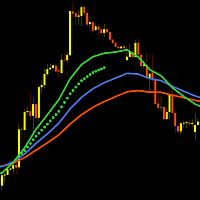
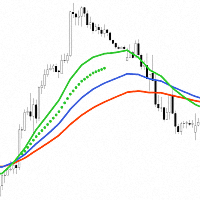
"Trend Acceleration 4" is designed to help traders navigate the market situation. The indicator shows three multi-time frame "Moving Averages", which show the trend (tendency) of the price movement of financial instruments. They are the basis for analysis of dependencies, which with great success show the acceleration or deceleration of the trend (tendency) of the financial markets.
The choice of using three moving averages in the "Trend Acceleration 4" indicator comes from the idea of analyzing three 8-hour trading sessions in one business day. It is recommended to use 24, 16 and 8 EMA settings when using the indicator as a basis for analysis. Using "Simple Moving averages" leads to a lot of "noise" in the signals provided, and when using "Smoothed Moving averages" the signals are delayed.
- When the "Fast" (calculated for 8 bars) moving average is above the "Medium" (calculated for 16 bars) and the "Medium" is above the "Slow" (calculated for 24 bars) moving average, there is an uptrend.
- When the "Fast" (calculated for 8 bars) moving average is below the "Medium" (calculated for 16 bars) and the "Medium" is below the "Slow" (calculated for 24 bars) moving average, there is a downtrend.
The "Trend Acceleration 4" indicator provides two types of visualization of moving averages:
- The first option is through "Linear interpolation" for the number of intermediate bars, between two bars of a higher time interval at the "Close" price. In this variant, the curves look in the classic way we are used to seeing them. The problem with this visualization is that since the last zero bar is not complete, the linear interpolation is performed between the previous bar 1 and the zero bar, and this leads to rewriting the result until the formation of the zero bar is completed.
- The second option is to visualize the moving averages by drawing a line at the "Close" price between two bars of a higher time interval. In this variant, the result is rewritten only for the last zero bar. However, the graphical visualization is more unusual.
"Moving Averages Acceleration" is the result of analyzing the dependencies between moving averages. This analysis shows the "Acceleration" of the price movement of financial instruments, as well as the places where the price movement slows down. Visually, the "Acceleration" of the price movement is represented in the form of "dots" between the "Fast" and "Medium" moving averages. "Moving Averages (MA's) Acceleration" is equivalent to the term "Trend Acceleration" because it is a derivative of the signals that are received from moving averages.
- If there are "Acceleration" signals, the traders can look for entry points into a trade or holding an open position.
- If there are no "Acceleration" signals, but the three moving averages have not yet crossed, the traders can look for exit points or partial closure of an open position.
Two filters have been developed for "MA's Acceleration". The filters are as follows:
Filter 1 - Shows dependencies between the "Medium" to the "Slow" moving averages. This filter analyzes the divergence of the "Medium" and "Slow" moving averages. When they converge, it is said that the "Trend Acceleration" slows down. This filter is suitable for moving stop losses.
Filter 2 - shows update of new "Highest High" or new "Lowest Low". This filter is quite simple, but it shows well where the correction or ranges occur in the price movement.
Both filters are enabled by default. They can be used together or separately. Each financial instrument has its own characteristics, that's why some filters work well on a given financial instrument and others don't. The choice of which "Trend Acceleration" to use is up to you...
In simple terms, "Trend Acceleration" can be likened to "A flat stone thrown into a smooth lake. This stone bounces off the water, slows down, and finally sinks into the lake water. Sometimes the stone is thrown successfully and bounces two, three or more times off the water. Other times the stone sinks on its first contact with the lake water. The important thing to remember is that we are only observers, and how many bounces the stone will make depends solely on the market!!!".
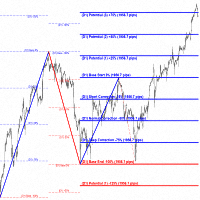
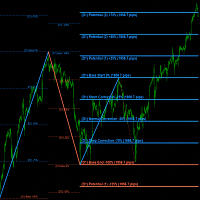
The "Trend Acceleration 4" indicator is synchronized with the "Impulses and Corrections 4" indicator. In combination, the two indicators will help traders to determine the current situation in the financial markets to the greatest extent. In combination with the "MR Reversal Patterns 4" indicator, the "Trend Acceleration 4" can show the key places where the trend reverses its direction or the price is held in a certain range.
Indicator settings:
Show Multi Time Frame MA's from - Multi time frame on which to calculate the MA's indicator. By default, the indicator works with data from time frame H4.
Bars History for MA's calculation - Number of candles on which the indicator works from multi time frame H4.
View by "Interpolation" or by "MTF" bars - You choose how to visualize the "Moving averages".
Section "Moving Averages Settings"
MA's line visualization - Show moving averages lines with color
Period for Slow MA - Period for calculation of "Slow" moving аverage.
Period for Medium MA - Period for calculation of "Medium" moving аverage.
Period for Fast MA - Period for calculation of "Fast" moving аverage.
MA metod: SMA, EMA, SMMA, LWMA - Selecting a method for calculating moving averages.
MA's line style - Selecting the moving averages line style.
MA's line width - Selecting the width of the moving averages line.
Slow MA line color - Line color of "Slow" moving аverage.
Medium MA line color - Line color of "Medium" moving аverage.
Fast MA line color - Line color of "Fast" moving аverage.
Section "MA's Acceleration Settings"
Filter 1 - Medium to Slow - Shows or not "Filter 1".
Filter 2 - "Highest High" or "Lowest Low" - Shows or not "Filter 2".
Bullish Acceleration signal color - Color of the Bullish "MA's Acceleration".
Bearish Acceleration signal color - Color of the Bearish "MA's Acceleration".
MA's Acceleration Dot size - Dot size for "MA's Acceleration".