 MetaTrader 5
 Experts
 지표
지표
 라이브러리
라이브러리
 유틸리티
유틸리티
 위젯
위젯
 규칙
규칙
MetaTrader 5용 트레이딩 유틸리티 - 78
 다음은 MetaTrader 5의 거래를 단순화하는 거래 프로그램입니다. 유틸리티의 설명과 목적을 읽으려면 유틸리티 위에 마우스를 놓으십시오.
Most session tools try to cover everything. DeepTrade Session Intel does the opposite — it focuses on what actually moves the market: the London and New York sessions, tuned for Gold (XAUUSD) and US30. It maps the liquidity and the real activity window so you trade when the market is alive, not when it's dead. WHAT IT SHOWS - London and New York session boxes drawn at their real server hours - Session HIGH and LOW lines — the liquidity that price hunts - Pre-session breakout range — the conso

DeepTrade News Manager keeps you safe around high-impact economic news. It reads events from the FREE built-in MQL5 Economic Calendar — no external website, no manual URL setup, no subscription. It alerts you before news, blocks the window around the release, and protects your open trades automatically. NEWS SOURCE — FREE & RELIABLE Uses MetaTrader 5's own built-in Economic Calendar (the same data in the terminal's Calendar tab). That means: no external news website, no WebRequest URL to whit

Position Sizer PROP
Stop putting your challenge at risk because of wrong lot sizing, forgotten limits, or unclear exposure before sending the next order. In PROP Firm challenges, many traders do not fail only because of poor entries. Risk management mistakes also matter: oversized lots, poorly calculated risk, daily drawdown breaches, excessive exposure, or lack of control over account rules. After approval, the challenge continues. Keeping the account active requires discipline, operational co

Bjed Equity Curve Utility MT5 는 자산 변동 추이를 실시간으로 분석하고 시각적으로 모니터링할 수 있는 전문 도구입니다. 이 유틸리티는 자산 데이터를 자동으로 파일로 내보내므로, 외부 도구, 대시보드 또는 다른 EA에서 이 정보를 추가로 처리할 수 있습니다.
주요 기능
자산 곡선의 실시간 내보내기 MQL5 데이터 폴더로의 자동 파일 출력 모든 심볼 및 시간대와 호환 외부 DLL 불필요 시장 규정을 완벽하게 준수 가벼운 무게와 낮은 리소스 소비
활용 사례
거래 계좌의 에퀴티 기반 리스크 모니터링 외부 시각화 (Python, Excel, Power BI, 트레이딩 대시보드) 다중 EA 조정 다른 EA 또는 도구 내 자동화된 에퀴티 필터
중요 참고 사항
전략 테스터는 지표나 유틸리티에 대한 에퀴티 이력을 제공하지 않습니다. 따라서 데모 버전은 테스터에서 작동하지 않습니다. 실제 차트에서 제품을 테스트해 주십시오. 다음 캔들이 시작되면서 첫 번째 선이 보이게 되

VTB High Watermark Drawdown Lock EA for MT5 Advanced Equity Protection & Drawdown Management System VTB High Watermark Drawdown Lock is a professional risk management Expert Advisor designed to protect trading accounts, funded accounts, and proprietary trading challenges from excessive drawdown. Unlike traditional drawdown protection systems that calculate risk from the initial account balance, this EA uses a dynamic High Watermark (HWM) model that continuously protects both your original capita

VTB Open Positions – SL Risk Panel (MT5) Advanced Risk Management Dashboard for Open Positions VTB Open Positions – SL Risk Panel is a professional risk management indicator for MetaTrader 5 that continuously monitors all open positions and instantly displays the real risk and potential profit associated with Stop Loss and Take Profit levels. The indicator provides traders with a complete overview of their portfolio exposure, helping them make informed risk management decisions in real time. Wha

A Expert Advisor that automatically opens trades when price crosses predefined pip-based round levels. Unlike simple round number EAs that only trade on psychological levels like 1.1000 or 1.2000, this EA allows you to define up to five independent pip intervals simultaneously, each with its own Magic Number for separate tracking and management.
The EA functions as a complete trading system, combining automated entry based on price crossing round levels, directional control, integrated trailin

Prop Firm Drawdown Guardian — automatic risk-rule enforcement for funded and challenge accounts.
Most funded accounts are lost to rule violations, not bad trades. One oversized loss, or an overnight drift past your daily limit, ends the account. Prop Firm Drawdown Guardian watches your account every tick and steps in before that happens.
What it does It continuously monitors your equity and enforces three independent limits. The moment any one is about to break, it closes every open position

Stop Gambling | 일일 손실 한도 적용 도구 가장 중요한 순간에 거래를 멈추세요. Stop Gambling은 일일 손실 한도에 도달하면 자동으로 모든 포지션을 청산합니다. 예외 없이, 두 번째 기회도 없이. 연속 손실 후의 복수 거래와 과도한 거래는 개인 트레이더의 계좌를 파괴하는 최대의 원인입니다. Stop Gambling은 인적 요소를 완전히 제거합니다. 한도에 도달하면 EA가 즉시 행동합니다. 당신에게는 선택권이 없습니다. 작동 방식 최대 일일 손실 비율을 한 번 설정하세요. 그 순간부터 EA는 모든 틱과 매 초마다 계좌의 자산을 모니터링합니다. 부동 손실이 임계값에 도달하는 순간, 모든 미결 포지션이 시장가로 청산됩니다. 세션 한도는 거래 시작 시 잠깁니다. 세션 중간에 한도를 높일 수 없습니다. 낮출 수는 있지만 다시 높일 수 없습니다. 강력한 손실 한도 적용 자산이 세션 기준선에서 설정된 비율만큼 하락하면 모든 포지션이 즉시 청산됩니다. 확인 없이, 지

XAUUSD BREAKOUT STRATEGY 1HR TF EA for MT5 Professional Breakout Trading System for Forex, Gold, Crypto & Indices XAUUSD BREAKOUT STRATEGY 1HR TF EA is a fully automated Expert Advisor designed to trade breakout opportunities using a proven range-box methodology. The EA automatically identifies market consolidation zones, places pending breakout orders, and manages trades using intelligent risk management, breakeven protection, trailing stop, and time-based exits. The system is suitable for trad
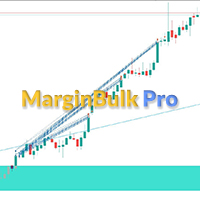
MarginBulk Pro — Bulk Trading & Risk Manager MT5
Still calculating lot sizes and levels by hand on every trade? MarginBulk Pro automates your entire trade management workflow from a compact visual panel embedded directly on your MT5 chart.
KEY FEATURES
Bulk Trading • Opens N simultaneous positions (bulks) with lot auto-calculated from your risk % or set manually • TP1, TP2... TPn defined as exact Risk/Reward ratios (1:1, 1:2, 1:3... up to 1:6) • Each TP receives an equal share of the total

Market Data Recorder captures every incoming tick of the current chart symbol and saves it to a file on your computer for research, analysis, and backtesting datasets. It records the bid, ask, last price, volume, tick flags, and a millisecond-precision timestamp for each tick. The tool reads only the symbol of the chart it is attached to and performs no trading operations.
The recorder is designed for data quality. Instead of sampling only the latest price on each event, it reads the full inco

Bulk Mate: Fast, One-Click Multi-Order Management Managing multiple trades manually in MetaTrader 5 is too slow when the market moves. Bulk Mate solves this by letting you control all your positions and pending orders instantly from a single interface. Key Functions: Quick Buy/Selll: Quickly buy or sell at your desired lot size . Bulk SL/TP: Modify SL and TP levels through user interface across multiple trades simultaneously. Trailing SL: Enable trailing SL to secure your trades and modify

Introduction Simple & Straightforward Trade Management that manages trades. Ideal for managing low numbers of trades with Precision. Classic way of managing trades through price levels. No Disruptive Panel to complicate charts. EA automatically removes itself upon completion of all functions.
Main Function Once Trade has been placed as Pending Orders or Market Orders, attach this Trade Manager to any chart to manage the trades. Using the Instrument Symbol and Last 4 digits in the inputs secti

Fifty Shades of a Doji - Analytical Level Journal & Tracker
The "Fifty Shades of a Doji" is a professional, non-trading analytical utility designed for traders who base their strategies on Daily, Weekly, and Monthly static support and resistance levels, combined with price action compression patterns.
This tool does not execute automatic market orders. Instead, it functions as a high-level visual analyzer, virtual trade simulator, and statistical logger. It identifies high-probability setups,

AlgoDevMT5 Trade Manager Pro AlgoDevMT5 Trade Manager Pro is a professional trade management and risk control utility for MetaTrader 5. Designed for discretionary traders and funded account traders, this utility helps traders plan trades visually, calculate position size instantly, and manage risk with precision. Trade Manager Pro does not generate trading signals, open trades automatically, or provide investment advice. It is a trader-assistance utility designed to improve consistency and risk

== Account Protector EA JJP ==
< Feature Summary > Target Types Feature Details
Stop Loss Set in USD (e.g., -$100) or as a % of balance (e.g., -2.0%) — switchable on entry
Take Profit Set in USD (e.g., +$200) or as a % of balance (e.g., +4.0%) — switchable on entry
Mode Selector. SL_UseUSD = true → uses the USD value; false → uses a percentage
️ Protection Modes Broker-backed: The EA modifies orders directly via trade.PositionModify(

FastPanel Trader EA — Professional Trade Panel, Risk Control, Sessions & Candle Timer for MT5 FastPanel Trader EA is a clean and powerful MetaTrader 5 trade management panel designed for traders who want faster execution, better risk control, and a more organized trading chart. This Expert Advisor does not try to predict the market or promise profits. Instead, it gives you a professional control panel directly on your MT5 chart so you can manage entries, stop loss, take profit, risk, open positi

RealCost Auditor MT5 is an execution-cost monitor for MetaTrader 5. It does not open, close, or modify trades. It watches the chart symbol, samples live spread, records executed deals, estimates signed slippage when the terminal exposes the requested price, and saves a local CSV audit file.
Many backtests use spread, slippage, commission, and swap assumptions that are cleaner than real trading conditions. This utility gives you broker and account data from your own terminal before you trust a s

Overview
RealCost Risk Governor MT5 is an account and trade-risk monitoring utility for MetaTrader 5. It does not predict price movement and does not provide buy or sell signals. It watches configured risk limits and shows a compact on-chart panel for daily P/L, floating P/L, equity drawdown, trade count, open positions, pending orders, total lots, and chart spread.
The default mode is alert-only. If the trader explicitly enables protection actions, the utility can close scoped positions, del

Manager Orders Pro MT5 Manager Orders Pro MT5 는 MetaTrader 5용 수동 주문 및 포지션 관리 패널입니다. 수동으로 거래를 실행하는 트레이더가 진입 전에 리스크, 로트, Stop Loss, Take Profit 및 포지션 관리를 더 명확하게 제어할 수 있도록 설계되었습니다. 이 제품은 시장 방향을 예측하지 않으며 거래 신호를 제공하지 않습니다. 목적은 트레이더가 자신의 판단에 따라 거래를 더 체계적으로 준비, 실행, 관리할 수 있도록 돕는 것입니다. 누구를 위한 제품인가요? Manager Orders Pro MT5는 MetaTrader 5 안에서 명확하고 실용적인 거래 관리 패널이 필요한 수동 트레이더에게 적합합니다. 다음 사용자에게 유용할 수 있습니다. 데이 트레이더; 스캘퍼; 스윙 트레이더; Forex, 금속, 지수, CFD 및 기타 MT5 심볼 트레이더; 하나의 차트에서 여러 종목을 관리하려는 트레이더; 진입 전 실제 리스크를 계산하려

️ Trade at the speed of thought. With a safety net.
In scalping, a second matters. Clicking through menus makes you miss the entry. Hotkeys Scalper Guard puts trading at your fingertips — and wraps that speed in serious guardrails.
WHAT THE TOOL DOES • One key to BUY, one to SELL, one to CLOSE ALL (configurable) • Fixed lot: no typing, so zero position-size mistakes
️ THE GUARDRAILS (the real difference) • Cap on simultaneous positions • Anti double-click cooldown ️ • Daily circuit

Position Dealer — Risk-First Trade Panel for MT5
Position Dealer is a multi-functional trading assistant built around one idea: never place a trade that breaks your risk rules. Size every position by risk, set stops and targets visually on the chart, enforce a hard maximum-risk limit, and fire market or pending orders in one click — without ever doing the lot math yourself. One-click, risk-based sizing Size by Risk $ , Risk % , or fixed Lot — the panel computes the exact volume from your stop

Take the emotion out of manual trading. SPAX TradeManager is a powerful utility designed for traders who love finding their own entries but hate the stress of managing open trades. Once you open a manual position, this Expert Advisor instantly takes over—calculating your risk, locking in profits via smart partial closes, and dynamically trailing your stops so you can walk away from the screen with total confidence. Key Features Instant Auto-Stop Loss (SL): Forgot to set an SL? The EA instantl

Tyumex Trade Assistant PRO is a trading utility for MT5: open a trade in one click with automatic risk-based lot sizing and a stop loss placed automatically at the candle extremum.
The tool removes the three most common manual mistakes: wrong lot size, a missing or badly placed stop, and slow entry. You set the risk as a percent of your balance — everything else is calculated automatically.
KEY FEATURES
- One-click entry (BUY/SELL) at market or as a limit pending order from the current price

*** available for free for cloud pro users and above****
Ultimate EA Manager is a utility for traders running multiple Expert Advisors on a single MT5 terminal. It does not place trades itself — it coordinates the EAs you already use. Features: - Auto-detect every EA attached to charts in your terminal, grouped by EA name - Slot management: cap how many EAs may hold open positions concurrently (waiting EAs pause until a slot frees up) - Account-level drawdown circuit breake

Hello traders, Do you manage more than one MetaTrader 5 account? Do you want the trades opened on one account (manually, or by an EA) to be mirrored automatically — with no delay and with proper risk control — on your other accounts? Smart Copy Trader was built exactly for this: it copies positions from a "source" (Master) account to one or more "receiver" (Slave) accounts with millisecond precision, while protecting your capital with daily profit/loss limits, an open-position loss limit, and a

Risk & Trade Manager for Prop Firm Accounts Ask For the Set Fils for better Parametre work on 15 Min TIMFRAME A professional management utility that supervises your open positions and enforces strict risk parameters in real time. Built for funded traders and prop-firm challengers (FTMO, FundedNext, and similar) who need their account risk handled with discipline and consistency. This tool does not predict the market — it manages what's already on your chart. It applies protective position hand

PropGuardian Risk Manager is a utility that watches your account in real time and enforces the hard risk rules that disqualify traders from prop-firm challenges and funded accounts. It does not open trades of its own. It sits on one chart and guards the entire account, whatever you or your other Expert Advisors are doing.
One bad day, one oversized lot, or one forgotten position is enough to fail an objective. PropGuardian acts the instant a limit is reached: it closes every position, deletes p

The Bulk Chart Deployer is an automation script for MetaTrader 5 designed to streamline workspace setup. Instead of manually opening individual charts and dragging-and-dropping templates one by one, the script scans your active Market Watch window, opens corresponding charts in your chosen timeframe, and automatically applies a designated chart template (containing your Expert Advisor/Robot or technical indicators) or attaches a custom indicator directly in a single click.

Drag the script onto any chart. Under the Inputs tab: Set Action to ACTION_LOAD_WORKSPACE . Set Workspace Name to XAUUSD_MultiTimeframe . Click OK . Since this file doesn't exist yet, the script creates a default configuration file for XAUUSD with M15 , H1 , H4 , and D1 timeframes, applies the default template to each, and tiles them on your screen[ 1 ]. Customizing Templates & Symbols: Open the file located at MQL5\Files\Workspaces\XAUUSD_MultiTimeframe.csv

Quick Start Guide: Reading Correlation
This matrix measures returns (how assets gain/lose value together), not absolute prices.
1. Bull/Bear Direction Cheat Sheet
- Green Cells (\ge +0.50): Parallel Movement. If Asset A is Bullish, Asset B is likely Bullish. - Red Cells (\le -0.50): Mirror Movement. If Asset A is Bullish, Asset B is likely Bearish. - Gray Cells (-0.20 to +0.20): No Connection. Bullish or bearish trends are completely independent. 2. Reading the Tooltip Hover over any c

Visual Risk Trade Manager MT5 Professional Visual Trade Management for MetaTrader 5 Visual Risk Trade Manager MT5 is a powerful trade management utility designed for manual traders who want complete control over their positions directly from the chart. The tool provides visual risk analysis, position management, profit protection, and real-time trade monitoring without generating signals or opening trades automatically. Whether you are a scalper, day trader, swing trader, or prop firm trader, V

Most traders don't lose because of bad analysis.
They lose because they couldn't close fast enough. Because they fat-fingered the wrong lot size. Because a single news spike wiped out three winning trades before they could react.
That's exactly what Apex Trade Manager Pro was built to fix.
This is a visual trading panel for MetaTrader 4 and MetaTrader 5. It sits on your chart and puts every critical trade action — closing, scaling, setting stops, opening orders — one click away. No menus

## **SEEN Trader v2 – Universal Grid EA with Dual Modes**
### **Key Features**
- **Two trading modes** in one EA: **GRID Mode** — classic martingale with limit orders **BREAKOUT Mode** — stop orders on breakout levels
- **Dynamic or fixed grid step**: - Fixed step in pips - Automatic calculation based on **ATR** indicator (volatility adaptation)
- **Two trailing stop modes**: - By average price of all positions - Individually for each position
- **

Product Description Beautiful MT5 Dashboard Indicator is a clean and modern on-chart utility for MetaTrader 5. It displays important account, trade, and performance information directly on the chart in a dark, professional dashboard style. The dashboard is designed to help traders monitor their trading activity more easily without opening multiple terminal windows. It uses a simple visual layout with clear colors, organized values, and fast chart-based access to useful information. This utilit

Truvana Trend Campaign Manager EA (TCM) Advanced Basket Management & Profit Locking Tool for Trend Traders
Short Description Turn strong trends into managed campaigns. Truvana TCM is a professional trade management EA designed for traders who already know how to identify trends and execute entries. The EA automatically manages basket expansion, validates risk before adding positions, and locks profits using a broker-side Basket Stop Price (BSP). No martingale.
No grid recovery.
No signal genera

momentumFX99 – Profesionálny manuálny mriežkový a exekučný panel momentumFX99 je vysokorýchlostný panel pre manuálne obchodovanie s jedným kliknutím určený pre obchodníkov, ktorí chcú okamžite vykonávať presné mriežky čakajúcich objednávok. Namiesto manuálneho výpočtu a zadávania viacerých objednávok počas rýchlych pohybov na trhu vám tento nástroj umožňuje nasadiť plne chránenú 5-úrovňovú trendovú mriežku jediným kliknutím. Dáva vám plnú kontrolu nad vašou realizáciou, čo vám umožňuje zachytiť

SUPREME COPY TRADE - ALL IN ONE The Fastest and Most Complete Copier for MetaTrader 5 Latency of only 100ms, up to 20x faster than common trade copiers. While other copiers take 2, 3 or even 5 seconds to replicate a trade, SUPREME COPY TRADE acts in just 100 milliseconds. Speed Comparison Common copiers: 2000ms
Competitors: 500ms
SUPREME COPY TRADE: 100ms (up to 20x faster) How We Achieve This Speed Instant event detection technology that reacts at the exact moment of the trade. Intelligent ver

Professional MT5 to Telegram trade notifier with real-time trade alerts, partial/full close reports, scheduled performance statistics, multi-year monthly reports, quarterly/yearly summaries, Max Drawdown, Profit Factor, Win Rate, and transparent MT5/TWR-style calculations. Falqonea Telegram Trade Notifier MT5 is a professional MetaTrader 5 to Telegram notification and reporting utility. It helps traders, EA users, signal providers, PAMM managers, copy-trade providers, money managers, portfolio m

Trade Protection PRO – Professional Trade Manager & Protection Tool A powerful yet easy-to-use Trade Protection Expert Advisor that automatically manages your positions with advanced risk protection features. Key Features: Automatic Breakeven with customizable offset Up to 5 Partial Take Profit levels with individual percentages Modern real-time Dashboard showing all important information Clear visual horizontal lines on chart (BE trigger, entry line, and all TP levels) Two volume modes: % of In

Trade Manager Pro FX MT5 는 MetaTrader 5 용 편리한 트레이딩 패널입니다. 자동 랏 계산, 수동 포지션 관리, Telegram 알림, 일간 및 월간 통계, Breakeven , Trailing Stop , Daily Risk 보호 기능을 제공합니다. 이 도구는 인트라데이 트레이더, 스캘퍼, 프롭펌 트레이더, 그리고 일일 리스크를 엄격하게 관리해야 하는 모든 트레이더에게 특히 유용합니다.
다른 제품도 확인해보세요
MetaTrader 5 용 Trade Manager 도구 전체 카탈로그 보기
Trade Manager Pro FX MT5 는 차트에서 직접 거래를 빠르고 간편하게 관리하고 싶은 트레이더를 위해 설계되었습니다. 이 패널은 사용자를 대신해 진입 지점을 찾는 Expert Advisor가 아닙니다. 사용자의 트레이딩 전략을 대체하지 않으며, 스스로 무작위 거래를 열지 않습니다. 수동 트레이딩을 위한 전문 보조 도구입니다. 거래 결정은 사용자가 직

LotShield — Fixed Risk Trade Manager for MT5 TRADE WITH A PLAN. RISK BEFORE ENTRY. LotShield is a professional MT5 trade-management panel for manual traders who want to size positions properly, control risk before entry, and execute from one clean workspace. Set your cash risk. Define Stop Loss and Take Profit. Choose a fixed risk-to-reward ratio. LotShield calculates the estimated trade volume, shows the projected risk and reward, and lets you confirm the order only when your plan is clear. No

Echo Simulator Trader is a powerful hybrid simulation-to-live EA that runs thousands of pure price-action simulated trades in parallel with your live account. It opens simulated LONG and SHORT positions at regular intervals on multiple pairs, meticulously tracks their performance using your exact risk rules, and only activates real trading once simulated strategies pass your custom performance filters (Net Profit, Profit Factor, Win Rate, Drawdown, etc.). Built for complete control and proof-of

Echo Simulator Trader v2 expands the simulation engine of v1 hybrid simulation-to-live EA that runs thousands of pure price-actions simulated trades in parallel with specified day and time. It opens simulated LONG and SHORT positions at regular intervals on multiple pairs, meticulously tracks their performance using your exact risk rules, and only activates real trading once simulated strategies pass your custom performance filters (Net Profit, Profit Factor, Win Rate, Drawdown, etc.). Built fo

Echo Simulator Trader v3 expands the simulation engine of v2 with 5 independent Property Sets (P1–P5). Each set can run on its own timeframe, magic number, position limits, and pip-interval grid logic — allowing you to test and run completely different strategies simultaneously within one EA. Simulated trades feed into a unified performance analyzer that decides which strategies graduate to real trading. With enhanced multi-magic support, pip-based round-level entries (mean reversion or breakou

Performance Tracker Performance Tracker는 MetaTrader 5용 거래 분석 및 계좌 성과 추적 도구입니다. 이 제품은 트레이더가 과거 거래 내역을 분석하고, 리스크를 평가하며, 시각적인 리포트와 상세한 통계를 통해 더 나은 거래 결정을 내릴 수 있도록 돕습니다. 자신의 거래 활동을 체계적이고 명확하게 이해하고 싶은 사용자에게 적합합니다. 주요 기능 계좌 분석 대시보드 인터랙티브 대시보드를 통해 전체 거래 성과를 한눈에 확인할 수 있습니다. 포함된 지표: 순이익 총수익 및 총손실 Profit Factor 기대 수익 (Expected Payoff) Recovery Factor 샤프 지수 (Sharpe Ratio) 소르티노 지수 (Sortino Ratio) 승률 평균 손익비 (Risk/Reward Ratio) 잔고 및 드로우다운 시각화 시간에 따른 계좌 성장과 드로우다운 변화를 확인할 수 있습니다. 포함된 차트: 잔고 곡선 자산 드로우다운 드로우다운 지속

Trade Copier Pro Trade Copier Pro는 Meta Trader 5 용 거래 복사 도구로, 여러 MT5 계정 간의 거래를 실시간으로 복사하도록 설계되었습니다. 이 제품을 통해 트레이더는 서로 다른 브로커의 여러 계정을 연결하고, 마스터 계정과 슬레이브 계정을 설정하며, 거래가 계정 간에 어떻게 동기화되는지 관리할 수 있습니다. 계정 동기화, 전략 복제 및 다양한 거래 환경에서의 거래 관리에 적합하도록 설계되었습니다. Trade Copier Pro는 Meta Trader 5 내부에서 직접 실행되며 외부 서비스가 필요하지 않습니다. 기능 다중 계정 연결 여러 MT5 계정을 동시에 연결하고 하나의 인터페이스에서 관리할 수 있습니다. 지원되는 계정 유형: • 개인 계정
• Prop Firm 계정
• 브로커 분산용 계정
• 전략 테스트용 계정 브로커 호환성 다음과 같은 다양한 브로커 간 계정 복사를 지원합니다: • HFM
• RoboForex
• IC Marke

SIA Zone Sniper Smart Money Concepts, confirmed — not guessed.
Most "Smart Money" indicators throw every Order Block and Fair Value Gap they can find onto your chart and let you figure out which ones still matter. SIA Zone Sniper does the opposite: it automatically removes a zone the moment price invalidates it, and it only marks a Buy/Sell entry after price has actually come back to retest the zone — not the instant a score crosses a threshold.
This is a tool built for traders who want a cle

Trading Dashboard Pro MT5 Trading Dashboard Pro MT5는 MetaTrader 5를 위한 거래 모니터링 및 거래 관리 패널입니다. 이 패널은 계좌 활동, 거래 통계 및 현재 보유 포지션을 실시간으로 명확하고 체계적인 인터페이스에서 제공합니다. 여러 터미널 창을 전환할 필요 없이 하나의 화면에서 계좌를 모니터링하고 거래를 관리할 수 있도록 설계되었습니다. 주요 기능 실시간 계좌 개요 패널은 계좌의 주요 정보를 실시간으로 표시합니다. 잔액 (Balance) 순자산 (Equity) 미실현 손익 일일 손익 승률 (Win Rate) 수익 계수 (Profit Factor) 평균 위험 대비 보상 비율 (Risk/Reward Ratio) 최대 낙폭 (Max Drawdown) 모든 정보는 거래 활동에 따라 자동으로 업데이트됩니다. 인터랙티브 성과 차트 Trading Dashboard Pro MT5는 계좌의 성과와 위험 수준을 시각적으로 확인할 수 있는 차트를 제공

Smart Grid Multi-Symbol EA Fully Automated Trading with Dynamic Lot Scaling & Risk Control Overview Smart Grid Multi-Symbol EA is a powerful automated trading system designed to trade multiple currency pairs and gold simultaneously using a dynamic grid strategy with intelligent lot scaling . Built for traders who want: Consistent execution Hands-free trading Flexible risk control Portfolio diversification ️ Core Strategy This EA uses a Grid + Position Scaling system : Opens positions base

다음 링크에서 다운로드하실 수 있습니다: https://www.mql5.com/en/market/product/183210
실시간 데모 및 텔레그램/디스코드 지원이 가능합니다. 프로필 메시지를 통해 문의해 주세요.
이 지표를 사용하면 차트 스크린샷을 모바일, 텔레그램 그룹, 디스코드 그룹 등으로 자동 전송할 수 있으며, 전송 빈도도 설정 가능합니다.
이 도구는 MT5 차트 스크린샷을 전송하는 무료 솔루션입니다. 여러 차트에 지표를 추가할 수는 있지만, 텔레그램 및 디스코드 봇 설정(Expert Advisor)을 위한 이 도구는 단 하나의 차트에만 적용해야 합니다. 자세한 내용은 언제든지 MQL5 프로필을 통해 문의해 주십시오.
'KS Smart Info Panel With Telegram Screenshot'은 MetaTrader 5용 맞춤형 차트 내 정보 표시 패널입니다.
주요 목적
시간 정보, 캔들 마감 카운트다운, 경제 뉴스, 캔들 마감 시 자동 알림 등을 통합하여

Trading Calendar — 수익이 발생하는 거래일을 한눈에 확인하세요 거래 히스토리를 명확한 일별 성과 인사이트로 전환하세요. Trading Calendar를 통해 가능합니다. Trading Calendar는 MT5 기반의 강력한 트레이딩 분석 도구로, 인터랙티브 손익 히트맵을 사용해 일별 수익성을 시각화합니다. 더 이상 긴 거래 내역을 끝없이 스크롤할 필요 없이, 가장 수익이 좋았던 날, 최악의 날, 연승 구간, 손실 패턴을 즉시 확인할 수 있습니다. 일, 주, 월 단위로 성과를 분석하고 당신의 전략이 언제 가장 잘 작동하는지 정확히 파악하세요. 주요 기능 • 일별 수익성 히트맵
색상으로 구분된 블록을 통해 수익/손실 거래일을 빠르게 확인할 수 있습니다. • 승률 추적
시간에 따른 거래 정확도와 일관성을 모니터링합니다. • Profit Factor 분석
Profit Factor 지표로 전략의 품질을 측정합니다. • 평균 수익 & 평균 손실 분석
리스크 대비 수익

트레이드 저널 (Trade Journal) 트레이딩 의사결정을 분석하고 더 나은 트레이딩 습관을 구축하세요 트레이드 저널 은 트레이더가 자신의 거래 활동을 기록하고, 검토하며, 이해할 수 있도록 설계된 전문 트레이딩 분석 도구입니다. 모든 트레이드는 자동으로 구조화된 저널에 정리되며, 시간이 지남에 따라 전략, 설정, 감정, 실행, 성과를 체계적으로 분석할 수 있습니다. 이 도구는 단순히 결과만 보는 것이 아니라, “왜 그 트레이드를 했는가”라는 과정에 집중합니다. ForexAnalyzer Pro 대시보드 접근 포함 트레이드 저널 을 구매하면 ForexAnalyzer Pro 웹 대시보드 전체 접근 권한도 함께 제공됩니다. 노트북, 태블릿, 모바일에서 언제든지 트레이딩을 분석할 수 있습니다. 포함 모듈: 대시보드 트레이드 분석(Analytics) 캘린더 저널 알림 시스템 카피 트레이딩 주요 기능 자동 트레이드 기록 트레이드 저널은 모든 거래를 자동으로 기록하고 중요한 정보로 정리합니

Trade Manager Ultra — Exemplar Trade Manager Ultra — by Exemplar is the definitive, on-chart trading terminal engineered specifically for professional manual traders, scalpers, and Prop-Firm funded traders. Built natively for MetaTrader 5, TM-Ultra completely replaces the clunky default order window with a high-resolution, TradingView-style interface. It evolves past our TM-Pro version by introducing the Angel-Prop Protection Suite , a Holographic Data HUD , the Discipline Engine , and a Quant

CapGuard Pro — Advanced Risk Management Suite Are you tired of blowing Funded Accounts due to a single moment of revenge trading? Trading is 10% strategy and 90% psychology. Over 90% of traders fail Prop Firm challenges (FTMO, FundedNext, etc.) not because they lack a good edge, but because of poor risk management and emotional tilt. Meet CapGuard Pro — Advanced Risk Management Suite . This is not just a utility; it is your automated, emotionless Risk Manager. Designed for serious retail traders

CrazyRich EA est instrumentum professionalis administrationis negotiationum pro MetaTrader 5, auxilians negotiatoribus manualibus in gubernatione positionum apertarum automatice. Positiones proprias non aperit — solum positiones quas tu manualiter aperis administrat. Proprietates Principales: TP Individuale — profectum singularem pro quaque positione nova ex pretio apertionis suae constituit. SL Collectivum — unum pretium communis Stoplossi (ex prima positione calculum) omnibus positionibus eius

Trading Cockpit Pro is a complete trading control panel for MetaTrader 5. Watch the market, set alerts, read automatic liquidity levels, size and execute your risk, and review your statistics - all from one compact side panel, without leaving your chart or loading a dozen indicators.
WATCHLISTS & SYMBOL BASKETS - Several lists in one selector with a dropdown picker: a live mirror of your Market Watch, a Favorites list, your own custom lists, and ready-made baskets. - Predefined baskets by corre

Tired of watching your winning trades turn into losses because you missed the exit? Quantum Trade Manager is your ultimate automated co-pilot on MetaTrader 5. This premium utility operates strictly as a Trade Manager (No Auto-Trading/No Entry Signals) , which means it will never open unauthorized positions. Instead, it monitors your live manual trades or existing EA orders in millisecond ticks, instantly applying institutional-grade risk management.
Key Features: Automatic SL & TP Assignmen

LotSizeCalculator — Risk-Based Trade Panel Place market & pending orders with the exact risk you intend — automatic lot sizing, draggable SL/TP, and live recalculation on every tick. Overview LotSizeCalculator is a lightweight on-chart panel for fast, disciplined order entry. Set your risk once — as a percentage of balance or a fixed money amount — and the panel calculates the correct lot size so that the real loss when your stop-loss is hit equals exactly what you configured, spread and commiss

# GMRFX Copytrade Local & Lan
> **Copy-Trade Master/Slave — One EA, File-Based Sync, Zero Network Config.** > Copy trades between MT5 terminals on the same PC, across your local network, or over the internet — using nothing but a shared folder.
---
**Version:** 1.00 **Developer:** GMR FX ([ gmrfx.app ]( https://gmrfx.app )) **Category:** Trade Copiers / Utilities
---
## What Is This?
**GMRFX Copytrade Local & Lan** is a single Expert Advisor that handles both **Master** (sender) and

THE ULTIMATE ALL IN ONE SUITE FOR EVALUATION & FUNDED TRADERS
Are you tired of losing $100k+ prop firm accounts to a single millisecond of slippage, emotional revenge trading, or a minor daily drawdown miscalculation? Most traders don't fail because their strategy is bad. They fail because they break the strict, unforgiving rules of modern prop firms. Meet Propfirm Guardian Pro (Propfirm Monitor)—the absolute gold standard of risk management, execution, and deep statistical analytics built exp

BUY SELL MOUSE KEYBOARD – The Speed of a Click at the Heart of the Financial Market In today's fast-paced financial market, where every fraction of a second can define profit or loss, relying on outdated tools is simply not an option. Technology is advancing at an exponential rate, and your operations need to keep up with that same momentum. We present BUY SELL MOUSE KEYBOARD , the smart tool that transforms the complexity of the trading desk into pure agility. Say goodbye to slow order entrie

Trading Panel Fxpoint is a manual trading assistant and trade manager for MetaTrader 5.
It attaches to any chart and gives you a single control panel for your whole watchlist, your open positions, and your order entry — with one-click execution and built-in risk management, without constantly switching charts. The panel does not generate signals and does not trade on its own. Every decision and every order stays in your hands. It is a tool that makes manual and discretionary trading faster, cle

KING ASSISTANT TRADE v7.0 Professional Manual + Auto Trading Panel for MetaTrader 5 Trade Like a King — One Panel for Everything Built for real traders. Tested on real accounts. Works on ALL brokers · ALL symbols · ALL account types. WHAT IS KING ASSISTANT TRADE? King Assistant Trade (KAT) is a professional-grade trading panel Expert Advisor for MetaTrader 5 that combines one-click manual trading , automatic signal detection , smart order layering , and full position management — all in on

TradingManager is a comprehensive trading panel designed to streamline your trading workflow in MetaTrader 5. It combines order management, risk controls, and market analysis into one intuitive interface. Key Features 1. Trading Panel Market Order Entry - One-click BUY/SELL with automatic SL and TP line placement on chart Fib Limit Orders - Draw Fibonacci-based limit orders with visual SL and TP levels Risk Management - Choose between Lots, % Risk, or $ Risk modes Take Profit Split - Dis

MetaTrader 5용 RiskFrame Trade Manager 차트에서 전체 거래 계획을 만들고, 주문이 브로커에 도달하기 전에 검증하며, 같은 패널에서 포지션을 관리하세요. RiskFrame은 MetaTrader 5용 수동 거래 계획, 실행 및 포지션 관리 도구입니다. 자체 시장 아이디어를 가진 재량 트레이더가 이를 더 명확하게 주문으로 전환하도록 설계되었습니다. Entry, Stop Loss, Take Profit 및 선택적 TP2를 차트에 직접 배치합니다. RiskFrame은 선택한 위험으로 거래량을 계산하고, 계획된 위험과 예상 결과를 표시하며, 전송 전에 거래를 검증하고 같은 인터페이스에서 포지션을 관리합니다. RiskFrame은 신호를 생성하거나 독립적으로 거래하지 않습니다. 결정은 트레이더가 내리며, RiskFrame은 준비, 검증, 실행 및 관리를 지원합니다.
매뉴얼: 전체 RiskFrame 사용자 매뉴얼 열기 실행 전 전체 계획 확인 Visual Trade P

펀디드 계좌와 챌린지 계좌를 위한 주문 패널입니다. SELL과 BUY 버튼에 실시간 Bid와 Ask가 표시되고, 랏은 당신의 일일 손실과 최대 드로다운 규칙이 지금 허용하는 최대 크기까지 단계별로 올릴 수 있으며, 보내는 모든 주문에 스톱이 붙습니다 — 스스로 채워지는 안전벨트와 함께. PRO는 일일 손실 또는 최대 드로다운 한도가 깨지는 순간 차트 심볼의 열린 포지션마다 청산 주문을 보내고, 계좌가 한도를 넘어 있는 동안에는 자체 주문 버튼을 받아들이지 않습니다. BUY와 SELL은 두 번 클릭해야 합니다. 먼저 준비하고 약 2.5초 안에 확인하므로 단 한 번의 오클릭으로 주문이 나가지 않습니다. 또한 Auto SL/TP(기본값 꺼짐)를 켜 두면 PRO는 패널 밖에서 스톱 없이 넣은 주문에도 당신의 SL과 TP를 붙입니다.
유틸리티 도구입니다. 전략 없음, 수익 보장 없음, 마틴게일 없음.
왜 PRO인가 (무료 Risk Guardian 대비)
무료 Risk Guardian은

Pyramider lets you visually build and manage a pyramid/grid of limit orders at multiple price levels. Rather than automated signal-based trading, it's a manual, interactive tool where you configure entries through on-chart UI elements. What it does You set a starting price, entry volume, and two ratio parameters — one controlling how far apart each price level is, and one controlling how aggressively volume scales up with each level. The EA then: Calculates a pyramid of buy-limit or sell-limit

Litoral Trading의 LT Renko는 고급 시각적 트레이딩 패널과 통합된 완전한 전문 Renko 차트 생성 솔루션입니다. 시간 기반 차트(전통적인 캔들 차트)의 노이즈를 제거하고자 하는 트레이더를 위해 설계되었으며, 순수하게 가격 움직임에 기반한 정확성과 고성능 전문 주문 패널의 빠른 실행 속도를 결합한 제품입니다. 두 가지 통합 운영 모드를 통해 LT Renko는 최대한의 정밀도로 맞춤형 차트를 생성할 수 있으며, 생성된 차트에서 클릭 실행, 키보드 단축키(Hotkeys), 시각적 주문 배치, 리스크 관리를 직접 수행할 수 있습니다.
실제 작동 방식 Renko 생성기 모드(오프라인): 기본 종목의 M1 봉 히스토리 또는 실제 틱 데이터를 맞춤형 오프라인 차트로 변환합니다. 차트는 시스템에 의해 자동으로 생성되고 열리며, 틱 단위의 실시간 업데이트를 유지하면서 형성 중인 박스, 꼬리, 그리고 선택 가능한 갭 채우기(고스트 박스 / ghost boxes)를 표시합니다.
MetaTrader 마켓은 MetaTrader 플랫폼용 애플리케이션을 구입할 수 있는 편리하고 안전한 환경을 제공합니다. Strategy Tester의 테스트를 위해 터미널에서 Expert Advisor 및 인디케이터의 무료 데모 버전을 다운로드하십시오.
MQL5.community 결제 시스템을 이용해 성능을 모니터링하고 원하는 제품에 대해 결제할 수 있도록 다양한 모드로 애플리케이션을 테스트할 수 있습니다.
