 MetaTrader 5
 Experts
 지표
지표
 라이브러리
라이브러리
 유틸리티
유틸리티
 위젯
위젯
 규칙
규칙
MetaTrader 5용 Expert Advisor 및 지표 - 401
 트레이딩 로봇과 지표를 사용하여 외환 거래를 더 수익성 있게 만들 수 있습니다. 트레이딩용 로봇을 사용하면 개점 및 폐점 거래를 자동화할 수 있으며, 지표는 시장 행동을 보다 정확하게 예측할 수 있습니다.
이 페이지에는 MetaTrader 5 응용 프로그램의 카탈로그가 나와 있습니다.
트레이딩 로봇과 지표를 사용하여 외환 거래를 더 수익성 있게 만들 수 있습니다. 트레이딩용 로봇을 사용하면 개점 및 폐점 거래를 자동화할 수 있으며, 지표는 시장 행동을 보다 정확하게 예측할 수 있습니다.
이 페이지에는 MetaTrader 5 응용 프로그램의 카탈로그가 나와 있습니다. 
Freya AI는 호주 시장 전용으로 개발된 최첨단 가상 비서로, 첨단 인공지능의 힘을 활용하여 탁월한 성능을 제공합니다. 최첨단 머신러닝 알고리즘으로 설계된 Freya AI는 정교한 자연어 처리(NLP)와 딥러닝 모델을 결합하여 매끄럽고 직관적인 사용자 경험을 제공합니다. 완전 자동화된 이 AI 비서는 일정 예약 및 알림부터 복잡한 질의 응답까지 다양한 작업을 처리하도록 최적화되었으며, 호주 특유의 언어적, 문화적 뉘앙스에도 적응합니다. Freya AI는 엄격한 신뢰성 테스트를 거쳐 2020년부터 2025년까지 다양한 사용 사례에서 일관된 성능을 보여주었습니다. 다른 시스템과 달리 위험한 운영 방식을 지양하여 어떤 환경에서도 안정성과 보안을 보장하고 다양한 플랫폼 및 사용자 요구 사항에 완벽하게 호환됩니다.
변환기 기반 신경망으로 구동되는 Freya AI는 인간과 유사한 응답을 이해하고 생성하는 데 탁월합니다. 여러 층의 상호 연결된 노드로 구축된 이 아키텍처는 사용자 요청 처

Drawdown Guardian Pro (v2.8) - MT5를 위한 향상된 계정 보호자! 치명적인 손실이 발생하기 전에 막으세요! "Drawdown Guardian Pro"는 MetaTrader 5 계정을 지속적으로 모니터링하고 사전 정의된 한도에 도달하면 자동으로 안전 조치를 적용하는 포괄적인 위험 관리 도구입니다. 통제 불능 EA, 시장 변동성 또는 감정적인 수동 거래로부터 보호하는 데 이상적입니다. 주요 특징 (v2.8): 다양한 손실 제한: 고정 (일일/전체, % 또는 통화 기준) 및 트레일링 손실 제한 모니터링. 절대 자산 수준: 최소 및 최대 임계값 설정. 유연한 시간 필터: 특정 시간 및 요일에 거래 허용 또는 차단. 동적 위험 시각화: 차트가 지표가 됩니다! 배경색 변경 및 중앙 텍스트가 위험 수준을 즉시 알립니다. 사용자 정의 가능한 주요 조치: 모든/손실/수익 관리 포지션 청산, 신규 거래 차단, 알림. 지정가 주문 삭제: 한도 도달 시 관리 지정가 주문 자동 삭
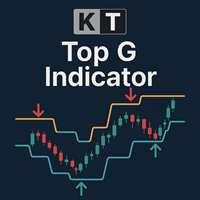
KT Top G는 가격 행동 기반의 인디케이터로, 스마트 채널 분석을 결합하여 시장의 잠재적인 고점과 저점을 식별합니다. 반전 가능성이 감지되면, 차트에 굵고 선명한 화살표를 표시하여 시장이 반전되기 전에 미리 알려줍니다. 큰 화살표: 가격 소진과 모멘텀 전환을 감지하여 고확률의 시장 고점과 저점을 강조합니다. 작은 화살표: 낮은 확률의 반전 지점을 나타내며, 실제 반전 전에 종종 돌파됩니다.
기능 광범위한 호환성: 모든 통화쌍은 물론, 지수, 주식, ETF 등 다양한 종목에서 매끄럽게 작동합니다. 다중 시간 프레임 최적화: M1, M5에서의 스캘핑, H1, H4, D1에서의 스윙 트레이딩에 모두 적합합니다. 중심선 포함 동적 채널: 화살표 외에도 현재 시장 범위와 추세 방향을 강조하는 중간선을 포함한 채널이 함께 표시됩니다. 리페인트 없음: 차트에 화살표가 한 번 나타나면 유지되며, 사라지거나 바뀌지 않습니다. 변동성 있는 시장 대응 가능: 길이 및 스무딩 계수를 조정하여 예측

Copy signals from Telegram channel to MT4/MT5 (Telegram bot must be added as an Admin in the channel) Input * Telegram bot token: Get your bot token by chatting with @BotFather * Multi- order for multi-tp signals * Signals filter by "not included text" * Option to Modify/Close by Reply message * Range Entry Mode: No open order if the price is out of range Setup on your MT4/MT5: - MT4/MT5 => Tools => Options => Expert Advisors => Tick on Allow Algo Trading & Allow WebRequest, add API Telegram

Mining Profits, Passing Prop
We are not just offering you a trading bot — We're providing a complete, intelligent system designed to help you generate consistent returns and pass prop firm challenges with confidence.
Mammon S is a specialized algorithmic bot for the gold market. It executes secure, optimized trades across different timeframes based on your preferences. Designed to preserve capital and deliver stable profits with extremely low drawdown, it also adheres to strict prop firm comp

1. Method Overview Random Trader EA is an automated trading system for MetaTrader 5 that initiates trades with a randomly chosen buy or sell direction. Despite the random entry, the EA incorporates robust risk management, dynamic position sizing, and sophisticated exit strategies. This unique approach serves as a valuable tool for research, portfolio diversification, and as a foundational template for developing and evaluating risk management techniques within algorithmic trading. 2. Key Featur

Interceptor – The Ultimate Expert Advisor Welcome to Interceptor , our most advanced Expert Advisor: a multi-currency, fully automated, and flexible trading system, compatible with any time frame. Designed to meet any trading style, Interceptor combines two operating modes in a single system: Stop Loss Mode and Martingale Mode . Why choose Interceptor? No optimization : completely avoids the risk of overfitting. Dynamic entry : uses an innovative and highly sophisticated entry logic based on mar

Breakout Retest Optimized for GBPUSD
️ Important Usage Note (Read First!)
• This EA has been specifically optimized for GBPUSD on M15 chart.
• This EA is made with prioritizing a high risk-reward ratio in mind.
• The settings that are used on the backtest for GBPUSD (in the screenshot) are (intended for aggressive trading):
o RiskPercent = 3.0% per trade
o Target Reward:Risk Ratio = 4:1
o Partial Take-Profit at 3R
• Other symbols are currently supported, but with default settings, try it for y

The Pranavtrxx ( Author ) Levels Indicator is a precision-based trading tool designed to identify key price levels in the market, helping traders make informed entry and exit decisions. This indicator automatically plots dynamic support and resistance zones derived from historical price action, psychological price levels, and recent market structure. Whether you're a day trader or swing trader, this tool offers real-time market level tracking that adjusts with price movement, helping you pinpoin
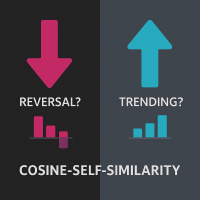
Cosine-Self-Similarity: Identify Trends & Reversals
What is Cosine Similarity? Cosine similarity measures how alike two sequences are by looking at the angle between them. A value of +1 means they move perfectly together, -1 means they move perfectly opposite, and 0 means there's no directional relationship. This indicator applies this concept to price returns.
Is the market trending strongly, or is it choppy and reversing? Gain insight with the Cosine-Self-Similarity indicator!
This powerfu
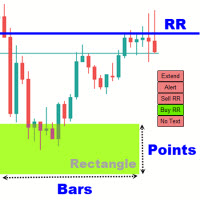
Rectangle Trading Custom is a powerful technical analysis tool designed for price action and range-based traders. It allows users to define consolidation zones and receive alerts when the price breaks out of these zones or approaches trendlines drawn on the chart. Rectangles and Trendlines will be extended into future with one click. Rectangle point size, name and prices will be displayed around rectangle. Key Features: Draw Trading Zones (Rectangle Zones)
Users can manually draw rectangles to

N ewStorm 은 주로 뉴스 이벤트 이후 거래를 하기 위해 설계되었으며, 뉴스 결과를 기반으로 거래를 오픈합니다. 이 EA는 손절(SL)과 이익실현(TP)을 설정한 상태에서 펀더멘털 분석에 따라 포지션을 여는 스윙 트레이딩에 사용할 수도 있고, 뉴스 발표 중 빠른 시장 움직임에서 수익을 얻기 위한 스캘퍼로 사용할 수도 있습니다. ATR 기반 그리드 간격, 동적 로트 배분, 스마트 드로우다운 감소, 트레일링 스탑, 뉴스 트리거 기반 거래 시작 등 여러 고급 기능을 포함한 고급 그리드 복구 시스템이 내장되어 있습니다. 이 EA는 여러 모드로 작동할 수 있으며, 수동 제어와 실시간 정보 확인을 위한 온차트 패널을 제공합니다. 이 EA는 트레이더가 하나의 전략에만 묶이지 않고 자신만의 전략을 구성할 수 있도록 여러 옵션을 제공하는 프레임워크입니다. 이 EA는 사용 난이도가 쉬운 편에서 중간 정도입니다. 뉴스 이벤트는 백테스트가 불가능하므로 백테스트 결과는 제공되지 않습니다. 도움이

Daily Weekly Monthly High Low - Your Ultimate Tool for Precision Market Analysis
The 200 free download promotion has ended. The price has now been updated. Thank you, everyone!
Love it? Hate it? Let me know in a review! Feature requests and ideas for new tools are highly appreciated. :)
Try "The AUDCAD Trader":
https://www.mql5.com/en/market/product/151841 Overview:
Elevate your trading strategy with Daily Weekly Monthly High Low , a sophisticated MQL5 indicator designed to pinpoint c

ECN ProSmart: An Innovative Algorithm for Intersession Trading In the fast-paced world of Forex, where every second counts, a revolutionary tool is emerging - ECN ProSmart. This Expert Advisor does not just automate trades, but transforms the approach to trading at the intersection of global sessions, combining intelligent analysis and flexibility of strategies. Precision synchronized with the market ECN ProSmart is based on the study of the transitional phases between the Asian, European and Am
Advantages of the AutoTrendlinesMTF_WithRSI Indicator Multi-Timeframe Trendlines Automatically draws support/resistance trendlines on multiple timeframes (current, H1, H4). Adjustable lookback period ( LookbackBars ) and swing strength ( SwingStrength ) for customization. Daily Pivot Points Calculates and displays daily pivot levels (P, R1/S1, R2/S2, R3/S3) with customizable colors. Toggle visibility for each level individually. Auto Fibonacci Retracement Plots Fibonacci levels based on recent h

Smart Hedge Trader – MT5 Expert Advisor Link to MT4 version Smart Hedge Trader MT4 Smart Hedge Trader is an MT5 Expert Advisor designed to manage trades using a dynamic hedging approach combined with configurable risk controls. It operates by analyzing market conditions and executing calculated strategies to manage exposure across multiple positions. This EA is suitable for traders seeking a structured, automated trading system that adapts to market volatility with minimal manual input. Features

MADVENOM ALGO EXPERT ADVISOR Unleash Precision. Dominate the Synthetic Markets. MADVENOMPRO ALGO EA is a cutting-edge, trend-following Expert Advisor engineered exclusively for synthetic indices, specifically the Boom and Crash markets.
It combines institutional-grade market analysis, smart trade management, and advanced loss mitigation into a fully automated system — built for traders who demand accuracy, consistency, and dominance. Core Features: Smart Trend Detection : Analyzes H1 to M5 stru

모든 구매자분들께 드리는 특별 혜택: 이 봇을 구매하시는 분께는 GRABBER BOT 을 선물로 드립니다: 이 프로모션은 기간 한정이니 서두르세요! SWING MASTER EA - LIVE SIGNAL
최강 EA를 소개합니다! 제 수작업 트레이딩 시스템 ' Algo Pumping '을 기반으로 제작한 녀석입니다. 오랜 시간 동안 전략을 업그레이드하고, 필터와 최신 기술까지 꽉 채워 넣어 드디어 완성된 이 트레이딩 봇은 다음과 같은 특징을 가집니다: 고급 Algo Pumping Swing Trading 알고리즘으로 시장을 공략, 자금 보호를 위해 철저히 Stop Loss 주문 설정, "Prop Firm 트레이딩"과 "개인 트레이딩" 모두에 최적화, 마틴게일이나 무리한 물타기 없이 깔끔한 매매, 기본 M15 타임프레임으로 운용 (곧 H1, H4 타임프레임도 지원 예정), 15개 통화쌍 동시 매매: AUDCAD, AUDCHF, AUDUSD, AUDSGD, CADCHF, EURGBP
Engulfing with EMAs Indicator
Unlock the power of advanced candlestick pattern detection with the Engulfing with EMAs Indicator , a cutting-edge tool designed for MetaTrader 5. This futuristic indicator combines the precision of engulfing pattern analysis with the trend-following strength of Exponential Moving Averages (EMA 21 and EMA 50), empowering traders to identify high-probability setups across all currency pairs and timeframes. Key Features: Comprehensive Engulfing Detection : Detects b

Are you looking for an easy and effective way to keep your trading signals up-to-date? With TradeLink, you can now send all your MQL5 trading signals directly to Telegram with ease! Why is TradeLink the right choice for you? Ease of use: No technical expertise required. Just enter your token and start sending alerts. Ultra-fast: Instant alerts as soon as signals appear on MQL5. High security: Connectivity is via the encrypted and trusted Telegram API. Time saving: Never miss a trading op

이 EA의 기본 매개변수 및 첨부된 이미지의 매개변수는 실제 거래에 사용하는 것이 금지됩니다! 적용 계좌: 낮은 스프레드와 낮은 수수료의 모의 계좌. 제품 하이라이트: 금융 블로거를 위해 특별히 제작되어 높은 등급의 모의 전시 계좌를 만들 수 있습니다. 중국의 한 소셜 플랫폼 거래 계좌 랭킹에서 이 EA를 사용한 계좌가 A+ 등급을 획득했습니다(해당 랭킹의 유일한 A+ 계좌). 등급 향상 팁: 단일 거래 종목(예: XAUUSD만)을 사용하면 등급이 올라갈 수 있습니다. 다른 종목(예: US30)을 거래하려면 별도의 계좌를 사용하는 것이 좋습니다. 위험 경고: 첨부 이미지의 매개변수는 XAUUSD 모의 거래에만 적합합니다(실제 거래와 모의 거래는 메커니즘이 달라 효과를 보장할 수 없음). 퍼센트 기반 자금 관리 전략을 사용하므로, 안전한 매개변수를 확보하기 위해 백테스트를 수행하고 계좌 폭파 위험을 피해야 합니다. 매개변수 설명: SarStep/SarMaximum/StepCycle/

The Trading Engine that turns your trend-following strategies into controlled performance
THIS IS NOT A 100% FULLY AUTOMATED ALGORITHM
Discover Gain Engine , the trading engine that maximizes profits while giving you complete freedom to choose your market entries.
Reduce drawdown, let the trend run, and watch your equity grow in a stable, measurable way.
Try it in backtest today: select a time period with a clear trend and you’ll see profits multiply.
Then test it when the trend turns into
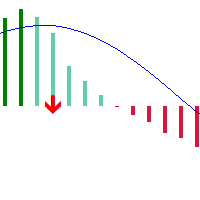
Based on the classic MACD indicator, this version introduces color concepts and adds golden/death cross arrow markers to represent MACD trend changes, helping investors make better decisions.
1. The MACD histogram bars display different colors when positioned above or below the zero line 2. When the MACD histogram is above the zero line and the current MACD value is greater than the previous value, it displays in dark color, indicating a continuing upward trend 3. When the MACD histogram is ab

️ **Drawdown Tracker Pro** – Smart Risk Control for Prop Traders Many traers fail their prop firm challenge not because they’re bad but because they don’t track their equity drawdown clearly enough, in real-time. This tool fixes that. **Drawdown Tracker Pro** is an advanced MT5 indicator built for traders who need to stay within daily drawdown limits - especially during challenges with FTMO, MFF, or other funding programs. It helps you trade with discipline and avoid costly violations.

GoldenNight is an Expert Advisor (EA) specifically designed to trade XAUUSD during the calm night session.
The strategy is straightforward, and the code is robust. The EA may open multiple long trades between 19 :00 and 23:00 , with a grid feature allowing for one additional trade to optimize entries. An adaptive trailing stop mechanism is implemented, utilizing a built-in ATR (Average True Range) indicator to dynamically adjust stop-loss levels. The default settings are calibrated for XAUUSD

SwiftScalperLite v3.3 — Advanced Scalping EA for XAUUSD (Gold) SwiftScalperLite v3.3 is a high-performance, precision-engineered Expert Advisor designed for scalping XAUUSD (Gold) on the H1 timeframe . Built for trading accounts ranging from $1,000 to $100,000 , it delivers consistent performance in both trending and ranging markets by leveraging advanced entry logic, dynamic risk controls, and intelligent filters. Key Features Multi-Stage Entry System
Executes trades in up to 3 dynami
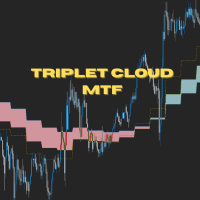
Triplet Cloud MTF is an indicator for trend-following strategy. It presents the trend in HTF from the LTF Chart that allows traders focus on looking for trade entry in the right direction and increase striking rate. It comes with simple input setup. You will only need to choose HTF you want to follow its trend and set the alert setup, then all is set. Here are the mostly selected HTF setup for each of entry timeframe: M1 Entry : M15 Trend M5 Entry : H1 Trend M15 Entry : H4 Trend H1 Entry

Joker Pro — 5 Years of Proven Results on EURUSD H1 Backed by 5 years of verified backtesting on the EURUSD H1 timeframe, Joker Pro is your ultimate trading solution—combining precision, power, and professional risk management for serious traders. Discover Joker Pro — Precision Meets Performance Step into the future of trading with Joker Pro , a cutting-edge Expert Advisor (EA) crafted for consistent performance and strong risk controls. Whether you’re growing your personal account or aiming for

NY Open Breakout EA is a fully automated trading robot specifically designed to capture strong breakouts during the New York trading session, focusing on major forex pairs and indices correlated with the US Dollar. Key Features: Automatically defines the trading zone based on customizable time settings. Opens trades when the price breaks above or below the identified zone. Smart built-in risk management with automatic stop loss and take profit settings. Advanced Martingale loop system to reco

Hydra DCA is a sophisticated multi-strategy trading Expert Advisor that combines Bollinger Bands and RSI indicators with two powerful trading modes: Standard and DCA (Dollar-Cost Averaging). Named after the mythical multi-headed creature, Hydra DCA adapts to changing market conditions by employing different strategies simultaneously and can "regrow" positions through its intelligent DCA functionality when the market moves against initial positions. This EA was tested on XAUUSD M15 but can work o

Bitcoin Tambora MT5 is a special expert advisor for Bitcoin/ BTC/ BTCUSD. This EA is designed with follow trend and candle box breakout (my secret) method for entry position. This EA is a single entry method use stop loss and take profit. Price $ 30 only for promotion. Price will increase over time. Noted : Please make sure your balance is enough. If balance is not enough, I recommend using cent account. This EA has been rigorously tested at several backtest levels, but past results do not gu
Key Note: Easy Install Instructions below. What's New: What’s New in StrategySuccessAnalyzer v2.0 – Major Upgrades Interactive GUI Dashboard
Visualize strategy health in real time with dynamic score gauges, equity projections, and color-coded performance alerts — directly on your MT5 chart. 30-Day Forward Performance Projection
Forecast equity growth, drawdown risk, and net PnL over the next month using realistic trade simulations and optional compounding logic. One-Click CSV Export
Save fu
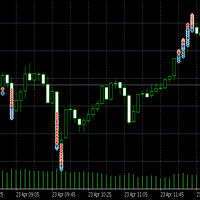
MAScalperEA is a powerful and agile trading robot designed for fast-paced scalping on the M1 chart. Combining a dynamic Moving Average crossover system with smart chart pattern detection, it ensures high-probability entries in trending markets. Featuring robust risk management, customizable lot sizing, trailing stops, and trend filtering across multiple timeframes, MAScalperEA is your trusted tool for navigating the fast world of Forex scalping with confidence and precision. Perfect for traders

Ultimate MT5 Trade Panel – Full Control at Your Fingertips Take your trading to the next level with the Ultimate MT5 Trade Panel – a powerful, fully customizable tool designed for speed, precision, and complete control over your trades. Whether you manage a few positions or hundreds across multiple symbols, this panel will make your life easier! Key Features: Multiple Close Options Close All Positions & Orders with One Click Close Only Buy Positions Close Only Sell Positions Close All Pr

Weis Wave Scouter는 MetaTrader 5용으로 개발된 혁신적인 지표로, Wyckoff 방법론과 VSA(Volume Spread Analysis)의 검증된 원칙을 결합했습니다. 높은 정확성과 깊이 있는 분석을 원하는 트레이더를 위해 설계되었으며, 누적 거래량 파동 분석을 통해 시장을 전술적으로 읽고 추세 반전 및 지속의 핵심 포인트를 식별하는 데 도움을 줍니다.
이 지표는 선명한 시각적 인터페이스를 제공하며, Classic, NightVision, OceanBreeze 등 다양한 테마의 사용자 지정 가능한 색상 히스토그램을 통해 상승 및 하락 파동을 시각화합니다. 주요 기능에는 거래량 급증 감지, 낮은 활동 영역(DeadZone) 식별, 거래량 기반 파동 반전 경고 설정이 포함되어 있습니다. 또한 노력 대비 결과 분석, 원인과 결과 분석, 수요와 공급 분석 등 Wyckoff 및 VSA 이론의 핵심 요소를 지원합니다. Brick Size, Volume Scale Fact

The Gold Bot Father V1.2 (포레스트 골드 트레이딩 봇)
Gold Bot Father는 금 (XAUUSD) 거래를 위해 설계되고 최적화된 자동 매매 로봇입니다. 고급 계산을 활용하여 거래를 자동으로 열고 관리합니다. 이 EA는 매우 낮은 손실폭(down draw)으로 XAUUSD(금) 거래에서 우수한 성능을 보이며, 안정적인 수익을 위해 설계된 스마트 트레이딩 로직을 탑재하고 있습니다. 정밀한 추세 추종 전략으로 꾸준한 성장과 최소한의 손실을 목표로 합니다. 스윙 트레이더이든, 단기 매매 선호자이든 관계없이 이 EA는 현재 시간대를 기반으로 거래하면서 고차원 시간대를 분석하는 고급 알고리즘으로 시장 흐름에 적응합니다.
최적화된 손절매(SL) 및 이익실현(TP): 이 봇은 실시간 변동성 데이터를 활용하여 동적인 손절매와 이익실현 지점을 계산합니다. 이는 각 거래가 최대의 수익을 얻도록 하면서도 위험 노출을 최소화합니다.
동적 리스크 제어: EA는 시장 구조를

Waiting for Tsunami EA waiting for a sudden price change to occur. If the conditions defined as Tsunami occur, the program sends a message to the Meta Trader 5 application installed on the phone or to email. Program parameters: - change price in one tick, - first time period in minutes, - change price in first period, - second time period in minutes, - change price in second period, - third time period in minutes, - change price in third period - target high(upper price), - target low (lower pr

ICT 런던 오픈 킬존 지표는 ICT, 스마트 머니 컨셉(SMC ), 유동성 기반 시장 구조 전략 과 같은 기관 투자자들을 위해 설계된 스마트 머니 기반 거래 도구입니다. 이 지표는 특히 런던 오픈 킬존 시간대( GMT 오전 6시부 터 오후 8시)를 강조합니다. 런던 오픈 킬존 시간대는 아시아 시장과 런던 시장 개장 시간 간의 유동성 흐름이 겹치면서 변동성과 가격 변동성이 큰 시간대로 알려져 있습니다.
이 시간대는 시장 조성자들이 유동성을 사냥하는 고확률 설정의 트리거 존 역할을 하는 경우가 많습니다. 이 지표는 킬존(Killzone) 범위를 자동으로 표시 하고 이전 세션의 고점과 저점, 특히 아시아 세션 범위의 스윕(sweep)을 식별합니다 . 이러한 유동성 스윕은 많은 ICT 진입 모델의 핵심 요소입니다. 이 도구는 스윕 후 가격이 프리미엄 또는 할인 영역 에 도달했는지 분석하는 데 도움을 주며, MS

Boost your forex profits with Blues Protector, an advanced MQL5 Expert Advisor designed for MetaTrader 5. This automated trading bot dynamically manages your stop-loss levels to secure gains and reduce risks. Blues Protector EA - User Manual (For MT5 - Ready-to-Use EX5 File) 1. What This EA Does The Blues Protector EA automatically secures your profits by smartly adjusting stop-loss levels when your trade reaches a predefined profit level. It works silently in the background, protecting

Range Filter Buy and Sell O Range Filter Buy and Sell é um indicador técnico avançado que combina filtragem de movimentos de preço com geração de sinais claros de compra e venda.
Ele utiliza um sistema inteligente de suavização baseado em médias móveis exponenciais do range de preços, adaptado por um multiplicador configurável. Principais recursos:
Filtragem de tendências (Alta, Baixa ou Neutra) com cores distintas no gráfico:
• Tendência de alta (linha verde)
• Tendência de baixa (linha verm
DAX WaveTimer:
PRICE PROMOTION! This almost - GIVE AWAY - price promotion is only LIMITED TIME. Buy now!
New: WaveTiming is proud to present a fully automated DAX trading bot.
Interesting additional feature: user-defined adjustable equity risk percentage. We don’t try to predict the market. Instead, DAX WaveTimer is built to respond effectively in both upward and downward trends.
The core concept is clear and efficient. The intelligence of the carefully structured order sets with adaptive lo

No Brain Gold EA
***************************************************************************************************************
세상에서 가장 간단한 전문가 자문입니다!!
사용자는 MT5 플랫폼만 연결하면 됩니다.
학습, 매개변수, 설정, 모니터링이 필요 없습니다!
골드 종목을 브로커와 매칭하고 5분봉 차트에 입력하기만 하면 됩니다. 그게 전부입니다!!!
하지만 그 지능은 단순하지 않습니다. 여러 지표와 기울기를 사용하여 매수 또는 매도 신호를 감지합니다. 뉴스 발표로 인한 예상치 못한 돌파가 발생하더라도 정교한 돌파 감지 기능으로 포지션을 안전하게 보호합니다.
지금 바로 사용해보고 당신의 든든한 지원군이 되어주세요. *************************************************************************************

Ukeita Spike detector for All Gain and Pain Indices
Ukeita Spike Detector is a trend-sensitive indicator specially designed for Gain and Pain Indices
Gain and Pain synthetic indices are available 24/7 on Weltrade , similar to synthetic indices (Boom and Crash) offered by Deriv Broker .
This powerful tool helps detect incoming spike for Gain and Pain indices with high accuracy, making it a great addition to any strategy aimed at trading spikes safely.
Features
1) Detects incoming spikes f

Quantitative Gold Trading System: Apex Gold Trend Matrix 19 Years of Market Deconstruction, 6 Years of Algorithmic Refinement, 4 Years of Live Testing
From trading intuition to mathematical certainty. Product Information Live Signal:
Pricing: 48-hour special offer: $3699 Price increase for every 5 units sold: $300 Next price: $12999 User Limit: Limited to 50 users. Delisted when sold out.
Background Story: Setbacks, Persistence, and Rebirth We are a cross-border trading team wit

Gold Scalper EA Pro — Automated XAUUSD Breakout Trading Robot for MT5 Capture fast intraday moves on Gold with a precision breakout scalping system built for MetaTrader 5. Gold Scalper EA Pro identifies key support and resistance levels or a defined price channel and automatically enters when price breaks decisively through them, aiming to catch the momentum of genuine breakouts while staying out of the market during quiet, range-bound conditions. Key Features: Purpose-Built for XAUUSD — e

BB-RSI Mean Reversion Expert Advisor
Smart Mean-Reversion Entries | EURUSD H1 Specialist
Version : 1.00
Platform : MetaTrader 5
Timeframe : H1
Recommended Pair : EURUSD (Primary)
Secondary Pairs (Less Preferable) : USDCAD, GBPUSD
Strategy : Mean Reversion (Pullback Trading) Overview of the Strategy BB-RSI Mean Reversion EA trades cleverly on pullbacks by detecting short-term market fatigue using a combination of: Bollinger Bands (BB) to identify statistical price extremes RSI Oscillator to con

뉴욕 레인지 지표는 ICT(Inner Circle Trader) 개념, 스마트 머니 거래, 그리고 기관 가격 행동 기법을 적용하는 트레이더를 위해 개발된 세션 기반 분석 도구입니다. 뉴욕 세션에 맞춰 특별히 설계된 이 지표는 런던 종가 와 뉴욕 시가가 겹치는 중요한 시점인 12:00 에서 14:00(GMT) 사이의 가격 범위를 포착합니다. 세션 최고가와 최저가를 파악하고, 공정가치 갭(FVG)을 감지하며, 잠재적인 유동성 스윕 구역을 강조하여 트레이더가 마켓 메이커의 움직임, 세션 레인지 이탈, 그리고 되돌림 기회를 정확하게 분석할 수 있도록 지원합니다.
이 전략은 뉴욕 킬존 과 런던 뉴욕 세션이 겹치는 동안 발생하는 시장 구조 변화 와 축적 또는 분배 패턴을 이해하는 데 중점을 둡니다. 이 지표는 구조 붕괴(BOS), 시장 구조 변화(MSS), 변위 캔들, 불균형

XAU Daily PropFirm EA – Smart Strategy for Funded Accounts XAU Daily PropFirm EA is a fully automated Expert Advisor designed for trading XAUUSD (Gold) on the Daily timeframe. It focuses on consistency, risk management, and compliance with Prop Firm rules. Key Benefits Designed for use with Prop Firm challenges (e.g., FTMO, MFF, E8) No martingale, no grid, no high-risk strategies Optimized for XAUUSD on the D1 timeframe Dynamic lot sizing based on risk percentage Suitable for both beginners

런던 세션 브레이크아웃 전략 지표는 ICT(Inner Circle Trader) 및 스마트 머니 컨셉(SMC)을 따르는 트레이더를 위해 설계되었으며, 런던 세션 동안 세션 기반 유동성 헌트, 킬존, 그리고 마켓 메이커의 움직임 에 중점을 둡니다. 이 도구 는 00:00 (GMT)에서 07:00(GMT) 사이의 최고가와 최저가를 포착하는데, 이는 일반적으로 런던 킬존 또는 마켓 메이커 범위 로 알려져 있습니다. 이 지표는 트레이더가 기관 거래와 변동성 급증이 가장 빈번하게 발생하는 잠재적 브레이크아웃 구역을 파악하는 데 도움을 줍니다.
이 지표는 세션 타임박스, 가격 범위, 적정 가격 갭(FVG), 그리고 돌파 수준을 깔끔한 그래픽을 통해 시각적으로 강조합니다. 런던 세션의 핵심 움직임인 유동성 스윕, 범위 조정, 그리고 급격한 가격 확장 에 대한 분석을 지원합니다. 유동성 구역 및 시장 구조 변

Golden Trinity XAU – Smart Scalping EA for Gold (XAUUSD M15) Golden Trinity XAU is a powerful scalping Expert Advisor designed for XAUUSD on the M15 timeframe . It uses a smart combination of EMA crossover, RSI filtering , and breakout detection to identify high-probability entries with controlled risk. Main Features Entry based on EMA Cross + RSI + Breakout logic Max 5 trades open at a time (no martingale, no grid) Easy to use – no complex setup required Backtest Performance Initial Deposit : $

PolePole EA – 지능적이고 신뢰할 수 있는 자동 트레이딩 PolePole EA는 XAUUSD/XAUEUR 거래를 위해 설계된 지능적이고 사용이 쉬운 전문가 어드바이저(EA)입니다. 여러 기술 지표를 기반으로 한 전략을 사용하며, 단순함과 성능을 결합하는 것을 목표로 개발되었습니다. 모든 수준의 트레이더들이 정확하고 일관된 방식으로 거래를 자동화할 수 있도록 도와줍니다. 실시간 신호 여기 있습니다 PolePole을 구매한 후 저에게 연락하시면 Trading Performance Dashboard 에 대한 독점 액세스 권한을 드립니다. 이는 개인화된 **TQS(Trading Quality Score)**를 통해 거래 품질 을 측정할 수 있는 최첨단 도구입니다.
전략 개요: PolePole EA는 시장을 분석할 때 검증된 여러 기술적 지표를 조합하여 추세 방향과 가장 유리한 진입 시점을 판단합니다. 사용되는 주요 지표는 다음과 같습니다: 이동 평균선 교차를 통한 추세 변화 식별

TrendWave Bands Indicator This is a trend-tracking tool, originally by BigBeluga on TradingView, designed to adjust automatically to current market movements using upper and lower dynamic bands. It uses primary waves to view the strength and persistence of a trend, and includes secondary wave bands to assist with deeper analysis. Main Features: Smart Adaptive Bands In uptrends, a dynamic lower band is displayed, while in downtrends, an upper band appears. These serve as moving zones of support o

요약
EagleFX는 MetaTrader 5 전용 완전 자동화 EA로, 다양한 상품을 대상으로 24시간 알고리즘 거래를 고정밀도로 실행합니다. 감정 개입을 배제하고, 모든 신호를 엄격히 백테스트하며, 리스크 파라미터를 동적으로 조정하고, 머신러닝 기반 메모리 모듈을 활용해 성과를 지속 개선합니다. 끊임없는 감정 없는 실행
피로 없이 시장을 모니터링하고, 조건 충족 즉시 거래를 실행합니다. 검증된 백테스트 전략
ATR, EMA, RSI 같은 지표 기반 규칙을 다년간 데이터로 검증해 오버핏팅을 방지합니다. 고급 아키텍처 및 적응력
핸들 기반 지표 호출과 다계층 메모리 설계로 실시간 전략 최적화를 지원합니다. 견고한 리스크 및 자금 관리
Kelly 기준에 따른 동적 포지션 조정, 일간/주간 손실 한도 설정, 브로커 제약 자동 처리. 넓은 시장 범위 및 안정성
FX뿐 아니라 CFD, 지수, 원자재까지 확장 가능하며, 로깅과 오류 처리로 안정적 운영을 보장합니다.

Sale of EA: Bitcoin Maniac (M30) for Exness on MQL5 We present Bitcoin Maniac, an Expert Advisor designed to trade on the M30 timeframe with the default broker Exness. This EA offers a robust strategy with strong statistics, perfect for traders aiming for consistent profitability. Check out the results and learn how it operates. Highlighted Statistics
Net Profit: $187.01 (+10.89%)
Profit Factor: 1.58
Total Trades: 200
Win Rate: 53.50% (107/200 trades)
Average Profit Trade: $6.27
Average L

Recommended deposit: $200
Estimated net return: Over 400%
Profit Factor: 10.00
Total trades: 94
Win rate: 57.45%
Maximum drawdown: 5.59% (balance) – 21.41% (equity) General Description: This Expert Advisor is designed for trend-based strategies with solid risk management and exceptional portfolio stability. Ideal for small accounts starting at $200, the system aims to maximize growth with clear logic and adaptability to changing market conditions. Key Statistics: Net : $2,074.43 from a $500 depo

Descubra o Wave Flow, um indicador exclusivo desenvolvido para traders que buscam clareza visual e agilidade na leitura do mercado. Com uma abordagem inteligente e dinâmica, ele destaca zonas de transição de força entre compradores e vendedores, revelando oportunidades com precisão.
Ideal para quem opera fluxo, price action ou deseja uma leitura limpa, objetiva e poderosa, o Wave Flow se adapta a qualquer ativo ou tempo gráfico. Simples de usar, difícil de ignorar

Descubra o Pulse Flow, um indicador exclusivo desenvolvido para traders que buscam clareza visual e agilidade na leitura do mercado. Com uma abordagem inteligente e dinâmica, ele destaca zonas de transição de força e equilíbrio entre compradores e vendedores, revelando oportunidades com precisão.
Ideal para quem opera fluxo, price action ou deseja uma leitura limpa, objetiva e poderosa, o Pulse Flow se adapta a qualquer ativo ou tempo gráfico. Simples de usar, difícil de ignorar

LogicFlow AI – XAUUSD(금) 전용 멀티전략 자동매매봇 논리 기반 시스템 · 안정적인 리스크 관리 · 마팅게일/그리드 없음 LogicFlow AI란? LogicFlow AI 는 XAUUSD (금) 전용으로 설계된 멀티전략 기반 자동매매 시스템(EA) 입니다.
이 EA는 어떠한 인디케이터도 사용하지 않으며 , 마팅게일, 그리드, 해징 없이 순수한 프라이스 액션 과 논리에 기반해 작동합니다. 무작위 진입이 아닌, 논리적 조건이 충족될 때만 정확히 진입 하며,
시장의 리스크를 최소화하기 위한 설계가 적용되어 있습니다. 개발자의 메시지 “LogicFlow AI는 제 실계좌 운영을 위해 처음부터 직접 개발한 전략입니다.
마팅게일, 잦은 거래, 손실통제 불가 시스템에 실망하신 분들께
정교한 논리, 안정성, 적은 거래로 꾸준한 수익 을 추구할 수 있는
진정한 자동매매 시스템을 제공합니다.” 포함된 전략 (3가지) 1. 핀바 & 강한 캔들 전략 그림자와 실
HedgingMonitor: Visual Control for Hedging Operations HedgingMonitor: Professional Order Visualization for MT5 HedgingMonitor is a professional indicator for MetaTrader 5 that displays detailed information about all your open and pending orders in an organized and customizable visual panel. Ideal for traders who use hedging strategies or manage multiple orders simultaneously. Key Features: Intuitive Visual Interface: View all your orders in a single panel, with color coding to quickly identify b

Trend Rider combines indicators such as Super Trend, RSI, and MACD. Its purpose is to assist in spotting and riding trends by displaying direction through color-coded candles and trailing stop levels. It can be employed independently or alongside other filters for enhanced decision-making.
The integration of these indicators aims to provide a clearer picture of market trends and facilitate better trading strategies. Super Trend helps identify the prevailing trend, RSI measures the market condi

The Ultimate RSI indicator is a new oscillator based on the calculation of the Relative Strength Index that aims to put more emphasis on the trend, thus having a less noisy output. Opposite to the regular RSI, this oscillator is designed for a trend trading approach instead of a contrarian one. While returning the same information as a regular RSI, the Ultimate RSI puts more emphasis on trends, and as such can reach overbought/oversold levels faster as well as staying longer within these areas.

RSI PRO Trader v1.80 is a no-nonsense, fully-automated Expert Advisor for MetaTrader 5 that trades off the classic Relative Strength Index (RSI), with an optional Stochastic filter and a suite of advanced risk-management tools. It’s not a holy grail—but if you know what you’re doing, it’ll give you plenty of control over entries, exits and position sizing. Core Logic RSI-based entries Trades open when RSI(Period) breaches configurable overbought/oversold levels. Lower threshold is auto-compu

XAU Sniper is a fully automated trading system designed specifically for XAUUSD (Gold) on the H1 timeframe. It follows a stable and disciplined strategy that does not use Martingale or Grid, making it suitable for long-term, low-risk trading. Key Features: • No Martingale, No Grid • Fixed lot size (0.01 recommended) • 5 years of backtesting with stable performance • Suitable for long-term traders who value safety and consistency • Simple and easy-to-use configuration
Recommended Settings: • Sym

Percentage Range Consolidation O Percentage Range Consolidation é um indicador poderoso projetado para identificar zonas de consolidação de preço com base em variações percentuais ao longo do tempo. Ideal para traders que buscam detectar áreas de compressão de volatilidade e possíveis pontos de ruptura (breakout). Principais características: Identifica até 3 zonas de consolidação simultâneas, cada uma configurável de forma independente. Cálculo baseado na variação percentual entre a máxima e mín

How This EA Works: 1. Detect Support and Resistance The EA identifies: Resistance as the recent highest price (based on the last X candles) Support as the recent lowest price 2. Buy Signal (Bullish Breakout) If price breaks above the resistance , the EA assumes a bullish trend is starting. The EA may enter a Buy trade either immediately or after a candle closes above resistance to confirm the breakout. 3. Sell Signal (Bearish Breakout) If price breaks below the support , it suggests a bearish

ICT Order Flow Matrix MetaTrader 5용 자동 기관 주문 블록 감지
개요 진정한 기관 주문 흐름 인사이트로 차트를 향상하세요. ICT Order Flow Matrix는 가격 움직임을 실시간으로 스캔하여 은행, 헤지펀드 및 프로프 트레이딩 데스크가 대규모 주문을 배치하는 위치를 식별합니다. 그런 다음 이러한 “Order Blocks”를 동적 지지 및 저항 구역으로 차트에 표시합니다—수동 드로잉 불필요.
주요 기능 - **자동 영역 감지** 수요와 공급의 불균형을 즉시 찾아내고 차트에 음영 영역으로 강조 표시합니다. - **전문 데스크 하이라이트** 일반 기관 영역과 활성 프로프 데스크 수준을 구분하여 표시합니다. - **시각적 매트릭스 레이아웃** 영역을 깔끔하게 열에 정렬하여 현재 시장 구조를 한눈에 제공합니다.
인사이트 및 이점 - **명확성** – 활성 ICT 영역만 표시되어 중요한 수준에 집중할 수 있습니
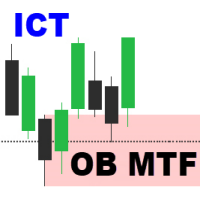
Order Block Multi Timeframe The Order Block Multi Timeframe is a powerful tool for Smart Money Concept (SMC) traders, combining high-accuracy Order Block detection with real-time Break of Structure (BOS) and Change of Character (CHoCH) analysis across multiple timeframes. Smart Money Insight, Multi-Timeframe Precision This indicator automatically identifies institutional Order Blocks —key price zones where large players have entered the market—and plots them directly on your chart. It also track

A free indicator for those who purchase the full version
This indicator is created by this Ai, with your desired settings Artificial Intelligence at your service
Have a complete artificial intelligence and use it in your codes
This artificial intelligence is trained to tell you on each candle whether the market is moving up or down.
In general, artificial intelligence can be used in all markets, all timeframes and all symbols
However, due to the increasing complexity and decreasing accuracy of

Try $30 for 3 months - Basic Concepts of This EA
This EA is a trend-following based automated trading system that uses the EMA (Exponential Moving Average) indicator to: Determine the direction of the trend (on large timeframes and entry setup on small timeframes) Determine the entry point (buy/sell stop) Manage open positions (partial close & trailing stop) Avoid false signals when conditions are invalid Telegram alert: Monitoring System for GOLD 2025 click here Indicators Used |

안녕하세요, 상인님!
MT5 터미널을 위한 다중 통화 전문가인 SSTrading을 소개합니다. 이 연구는 통화 쌍 간의 긍정적 상관관계를 기반으로 합니다. 작업 일정은 H4이고, 초기 보증금은 1000달러입니다. 주요 거래쌍은 EURUSD, GBPUSD, AUDUSD, NZDUSD, USDCHF, USDCAD입니다.
전문가는 통화 쌍의 가격 범위를 검색하고 이에 대한 작업을 수행합니다. 특정 가격이 되면, 그 가격보다 낮은 통화쌍을 매수하는 거래가 시작됩니다. 그리고 동시에, 상단에 있는 통화쌍을 매도하는 거래가 시작됩니다.
기본 전문가 설정은 GBPUSD H4, 1,000달러 입금, 레버리지 1:500입니다.
다른 통화 쌍에 대한 설정을 얻으려면 WhatsApp, Telegram +79515796951로 문의하세요.
EURUSD H4 스캔할 막대 수 520\ AUDUSD/ 진입 레벨 1 --- 4200\5\0\0.01 > 1회 평균 손실 --- 10\27\0\0.02 >
MetaTrader 마켓은 개발자들이 거래 애플리케이션을 판매할 수 있는 간단하고 편리한 사이트이다.
제품을 게시하고 마켓용 제품 설명을 어떻게 준비하는가를 설명하는 데 도움이 됩니다. 마켓의 모든 애플리케이션은 암호화로 보호되며 구매자의 컴퓨터에서만 실행할 수 있습니다. 불법 복제는 불가능합니다.
