 MetaTrader 5
 Experts
 지표
지표
 라이브러리
라이브러리
 유틸리티
유틸리티
 위젯
위젯
 규칙
규칙
MetaTrader 5용 Expert Advisor 및 지표 - 398
 트레이딩 로봇과 지표를 사용하여 외환 거래를 더 수익성 있게 만들 수 있습니다. 트레이딩용 로봇을 사용하면 개점 및 폐점 거래를 자동화할 수 있으며, 지표는 시장 행동을 보다 정확하게 예측할 수 있습니다.
이 페이지에는 MetaTrader 5 응용 프로그램의 카탈로그가 나와 있습니다.
트레이딩 로봇과 지표를 사용하여 외환 거래를 더 수익성 있게 만들 수 있습니다. 트레이딩용 로봇을 사용하면 개점 및 폐점 거래를 자동화할 수 있으며, 지표는 시장 행동을 보다 정확하게 예측할 수 있습니다.
이 페이지에는 MetaTrader 5 응용 프로그램의 카탈로그가 나와 있습니다. 
EA Gann Angles AI – A New Era in Trading! EA Gann Angles AI is a revolutionary trading advisor that combines angle-based price analysis with machine learning to identify and exploit patterns in financial markets. The advisor utilizes over 100 predictive features trained on historical data to forecast price movements with unprecedented accuracy . ️ Core Components 1. Angle Analysis Engine (Angle Extraction Engine) Converts historical price data into geometric angles (degrees/
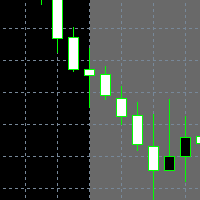
Ein schöner, einfacher KillZone-Indikator. Er bietet die Möglichkeit, die Farben der Zonen, der Rahmen und der Schrift zu ändern. Auch die Zeiten der einzelnen Zonen können angepasst werden
Er gibt auch die Pufferwerte der der Kerzen zurück, um von einem EA aus darauf zuzugreifen
Wenn Sie einige Änderungen oder zusätzliche Puffer benötigen -> senden Sie mir eine Nachricht

TRADE ASSISTANT PRO – Your Ultimate Manual Trading Companion TRADE ASSISTANT PRO is a powerful all-in-one trading utility designed for manual traders who value precision, control, and efficiency. Whether you’re a scalper, day trader, or swing trader, this tool gives you everything you need at your fingertips to make faster, smarter trading decisions. Key Features: Multi-Timeframe & Multi-Symbol Display
Monitor multiple pairs and timeframes from a single chart. Get real-time info across

Kurobot MT5 draws its strength from the deep principles of Trading Bushido. This EA waits for the market to leave itself exposed, then swiftly strikes with power and precision, providing you with solid trading performance while maintaining easy configuration. Kurobot has been assembled in an ancient school of black Expert Advisors that use a reliable system of Simple Moving Averages (SMA) revealing entry points even in fast-paced operations. Victory over the market is achieved through reversal s

Grok AI 지원 과 리스크 분산형 비트코인 부스팅 EA 로 꾸준한 수익을 창출하세요. RiskKILLER AI는 주요 변동성 구간을 식별하는 브레이크아웃 스캘핑 알고리즘으로, 5가지 자산에 리스크를 분산시키면서 최적의 리스크 대비 수익 트레이드를 선택합니다. [ Live Signal ] - [ 전용 그룹 | 버전 MT5 - MT4 ]
구매 후 사용자 설명서와 AI 설정 지침을 받으려면 개인 메시지를 보내주세요. 이 EA를 선택해야 하는 이유 리스크 분산 양방향 트레이딩 단기 포지션 보유 스톱로스 안전망 사용 5가지 상관관계 없는 인기 시장에 트레이드 분산 AI 지원 Grok3 모델 기반, EA가 리스크 매니저 역할 수행 실시간 X/Twitter 및 뉴스 이벤트 감정 분석 매일 5개 자산의 변동성 평가 EA 리스크 설정 조정 권고: "리스크 감소" / "리스크 증가" / "중간 리스크 유지" 백테스팅의 최고 윤리 및 엄격한 기준 생략 없는 100% 정성적 데이터 과거

Semafor EA — give your account the green light to grow! Semafor EA turns the classic 3-line "traffic light" (LWMA 50/100/200) on H4 into a clear strategy that enters trends automatically and closes in profit — even during deep pullbacks. Why do you need it? Feature Benefit Smart LWMA trend filter
50 / 100 / 200 Filters up to 80% of false signals — trades only in clean trends 3-level trade series First trade: +200 points, second breakevens the series, third (lot ×2) secures overall profit Anti-l

Risk Guardian — Ultimate Equity & Drawdown Protection Protect your capital. Stay disciplined. Trade smarter. Risk Guardian is a powerful utility that helps traders automatically control daily risk and secure profits based on equity. Designed for MetaTrader 5, it’s lightweight, efficient, and extremely easy to use. Key Features: Daily Drawdown Limit (% based) Absolute Equity Target (e.g., stop trading after reaching 110,200 USD) Auto-close All Positions, Orders & Charts Visual Dashboard on C
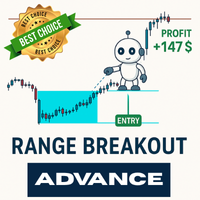
The most advanced breakout strategy you can find — is here!
Time-based trade control, grid strategy integration, automatic breakeven stop adjustment, custom trading days, trailing stop, and so much more…
All packed into a single powerful robot, ready for you! We’ve been developing professional trading robots for over 8 years.
Instead of relying on flashy visuals, we focus on building reliable, results-driven systems that actually work. Explore the features below — creating your own breakout st
피보나치 확장의 힘을 발휘하여 더 스마트한 트레이딩을 실현하세요
피보나치 확장 도구로 트레이딩 전략을 한 단계 업그레이드하세요. 이는 기술적 분석의 강력한 무기입니다. 이 지표는 검증된 피보나치 수열을 기반으로 하여 중요한 지지선과 저항선을 정확히 식별합니다. 주요 고점 또는 저점에서 23.6%, 38.2%, 50%, 61.8%, 100%의 피보나치 비율을 확장함으로써 시장 움직임을 자신 있게 탐색하려는 트레이더에게 명확하고 실용적인 통찰력을 제공합니다. MT4-version: https://www.mql5.com/en/market/product/139795 이 도구의 특별한 점은 무엇인가요?
피보나치 확장 지표는 기본적으로 10일의 회고 기간을 사용하여 해당 기간 내 최고가와 최저가를 식별하고, 다섯 개의 정확한 확장 레벨을 계산합니다. 그런 다음, 이 레벨을 차트에 표시하여 잠재적인 돌파 목표와 주요 지지 및 저항 구역을 강조합니다. 전용 돌파 목표 라인은 높은 확률의 트레

Synthesia EA – Structured Multi-Condition Expert Advisor for MetaTrader 5 Synthesia EA is an automated trading system developed for MetaTrader 5 , designed to execute trades based on structured technical conditions with disciplined position management and configurable risk parameters. This Expert Advisor is intended for traders who understand automated trading strategies and the risks associated with leveraged markets. Platform & Compatibility Platform: MetaTrader 5 (MT5 only) Account types: He

소품 업체 준비 완료!
그리드, 마틴게일 등을 사용하지 않는 EA
이 전문가 어드바이저는 더블 스토캐스틱 H1/H4 지표와 트레일링 스톱 기능을 사용합니다. 또한 30개의 표준 종목에 대해 동시에 거래를 진행합니다. 계좌 유형: ECN, Raw 또는 Razor (매우 낮은 스프레드). 브로커: IC Markets, Pepperstone (Raw 및 Razor 계좌 이용 시 최저 스프레드 제공) 중요: 최상의 결과를 얻으려면 스프레드가 낮은 계좌를 사용하는 것이 매우 중요합니다! 레버리지 - 최소 1:100, 1:500 권장 - 위험도가 낮음-중간, 낮음, 매우 낮음인 경우 최소 1분 30초 계정 유형: 헤지 H1 거래 기간 최적화 기간: 2024년 - 2025년 그리드, 마틴게일 등을 사용하지 않는 EA
최소 예치금: 10,000달러
중요! 구매 후 설치 및 설정 방법을 받으시려면 개인 메시지를 보내주세요. Market Trader AI Pro, Market Tr

Adaptive Flow EA is an Expert Advisor designed using multiple Moving Average as entry point and using certain strategy to filter the signal to get better entry. This EA can avoid trading in high impact news based on economic calendar to make sure it will entry in excellent condition. The best thing of this EA it can trade on any timeframe and any Forex Pairs, Crypto and Gold (XAUUSD) and you can change or optimize the indicator parameter. User can use default set to trade or to get better resu

Infinity candle works on several principles affiliated to MACD (Moving average convergence/divergence). For short entry to occur, price has to be above MA or EMA 200, the MACD cross signal line in MACD from below to up and the cross happens below the zero line on the MACD. The entry is on the candle after the crossover, stop loss is below the moving average and take profit is on a ratio of 1:1.5.

Fx Trend Scalper uses the Bollinger Bands indicator with intelligent settings and combinations. Furthermore, it uses various Price Action features to identify specific patterns on the chart to identify a market entry signal . This setup is frequently used by professional traders around the world. If you want a reliable EA, Fx Trend Scalper is for you. Fx Trend Scalper does not use AI, martingale or Grid, it does not work miracles, but it is safe. The results shown in the images are out of sample
ZeroLag TrendCandle — 실시간 캔들 색상 및 알림 시스템 (리페인트 없음)
ZeroLag TrendCandle 은 고급 Williams Percent Range(WPR) 분석에 기반한 리페인트되지 않는 실시간 트렌드 감지 도구 입니다. 트렌드 변화, 모멘텀 이동 및 반전 가능성을 동적인 색상 시스템으로 시각화하여 트레이더가 현재 시장 방향을 이미지처럼 직관적이고 명확한 차트에서 즉시 파악할 수 있도록 도와줍니다. 단 한눈에 지배적인 모멘텀과 그 강도를 파악할 수 있습니다.
핵심 기능:
리페인트 없음
리페인트 없음, 백페인팅 없음 , 신호 사라짐 없음 , 실시간 거래 중 잘못된 알림 없음 — 자세한 기술 설명은 아래를 참고하세요. 차트에 표시된 내용은 변경되지 않습니다.
실시간 감지 (지연 없음)
신호는 현재 캔들이 마감된 직후 즉시 생성됩니다. 재계산이나 지연 없이 항상 확정된 시장 움직임에 반응할 수 있습니다.
모든 자산 및 시간대 지원
다
Let's follow the trend with Goby trailing! According to your filters, you can use the arrows (Bullish [start] and Bearish [start]) as entry signals. After making an entry [position], you can use the Bullish [trailing] as a trailing stop for bullish positions and Bearish [trailing] as a trailing for bearish positions. Through the inputs, you can adjust the indicator for better performance in the assets you operate! Enjoy...
AutoAdapt FX: 머신러닝 요소를 갖춘 스마트 어드바이저 AutoAdapt FX는 금융 시장에서 자동 거래를 위해 설계된 혁신적인 트레이딩 어드바이저입니다. 이 어드바이저의 독특한 특징은 내장된 자체 최적화 시스템과 머신러닝 요소를 통해 동적으로 변화하는 시장 조건에 적응할 수 있다는 점입니다. 주요 기능 자체 최적화 설정된 간격으로 매개변수를 자동으로 최적화합니다. 핵심 매개변수의 다양한 조합을 테스트합니다: TP (Take Profit) SL (Stop Loss) TS (Trailing Stop) 기타 사용자 정의 가능한 매개변수. 발견된 매개변수의 포워드 테스트를 통해 효과를 검증합니다. 나중에 사용하기 위해 최고의 매개변수를 저장합니다. 통계 및 모니터링 현재 매개변수와 거래 통계를 표시합니다: 일일 수익 및 총 수익. 어드바이저 실행 시간. 주요 성능 지표. 주요 설정 일반 매개변수 FixedLotSize: 고정 로트 크기. MagicNumber: 포지션 식별을 위한

가격만을 기준으로 레벨을 계산하는 몇 안 되는 인디케이터 중 하나입니다. 이 인디케이터는 시간 프레임, 추세 또는 시장 사이클의 영향을 받지 않습니다. 지금까지 만들어진 것 중 가장 논리적인 인디케이터 중 하나입니다. FIFTY 인디케이터는 이제 자동화 버전으로 제공되어 수동으로 레벨을 그릴 필요가 없습니다. 이 버전은 일간, 주간, 월간, 연간 레벨을 자동으로 차트에 표시하여 정확성을 높이고 시간을 절약해 줍니다. 또한, 이러한 레벨의 표시 여부를 전환할 수 있는 버튼이 제공되어 완전한 사용자 맞춤 설정이 가능합니다. 수동 방식을 선호하는 분들을 위해 무료 버전도 여전히 제공되며, 완전히 작동합니다. 사용자들은 자신의 트레이딩 스타일에 따라 수동 또는 자동 도구를 선택할 수 있습니다. 매우 신뢰할 수 있으며 강력히 추천드립니다! 수동 버전의 FIFTY 인디케이터를 지금 요청해 보세요!

Margin Call Shield – Defend Your Margin on Your Terms
Margin Call Shield is a tool for MetaTrader 5 traders who want to decide for themselves which open positions are closed during margin call situations before the platform does so automatically based on its internal rules. By default, the broker or platform decides which positions to close, often using undisclosed algorithms. Margin Call Shield lets you set this order according to your own strategy. Why Was Margin Call Shield Created? In a mar

EURUSD EA tested over 25 years from 2000 till today Pure price + time + quant mathematics. Please make " Enable Auto-algo selection based on broker " this flag to true before you test. You will not find a single EA on this platform that has been tested for such big data, all EAs here are martingales that fails no matter what and when they fail you lose it all. Message me if you need any help or if you are not able to regenerate the same results. Indicator setting : Make sure you have enabled th

King ElChart Manual Trade Panel v5 – 빠르게 거래하고, 정확하게 리스크를 관리하세요. MetaTrader 5용 완전한 수동 트레이딩 패널로, 설정한 스탑을 기준으로 매 거래의 로트를 계산하고, 시장 노이즈 바깥에 스마트 스탑을 배치하며, 휴대폰에서 연 포지션까지 보호합니다. 감수할 리스크 비율(%)을 입력하고, 차트에서 스탑과 목표가를 확인한 뒤, 클릭 한 번으로 정확한 로트를 진입하세요. 스마트 스탑 (ATR + 스윙) 패널에서 바로 전환 가능한 두 가지 스탑 모드: Smart ATR 또는 Fixed pips . Smart ATR은 가격에서 ATR × 배수만큼 떨어진 지점과, 최근 스윙 고점/저점에 안전 버퍼를 더한 지점 중 더 먼 쪽에 스탑을 배치합니다. 최대 폭(ATR × 상한)으로 변동성이 큰 장세에서도 스탑을 합리적인 범위 내로 유지합니다. ATR 타임프레임은 설정에 고정되어 있어, 차트 타임프레임을 바꿔도 스탑은 변하지 않습니다. 클릭 한 번으

This Expert Advisor is designed to help you manage trading around high-impact news events, fetched from the Forex Factory economic calendar in XML format. It includes real-time monitoring of upcoming news and can automate trading operations before and after important economic releases. ------------------------------ 1. XML News Source ------------------------------ - The EA fetches news from: https://nfs.faireconomy.media/ff_calendar_thisweek.xml - The XML is saved locally as "ff_calendar_thi

Questo indicatore avanzato disegna automaticamente pivot High/Low e trendline su un timeframe selezionato (es. H4, D1, ecc.) e li rende visibili su tutti i timeframe inferiori. L'obiettivo principale è fornire un contesto strutturale multi-timeframe unito a segnali di tocco sulle trendline. Caratteristiche principali: Trendline Automatiche : Disegnate tra i pivot High e Low rilevati sul timeframe selezionato.
Classificate in trendline rialziste (UpTrend), ribassiste (DownTrend) e rotte (Brok
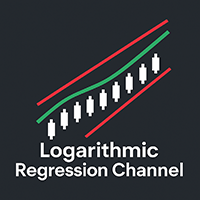
Un indicatore avanzato che combina la regressione logaritmica dinamica con strumenti di analisi trend intelligente , visualizzazioni personalizzabili e filtri avanzati per confermare la direzione del mercato. Come utilizzare l’indicatore Logarithmic Regression Channel - Trend (Disegnato su timeframe superiori) Trend rialzista
(slope ≥ +3) Si può acquistare in due modi: Quando il prezzo rimbalza sulla banda inferiore del canale (trendline bassa). Quando il prezzo supera la linea centrale del

Un potente indicatore multifunzione progettato per offrire una visione chiara e strutturata della forza del mercato, integrando tre strumenti tecnici in un'unica interfaccia intuitiva: Caratteristiche principali: Heikin Ashi RSI Normalizzato Calcolato sul RSI di medie Heikin Ashi, centrato su una scala da -50 a +50 Visualizzazione con candele colorate (blu/rosso) per una lettura chiara della direzione e del momentum Stocastico Modificato %K e %D convertiti sulla stessa scala -50/+50 Opzion

Indicator Name: Auto Trend Line Description: Automatically draws trend lines with optimized and enhanced trend direction detection. Main Features: 1. Automatic Trend Line Drawing: Two main lines are plotted: Support Line – color: Magenta Resistance Line – color: Cyan Lines are calculated based on: Two extremums (highs/lows) or an extremum and a delta (custom offset) 2. Trend Direction Detection: The indicator determines the current trend as: TREND_UP (Uptrend value = 1) TREND_DOWN (Downtrend val

ICT Order Blocks Premium Indicator Professional Market Structure Analysis Based on ICT Methodology OrderBlocks ICT is an advanced technical analysis tool that identifies high-probability trading zones based on the Inner Circle Trader (ICT) methodology. This professional-grade indicator detects key market turning points using institutional order block analysis, revealing where smart money is likely accumulating positions. Key Features: Smart Filtering Technology : Eliminates weak and insignific

Supreme Multi TF Pro is an advanced indicator for MetaTrader 5 that automatically analyzes multiple timeframes — from M1 to Monthly — using a combination of MA, MACD, and ADX. It clearly displays signals for Buy , Sell , or Hold on each timeframe, and highlights the Best Timeframe to trade . Perfect for traders seeking fast and reliable decisions, with intuitive and color-coded panels. Customize parameters to fit your strategy and trade with greater confidence.

What is it? Supreme Trend Pro is an exclusive indicator for MetaTrader 5 that analyzes the current trend using a precise combination of three of the most respected indicators on the market: ️ Moving Averages (MA) ️ MACD ️ ADX
It clearly and visually identifies: When the market is favorable for Buying When it is favorable for Selling When it is still in Analysis / Waiting Features: Chart panel with information: — Trend (Bullish, Bearish, Neutral) — MA status, MACD and ADX strength —
EA Description: StopLoss for MetaTrader 5 StopLoss EA is a powerful MetaTrader 5 Expert Advisor designed for automated trade management . It does not open trades but intelligently manages all open positions by applying dynamic stop loss logic to lock in profits and minimize risk. Key Features: Automatically sets Stop Loss for all open positions with no SL. Monitors position profit in real time. If a trade is in profit by 0.50 units , it begins active trailing logic. If price rises

Hier ist die vollständige deutsche Übersetzung der Produktbeschreibung für deinen MT5 EA – TP Lock , ideal für deine Listung auf MQL5 Market oder einer eigenen Verkaufsseite: EA-Name: TP Lock – Intelligente Gewinnsicherungs-Automatik ️ Entwickler: TKIRKELLA Plattform: MetaTrader 5 (MT5) Überblick TP Lock ist ein Expert Advisor (EA) für MT5, der automatisch bereits eröffnete Positionen verwaltet, um Gewinne zu sichern. Durch die Kombination aus automatischem Break-Even und Trailing Stop
Fx Super Cross EA uses the strategy of multiple Moving Average crossovers and Price action to identify a market entry signal. This setup is frequently used by professional traders around the world. If you want a reliable EA, Fx Super Cross EA is for you. Fx Super Cross EA does not use AI, martingale or Grid, it does not work miracles, but it is safe. The results shown in the images are out of sample, therefore much more reliable. The Fx Super Cross EA has been subjected to a long period of mo

Scalper EURUSD EURUSD 통화 쌍을 위한 스캘핑 전문가 어드바이저 EA 설정 설명 주요 거래 매개변수 TakeProfit (170) – 테이크프로핏 크기 (핍 단위). StopLoss (80) – 스탑로스 크기 (핍 단위). TrailingStop (5) – 트레일링 스탑 값 (핍 단위). cSeconds (2) – 신호 확인 간격 (초). MinPriceShot (20) – 진입에 필요한 최소 가격 움직임 (핍 단위). MaxOrdersCount (10) – 동시에 열릴 수 있는 최대 주문 수. 리스크 관리 및 로트 설정 RiskPercent (1) – 자동 로트 계산을 위한 리스크 비율 (%). FixedLotSize (0.01) – 고정 로트 크기 (자동 로트가 비활성화된 경우 사용). UseAutoLot (false) – 자동 로트 계산 활성화/비활성화. 필터 및 제한 MagicNumber (2025) – 주문 관리를 위한 고유 식별자. MaxSpread (1.

Spiky beta EA works with the principle of spike detection. A spike in this case is a higher than the the previous BarsNumber bars, higher than previous bar by Percentage Difference and that closed in the lower ThirdOrHalf part of its length. For bullish signal, everything is inverted. The position is kept open until Hold bars pass or an opposite signal is received.

ARIMA Neural Link - Trading Revolution When Mathematics Meets Artificial Intelligence Tired of unpredictable losses? Fed up with guessing market movements like reading tea leaves? While you're losing money on emotional decisions, professional traders are already using tomorrow's technology. Introducing ARIMA Neural Link The world's first hybrid indicator combining the power of classical ARIMA modeling with cutting-edge neural network algorithms. This isn't just another indicator — it's a quantum
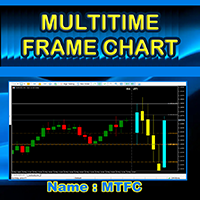
MTFC (Multi Timeframe Chart) – See 2 Timeframes on ONE Chart!
"Trade Smarter, Not Harder – Eliminate Timeframe Switching Forever!" Imagine having the power to see any higher timeframe (M5, M15, H1, H4, D1, MN1, etc.) directly on your current chart. No more flipping between charts, no more guesswork—just pure trading clarity in one place. That’s exactly what the MTFC Indicator delivers! 1. The Problem It Solves As traders, we know context is king . But constantly switching between c

How to Use It Open MetaEditor in MT5. Create a new EA ( File > New > Expert Advisor ). Name it something like SimpleGoldSELL . Paste the full code and compile. Attach it to the XAUUSD chart on any timeframe. ️ Tips This EA only sends one SELL order when attached. Test on a demo account first . Adjust LotSize , StopLoss , and TakeProfit based on your broker's gold settings. Let me know if you want to: Automatically re-enter a sell if the trade closes Add moving averages for signal confirmatio

NovaScalp Pro Features Core Strategy EMA Price Cross - Enters trades when price crosses 9-period EMA Ultra-Fast Execution - Optimized for M1-M5 timeframes Tick-Level Processing - Reacts to every price movement Risk Management Auto Lot Sizing (optional) - Calculates position size based on account risk % Spread Filter - Only trades when spread is tight Hard Stop Loss - Protects against adverse moves Trailing Stop - Locks in profits as trade moves favorably Advanced Features New Ba
Attach to Chart Open MetaTrader 5 → Select a Forex pair (e.g., EURUSD). Drag & drop the EA onto the chart. Input Parameters (Customizable) FastMA_Period (Default: 10) SlowMA_Period (Default: 20) LotSize (Default: 0.1) StopLoss_Pips (Default: 50) TakeProfit_Pips (Default: 100) MagicNumber (Unique ID for trades) Optimization (Optional) Test in Strategy Tester (Backtest & Forward Test). Adjust MA periods, SL/TP, and lot size for better results. Risk Management Start with sm
“출시 가격: $55 (2개 한정!). 다음 가격: $75. 최종 가격: $149.” 제품을 구매하셨다면 이메일 주소를 보내주세요.
Excel ProTrading Analytics 템플릿 를 무료로 보내드립니다. 이 올인원 솔루션으로 트레이딩 전략의 전체 가능성을 열어보세요: 거래 내역 내보내기 + 전문가용 Excel 대시보드 . 수동 트레이드든 EA(trading robot)이든, 이 강력한 도구는 전문가 수준의 지표와 대시보드를 사용해 성과를 분석하고 최적화할 수 있게 해줍니다. Pro Excel Dashboard는 수동 또는 알고리즘 거래 내역을 깊이 있게 분석하며, 백테스트 결과를 사용해 EA의 퍼포먼스도 평가할 수 있습니다. 주요 지표를 기반으로 한 성과 평가와 상세 인사이트를 즉시 제공합니다. 또한 전체적인 트레이딩 일관성을 평가할 수 있습니다 — 이는 Prop Firm 챌린지 통과 및 자금 계정 유지에 매우 중요합니다.
포함 항목: Trade History Export
Alpha Indicator – Precision Trading for Every Market Trade Smarter, Not Harder.
The Alpha Indicator is a non-repainting, high-accuracy trading tool designed for serious traders across all styles — scalping, day trading, and swing trading. Whether you're on Forex, Gold, Crypto, NAS100, GER30, or Deriv Synthetic Indices like Volatility, Boom & Crash, this indicator adapts to your market and strategy. It combines powerful components: Alpha Trend Filter – confirms bullish or bearish momentum

Introducing EU STRIKER The Ultimate Trading Weapon — Engineered for EURUSD. Optimized for You. In the world of Forex trading, precision, timing, and strategy are everything. And when it comes to the most traded pair in the world — EURUSD — you need a tool that’s not just powerful, but also smart, reliable, and insanely easy to use. Say hello to EU STRIKER — the trading solution built from the ground up to give you a serious edge in EURUSD. Whether you're a beginner trying to take your first tra

交易辅助面板,功能众多,开仓-平仓-风控一体面板。 手动开仓,半自动马丁顺势网格加仓,逆势网格加仓。 账号清仓,全平仓,点数平仓,金额平仓,逐步平仓,追踪止损。 风控警报,风控锁仓,风控对冲。 辅助持仓信息显示。 Trading assistance panel with numerous functions, an all-in-one panel for opening positions, closing positions, and risk control.Manual opening of positions, semi-automatic Martingale trend grid scaling, counter-trend grid scaling.Account clearance, full liquidation, point clearing, amount clearing, gradual liquidation, and trailing stop loss.Risk control alerts, risk control locking, risk
Smart Candles uses intelligent candlestick configurations and combinations and various Price Action resources to identify specific patterns on the chart to identify a market entry signal . This setup is frequently used by professional traders around the world. If you want a reliable EA, Smart Candles is for you. Smart Candles does not use AI, martingale or Grid, it does not work miracles, but it is safe. The results shown in the images are out of sample, therefore much more reliable, Furthermore
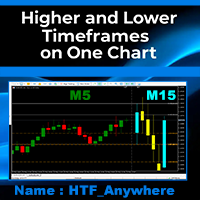
============================================== UNLOCK THE ULTIMATE TRADING EDGE: MULTI-TIMEFRAME ON ONE CHART FOR MT5!
=========================================
FINALLY, THE IMPOSSIBLE IS HERE! Traders, imagine seeing ANY higher timeframe directly on your current chart —without switching screens, without missing a beat. What if you could analyze the daily trend on a 5-minute chart , or spot weekly key levels while trading the 1H on the exact same chart?
INTRODUCING HTF Anywhere,

Alpha Wave Indicator: Pure Precision! This is a tool that will take your trading to the next level. Believe me!! This advanced tool uses a Gaussian window to smooth price data, plotting green upper and red lower bands to identify key trends. With customizable bandwidth, multiplier, and lookback period, plus crossover arrows for clear signals, Alpha Wave helps you navigate the market with confidence. Perfect for traders seeking reliable, non-repainting insights, it can be used on multiple currenc

MacD Power Trend — Multi-Timeframe, Color MACD Indicator Designed to help you avoid missing the most critical turning points in the market. Not a simple indicator, it speeds up the decision-making process for both novice and professional traders with its customizable color palette, multi-timeframe support, and clear visual signals. • Multi-Timeframe Support – Track 1-hour, 4-hour, daily, and more beyond your main chart with just one click. • Dynamic Color Coding – MACD line and histogram bars a
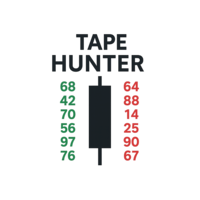
Tape Hunter – MT5에서 노력과 결과를 확인하는 레이더 Tape Hunter는 MetaTrader 5에서 가격 뒤에 숨겨진 진짜 움직임을 보고자 하는 트레이더를 위한 최고의 인디케이터입니다. POC(Point of Control)를 기반으로 매수와 매도의 공격적인 거래량을 명확하고 직관적으로 보여주며, 각 캔들에서 시장의 노력과 실제 결과를 시각화할 수 있습니다. ️ 왜 중요한가요?
모든 거래량이 가격을 움직이는 것은 아닙니다! Tape Hunter는 노력(공격적인 거래량)이 실제로 가격을 움직이고 있는지 강조하며, 다음을 파악하는 데 도움을 줍니다: 진짜 공격과 함정이 어디에 있는지 시장이 흡수되고 있는지, 아니면 밀리고 있는지 지배적인 거래량과 가격 방향의 일치 여부 Tape Hunter를 사용하면 프로페셔널한 테이프 리딩 관점을 얻어 더 정확한 진입과 청산 결정을 내릴 수 있습니다. 관련 인디케이터 – 플로우 분석 강화하기 보다 효율적인 트레

Oktagon Ultra — Smart Precision on XAUUSD H1 Backtested from 2024 to Present | Built for Live Markets | Prop Firm Ready Oktagon Ultra is a high-performance Expert Advisor (EA) engineered for trading XAUUSD H1 with unmatched precision and adaptive intelligence. Built to dominate current market conditions, Oktagon Ultra combines robust risk control with cutting-edge strategy logic—perfect for individual traders and prop firm challenges. Why Oktagon Ultra Excels Every trade has a Stop Loss and Take

Forex Grid EA – Built on 15 Years of Trading Experience This Expert Advisor (EA) is the result of over 15 years of dedicated Forex trading and strategy refinement. Designed around a smart grid trading system , it comes with advanced features to manage risk and adapt to market conditions . Unlike traditional grid bots, this EA includes the ability to limit capital exposure by setting a maximum percentage of equity to be used— helping you stay protected in volatile conditions . Key Feat

Fx Pro Scalper uses the mean-return-based strategy to generate potential returns by analyzing breakouts based on chart-based support and resistance levels along with candlestick and price analysis to identify a market entry signal . This setup is frequently used by professional traders around the world. If you want a reliable EA, Fx Pro Scalper is for you. Fx Pro Scalper does not use AI, martingale or Grid, it does not work miracles, but it is safe. The results shown in the images are out of sam

AtlasFluxoQuant EA - Versão v1.19 상업적 설명
AtlasFluxoQuant EA는 MetaTrader 5를 위한 혁신적인 전문가 어드바이저(Expert Advisor)로, Atlas Quant가 개발하였으며, 자율성과 정밀한 거래를 원하는 트레이더를 위한 솔루션입니다. 이 독립형 버전(v1.19)은 거래 자동화의 발전을 극대화한 형태로, 고급 기술 분석과 전문적인 리스크 관리 기능을 하나의 파일에 통합하여 외부 의존성을 제거했습니다. 독점적인 자율 기술
대부분의 EA와 달리 AtlasFluxoQuant 는 외부 지표나 추가 파일 없이 완전히 독립적으로 작동합니다. 모든 분석 기능이 하나의 MQ5 파일에 포함되어 있으며, 다음을 보장합니다: 간편한 설치 : EA를 차트에 추가하기만 하면 즉시 거래 시작 높은 안정성 : 외부 의존성이 없어 사기 위험 없음 최적화된 성능 : 시장 상황에 빠르게 반응할 수 있도록 효율적인 계산 수행 완벽한 호환성 : 별도 설
ORB BTC BOT – Automated Breakout Trading Bot for MetaTrader 5 New York Session (Adjust Time depends on your region) ORB BTC BOT is an advanced algorithmic trading bot designed specifically for MetaTrader 5. Core Features: Smart Risk Management
Fixed SL/TP in USD values with a configurable Risk-to-Reward Ratio . BTC/USDT Optimized
Tuned for the multi currency on the M15 timeframe, but adaptable to other assets and intervals. Compatible with funded accounts & prop firms (Not ev

Key Features of This Selling EA: Technical Indicators : Uses Moving Average (SMA) to determine trend direction Uses RSI to identify overbought conditions Sell Conditions : Price is below the Moving Average (downtrend) RSI is above the specified level (overbought condition) Risk Management : Configurable Stop Loss and Take Profit Fixed lot size (can be modified to use risk percentage) Order Management : Only one position at a time Proper error handling Customization Options : Adjustable parameter

안녕하세요, 트레이더 여러분! 단순히 무작위로 매매를 반복하는 EA가 아닌, 전략적으로 움직이고 논리적인 판단을 기반으로 거래하는 진짜 EA를 찾고 계시다면, Scalper Investor EA 를 주목해 보세요.
이 멀티통화 EA는 이미 잘 설계된 리버설(역추세) 전략 으로 무장되어 있으며, 곧 추세 추종 전략 이 무료 업데이트로 추가될 예정입니다. 리버설 전략 – 즉시 사용 가능
출시 시점 기준으로, 이 EA는 리버설 전략에 최적화되어 있습니다. 켈트너 채널(Keltner Channel)을 기반으로 가격의 되돌림 구간을 포착하고, 다양한 필터로 노이즈를 걸러내어 진입 시점을 정밀하게 잡아냅니다.
감에 의존한 진입은 없습니다. 오직 철저한 논리와 기술적 근거에 기반한 매매만 실행합니다. 전략의 핵심은 가격이 채널 내부로 다시 진입할 때를 노리는 것입니다. 필터링 기준에는 변동성, 신호 강도, 추세 방향, 스프레드, 슬리피지 등 다양한 요소가 포함되며, 롤오버 시간대나 시장 유동성이

A new and more powerful XAU EA, using an unprecedented method, XAUUSD, XAUEUR/XAUGBP/XAUCHF/XAUJPY/XAUAUD can all use it . This is my best work on XAU. Many people like to trade XAUUSD, and I am no exception. After accumulating some trading experience and hard work, I made this EA specifically for trading all XAU-related products. Among them, I most recommend the combination of XAUUSD, XAUJPY, and XAUCHF. Signal display and discussion group: If you don't know how to set parameters or have an

FoxForex Management is a professional trade management and risk management system for MetaTrader 4 and MetaTrader 5. It helps traders automatically calculate position size, manage risk with precision, execute trades with a single click, protect profits, and identify supply and demand zones in real time. Designed for both discretionary and professional traders, it combines trade execution, money management, and position protection tools within a single intuitive interface. Risk management setting

DCA Buddy: Advanced Price Visualiser Take control of your multi-position trading with DCA Buddy , an advanced indicator for MetaTrader 5. It provides a clear and accurate visualisation of the average break-even price for all your open trades on the current chart symbol. This powerful tool goes beyond simple averages, correctly handling both one-sided and complex hedged scenarios, and features a sophisticated alert system to notify you precisely when your net position achieves its goals. Core Fun
FREE

Catch boom spikes like a pro – before they happen! The KarooSpikes Boom Spike Catcher is a powerful MetaTrader 5 indicator designed for traders who want to consistently catch spikes on Boom with precision and confidence. What This Indicator Does: Detects high-probability spike zones using a combination of: RSI + Stochastic crossovers Price action 50 EMA trend filter Plots clear BUY arrows on your chart when spike conditions are met Sends instant mobile + sound alerts so you never miss a
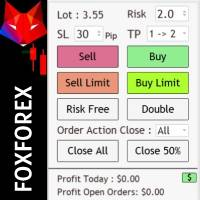
Risk management settings Automatic lot size calculation based on risk Open Buy and Sell positions with one click based on settings Open positions graphically (Buy Limit – Buy Stop – Sell Limit – Sell Stop) Risk-free open positions Open new trades with TP and SL from previous open trades Close all open trades with one click Save 50% of open trades' profit Setting to close open positions based on Sell or Buy positions Real-time display of open positions' profit/loss and daily profit/loss

The indicator is designed to display information about current trading. The current information and statistics panel displays data on the number of trading orders, their profit and the number of lots. The equity status as a percentage of the balance of funds and the total profit of all orders on this instrument are also displayed. In the statistics panel, you can see information on closed orders from the beginning of the specified date in the settings. The panels have flexible size and color se

Now, you have your very own PROP FIRM LOT SIZE CALCULATOR ! It now has BREAKEVEN and PARTIAL CLOSURE features! There's no need to go to other websites just to compute for the exact lot size. It also opens the trade with a click of a button. All inputs on the calculator can be edited. So if you want to change the SL or TP or the lot size, you can do so before placing an order. ========================================== INPUTS (Please see screenshot for reference): 1. SL PRICE TEXT . This is clic
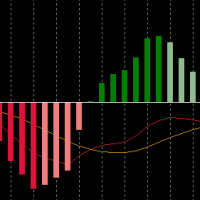
A beutiful, multi colored MACD indicator. It offers the possibility to change the colors of the "main line" and the "signal line" and uses four different colors for the "histogram"
It also returns the buffer-values from the "main line", "signal line", "histogram" and "color" to acess it from an EA
If you need some changes, or additional buffers -> send me a message

Haven Gold Miner - XAUUSD 골드 자동 거래 시스템 Haven Gold Miner 를 소개합니다. 이 시스템은 MetaTrader 5용 트레이딩 Expert Advisor(EA)로, 골드(XAUUSD / GOLD) 자동 거래를 위해 특별히 설계되었습니다. 이 EA는 트렌드 추종(trend-following) 접근 방식을 사용하며, 골드 시장의 구조적인 움직임을 따라 거래하도록 설계되었습니다. 매 틱마다 수익을 내려는 스캘퍼가 아니기 때문에, Haven Gold Miner는 여타 초단기 거래 로봇들과 비교했을 때 스프레드, 수수료, 슬리피지의 미세한 변화에 영향을 훨씬 덜 받습니다. 기타 제품 -> 열기 EA 사용자 매뉴얼 -> 열기 패널 상태 코드 -> 열기 텔레그램 알림 설정 가이드 -> 열기 Haven Gold Miner는 누구를 위한 것인가요? 골드 트레이더를 위해: 본 EA는 XAUUSD / GOLD 전용으로 개발되었으며, 모든 자산에 적용하는 범용 멀티 커

SR-71 Blackbird – High-Speed Precision Trading Bot for XAUUSD (H1) Inspired by the legendary SR-71 reconnaissance aircraft, this trading robot delivers speed, precision, and power in the financial markets. Optimized exclusively for Gold (XAUUSD) on the H1 timeframe, this EA uses a unique triple-moving-average strategy designed for decisive trend-based entries and exits.
️ Key Features: Fully Automated – Set it and let it fly
Optimized for XAUUSD, H1 timeframe
Customizable l

️ Ex-Calibur EA is Professional Trading Robot with Inside Bar Strategy.
Key Features:
Powerful Inside Bar Strategy - Automatic Inside Bar pattern detection for precise entry points - Colored indicator box visualization for easier analysis - Automated entry system with pending orders to capture breakouts
Advanced Risk Management - Flexible Trailing Stop system to secure profits - Automatic Break Even to protect capital - Adaptive Stop Loss and Take Profit based on market vol
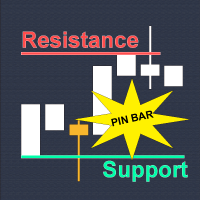
Why Technical Indicators Don't Work?
Many traders lose money because of lagging indicator crossovers and fake breakouts. Indicators are rearview mirrors. They're all just pretty math equations of PAST data. Would you drive forward while staring at your rearview mirror? Absolutely NO. The "Holy Grail" indicator doesn't exist. Price Action Decoding: How Smart Money REALLY Trades?
The market don't care about your indicators, analyze price action instead, e.g. the principles of ICT, SMC, and other

IFR Scalper uses the strategy based on detecting the level of market strength to generate potential returns by analyzing breakouts based on chart-based support and resistance levels along with candlestick and price analysis to identify a market entry signal . This setup is frequently used by professional traders around the world. If you want a reliable EA, IFR Scalper is for you. IFR Scalper does not use AI, martingale or Grid, it does not work miracles, but it is safe. The results shown in the
VOLATILITY SNIPER MT5 – Smart RSI & Volatility Adaptive Trading System Your Ultimate Trading Companion Built for Precision and Profitability. VOLATILITY SNIPER is a next-generation Expert Advisor designed for traders who demand performance, control, and strategic edge in volatile market conditions. Powered by a highly optimized RSI strategy and dynamic ATR-based volatility filter, this EA is capable of identifying high-probability reversal zones while minimizing false signals through int

SessionSniper Pro — Event-Driven Trade Automation SessionSniper Pro is a precision trading tool designed for traders who seek to automate session-based or event-driven entries with a high degree of control and clarity. This Expert Advisor specializes in detecting high-probability breakout or reversal opportunities based on time-defined market sessions. It is ideal for professional traders who operate around market opens (e.g. NYSE, London) or major news events. KEY FEATURES Dual Entry Modes: Cho
MetaTrader 마켓은 거래 로봇과 기술 지표들의 독특한 스토어입니다.
MQL5.community 사용자 메모를 읽어보셔서 트레이더들에게 제공하는 고유한 서비스(거래 시그널 복사, 프리랜서가 개발한 맞춤형 애플리케이션, 결제 시스템 및 MQL5 클라우드 네트워크를 통한 자동 결제)에 대해 자세히 알아보십시오.
